Best Online Form Builders in 2026 + When Forms Fail
Best Online Form Builders in 2026
TL;DR
Online form builders are still widely used for collecting leads, registrations, payments, and feedback. Tools like Google Forms, HubSpot Forms, Jotform, and Tally make it easy to create online forms. However, in 2026, traditional forms create significant friction in the B2B buyer journey and are no longer optimized for how modern buyers engage.
Most forms ask for information before delivering any value, leading to massive drop-offs. Fewer than 5% of visitors who reach a “Contact Us” or “Get a Demo” page actually submit a form. Forms also force buyers back to a website, even when engagement happens off-site or on mobile, increasing bounce rates and lost opportunities. Once a form is submitted, the process becomes inbound-led outbound: SDRs chase leads through emails and calls, often with low reply rates and wasted effort. Speed-to-lead suffers, even though buyer intent typically lasts only minutes.
Form submissions also produce low-quality data. Many entries are incomplete, inaccurate, or unrelated to revenue intent, such as support requests, partnerships, or job inquiries. Leads who never fill out a form remain anonymous, making true attribution and intent tracking nearly impossible across channels like LinkedIn outreach, events, and off-site interactions.
This guide compares the best online form builders in 2026 and explains which tools fit specific use cases. It also introduces a modern B2B alternative: formless funnels powered by Knock AI. With Knock AI, teams can minimize form friction by capturing only an email and enriching lead and company data in real time, including intent signals. For buyers who do not want to fill out forms, Knock AI enables instant conversations through DM buttons and AI-powered SDR engagement, turning inbound interest into real-time connections. At events, Knock marketing cards replace forms entirely, capturing enriched lead data instantly and syncing it directly to Slack and CRM so teams can engage buyers at the moment of interest.
What Is an Online Form Builder?
Online Form Builder Definition
An online form builder is a digital tool that allows individuals and businesses to create online forms without writing code. These forms are used to collect structured information from users, such as contact details, registrations, applications, orders, payments, feedback, and file uploads.
Most online form builders provide a visual editor where users can design forms, add fields, apply conditional logic, customize layouts, embed forms on websites, and connect submissions to email marketing tools, CRMs, and other business systems.
In practice, online form builders are commonly used for:
Contact forms on business websites
Sign up forms for newsletters and product access
Order and payment forms for purchases
Online registration forms for events and webinars
Application forms for jobs, programs, or services
Why Online Forms Still Matter (But Are Breaking)
Online forms remain foundational to digital lead capture. They are straightforward to build, easy to integrate on websites, and continue to serve many basic functions. However, as buyer behavior shifts and expectations evolve, traditional forms are showing critical limitations, especially for high-value B2B use cases. Similarly, in education, institutions increasingly rely on dedicated digital assessment platforms like AssessPrep instead of general-purpose forms for secure exams, automated grading, and assessment management.
What Forms Are Good At
Despite their growing limitations, online forms still deliver value in specific areas:
Structured data capture: Forms enforce field-based input so businesses can collect consistent data like names, emails, job titles, or company names without manual transcription.
Simple workflows: For basic needs like newsletter signups or internal requests, forms are quick to deploy and easy for teams to use.
Easy embedding on websites: Most form builders allow businesses to embed forms directly into web pages, landing pages, and blogs with a few clicks.
Internal data collection: Teams use forms for internal feedback, surveys, support requests, and other non-revenue workflows where deep qualification isn’t required.
These use cases keep forms relevant, but they do not address the demands of modern B2B buyer journeys.
The Hidden Problems With Traditional Forms
Forms are increasingly breakpoints in the funnel, especially when you rely on them for revenue-critical lead capture. Below are the most significant limitations based on real data and behavioral research.
1. Extremely Low Conversion Rates for Revenue-Critical Actions
Average form conversion rates can be surprisingly low. According to analytics benchmarks, the average form conversion rate across industries is around 1.7%, meaning only a very small portion of visitors complete forms even when the form is present and visible. (Source)
This means of every 1,000 visitors who land on a high-intent page like Contact Us or Request Demo, fewer than 20 will actually submit a form, a tremendous drop in opportunity.
2. Users Often Abandon Forms Before Submission
Behavioral benchmarks show that only about 38% of people who interact with a contact form complete it successfully, and when considering all visitors who see a form, the conversion rate can be as low as ~9% for contact forms specifically. (Source)
Longer, complex forms, common in demo and enterprise enquiry contexts—lose even more potential leads because buyers get impatient or decide the effort isn’t worth it.
3. Forms Interrupt Buyer Experience and Create Friction
Traditional forms ask buyers to give up personal or company information before receiving value (such as pricing, product walkthrough, or quick answers). This early ask becomes friction that drives visitors away.
In a world where 49% of marketers agree web forms are high converting, the data still shows that relying on them alone as a primary lead capture mechanism misses the majority of prospective buyers. (Source)
4. Mobile and Off-Site Traffic Suffers
As mobile traffic dominates B2B browsing, form completion falls off even more sharply. Conversion benchmarks show that mobile engagement tends to convert at lower rates than desktop. (Source)
Additionally, forcing buyers who interact off-site (for example, on LinkedIn or social media) to return to a website just to fill a form increases bounce rates and lost opportunities.
5. Inbound Leads Become Outbound Chasing
The traditional form process becomes an inbound-led outbound workflow:
Visitor fills out a form
SDRs chase the lead via email or phone
Sales follow-up often happens hours later
Persistent research on lead response performance shows speed matters. For example, studies find that firms that contact leads within an hour of initial interest are significantly more likely to qualify them than firms that wait longer. (Source)
Beyond intent fading, many leads never get followed up at all in traditional form workflows.
6. Speed-to-Lead Problems Hurt Revenue Outcomes
B2B research shows that 78% of B2B customers buy from the vendor who responds first, and responding within minutes, as opposed to hours, can dramatically lift conversion outcomes. (Source)
Yet, most sales processes tied to form submissions rely on human teams operating at slower speeds, which means intent often expires before any meaningful engagement.
7. Forms Don’t Provide Real Intent Data
Forms capture what buyers say, not what they intend. A submission doesn’t tell you whether a lead was truly interested in buying, gathering support, exploring jobs, or just curious.
Moreover, because anonymous visitors who don’t fill forms remain untracked, marketing and revenue teams can’t attribute engagement, especially when interest spans paid ads, LinkedIn outreach, events, or off-site channels.
Summary: The Breaking Point
While online forms are good for simple structured capture and internal workflows, they struggle precisely at the points that matter most:
Limitation
Impact
Low conversion rates (~1.7%)
Missed revenue opportunities
High abandonment
Waste of traffic & engagement
Friction early in journey
Increased bounce, fewer leads
Slow follow-up
Lost intent & lower conversions
No true intent signal
CRM pollution & poor routing
Anonymous visitors
Lost attribution & stalking
Types of Online Forms and When to Use Them
Not all online forms serve the same purpose. Different form types are designed for different stages of the buyer journey, user intent, and operational needs. Choosing the right type of form is critical for balancing data capture, user experience, and conversion rates.
Below is a practical breakdown of the most common types of online forms, when they are best used, and which tools are typically recommended.
Common Online Form Types (Use-Case Based)
Form Type
Best Used For
Recommended Tools
Contact Form Builder
Website inquiries, sales questions, general contact requests
One-time purchases, service orders, digital products
Jotform, Paperform
Payment Forms
Paid services, subscriptions, invoices, donations
Jotform Payment Forms
Online Registration Forms
Events, webinars, workshops, online check-ins
Zoho Forms
Application Form Maker
Job applications, partner programs, academic or service applications
Google Forms, Formstack
Feedback Forms
NPS surveys, customer feedback, internal surveys
Google Forms
Popup Forms
Lead capture, exit intent offers, promotional campaigns
OptiMonk, Convertful
Embedded Form Builder
SaaS websites, landing pages, product pages
HubSpot Forms
LinkedIn Lead Gen Forms
Paid demand generation, LinkedIn ads, mobile-first lead capture
LinkedIn Lead Gen Forms
How to Think About Form Selection
When deciding which type of online form to use, teams should consider:
User intent: Is the visitor exploring, evaluating, or ready to buy?
Channel: Is the interaction happening on a website, mobile device, ad platform, or event?
Friction tolerance: How much effort will users realistically invest at this stage?
Follow-up workflow: Will this form trigger outbound outreach, automation, or real-time engagement?
For low-intent or operational use cases (such as internal surveys or simple registrations), traditional forms often work well. However, for high-intent B2B interactions, relying exclusively on forms can limit conversions, slow response times, and reduce lead quality.
Important Context for Modern B2B Teams
Many of these form types were designed for a time when:
Buyers primarily interacted on websites
Data capture mattered more than speed or intent
Sales teams could manually chase every submission
Today, buyers expect faster, more conversational engagement, and many prefer not to fill out forms at all. This is why modern B2B teams increasingly complement forms with real-time messaging, chat, and formless engagement models, especially at high-intent moments.
Best Online Form Builders Comparison Table
Tool
Primary Use Case
Form Types Supported
Integrations & Ecosystem
Customization & Logic
Key Strength
Key Limitation
Google Forms
Simple forms & surveys
Contact forms, surveys, registrations
Google Workspace (Sheets, Drive)
Basic logic, limited styling
Free, fast, unlimited forms
No enrichment, no intent data, limited branding
HubSpot Forms
CRM-driven inbound teams
Contact forms, pop-ups, embedded forms
Native HubSpot CRM & marketing tools
Conditional logic, personalization
Seamless CRM sync
Still form-dependent, limited outside HubSpot
Jotform
Advanced forms & payments
Order forms, payment forms, applications
100+ integrations (Stripe, PayPal, CRMs)
Advanced logic, workflows
Very flexible, feature-rich
Can feel heavy for simple use cases
Zoho Forms
SMB workflows
Registration, order, internal forms
Zoho CRM & Zoho apps
Conditional logic, approvals
Strong Zoho ecosystem fit
UI and setup complexity
Tally Forms
Simple form creation
Sign-up forms, feedback, surveys
Webhooks, basic integrations
Minimal logic, text-first
Extremely easy to use
Limited automation and workflows
ProProfs Survey Maker
Scalable surveys & enterprise feedback collection
Surveys, polls, NPS, quizzes, and feedback forms
CRM & marketing tools (Salesforce, HubSpot), SSO, enterprise systems
Advanced logic (branching, scored surveys), full branding, AI builder
Scales to millions of responses with AI-powered creation
Some enterprise features gated behind paid plans
Paperform
Design-centric forms
Order forms, booking, branded forms
Payments, CRMs, Zapier
Advanced layout & logic
Strong branding & UX
Higher pricing
Formstack
Enterprise & compliance
Secure data collection, regulated forms
Enterprise systems & CRMs
Workflow automation
Compliance & security
Setup and learning curve
Microsoft Forms
Internal teams
Surveys, quizzes, feedback
Microsoft 365 ecosystem
Basic logic
Easy for internal use
Weak marketing & lead capture
LinkedIn Lead Gen Forms
Paid demand generation
Lead capture via ads
LinkedIn Ads & CRM sync
No traditional logic
Pre-filled LinkedIn data
Fully ad-dependent, no intent depth
123FormBuilder
Business data collection
Contact, registration, order forms
Payments, CRMs, Zapier
Conditional logic, workflows
GDPR-focused, versatile
UI less modern
Involve.me
Interactive experiences
Forms, quizzes, calculators
CRM & marketing tools
Advanced branching logic
Highly interactive formats
Not ideal for simple forms
OptiMonk
On-site lead capture
Pop-ups, embedded forms
Marketing & analytics tools
Targeting rules
Conversion-focused popups
Not a full form platform
Convertful
Funnel-based lead capture
Popups, multi-step forms
Email & CRM tools
Visual funnel logic
Strong for lead funnels
Limited outside marketing use
See Knock AI in Action — Book Your Live Demo Today
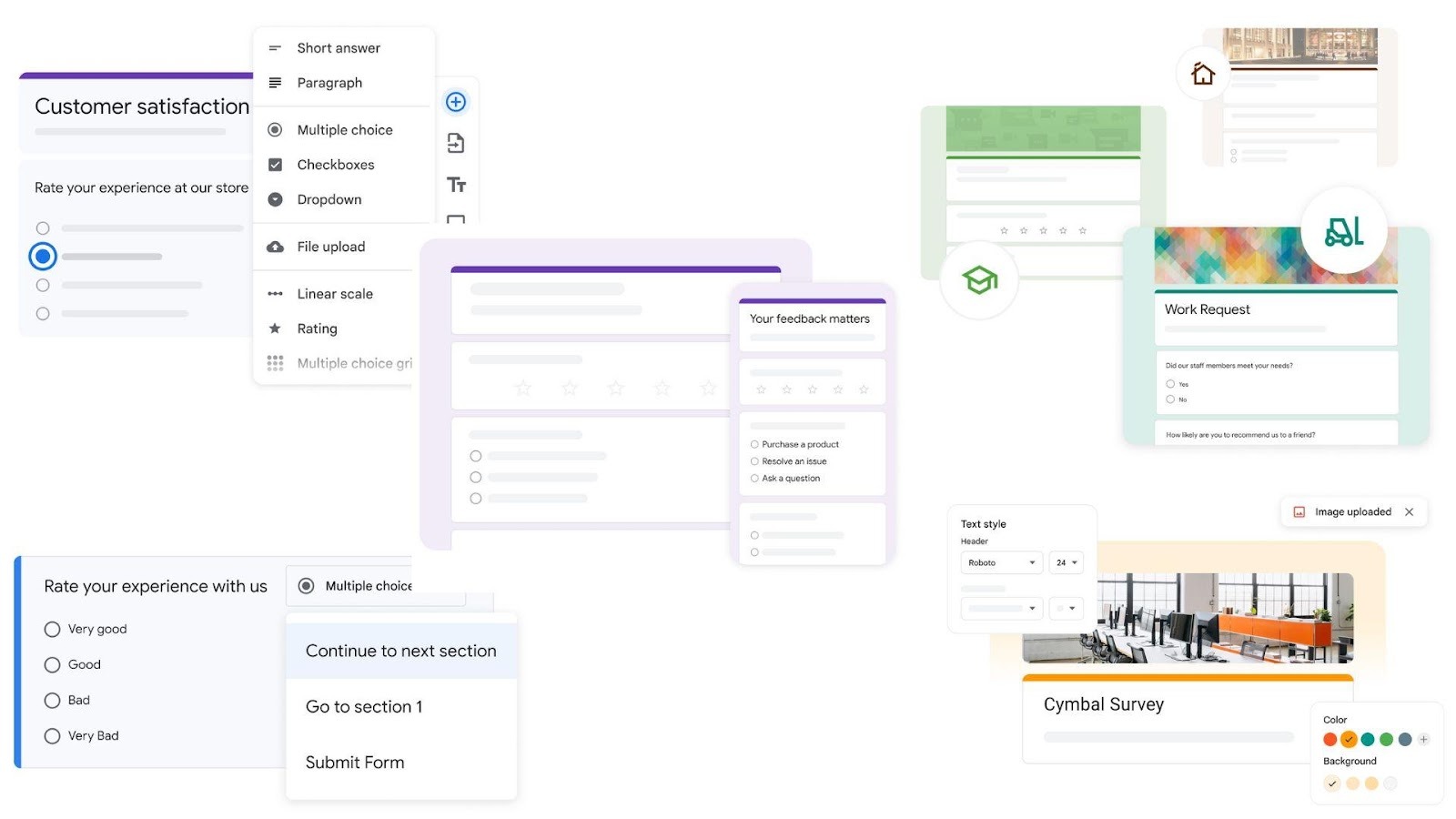
Google Forms is a cloud-based online form builder included in Google Workspace that allows individuals and organizations to create forms and surveys to collect data and insights quickly.
Best For
Internal surveys and questionnaires
Education and academic use cases
Simple application forms
Basic registrations and data collection workflows
Google Forms is commonly used when speed, accessibility, and ease of collaboration matter more than advanced customization or lead qualification.
What Google Forms Supports
Google Forms enables users to:
Create online forms and surveys using multiple question types
Build quizzes and custom question flows
Share forms via email, links, social media, or embed them on a website
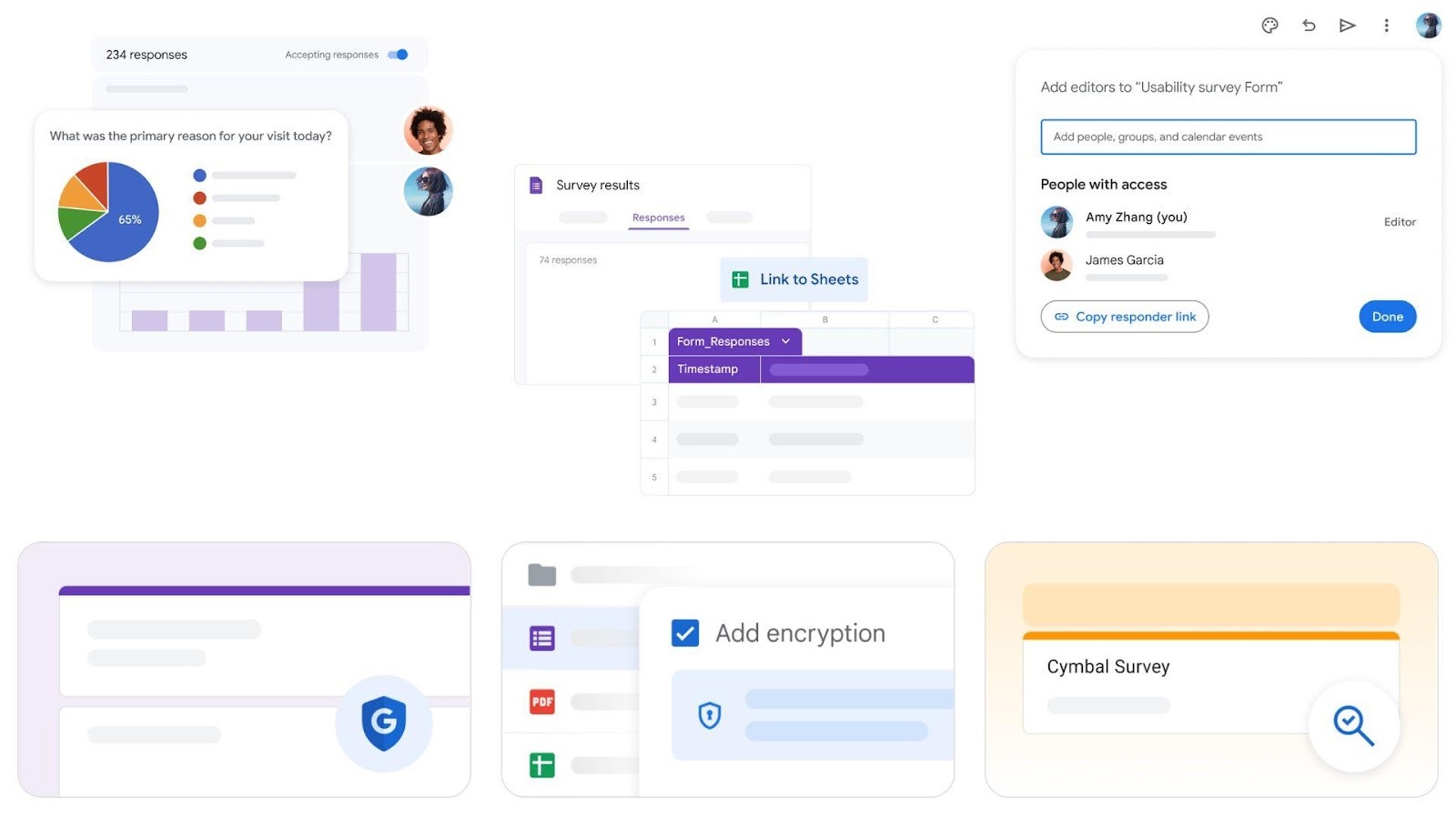
Collect responses in real time
Export and analyze responses directly in Google Sheets
Common supported use cases and search intents include:
Pre-made templates for surveys, questionnaires, and common form types
Basic visual customization to match branding and ensure responsiveness across devices
Response collection and analysis
Real-time response tracking
Automatic charts and visual summaries
Direct integration with Google Sheets for data aggregation and reporting
Collaborative analysis with team members
Security and compliance
Cloud-native infrastructure
Encryption in transit and at rest
Built-in protections against malware and abuse
Regular independent verification of security, privacy, and compliance controls
Collaboration and accessibility
Accessible from anywhere with a browser
Works across desktop and mobile devices
Supports collaborative editing and shared access within Google Workspace
Pros
Free to use with a Google account
Fast setup with minimal learning curve
Unlimited forms and responses
Seamless integration with Google Workspace tools like Sheets and Drive
Strong reliability and availability
Cons
Limited design and branding flexibility compared to advanced form builders
No native CRM-grade lead qualification
No built-in intent data or buyer context
Not designed for revenue-focused lead routing or sales workflows
When Google Forms Makes Sense
Google Forms works best when the goal is simple, structured data collection rather than buyer qualification or real-time engagement. It is well suited for internal processes, educational environments, surveys, and low-friction information gathering where advanced automation and intent signals are not required.
HubSpot Form Builder (Best CRM Form Builder)
HubSpot Forms is a CRM-connected online form builder available within HubSpot’s Marketing Hub. It is designed to help businesses capture leads from their website and automatically store, route, and nurture them inside HubSpot’s Smart CRM.
Best For
CRM-driven marketing and revenue teams
Website lead capture and inbound marketing
Contact forms, sign-up forms, and gated content
Teams already using HubSpot Marketing Hub
HubSpot Forms is best suited for organizations that want form submissions to flow directly into their CRM without relying on third-party integrations.
What HubSpot Form Builder Supports
HubSpot’s form builder allows teams to:
Create free online forms using a drag-and-drop editor
Embed forms on websites or deploy them as standalone pages
Automatically add form submissions to HubSpot’s Smart CRM
Route leads into nurture workflows or sales pipelines
Personalize forms and reduce abandonment using advanced logic
Common supported use cases and search intents include:
online form builder
contact form builder
sign up forms
email marketing forms
embedded form builder
crm form builder
Key Features
Form creation and customization
Visual drag-and-drop form editor
Pre-built templates for common goals such as event registration, ebook downloads, newsletter signups, and ticket submissions
Custom fields that align with CRM properties
Forms that adapt visually to brand guidelines
CRM-native lead capture
Every form submission is automatically stored in HubSpot’s CRM
Contacts can be instantly enrolled in lead nurture campaigns
Leads can be routed to sales teams without manual intervention
Automation and follow-up
Automated follow-up emails after form submission
Spam filtering to reduce low-quality submissions
Enrollment into marketing workflows and campaigns
Advanced form optimization (Premium features)
Conditional logic to show or hide fields based on user responses
Dynamic fields that personalize forms for returning visitors
Multi-step forms and form shortening to reduce abandonment
Progressive data collection over multiple interactions
Pros
Native integration with HubSpot CRM and Marketing Hub
No-code form creation with fast setup
Automatic lead capture and routing
Strong automation and follow-up capabilities
Free plan available with optional premium upgrades
Cons
Primarily optimized for HubSpot’s ecosystem
Advanced features require paid Marketing Hub tiers
Still relies on form completion for engagement
Does not capture real-time buyer intent beyond submitted data
When HubSpot Form Builder Makes Sense
HubSpot Form Builder works best for teams running inbound marketing strategies inside the HubSpot ecosystem, where form submissions trigger automated nurturing, email marketing, and sales handoff. It is particularly effective for websites that rely on embedded forms and CRM-driven workflows to manage leads at scale.
Jotform Form Builder (Advanced Form Builder)
Jotform is a comprehensive online form builder designed for businesses and teams that need advanced form functionality, including payments, conditional logic, approvals, and workflow automation, without writing code.
Jotform positions itself as a flexible, all-purpose form solution suitable for both simple data collection and complex business workflows.
Best For
Advanced online forms with complex logic
Payment and order forms
Application and registration workflows
Businesses that need customization and automation beyond basic forms
Jotform is commonly used when teams require more control, integrations, and form behavior than lightweight form builders provide.
What Jotform Supports
Jotform enables users to:
Create online forms using a drag-and-drop form builder
Choose from thousands of pre-built form templates
Build order forms, payment forms, application forms, and registration forms
Accept payments through multiple payment gateways
Embed forms on websites or share them via links
Automate workflows and approvals
Common supported use cases and search intents include:
online form builder
order form builder
payment forms
application form maker
online registration form maker
customizable form builder
Key Features
Form creation and customization
Visual drag-and-drop form editor
Large library of customizable form templates
Advanced design options including themes and layout controls
Mobile-responsive forms across devices
Advanced logic and workflows
Conditional logic to dynamically show or hide fields
Multi-page forms for long or complex data collection
Approval workflows for internal review processes
Calculation widgets for pricing, scoring, and totals
Payment and order processing
Built-in support for online payments
Integration with payment providers such as Stripe and PayPal
Ability to create order forms, invoices, and donation forms
Integrations and automation
Integrations with CRMs, email marketing tools, cloud storage, and productivity platforms
Webhooks and third-party automation support
Data syncing with external tools and systems
Security and compliance
Secure data collection and storage
Support for compliance-focused use cases through controlled data handling and permissions
Enterprise options for organizations with higher security needs
Pros
Extremely flexible and feature-rich
Strong support for payment and order forms
Large template library for quick setup
Advanced conditional logic and workflows
Suitable for both simple and complex use cases
Cons
Interface can feel overwhelming for first-time users
More setup required compared to simple form builders
Advanced features may require paid plans
Not optimized for real-time buyer intent capture
When Jotform Makes Sense
Jotform is a strong choice for teams that need advanced form functionality, such as payment collection, approvals, and complex workflows, without custom development. It works well for organizations that prioritize flexibility and depth over simplicity, and for use cases where structured data collection is more important than immediate buyer engagement.
Zoho Forms (Business Workflow Forms)
Zoho Forms is a no-code online form builder designed for businesses that need structured data collection, workflow automation, and deep integration with business systems. It is part of the broader Zoho ecosystem and is used by both small businesses and enterprises to manage operational and customer-facing forms.
Zoho Forms positions itself as a front-end data collection system that connects forms directly to business workflows, approvals, and applications.
Best For
Business and operational workflows
SMBs and enterprises using the Zoho ecosystem
Registration, application, and internal process forms
Teams that require approvals, automation, and data tracking
Zoho Forms is particularly well suited for process-driven use cases where form submissions trigger downstream actions.
What Zoho Forms Supports
Zoho Forms enables users to:
Create online forms using a no-code, drag-and-drop builder
Build standard forms and card-style conversational forms
Collect data for applications, permits, claims, registrations, and lead generation
Share forms via email, social media, QR codes, or embed them on websites
Collect data online and offline using mobile forms
Automate workflows tied to form submissions
Common supported use cases and search intents include:
online form builder
business forms
application form maker
online registration forms
lead generation forms
workflow forms
Key Features
Form creation and customization
Intuitive no-code, drag-and-drop form builder
Multiple form styles, including standard paginated forms and card forms
Theme builder for branding consistency (logos, fonts, colors, layouts)
Large library of ready-to-use templates for various industries
Workflow automation
Conditional logic to control field visibility and form flow
Multi-level approval workflows
Automated actions triggered by form submissions
Contextual data collection based on user inputs
Integrations and ecosystem
Native integration with over 150 applications
Deep connectivity with Zoho apps such as CRM, Desk, Campaigns, Projects, Analytics, and Recruit
Integrations with third-party tools including Google Workspace, Microsoft 365, Salesforce, Slack, Zapier, and WordPress
Data collection flexibility
Offline form submissions via mobile apps
File and image uploads
E-signatures and document generation
Geolocation tagging, QR code scanning, and kiosk mode
Reporting and analytics
Built-in reports and response tracking
Real-time insights into form submissions
Data exports and integration with analytics tools
Security and compliance
Secure data collection with encryption
Regular security and compliance reviews
Support for regulatory and privacy requirements
Pros
Strong workflow automation and approval capabilities
Extensive integration ecosystem
Supports offline data collection and mobile-first use cases
Flexible form design with branding control
Suitable for both SMB and enterprise environments
Cons
Interface and feature set can feel complex for simple use cases
Best experience is tied to the Zoho ecosystem
Less focused on marketing-led conversion optimization
Not designed for real-time buyer intent capture
When Zoho Forms Makes Sense
Zoho Forms is an excellent choice for organizations that need process-oriented forms tied to approvals, internal workflows, or multi-step data collection. It works best when form submissions are part of a broader operational system rather than the starting point of a real-time sales conversation.
Tally Forms (Easiest Form Builder)
Tally Forms is a privacy-friendly, no-code online form builder designed to make form creation as simple as writing a document. Tally takes a text-first approach, allowing users to build forms by typing questions directly into a document-style editor, similar to tools like Notion.
Tally is positioned as a free and accessible form builder, focused on ease of use, simplicity, and modern user experience.
Best For
Simple online forms with minimal setup
Sign-up forms, contact forms, and lead capture
Creators, startups, and small teams
Users looking for a free form builder with unlimited forms
Tally is best suited for teams that prioritize speed, simplicity, and low friction over complex workflows or enterprise automation.
What Tally Forms Supports
Tally enables users to:
Create online forms without coding or complex configuration
Build forms by typing directly into a document-style interface
Collect contact information, files, signatures, and payments
Create surveys, quizzes, feedback forms, and lead generation forms
Share forms via links, embed them on websites, or display them as popups
Host forms on custom domains
Common supported use cases and search intents include:
simple form builder
free online form maker
sign up form maker
contact form maker
easy online form creator
embedded form builder
Key Features
Form creation experience
Text-based, document-style editor
No-code form creation with instant preview
Unlimited forms and submissions available for free under fair usage
Pre-built input blocks for common data types
Supported input types
Contact information (name, email, phone, address)
File uploads (images, PDFs, audio, video)
E-signatures
Ratings, scales, and rankings
Date and time selection
Payment collection through checkout forms
Smart form logic
Conditional logic to show or hide blocks
Calculations using variables for pricing or scoring
Hidden fields to pass URL parameters (including UTMs)
Answer piping to personalize form content
Partial submissions to capture incomplete responses
Customization and design
Pre-made themes and custom styling
Font, color, and layout customization
Column layouts and multi-page forms
Custom CSS for advanced design control
Support for 50+ languages
Sharing and embedding
Shareable form links
Website embedding (WordPress, Webflow, Framer, Notion, and more)
Popup forms
Custom domain hosting for branded form URLs
Integrations
Native integrations with Notion, Google Sheets, Airtable, Slack, and Coda
Webhooks for custom workflows
Automation via Zapier, Make, and Pipedream
Analytics integrations including Google Analytics and Meta Pixel
Privacy and security
GDPR-compliant
Hosted in the European Union
No cookie tracking
Data encrypted in transit and at rest
Pros
Extremely easy to use with no learning curve
Unlimited forms and submissions available for free
Clean, modern user experience
Strong privacy and GDPR focus
Flexible embedding and sharing options
Cons
Limited built-in workflow automation
Not designed for complex business approvals
No native CRM-grade lead qualification
Less suitable for enterprise or highly regulated workflows
When Tally Forms Makes Sense
Tally Forms is an excellent choice for individuals and teams that need to create simple, modern online forms quickly, without dealing with complex configuration or pricing barriers. It works well for early-stage businesses, creators, and marketing teams that want fast deployment and low friction, but it is not intended to replace advanced workflow-driven or intent-based form solutions.
Typeform (Best Conversational Form Builder)
Typeform is best known for its conversational, one-question-at-a-time form experience and strong brand-led design. It focuses on improving response rates and data quality through better UX rather than reducing friction entirely.
Typeform AI can generate and structure forms from prompts
Strong design and branding capabilities
Automations for segmentation and follow-up
Integrates with hundreds of tools
Limitations (important and factual)
Still fundamentally form-based
Requires buyers to complete a flow before engagement
No real-time intent qualification
Follow-up remains asynchronous
Higher pricing compared to simpler form builders
When Typeform makes sense
Typeform is a strong choice when:
Brand experience matters more than speed-to-lead
You want richer qualitative data
Forms are part of surveys, research, or marketing campaigns
For high-intent B2B buyers who expect instant response or conversation, Typeform improves the form experience, but does not eliminate the core limitations of forms.
ProProfs Survey Maker (Best Survey Platform for All Use Cases)
The ProProfs Survey Maker interface showcases survey templates, AI-powered creation tools, and advanced analytics dashboards designed to help businesses gather large-scale feedback efficiently.
ProProfs Survey Maker is a cloud-based survey platform built for businesses that need to create, distribute, and analyze surveys at scale, with powerful customization, AI assistance, and enterprise-grade integrations.
Best For
Established businesses and enterprises
High-volume survey distribution (thousands to millions of responses)
Customer feedback, NPS, and market research
Teams needing advanced integrations and security (SSO, GDPR)
The ProProfs dashboard highlights survey creation workflows, template libraries, and customization tools that enable businesses to design branded, logic-driven surveys.
ProProfs Survey Maker is commonly used when scalability, automation, and deep customization are critical, especially for organizations that rely on data-driven decision-making and customer insights.
What ProProfs Survey Maker Supports
ProProfs Survey Maker enables users to:
Create surveys quickly using AI-powered prompts
Choose from 100+ professionally designed templates
Design surveys with 20+ question types (including NPS, ranking, sliders)
Apply advanced logic like skip logic, branching, and scored surveys
Distribute surveys via links, email, or embedded forms
Collect and analyze responses at scale
Integrate survey data with CRM and marketing tools
Common supported use cases and search intents include:
enterprise survey software
NPS survey tool
customer feedback platform
AI survey builder
Key Features
AI-powered survey creation
Generate complete surveys from simple prompts
Automatically structured questions and logic flows
Faster setup for complex surveys
Advanced customization and logic
Full branding and white-label capabilities Skip logic and branching paths Scored surveys for assessments and qualifications
Templates and question types
100+ ready-to-use templates 20+ question formats, including NPS, ranking, sliders Flexible design for different industries and use cases
Integrations and ecosystem
Seamless integration with tools like Salesforce and HubSpot
Works with marketing automation platforms
SSO (SAML) support for enterprise environments
Security and scalability
Handles surveys from small batches to millions of responses
GDPR compliance for data protection
Reliable infrastructure for large-scale deployments
Pros
AI-powered survey generation saves time
Highly scalable with unlimited responses
Strong customization and white-label options
Wide range of templates and question types
Deep integrations with CRM and marketing tools
Enterprise-grade security and compliance
Cons
No dark mode interface
Advanced onboarding and account management only available in paid plans
When ProProfs Survey Maker Makes Sense
ProProfs Survey Maker works best when businesses need a reliable, scalable platform that can handle everything from simple polls to enterprise-grade survey deployments. It is especially valuable when AI-driven creation, advanced logic, and integrations with sales and marketing systems are important for turning survey responses into actionable insights.
123FormBuilder (Secure & Compliance-Focused Form Builder)
123FormBuilder is a no-code online form builder designed for organizations that require secure data collection, compliance, and workflow automation. It positions itself as a security-first form platform, supporting regulated industries and enterprise-grade integrations.
123FormBuilder emphasizes data protection, compliance, and automation, making it suitable for businesses that need more than basic form creation.
Best For
Secure and compliant data collection
Regulated industries such as healthcare, finance, and government
Registration, application, payment, and survey forms
Organizations that require CRM and workflow integrations
123FormBuilder is commonly used when security, compliance, and reliability are as important as form functionality.
What 123FormBuilder Supports
123FormBuilder allows users to:
Create online forms using a no-code, drag-and-drop builder
Build registration forms, order forms, application forms, and surveys
Accept payments through integrated payment gateways
Automate workflows through native and third-party integrations
Generate documents using form submission data
Deploy forms for both customer-facing and internal workflows
Common supported use cases and search intents include:
secure online form builder
application form maker
online registration forms
order form builder
payment forms
survey forms
Key Features
Form creation and templates
Drag-and-drop form editor
Library of 3,000+ pre-built form templates
Responsive forms optimized for multiple devices
Advanced customization options for layout and fields
Security and compliance
256-bit SSL encryption
Data and form encryption
GDPR-ready forms
HIPAA-compliant forms
Accessibility compliance support
Data residency options in the US and EU
Workflow automation
Automated email notifications
Save-and-resume functionality for form submissions
Thank-you pages and submission confirmations
Document generation (invoices, contracts, PDFs) using form data
Integrations and ecosystem
Native integrations with Salesforce, HubSpot, Google Sheets, Mailchimp, Zendesk, PayPal, Stripe, Dropbox, and Google Workspace
Integration with thousands of tools through Zapier
Support for website platforms such as Wix and Shopify
Payments and transactions
Secure payment collection through PayPal and Stripe
Order forms and payment workflows
Support for transactional and service-based use cases
Pros
Strong focus on security and compliance
Suitable for regulated industries
Large template library for fast setup
Extensive integration options
Supports both SMB and enterprise use cases
Cons
Interface and feature set can feel heavy for simple forms
More configuration required compared to lightweight builders
Not optimized for conversational or real-time engagement
Still relies on traditional form submission flows
When 123FormBuilder Makes Sense
123FormBuilder is a strong choice for organizations that need secure, compliant, and reliable online forms, particularly in industries with strict data protection requirements. It works well for structured workflows, regulated environments, and form-driven processes where security and compliance are critical, rather than for real-time buyer engagement or intent-driven conversations.
Involve.me (Interactive & Dynamic Form Builder)
Involve.me is an online form builder focused on dynamic, interactive, and conversion-oriented forms. It goes beyond static data collection by enabling forms that adapt in real time using conditional logic, multi-step flows, scoring, and personalization.
Involve.me positions its product as a smart form and funnel builder designed to help businesses qualify leads, reduce drop-offs, and increase conversions through interactive experiences rather than traditional one-page forms.
Best For
Interactive lead generation and qualification
Multi-step, dynamic forms with personalization
Marketing and growth teams focused on conversions
Businesses that want to segment and score leads at submission time
Involve.me is best suited for teams that want forms to behave like guided experiences or funnels, not static input fields.
What Involve.me Supports
Involve.me allows users to:
Create dynamic online forms that adapt based on user answers
Build multi-step forms, quizzes, surveys, and calculators
Qualify leads using progressive profiling and answer-based scoring
Accept payments directly inside forms
Embed forms on websites, display them as popups, or share them as standalone pages
Analyze performance and optimize forms using built-in analytics and A/B testing
Common supported use cases and search intents include:
interactive form builder
dynamic forms
lead generation form builder
multi-step forms
advanced form builder
form builder with conditional logic
Key Features
Dynamic and interactive form creation
No-code builder for creating dynamic forms
Conditional logic and branching paths to show, hide, or skip questions
Multi-step form flows that guide users step by step
Answer piping to personalize questions and outcomes
Lead qualification and segmentation
Progressive profiling to collect data over time
Answer-based lead scoring
Audience segmentation based on responses
Built-in lead management views to track submissions
Automation and follow-up
Workflow automations triggered by form submissions
Personalized email follow-ups based on user answers
Outcome-based end pages for different user paths
AI-powered form building and analysis
AI Agent to generate and edit forms using natural language
AI Insights for analyzing qualitative data and form performance
AI-generated summaries and recommendations to improve completion rates
Testing, analytics, and optimization
Built-in analytics dashboard
A/B testing for forms and flows
Drop-off analysis and performance tracking
Integrations and ecosystem
55+ native integrations with CRMs, email platforms, and analytics tools
Webhooks and Zapier for extended automation
Integrations with tools like Google Sheets, Google Analytics, Facebook Pixel, and marketing automation platforms
Security and compliance
GDPR-compliant data handling
Secure data collection practices
Privacy-focused infrastructure
Pros
Strong focus on interactivity and personalization
Advanced conditional logic and scoring
Built-in A/B testing and analytics
AI-assisted form creation and insights
Suitable for marketing-led conversion optimization
Cons
More complex than simple form builders
Requires planning to design effective dynamic flows
Not intended for basic, one-field forms
Still fundamentally form-based rather than conversational
When Involve.me Makes Sense
Involve.me is a strong choice for teams that want to turn forms into guided, interactive experiences. It works well for lead qualification, segmentation, and conversion optimization, especially when forms need to adapt to user behavior. However, it remains a form-first solution and does not replace real-time, conversational engagement with buyers.
OptiMonk (Popup & On-Site Conversion Form Builder)
OptiMonk is a conversion-focused popup and on-site messaging platform designed to help businesses capture leads, reduce cart abandonment, and increase revenue using targeted, personalized popups rather than traditional embedded forms.
OptiMonk positions itself as a popup-first conversion platform, optimized for list building, ecommerce growth, and on-site engagement.
Best For
On-site lead capture and list building
Ecommerce conversion optimization
Cart abandonment and exit-intent campaigns
Personalized popups and on-site notifications
OptiMonk is best suited for teams that want to engage visitors at specific moments using behavioral targeting rather than relying on static website forms.
What OptiMonk Supports
OptiMonk enables teams to:
Create popup-based forms and on-site messages
Build list-building, exit-intent, upsell, and discount popups
Personalize campaigns for different visitor segments
Run A/B tests to optimize popup performance
Track conversion and revenue impact from campaigns
Integrate popup campaigns with ecommerce and marketing tools
Common supported use cases and search intents include:
popup forms
lead capture popups
exit intent forms
cart abandonment popups
best popup forms
conversion optimization tools
Key Features
Popup and campaign creation
No-code, drag-and-drop popup editor
300+ ready-made templates across 30+ use cases
Saved styles and reusable design elements
Live preview to see campaigns on the actual website
Targeting and personalization
Advanced visitor targeting rules
Personalized campaign variants within a single campaign
Smart Tags and segmentation logic
AI-powered personalization options
Testing and optimization
Built-in A/B testing for popup variants, offers, and campaigns
Built-in analytics to compare performance
Custom conversion goals
Revenue-based performance tracking, not just clicks or signups
Ecommerce optimization
Cart-based targeting
Unique, single-use discount codes
Discount reminders and auto-apply discounts
Smart product recommendations
Revenue tracking tied to popup campaigns
Integrations and ecosystem
Integration with over 100 tools
Native integrations for ecommerce and marketing platforms
Shopify app available for quick deployment
Sync with email and SMS marketing tools
Pros
Strong focus on conversion optimization and revenue impact
Advanced targeting and personalization capabilities
Excellent fit for ecommerce and DTC brands
Robust A/B testing and analytics
Free plan available with generous limits
Cons
Popup-focused rather than a full form builder
Not designed for long or complex data collection
Less suitable for B2B application or workflow forms
Still interruption-based rather than conversational
When OptiMonk Makes Sense
OptiMonk is a strong choice for teams that want to capture leads and increase conversions through on-site popups rather than embedded forms. It works especially well for ecommerce, DTC, and high-traffic websites where timing, targeting, and personalization significantly impact revenue. However, it is not intended to replace full-featured form builders or real-time buyer conversations.
Convertful (Funnel-Based Lead Capture & Conversion Widgets)
Convertful is an AI-powered lead capture and conversion platform designed to turn website traffic into leads and sales using widgets, popups, and funnel-style interactions rather than traditional embedded forms.
Convertful positions itself as a conversion automation tool, focused on rapid deployment, personalization, and segmentation to improve list growth and on-site conversions.
Best For
Funnel-based lead capture and segmentation
On-site conversion optimization without custom development
Popups, widgets, and gamified lead capture
Marketing teams seeking fast setup and experimentation
Convertful is best suited for teams that want to launch multiple conversion experiences quickly and tailor offers based on visitor behavior and context.
What Convertful Supports
Convertful enables teams to:
Create a wide range of on-site lead capture widgets
Pre-built conversion templates for common use cases
Rapid deployment without hiring developers
AI-enabled creation and optimization
AI-generated text and images for widgets
AI-assisted setup to speed campaign creation
Data-informed recommendations to improve conversions
Segmentation and personalization
Audience segmentation surveys
Geo-location targeting
Device-based and behavior-based targeting
Personalized offers based on visitor responses
Gamification and engagement
Spin-to-win wheels
Scratch card widgets
Contests and giveaways
Interactive quiz funnels
Automation and integrations
Integrations with platforms such as WordPress, Shopify, Google Tag Manager, Mailchimp, ActiveCampaign, HubSpot, Keap, Klaviyo, and Zapier
Automated syncing of captured leads into existing tools
Trigger-based workflows tied to user actions
Analytics and insights
Lead tracking and performance metrics
Campaign-level visibility into lead capture volume
Support for data-driven optimization
Pros
Wide variety of widget formats and use cases
Fast setup with no-code deployment
Strong gamification and engagement options
Broad integration support
Suitable for experimentation and rapid iteration
Cons
Widget- and popup-centric rather than form-centric
Less suitable for long, structured data collection
Not designed for complex business workflows or approvals
Engagement remains interruption-based rather than conversational
When Convertful Makes Sense
Convertful is a good fit for teams that want to increase on-site conversions using interactive widgets and funnels, especially for list building, promotions, and segmentation. It works well for marketing-led growth initiatives where speed, experimentation, and personalization matter more than deep workflow automation or real-time buyer conversations.
Paperform (Design-First & Workflow-Driven Form Builder)
Paperform is a no-code online form builder built for SMBs and creators who need highly customizable, design-centric forms that can also handle payments, scheduling, document signing, and workflow automation from a single platform.
Paperform positions itself as a multi-purpose business tool, combining forms, payments, scheduling, and e-signatures into one flexible system that teams can use without developers.
Best For
SMBs and creators who care about branding and UX
Lead generation, client onboarding, and data collection
Payments, subscriptions, and simple storefronts
Teams that want forms to blend seamlessly into their website
Paperform is best suited for users who want forms that look and feel like native website pages, rather than embedded widgets.
What Paperform Supports
Paperform enables users to:
Create flexible online forms and surveys
Collect leads, onboard clients, and accept payments
Trigger workflows and automate processes
Generate and send documents for e-signature
Build booking and scheduling flows
Analyze submissions using built-in AI insights
Common supported use cases and search intents include:
design-first form builder
payment forms
lead forms
online form builder for small business
customizable form builder
booking and scheduling forms
Key Features
Form creation and design
Document-style editor that feels similar to writing a page
Advanced theming and layout control
Guided mode (one question at a time) for improved completion rates
Highly customizable forms that visually match existing websites
Advanced logic and calculations
Built-in calculations for pricing, shipping, discounts, and scoring
Real-time calculations based on user input
AI-assisted calculations to create spreadsheet-style logic
Payments and commerce
Accept payments for services, subscriptions, and physical goods
Native integrations with Stripe, PayPal, and Square
Ability to create lightweight storefronts directly within forms
Scheduling and document signing
Scheduling and booking management with calendar connections
Papersign e-signature functionality for document signing
End-to-end workflows that combine data capture, scheduling, and signatures
AI-powered features
AI form creation to generate complex forms quickly
AI Insights to analyze submissions and summarize results
AI Calculations to build advanced logic without manual formulas
Workflow automation and integrations
Native integrations with tools like Google Sheets, Mailchimp, ActiveCampaign, Slack, Trello, MailerLite, and Zoho CRM
Automation to reduce manual work across systems
Agency+ features for managing client forms and templates
Security and trust
SOC 2 Type II compliance
Single Sign-On (SSO) support
GDPR-ready data handling
Pros
Exceptional design flexibility and branding control
Combines forms, payments, scheduling, and e-signatures in one tool
Powerful calculations and logic capabilities
Strong AI features for creation and analysis
High customer satisfaction ratings
Cons
Can be more than needed for simple forms
Advanced capabilities require time to explore
Not designed for real-time conversational engagement
Still relies on traditional form submission flows
When Paperform Makes Sense
Paperform is an excellent choice for teams that want beautiful, highly customizable forms that power real business workflows, including payments, scheduling, and document signing. It works especially well for SMBs, agencies, and creators who value design and flexibility, but it remains a form-first solution rather than a real-time buyer engagement platform.
Formstack (Enterprise Forms & Workflow Automation Platform)
Formstack is a no-code, enterprise-focused platform designed to help organizations build online forms, automate workflows, generate documents, and collect digital signatures across complex business processes.
Formstack positions itself not just as a form builder, but as a workplace productivity suite that connects data collection to document generation, e-signatures, and system integrations.
Best For
Mid-market and enterprise organizations
Complex, multi-step business workflows
Salesforce-centric teams
Compliance-heavy or process-driven environments
Formstack is best suited for organizations that need forms tightly integrated into operational systems, not just lead capture.
What Formstack Supports
Formstack enables teams to:
Create digital forms using no-code and low-code builders
Automate workflows that connect forms, documents, and signatures
Generate documents automatically from form data
Collect legally binding digital signatures
Integrate deeply with enterprise systems like Salesforce
Manage large-scale, cross-team data collection processes
Common supported use cases and search intents include:
enterprise form builder
workflow automation forms
document generation software
electronic signature collection
salesforce form builder
online forms software
Key Features
Form creation and data capture
No-code form builder for online forms and surveys
AI-assisted form creation to speed up setup
Pre-built templates for common business workflows
Responsive forms optimized for multiple devices
Workflow automation
End-to-end workflows connecting forms, documents, and signatures
Automation to reduce manual data handling
Clean data routing between systems
Document generation
Automatic creation of documents such as contracts, invoices, and order forms
Populate documents directly from submitted form data
Reduce manual document preparation and errors
Digital signatures
Built-in e-signature collection
No pay-per-envelope pricing model
Integrated signing workflows
Enterprise integrations
100+ integrations with business tools
Deep Salesforce integration, including Forms for Salesforce managed directly within Salesforce orgs
Integrations with Google Sheets, Microsoft Excel, Stripe, PayPal, Dropbox, OneDrive, Slack, and more
Security and governance
Enterprise-grade security controls
Centralized data management
Support for organizational compliance and governance requirements
Pros
Strong fit for enterprise and regulated environments
Deep Salesforce-native capabilities
Combines forms, documents, and e-signatures in one platform
Reduces IT dependency with no-code tools
Robust integration ecosystem
Cons
More complex than SMB-focused form builders
Overkill for simple contact or sign-up forms
Longer setup and onboarding compared to lightweight tools
Not designed for real-time conversational engagement
When Formstack Makes Sense
Formstack is an excellent choice for organizations that need structured, automated, and compliant workflows that span data collection, document generation, and approvals. It is especially valuable for enterprises and Salesforce-driven teams, but it remains a form- and workflow-first platform rather than a real-time buyer engagement solution.
Microsoft Forms (Internal Surveys & Feedback Forms)
Microsoft Forms is a cloud-based form and survey tool included within Microsoft 365. It is designed to help individuals and organizations create surveys, polls, quizzes, and feedback forms to collect structured input and make data-driven decisions.
Microsoft Forms positions itself as a simple, accessible data collection tool, tightly integrated into the Microsoft 365 ecosystem.
Best For
Internal surveys, polls, and quizzes
Employee feedback and customer satisfaction surveys
Educational assessments and learning environments
Teams already using Microsoft 365
Microsoft Forms is best suited for internal data collection and feedback, rather than external lead generation or sales workflows.
What Microsoft Forms Supports
Microsoft Forms allows users to:
Create custom surveys, polls, and quizzes
Collect feedback across desktop and mobile devices
Customize themes and form layouts
Share forms via links and collaborate across teams
View and analyze responses in real time
Common supported use cases and search intents include:
online forms software
internal survey tools
feedback forms
quiz builder
microsoft online forms
simple form online
Key Features
Form creation and ease of use
Intuitive, beginner-friendly interface
Clear design suggestions to guide form creation
No-code form building suitable for all skill levels
Customization and accessibility
Editable themes and visual customization
Forms accessible from any browser and device
Responsive design for desktop and mobile users
AI-assisted capabilities
Built-in AI and smart recommendations
Assistance with form structure and question suggestions
Integration with Microsoft 365 Copilot for enhanced productivity
Collaboration and ecosystem integration
Native integration with Microsoft 365 apps such as Excel, OneDrive, Teams, and Outlook
Centralized access through Microsoft 365 accounts
Easy sharing and collaboration within organizations
Data collection and insights
Real-time response tracking
Basic analytics and summaries for quick insights
Export responses for further analysis
Pros
Extremely easy to use with minimal setup
Seamless integration with Microsoft 365
Reliable and accessible across devices
Suitable for surveys, quizzes, and feedback collection
Cons
Limited customization compared to advanced form builders
Not designed for marketing-led lead capture
No CRM-grade lead qualification
No real-time buyer intent or routing capabilities
When Microsoft Forms Makes Sense
Microsoft Forms is an ideal choice for organizations that need simple, internal data collection within the Microsoft ecosystem. It excels at surveys, quizzes, and feedback, but it is not intended for revenue-driven lead generation, complex workflows, or real-time engagement with buyers.
LinkedIn Lead Gen Forms (Paid Demand Generation Forms)
LinkedIn Lead Gen Forms are native, pre-filled lead capture forms that appear directly inside LinkedIn Sponsored Content and Ads. They are designed to help advertisers collect lead information without sending users to an external landing page.
LinkedIn positions Lead Gen Forms as a high-conversion, mobile-optimized solution for paid demand generation campaigns.
Best For
Paid lead generation on LinkedIn
B2B demand generation and account-based marketing
Webinar registrations, gated content, and demo interest
Mobile-first lead capture
LinkedIn Lead Gen Forms are best suited for advertisers running LinkedIn Ads who want to reduce friction and improve conversion rates within the LinkedIn platform.
What LinkedIn Lead Gen Forms Support
LinkedIn Lead Gen Forms allow advertisers to:
Attach native lead forms to Sponsored Content and Sponsored Messaging
Automatically pre-fill forms using LinkedIn profile data
Collect leads without redirecting users to a website
Sync leads directly to CRMs or marketing automation tools
Customize form questions, privacy messaging, and thank-you pages
Common supported use cases and search intents include:
LinkedIn lead gen forms
LinkedIn lead generation
LinkedIn lead ads
LinkedIn sponsored content lead forms
LinkedIn B2B advertising
Key Features
Native, pre-filled lead capture
Forms are hosted directly on LinkedIn
Fields are pre-filled using a member’s LinkedIn profile data (such as name, email, company, job title)
Optimized for mobile and in-feed consumption
Ad and campaign integration
Works with LinkedIn Sponsored Content and Sponsored Messaging
Integrated into LinkedIn Campaign Manager
Supports multiple campaign objectives, including lead generation
Customization and compliance
Custom questions to collect additional information
Built-in privacy policy links and consent checkboxes
Downloadable lead data with compliance controls
Lead management and integrations
Leads can be downloaded manually from Campaign Manager
Native integrations with CRMs and marketing platforms
Webhook and third-party integration support
Performance and optimization
Real-time lead reporting inside LinkedIn Campaign Manager
Optimization tools for ad performance and conversion tracking
Lower friction compared to external landing pages
Pros
Reduced friction with no landing page required
High completion rates due to pre-filled fields
Strong performance on mobile devices
High-quality professional profile data
Tight integration with LinkedIn Ads ecosystem
Cons
Requires paid LinkedIn advertising spend to operate
High cost per lead compared to on-site forms and organic channels, especially for senior or niche B2B audiences
Limited customization compared to website form builders
Lead intent is inferred from ad interaction, not real-time behavior
Engagement and qualification happen after submission, not during
When LinkedIn Lead Gen Forms Make Sense
LinkedIn Lead Gen Forms are an excellent choice for paid B2B demand generation, especially when targeting specific job titles, companies, or industries. They reduce friction by keeping users on LinkedIn, but they remain form-based and ad-dependent, with qualification and follow-up happening after the lead is submitted.
Why Traditional Forms Are No Longer Enough (Category Pivot)
Traditional online forms were designed for a different buying era. An era where buyers willingly filled out long forms, waited for follow-ups, and accepted delayed responses. That reality no longer exists.
Modern B2B buying behavior is faster, more distributed, and increasingly anonymous. As a result, forms are no longer just inefficient, they actively block revenue.
This section explains why.
Forms Are Inbound-Led Outbound
On the surface, forms look like inbound. In practice, they trigger outbound behavior.
Here’s what actually happens after a form submission:
An SDR receives a notification
The lead is routed into a CRM
Follow-ups begin via email or phone
Buyers delay, ignore, or ghost
This creates three systemic problems.
1. SDRs Chase, Instead of Connect
Sales teams spend a disproportionate amount of time following up with form fills that never respond.
According to HubSpot, the average sales rep spends over 20% of their time on prospecting and follow-ups, much of it chasing unresponsive leads:
From the buyer's side, this behavior is widely criticized.
2. Buyers Ghost Because the Moment Is Gone
Buyers fill out forms casually:
To download content
To check pricing
To explore options
Sometimes accidentally
By the time an SDR responds, the buyer has already moved on.
Harvard Business Review found that companies responding within 1 hour are 7x more likely to qualify a lead than those responding later:
Yet most form workflows respond in hours or days, not minutes.
3. CRMs Fill With Noise, Not Buyers
Forms capture what users type, not what they intend.
As a result:
Support requests look like sales leads
Job seekers fill demo forms
Partners and vendors pollute pipelines
Fake or incomplete data enters CRMs
Gartner estimates that over 40% of B2B leads are unqualified and never result in meaningful sales conversations.
Intent Decays in 90 Seconds
Buyer intent is fleeting. Forms are static.
That mismatch is fatal.
Intent Is Real-Time, Forms Are Not
Multiple studies show that speed-to-lead directly impacts conversion:
Responding within 5 minutes increases the likelihood of qualification by up to 8x (Source)
78% of buyers purchase from the vendor that responds first (Source)
Yet forms:
Wait for submission
Queue leads
Route asynchronously
Require human follow-up
By the time engagement begins, intent has already decayed.
Forms Cannot Engage in Real Time
Forms are:
One-way
Static
Non-conversational
They cannot:
Ask clarifying questions
Respond instantly
Adapt to buyer intent
Route intelligently in the moment
The Core Problem Isn’t Forms. It’s Timing.
Forms assume:
Buyers are patient
Interest persists
Follow-up can wait
Modern buyers assume the opposite.
They want:
Immediate answers
Minimal friction
Real conversations
Control over engagement
When forms fail to deliver that, buyers don’t complain, they disappear.
A Smarter Approach Than Forms: Modern B2B Formless Funnels by Knock AI
Traditional forms try to optimize data capture. Modern B2B teams need to optimize connection, intent, and speed.
This is where Knock AI introduces a smarter model: formless funnels. Instead of forcing buyers to stop, fill, and wait, Knock AI enables real-time engagement, enrichment, and qualification across the buyer journey.
The goal is not to eliminate forms entirely, but to remove friction where forms fail.
Knock Enrich (Use Forms Without Friction)
Forms are still useful in certain contexts. The problem is how much they ask, and how early they ask it.
Knock AI is designed for high-intent buyer engagement
The table shows why many B2B teams now use:
Forms where structure matters
Knock AI where speed, intent, and conversion matter
FAQ
What is the best online form builder in 2026?
There is no single “best” online form builder for everyone in 2026. The best choice depends on your use case:
For simple, free forms: Google Forms
For CRM-driven inbound marketing: HubSpot Forms
For advanced logic, payments, and workflows: Jotform or Formstack
For ease of use and minimal setup: Tally Forms
For design-first, all-in-one workflows: Paperform
However, for B2B teams focused on conversion, speed-to-lead, and intent, many are now moving beyond forms to formless funnels using platforms like Knock AI.
Are free online form makers good enough for business?
Free online form makers can be sufficient for:
Internal surveys
Feedback collection
Simple registrations or applications
Tools like Google Forms and Tally Forms work well in these scenarios.
However, for revenue-critical use cases such as demo requests, lead qualification, and sales routing, free form tools often fall short due to:
Low conversion rates
Lack of intent data
Poor CRM hygiene
Google Forms vs HubSpot Forms: which is better?
Neither is universally better; they serve different purposes.
Google Forms is best for quick, free data collection and internal workflows.
HubSpot Forms is better for inbound marketing teams that want form submissions to flow directly into a CRM and trigger automation.
For teams struggling with form abandonment or slow follow-up, both tools still rely on the same form-based model, which has inherent limitations.
What is the easiest form builder for beginners?
Tally Forms is widely considered one of the easiest form builders for beginners. It allows users to create forms by simply typing, similar to writing a document, with no setup or learning curve.
Google Forms is also beginner-friendly, but Tally offers more flexibility while remaining simple.
Do online forms hurt conversion rates?
Online forms themselves are not inherently bad, but long or poorly timed forms can significantly reduce conversion rates.
Common issues include:
Asking for too much information too early
Forcing buyers to wait for follow-up
High abandonment on mobile devices
Many B2B teams now use shorter forms, email-only capture, or replace forms entirely with real-time engagement to reduce friction.
Online form builders are still useful for surveys, registrations, and basic data collection. But in 2026, forms alone are no longer enough for B2B growth.
Buyers expect speed, minimal friction, and real conversations. Traditional forms slow engagement, hide intent, and force sales teams into outbound chasing. The result is low conversion rates, noisy CRMs, and missed revenue.
That’s why modern teams are moving toward formless funnels.
Knock AI complements forms with a smarter approach:
Capture less, enrich more
Engage buyers instantly instead of making them wait


.svg)


.svg)
.svg)
.svg)


.svg)
.svg)

.webp)

.svg)
.png)
.png)
.png)
.png)
.png)
.png)


.png)
.png)
.png)
.png)
.png)
.png)
.png)
.png)


