AiSDR is an AI-powered sales platform that helps B2B teams find prospects, identify buying signals, personalize email and LinkedIn outreach, and manage follow-ups through its AI agent, Ami. It offers pay-as-you-go pricing starting at $1.50 per person contacted, alongside custom-priced team plans. G2 reviewers praise its personalization, signal-based targeting, and customer support, but note that prospect targeting and AI-generated messaging can require manual refinement. AiSDR is best suited to teams looking to scale outbound sales, provided the qualified pipeline it generates justifies the cost. Unlike Knock AI, which focuses on identifying buyer intent and converting demand into pipeline, AiSDR primarily focuses on outbound prospecting and campaign execution.
What Is AiSDR?
Image Source: AiSDR
If you're running outbound sales and still spending hours finding prospects, researching companies, writing cold emails, and following up with people who never reply, you should probably know about AiSDR.
AiSDR is an AI-powered sales platform designed to automate the outbound process, from finding the right prospects to starting conversations and booking meetings. Its AI agent, Ami, researches potential buyers, looks for signals that make them relevant to your business, creates personalized outreach, and handles replies to move conversations toward a meeting.
But here's what makes AiSDR's approach interesting: it isn't just about sending more messages.
Instead of blasting a huge list and hoping someone responds, AiSDR aims to identify who is worth contacting and why now. That might mean a company has recently raised funding, hired a new executive, changed its technology stack, or shown another signal that matches your ideal customer profile (ICP).
Once it identifies a potential fit, AiSDR researches the prospect and uses that context to personalize outreach across email and LinkedIn. It can also manage follow-ups, respond to prospect questions, and connect conversations to your sales workflow.
The platform brings several parts of outbound together, including AI prospecting, multichannel sequences, reply handling, email infrastructure, and CRM integrations such as HubSpot and Salesforce, with availability depending on the plan.
So, rather than giving your sales team another tool to manage, AiSDR aims to take much of the repetitive prospecting and outreach work off their plate.
The goal? Spend less time chasing people who were never going to buy and more time talking to prospects who have a genuine reason to consider your product.
Of course, identifying a promising signal doesn't automatically mean someone is ready to buy, and personalized outreach doesn't guarantee a meeting. The real value depends on how accurately AiSDR identifies relevant prospects, how well its messages resonate, and whether those conversations turn into a qualified pipeline.
How to Get Started With AiSDR: A Step-by-Step Guide
Ever signed up for a sales tool only to spend the next hour figuring out what it wants from you? AiSDR takes a slightly different approach. Instead of making you configure everything from scratch, it starts researching your business during onboarding and uses that information to help shape your first campaign.
Here's how the process works.
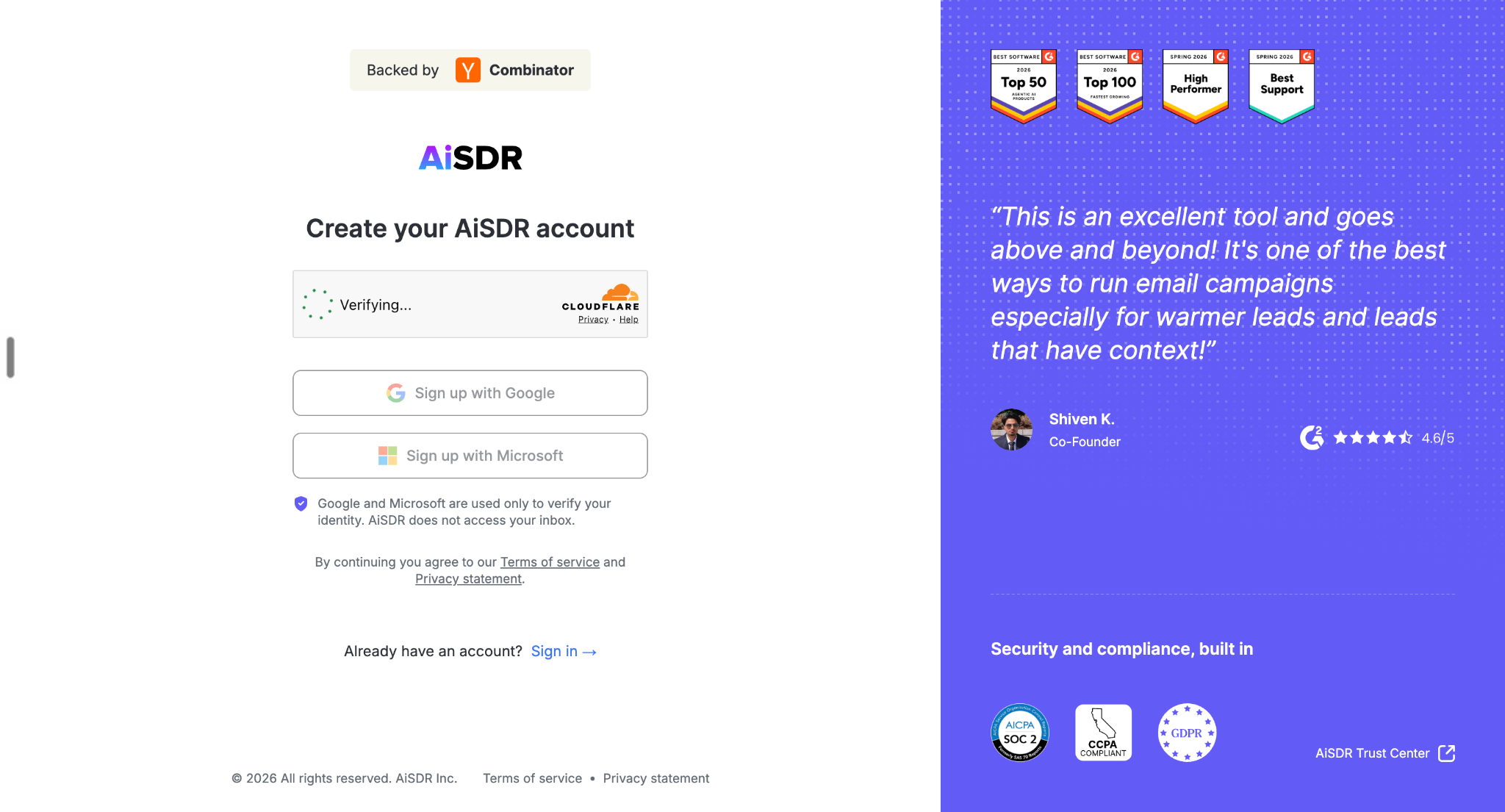
Step 1: Sign Up With Google or Microsoft
Image Source: AiSDR
First, head to the AiSDR website and create your account. According to its onboarding walkthrough, you can sign up using Google or Microsoft without filling out a lengthy registration form.
Once you've signed in with your work account, you're ready to introduce AiSDR to your business.
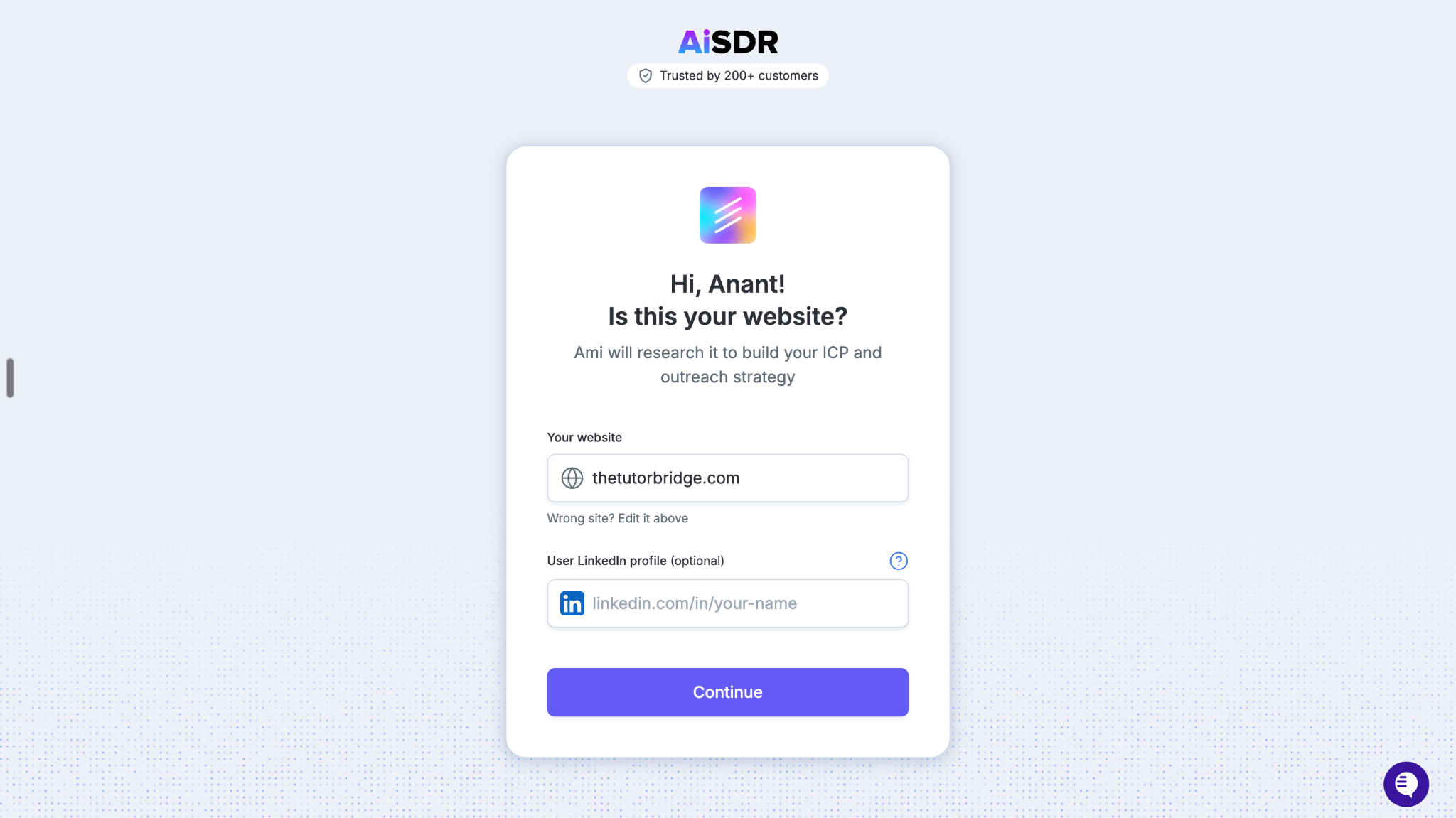
Step 2: Add Your Website and LinkedIn Profile
Image Source: AiSDR
Next, AiSDR asks for your company website and optionally your LinkedIn profile.
Don't skip the LinkedIn profile if you can provide it. The platform uses this information to better understand your business, how you communicate, your positioning, and the audience you're trying to reach.
Once you submit these details, AiSDR begins researching your company in the background. That means the setup process isn't just about collecting information. It's also laying the groundwork for your outbound strategy.
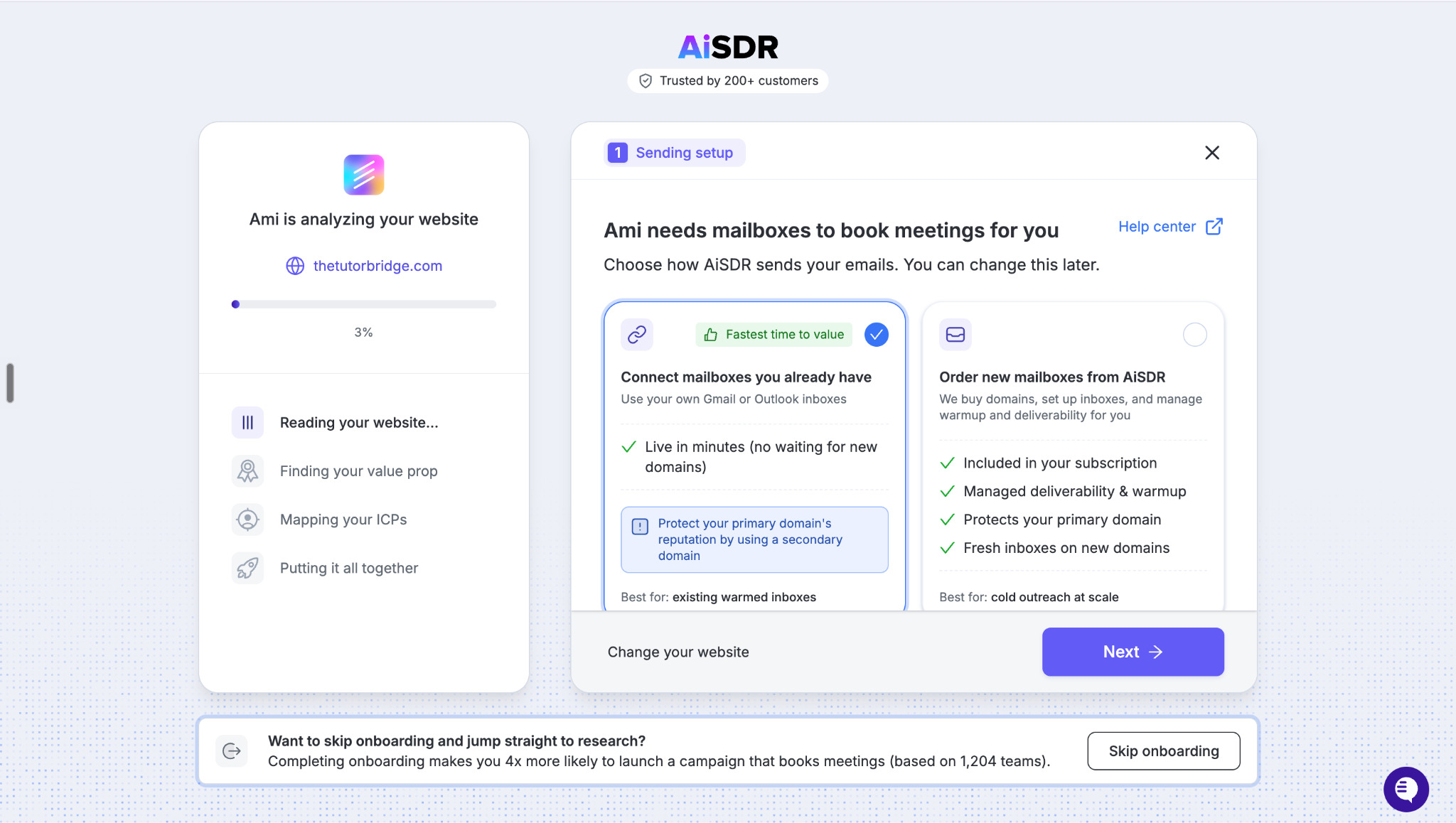
Step 3: Set Up Your Email Infrastructure
Image Source: AiSDR
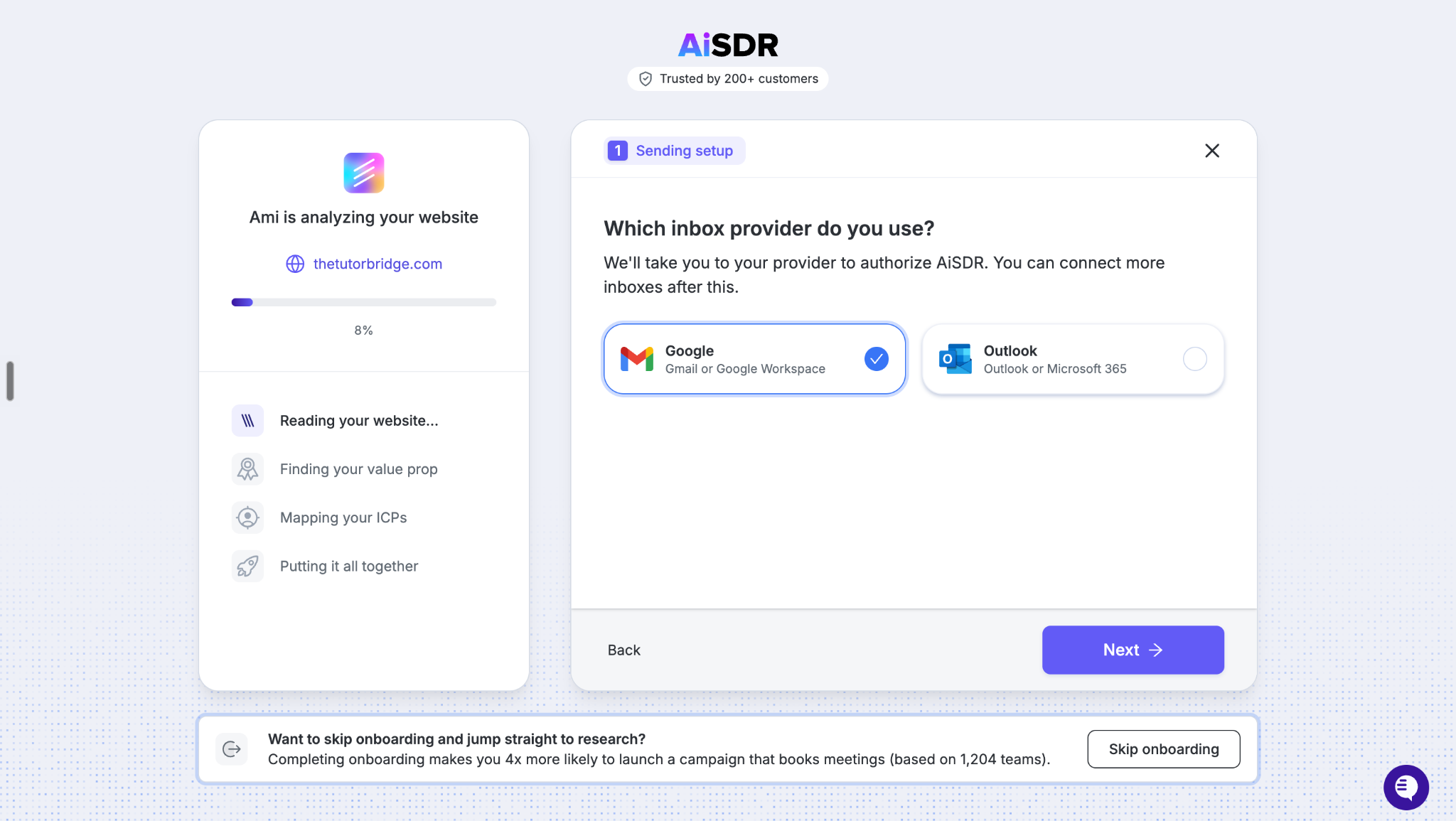
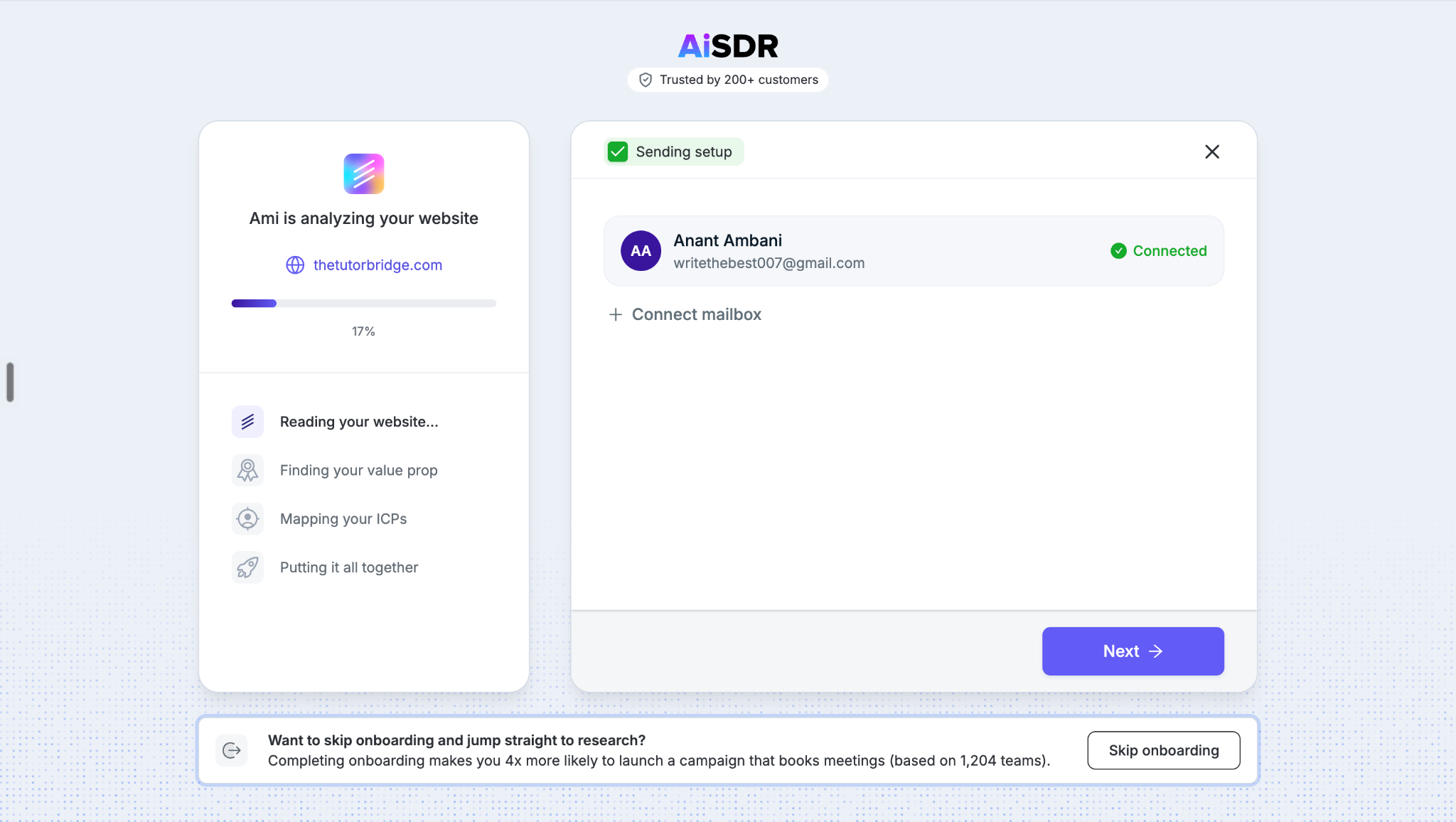
Now you need to decide how you'll send your outreach.
According to the walkthrough, you can connect an existing mailbox or arrange new sending infrastructure through AiSDR.
Image Source: AiSDR
If you choose the latter, the onboarding flow lets you select a lookalike domain and set up a new mailbox. AiSDR handles the associated technical setup described in the walkthrough, including preparing the sending infrastructure for outreach.
Image Source: AiSDR
Planning to reach prospects on LinkedIn, too? You can connect your LinkedIn account so it can be included in your campaigns.
Before moving forward, review the selected domain, mailbox, and other configuration details. This is your opportunity to check that everything is correct before proceeding.
Step 4: Let AiSDR Research Your Business
Image Source: AiSDR
Here's where onboarding gets interesting.
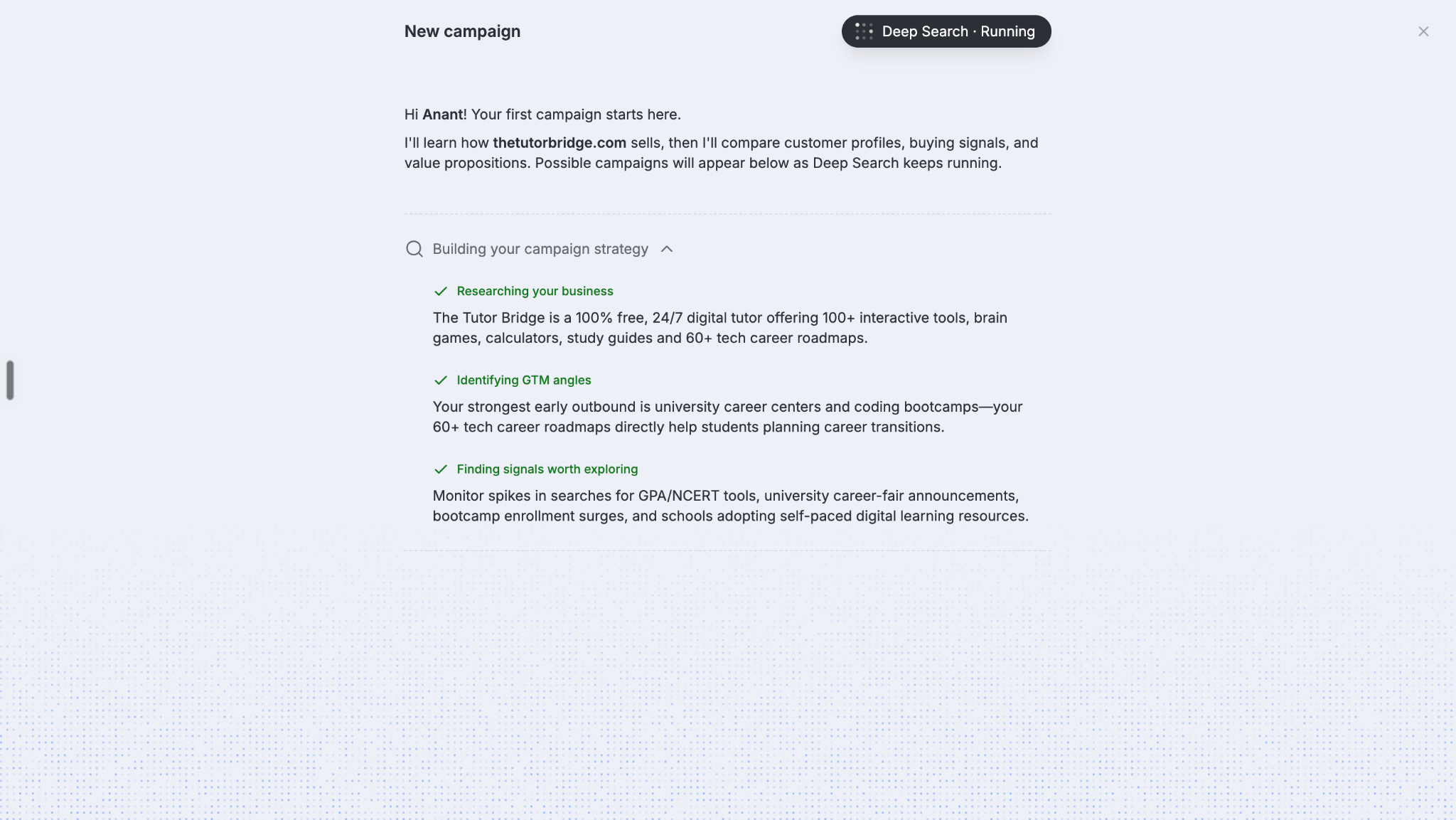
Remember the research that started when you entered your website and LinkedIn profile? Once it's complete, AiSDR presents its findings about your business.
The walkthrough highlights four areas:
Your business: What you offer and how your company operates.
Your LinkedIn presence: Your profile, headline, professional background, and related information.
Your go-to-market positioning: How your business is positioned and how it communicates its value.
Potential buying signals: Signals that could help identify prospects who are more likely to engage with your offering.
Why does this matter? Because effective outbound isn't simply about finding people who match a job title. It's about understanding why a particular person or company might care about what you're selling.
This research gives AiSDR context to work with before it starts shaping your outreach.
Step 5: Review Your AI-Generated Campaign Ideas
Image Source: AiSDR
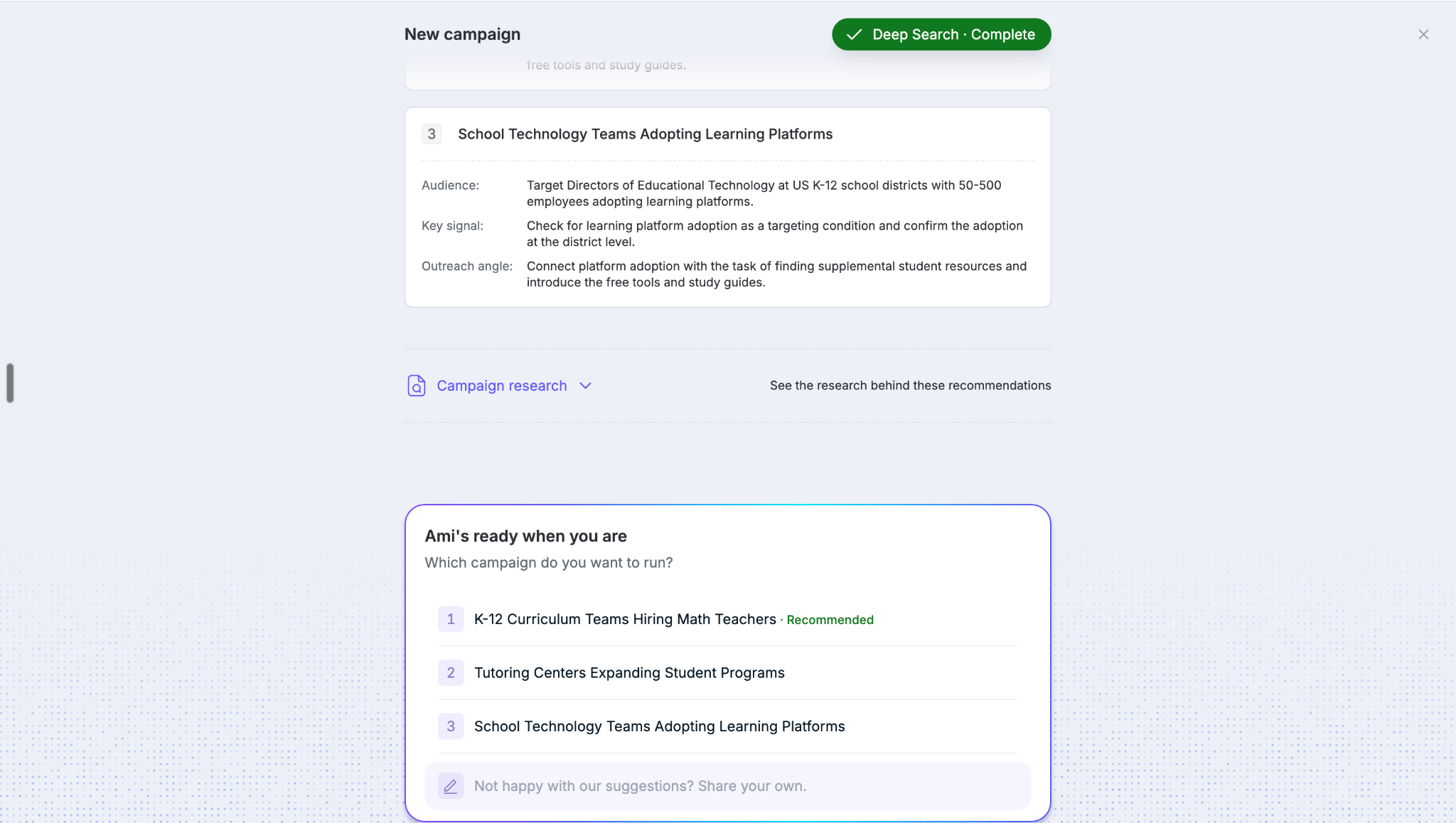
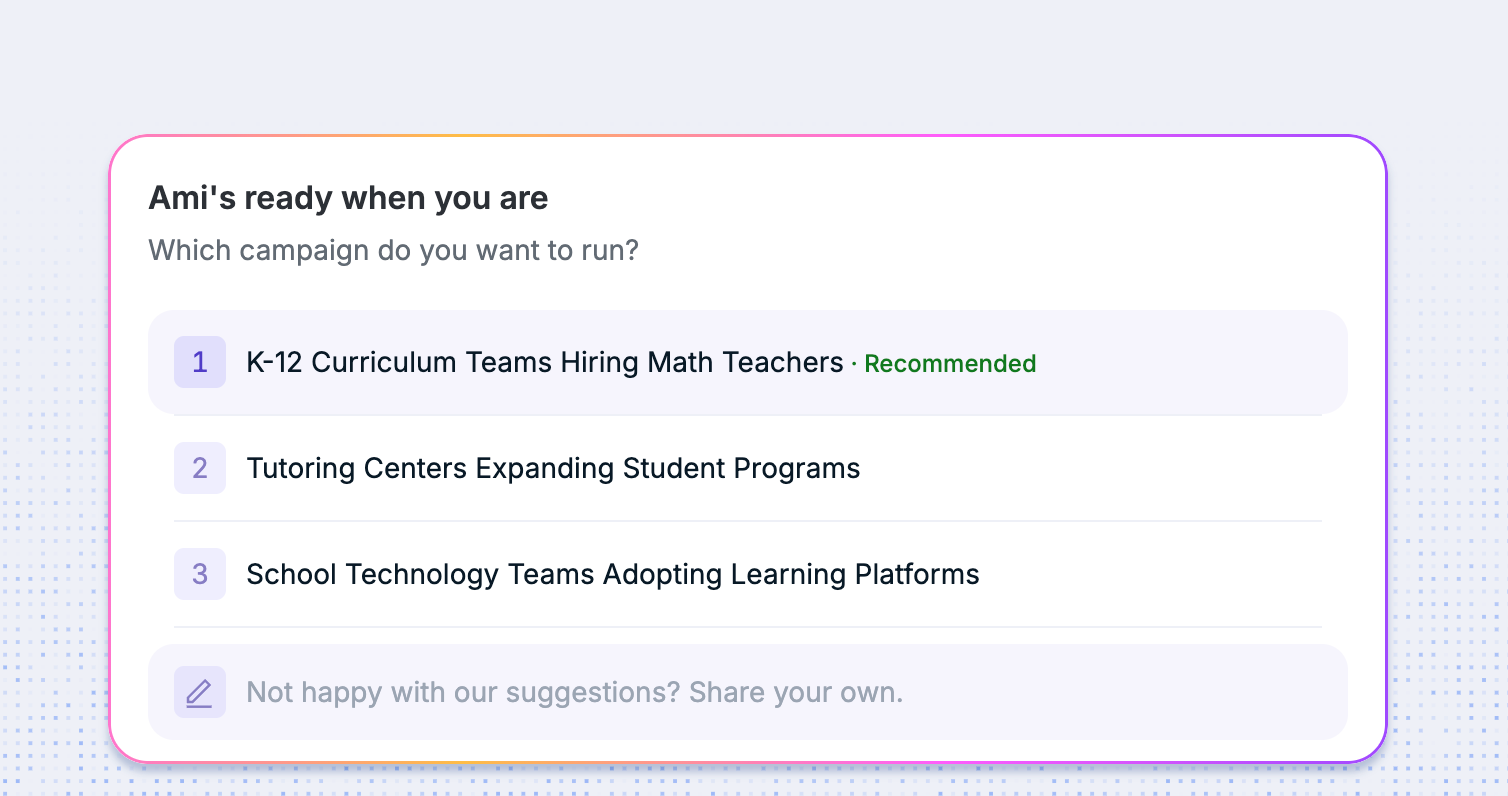
Once the research is complete, AiSDR uses the findings to suggest potential campaigns.
As demonstrated in the onboarding video, each campaign idea includes three key elements:
Ideal customer profile (ICP): The type of company or buyer to target.
Buying signal: The event, behavior, or other indicator that makes the audience relevant.
Value proposition: The message or benefit most likely to resonate with that audience.
For example, one suggested campaign might target sales leaders or founders who fit your ICP and have a relevant buying signal.
Rather than forcing you to invent every campaign from a blank page, AiSDR gives you a starting point based on its research. Review the suggested ideas, choose the one that best fits your goals, and continue.
Step 6: Choose a Campaign and Continue Setup
Image Source: AiSDR
Once you've found a promising campaign idea, select it and proceed.
At this stage, you've moved beyond basic account setup. AiSDR has gathered context about your business, identified a potential audience, connected that audience to a buying signal, and proposed a relevant value proposition.
Image Source: AiSDR
That gives you the foundation for building an outbound campaign around a specific reason to reach out, rather than contacting prospects simply because they appear on a list.
The walkthrough demonstrates the campaign taking shape during onboarding. It doesn't, however, establish every configuration step required before a campaign can actually start sending messages, so follow the remaining prompts in your account.
And that's the core idea behind AiSDR's onboarding: you provide the initial context, the platform researches your business, and it uses those findings to help develop your first outbound campaign.
The real test comes next: whether the prospects it identifies are genuinely relevant and whether the resulting outreach turns into qualified conversations.
AiSDR Products and Use Cases: What Can You Actually Do With It?
Imagine you're running outbound. You need to find the right prospects, figure out why they might buy, write personalized messages, follow up, manage replies, and keep track of meetings. That's a lot of work before your sales team even gets to the actual selling.
AiSDR brings much of this workflow into one AI-powered sales platform. It combines prospecting, buying-signal research, campaign creation, personalized outreach, and performance tracking, with additional tools for managing leads, conversations, and sales infrastructure.
Let's break down its main products, key features, and where each one fits into your sales process.
AiSDR's Main Products and Key Capabilities
Capability
LinkedIn Sales Navigator
Knock AI
Prospect discovery
Advanced LinkedIn search, lead recommendations, and account research
Buyer identification and enrichment across supported touchpoints
Intent signals
Sales-focused lead and account alerts
Uses intent signals to help teams identify and prioritize potential opportunities
Buyer engagement
LinkedIn messaging and InMail
AI-powered conversations and engagement across supported channels
Lead qualification
Helps salespeople identify relevant prospects
Supports qualification using configured criteria and available buyer context
Sales routing
Sales-specific CRM and team workflows, depending on the plan
Routes qualified opportunities to the appropriate sales representative
Meeting conversion
Helps salespeople approach and engage prospects
Connects engagement and qualification with meeting scheduling
CRM workflows
Deeper integrations available with Advanced Plus
Connects supported buyer, conversation, and qualification data with CRM workflows
See Knock AI in Action — Book Your Live Demo Today
The dashboard screenshots provide a more practical picture of the platform. Rather than managing every part of outbound in a separate tool, you can access several workflows from AiSDR's main workspace.
Here's what the key sections do.
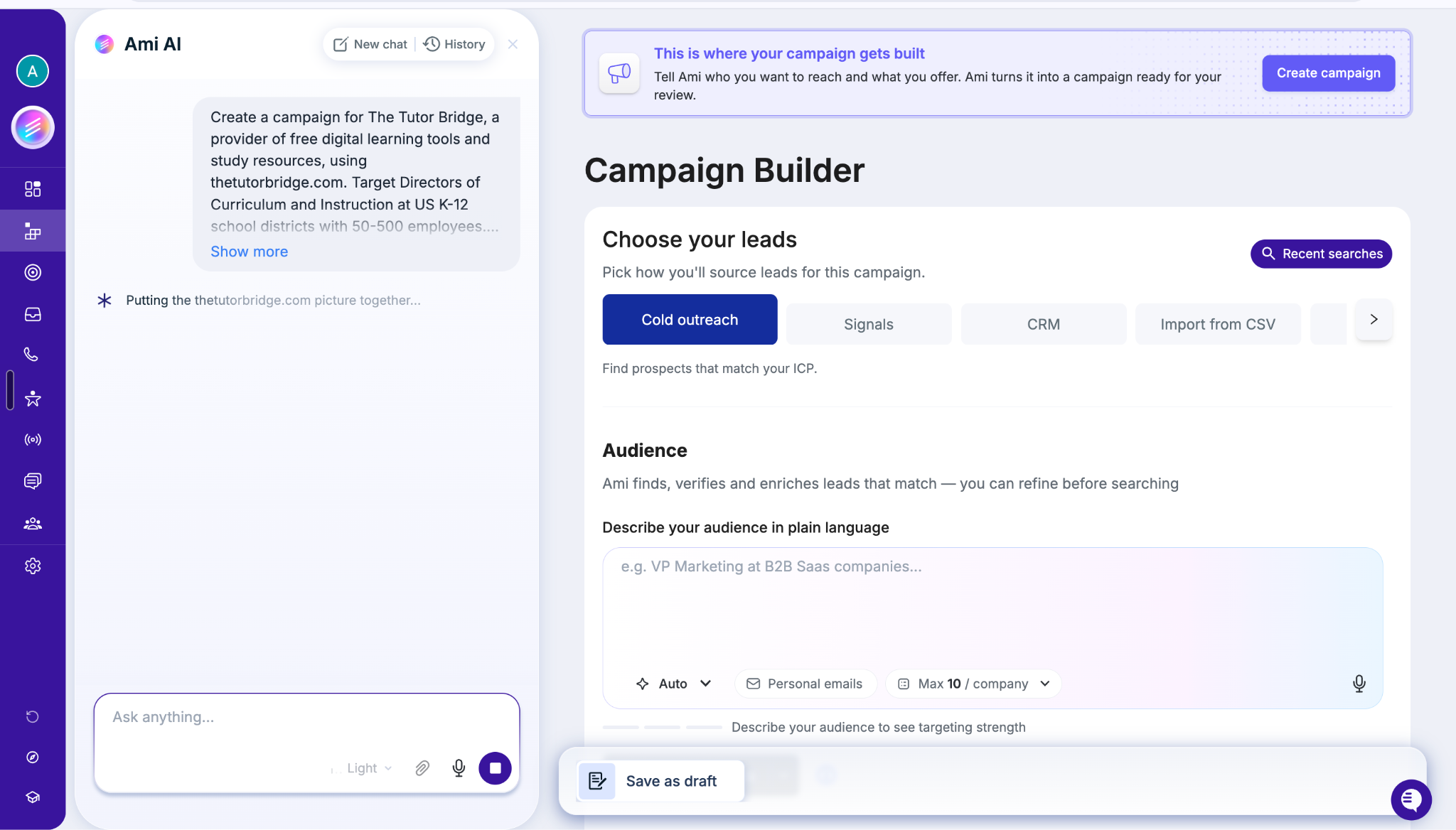
1. Campaign Builder: Turn an Idea Into an Outbound Campaign
Image Source: AiSDR
This is where you can turn a campaign brief into a draft. The interface lets you choose how to source leads, with options shown for cold outreach, signals, CRM, and CSV imports.
You can describe your target audience in plain language, refine the criteria, and work with Ami to develop the campaign. For example, a B2B SaaS company might target VPs of Marketing at mid-market businesses and use a relevant hiring or technology signal to guide its messaging.
One useful detail: the interface explicitly says creating a campaign draft does not send anything until you activate the campaign. That gives you an opportunity to review your targeting and messaging before outreach goes live.
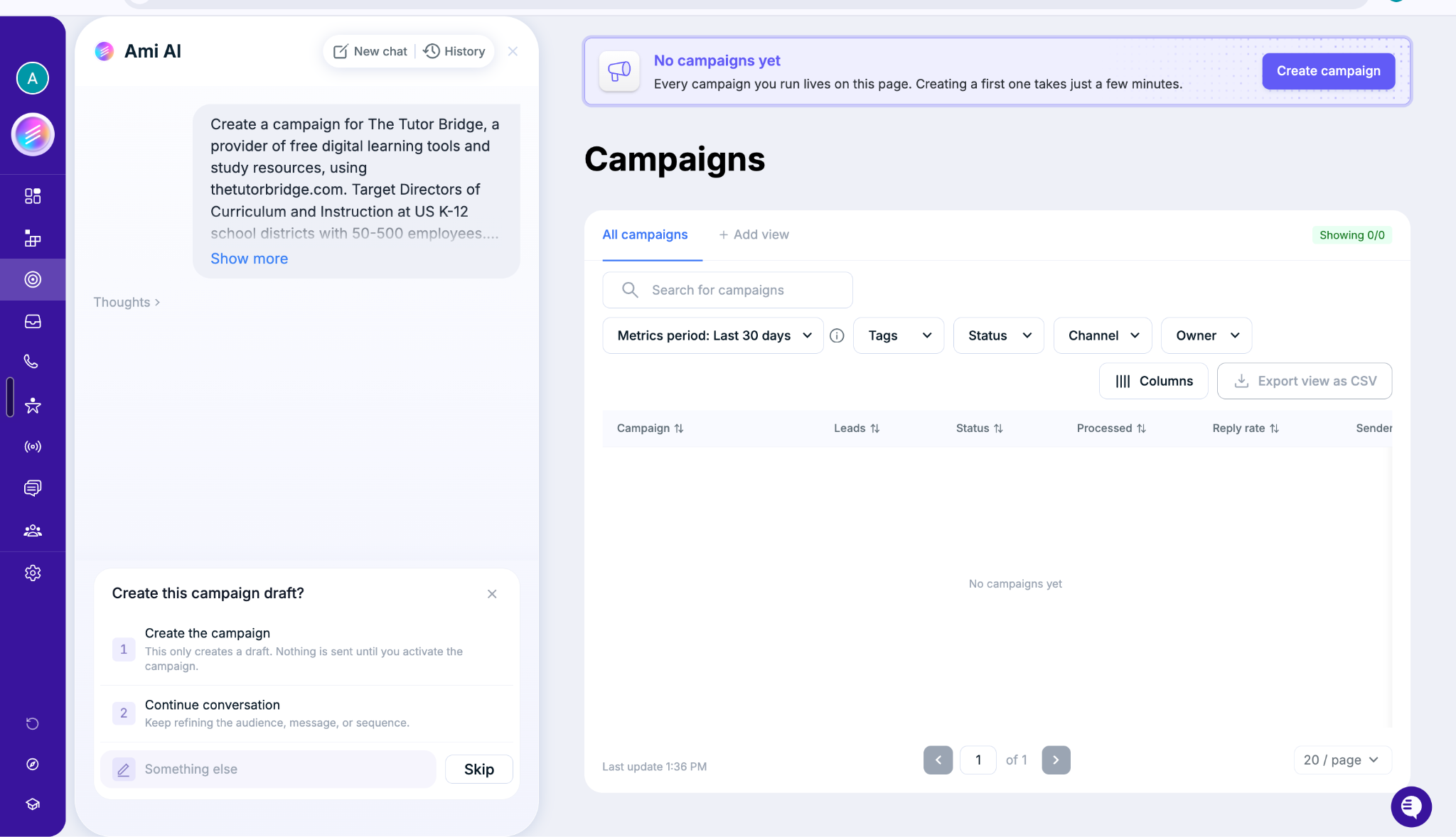
2. Campaigns: Manage Your Outbound Activity
Image Source: AiSDR
Once you create campaigns, the Campaigns section becomes the place to manage them. The interface includes campaign search, status and channel filters, date-based performance reporting, and an export option.
You can use this workspace to keep track of your outbound initiatives instead of treating each campaign as a separate, disconnected activity.
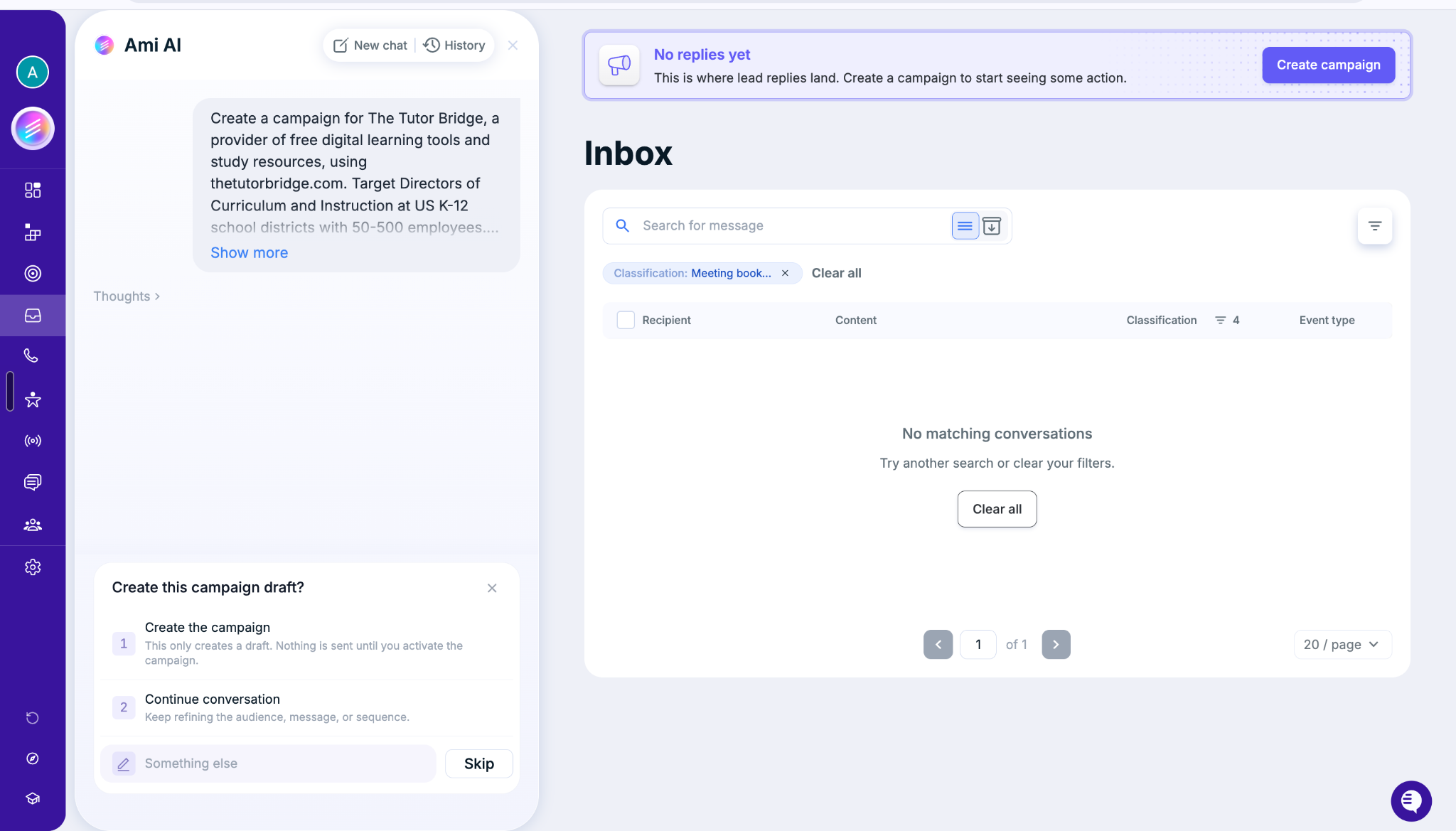
3. Inbox: Manage Replies in One Place
Image Source: AiSDR
Sending messages is only half the job. Someone still needs to respond when a prospect replies.
AiSDR's Inbox provides a dedicated workspace for lead conversations, with search and classification filters to help organize messages. This makes it easier to review incoming replies and identify conversations that need attention.
The screenshot shows a classification filter for booked meetings, illustrating how conversations can be organized by outcome or type.
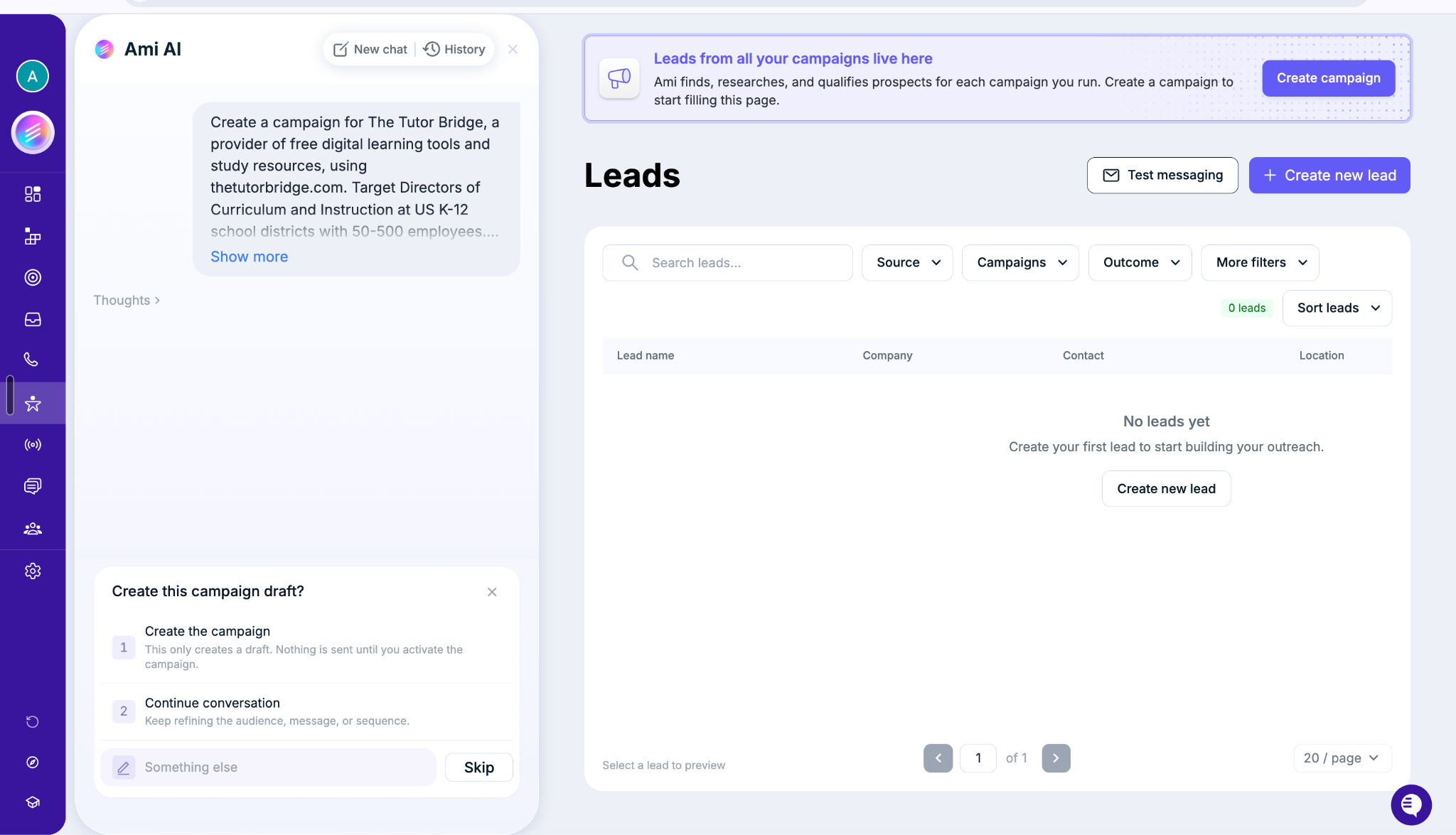
4. Leads: Keep Track of Prospects
Image Source: AiSDR
The Leads section brings prospect records into a searchable workspace. The visible controls include filters for source, campaign, and outcome, along with lead creation and testing options.
AiSDR describes this section as the place where prospects from campaigns are researched and qualified. You can use it to keep track of the people you're targeting and review leads as your campaigns generate activity.
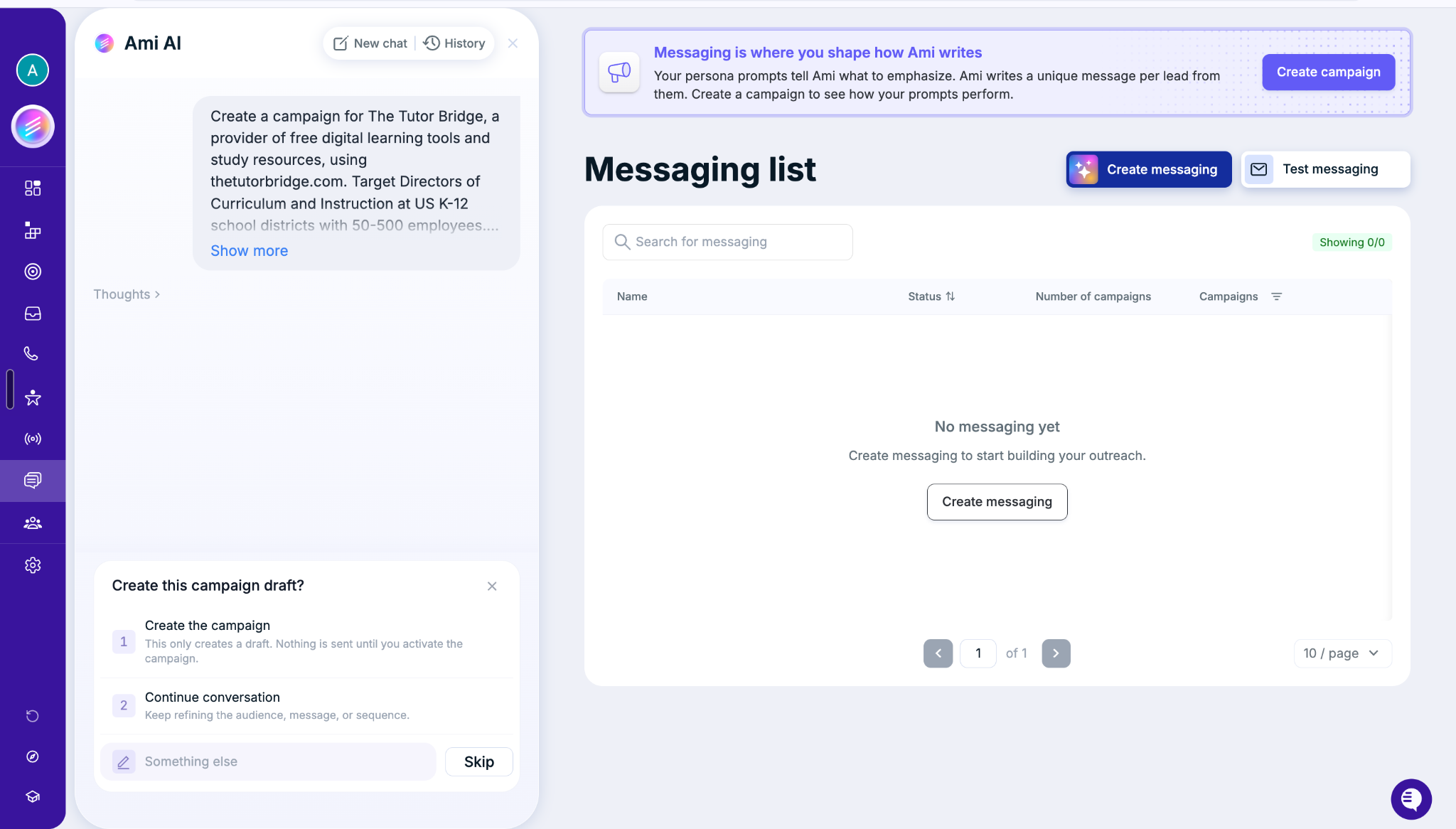
5. Messaging: Control How Your AI Writes
Image Source: AiSDR
Personalization only works when the messages sound relevant to your audience and consistent with your brand.
AiSDR's Messaging section lets you create messaging configurations and test them. Its interface explains that persona prompts guide Ami's writing, while the platform generates messages for individual leads.
This is useful when you want to define how your AI should communicate, rather than relying on generic templates for every prospect.
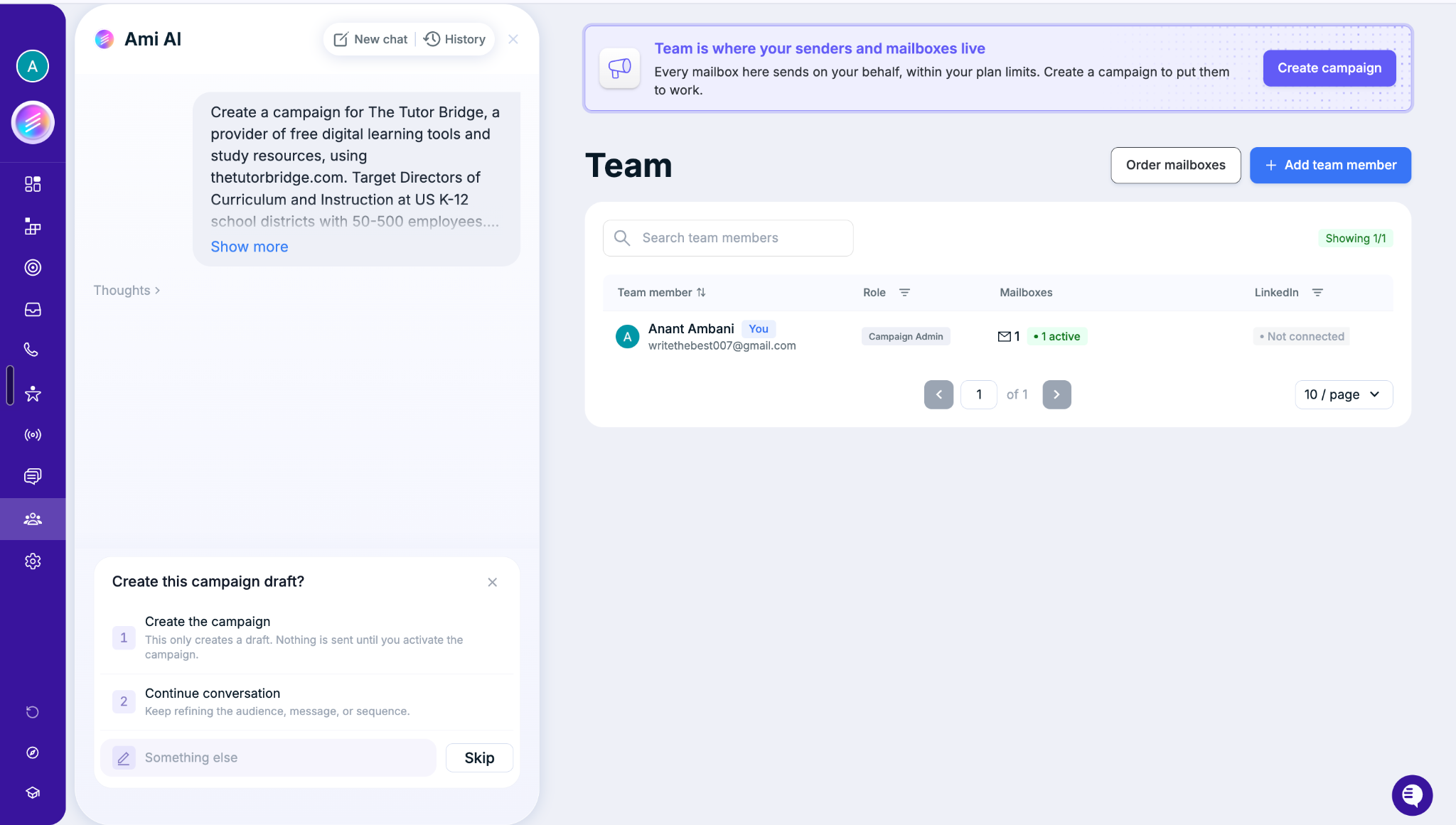
6. Team and Sending Infrastructure: Manage Mailboxes and Users
Image Source: AiSDR
The Team section shows team members, their roles, connected mailboxes, and LinkedIn connection status. It also provides options to add team members and order mailboxes.
This matters when multiple people are involved in outbound. You can manage the people and sending resources associated with your campaigns from the same workspace.
AiSDR also describes email infrastructure setup and deliverability support as part of its offering. However, sending limits and available infrastructure features can depend on your plan and configuration.
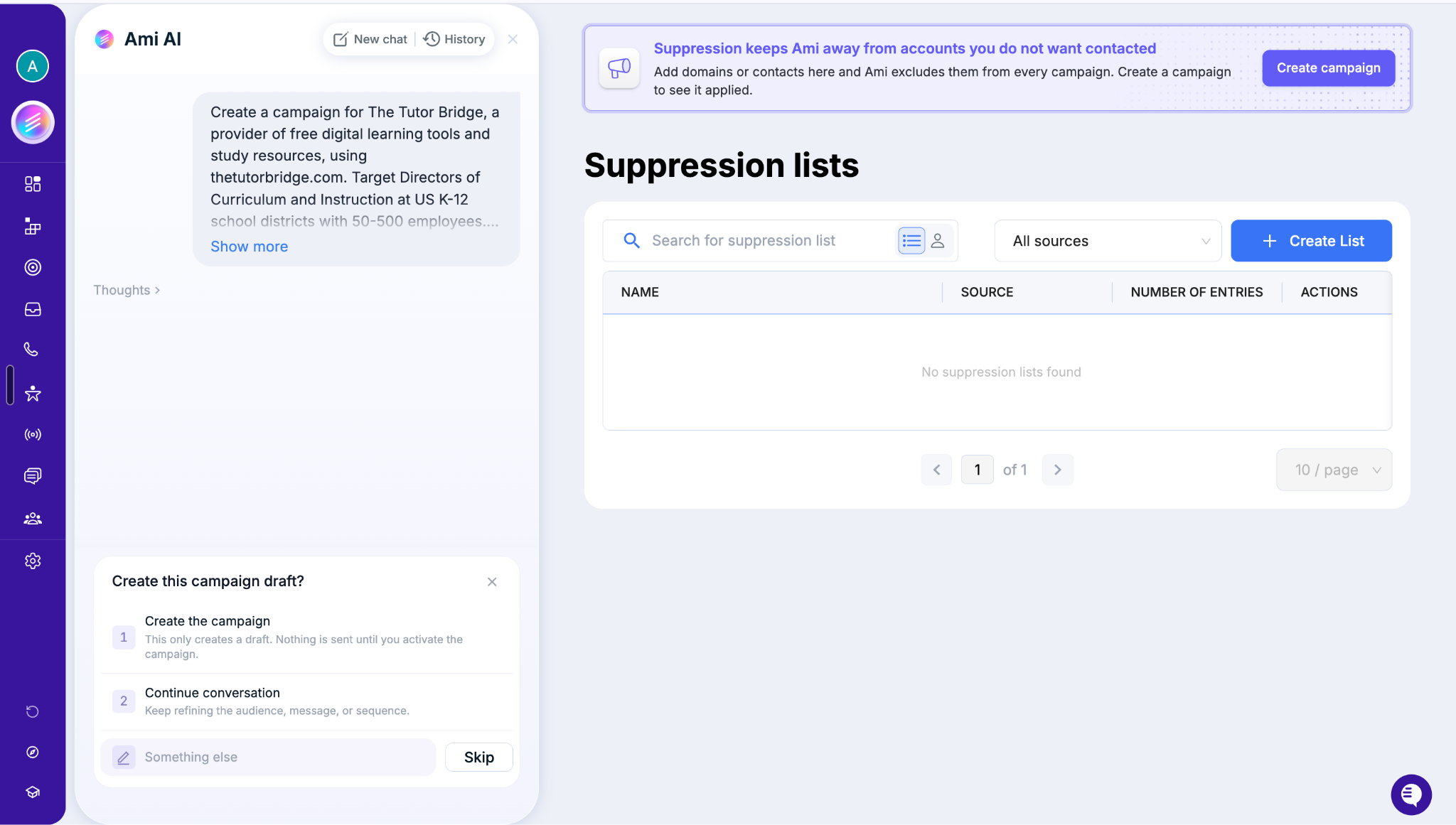
7. Suppression Lists: Avoid Contacting the Wrong People
Image Source: AiSDR
Not every prospect should receive an outreach message. Your existing customers, competitors, unsubscribed contacts, and other excluded accounts may need to stay out of campaigns.
AiSDR's Suppression Lists section lets you add domains or contacts that should be excluded from campaigns. This provides a central place to manage exclusions instead of relying on someone to remember them each time a campaign is built.
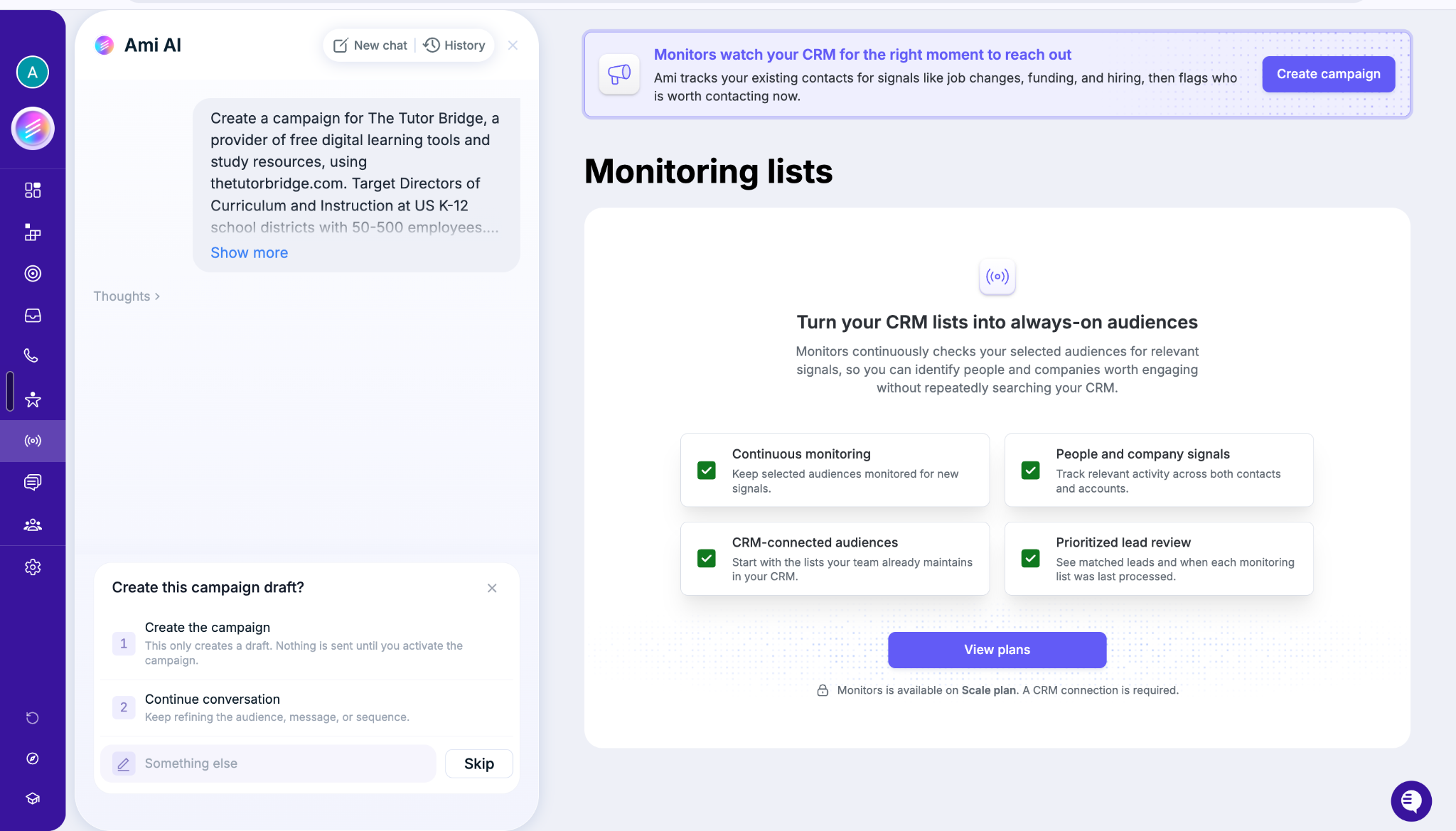
8. Monitoring Lists: Find New Reasons to Reach Existing Contacts
Image Source: AiSDR
AiSDR's Monitoring Lists feature is designed to watch selected CRM audiences for relevant changes, such as hiring activity, funding, or job changes.
Instead of repeatedly searching your CRM for prospects who may be ready to engage, the feature is intended to surface contacts and companies when relevant signals appear.
One important limitation shown in the screenshot: Monitoring Lists requires a CRM connection and is available on the Scale plan. Access therefore depends on your subscription.
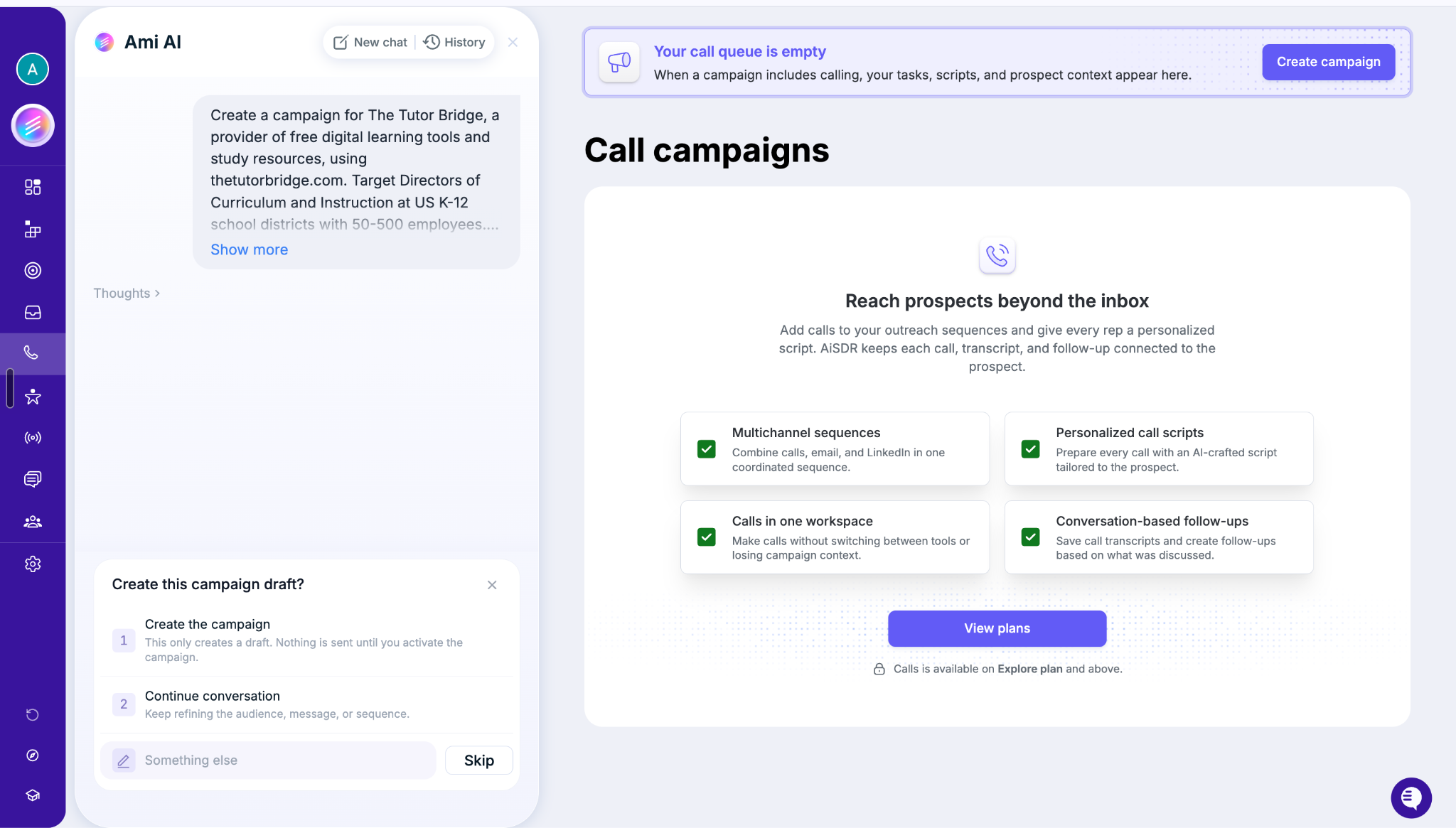
9. Calls: Extend Outreach Beyond Email
Image Source: AiSDR
AiSDR also offers a calling workspace designed to connect calls with the rest of your outreach process. The interface highlights personalized call scripts, coordinated multichannel sequences, call transcripts, and conversation-based follow-ups.
This can help sales reps prepare for calls with more context and keep the information from those conversations connected to their prospect records.
The screenshot indicates that calling is available on the Explore plan and above, so it is worth checking the current plan details if calling is central to your workflow.
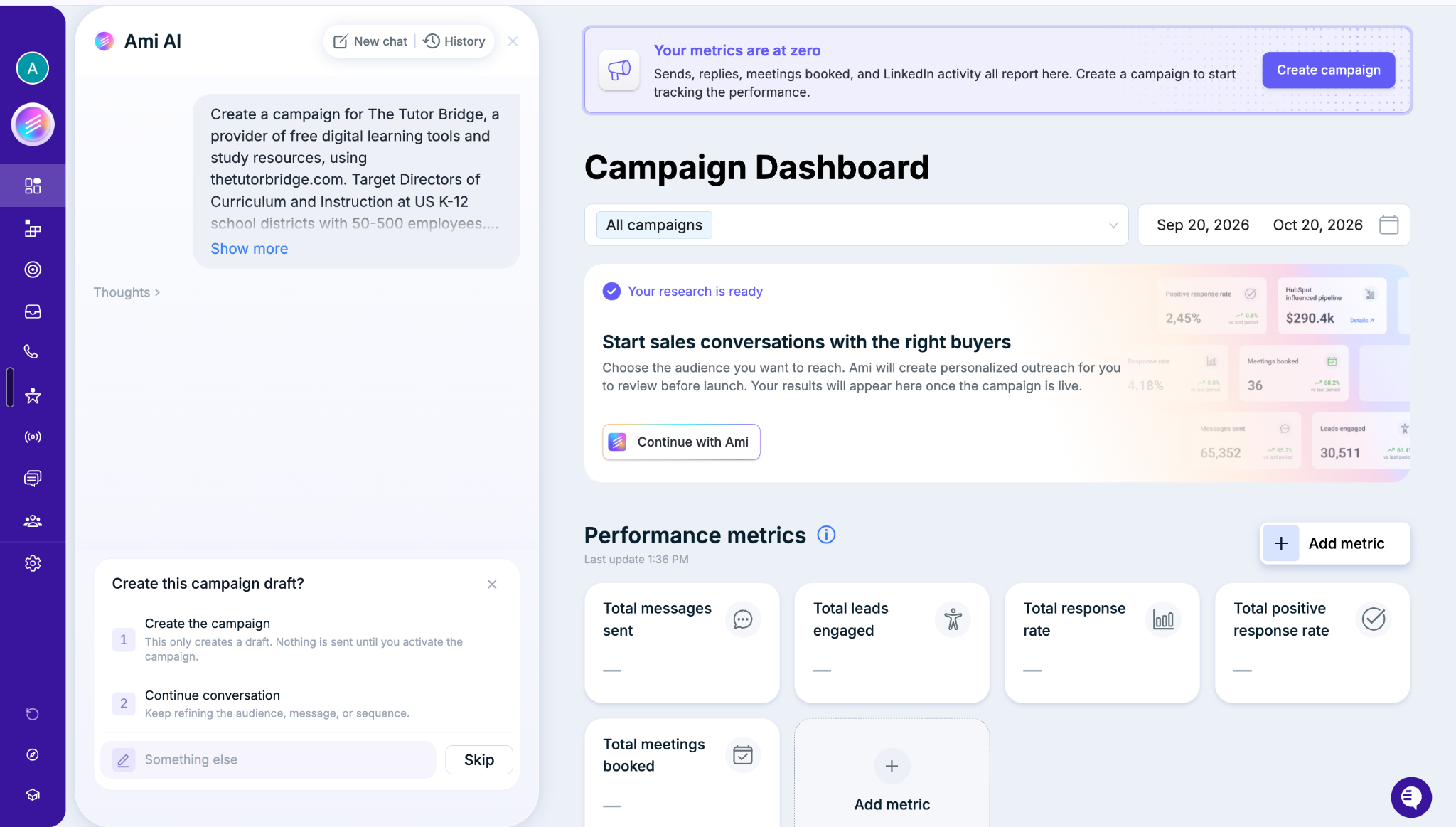
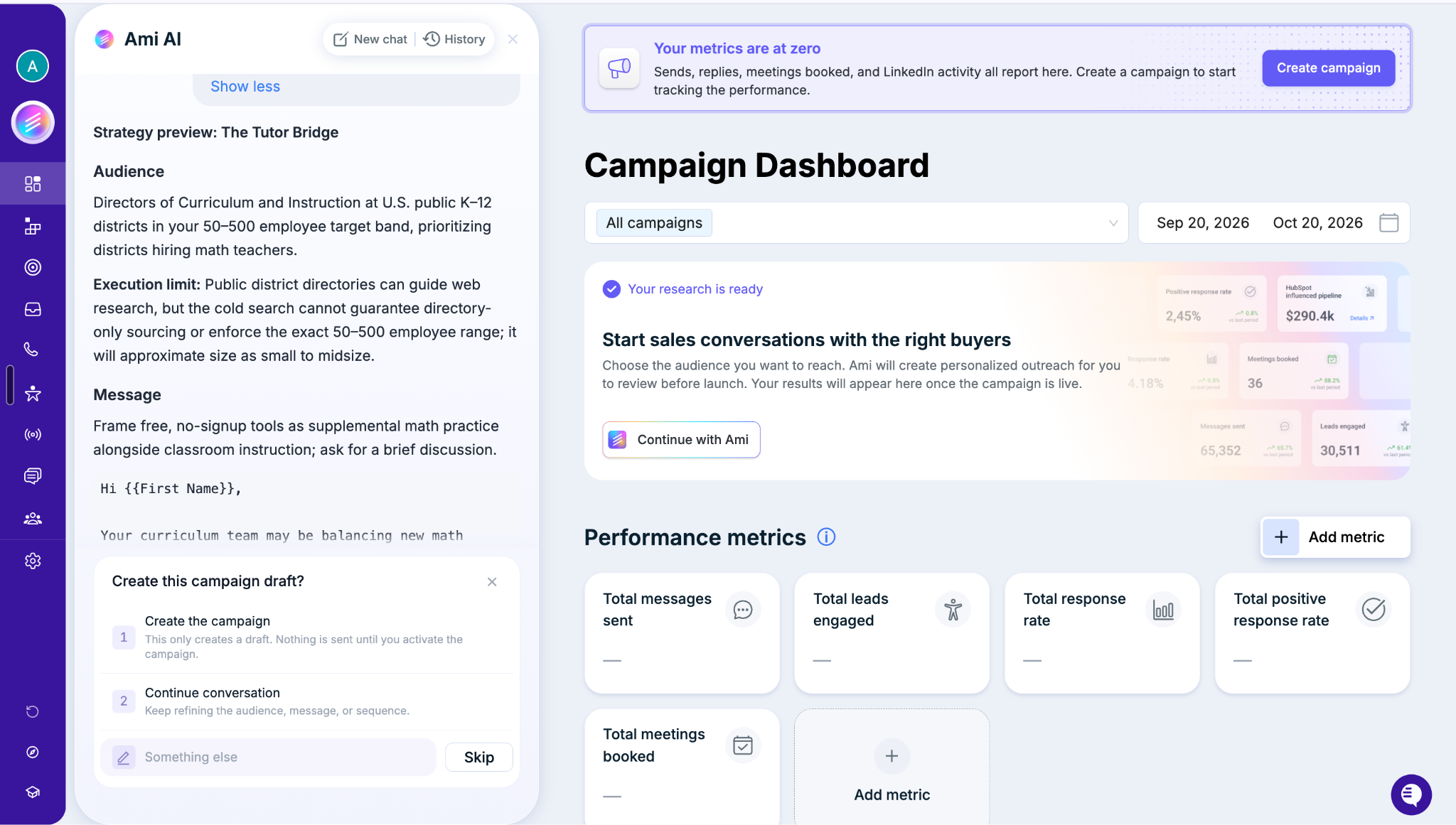
10. Dashboard: Measure What Your Campaigns Produce
Image Source: AiSDR
You can run outbound campaigns without knowing whether they're actually working. That's why performance reporting matters.
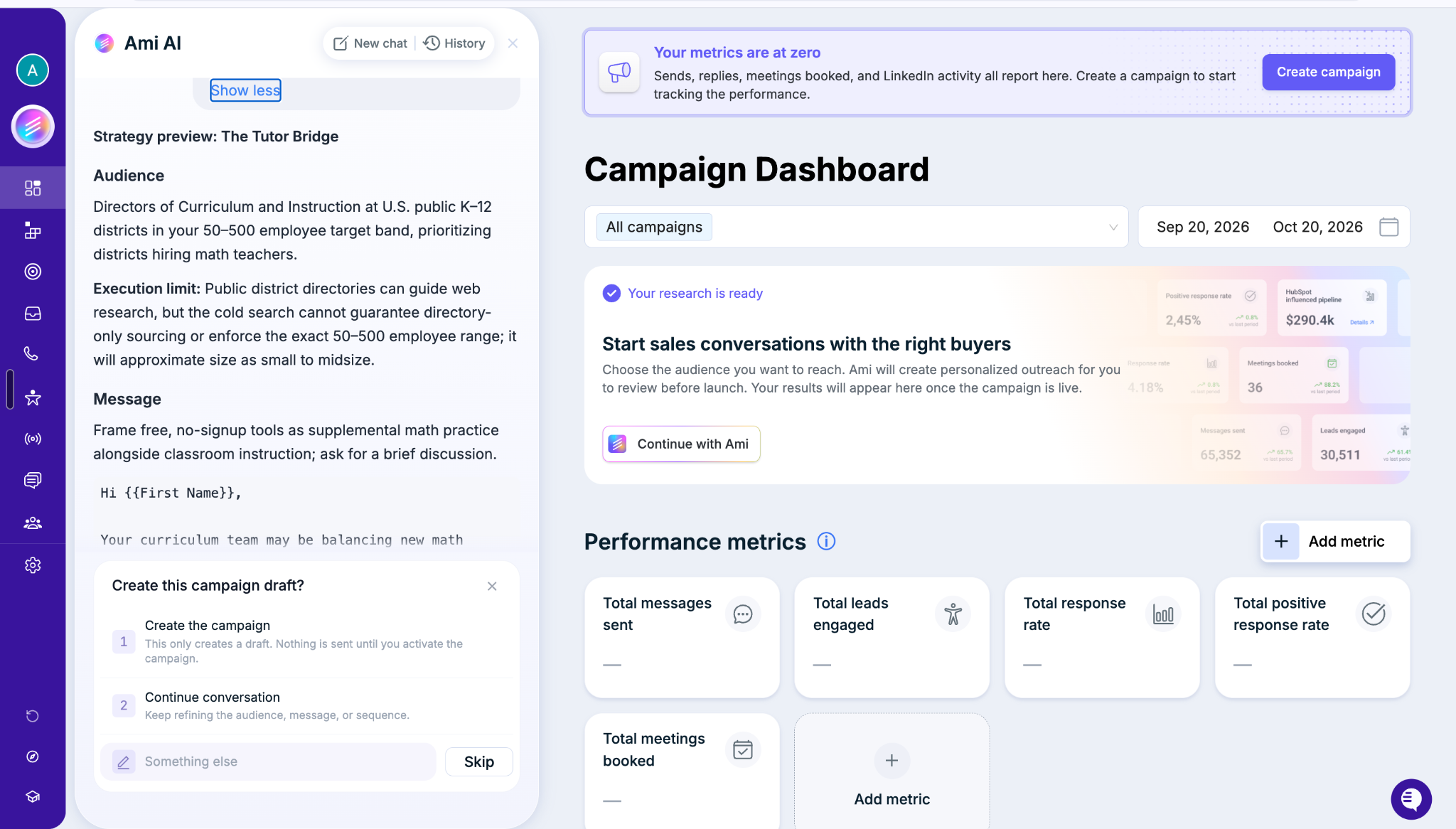
AiSDR's Campaign Dashboard displays performance metrics such as:
Total messages sent
Total leads engaged
Total response rate
Total positive response rate
Total meetings booked
The interface also lets you select campaigns, set a reporting period, and add metrics.
These measures help you look beyond sending volume. A campaign that sends thousands of messages but generates few positive replies or meetings may need a different audience, buying signal, or value proposition.
Keep in mind that the dashboard screenshot shows an example interface, not verified performance results for a live campaign.
What Are AiSDR's Main Use Cases?
AiSDR's platform and use-case pages identify several audiences that can use the product. The best fit depends on what you're selling, how you generate pipeline, and which parts of outbound consume the most time.
Use case
How AiSDR can help
Example scenario
Sales and revenue teams
Research prospects, identify relevant buying signals, create campaigns, and manage outreach activity.
A sales team targets companies hiring for roles that indicate a need for its software.
Marketing teams
Support outbound campaigns with audience research, tailored messaging, and campaign performance tracking.
A demand generation team reaches a defined group of target accounts with messaging tailored to its needs.
Startups
Reduce the manual work involved in prospecting and outbound execution when the team has limited resources.
A founder builds an initial outbound campaign without assembling a large sales development team.
Healthtech
Support targeted outreach to relevant organizations and decision-makers.
A healthtech vendor develops campaigns for healthcare organizations that fit its target market.
Edtech
Help education-focused businesses reach relevant buyers with tailored campaigns.
An edtech provider targets school district leaders with a message aligned with a specific institutional need.
Martech
Help marketing technology companies identify suitable accounts and personalize outbound campaigns.
A martech vendor targets marketing leaders at companies whose needs align with its product.
These are illustrative scenarios, not claims that every campaign will produce a particular result. Actual performance depends on the audience, offer, targeting signals, messaging, and execution.
Is AiSDR Just an Email Automation Tool?
Not quite. Email outreach is part of the workflow, but the platform's broader proposition includes prospect research, buying signals, AI-assisted strategy, campaign creation, lead management, reply handling, CRM connectivity, and performance reporting.
Its dashboard also shows additional capabilities for calling, monitoring CRM audiences, and managing sending resources, although access to certain features depends on the plan.
The main idea: AiSDR aims to connect the steps between finding a potential buyer and creating an opportunity for your sales team. Instead of focusing only on how many messages you send, it emphasizes finding the right prospects, giving them a relevant reason to hear from you, and measuring what happens next.
AiSDR Pricing in 2026: Pay-as-You-Go, Team Plans, and Extras
Here's the interesting thing about AiSDR pricing: you don't necessarily need to commit to a monthly subscription to get started. If you're testing AI-powered outbound for the first time, you can pay based on the number of people AiSDR actually contacts. If you're running outbound at a larger scale, team plans offer volume-based pricing and additional capabilities.
Let's break down what you'll pay in 2026.
AiSDR Pricing at a Glance
Plan or service
Price
Best for
Pay-as-you-go
$1.50 per person contacted
Individuals and teams testing AI outbound
Team plans
Custom, volume-based pricing
Teams contacting 1,000+ people per month
Warmed-up mailbox
$33 per mailbox setup
Teams that need additional sending infrastructure
Done-for-you campaign
$149 per campaign
Teams that want help building and optimizing campaigns
Fully managed service
$2,500/month
Companies that want AiSDR to manage outbound execution
Prices are in USD. Team pricing depends on volume, and add-ons are billed separately where applicable.
1. Pay-as-You-Go: $1.50 per Person Contacted
Don't want another subscription eating into your budget before you've proved that AI outbound works for your business? AiSDR's pay-as-you-go option lets you start without a monthly subscription or a sales call.
You pay $1.50 for each person contacted, with prospect research, contact data, and personalized messaging included in that price. Campaigns can start from as little as $3.
Here's what that looks like at different daily outreach volumes:
People contacted per day
Daily cost
Approximate cost over 30 days
5
$7.50
$225
10
$15
$450
20
$30
$900
These estimates assume the same daily volume for 30 days. Actual charges depend on how many people AiSDR contacts.
What's included?
AI-powered prospecting: Find potential customers using targeting criteria, contact data, and relevant buying signals.
Personalized outreach: Generate messages using prospect and company research.
Multichannel campaigns: Coordinate email and LinkedIn outreach, including connection requests and messages.
Email infrastructure: Get support for mailbox setup, warmup, and deliverability monitoring.
Unified inbox: Manage email and LinkedIn replies in one workspace.
You can sign up, configure your campaign, and review it before paying. Payment is required when you launch. You can also pause or stop outreach when needed.
Who should choose it? Founders, solo sellers, and small teams that want to test a target audience or offer before committing to a larger outbound budget.
2. AiSDR Team Plans: Volume-Based Pricing
What if you're already contacting thousands of prospects every month? That's where AiSDR's team plans come in.
Instead of paying the standard pay-as-you-go rate, eligible teams can get volume-based pricing, with discounts of up to 40% per contact. These plans are designed for businesses that need more capacity, additional integrations, and hands-on support.
Team plans include the pay-as-you-go capabilities, plus features such as:
Lower cost per contact: Pricing scales with outreach volume.
Dedicated GTM engineering support: Get help with campaign strategy, setup, and optimization.
AI video and voice notes: Access additional messaging formats.
Business support: Get assistance with training, procurement, and compliance requirements.
Team plans are billed monthly under quarterly or annual commitments. According to AiSDR, annual plans are 20% cheaper than quarterly plans, and subscriptions can be cancelled according to the company's stated terms.
Pricing is customized based on volume, so you'll need to contact AiSDR for a quote.
Who should choose it? Sales and revenue teams running outbound as an ongoing pipeline channel, particularly those contacting 1,000 or more people monthly or requiring Salesforce and additional support.
3. AiSDR Extras: What Might Cost More?
The base price isn't the only thing worth checking. Depending on your setup, you may need extra sending capacity or help managing campaigns.
Extra
Price
What you get
Warmed-up mailbox
$33 per mailbox setup
Additional sending infrastructure for outbound
Extra contacts
Priced in the app
Additional AI-researched contacts for team plans
Done-for-you campaign
$149 per campaign
Help building, launching, and optimizing a campaign
Fully managed service
$2,500/month
AiSDR manages targeting, messaging, replies, and reporting
These options let you expand your setup without necessarily moving to a different subscription immediately. Check the billing frequency carefully: the mailbox setup fee and monthly infrastructure charges may be presented differently depending on the option you purchase.
4. Do You Need to Pay Extra for Lead Generation?
Not necessarily. AiSDR's pricing information says prospect research, lead sourcing, and personalized writing are included in the pay-as-you-go price. You don't need to buy a separate lead database just to use its built-in prospecting capabilities.
You may still need other tools or subscriptions for your broader sales workflow, depending on your requirements. For example, a Sales Navigator account is needed if you want to send LinkedIn InMail through your outreach sequence. Other plan-specific capabilities, such as Salesforce integration and advanced signals, may require a team plan.
5. Can You Try AiSDR Before Paying?
Yes. You can sign up without a credit card, give Ami AI your company website, and work through your campaign setup. You can review the proposed strategy and campaign before launching it.
That means you can evaluate how AiSDR approaches your audience and messaging before paying to contact prospects.
Which AiSDR Pricing Option Makes the Most Sense?
It comes down to how much outbound you're running and how much support you need.
Choose pay-as-you-go if you're a founder or solo seller testing AI outbound and want to control spending based on the number of people contacted.
Consider a team plan if you're contacting 1,000+ people a month, need Salesforce, or want dedicated GTM support and additional signals.
Add extras only when needed if your bottleneck is sending infrastructure, campaign execution, or additional contact capacity.
One final point: compare AiSDR's price with the total cost of your existing outbound stack, not just the cost of an email sequencer. AiSDR combines prospecting, research, messaging, sending infrastructure, and reply management, so the potential savings depend on which separate tools and services it can genuinely replace for your team.
AiSDR Review
AiSDR Review Analysis from G2
Is AiSDR actually worth the investment, or does it still require too much manual work to deliver results? To understand what using the platform is like, we looked at customer feedback on G2.
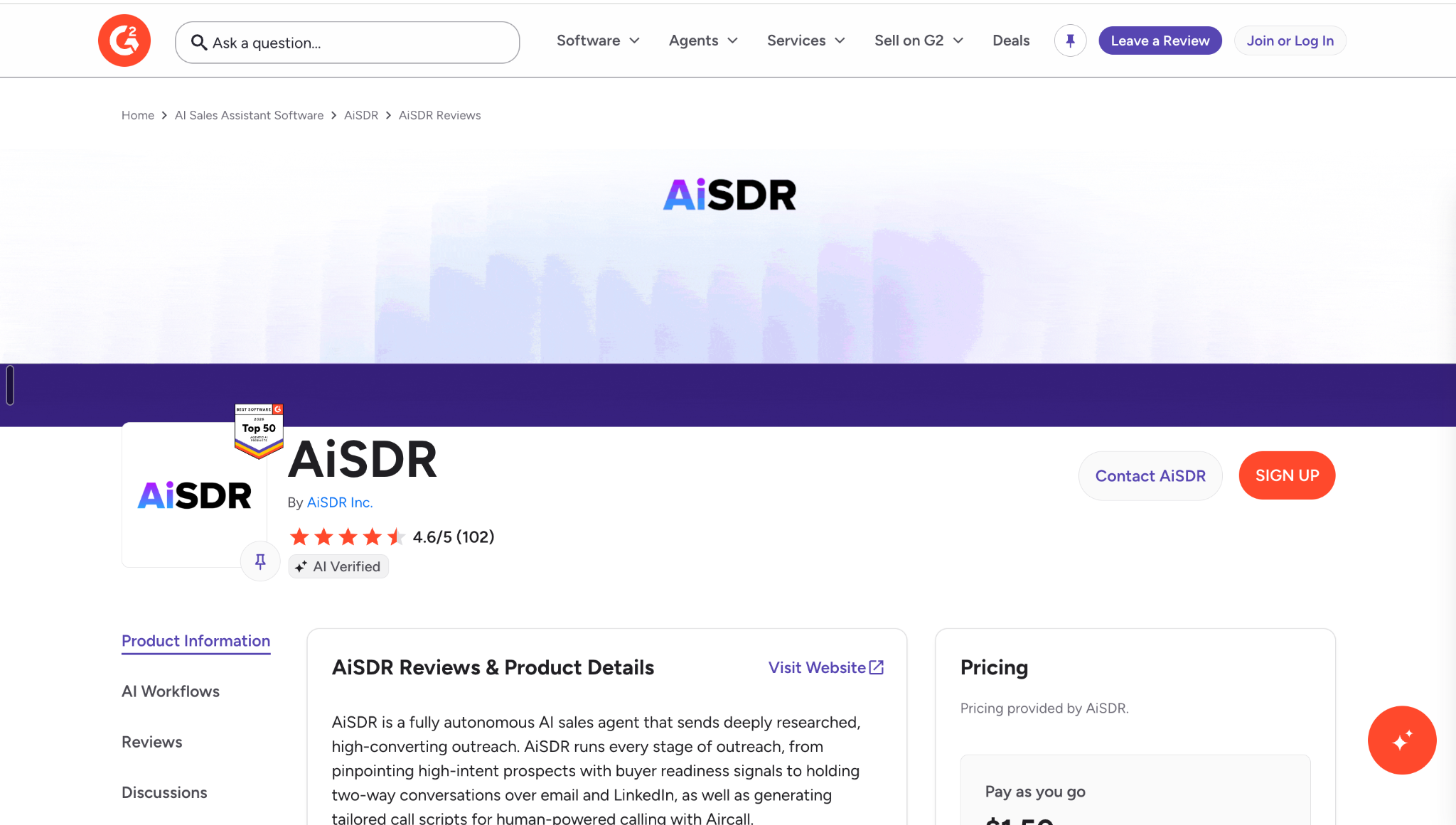
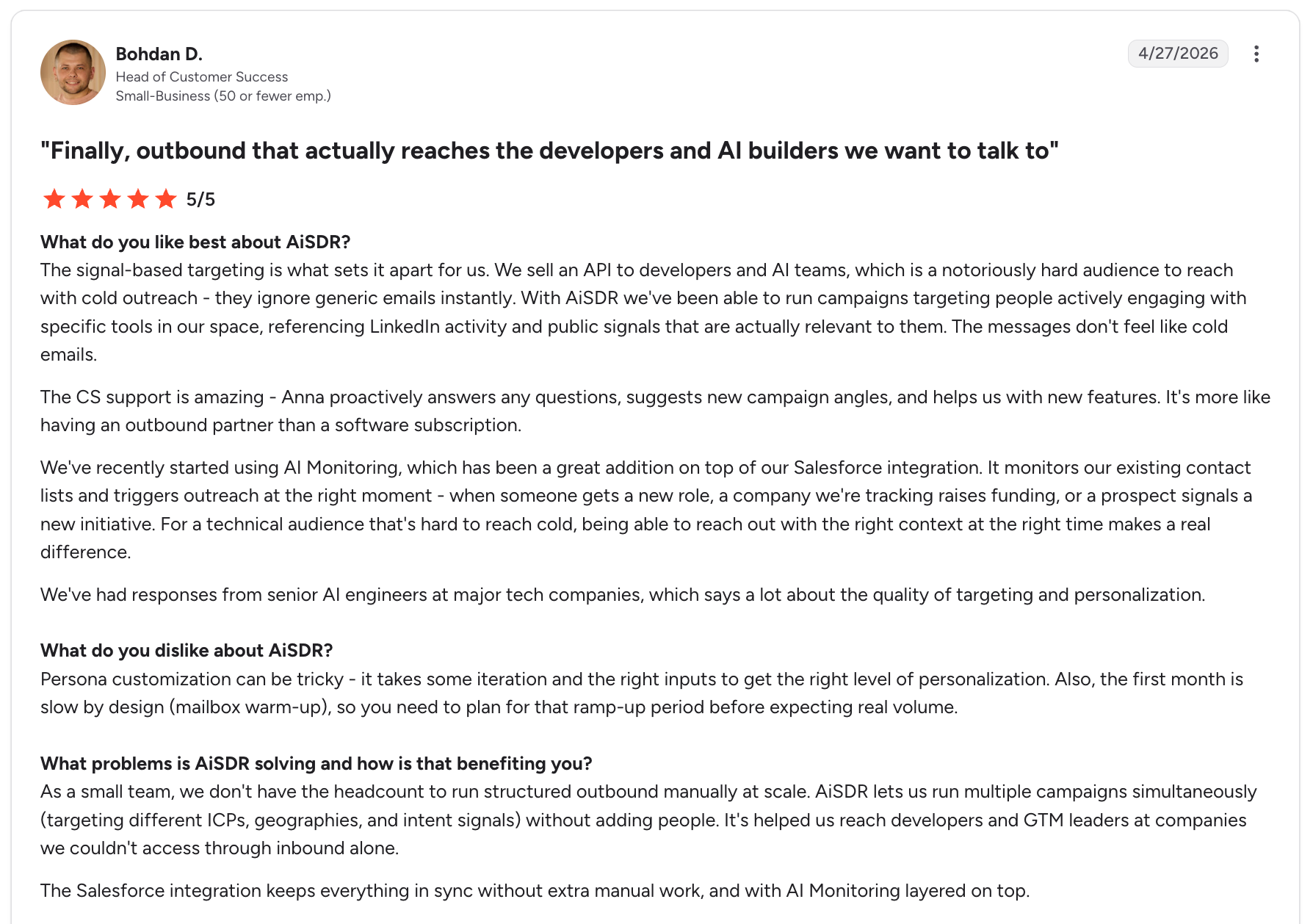
At the time of our review, AiSDR had a 4.6/5 rating across 102 G2 reviews. Customers frequently praised its personalized outreach, signal-based targeting, time-saving automation, and responsive customer support. However, some reviewers also highlighted limitations around lead targeting, AI-generated messaging, and the level of human oversight required.
What customers like about AiSDR
Personalized outreach: Customers appreciate the ability to tailor messages using prospect research, company context, and buying signals rather than relying entirely on generic cold emails.
Signal-based prospecting: Reviewers highlighted the value of targeting niche audiences using signals such as LinkedIn activity and other publicly available information.
Responsive support: Customer support is a recurring positive theme, with users appreciating help with campaign setup and optimization.
Time savings: Combining prospecting, outreach, and reply management helps reduce repetitive work for sales teams.
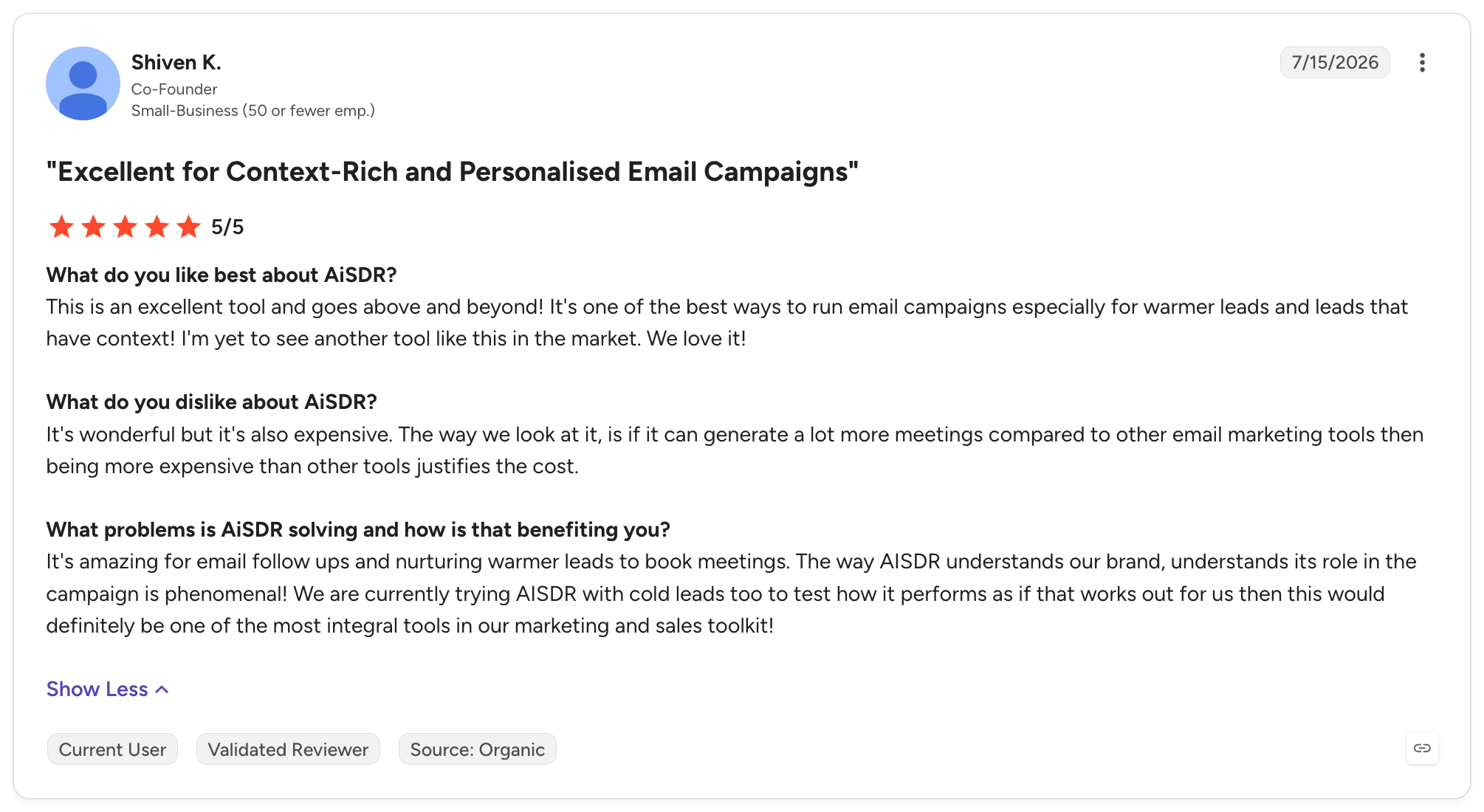
One reviewer, Shiven K., Co-Founder, gave AiSDR five stars and described its value for contextual outreach:
Another reviewer, Bohdan D., Head of Customer Success, also rated it five stars and highlighted its targeting capabilities:
What customers dislike about AiSDR
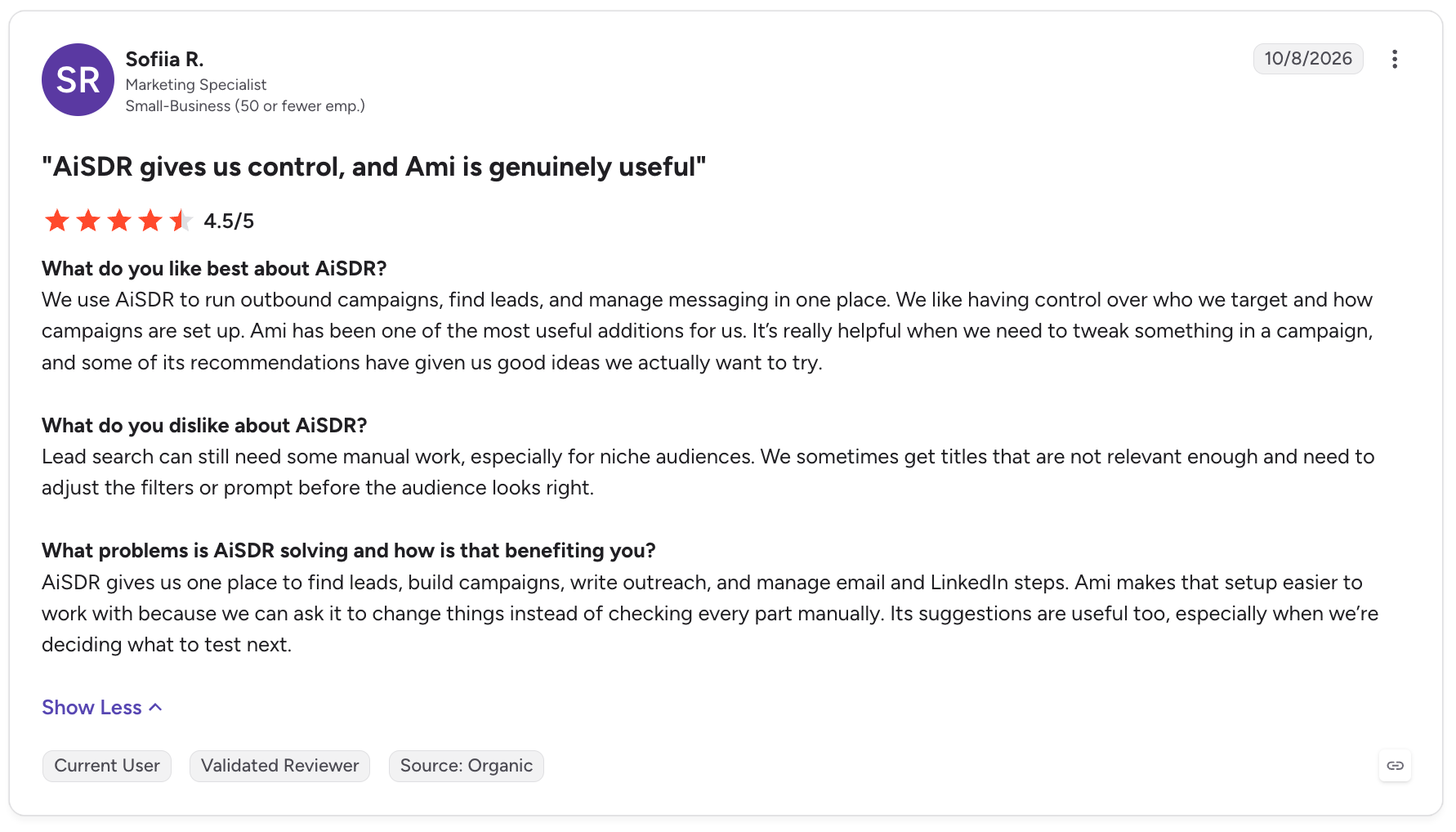
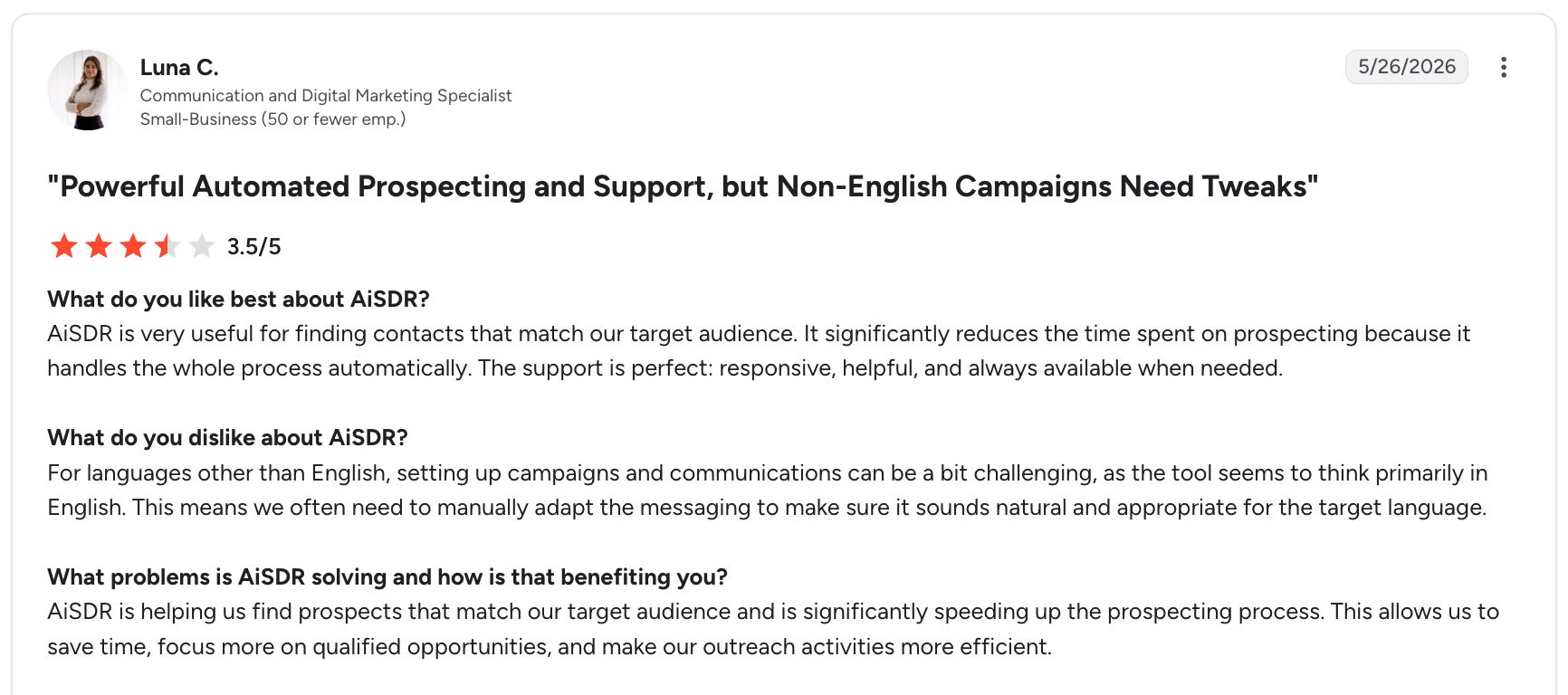
The reviews also reveal that AiSDR isn't entirely hands-off. Some customers reported needing to refine targeting criteria, adjust AI personas, and edit messages before sending them. Others mentioned pricing concerns, extra work when running campaigns in languages other than English, and the need to monitor AI-managed conversations.
For example, Sofiia R., a Marketing Specialist, rated AiSDR 4.5/5 and noted:
A reviewer discussing non-English campaigns pointed out another limitation:
These comments suggest that the quality of results depends partly on how well teams configure their targeting and messaging, rather than automation alone.
Our verdict: Is AiSDR worth it?
Based on its G2 feedback, AiSDR looks promising for sales teams that want to combine AI-powered prospecting, contextual personalization, and multichannel outreach in one workflow. Its customer support and signal-based targeting stand out as strengths.
However, businesses should account for the time needed to refine campaigns, review AI-generated messages, and monitor conversations. Pricing also needs to be evaluated against the qualified meetings and pipeline the platform actually generates.
Our takeaway: AiSDR can reduce the manual effort involved in outbound sales, but it shouldn't be treated as a completely autonomous replacement for sales judgment. The best fit is likely a team that wants to scale outreach with AI while retaining control over targeting, messaging, and buyer conversations.
AiSDR Pros and Cons
AiSDR combines AI-powered prospecting, personalized outreach, multichannel campaigns, and reply management in one platform. However, its documented features should be distinguished from customer-reported experiences and questions buyers should resolve before committing.
Category
Pros
Cons / Limitations
Evidence
Prospecting
AI-powered lead research, contact enrichment, and buying-signal monitoring
Finding the right prospects in niche markets may require manual filtering and refinement
Documented capability + G2 feedback
Personalization
Generates outreach using prospect and company context
AI-generated messages may need editing to match brand voice, audience, or language
Documented capability + G2 feedback
Multichannel outreach
Supports email and LinkedIn outreach within coordinated campaigns
Buyers should verify which channels and actions are included in their chosen plan
Documented capability + plan-specific question
Automation
Automates campaign execution and helps manage replies
Human oversight may still be needed when AI handles ongoing conversations
Documented capability + G2 feedback
Customer support
Customers have praised the responsiveness of the support team
The level of onboarding and support available depends on the plan
G2 feedback + documented plan differences
Setup and onboarding
Campaign setup can be straightforward, with AI assistance
Persona configuration, targeting, and mailbox warm-up may require iteration
G2 feedback
Pricing and value
Pay-as-you-go pricing offers an option without a recurring subscription
Total costs and value depend on outreach volume, add-ons, and qualified pipeline generated
Documented pricing + unresolved ROI question
Reporting and control
Campaign management tools provide visibility into outbound activity
Buyers should confirm whether the reporting depth and workflow controls meet their requirements
Buyer validation required
What Should You Check Before Buying AiSDR?
Lead quality: Test whether it can identify relevant prospects in your specific market.
Message quality: Review sample emails and LinkedIn messages before launching campaigns.
Human oversight: Understand when the AI responds automatically and when a sales representative needs to intervene.
Total cost: Account for contact volume, sending infrastructure, and optional managed services.
Expected ROI: Measure qualified meetings and pipeline generated against the full cost of the platform.
Bottom line: AiSDR's documented capabilities make it worth evaluating for teams looking to scale outbound prospecting and personalization. Its actual value depends on targeting accuracy, message quality, the level of supervision required, and the pipeline generated. Customer reviews provide useful feedback, but they do not independently establish typical results.
AiSDR vs Knock AI
AiSDR and Knock AI both use AI to help B2B teams generate pipeline, but they approach the problem differently. AiSDR focuses on outbound prospecting and executing sales outreach, while Knock AI focuses on capturing existing buyer intent, engaging high-intent prospects, and converting demand into qualified conversations.
Feature
AiSDR
Knock AI
Primary use case
Automating outbound prospecting and sales engagement
Converting buyer intent into qualified conversations and pipeline
Lead generation
Finds prospects based on ICP criteria, company research, and buying signals
Identifies and enriches buyers showing intent across websites, campaigns, and other touchpoints
Outbound prospecting
Core capability. Researches prospects and initiates outreach
Focuses on engaging relevant buyers based on intent and activity
Website visitor identification
Offers prospect research and visitor-related capabilities; verify the specific requirements against the chosen plan
Identifies and enriches website visitors to help reveal potential buying opportunities
Intent detection
Uses prospect and company signals to determine whom to contact and when
Uses first-party engagement, buyer behavior, and contextual signals to identify and prioritize active demand
Email outreach
Runs personalized email sequences and manages follow-ups
Supports contextual outreach workflows, including engagement triggered by buyer intent
LinkedIn outreach
Supports LinkedIn connection requests, messages, InMail, and other outreach actions
Enables intent-triggered LinkedIn outreach to engage buyers showing relevant interest
AI-powered conversations
Ami AI supports outbound execution, reply handling, objection responses, and meeting booking
AI agents engage buyers, qualify interest, answer approved questions, and route conversations
Website chat and form alternatives
Primarily focused on outbound execution
Offers conversational engagement designed to reduce reliance on traditional forms
Meeting scheduling
Books meetings through outbound sequences and reply handling
Qualifies and routes buyers before scheduling, with continued engagement after booking
Lead routing
Supports outbound workflows and CRM coordination
Routes leads and conversations based on intent, enrichment, CRM ownership, and custom rules
CRM integrations
Native HubSpot and Salesforce integrations, depending on plan
CRM synchronization and routing workflows designed to preserve buyer context
Best suited for
Teams that want to scale outbound prospecting without doing every task manually
Teams that want to convert existing demand and engage high-intent buyers faster
Which One Should You Choose?
Choose AiSDR if your main challenge is finding prospects, researching them, launching personalized outbound campaigns, and managing follow-ups at scale.
Choose Knock AI if your main challenge is identifying in-market buyers, responding to their intent in real time, qualifying conversations, and routing them to the right sales representative.
Consider both if you need outbound prospecting to create demand and a separate workflow to capture and convert buyers who show interest. Evaluate integration and workflow overlap before investing in both.
The key difference: AiSDR helps sales teams proactively reach prospects. Knock AI helps revenue teams recognize buyer interest and turn it into conversations and pipeline. They overlap in AI-driven outreach, but they are not direct substitutes across every use case.
Is AiSDR Worth It?
AiSDR is worth considering if your sales team spends too much time researching prospects, writing cold emails, and managing follow-ups. It combines AI-powered prospecting, personalized email and LinkedIn outreach, and reply management in one platform, helping teams scale outbound without handling every task manually.
However, it's not the right fit for every business.
AiSDR may be worth it if:
You run outbound sales campaigns regularly and need to reach more prospects.
Your team wants to personalize outreach using prospect research and buying signals.
You have a clearly defined ideal customer profile and can provide the inputs needed to refine targeting.
The potential pipeline generated justifies the platform's cost.
AiSDR may not be worth it if:
You're still figuring out your target audience or sales messaging.
You expect completely autonomous outreach without reviewing targeting, messages, or replies.
Your outreach volume is too low to justify the cost of the platform and its add-ons.
You need highly specialized messaging across multiple languages without additional editing.
AiSDR offers a pay-as-you-go option at $1.50 per person contacted, alongside volume-based team plans. This gives smaller teams a way to test outbound before committing to a larger plan. However, the real measure of value isn't the number of emails sent. It's whether AiSDR generates qualified meetings and pipeline at an acceptable cost.
Our verdict: AiSDR is a promising option for teams looking to scale personalized outbound. Start with a controlled campaign, measure prospect quality and qualified meetings, and compare the results against your existing outbound costs before expanding.
Frequently Asked Questions About AiSDR
What does AiSDR do?
AiSDR is an AI-powered sales development platform that helps businesses research prospects, identify relevant buying signals, personalize outreach, run email and LinkedIn campaigns, and manage replies.
How much does AiSDR cost in 2026?
AiSDR's published pricing includes a pay-as-you-go option at $1.50 per person contacted and custom-priced team plans for higher-volume outreach. Its main pricing page also lists Solo at $250/month, Explore at $900/month, and Scale at $2,500/month.
Does AiSDR offer a free trial?
AiSDR's published pay-as-you-go information says you can sign up without a credit card and configure a campaign before paying to launch it. This is different from a free trial that provides unlimited outreach at no cost.
Is AiSDR fully autonomous?
No. AiSDR automates prospect research, outreach, and parts of reply management, but teams may still need to refine targeting, review messaging, and oversee important sales conversations.
Does AiSDR support LinkedIn outreach?
Yes. AiSDR supports LinkedIn outreach actions, including connection requests and messages. LinkedIn InMail may require a Sales Navigator subscription, depending on the workflow.
Does AiSDR integrate with HubSpot and Salesforce?
AiSDR supports native HubSpot integration, while Salesforce integration is available with eligible team plans. Confirm the integrations and synchronization features included in your selected plan.
Is AiSDR better than Knock AI?
Neither is universally better because they focus on different sales workflows. AiSDR primarily helps teams find prospects and execute outbound campaigns. Knock AI focuses on identifying buyer intent, engaging prospects, qualifying conversations, and routing opportunities to sales teams. The better choice depends on whether your biggest challenge is outbound prospecting or converting existing buyer demand.
Who should use AiSDR?
AiSDR is best suited to B2B sales teams, founders, and revenue teams that run regular outbound campaigns and want to reduce manual prospecting and follow-up work. Businesses should test targeting accuracy, message quality, and pipeline results before scaling usage.


.svg)


.svg)
.svg)
.svg)


.svg)
.svg)


.svg)