Calendly Review (2026): Features, Pricing & Pros and Cons
Calendly Review (2026): Features, Pricing, Pros & Cons, and Best Alternative
What Is Calendly?
Ever spent 10 minutes exchanging emails just to find a time for a 30-minute meeting? You suggest Tuesday morning, the other person is busy, Wednesday afternoon doesn't work for you, and suddenly scheduling the meeting becomes a task of its own.
That's the problem Calendly was built to solve.
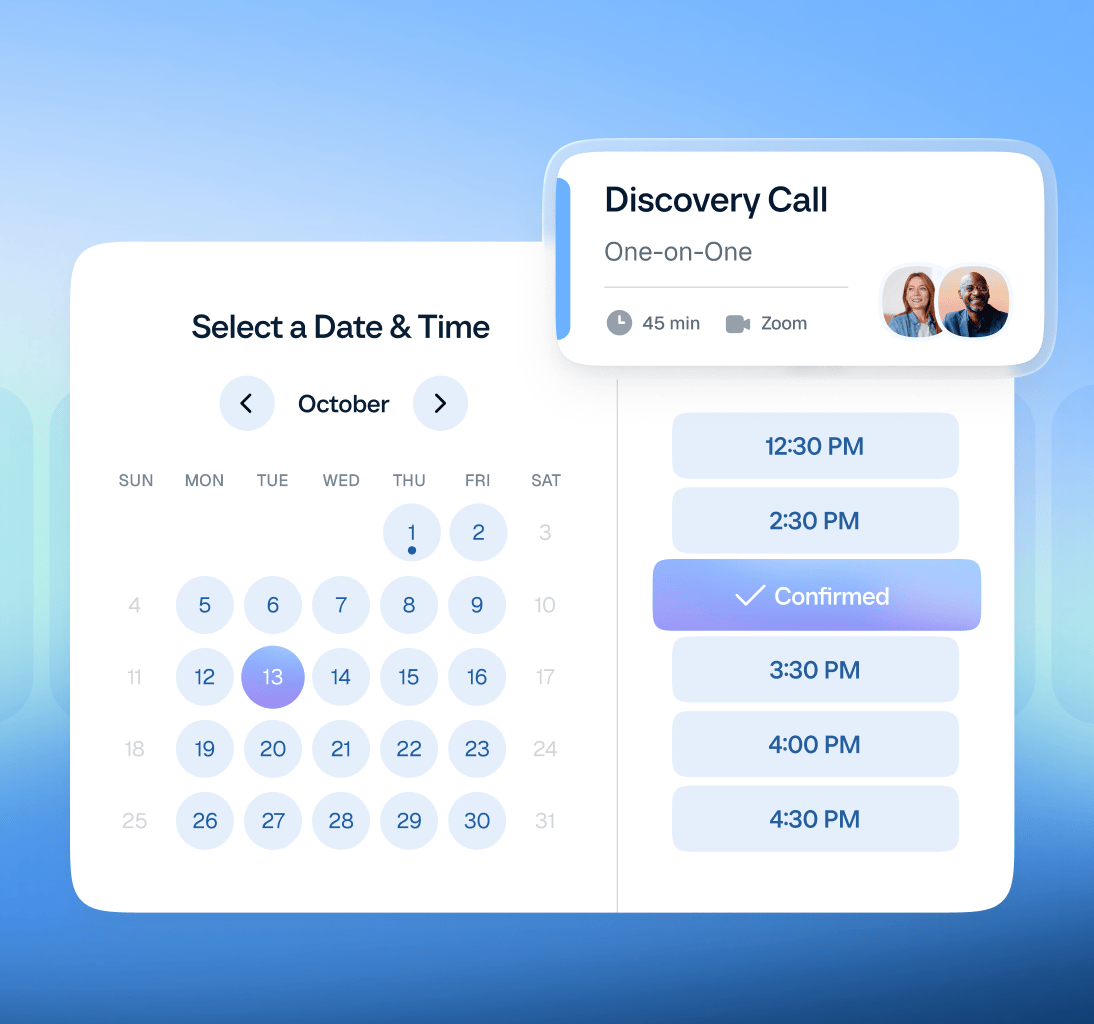
Calendly is an online scheduling platform that lets people book meetings without the usual back-and-forth. Instead of manually coordinating availability, you connect your calendar, set your available hours, and share a booking link. The other person chooses a suitable time, and Calendly schedules the meeting automatically.
But Calendly has grown beyond simple booking links. Today, the platform combines appointment scheduling with automated reminders, team scheduling, lead routing, payment collection, contact management, and AI tools for meeting preparation and follow-ups.
You can use it to arrange a sales demo, schedule a job interview, manage client consultations, coordinate team meetings, or accept paid appointments. It integrates with calendar services, video conferencing platforms, CRMs, and other business tools to fit into existing workflows.
In short, Calendly helps individuals and businesses spend less time coordinating meetings and more time on the work those meetings are meant to accomplish.
Who Founded Calendly?
Calendly was founded in 2013 by Tope Awotona, a Nigerian-born entrepreneur and former software salesperson who recognized a frustrating problem in his own work.
Awotona grew up in Lagos, Nigeria, before moving to the United States as a teenager. He later studied management information systems at the University of Georgia and worked in enterprise software sales, including roles associated with IBM, Perceptive Software, and Dell.
His experience selling software gave him a close look at how businesses operated, but it also exposed him to a surprisingly persistent problem: arranging meetings with prospective customers could take far longer than it should.
The Story Behind Calendly
Calendly started with a frustration that many salespeople will recognize.
As a salesperson, Awotona regularly needed to schedule product demonstrations and meetings with prospective customers. That meant sending emails, suggesting possible times, waiting for replies, checking availability, and repeating the process whenever the proposed times didn't work.
A meeting that should have taken a few minutes to arrange could require numerous emails and several days of coordination.
Awotona began looking at existing scheduling tools, but he believed the available options left room for improvement. He saw an opportunity to build something more intuitive, visually appealing, and straightforward to use.
Rather than treating scheduling as an unavoidable administrative task, he wanted to make it a simple process that people could complete themselves.
In 2013, he turned that idea into Calendly.
Building the product, however, required a substantial personal commitment. Awotona invested his savings, including money from his retirement account, and used credit to finance development. He also struggled to secure outside investment, so he focused on building a product people would use and pay for.
He worked with a Ukrainian software development company to build the initial product. Calendly launched in September 2013, offering users a straightforward way to share their availability and let others book meetings.
The underlying idea was simple, but the problem was widespread. Salespeople could use Calendly to arrange demos, recruiters could schedule interviews, and consultants could let clients book appointments without endless email exchanges.
Instead of requiring both parties to coordinate every detail manually, Calendly gave the meeting organizer control over their availability while allowing invitees to choose a suitable time.
That simplicity helped the product find an audience.
Calendly initially grew without relying heavily on outside investment. As more individuals and businesses adopted it, the company expanded its capabilities and eventually attracted significant investor interest. In 2021, an investment round valued Calendly at $3 billion.
What began as a solution to a frustrating sales workflow had grown into a widely used scheduling business.
How Has Calendly Evolved?
Calendly's original value proposition was straightforward: make it easier for people to schedule meetings. That remains central to the product, but the platform has expanded to address more of the work surrounding those meetings.
Here's how its capabilities fit together today:
Scheduling: Create booking pages, set availability, connect calendars, and let people book individual or group meetings.
Team scheduling and routing: Coordinate meetings across teams, distribute bookings, and direct prospects to the appropriate representative based on configured rules.
Automated workflows: Send reminders and other scheduling communications to reduce no-shows and manual follow-ups.
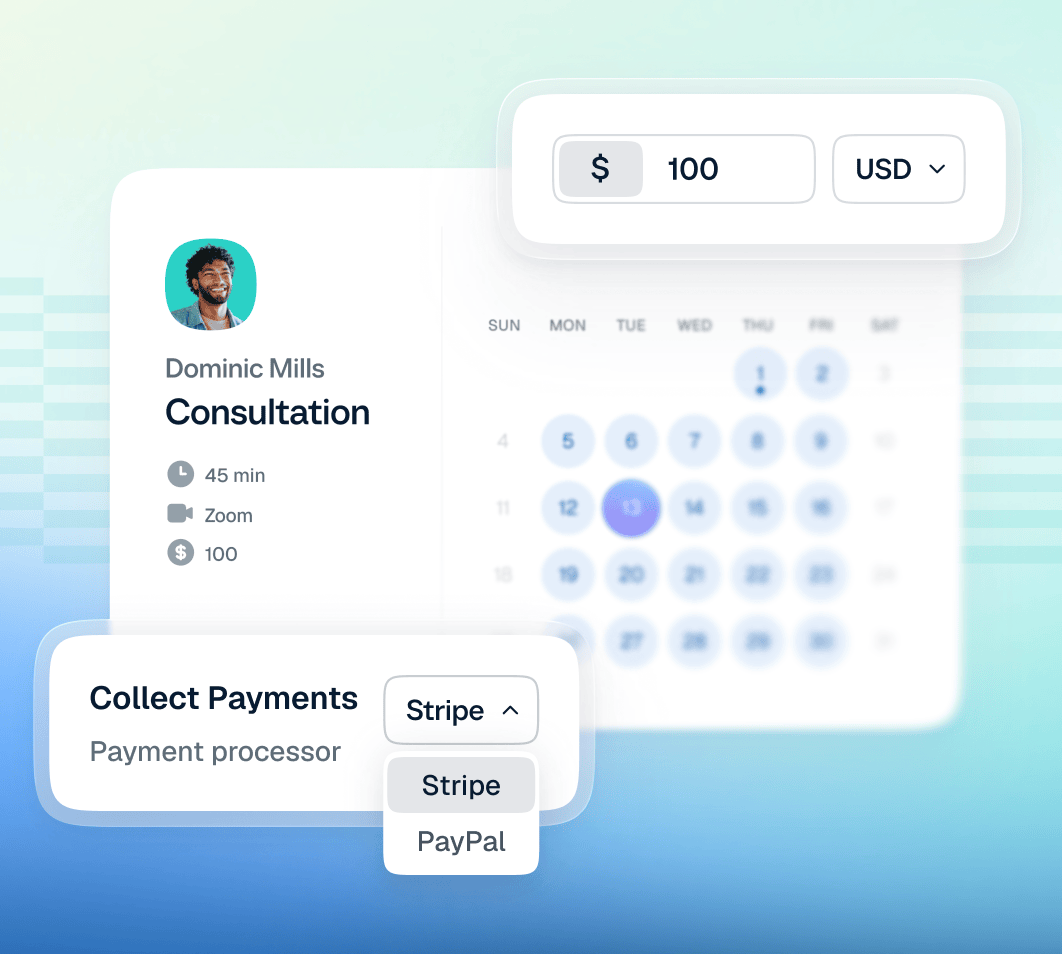
Payments: Collect payments for appointments and consultations through supported payment integrations.
Contacts: View contact details and meeting history to help manage relationships and follow-ups.
AI meeting assistance: Calendly's newer tools include Callie, an AI scheduling assistant, and Notetaker, which can produce meeting summaries, transcripts, and action items on supported plans.
These capabilities reflect a broader shift in Calendly's product strategy. It is no longer focused exclusively on helping people find a time to meet. It is also working to simplify the preparation, coordination, and follow-up work surrounding meetings.
That distinction matters when evaluating Calendly today. If you only need a personal booking link, its core scheduling functionality may be enough. If you're evaluating it for a sales or customer-facing team, you'll also want to consider its routing capabilities, integrations, administrative controls, and newer AI features.
The following sections examine how well those features work, what Calendly costs, and where the platform falls short.
Calendly Products, Solutions, and Integrations
Calendly is built around a straightforward idea: make it easier to coordinate meetings and handle the work that comes with them. Its platform now includes scheduling, AI assistance, meeting notes, contact management, and payment collection, alongside integrations and administrative tools.
Rather than offering one scheduling tool for everyone, Calendly provides different capabilities for individuals, customer-facing teams, and large organizations. Here's how its main products work.
Calendly Products and Main Features
Product
What It Does
Main Features
Best For
Scheduling
Automates meeting booking and calendar coordination.
Booking links, event types, availability settings, team scheduling, meeting polls, reminders, routing, and automated follow-ups.
Individuals, sales teams, recruiters, and customer-facing teams.
Callie (Beta)
Uses AI to help coordinate meetings and retrieve information about meetings and contacts.
Scheduling remains the foundation of Calendly. It replaces the back-and-forth of arranging meetings with booking pages that display available time slots.
A user connects their calendar, defines when they're available, creates an event type, and shares a booking link. Invitees select a suitable time, and Calendly handles the booking and calendar updates.
But the product goes beyond sharing a basic link.
Key scheduling features include:
Booking links and event types: Create different booking experiences for discovery calls, consultations, interviews, demos, and other meeting types.
Availability management: Set working hours, meeting durations, buffers, and scheduling limits to control when people can book.
Calendar connections: Check calendar availability to reduce scheduling conflicts and double bookings.
Team scheduling: Coordinate meetings involving multiple team members, including round-robin scheduling that distributes meetings among eligible representatives.
Meeting polls: Collect participants' preferences when finding a time that works for a group.
Routing forms: Ask visitors qualifying questions and direct them to the appropriate person or booking page based on their responses and configured rules.
Automated communications: Send meeting confirmations, reminders, and follow-ups to reduce manual work.
Website embeds: Add Calendly booking experiences to websites and landing pages so visitors can schedule without leaving the page.
Real-time booking: Book a meeting directly when the time has already been agreed upon, without sending another scheduling link.
For sales teams, scheduling can help reduce the time between a prospect expressing interest and actually meeting a representative. Recruiters can use it to coordinate interviews, while customer success teams can make it easier for clients to book training sessions and account reviews.
The important distinction is that Calendly's scheduling capabilities can support business workflows, not just personal appointments. Features such as routing, team scheduling, and CRM integrations become particularly useful when several people need to coordinate around the same lead or customer.
2. Callie: Calendly's AI Scheduling Assistant
Callie is Calendly's AI assistant, designed to help with the administrative work surrounding meetings.
Instead of manually checking availability, coordinating times over email, or searching through meeting records, users can ask Callie for assistance using natural language.
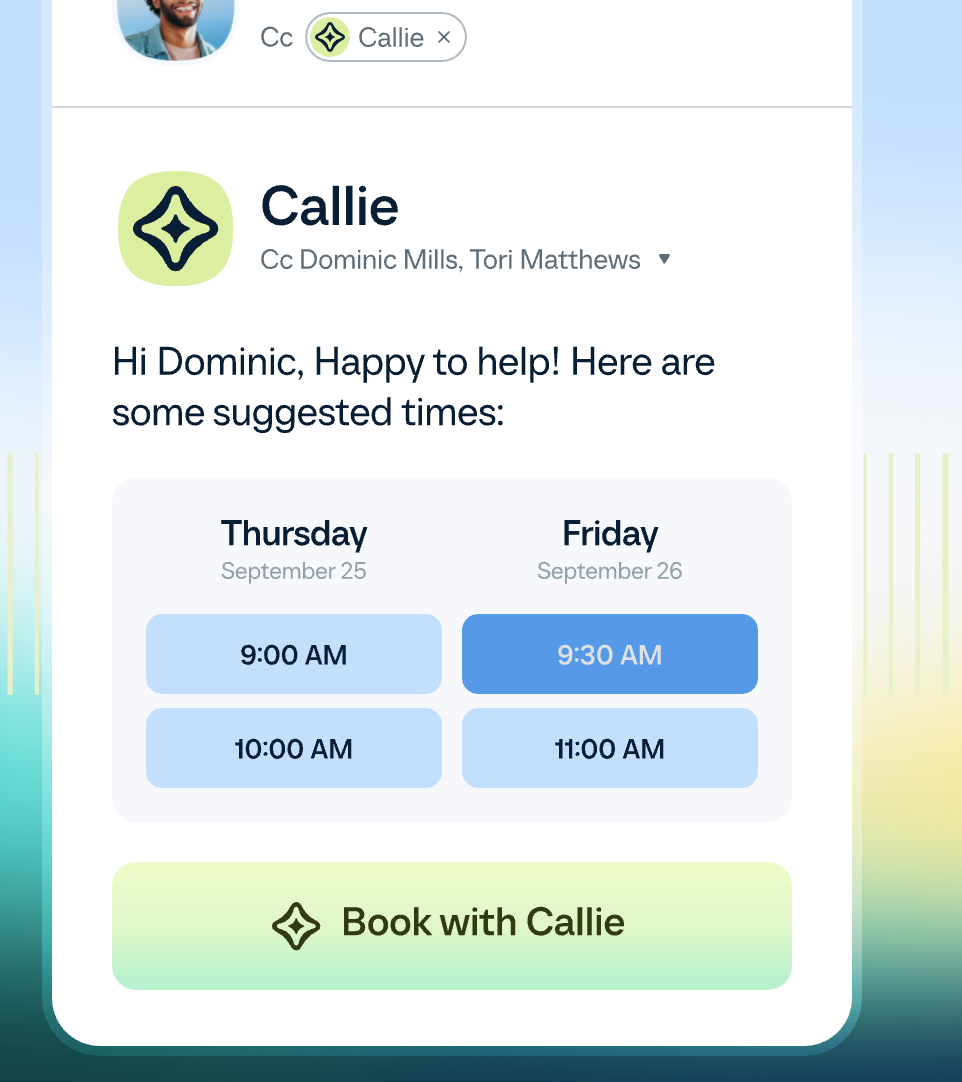
For example, a salesperson coordinating a demo could add Callie to an email thread and ask it to find a suitable time for the prospect. Callie can check availability, suggest meeting options, and help coordinate the booking.
Callie also works within Calendly, where users can ask questions about their schedules, contacts, and meeting history.
Its main capabilities include:
Email-based scheduling: Add callie@calendly.com to an email thread to help coordinate a meeting.
Availability coordination: Find suitable times based on connected calendar availability and scheduling preferences.
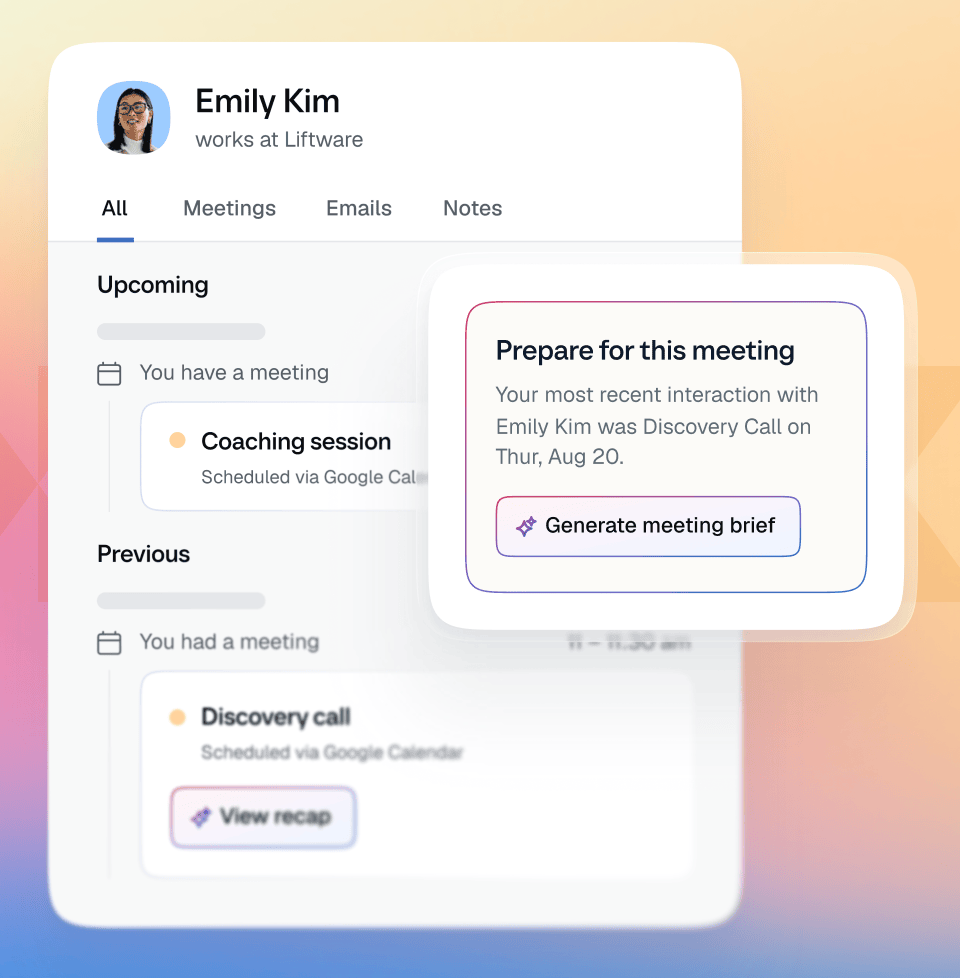
Meeting preparation: Ask for a briefing on upcoming meetings or information about previous conversations.
Action-item retrieval: Find relevant action items from supported meeting records.
Relationship context: Ask questions about previous meetings with a particular person or organization.
Scheduling email drafts: Generate email templates and responses to help coordinate meetings.
For example, a customer success manager preparing for a quarterly business review could ask Callie to summarize previous meetings with an account and retrieve outstanding action items. That gives the manager a starting point for preparation without manually searching through each meeting record.
There are important limitations to understand. Callie is currently a beta product with plan and language restrictions. Calendly says users must approve changes before they happen, and Callie won't schedule meetings outside their configured availability. Its usefulness also depends on the information available in the user's Calendly account and connected data.
Callie is therefore best understood as an assistant for meeting coordination and preparation, rather than a replacement for a full CRM or a general-purpose business automation platform.
3. Notetaker: Automated Meeting Recaps and Follow-Ups
Calendly Notetaker addresses another common problem: what happens after a meeting ends?
People often spend time writing notes, identifying action items, sharing summaries, and preparing follow-up emails. When several meetings happen in one day, these tasks can quickly accumulate.
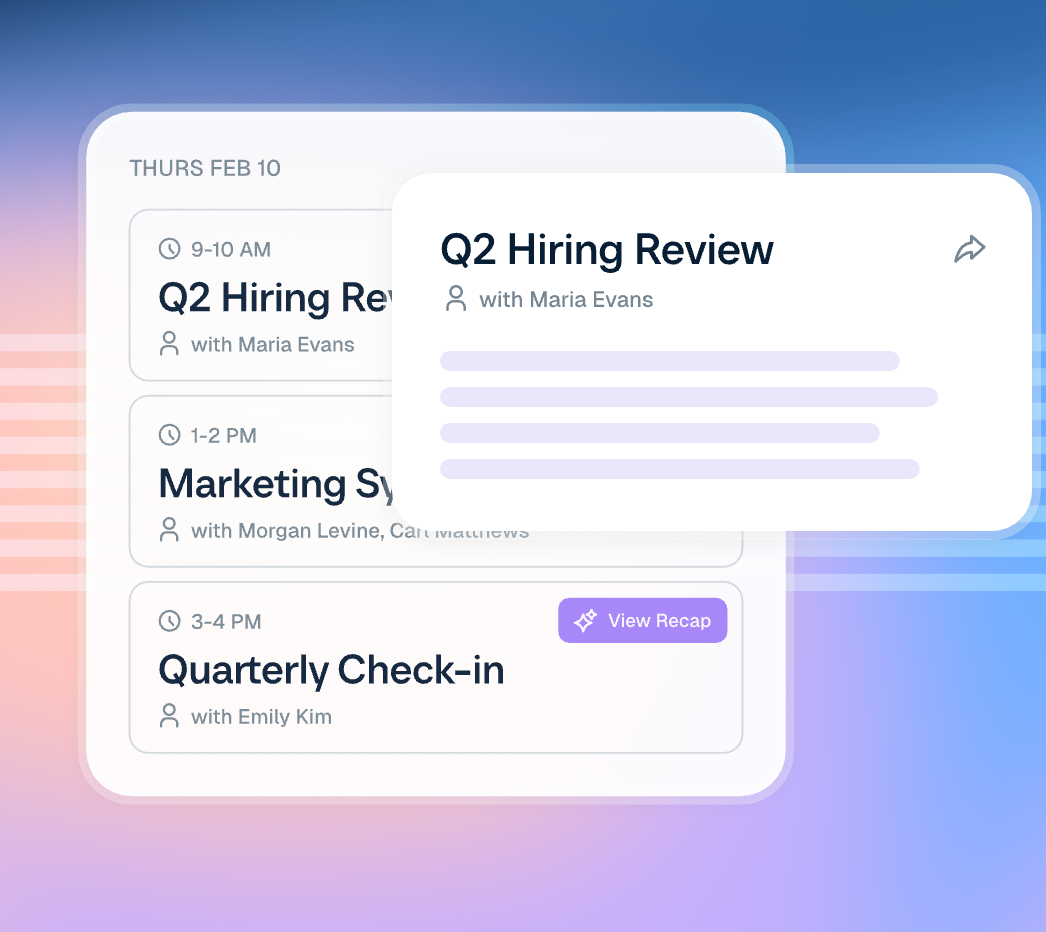
Notetaker helps automate that process by recording supported meetings and generating recaps that users can review and share.
Key features include:
Meeting transcripts: Create a written record of conversations.
AI-generated summaries: Condense discussions into more manageable recaps.
Action items: Identify tasks and next steps from meetings.
Follow-up email drafts: Prepare a starting point for post-meeting communication.
Recap history: Retrieve previous meeting summaries when preparing for future conversations.
Sharing controls: Review and share recaps with the appropriate people.
Notetaker supports meetings on Zoom, Google Meet, and Microsoft Teams. It can also be used for meetings that were not originally booked through Calendly, so its usefulness is not limited to conversations arranged through a Calendly booking page.
Consider a sales representative who completes several product demos in a day. Instead of manually writing a recap after each call, the representative can review the generated summary, verify the action items, and prepare a follow-up email.
Customer success teams can use similar workflows to document account reviews, while recruiters can use meeting recaps to organize interview notes and next steps.
There are two important considerations. First, Notetaker is listed for Standard Plus and Teams Plus plans, subject to applicable feature access. Second, recording requires appropriate consent. Calendly says Notetaker notifies meeting participants before recording and transcribing conversations, and users control how recaps are shared.
The feature can reduce administrative work, but users should still review generated summaries and action items before relying on them.
4. Contacts: Managing Relationships Beyond the Booking
Calendly Contacts helps users maintain context about the people they meet through the platform.
When someone schedules a meeting, Calendly can create a contact profile and update it as further interactions take place. Instead of treating every booking as an isolated appointment, users can review contact information and meeting history in one place.
Its main features include:
Automatic contact profiles: Create and update profiles as people schedule meetings and interact with Calendly.
Meeting history: Review previous interactions to prepare for upcoming conversations.
Contact details: Access relevant information associated with a contact.
Notes and custom fields: Record additional context to support relationship management.
Follow-up scheduling: Book another meeting directly from a contact's profile.
Personalized outreach: Use available contact context to prepare follow-up emails.
Contact prioritization: Organize contacts using activity and other available information to identify people who may need attention.
For example, a consultant preparing for a returning client's appointment can review the client's previous meetings before the call. A salesperson can use contact history to prepare for a follow-up conversation, while an account manager can identify customers who need another meeting.
Calendly Contacts is useful for lightweight relationship management, particularly for individuals and smaller teams that don't want to introduce another complex tool just to track meeting activity.
However, it should not automatically be treated as a full CRM replacement. Calendly's contact profiles focus on meeting activity and relationship context. Businesses that require extensive opportunity management, forecasting, complex account hierarchies, or advanced sales reporting may still need a dedicated CRM.
Calendly can connect with CRM platforms such as Salesforce and HubSpot, allowing users to combine its scheduling capabilities with more extensive customer and sales records.
5. Payments: Collecting Money When Clients Book
Calendly Payments allows businesses to collect money for appointments and services through their scheduling workflows.
Without payment collection, a service provider might need to confirm an appointment, send a separate payment request, follow up with the client, and reconcile the transaction. Calendly can simplify parts of this process by connecting booking and payment.
Its main features include:
Payments at booking: Require customers to pay before a paid appointment is confirmed.
Paid event types: Assign prices to different appointment types.
Meeting packages: Sell prepaid bundles of sessions that clients can book against.
Payment links: Share standalone links to collect payment for services.
Invoices: Send invoices through supported workflows for clients to pay on agreed terms.
Payment processor integrations: Connect Stripe and PayPal, with individual features subject to processor requirements.
Imagine a consultant offering a 60-minute strategy session. They can create a paid event type, set the price, and require payment during booking. A coaching business could offer a package of several sessions rather than collecting payment for every appointment separately.
This is particularly useful for consultants, tutors, coaches, and other service providers who sell time-based services.
There are some limitations. Payment capabilities vary by plan and processor, and certain features, such as payment links and meeting packages, have specific Stripe requirements. Calendly also doesn't hold the money itself. Payments go to the connected payment processor, where refunds and other transaction management are handled.
How the Products Work Together
Calendly's individual products become more useful when considered as parts of the same workflow.
For example, a prospect could book a product demo through Scheduling. Contacts could maintain the prospect's profile and meeting history. Notetaker could prepare a recap and identify action items after the demo, while Callie could help the salesperson retrieve those details and prepare for the next conversation.
A consultant could follow a different workflow: a client books a paid session through Scheduling, pays through Payments, and receives a meeting confirmation. After the session, Notetaker could help prepare a recap, while Contacts retains useful context for the next appointment.
These workflows illustrate Calendly's broader product direction. The company is combining booking with tools for meeting preparation, documentation, and follow-up.
The value depends on the user's needs, however. Someone who only wants a simple booking page may not need the full product suite, while a team managing many customer conversations may benefit from having more of these capabilities available together.
Calendly Solutions: Who Is It Built For?
Calendly organizes its solutions around business size, team function, and industry. The underlying scheduling capabilities overlap, but the workflows and integrations that matter can differ considerably between a solo consultant, a recruiting team, and a large enterprise sales organization.
Calendly Solutions by Business Size
Audience
Primary Use Cases
Relevant Capabilities
Main Benefit
Individuals
Personal booking pages, consultations, office hours, and appointments.
Scheduling links, availability management, reminders, Contacts, and Payments.
Reduce administrative work and make it easier for people to book time.
Small businesses
Customer appointments, consultations, workshops, and interviews.
Group scheduling, team meetings, payment collection, reminders, and website booking.
Manage customer interactions without coordinating every appointment manually.
Large companies
Enterprise sales scheduling, lead routing, recruiting, and customer engagement.
CRM integrations, routing, team scheduling, centralized administration, managed event types, and enterprise security controls.
Standardize scheduling and coordinate workflows across larger teams.
Calendly Solutions by Team
Calendly also tailors its messaging to the different ways business teams use scheduling.
Team
How Calendly Is Used
Relevant Features
Sales
Book discovery calls and demos, qualify inbound leads, and coordinate handoffs.
Convert website and campaign leads into meetings and track scheduling activity.
Website embeds, lead routing, marketing integrations, CRM synchronization, and analytics.
Customer Success
Schedule onboarding, training, support calls, renewals, and account reviews.
Team scheduling, customer routing, reminders, follow-ups, and meeting polls.
Recruiting
Coordinate phone screens, interviews, and group interview panels.
Candidate self-scheduling, team scheduling, reminders, browser extensions, and applicant tracking system integrations.
Calendly Solutions by Industry
Calendly's industry-specific solutions apply its scheduling and workflow capabilities to different business requirements.
Industry
Typical Use Cases
Relevant Capabilities
Professional Services
Client consultations, project meetings, new business meetings, and paid appointments.
Branded booking pages, team scheduling, website booking, Payments, and integrations.
Financial Services
Advisor appointments, client consultations, loan discussions, and relationship management.
Self-scheduling, website embeds, email and SMS reminders, calendar integrations, and security controls.
Technology
Product demos, sales qualification, onboarding, customer training, and renewals.
Lead routing, round-robin scheduling, CRM integrations, team scheduling, and automated communications.
Education
Admissions interviews, student advising, office hours, and resource reservations.
Appointment booking, availability management, individual and group scheduling, and virtual meeting integrations.
Calendly Integrations: How It Connects to Other Tools
Calendly becomes more useful when it connects to the systems where users already manage their calendars, communications, sales records, and customer interactions.
Its integrations help users schedule meetings from existing workflows, synchronize relevant information, and reduce the need to enter the same data in multiple places.
Here are the main integration categories.
Integration Category
Examples
What the Integrations Help You Do
Calendar and productivity
Google Calendar, Microsoft Outlook, Office 365
Check availability, coordinate schedules, and reduce booking conflicts.
Video conferencing
Zoom, Google Meet, Microsoft Teams
Automatically include meeting details in supported bookings.
CRM and sales
Salesforce, HubSpot, Microsoft Dynamics 365
Connect scheduling with customer records, lead routing, and sales workflows.
Marketing and lead capture
HubSpot, Marketo, Pardot, Typeform
Connect form submissions with lead qualification and meeting booking.
Payments
Stripe, PayPal
Collect payments for paid appointments and supported services.
Analytics
Google Analytics, Meta Pixel
Measure relevant booking and website activity through supported configurations.
Communication and collaboration
Slack, Microsoft Teams Chat
Share scheduling information and receive meeting notifications within collaboration tools.
Browser extensions
Chrome, Firefox, Microsoft Edge, Safari
Access scheduling tools while working in supported websites and applications.
Automation and development
Zapier, Calendly API and developer tools
Connect Calendly with additional applications or build custom workflows.
AI assistants
Callie and supported external AI integrations, including the Calendly integration for ChatGPT and Claude
Support scheduling and related workflows through supported AI experiences.
Additional Calendly Platform Features
Beyond its main products, Calendly offers platform features that help users manage meetings across devices and organizations.
Feature
What It Does
Why It Matters
Admin Management
Centralizes user management, groups, permissions, and standardized meeting templates.
Helps organizations manage scheduling consistently across teams.
Browser Extensions
Makes scheduling tools accessible from supported browsers and workflows.
Reduces switching between applications when arranging meetings.
Mobile Apps
Lets users manage bookings, availability, contacts, and meeting details on iOS and Android.
Makes scheduling easier while away from a computer.
Security and Compliance
Provides security controls and documentation covering areas such as SOC 2 Type II and ISO/IEC 27001.
Helps organizations evaluate Calendly for business use and vendor requirements.
Overall, What Does Calendly Offer?
Calendly's product lineup has expanded from appointment scheduling into a broader set of tools for coordinating meetings and managing the work around them.
Its core scheduling product remains useful for individuals and businesses that want to simplify booking. Team scheduling and routing extend that value to sales, recruiting, and customer success workflows. Contacts, Payments, Callie, and Notetaker add capabilities for relationship management, transactions, meeting preparation, and follow-up.
The integration ecosystem connects these capabilities with calendars, video conferencing, CRMs, marketing platforms, payment providers, and other business tools.
However, not every user needs every product. Someone looking for a simple booking page may find the core scheduling functionality sufficient. A larger organization may need to evaluate team workflows, CRM synchronization, administrative controls, security requirements, and plan restrictions more carefully.
That distinction is important when assessing Calendly's value: its usefulness depends not just on how easily it schedules meetings, but on how well its capabilities fit the work users need to accomplish before and after those meetings.
Calendly Pricing: Is It Worth the Price?
Calendly offers a free plan and several paid plans for individuals, growing teams, and enterprises. Pricing depends on the features you need, the number of users, and whether you pay monthly or annually.
The free plan covers basic scheduling, while paid plans unlock unlimited event types, more calendar connections, automated workflows, team scheduling, lead routing, and AI meeting tools.
How Much Does Calendly Cost Per Month?
Calendly's paid plans start at $10 per seat per month with annual billing, or $12 per seat per month when billed monthly. Here's how the pricing breaks down.
Plan
Monthly Billing
Annual Billing (Per Month)
Key Features
Free
$0
$0
One event type, one calendar connection, one-on-one scheduling, and a customizable booking page.
Standard
$12/seat/month
$10/seat/month
Unlimited event types, multiple calendars, reminders, automations, and integrations.
Standard Plus
$24/seat/month
$18/seat/month
Standard features plus AI scheduling assistance and meeting recaps through Callie and Notetaker.
Teams
$20/seat/month
$16/seat/month
Team scheduling, round-robin distribution, lead routing, Salesforce integration, and admin controls.
Teams Plus
$32/seat/month
$24/seat/month
Teams features plus Callie and Notetaker for AI-assisted scheduling and meeting management.
One thing to keep in mind: Calendly charges per seat, meaning each person who needs to connect a calendar and host meetings generally requires a paid seat. People booking meetings through your links do not need paid seats or Calendly accounts. For teams, the total subscription cost can therefore increase with the number of users.
Yes, Calendly has a free plan that you can use indefinitely. You don't need to pay just to create a booking link and let people schedule meetings.
The Free plan includes:
One event type and one connected calendar.
One-on-one meeting scheduling.
A customizable booking page.
Booking confirmation emails.
Website embedding.
Access to the mobile app and browser extension.
That's enough for someone who needs a single booking link for consultations, introductory calls, or occasional appointments.
The limitations become more noticeable when your scheduling needs grow. You need a paid plan for unlimited event types, additional calendar connections, advanced automations, and more extensive integrations. Team scheduling and lead routing also require higher-tier access, while Callie and Notetaker are available through plans that include AI meeting management.
Calendly also offers new users a two-week trial of Teams Plus, after which the account automatically moves to the Free plan unless the user upgrades.
Is Calendly Worth the Price?
Calendly is worth paying for if scheduling creates enough administrative work to justify the subscription. Its value depends on whether you need basic booking links or more advanced business workflows.
The Standard plan is a reasonable starting point for professionals who need multiple event types, additional calendar connections, and automated reminders. Teams is more relevant to businesses that need to distribute meetings across representatives, qualify inbound leads, or manage scheduling centrally.
The Plus plans are worth considering if you will regularly use AI meeting recaps and scheduling assistance. Otherwise, paying extra for those features may not make sense.
The main drawback is that costs increase as more people need paid seats, and some advanced capabilities require higher-tier plans. If you only need one booking link, the free plan may be all you need.
Our verdict: Calendly offers good value for individuals and teams that regularly coordinate meetings. Start with Free if your needs are basic, consider Standard for more flexibility, and upgrade to Teams or a Plus plan only when you need the additional capabilities.
Calendly Reviews: What Real Users Say
Calendly’s appeal is straightforward: it helps people schedule meetings without the endless back-and-forth of emails. But does the experience live up to the promise?
To find out, we looked at user feedback on G2, Trustpilot, and Reddit. The overall picture is mixed but informative. Users frequently praise Calendly for its simplicity, calendar integrations, and time-saving capabilities. The criticisms are more nuanced: some users report problems with customer support, billing, calendar synchronization, and the way scheduling links affect client relationships.
Calendly Reviews on G2
G2 reviewers generally rate Calendly highly, with the platform receiving an average rating of approximately 4.7 out of 5 in the G2 results we reviewed. Ease of use, straightforward scheduling, and calendar integration are recurring strengths. However, some reviewers have raised concerns about feature limitations, pricing, technical issues, and customer support.
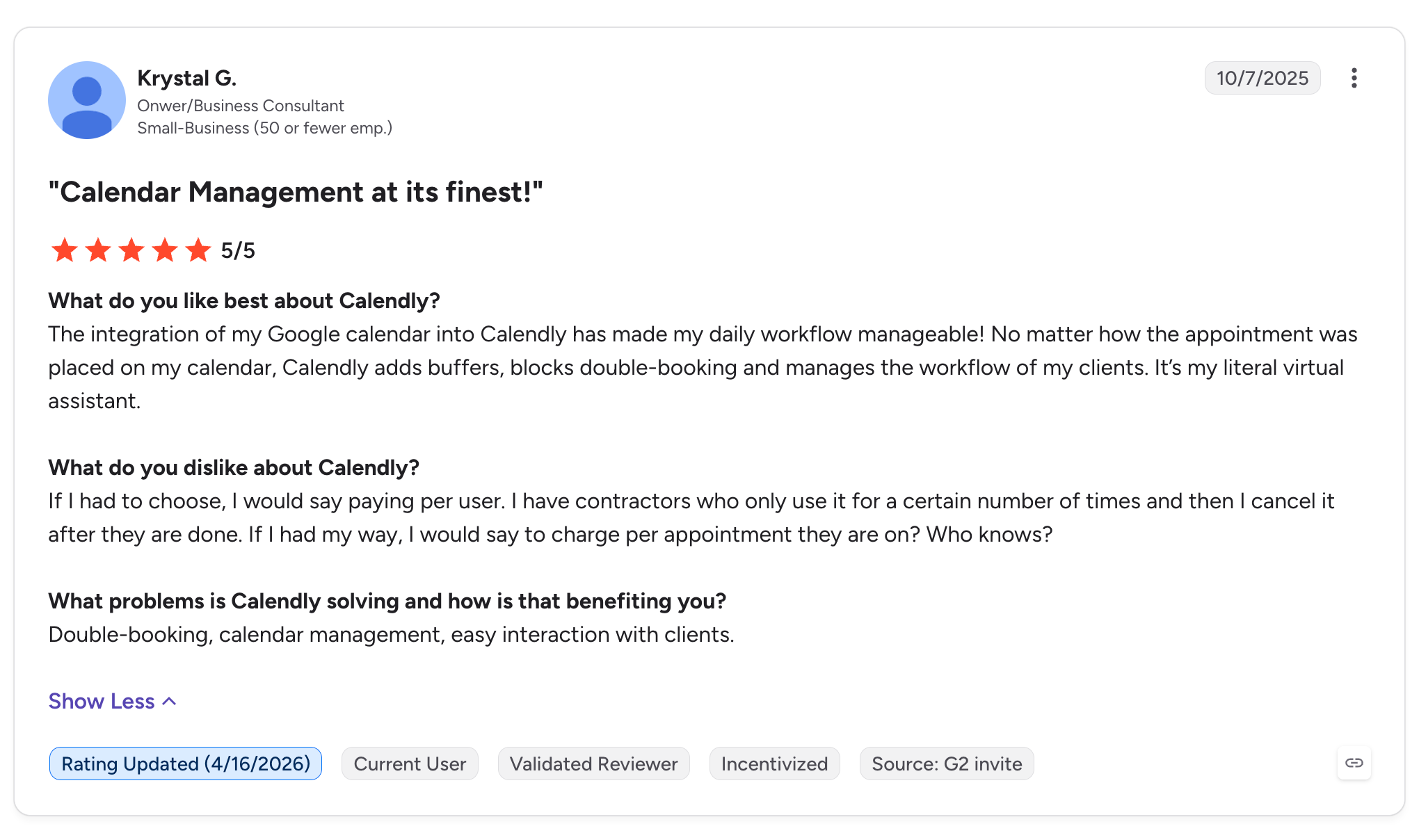
Positive review: Krystal G. | 5/5 stars
In a review titled Calendar Management at its finest!, Krystal G., an owner and business consultant, described how Calendly helps manage appointments and prevent scheduling conflicts:
“The integration of my Google calendar into Calendly has made my daily workflow manageable!”
Krystal also praised its ability to add buffers and block double-bookings, describing Calendly as her “literal virtual assistant.”
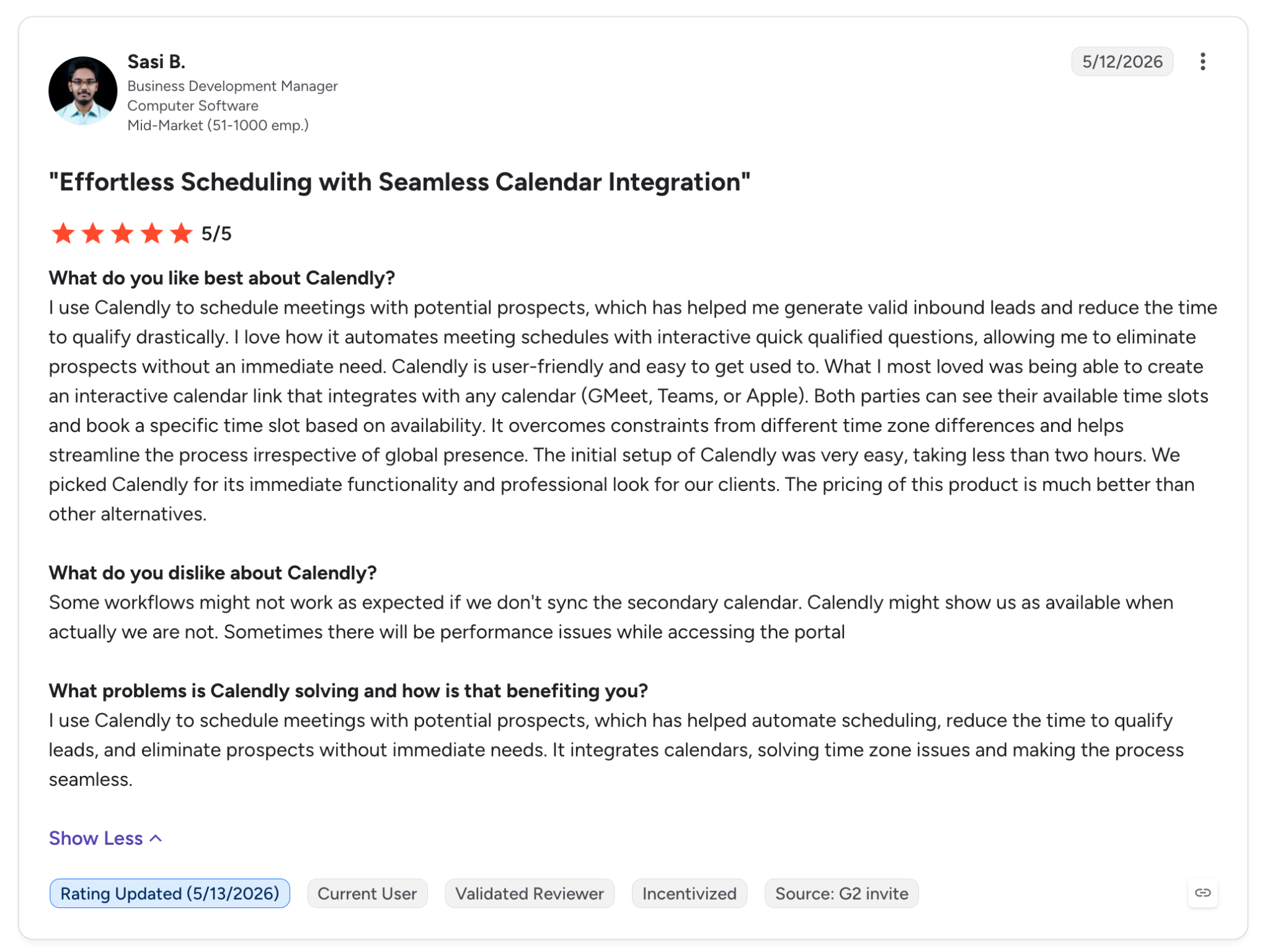
Positive review: Sasi B. | 5/5 stars
Sasi B., a business development manager, highlighted Calendly’s value for scheduling meetings with prospects and qualifying inbound leads:
“I use Calendly to schedule meetings with potential prospects, which has helped me generate valid inbound leads and reduce the time to qualify drastically.”
The reviewer also praised its calendar integrations and ability to accommodate people across different time zones. However, Sasi noted that failing to synchronize a secondary calendar could cause Calendly to show unavailable times as open.
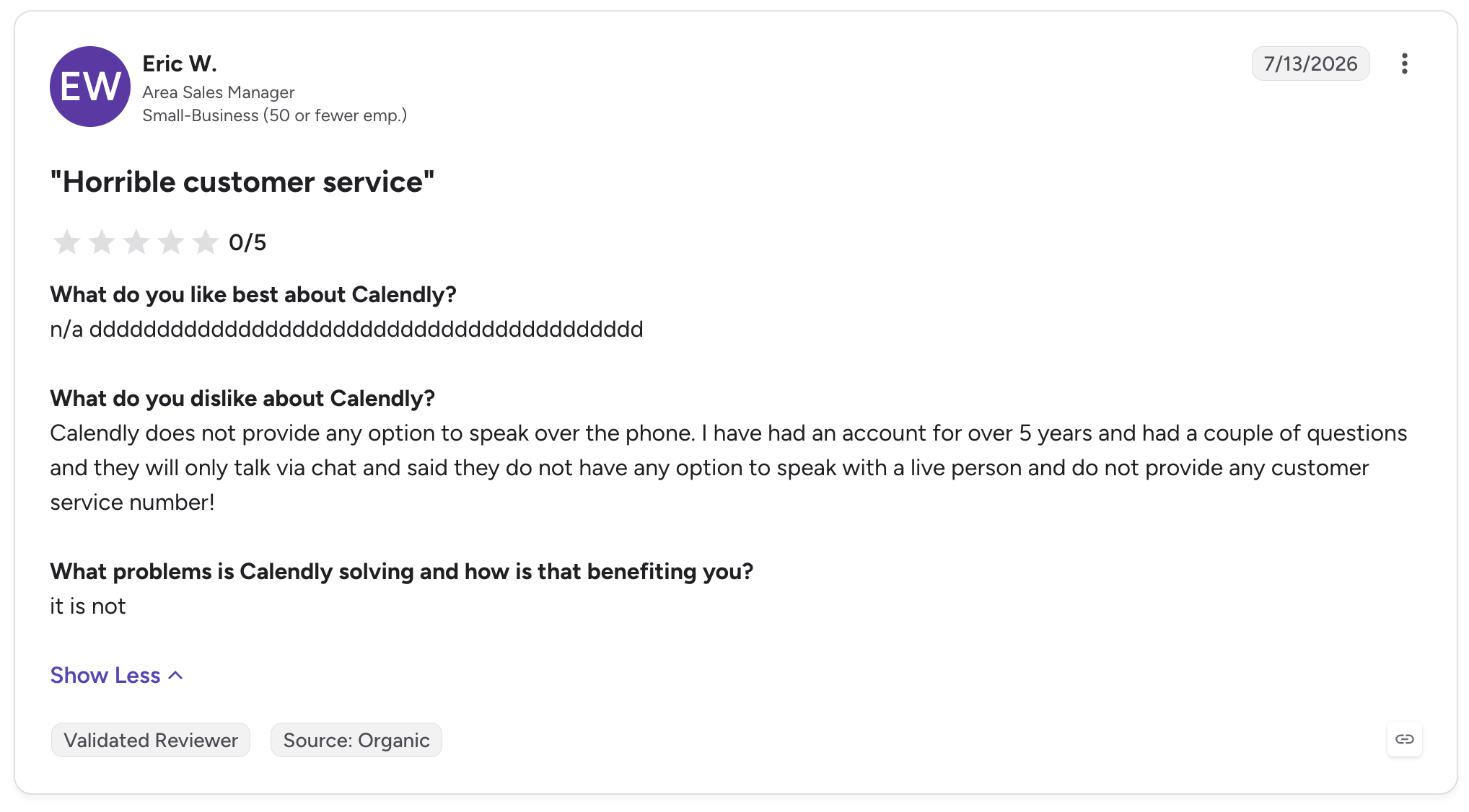
Negative review: Eric W. | 0/5 stars
In a review titled Horrible customer service, Eric W., an area sales manager, criticized the lack of telephone support:
“Calendly does not provide any option to speak over the phone.”
Eric said he had held an account for more than five years but could not reach support by phone when he needed help. His complaint highlights a potential drawback for users who prefer speaking directly with a support representative instead of using chat.
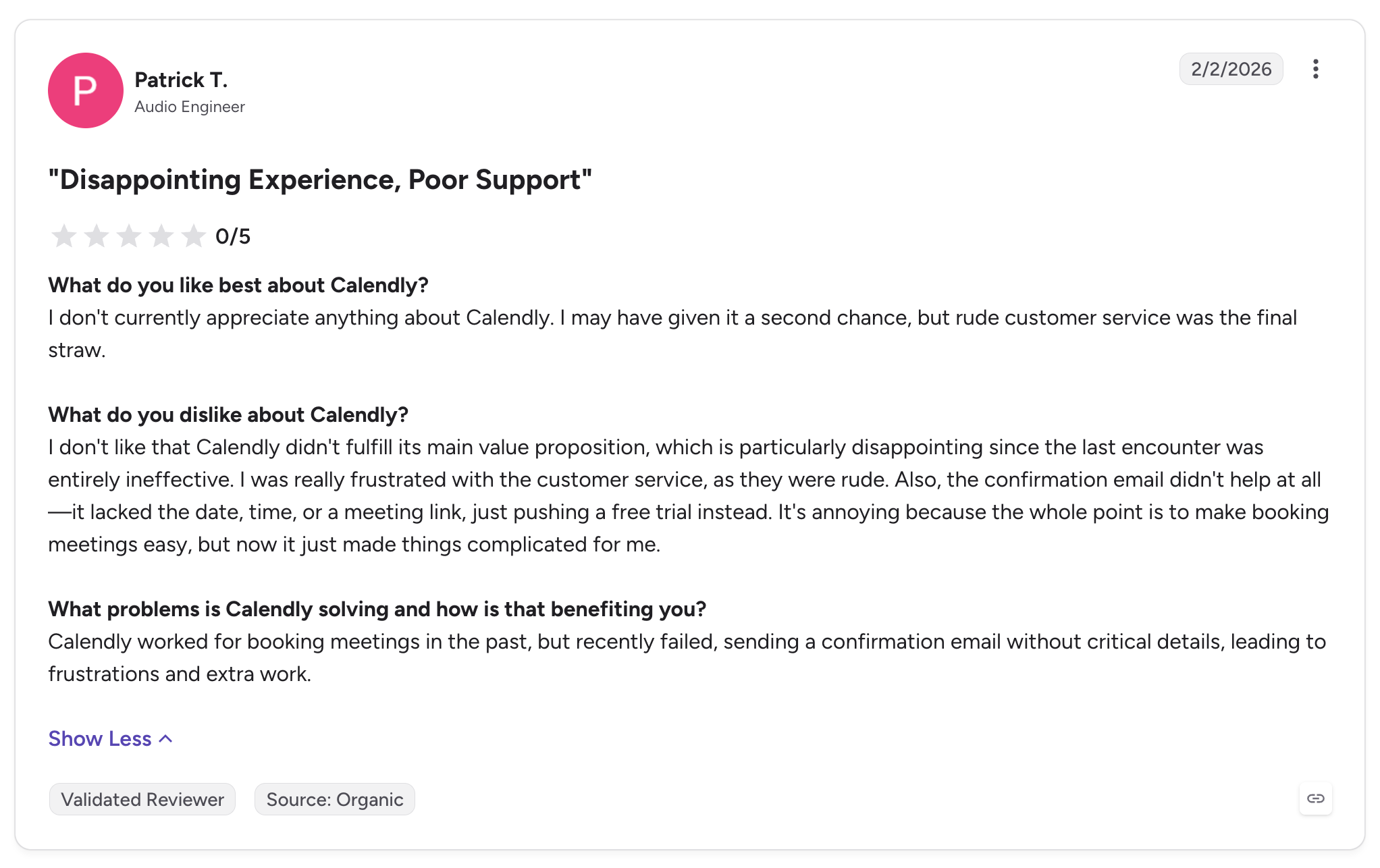
Negative review: Patrick T. | 0/5 stars
Patrick T., an audio engineer, titled his review Disappointing Experience, Poor Support. He described a booking experience that failed to deliver the information he expected:
“I don't currently appreciate anything about Calendly. I may have given it a second chance, but rude customer service was the final straw.”
Patrick also complained that a confirmation email lacked the meeting date, time, and link, instead promoting a free trial. This is a particularly serious criticism because reliable confirmations are central to a scheduling product's purpose.
What G2 reviews tell us
G2 feedback suggests that Calendly performs well at its core job: making meetings easier to arrange. The most notable drawbacks concern the experience around that core function, including calendar synchronization, the cost of advanced features, and support when something goes wrong. The two 0/5 reviews above are important counterexamples to the generally positive ratings, although they should not be treated as representative of every customer's experience.
Calendly Reviews on Trustpilot
Trustpilot offers a different perspective, with many recent reviews discussing customer support, account access, billing, and the process of resolving technical problems.
At the time of our review, Calendly's Trustpilot profile displayed a 4.1 out of 5 TrustScore. The distribution shown on the profile was 57% five-star reviews, 5% four-star, 3% three-star, 6% two-star, and 29% one-star. That substantial one-star share is worth examining alongside the positive overall score. Trustpilot also noted that Calendly had not replied to negative reviews on the profile we examined.
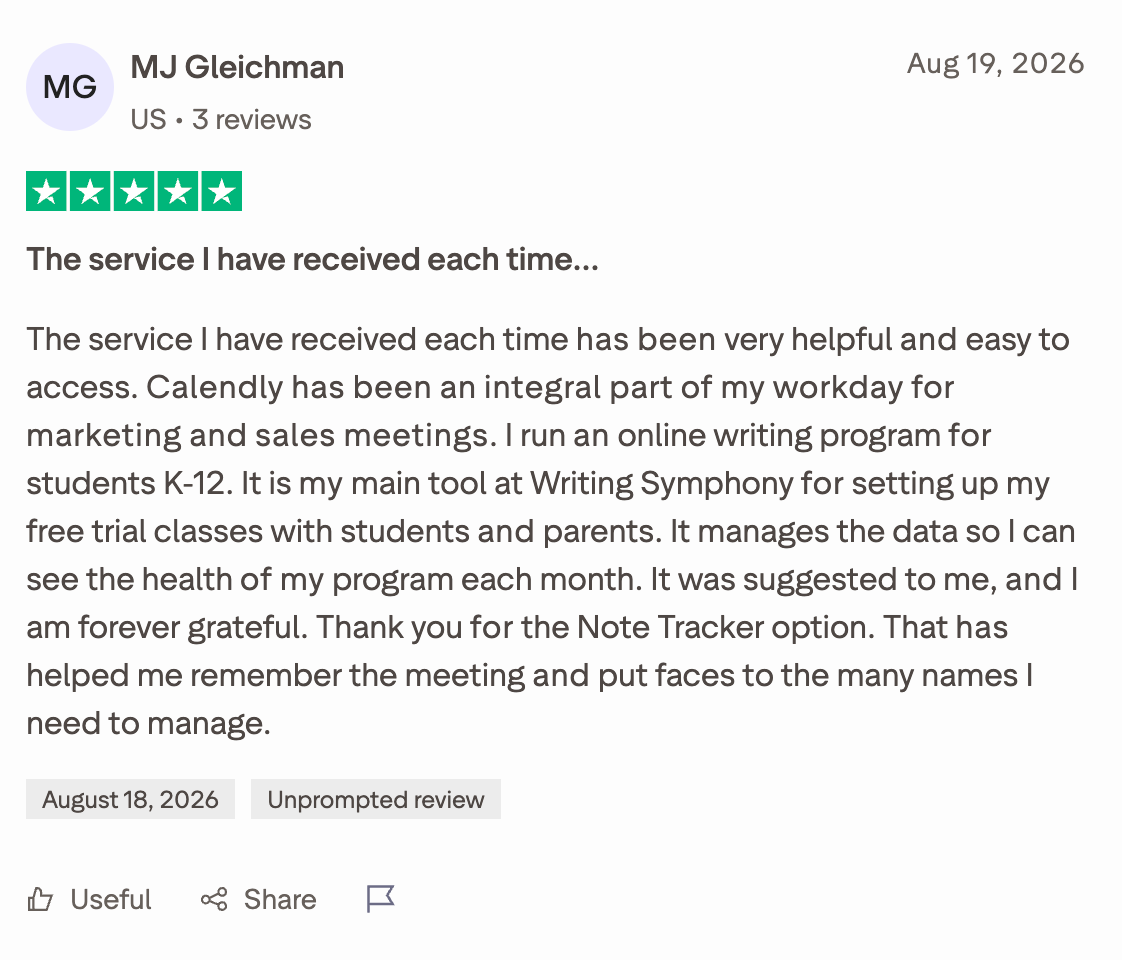
Positive review: MJ Gleichman | 5/5 stars
In a review titled The service I have received each time…, MJ Gleichman described using Calendly to manage appointments for an online writing program:
“Calendly has been an integral part of my workday for marketing and sales meetings.”
The reviewer also highlighted the value of Calendly's note-taking option for keeping track of meetings and the people involved. This illustrates how scheduling can become part of a broader workflow rather than simply a way to share available times.
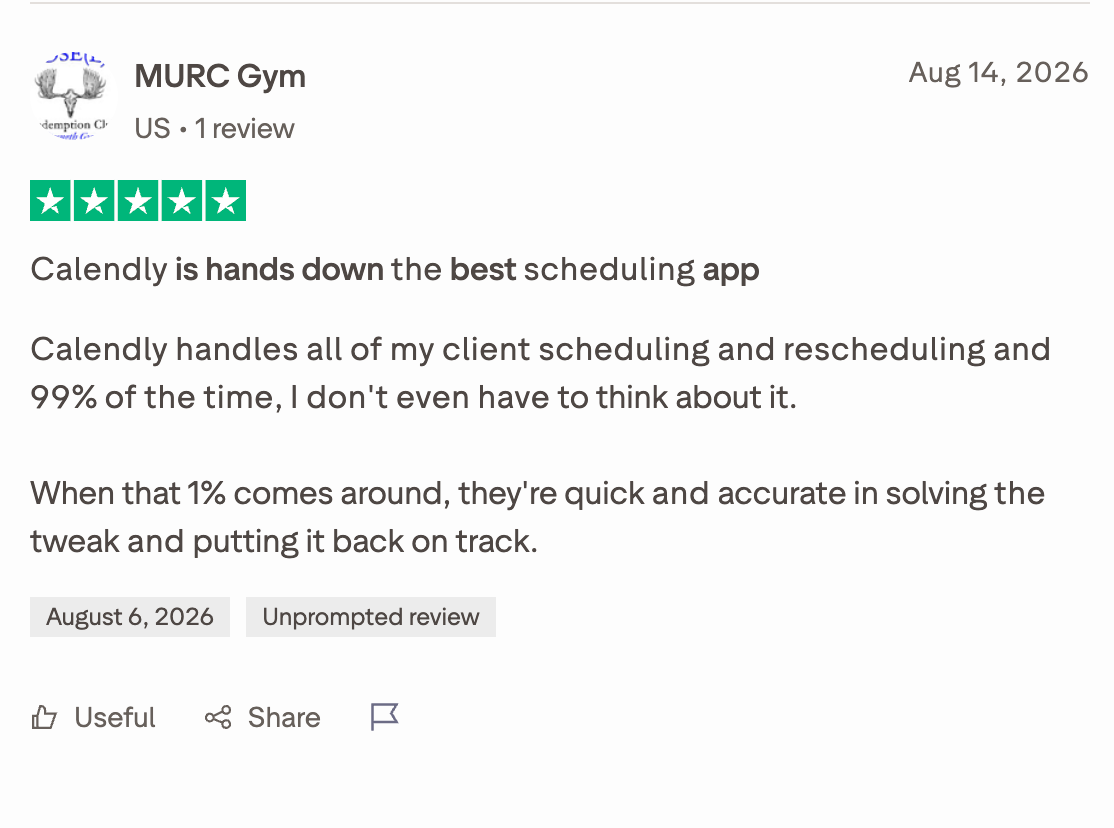
Positive review: MURC Gym | 5/5 stars
In a review titled Calendly is hands down the best scheduling app, MURC Gym praised its ability to handle client bookings and changes:
“Calendly handles all of my client scheduling and rescheduling and 99% of the time, I don't even have to think about it.”
The reviewer added that when an issue does arise, the team is quick to resolve it. This captures one of Calendly's strongest selling points: once the booking workflow is configured, much of the routine coordination can happen automatically.
Negative review: Carl L. | 1/5 star
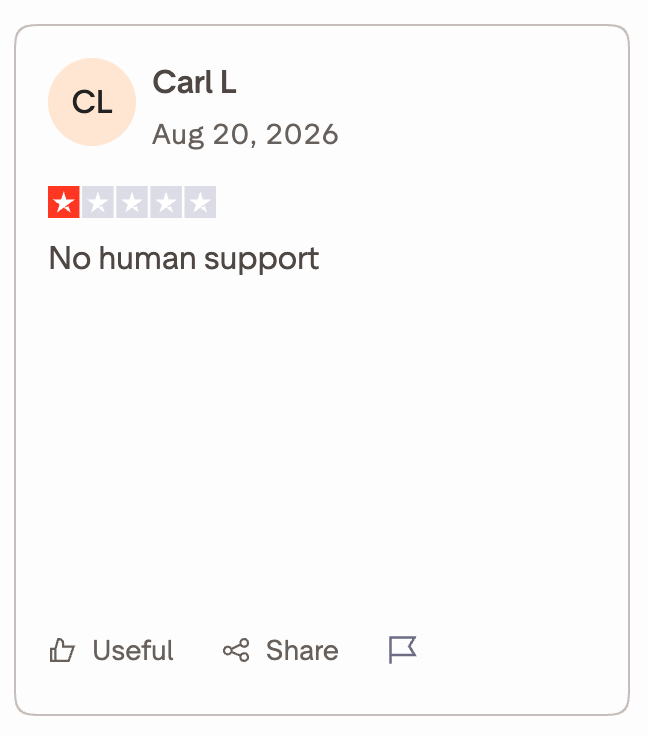
Carl L. published a review titled No human support. The title itself captures a recurring complaint on the platform: difficulty getting through automated support to a person. The listing we reviewed displayed the title and rating, but not the full review text, so we would not attribute additional claims to Carl without checking the complete review.
Negative review: Mike Mittleman | 1/5 star
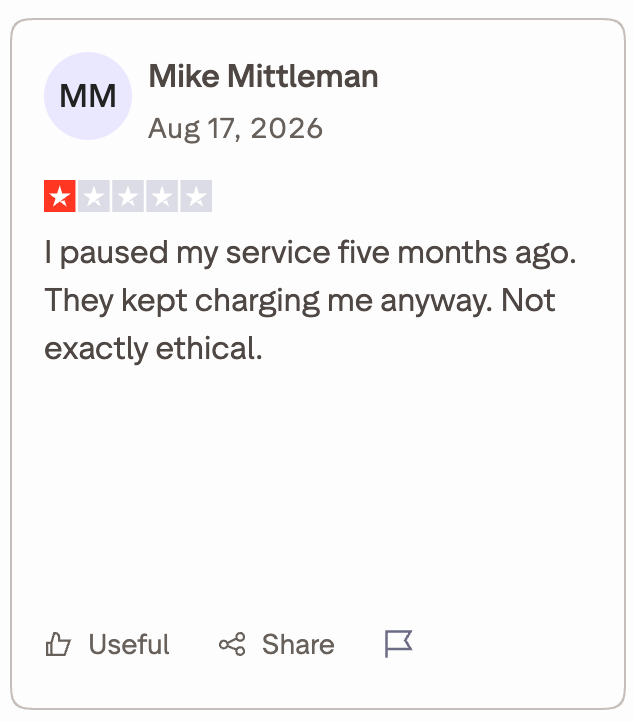
In a review titled They kept charging me even though I paused my service five months ago, Mike Mittleman wrote:
“I paused my service five months ago. They kept charging me anyway. Not exactly ethical.”
This is a billing-related complaint rather than a criticism of the scheduling interface itself. For prospective customers, it reinforces the importance of checking subscription status, renewal terms, and billing records when changing or pausing a paid plan. The review records the customer's allegation, not independent verification of the billing dispute.
Negative review: brian dicken | 1/5 star
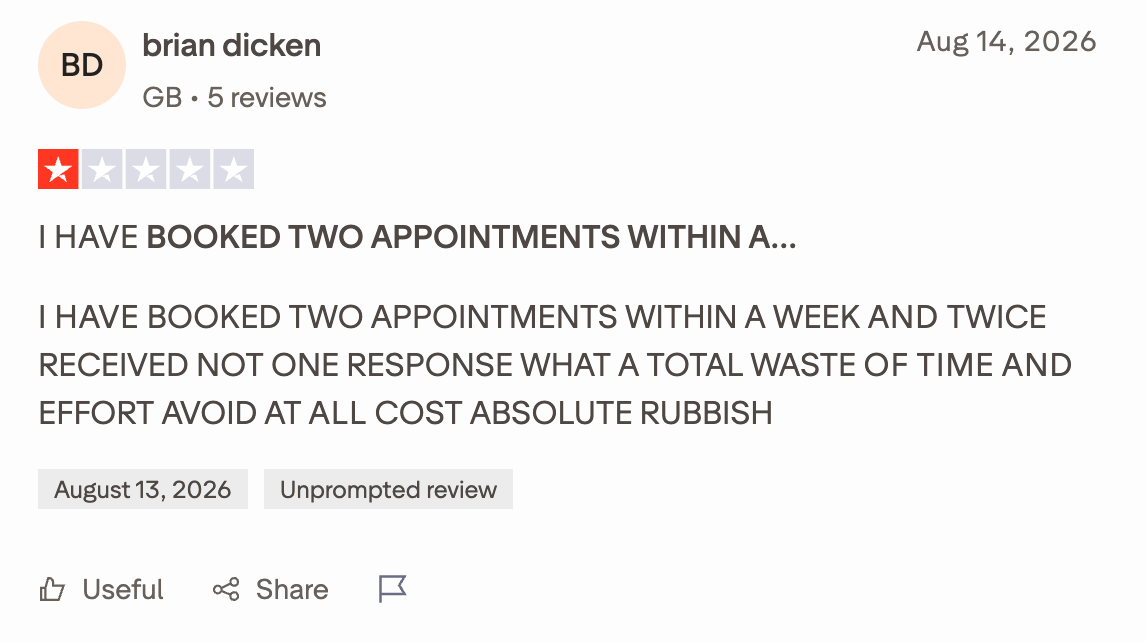
In a review titled I HAVE BOOKED TWO APPOINTMENTS WITHIN A WEEK AND TWICE RECEIVED NOT ONE RESPONSE, brian dicken complained about not receiving responses after booking appointments:
“I HAVE BOOKED TWO APPOINTMENTS WITHIN A WEEK AND TWICE RECEIVED NOT ONE RESPONSE”
This highlights a possible distinction between booking a meeting and ensuring that the other party follows through. The excerpt does not establish whether the problem originated with Calendly itself or with the people or organizations the reviewer was trying to contact.
What Trustpilot reviews tell us
Trustpilot feedback is particularly useful for understanding the customer experience beyond the booking interface. Positive reviews praise responsive human support and convenient scheduling. Negative reviews raise concerns about reaching a person, billing disputes, and disappointing experiences after booking.
These reviews should be interpreted carefully: Trustpilot includes customer-service experiences as well as product feedback, so not every complaint is evidence of a defect in Calendly's scheduling functionality. Nevertheless, support accessibility and billing clarity are legitimate considerations when evaluating a paid service.
What Reddit Users Think About Calendly
Reddit discussions add a useful dimension because users often discuss not just whether Calendly works, but whether sending a booking link is appropriate for a particular customer relationship.
In a discussion titled Thoughts on Calendly? in r/CustomerSuccess, the original poster, u/DarthHeel, said their own experience had mostly been positive but that some executives found booking links overwhelming or too informal. The question was whether the convenience of self-service scheduling always translates into a good client experience.
Positive experience: u/AnushreeNa
AnushreeNa described several benefits of Calendly, including calendar synchronization and fewer scheduling emails:
“Minimal back and forth to hone in on a convenient time”
The commenter also noted that customers can see available times upfront and choose when to book. Their practical suggestion was to give customers an alternative if none of the displayed slots works for them.
A practical caveat: u/duffranchise33
This commenter liked Calendly but advised against relying on it exclusively:
“It works great, but don't rely solely on it as it puts the onus on the receiver.”
They described a hybrid approach: offer two or three specific times first, then share the booking link as an alternative. That way, the recipient can choose the more convenient option instead of being required to navigate a scheduling page.
Negative experience: u/jessica21lauren
A project manager raised a concern about using Calendly to coordinate customer projects with specific sessions that must happen in a particular order:
“I think it gives the client too much control”
The commenter felt this made it harder to protect the project schedule and keep clients on track. This is an important limitation to consider: letting customers choose their own times is convenient for ordinary meetings, but may be less suitable when a project requires carefully sequenced sessions or active coordination by a customer success manager.
Negative experience: u/coccinelle13
This commenter described problems with meeting confirmations and calendar invitations. They said some people who booked through their link did not receive confirmation emails, which led to missed meetings and additional follow-up work.
The commenter summarized the frustration this way:
“I'm so confused what I am doing wrong here since everyone speaks so highly about calendly, but I am so frustrated about the amount of time I have wasted waiting for someone who didn't even have me on the radar anymore...”
This is an individual account, not a measured failure rate. Still, it illustrates why businesses should test their booking, confirmation, and calendar-invitation workflows instead of assuming every booking will translate into an attended meeting.
A broader objection: u/PuzzledConcern9356
Some criticism is less about functionality and more about professional etiquette. PuzzledConcern9356 argued that sending a booking link can shift the coordination effort to the recipient:
“Is it more efficient on the whole? Yes. But it strips out the component of respect, and puts the work onto the receiver”
This is a subjective view, and plenty of other commenters in the same discussion said they use Calendly regularly without receiving complaints. But it highlights a genuine consideration for sales and customer success teams: an efficient scheduling process should still feel considerate to the person being invited.
What Reddit discussions tell us
Reddit feedback suggests that Calendly's usefulness depends partly on the context in which it is used. For routine appointments, sales calls, and meetings across time zones, users appreciate the convenience. For high-touch relationships, executive communication, and projects with tightly controlled timelines, some prefer to offer a few meeting times or combine a booking link with a more personal approach.
The practical takeaway is not that Calendly is inherently impersonal. It is that self-service scheduling works best when the recipient has a clear alternative and the booking process fits the relationship.
Calendly Advantages and Downsides
Based on user feedback across G2, Trustpilot, and Reddit, Calendly has several clear advantages, but there are a few drawbacks to consider before choosing it.
Advantages
Downsides
Easy scheduling:Eliminates much of the back-and-forth involved in finding a meeting time.
Customer support concerns:Some users report difficulty reaching human support when issues arise.
Calendar integrations:Syncs with calendars to help users manage availability and avoid double-bookings.
Synchronization issues:Some reviewers report problems with calendar syncing, invitations, and meeting confirmations.
Automated workflows:Booking pages, reminders, and notifications reduce manual scheduling work.
Paid-plan costs:Advanced features and team functionality can increase costs as more users need paid seats.
Flexible booking experience:Invitees can choose a suitable time based on the host's availability.
Less personal interactions:Some users feel that sending a booking link can come across as impersonal, particularly in high-touch client relationships.
Additional meeting tools:Features such as meeting notes and summaries can support follow-ups and reduce administrative work.
Billing complaints:Some Trustpilot reviewers report concerns about subscription charges and cancellations.
Useful across different workflows:Supports sales calls, consultations, interviews, and customer meetings.
Limited control over complex schedules:Self-service booking may be less suitable when meetings must follow a specific sequence or timeline.
Our verdict: Calendly is a strong option for individuals and teams that want to simplify scheduling and spend less time coordinating meetings. However, businesses should test calendar synchronization and confirmation workflows, review paid-plan costs, and consider whether self-service booking fits their customer relationships. For most users, its biggest advantage is convenience, while its main drawbacks involve support expectations, occasional reliability concerns, and the cost of advanced features.
#1 Calendly Alternative: Knock AI
Calendly makes booking a meeting easy. But for B2B sales teams, getting a meeting on the calendar is only half the job. You also need to know who is booking, whether they are a good fit, which sales representative should handle them, and how to keep them engaged until the meeting happens.
That's where Knock AI takes a different approach.
Knock AI is a B2B revenue conversion platform that combines scheduling with buyer identification, data enrichment, intent signals, AI-led qualification, lead routing, and CRM integration. Rather than treating a booking as the finish line, Knock AI connects scheduling to the broader process of turning buyer interest into qualified sales conversations.
How Does Knock AI Differ From Calendly?
The key difference is how each platform handles the journey from initial interest to a sales meeting.
Calendly focuses on coordinating availability and booking meetings. Knock AI adds buyer context and qualification to that process, helping businesses determine who can book, which representative should receive the meeting, and what happens after the booking is made.
Capability
Calendly
Knock AI
Primary purpose
Automate meeting scheduling
Connect buyer engagement, qualification, scheduling, and pipeline workflows
Scheduling links
Share booking pages and let invitees choose available times
Create standalone scheduling links that can work without a chat interaction
Buyer identification
Collect information through the booking workflow
Enrich buyer and company information from supported interactions
Lead qualification
Supports routing forms and scheduling workflows, depending on the plan
Apply qualification and routing rules using enriched data, CRM fields, and intent signals
Meeting assignment
Supports team scheduling and routing features
Route meetings by CRM ownership, territory, segment, and other configured rules
Calendar availability
Manage availability and coordinate bookings
Display connected calendar availability in the buyer's local time zone
CRM integration
Connect scheduling workflows with supported business tools
Sync meeting and enriched lead data with supported CRMs, including HubSpot, Salesforce, and Marketo
After booking
Automate confirmations, reminders, and other scheduling communications
Coordinate notifications and continue engagement through supported messaging workflows
Best suited for
Individuals and teams that need convenient scheduling
B2B revenue teams that want to connect scheduling with lead qualification and conversion
What Makes Knock AI a Strong Calendly Alternative?
1. Standalone scheduling without requiring a chat
Here's something worth highlighting: Knock AI doesn't require every prospect to interact with a chatbot before booking a meeting.
You can share a Knock Scheduling link on a demo page, in an email, or through another supported touchpoint. When a buyer opens the link and provides their email address, Knock AI can identify and enrich the lead, evaluate the applicable routing rules, and display available meeting times.
That means businesses can retain the convenience of a traditional scheduling link while connecting the booking process to their lead qualification and routing workflows.
2. Real-time buyer and company enrichment
A booking form typically asks prospects to provide information about themselves. Knock AI can enrich contact and company records using supported data sources and interactions, reducing the need to ask buyers to fill out additional firmographic fields.
Depending on the available data, enrichment can include a person's name, job title, LinkedIn profile, location, company size, industry, attribution source, and intent signals. This information can then inform routing rules, Slack notifications, and CRM synchronization. Coverage varies, so not every field will be available for every lead.
3. Qualification before showing available times
Not every person who visits a demo page is necessarily a qualified sales prospect. Knock AI lets teams configure routing rules to determine which leads are eligible to book and which representative should handle them.
For example, a company could route enterprise prospects to an enterprise sales team, assign existing accounts to their CRM owner, or restrict booking for leads that do not meet defined qualification criteria. Rules can use CRM information, company attributes, location, attribution, and engagement or intent signals.
This is particularly useful for businesses that want more control over the quality and ownership of inbound sales meetings, rather than simply making a calendar available to anyone with a link.
4. Flexible routing and calendar assignment
Knock AI supports several meeting assignment approaches, including single-representative scheduling, round-robin distribution, shared availability across representatives, and routing to an existing CRM owner.
The routing configuration determines which representatives are eligible and how availability is selected. This helps teams coordinate meetings across sales territories, customer segments, and account ownership rules without relying entirely on manual assignment.
5. CRM synchronization and sales context
Knock AI can sync meeting information and configured lead data with supported CRM platforms, including HubSpot, Salesforce, and Marketo. Teams can map fields and configure update rules to determine what information is written to their CRM.
That gives sales representatives access to relevant lead, account, attribution, and engagement context alongside their existing CRM workflows. Knock's documentation also explains how to preserve control over field mappings and updates rather than blindly overwriting existing CRM information.
6. Engagement after a meeting is booked
A confirmed calendar invitation does not guarantee that a prospect will attend. Knock AI can extend the scheduling workflow with Slack notifications, reminders, and persistent messaging threads. When the relevant integrations and workflows are enabled, it can also trigger LinkedIn outreach after a meeting is booked.
These features give sales teams additional ways to maintain contact with prospects before a meeting. They can support attendance and follow-up, although actual results depend on how the workflows are configured and used.
Knock AI Pricing
Knock AI is a more comprehensive B2B revenue platform than a basic scheduling tool, so it serves a different budget and use case.
At these price points, Knock AI is not a like-for-like budget replacement for Calendly. It makes more sense for B2B teams evaluating scheduling as part of a larger lead conversion workflow.
Is Knock AI Better Than Calendly?
It depends on what you need.
Choose Calendly if you primarily want to share booking links, coordinate calendars, manage appointments, and reduce the back-and-forth involved in finding a meeting time.
Choose Knock AI if you want to connect scheduling with buyer identification, lead enrichment, qualification rules, intelligent routing, CRM context, and continued engagement around meetings.
For B2B sales and marketing teams, that distinction matters. A meeting is more valuable when it reaches the right representative with useful context and a clear understanding of the prospect.
Our verdict: Knock AI is a good Calendly alternative for revenue teams that want to do more than schedule meetings. Its combination of standalone scheduling, qualification, enrichment, routing, and post-booking engagement makes it particularly relevant when meeting quality and pipeline conversion are as important as booking efficiency. For individuals and teams that simply need an easy scheduling link, Calendly remains the more straightforward choice.
It depends on your needs. Calendly is a strong choice for straightforward appointment scheduling, while Knock AI combines scheduling with buyer identification, lead qualification, intelligent meeting routing, and sales engagement. For B2B revenue teams looking to connect scheduling with their sales workflow, Knock AI offers a broader set of capabilities.
2. Does Knock AI offer standalone scheduling links?
Yes. Knock AI supports standalone scheduling links that can be shared through emails, websites, social profiles, and other channels. Buyers can book meetings without starting a website chat. Knock can then identify the buyer, apply routing rules, and display the appropriate calendar availability.
3. Can Knock AI qualify leads before they book a meeting?
Yes. Knock AI can use CRM information, enrichment data, and configured routing rules to determine which buyers qualify for a meeting and which representative or calendar should handle the booking. The exact qualification criteria depend on how the workflow is configured.
4. Does Knock AI integrate with Salesforce and HubSpot?
Yes. Knock AI documents integrations with Salesforce and HubSpot, as well as Marketo. CRM synchronization depends on the integration setup and field-mapping configuration.
5. Does Knock AI support round-robin scheduling?
Yes. Knock AI supports round-robin routing, alongside options such as CRM-owner routing, single-representative scheduling, and shared or multiple-calendar availability. Teams can configure routing rules around their sales process.
6. What happens after someone books a meeting through Knock AI?
Depending on the workflow configuration, Knock AI can create the calendar event, send a confirmation, synchronize meeting information with the CRM, notify the assigned representative through Slack, and maintain a messaging thread for continued engagement. Additional actions, such as LinkedIn outreach, may be available when enabled.
7. How much does Knock AI cost compared with Calendly?
Knock AI's pricing plans referenced in this article are Pipeline Foundation at $2,000 per month, Pipeline Acceleration at $3,500 per month, and Enterprise pricing by consultation. Calendly offers a different pricing structure, so the right comparison depends on the plans, features, and team requirements involved. Verify current prices before purchasing.
8. Who should choose Knock AI over Calendly?
Knock AI is worth considering for B2B sales and marketing teams that want to connect meeting scheduling with lead qualification, buyer enrichment, routing, CRM workflows, and post-booking engagement. Calendly is a better fit for teams that primarily need a simple, dependable way to share availability and coordinate meetings.


.svg)


.svg)
.svg)
.svg)


.svg)
.svg)


.svg)