Clay Pricing in 2026: Plans, Costs, Credits & Fees
Clay Pricing in 2026: Plans, Costs, Credits, and Hidden Fees Explained
How much does Clay cost in 2026? Clay offers a free plan, two paid self-serve plans, and custom Enterprise pricing. Its Launch plan starts at $185 per month, while Growth starts at $495 per month. With annual billing, those prices drop to $167 and $446 per month, respectively.
But the subscription price is only part of the story.
Clay uses two separate usage meters: Actions and Data Credits. Actions measure the platform operations involved in running your workflows, while Data Credits pay for data and eligible AI services purchased through Clay's marketplace. Depending on how many contacts you enrich, which data providers you use, and how frequently your workflows run, your actual spending can be higher than the advertised subscription price.
So, which Clay plan should you choose? How much do its credits cost? And what should you budget if you're planning to use Clay for prospecting, enrichment, and GTM automation?
In this guide, we'll break down Clay's current pricing plans, monthly and annual billing options, and the differences between Free, Launch, Growth, and Enterprise. We'll also explain how Actions, Data Credits, AI usage, enrichment waterfalls, credit top-ups, and bring-your-own API keys (BYOK) affect your costs.
More importantly, we'll look at practical pricing scenarios, additional operating expenses, and ways to control your spending. Finally, we'll evaluate whether Clay is worth the investment and how Knock AI compares for teams focused on identifying engaged buyers, qualifying prospects, and converting buyer intent into sales conversations.
How Much Does Clay Cost in 2026?
Clay has four pricing plans: Free, Launch, Growth, and Enterprise.
The Free plan costs $0. Launch starts at $185 per month with monthly billing or $167 per month with annual billing. Growth costs $495 per month or $446 per month with annual billing. Enterprise pricing is customized according to your organization's requirements.
Here's a quick breakdown:
Clay Pricing Plans at a Glance
Plan
Monthly billing
Annual billing (monthly equivalent)
Annual subscription cost
Actions
Data Credits
Free
$0
$0
$0
500/month
100/month
Launch
$185/month
$167/month
$2,004/year
15,000/month
3,000/month or 30,000/year
Growth
$495/month
$446/month
$5,352/year
40,000/month
6,000/month or 72,000/year
Enterprise
Custom
Custom
Custom
Custom
Custom
Annual billing figures show the monthly equivalent and total annual subscription commitment. Annual allowances are listed separately where they differ from monthly billing.
The subscription price is only one part of the comparison. Each plan also provides different features and usage allowances.
Here's what you get with each tier:
Plan
Key features
Best suited for
Free
Unlimited seats and tables, multi-provider waterfalls, Claygent, BYOK, and up to 200 rows per table
Individuals exploring Clay and testing basic workflows
Individuals and small teams building prospecting workflows
Growth
CRM auto-sync, HTTP API integrations, webhooks, web intent signals, unlimited ad audiences, and priority support
Growing GTM teams running recurring campaigns and CRM workflows
Enterprise
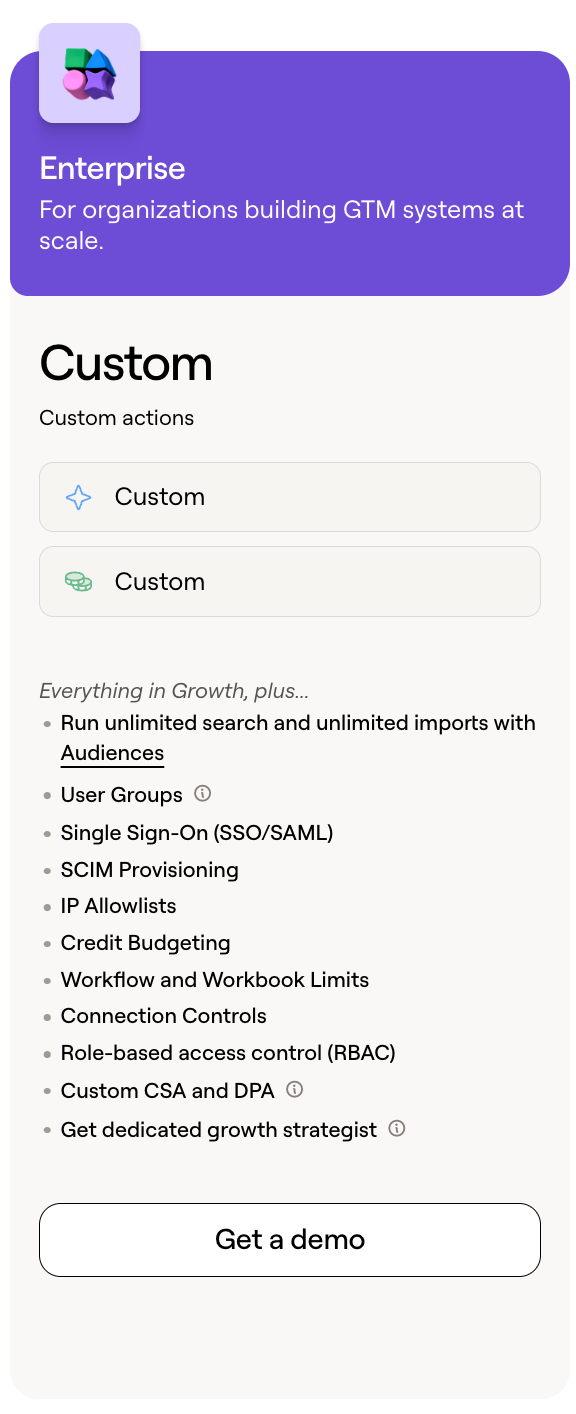
Custom usage allowances, user groups, credit budgeting, SSO/SAML, SCIM, RBAC, IP allowlists, and dedicated support
Organizations managing complex GTM operations at scale
A couple of details are worth noting before choosing a plan.
First, the Free plan does not include phone number enrichment. Second, Launch and Growth have different Data Credit allowances depending on whether you choose monthly or annual billing. We'll explain how these allowances work in more detail later.
How Much Does Clay Cost Annually?
If you're planning to use Clay throughout the year, annual billing can reduce your subscription expenses.
Let's compare the cost of paying monthly for 12 months with the annual subscription price.
Plan
Monthly price
Cost over 12 months (monthly billing)
Annual billing
Annual saving
Free
$0
$0
$0
$0
Launch
$185
$2,220
$2,004
$216
Growth
$495
$5,940
$5,352
$588
Enterprise
Custom
Custom
Custom
Custom
Clay advertises a 10% saving with annual billing. For Launch, that means paying $2,004 upfront instead of $2,220 across 12 monthly payments. For Growth, the annual commitment is $5,352 instead of $5,940.
However, there's an important distinction: the $167 Launch price and $446 Growth price are monthly equivalents, not flexible month-to-month payment options. You're committing to the annual subscription.
If you're still experimenting with Clay or haven't established predictable usage, monthly billing gives you more flexibility. If you've already built your workflows and know how much capacity your team needs, annual billing can be more economical.
Also remember that these calculations cover the subscription alone. Additional Data Credits, AI usage, and external software can increase your total spending.
That's why choosing the cheapest subscription isn't necessarily the same as choosing the cheapest overall solution.
See Knock AI in Action — Book Your Live Demo Today
Clay Pricing Plans Explained: Which Plan Should You Choose?
Clay offers four plans for different levels of prospecting and workflow complexity. The Free plan is for experimentation, Launch suits smaller prospecting operations, Growth supports more connected GTM workflows, and Enterprise adds scale and administrative controls.
Clay Free Plan
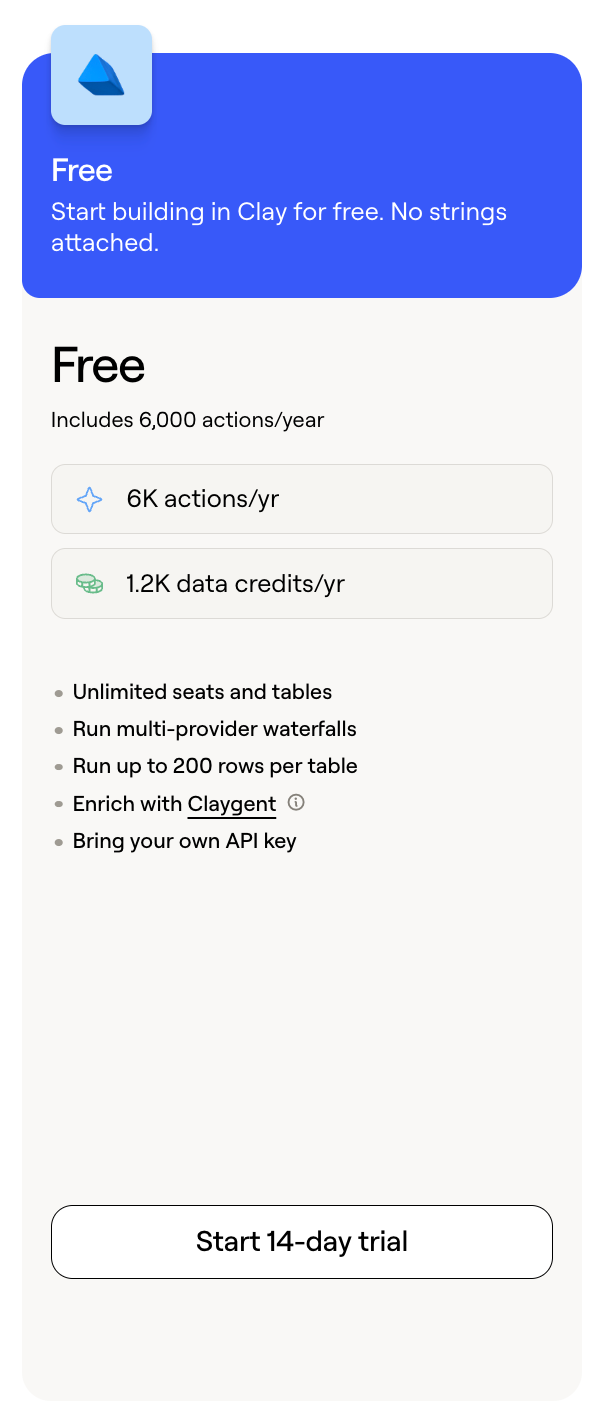
Clay's Free plan includes 500 Actions and 100 Data Credits per month, unlimited seats and tables, multi-provider enrichment waterfalls, Claygent access, and the option to bring your own API keys (BYOK).
The main limitations are a 200-row table limit and no phone number enrichment.
It's enough to test enrichment providers, build small prospect lists, and experiment with AI-powered research. However, the limited Actions and Data Credits make it less suitable for running prospecting workflows at scale.
Best for: Individuals exploring Clay, testing workflows, and building occasional small prospect lists.
Clay Launch Plan
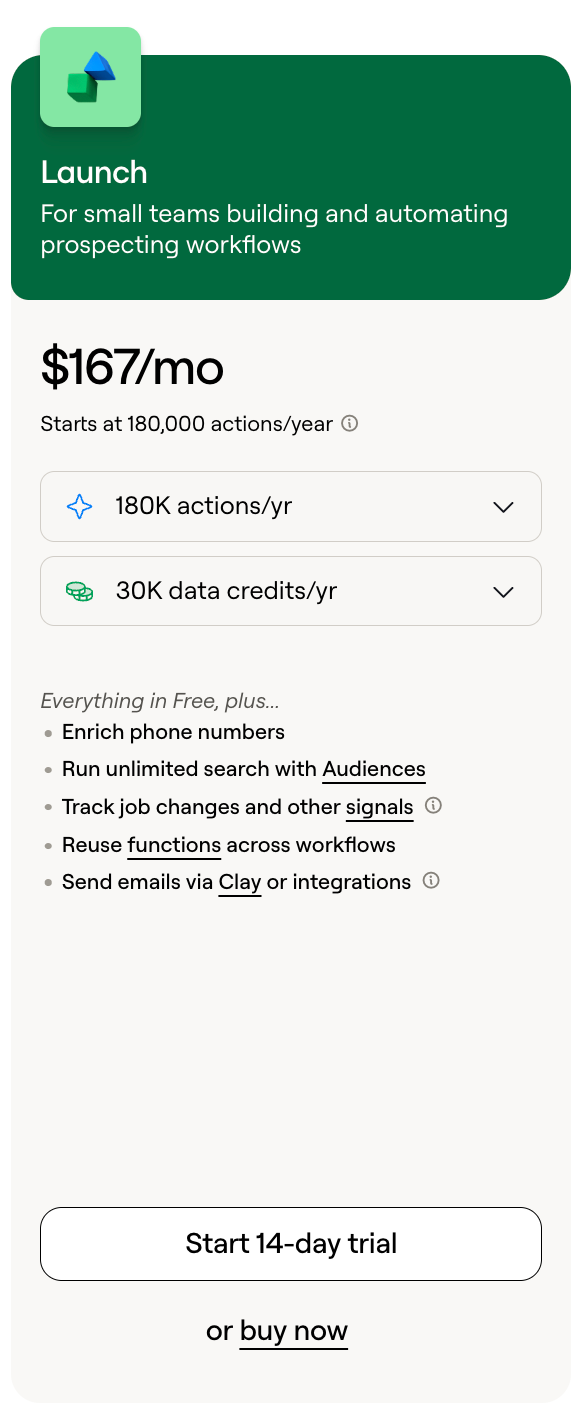
Launch costs $185/month with monthly billing or $167/month with annual billing. It includes 15,000 Actions per month and 3,000 Data Credits per month on monthly billing. Annual subscribers receive 30,000 Data Credits per year.
Beyond higher usage limits, Launch adds phone number enrichment, job-change and company signals, reusable functions, Audience search, email sending through Clay or integrations, and larger table capacity.
These features make it easier to build repeatable prospecting workflows. For example, a founder or small sales team can identify target companies, find relevant contacts, enrich their details, and use company signals to prioritize potential opportunities.
Best for: Founders, individual sales professionals, and small teams running regular prospecting and enrichment workflows.
Clay Growth Plan
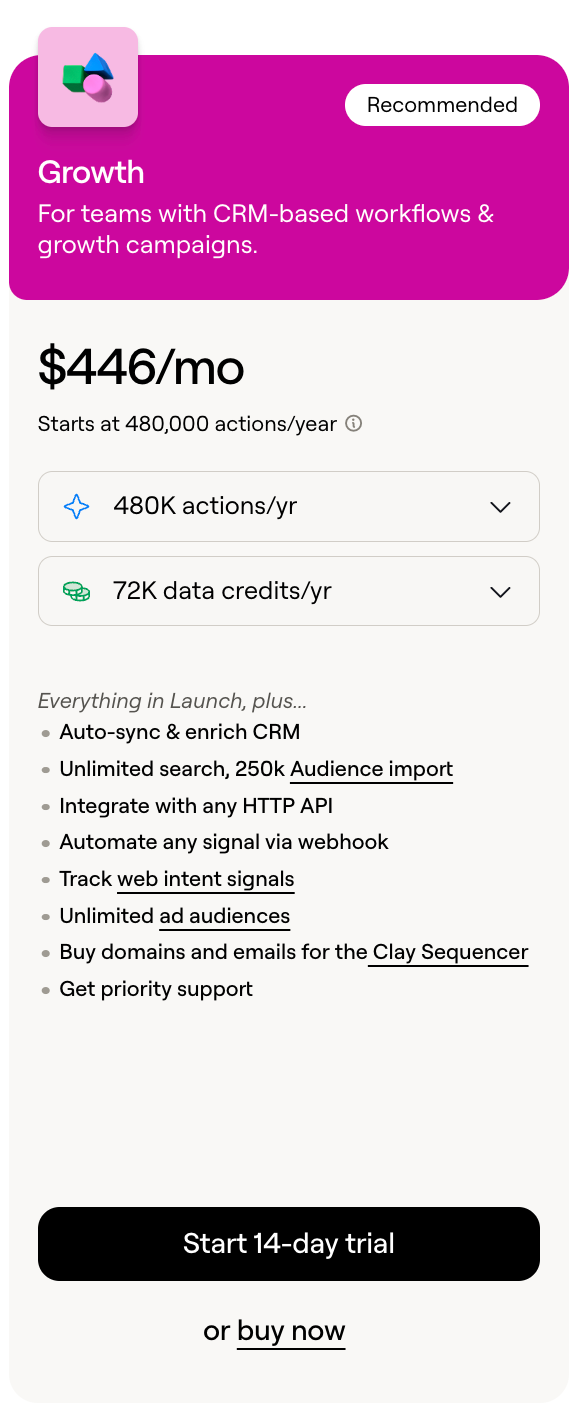
Growth costs $495/month with monthly billing or $446/month with annual billing. It includes 40,000 Actions and 6,000 Data Credits per month.
Its key additions include CRM auto-sync and enrichment, HTTP API integrations, webhook automation, web intent signals, unlimited ad audiences, and priority support.
The difference is that Growth supports more connected and recurring GTM workflows. Teams can synchronize enriched records with their CRM, connect Clay to external systems, and use web intent signals as another input for identifying potential buyers.
The larger usage allowance also provides more capacity for teams managing multiple workflows and larger datasets.
Best for: Growing sales and marketing teams that need recurring CRM enrichment, API integrations, and automated GTM operations.
Clay Enterprise Plan
Clay Enterprise uses customized pricing based on an organization's usage, infrastructure, and security requirements.
It can include custom Actions and Data Credit allowances, user groups, credit budgets, SSO/SAML, SCIM provisioning, IP allowlists, role-based access control (RBAC), workflow and workbook limits, connection controls, data warehouse integrations, and bulk enrichment.
Enterprise customers can also receive a dedicated Growth Strategist and discuss custom security and contractual requirements.
Best for: Large organizations deploying Clay across multiple teams, managing substantial enrichment volumes, or requiring centralized usage controls, advanced security, and custom agreements.
Clay Actions vs. Data Credits: How Does Clay's Usage-Based Pricing Work?
Clay uses two separate usage allowances: Actions and Data Credits.
Actions pay for the platform work Clay performs. Data Credits pay for data and eligible AI services purchased through Clay's marketplace.
A single workflow can consume both, so understanding the difference is essential when estimating your actual usage.
What Are Clay Actions?
Actions measure eligible platform operations and workflow execution in Clay. These can include enrichment task execution, AI model calls, sending data to connected applications, and exports or other eligible operations.
Here's how many Actions each plan includes:
Plan
Monthly price
Cost over 12 months (monthly billing)
Annual billing
Annual saving
Free
$0
$0
$0
$0
Launch
$185
$2,220
$2,004
$216
Growth
$495
$5,940
$5,352
$588
Enterprise
Custom
Custom
Custom
Custom
Actions reset every billing cycle. Unused Actions do not roll over, and Clay does not offer one-time Action top-ups.
What Are Clay Data Credits?
Data Credits pay for eligible data and AI usage through Clay's marketplace. This includes professional email and phone enrichment, company and contact information, third-party data providers, and eligible AI models and tasks.
The included allowances differ depending on your billing frequency:
Plan
Monthly billing
Annual billing
Free
100/month
1,200/year
Launch
3,000/month
30,000/year
Growth
6,000/month
72,000/year
Enterprise
Custom
Custom
For example, Launch subscribers receive 3,000 Data Credits each month with monthly billing, compared with 30,000 for the full year with annual billing.
Unlike Actions, Data Credits can roll over, subject to plan-specific limits. We'll explain those rules in Section 6.
Clay Actions vs. Data Credits: What's the Difference?
Comparison
Actions
Data Credits
Purpose
Platform operations and workflow execution
Marketplace data and eligible AI usage
Consumption
Eligible workflow operations
Data and AI purchases
Rollover
No
Yes, subject to plan limits
Top-ups
Not available
Available at an additional cost
BYOK
Still consumed
Avoided for eligible BYOK operations
Here's an example.
Imagine you're building a workflow to find decision-makers at 500 target companies.
Actions: Used for eligible operations involved in running the workflow, such as executing enrichment tasks, AI operations, and sending records to your CRM.
Data Credits: Used to purchase eligible contact information, email addresses, phone numbers, and marketplace AI services.
The exact consumption depends on the providers, enrichment fields, and workflow steps you configure.
This means you can run low on Data Credits while still having Actions available, or exhaust your Actions while having Data Credits left. Both allowances need to be considered when estimating usage.
What Happens When You Run Out of Actions or Data Credits?
The consequences depend on which allowance you've exhausted.
When you run out of Actions: You cannot purchase a one-time Action top-up. You can wait for your next billing cycle's allowance to reset or consider upgrading your subscription if you consistently need more execution capacity.
When you run out of Data Credits: You can purchase additional credits, but Clay applies a 30% premium to credit top-ups. Alternatively, you can consider a plan with a higher included allowance if your enrichment requirements are consistently increasing.
Remember, Actions and Data Credits cannot be exchanged. Unused Actions cannot cover data purchases, and Data Credits cannot replace the Actions needed to execute workflows.
How Much Do Clay Credits and Enrichment Actually Cost?
Your Clay subscription is only part of the cost. The amount you spend on enrichment also depends on which data providers you use, what information you request, and how many records you process.
Clay's Data Credits start at $0.05 each, but that doesn't mean every enrichment costs $0.05. Let's break down what affects your actual spending.
How Much Does One Clay Data Credit Cost?
Clay Data Credits start at $0.05 each, with more cost-effective pricing as usage increases.
However, the actual cost of an enrichment depends on the provider and the type of information you're requesting. Finding an email address, retrieving a phone number, and gathering detailed company information can all have different credit requirements.
A few things to keep in mind:
Volume-based pricing: Higher usage can make individual credits more cost-effective.
Provider pricing: Different marketplace providers charge different amounts for their data.
Enrichment type: Email discovery, phone numbers, company information, and other data points have different credit requirements.
Additional credits: If you exceed your included allowance, you can purchase Data Credit top-ups at a 30% premium.
So, don't calculate your entire enrichment budget by multiplying the number of contacts by $0.05. That's only the starting credit price, not a universal price per enrichment.
How Many Clay Credits Does Each Enrichment Use?
There isn't one fixed credit cost for every enriched record. The amount depends on the provider, the data you're requesting, and the enrichment configuration.
For example:
Enrichment type
What affects credit consumption?
Professional email discovery
Selected provider, email availability, and verification requirements
Phone number enrichment
Provider pricing and the type of phone data requested
Contact enrichment
Number and type of contact attributes being retrieved
Company enrichment
Company attributes, firmographic data, and selected provider
Third-party data lookups
Provider-specific pricing and data availability
AI-powered research
Selected model, task type, and pricing structure
Clay's documentation gives a broad guideline of approximately 0.5 to 10+ Data Credits for individual data enrichments, depending on the data type. A fully enriched record can require multiple enrichments, so its total cost can be considerably higher.
How do you find the actual cost?
Check the credit requirement displayed beside the enrichment option in Clay before running it. For larger workflows, test a small batch of records first and review the actual usage before processing your entire list.
This is much more reliable than assuming every contact will cost the same amount.
How Do Clay Waterfall Enrichments Affect Cost?
What happens when your first data provider can't find an email address or phone number?
That's where Clay's multi-provider waterfalls come in.
A waterfall enrichment checks multiple data providers in a defined order. If one provider doesn't return a usable result, Clay can move to the next provider until it finds the information or reaches the end of the sequence.
For example, imagine you're trying to find professional email addresses for 100 prospects.
Clay checks Provider A first.
If Provider A returns a usable email, the workflow stops for that record.
If it doesn't find one, Clay moves to Provider B.
If Provider B also fails, Clay checks Provider C.
Illustrative waterfall:
Provider
Result
Provider A
No usable email found
Provider B
No usable email found
Provider C
Email found
The order matters because providers have different coverage and credit requirements. If your most expensive provider runs first, you may spend more than necessary on records that a cheaper provider could have enriched.
Clay's current pricing information states that unsuccessful enrichments returning no result are not charged Actions or Data Credits. Successful lookups are charged according to the selected provider's pricing and applicable usage rules.
How can you control waterfall costs?
Start with providers that offer a good balance of coverage and cost.
Put more expensive providers later in the sequence when appropriate.
Use conditional enrichment so providers run only when a required field is empty.
Avoid re-enriching records that already contain valid information.
Test provider performance on a small sample before scaling.
A well-configured waterfall can improve coverage without paying for unnecessary enrichment attempts. Just remember that adding more providers does not automatically make a workflow cheaper.
Does Clay Support Bring Your Own API Key (BYOK)?
Yes. Clay allows you to connect your own API keys for supported third-party data providers and AI services.
Instead of purchasing eligible data or AI usage through Clay's marketplace, you use your existing provider account. This avoids the corresponding Clay Data Credit charge, although the provider may bill you separately.
Here's how the two approaches compare:
Comparison
Clay Marketplace
Bring Your Own API Key
Data or AI billing
Through Clay Data Credits
Directly through the external provider
Data Credit consumption
Yes, for eligible marketplace usage
No, for eligible BYOK operations
Actions
Consumed for eligible operations
Still consumed
Provider accounts
Managed through Clay's marketplace
You manage your own accounts
Cost tracking
Centralized in Clay
Requires checking external provider dashboards
Management
More convenient
More control, but additional administration
When does BYOK make financial sense?
Suppose your company already pays for a data provider and has an API plan with sufficient usage capacity. Connecting that API key to Clay may help you avoid paying for the same data through Clay's marketplace.
The trade-off is that you're responsible for the external subscription, API limits, billing, and usage monitoring.
The marketplace is generally more convenient if you want to manage enrichment spending in one place. BYOK can make sense when you already have provider contracts or can secure better economics through direct billing.
How Does Clay AI Pricing Work?
AI usage introduces another cost consideration in Clay. The amount you spend depends on the model you select and the complexity of the task.
Clay currently offers two AI pricing approaches: fixed-price and variable-priced models.
Fixed-Price vs. Variable-Priced AI Models
The difference is straightforward: fixed-price models charge a predetermined number of Data Credits per task, while variable-priced models calculate the charge based on actual token consumption.
Comparison
Fixed-price models
Variable-priced models
Pricing
Fixed Data Credits per task
Based on actual token consumption
Cost predictability
Known before running
Final cost determined after execution
Suitable for
Routine, straightforward tasks
Complex reasoning and research
Examples
Classification, short summaries, simple lookups
Multi-step research and detailed account analysis
Clay says approximately 80% of its AI models use fixed pricing, including its native models: Neon, Helium, and Argon.
Variable pricing applies to more token-intensive models, such as the advanced reasoning models listed in Clay's current documentation. These are useful when a task requires multiple research steps, synthesizing information from different sources, or producing detailed account-level analysis.
Clay states that variable-priced AI is billed at the actual underlying model cost, with no additional markup.
How Much Does Claygent Cost?
Claygent is Clay's AI research agent. It can use web research to gather information and generate custom data points about companies, contacts, and other subjects.
For example, you could ask Claygent to:
Research a company's target market.
Identify its main products and services.
Summarize recent company developments.
Investigate potential buying signals.
Research specific information that isn't available through standard enrichment fields.
There isn't one universal Claygent price per row. The cost depends on the selected model, the complexity of the prompt, and how much research the task requires.
A straightforward lookup may use a fixed-price model, while a more involved prompt that synthesizes information across multiple sources may use a variable-priced model.
Clay displays estimated Data Credits per row for variable-priced models, marked with a tilde (~). The final charge is calculated after the task completes. Clay reports that 75% of variable-priced runs cost less than their initial estimate.
You can compare available models and inspect estimated usage before running a task rather than assuming every Claygent prompt has the same cost.
How to Control AI Usage Costs in Clay
You don't need the most advanced AI model for every task. Choosing models based on the complexity of the work can help keep usage under control.
Here are five practical ways to do that:
Match the model to the task: Use simpler, fixed-price models for classification, short summaries, and routine lookups.
Reserve advanced models for complex research: Use variable-priced models when deeper reasoning or multi-source research is genuinely necessary.
Keep prompts focused: Avoid asking the model to research information that isn't relevant to the output you need.
Test smaller batches: Run prompts on a handful of records before applying them to thousands.
Monitor actual usage: Compare estimated and final credit consumption to understand which models and workflows are costing the most.
An illustrative example: Suppose you want to classify 100 companies by industry and generate a short description for each.
A fixed-price model charging 1 Data Credit per task would consume 100 Data Credits for 100 completed tasks. A variable-priced model, on the other hand, would calculate its final charge from the actual tokens used.
The 1-credit rate here is illustrative, not a guaranteed price for every classification model. Always check the rate shown in Clay before running the task.
Clay Credit Rollover, Top-Ups, and Billing Rules Explained
Understanding Clay's billing rules is just as important as choosing the right subscription. Actions and Data Credits follow different rollover rules, and the cost of additional credits depends on how you purchase them.
Do Clay Actions Roll Over?
No. Unused Actions reset at the end of each billing cycle and cannot be carried forward.
For example, if your Launch plan includes 15,000 Actions and you use only 10,000, the remaining 5,000 do not get added to your next billing cycle.
If you regularly run out of Actions, consider increasing your Action allowance rather than relying on unused capacity from previous months.
Do Clay Data Credits Expire or Roll Over?
Yes. Clay allows unused Data Credits to roll over, but the limit depends on your billing arrangement.
Monthly plans: Launch and Growth can accumulate unused credits up to twice their monthly allowance. In other words, the maximum balance includes the current month's allocation plus up to one additional month's worth of credits.
Annual plans: Eligible annual subscriptions can roll over up to 15% of their annual Data Credit allowance when renewed on the same or a higher-tier plan.
Enterprise: Rollover terms can be customized as part of the agreement.
For example, a monthly plan with 6,000 Data Credits can accumulate a maximum balance of 12,000 credits.
Remember that rollover is subject to Clay's plan-specific rules. It doesn't mean unused credits accumulate indefinitely.
Can You Buy Additional Clay Credits?
Yes, but only Data Credits are available as one-time top-ups.
Launch and Growth customers can purchase additional Data Credits from their workspace's usage settings. These top-ups carry a 30% premium over standard credit pricing.
Actions work differently. You cannot purchase a one-time Action top-up. If you need more execution capacity, you'll need to increase your Action allowance through a plan change.
Should you top up or upgrade?
A top-up makes sense when you occasionally need additional enrichment capacity, perhaps during a campaign or a one-off prospecting project.
If you're exceeding your Data Credit allowance regularly, increasing your included allowance may be more economical than repeatedly paying the top-up premium.
Can You Upgrade or Change Your Clay Plan?
Yes. Clay lets workspace administrators change their subscription and adjust usage allowances through Settings → Plan & billing.
You can upgrade when your existing plan no longer provides enough capacity or when you need features available only on a higher tier.
For example:
Launch to Growth: Makes sense when you need more Actions, a larger Data Credit allowance, CRM auto-sync, HTTP API integrations, or web intent signals.
Increasing Data Credits: May be sufficient when your existing workflow is working well but requires more enrichment data.
Increasing Actions: Is relevant when workflow execution capacity is the constraint rather than data availability.
Clay says plan upgrades activate immediately, with applicable charges applied to the billing cycle. When upgrading a paid self-serve plan partway through a billing period, unused Actions and Data Credits from the existing period are credited in the checkout calculation.
Downgrades work differently. Your existing Data Credit balance remains available during the current billing cycle. Once that cycle ends, the balance is capped at twice the new plan's monthly Data Credit allowance, and access to features is adjusted to match the lower plan.
Before changing plans, compare your actual usage with the new allowance. Check the usage dashboard, estimate your next month's requirements, and review the charges shown at checkout before confirming.
How Much Does Clay Actually Cost? Real-World Pricing Scenarios
The subscription price doesn't tell you the full cost of using Clay. Your actual spending depends on how many records you enrich, which data points you need, the providers you select, and whether you use Clay's marketplace or your own API keys.
Clay's billing documentation gives a useful benchmark: a fully enriched record typically consumes 6–20 Data Credits, depending on the combination of company data, contact information, email, phone numbers, and custom AI enrichment.
We'll use that published range to model the scenarios below. These are planning estimates, not guaranteed invoices. The actual cost should be validated using a small test run in Clay.
Clay Cost to Enrich 1,000 Contacts
Let's start with a relatively straightforward contact enrichment workflow.
Assume you want to process 1,000 contacts and retrieve:
Professional email addresses.
Contact profile information.
Relevant company details.
Additional enrichment fields where available.
Using Clay's published benchmark of 6–20 Data Credits per fully enriched record, the estimated usage looks like this:
Metric
Lower usage
Higher usage
Records processed
1,000
1,000
Data Credits per record
6
20
Total Data Credits
6,000
20,000
Credit value at $0.05 each
$300
$1,000
The dollar figures are arithmetic equivalents using Clay's advertised starting price of $0.05 per Data Credit. They are not quotes: volume-based pricing, provider selection, and any applicable plan allowances affect the actual bill.
The subscription cost comes separately. Launch starts at $185/month with monthly billing, while Growth starts at $495/month.
For a team processing around 1,000 fully enriched records each month, Growth may be worth evaluating because Clay positions it for teams enriching approximately 1,000–10,000 records monthly. However, the right plan still depends on the actual workflow and available credit allowance.
The takeaway: Don't assume that 1,000 contacts automatically cost a fixed amount. First decide which fields you need, test the enrichment providers, and measure the actual credit consumption.
Clay Cost to Enrich 10,000 Contacts
At 10,000 contacts, provider selection and enrichment configuration can make a much bigger difference.
Let's compare three approaches.
Approach
How it works
Main cost consideration
Single-provider enrichment
Use one provider for the required data
Provider coverage and its credit rate
Multi-provider waterfall
Try additional providers when earlier ones don't return usable data
Credit consumption from successful enrichments across the workflow
BYOK-based enrichment
Connect your own supported provider API keys
External provider subscription or usage charges
Using the same 6–20 Data Credit benchmark:
Metric
Lower usage
Higher usage
Records processed
10,000
10,000
Data Credits per record
6
20
Total Data Credits
60,000
200,000
Credit value at $0.05 each
$3,000
$10,000
These are illustrative credit equivalents, not actual quotes or guaranteed marketplace costs. Higher-volume pricing may reduce the effective cost per credit.
A few important differences:
Single provider: You have a simpler workflow, but results depend on that provider's coverage.
Waterfall: You can improve coverage by checking additional providers when earlier ones fail. Successful enrichment costs depend on the providers and fields used.
BYOK: Eligible data purchases avoid Clay Data Credit charges, but you pay the external provider separately. Clay Actions still apply.
We cannot assign a verified universal Action count to these three approaches because Action consumption depends on the actual workflow operations. Likewise, external BYOK costs depend on your provider contracts.
For a reliable comparison, run the same sample of records through each setup and record the Actions, Data Credits, successful results, and external provider charges.
Clay Pricing for a Small Sales Team
Consider a small sales team that uses Clay to build prospect lists, enrich contacts, and prepare records for outbound campaigns.
Launch is a reasonable starting point if the team processes fewer than approximately 1,000 records monthly and doesn't need advanced CRM automation.
Growth becomes more relevant when the team needs recurring CRM enrichment, API integrations, webhooks, or web intent signals.
Cost component
Launch
Growth
Monthly subscription
$185
$495
Annual monthly equivalent
$167
$446
Actions/month
15,000
40,000
Data Credits/month
3,000
6,000
Annual Data Credits
30,000
72,000
The subscription is the predictable part of the budget. Enrichment costs depend on the number of successful lookups, selected providers, and additional credits required.
For a small team, I'd start with Launch if its features and allowances cover the workflow. Upgrade when the additional Growth capabilities solve a genuine operational need, not simply because the team has more users.
Clay Pricing for a Growing GTM Team
A growing GTM team may use Clay for much more than building prospect lists.
Its workflows might include:
Recurring CRM contact and company enrichment.
Updating records when new information becomes available.
Connecting external systems through HTTP APIs.
Triggering workflows through webhooks.
Monitoring web intent signals.
Researching accounts with AI.
This is where Growth becomes more compelling.
Growth starts at $495/month and includes 40,000 Actions and 6,000 Data Credits monthly. It also provides the CRM, API, webhook, and intent capabilities that support more connected workflows.
However, the included allowance may not cover every team's enrichment requirements. Clay's published guidance indicates that Data Credit needs can be expanded, and the actual requirement depends on the fields and providers used.
For budgeting, separate the costs into three categories:
Subscription: The Growth plan's monthly or annual commitment.
Usage: Additional Data Credits or higher usage allowances where required.
External services: Provider subscriptions, AI API costs, and other tools connected through BYOK.
Don't assume that a growing team automatically needs Enterprise. Growth may be sufficient unless the organization needs custom usage commitments, advanced administration, or additional security controls.
Clay Enterprise Cost
Clay does not publish a standard Enterprise subscription price, so there is no reliable universal figure to use as an average contract value.
Enterprise pricing is customized around factors such as:
Expected Action and Data Credit consumption.
Number and complexity of enrichment workflows.
Bulk enrichment requirements.
Data warehouse integrations.
User groups and credit budgets.
SSO, SCIM, IP allowlists, and RBAC.
Security, procurement, and contractual requirements.
Dedicated support and onboarding needs.
A company processing a large number of records may have very different requirements from another organization with the same volume but more complex integrations and security controls.
If you're evaluating Enterprise, prepare an estimate of monthly records, enrichment fields, provider usage, expected workflow execution, and administrative requirements before requesting a quote.
That gives Clay a more useful basis for proposing the right usage allowances and commercial agreement.
Clay Monthly vs. Annual Cost: Which Is Cheaper?
Clay advertises a 10% subscription discount for annual billing. But the decision isn't only about the subscription price. You should also compare the included Action and Data Credit allowances.
Plan
Monthly billing
Annual billing
Annual savings
Launch
$185/month
2,004/year(167/month equivalent)
$216
Growth
$495/month
5,352/year(446/month equivalent)
$588
Annual billing lowers the subscription cost, but it requires an upfront annual commitment.
There is also a difference in the Data Credit allocation:
Launch: 3,000 Data Credits per month with monthly billing, compared with 30,000 per year with annual billing.
Growth: 6,000 Data Credits per month with monthly billing, compared with 72,000 per year with annual billing.
Annual billing therefore has a lower subscription cost, but the annual Data Credit allowance should be considered across the full year rather than treated as a flexible monthly allocation.
Which option should you choose?
Choose monthly billing if you're still testing Clay, your enrichment requirements fluctuate, or you don't want to commit for a full year.
Choose annual billing if you already have predictable usage, expect to keep using Clay throughout the year, and want to save on subscription costs.
Before committing, estimate your annual record volume, provider mix, Action consumption, and Data Credit requirements. A 10% subscription saving is useful, but it won't necessarily offset additional usage costs if your workflow is poorly configured.
What Are the Hidden Costs of Using Clay?
Clay's subscription isn't necessarily the full cost of running your prospecting operation. Depending on your workflow, you may also need additional data, external sales tools, and people to maintain your setup.
Let's separate these expenses.
Additional Data and AI Spending
Your included Data Credits may not cover every enrichment or research requirement. Higher prospect volumes, additional data sources, and complex AI research can increase your usage costs.
You may also need to budget for additional Data Credit purchases or external provider subscriptions if you're using BYOK.
These expenses depend on your workflow, so estimate them using actual usage rather than assuming your subscription covers everything.
External Tools Required for Your Workflow
Clay doesn't replace every application in your GTM stack. Depending on how your team operates, you may still need:
CRM software to manage customer relationships.
Email sequencing and sales engagement platforms.
Email verification and deliverability tools.
LinkedIn automation applications.
Sales dialers and calling software.
External data providers and other sales applications.
These are optional third-party expenses, not mandatory Clay subscription charges. Your existing software stack may already cover some of these requirements.
GTM Engineering and Workflow Maintenance
There's also an operational cost that doesn't appear on your Clay invoice: the time required to manage your workflows.
Someone needs to build enrichment sequences, maintain integrations, troubleshoot failed operations, monitor data quality, and ensure CRM synchronization continues working correctly.
For smaller teams, this responsibility may fall to a founder or sales operations professional. Larger teams may need dedicated GTM engineering resources.
Either way, internal labor should be considered when calculating the total cost of using Clay.
Clay Total Cost of Ownership
To understand what Clay actually costs your business, look beyond the subscription.
Total cost of ownership = Clay subscription + additional Data Credits + external software + internal operating costs.
Cost category
Examples
Expense type
Clay subscription
Launch, Growth, Enterprise
Direct Clay expense
Additional usage
Data Credit top-ups, additional enrichment
Direct or usage-related expense
External software
CRM, sequencing, dialers, verification tools
Third-party expense
Data providers
External enrichment APIs
Third-party expense
Internal operations
Workflow building, maintenance, troubleshooting
Internal labor
Not every team needs all these expenses. The point is to calculate the cost of operating your actual GTM workflow, not just the price of a Clay subscription.
How to Reduce Your Clay Costs
You don't necessarily need a more expensive plan to handle more prospecting work. A few changes to how you configure and manage workflows can help reduce unnecessary spending.
Select a Plan Based on Actual Usage
Review your Action and Data Credit consumption before upgrading. Choose a plan that covers your regular workload rather than paying for capacity you rarely use.
Optimize Enrichment Waterfalls
Prioritize providers based on their coverage and cost. Use conditional enrichment to check whether information already exists before moving to another provider.
Use BYOK When Economically Viable
Compare Clay marketplace pricing with the direct cost of your existing provider subscriptions. BYOK may save money if you already have suitable API access, but account management and external billing also have a cost.
Choose AI Models Based on Task Complexity
Use fixed-price models for routine tasks such as classification and short summaries. Reserve more expensive variable-priced models for research that genuinely requires deeper reasoning.
Prevent Duplicate Enrichment
Check existing CRM records and table data before running enrichment again. Avoid paying to retrieve information your team already has.
Monitor Usage Before Scaling Workflows
Test workflows on smaller datasets first. Review actual Action and Data Credit consumption, identify unnecessary steps, and estimate the cost before processing thousands of records.
Is Clay Worth the Price? Who Should Use It?
Clay can be a valuable investment, but its value depends on how much of its flexibility your team actually uses.
When Clay Is Worth the Investment
Clay is worth considering if your team needs multi-provider enrichment, custom prospecting workflows, AI-powered research, CRM enrichment, and automation across multiple GTM applications.
It's particularly useful for teams with complex data requirements and the resources to build and maintain customized workflows.
When Clay May Not Be the Right Fit
Clay may be more than you need if you:
Want a simple, ready-to-use prospecting solution.
Have relatively basic contact enrichment requirements.
Don't have the resources to maintain complex workflows.
Primarily need to identify engaged buyers, qualify conversations, route leads, and book meetings.
In these situations, a more specialized platform may be easier to operate and deliver better value.
What Should You Evaluate Before Purchasing Clay?
Before choosing a plan, consider:
Record volume: How many companies and contacts will you process?
Enrichment requirements: Which data fields and providers do you actually need?
Usage: How many Actions and Data Credits will your workflows consume?
AI requirements: Do you need routine classification or more complex research?
Existing software: Which CRM, sales engagement, and data tools do you already pay for?
Maintenance: Who will build, troubleshoot, and optimize your workflows?
Business outcomes: Will the setup generate enough qualified opportunities or operational savings to justify its cost?
The buying recommendation: Start with the Free plan to test your workflow, then consider Launch if you need regular prospecting and enrichment. Move to Growth when CRM synchronization, integrations, intent signals, and higher usage capacity justify the additional subscription cost. Request an Enterprise quote when your organization needs custom capacity, governance, or security controls.
Clay is most valuable when you need its flexibility. If your requirements are straightforward, paying for a more advanced workflow platform may not deliver a meaningful return.
Best Clay Alternative: Knock AI
Looking for a Clay alternative? It depends on what you're trying to accomplish.
Clay is primarily a GTM data enrichment and workflow platform. It helps sales and marketing teams find prospects, enrich contact and company records, research accounts, and automate data workflows.
Find contacts matching target personas and enrich their records
Identify Champions, Decision Makers, Influencers, Users, and Blockers within target accounts
Relationship intelligence
Enrich prospect and company data
Build a private Relationship Graph to uncover existing connections, warm paths, and buying committee coverage
Intent detection
Use available data providers and signals within workflows
Track first-party intent from website activity, Knock Links, and conversations
Account segmentation
Segment enriched records using workflow conditions
Create account and contact segments using ICP, intent, engagement, CRM, and company attributes
LinkedIn outreach
Automate personalized prospecting workflows through integrations
Trigger persona-specific LinkedIn outreach through segment workflows and contextual follow-ups
Paid advertising
Prepare and enrich audiences for activation through workflows and integrations
Activate account and contact audiences and connect engagement and conversion events to ad platforms
ABM experiences
Build workflows to personalize prospect data and outreach
Create personalized Marketing Cards with account-specific content, offers, chat, and meeting CTAs
AI inbound SDR
Build AI-powered research and automation workflows
Qualify inbound buyers, answer questions, identify intent, route conversations, and book meetings
AI qualification
Use AI models and Claygent for research and data processing
Qualify buyers using ICP criteria, CRM context, enrichment, and specialized Intent Agents
Conversational engagement
Not its primary product focus
Engage buyers through website chat and connected interfaces such as Slack, WhatsApp, Telegram, email, and LinkedIn chat
Lead routing
Automate routing through workflows and integrations
Route leads and conversations using ICP, intent, CRM ownership, territories, segments, and rep availability
Meeting scheduling
Connect scheduling tools through workflows
Qualify buyers and route meetings to the right rep and calendar
Paid campaign attribution
Primarily supports data preparation and workflow-based enrichment
Connect engagement and conversion activity to attribution and advertising event workflows
Event pipeline
Enrich and process event attendee data
Connect event engagement to account intelligence, follow-up, and pipeline conversion workflows
Product-led sales
Automate data workflows around product and CRM events
Embed chat and scheduling into products and onboarding to convert product engagement into sales conversations
CRM integration
Enrich and sync records with CRM systems
Sync conversations, qualification, intent, meetings, and enrichment data with CRM systems
MCP and APIs
Offers APIs and integrations for workflow automation
Offers APIs and MCP access for connecting Knock data and workflows with external systems
What makes Knock AI different?
The biggest difference is that Knock AI doesn't stop at finding and enriching prospects. It helps businesses understand which accounts are worth pursuing, who matters within those accounts, when buyers show interest, and how to turn that interest into revenue.
A few capabilities are particularly worth highlighting:
ABM and buying committee intelligence: Knock AI can identify target accounts, map buying committee members, uncover existing relationships, and activate persona-specific engagement workflows.
Paid advertising: Knock AI connects account and contact intelligence with advertising audiences and conversion events across platforms such as LinkedIn, Google, and Meta.
Private Relationship Graph: Knock AI maps relationships across prospects, customers, accounts, and your internal team to uncover warm paths and relationship gaps.
AI Inbound SDR: Its AI agents can identify buying intent, enrich and qualify inbound leads, answer questions using approved knowledge sources, route conversations, and book qualified meetings. Human reps can take over when needed.
Revenue and opportunity planning: Knock AI uses historical CRM outcomes, ICP groups, company signals, buying committees, and relationship intelligence to help identify revenue opportunities.
Event and product-led conversion: Knock AI supports workflows that turn event engagement and in-product activity into sales conversations and qualified meetings.
Should you choose Clay or Knock AI?
Choose Clay if your primary requirement is building prospect lists, accessing multiple data providers, enriching large datasets, conducting company research, and automating flexible GTM data workflows.
Choose Knock AI if you want to identify engaged buyers, understand account-level intent, map buying committees, run ABM campaigns, activate advertising audiences, qualify inbound conversations with AI, and convert demand into qualified meetings.
They aren't exact substitutes. Clay is particularly strong in data sourcing and enrichment, while Knock AI focuses on connecting buyer intelligence and engagement to pipeline conversion. Depending on your GTM strategy, the two can also serve complementary roles.
FAQs
1. How much does Clay cost in 2026?
Clay offers a free plan, a Launch plan starting at $185/month, and a Growth plan starting at $495/month. Enterprise pricing is custom. Annual billing reduces the monthly equivalent to $167 for Launch and $446 for Growth.
2. Does Clay offer a free plan?
Yes. Clay's Free plan includes 500 Actions and 100 Data Credits per month. It also provides access to features such as multi-provider waterfalls, Claygent, and bring-your-own-key (BYOK), with certain usage and table limits.
3. What is the cheapest Clay pricing plan?
The Free plan costs nothing. For a paid subscription, Launch is the cheapest option at $185/month, or $167/month equivalent with annual billing.
4. How much does Clay cost per month?
Clay's paid plans cost $185/month for Launch and $495/month for Growth. Enterprise plans are priced individually. These are monthly billing prices, before any additional credit purchases.
5. How much does Clay cost annually?
With annual billing, Launch costs $2,004/year and Growth costs $5,352/year. That's 10% less than paying monthly for either plan.
6. What is the difference between Clay Launch and Growth?
Launch includes 15,000 Actions per month and access to 3,000 monthly Data Credits on monthly billing. Growth increases this to 40,000 Actions and 6,000 monthly Data Credits. Growth also adds capabilities such as CRM auto-sync, HTTP API integrations, webhooks, and web intent signals.
7. What are Clay Actions and Data Credits?
Actions measure eligible workflow operations and platform activity, while Data Credits pay for eligible data enrichment and AI services. A single workflow can consume both, depending on the tasks it performs.
8. How much does one Clay Data Credit cost?
Clay Data Credits start at $0.05 each. The effective price can be lower with volume-based pricing, depending on the credit package and plan.
9. How much does Clay charge for additional credits?
Additional Data Credits are available through top-ups at a 30% premium over the standard credit price. The final cost depends on the number of credits purchased and applicable volume pricing.
10. Do Clay credits roll over?
Yes, subject to plan rules. Launch and Growth monthly Data Credits can accumulate up to twice the plan's monthly allowance. Enterprise customers may roll over up to 15% of eligible annual credits under qualifying renewal terms. Actions do not roll over.
11. Does Clay charge per user?
Clay's Free plan supports unlimited seats, and its pricing is primarily based on plan capacity and usage rather than a conventional per-seat subscription model. Check the applicable plan terms for Enterprise arrangements.
12. Does Clay support BYOK?
Yes. Clay supports bring-your-own-key (BYOK), allowing you to use your own API keys with supported providers. This can avoid eligible Clay Data Credit charges, but Actions may still apply, and providers may bill you separately.
13. How does Clay AI pricing work?
Clay uses fixed Data Credit pricing for some AI tasks and token-based pricing for variable-cost models. The amount depends on the model, task, and actual usage. Clay says most of its AI models use fixed pricing.
14. How much does it cost to enrich 1,000 contacts using Clay?
Clay's published guideline suggests around 6–20 Data Credits per fully enriched record, depending on the enrichment mix. For 1,000 records, that translates to roughly 6,000–20,000 credits. At the starting rate of $0.05 per credit, the arithmetic equivalent is 300–1,000, excluding the subscription and any applicable volume discounts. This is an estimate, not a guaranteed quote.
15. What happened to Clay's old Starter, Explorer, and Pro plans?
Clay has updated its pricing structure. Its current plans are Free, Launch, Growth, and Enterprise. Older plan names and allowances may still appear in outdated articles and comparisons.
16. Is Clay worth the money?
Clay can be worth the investment for teams that need multi-provider data enrichment, prospect research, and flexible GTM automation. However, its total cost depends on workflow volume, enrichment requirements, AI usage, and additional Data Credits.
17. Is Knock AI an alternative to Clay?
Yes, but they serve different primary purposes. Clay focuses on prospect data sourcing, enrichment, and workflow automation. Knock AI focuses on account intelligence, first-party intent, ABM, paid campaign activation, AI-powered engagement, qualification, and revenue conversion.
18. What is the difference between Clay and Knock AI?
Clay helps teams find, enrich, and research prospects using multiple data providers. Knock AI helps teams identify engaged buyers, understand account relationships and buying committees, activate ABM campaigns, qualify inbound demand, route leads, and convert interest into meetings. The right choice depends on whether your priority is data enrichment or buyer engagement and pipeline conversion.