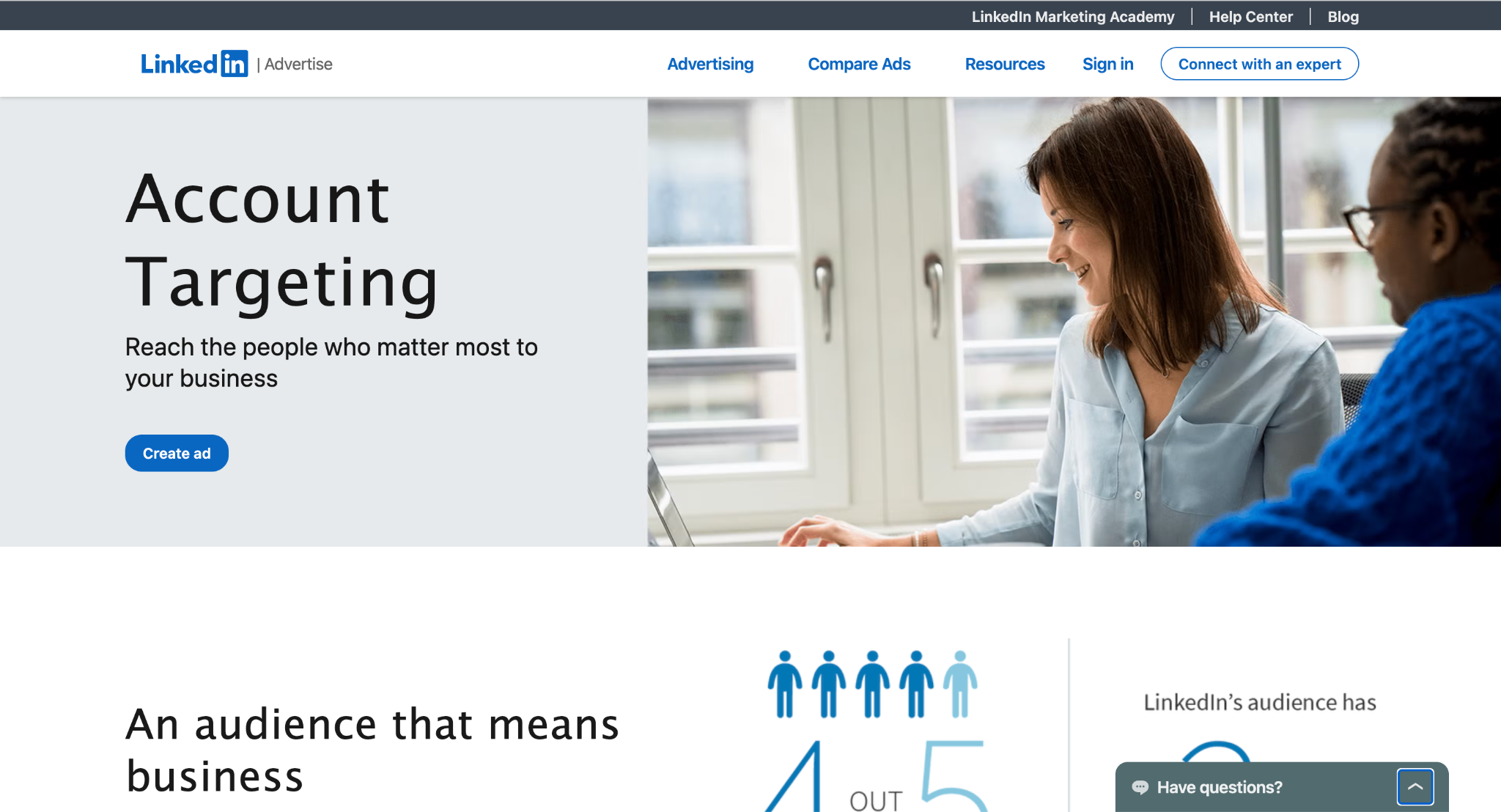
LinkedIn Ads help businesses reach unique audiences through targeted paid campaigns across LinkedIn's advertising formats. This guide covers LinkedIn Ads targeting, formats, costs, campaign setup, optimization, lead generation, and the post-click journey from ad interaction to pipeline.
LinkedIn Ads are paid campaigns that help businesses reach targeted professional audiences on LinkedIn. Advertisers can select audiences based on factors such as company, industry, job title, seniority, skills, and location, then promote content, products, events, or offers through different ad formats.
Businesses use LinkedIn Ads for brand awareness, demand generation, website traffic, lead generation, retargeting, and B2B pipeline creation.
LinkedIn Ads vs. Organic LinkedIn Marketing
Organic LinkedIn marketing uses unpaid posts, company content, employee content, and thought leadership to build an audience over time. LinkedIn Ads add paid distribution, allowing businesses to target specific professional audiences and run campaigns against defined objectives and budgets.
Who Uses LinkedIn Ads?
LinkedIn Ads are commonly used by:
B2B SaaS and technology companies
Enterprise businesses
Professional services firms
Agencies and consultants
Recruiting companies
Event organizers
Companies running ABM campaigns
Why Advertise on LinkedIn?
LinkedIn is particularly useful for B2B advertising because businesses can target audiences using professional and company attributes. This makes it possible to reach specific roles, industries, company sizes, and accounts instead of relying only on broad demographic targeting.
When LinkedIn Ads Make Sense
LinkedIn Ads are generally a stronger fit when audience fit, customer value, buying cycle, targeting requirements, and conversion economics align.
For example, an enterprise SaaS company targeting technology leaders at specific accounts has a clear reason to use LinkedIn's professional targeting. A low-value product with little connection to professional attributes may have less reason to use the platform.
The key is to evaluate LinkedIn Ads beyond clicks. The real outcome is what those clicks produce: conversions, qualified buyers, meetings, opportunities, and revenue.
That's the level of depth we should maintain from here. No more expanding every bullet into a mini-essay.
How Do LinkedIn Ads Work?
LinkedIn Ads follow a simple campaign flow:
Objective → Audience → Ad Format → Creative → Budget → Destination → Conversion → Measurement
You first define what you want to achieve, select who should see the campaign, choose the appropriate format and creative, set the budget, and decide where clicks should lead. You then measure the resulting actions and optimize the campaign based on performance.
How the LinkedIn Ads Auction Works
LinkedIn uses an ad auction to determine which eligible ads are shown to members. Bidding, audience competition, relevance, and expected engagement all influence delivery.
Your audience determines who can see the campaign, while competition for that audience affects how difficult it is to win impressions. Your bid and budget determine how much you are willing to spend, while ad relevance and engagement can influence how effectively the campaign competes.
The result is a chain of:
Auction → Impression → Engagement → Click
A higher bid alone does not guarantee better performance. Audience quality, relevant creative, and engagement also matter.
What Happens After Someone Clicks a LinkedIn Ad?
A click can lead to several conversion paths:
Landing page: The visitor reaches a campaign-specific page with an offer or CTA.
LinkedIn Lead Gen Form: The prospect submits their information directly within LinkedIn.
Website form: The visitor completes a form on the advertiser's website.
Product or signup page: The click takes the prospect directly into a trial, signup, or product experience.
Conversation: The prospect starts a conversation to ask questions or explore the offer.
Meeting booking: The prospect schedules time with sales or another relevant team member.
The post-click experience matters because a click is only valuable if it progresses toward a meaningful outcome. Two campaigns can generate the same number of clicks at the same cost but produce very different numbers of leads, qualified buyers, and meetings depending on what happens afterward.
For B2B campaigns, this means LinkedIn Ads should be evaluated beyond CTR and CPC. The more useful progression is:
The conversion path is therefore part of the campaign economics, not simply something that happens after the advertising ends.
LinkedIn Campaign Manager Explained
What Is LinkedIn Campaign Manager?
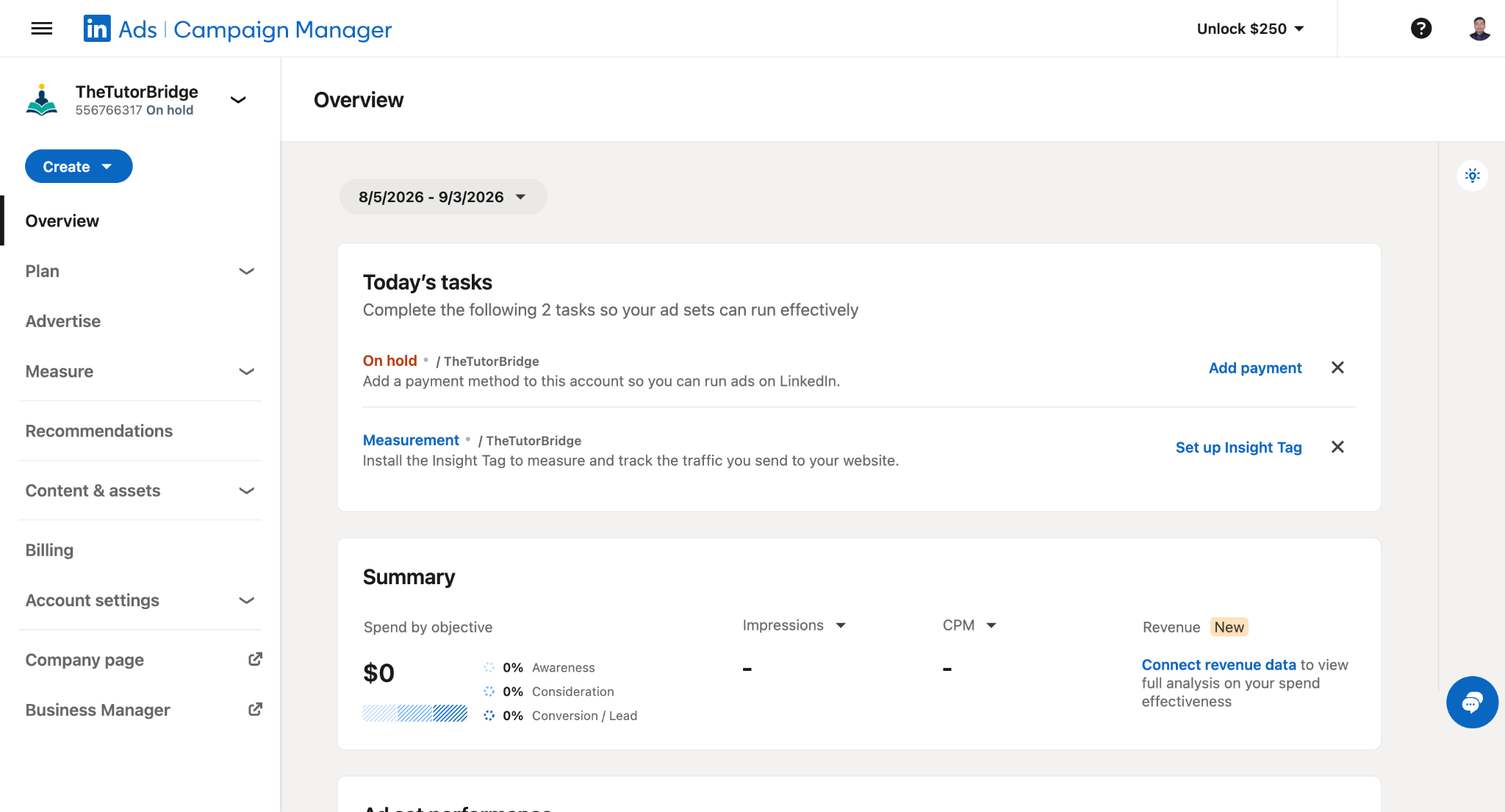
LinkedIn Campaign Manager is LinkedIn's platform for creating, managing, and measuring advertising campaigns. It is where advertisers set objectives, define audiences, choose ad formats, manage budgets and creatives, configure conversion tracking, and review campaign performance.
LinkedIn Campaign Manager vs. LinkedIn Ads Manager
LinkedIn Campaign Manager is the current name used for LinkedIn's advertising platform. You may still see searches for "LinkedIn Ads Manager" or "LinkedIn ad manager," but these generally refer to the same advertising environment.
There is no need to treat them as separate products when planning or managing LinkedIn Ads.
What Can You Do in LinkedIn Campaign Manager?
Campaign Manager handles the main parts of the advertising workflow:
Campaign creation: Build and organize advertising campaigns.
Objectives: Choose goals such as awareness, consideration, or conversions.
Audiences: Define professional and company-based targeting.
Ad formats: Select formats that fit the campaign objective and audience.
Budgets: Set spending limits, schedules, and bidding options.
Creatives: Create and manage the ads shown to your audience.
Conversion tracking: Measure actions that happen after ad engagement.
Campaign management: Pause, edit, test, and optimize campaigns.
Reporting: Analyze delivery, engagement, conversions, and costs.
How to Set Up a LinkedIn Ads Account
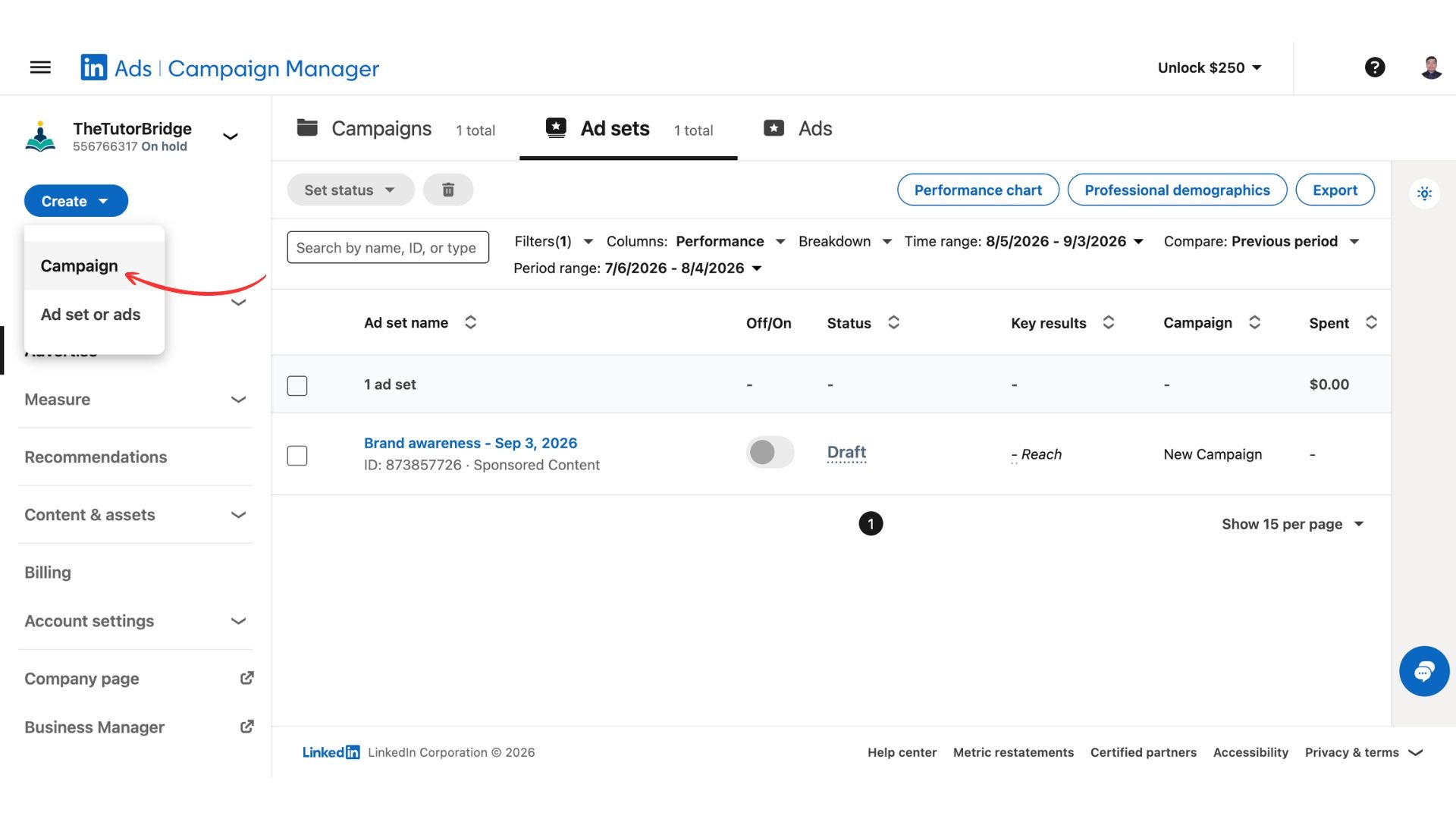
To create a LinkedIn ad account, access Campaign Manager and create or select an advertising account associated with your LinkedIn presence.
The basic setup is:
Open LinkedIn Campaign Manager.
Create an ad account or select an existing one.
Connect the relevant LinkedIn Page.
Configure your account details and billing.
Create your first campaign.
Set up conversion tracking where needed.
Add your audience, creative, budget, and destination.
Review and launch the campaign.
Once the account is active, you can create multiple campaigns and organize them according to your advertising strategy.
LinkedIn Campaign Manager Dashboard
The Campaign Manager dashboard provides a central view of your advertising activity. Depending on the reporting view, you can work across campaigns, campaign groups, audiences, conversions, and performance data.
Key areas include:
Campaigns: View and manage active, paused, and completed campaigns.
Campaign groups: Organize related campaigns.
Audiences: Create and manage targeting audiences and matched audiences.
Reporting: Review campaign and ad performance over selected time periods.
Conversions: Track actions generated by your advertising.
Performance metrics: Analyze impressions, clicks, engagement, spend, conversions, cost per result, and other campaign KPIs.
The dashboard is most useful when you connect these metrics to the campaign's actual objective. A traffic campaign may focus on clicks and website visits, while a B2B conversion campaign should ultimately be evaluated by leads, qualified actions, meetings, pipeline, or revenue.
LinkedIn Ads Campaign Objectives
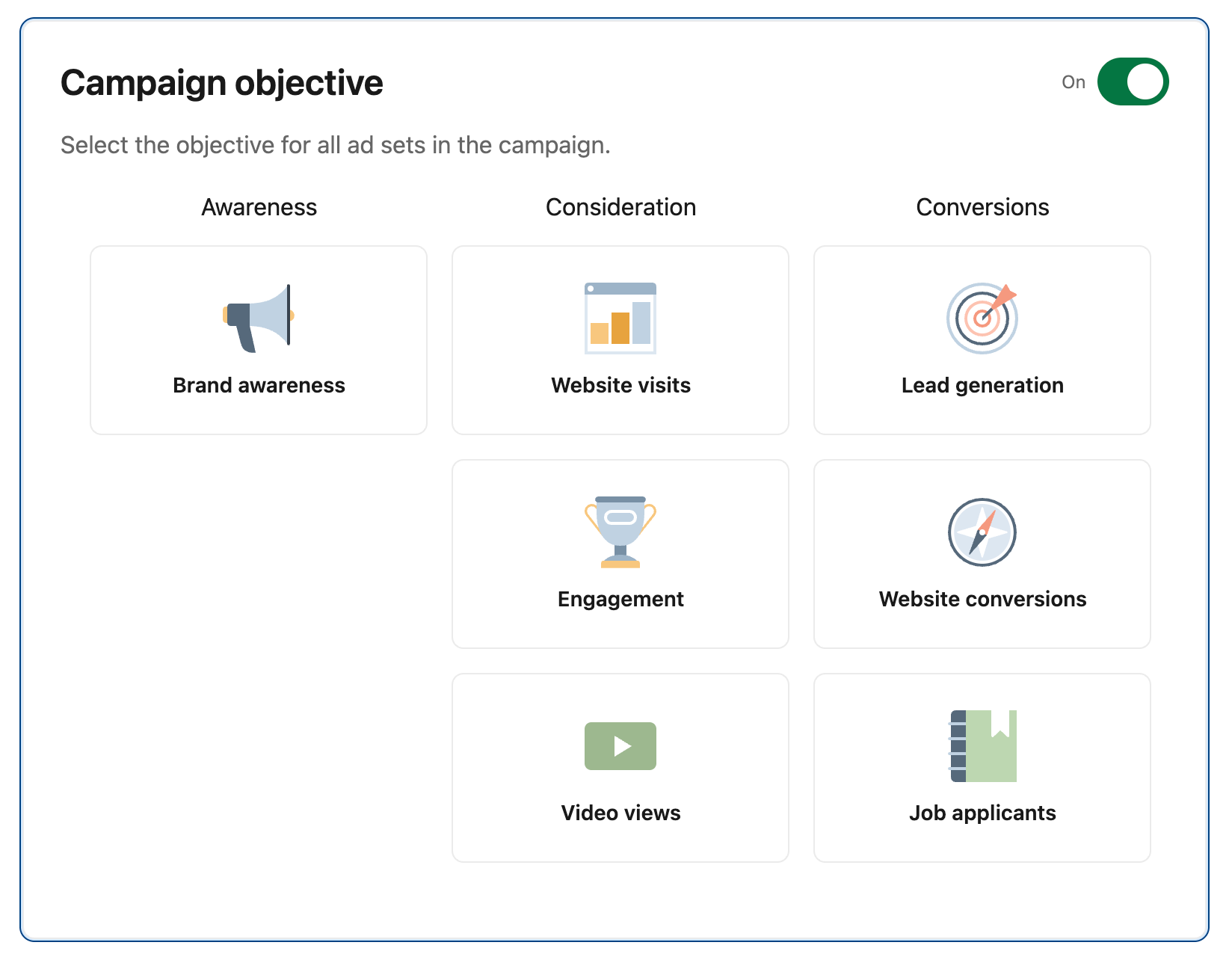
LinkedIn Ads organizes campaigns around three broad stages: Awareness, Consideration, and Conversion. The objective you select tells LinkedIn what outcome the campaign is designed to achieve and influences how the campaign is optimized and measured.
Awareness Campaigns
Awareness campaigns are designed to increase visibility among a selected professional audience. They are most relevant when the immediate goal is to build recognition rather than generate a direct response.
Typical outcomes include:
Brand awareness
Reach
Impressions
Awareness campaigns can be useful for entering a new market, building familiarity with a category, or reaching target accounts before they are ready to engage with a product.
Consideration Campaigns
Consideration campaigns are focused on getting the audience to interact with your business or content.
Common goals include:
Website visits
Engagement
Video views
These campaigns can be useful for educating an audience, distributing content, driving qualified traffic, or building engagement before a conversion-focused campaign.
Conversion Campaigns
Conversion campaigns focus on actions that move prospects closer to becoming leads or customers.
Common goals include:
Lead generation
Website conversions
Other defined conversion actions
For B2B campaigns, these actions might include submitting a lead form, requesting information, signing up for a product, or completing another valuable website action.
How to Choose a LinkedIn Ads Objective
Choose the objective based on the actual outcome you want from the campaign, rather than the metric that is easiest to increase.
Goal
Objective
Build awareness
Awareness
Drive traffic
Website visits
Generate engagement
Engagement
Generate leads
Lead generation
Drive website actions
Website conversions
Why Campaign Objective Matters
Your objective influences several parts of campaign performance:
Optimization: LinkedIn uses the objective to guide campaign delivery toward the desired outcome.
Bidding: Available bidding and optimization options can vary according to the campaign objective.
Audience behavior: People who are likely to engage with an ad are not necessarily the same people most likely to convert.
Measurement: The primary KPI should reflect the campaign's objective.
Conversion strategy: A conversion campaign needs a clearly defined action and a reliable way to measure it.
The important point is to keep the objective aligned with the business outcome. If the goal is pipeline, optimizing only for clicks can create a gap between advertising performance and revenue performance.
LinkedIn Ad Types and Formats
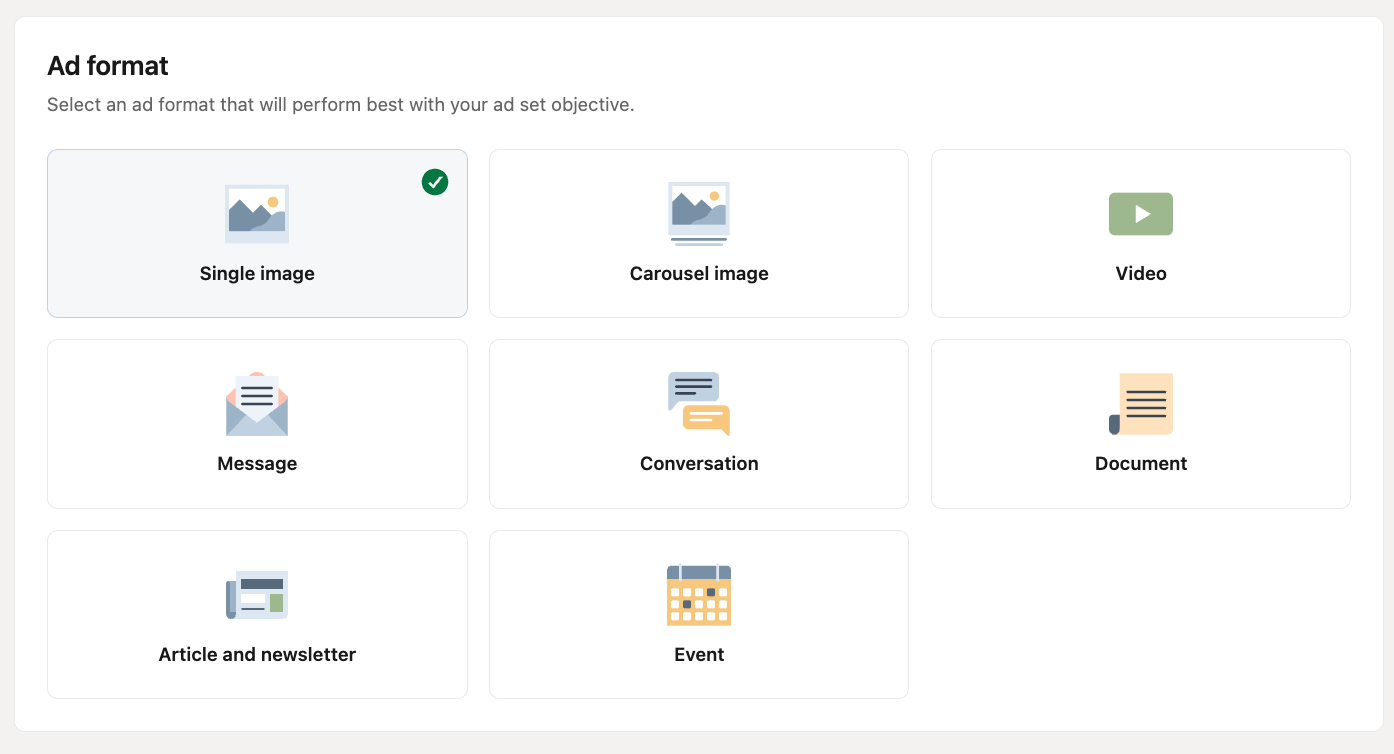
LinkedIn offers several advertising formats across the feed, messaging experience, and other placements. The right format depends on what you want the audience to do, how much information they need, and where they are in the buying journey.
Sponsored Content
Sponsored Content appears in the LinkedIn feed and supports several creative types:
Format
Best suited for
Single Image
Awareness, traffic, lead generation
Video
Awareness, education, product demonstrations
Carousel
Product education, storytelling, multiple offers
Document
Reports, guides, research, educational content
Event
Webinars, conferences, professional events
Thought Leader
Executive visibility and expert content
Article
Long-form educational content
Newsletter
Recurring content and audience building
Sponsored Messaging
Sponsored Messaging reaches users through LinkedIn's messaging environment.
Message Ads: Deliver a direct sponsored message with a specific offer or CTA.
Conversation Ads: Create an interactive messaging experience where recipients can choose from different response options.
These formats can work well when the campaign benefits from a more direct or interactive experience than a standard feed ad.
Dynamic Ads
Dynamic Ads use LinkedIn member information to personalize the advertising experience.
Follower Ads: Encourage users to follow a LinkedIn Page.
Spotlight Ads: Promote a specific action, destination, or offer.
Text Ads: Use concise copy and a direct CTA in a compact advertising format.
LinkedIn Text Ads
LinkedIn Text Ads are a simple, text-focused format for promoting an offer, website, content, or other action. They use a compact creative structure, so the headline, message, and CTA need to communicate the value quickly.
LinkedIn Ad Formats by Goal
Goal
Relevant formats
Awareness
Single Image, Video, Thought Leader
Website traffic
Single Image, Video, Carousel
Lead generation
Single Image, Document, Video
Thought leadership
Thought Leader, Article
Event promotion
Event Ads
Product education
Document, Video, Carousel
Retargeting
Sponsored Content
These are starting points rather than fixed rules. The same format can serve different goals depending on the audience, creative, and offer.
See Knock AI in Action — Book Your Live Demo Today
For awareness, simple visual formats can communicate a message quickly. For product education, video, documents, or carousels can provide more context. For high-intent campaigns, the format should lead naturally into the next action, whether that is a Lead Gen Form, website conversion, conversation, or meeting.
The best LinkedIn ad format is therefore not necessarily the most visually sophisticated one. It is the format that matches the message to the audience and creates a natural path to the intended conversion.
LinkedIn Ads Targeting
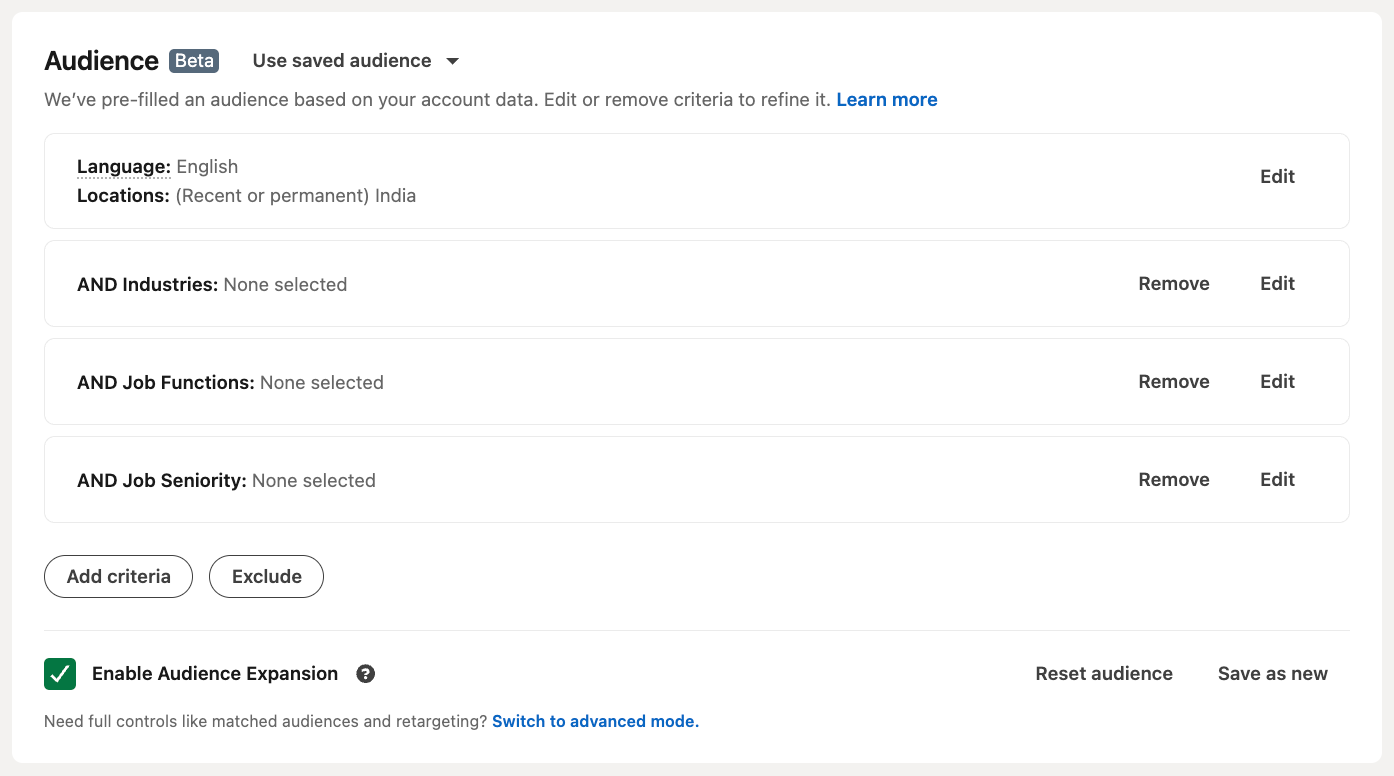
LinkedIn Ads targeting lets advertisers define who should see a campaign using professional, company, and audience attributes. You can target individual characteristics such as job title and seniority, or build audiences around companies, website visitors, existing contacts, and previous engagement.
The strongest targeting usually starts with who is commercially relevant, then narrows based on the campaign objective and buying stage.
How LinkedIn Ads Target Audiences
LinkedIn combines professional data with advertiser-provided audiences to help businesses reach specific segments. Depending on the campaign, targeting can be based on attributes such as company, industry, role, seniority, location, skills, interests, or previous interactions with a business.
The goal is not to create the smallest possible audience. It is to create an audience that is large enough to deliver efficiently while remaining relevant to the campaign.
LinkedIn Audience Attributes
Common LinkedIn targeting attributes include:
Location
Company name
Company size
Industry
Job title
Job function
Seniority
Skills
Interests
Education
Groups
Other professional attributes
These can be combined to build audiences for specific campaigns. For example, a SaaS campaign could target decision-makers in technology companies of a particular size and industry.
LinkedIn Account Targeting
LinkedIn Account Targeting lets advertisers focus campaigns on specific companies. It is particularly useful for account-based marketing (ABM), where the goal is to create awareness or engagement within a defined list of target accounts.
Instead of targeting only individual job titles, an enterprise campaign can start with a list of named companies and then focus on relevant functions or seniority levels within those accounts.
LinkedIn Matched Audiences
Matched Audiences allow advertisers to use first-party information and previous interactions to reach known or previously engaged audiences.
Common applications include:
Website audiences
Contact targeting
Account targeting
Retargeting
Previous campaign engagement
This is useful for connecting LinkedIn advertising with audiences already known to the business.
LinkedIn Retargeting
LinkedIn retargeting allows businesses to re-engage people who have previously interacted with their website or LinkedIn content.
For example:
Initial ad → website visit → retargeting ad → product offer
Retargeting can also be used to move audiences from one stage of the buying journey to another rather than showing the same message repeatedly.
LinkedIn Buyer Groups and Buying Committees
B2B purchases rarely involve only one person. A software purchase, for example, may involve an executive sponsor, technical evaluator, finance stakeholder, procurement, and day-to-day users.
This makes it useful to think beyond individual lead targeting. An ABM campaign can target several relevant roles within the same account and use different messages based on their likely concerns.
LinkedIn Audience Expansion and Predictive Audiences
LinkedIn also provides audience expansion and predictive audience capabilities that can help advertisers reach additional members who are likely to be relevant based on the characteristics or behavior of an existing audience.
These options can be useful when a tightly defined audience is too small or when an advertiser wants to extend campaign reach while maintaining some similarity to its original audience.
LinkedIn Ads Targeting Strategies
Different campaign goals call for different targeting approaches.
Use case
Starting targeting recipe
SaaS
Company size + industry + job function + seniority
Enterprise ABM
Named accounts + relevant functions + seniority
Demand generation
Industry + geography + seniority
Retargeting
Previous engagement + relevant buyer attributes
These are starting points, not fixed formulas. Audience size, campaign objective, offer, and buying stage should determine how much targeting you apply.
Common LinkedIn Ads Targeting Mistakes
The most common problems are over-targeting, very small audiences, excessive targeting conditions, and focusing too heavily on job titles.
A job title alone does not always indicate buying responsibility. B2B campaigns should also consider company context, seniority, function, and the other people involved in the purchase.
Another mistake is treating audience fit as purchase intent. Someone can match your ideal customer profile without actively evaluating your product. Targeting tells you who someone is; engagement and behavioral signals help indicate what they may be interested in.
How Much Do LinkedIn Ads Cost?
LinkedIn Ads use auction-based pricing, so there is no single fixed cost for every campaign. Your actual costs depend on factors such as the audience, objective, bidding strategy, competition, and campaign performance.
How Are LinkedIn Ads Priced?
LinkedIn campaigns can use different pricing models depending on the campaign and objective, including cost per click (CPC) and cost per thousand impressions (CPM). Some campaign experiences can also use cost-per-send or other action-based pricing.
Your budget establishes how much you are willing to spend, while the auction determines the cost of individual delivery or actions.
What Determines LinkedIn Ads Cost?
Key factors include:
Audience competition
Targeting criteria
Geography
Seniority
Industry
Campaign objective
Bid
Budget
Creative engagement
Audience size
Highly competitive professional audiences can cost more to reach than broader audiences. Narrowing an audience can also affect delivery if there are too few eligible people.
LinkedIn Ads Budget Examples
These are planning examples, not universal benchmarks:
Monthly budget
Possible use
$1,500
Small campaign or initial test
$3,000
Focused B2B demand campaign
$5,000
Multi-creative demand generation
$10,000+
Larger campaigns, multiple audiences, or ABM
The right budget depends on audience size, expected conversion rate, customer value, and how much data you need to make useful optimization decisions.
LinkedIn Ads Cost Per Click vs. Cost Per Lead
A low CPC does not necessarily mean a campaign is efficient.
For example:
$2 CPC × 1,000 clicks = $2,000
If those clicks produce only 10 leads, the campaign has a $200 cost per lead.
A campaign with a higher CPC can be more efficient if its traffic converts at a significantly higher rate. This is why B2B advertisers should evaluate cost per qualified lead, meeting, opportunity, and pipeline, not CPC alone.
How to Reduce LinkedIn Ads Costs
Start with the fundamentals:
Improve audience relevance
Test multiple creatives
Avoid unnecessarily narrow targeting
Match the offer to the buying stage
Improve the post-click conversion path
Follow up quickly
Measure qualified outcomes
Feed useful conversion data back into campaign optimization
Reducing cost is not simply about getting cheaper clicks. The better objective is to generate more valuable outcomes from the same advertising spend.
How to Create LinkedIn Ads
Creating LinkedIn Ads involves setting up the campaign, defining its audience and objective, creating the ad, choosing a destination, configuring measurement, and monitoring the results.
Step 1: Create or Access LinkedIn Campaign Manager
Open LinkedIn Campaign Manager and create a new advertising account or select an existing one. Make sure the appropriate LinkedIn Page and account details are configured before creating campaigns.
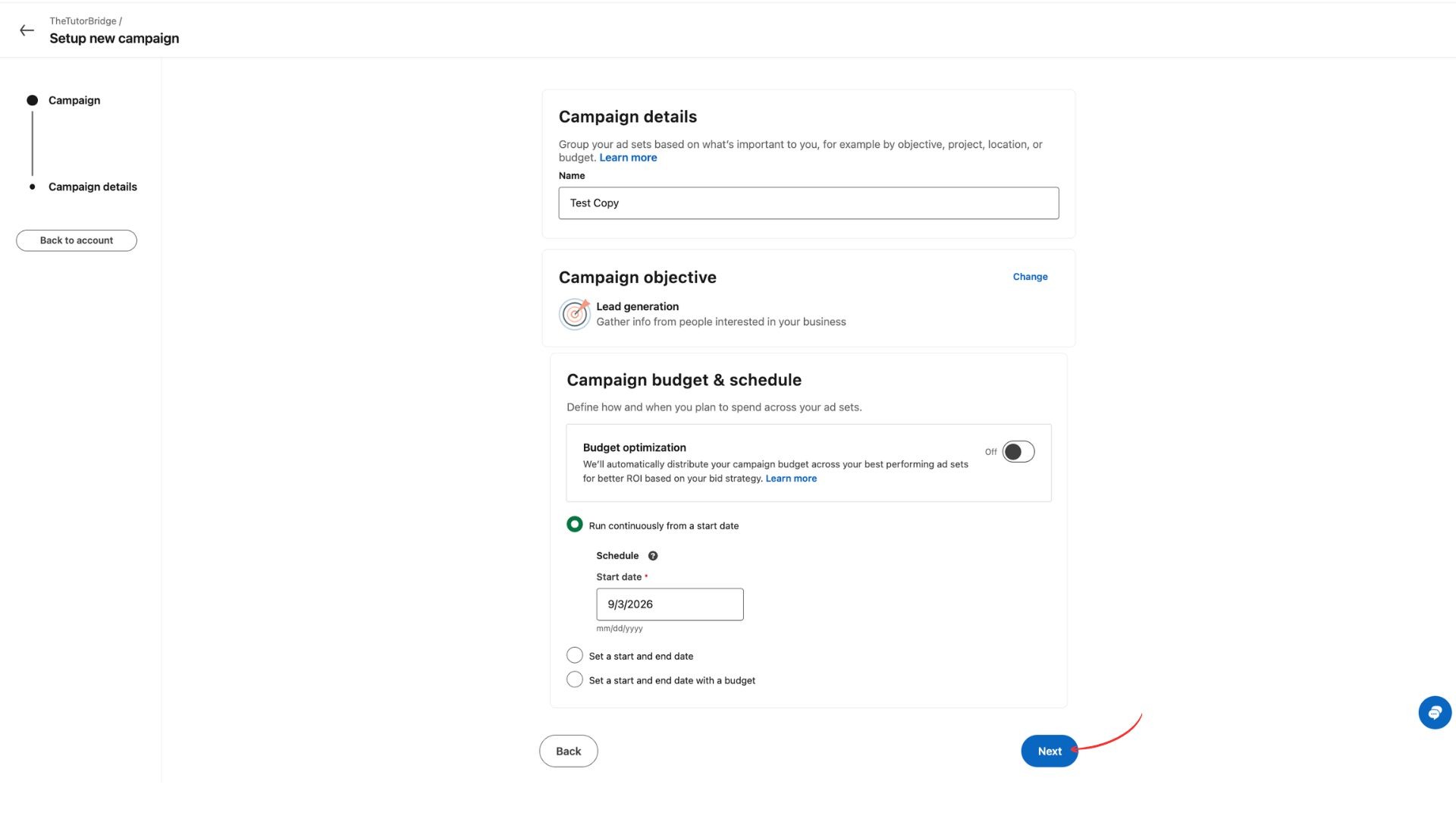
Step 2: Choose a Campaign Objective
Select the objective that matches the outcome you want, such as awareness, website visits, engagement, lead generation, or website conversions.
Step 3: Build Your Target Audience
Define the audience using relevant professional, company, geographic, or matched-audience attributes. Start with the people most likely to be commercially relevant rather than adding every available targeting condition.
Step 4: Choose an Ad Format
Select the format that fits the objective and content, such as Single Image, Video, Carousel, Document, Thought Leader, or another available format.
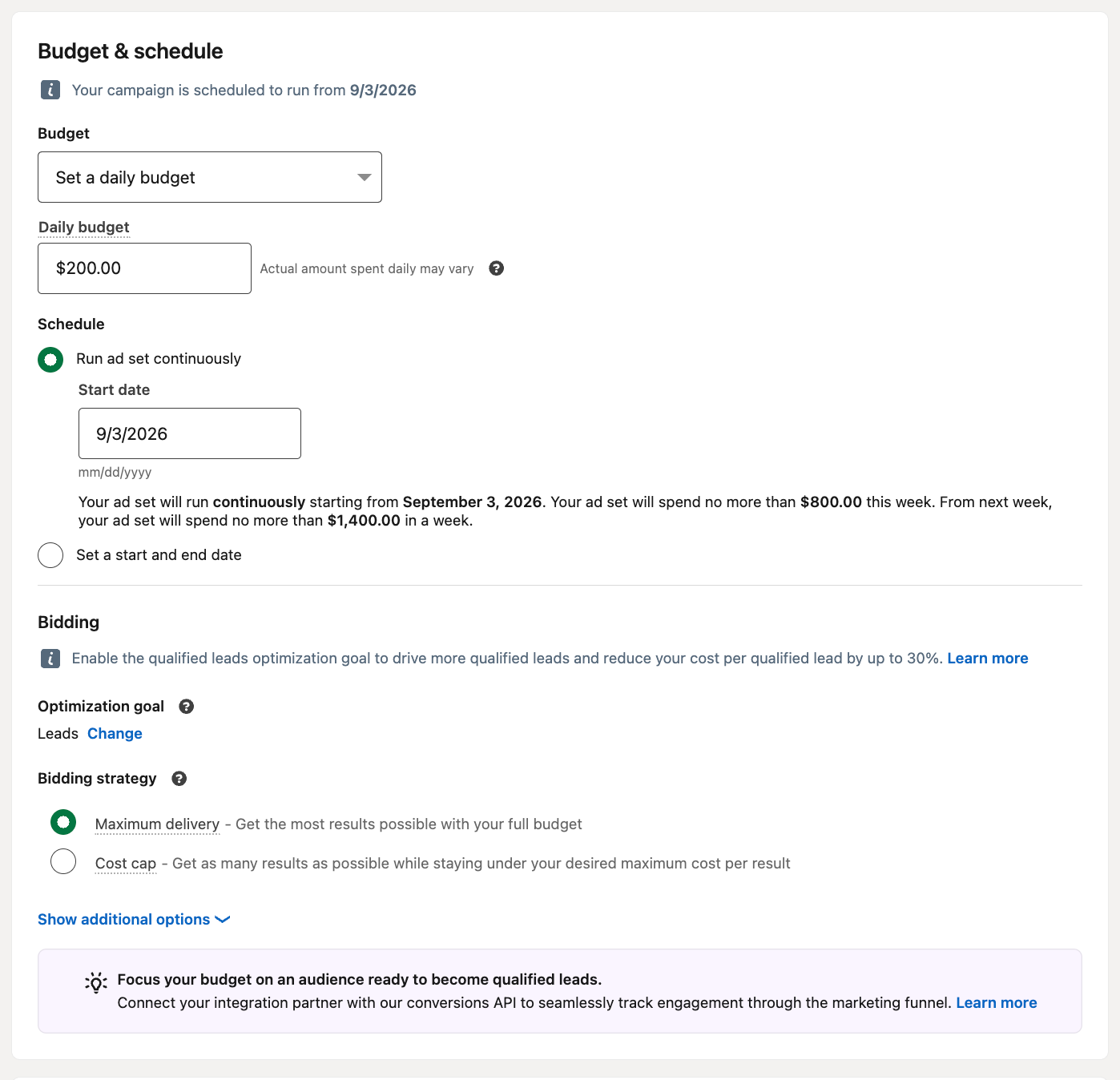
Step 5: Set Your Budget and Schedule
Choose your budget, bidding approach, and campaign schedule. Start with a budget that gives the campaign enough room to generate meaningful performance data.
Step 6: Create Your LinkedIn Ad
Build the creative around a clear:
Hook → problem → value proposition → proof → CTA
Make sure the ad message matches the audience and the offer.
Step 7: Choose the Destination
Decide where the click should go:
Landing page
LinkedIn Lead Gen Form
Website form
Product or signup page
Conversation
Meeting booking
The destination should be the logical next step from the ad rather than simply the default website homepage.
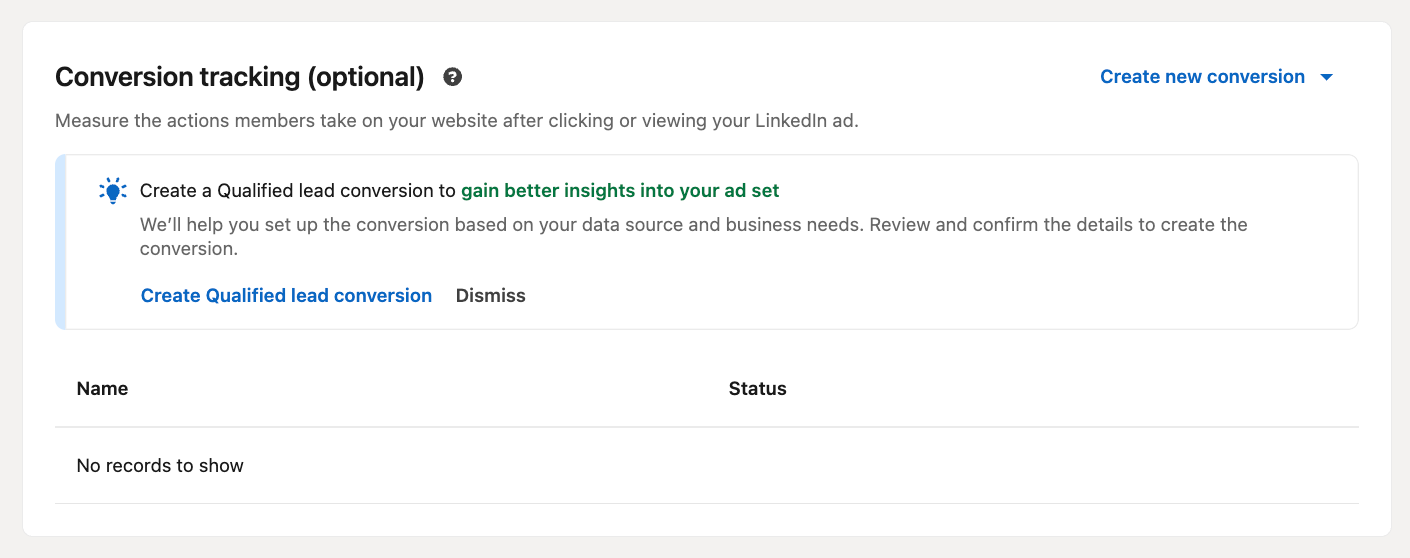
Step 8: Configure Conversion Tracking
Set up the appropriate conversion tracking so you can measure what happens after the click. For B2B campaigns, tracking should extend beyond traffic to meaningful actions such as leads, qualified conversions, meetings, and eventually pipeline.
Step 9: Review and Launch
Check the audience, objective, creative, budget, destination, tracking, and campaign settings before submitting the ads for review and launch.
Step 10: Monitor and Optimize
Once the campaign is running, monitor delivery, engagement, clicks, costs, conversions, and downstream results. Test creative, audience, offer, and conversion-path changes based on the data.
The important thing is to optimize the entire path, not just the ad:
That prevents a campaign from appearing successful based on clicks while underperforming where it matters most.
LinkedIn Ads Creative Strategy
A strong LinkedIn ad connects the audience, problem, value proposition, creative, and CTA into one clear message. The best creative is not necessarily the most elaborate. It is the one that makes the right person understand why the offer matters and what to do next.
What Makes a Good LinkedIn Ad?
A good LinkedIn ad is:
Relevant to the target audience
Clear about the problem or opportunity
Specific about the value offered
Easy to understand quickly
Built around one primary CTA
Consistent with the destination after the click
The message should also match the buyer's stage. A cold audience may need education, while an audience already familiar with the product may respond better to a direct offer.
LinkedIn Ad Copy
Effective LinkedIn ad copy usually follows:
Hook → Problem → Value → Proof → CTA
Keep the opening focused on something the target audience actually cares about. Avoid trying to explain the entire product in one ad.
For example:
Still relying on forms to capture high-intent buyers? Give qualified prospects a faster way to engage with your team.
The copy should create enough interest to earn the click without making the destination feel disconnected from the ad.
LinkedIn Ad Design
LinkedIn ad design should make the core message easy to recognize while scrolling. Use a clear visual hierarchy, readable text, strong contrast, and a single primary idea.
Avoid overcrowding the creative with multiple claims, CTAs, or paragraphs of text.
LinkedIn Ad Images and Video
Use the format that best communicates the message.
Images work well for concise offers, statistics, product messages, and brand campaigns. Video can be more useful for demonstrations, customer stories, explainers, and concepts that require additional context.
Whatever the format, the creative should support the same message as the ad copy.
LinkedIn Ad CTA Strategy
The CTA should describe the logical next step:
Learn more
Download
Register
Get started
Request a demo
Book a meeting
A strong CTA also needs a matching destination. Don't ask someone to "Book a Demo" and send them to a generic homepage.
How Many LinkedIn Ads Should You Test?
Test multiple creative variations rather than relying on one ad. Change meaningful variables such as the hook, offer, visual, format, or CTA while keeping the audience and objective consistent enough to understand what caused the difference.
LinkedIn Ads Examples
A useful framework for evaluating any LinkedIn ad is:
Audience: B2B marketing leaders Objective: Website conversions Format: Single Image Message: "See where your paid traffic is leaking before you increase your ad budget." CTA: Learn more Destination: Website report Conversion event: Report signup
LinkedIn Video Ad Example
Audience: SaaS decision-makers Objective: Consideration Format: Video Message: A short product demonstration showing how the solution addresses a common workflow problem. CTA: Watch now Destination: Product video Conversion event: Video engagement or website visit
LinkedIn Carousel Ad Example
Audience: Revenue leaders Objective: Website traffic Format: Carousel Message: A five-step breakdown of a common revenue process and how to improve each stage. CTA: Learn more Destination: Educational resource Conversion event: Content engagement
LinkedIn Document Ad Example
Audience: Enterprise buyers Objective: Lead generation Format: Document Message: "The 2026 Enterprise GTM Benchmark Report" CTA: Download Destination: LinkedIn document experience or lead flow Conversion event: Lead submission
LinkedIn Thought Leader Ad Example
Audience: Marketing executives Objective: Awareness Format: Thought Leader Message: An executive's perspective on how AI is changing B2B demand generation. CTA: Read more Destination: LinkedIn post Conversion event: Engagement
LinkedIn Lead Generation Ad Example
Audience: Sales leaders at mid-market companies Objective: Lead generation Format: Single Image Message: "Get the sales efficiency benchmark for your industry." CTA: Get report Destination: LinkedIn Lead Gen Form Conversion event: Form submission
LinkedIn SaaS Ad Example
Audience: SaaS operations and revenue leaders Objective: Website conversions Format: Video Message: "See how teams reduce the time between buyer intent and sales engagement." CTA: See how it works Destination: Product page Conversion event: Demo request
LinkedIn ABM Ad Example
Audience: Buying roles within named enterprise accounts Objective: Engagement Format: Single Image Message: Account-specific messaging built around a relevant business challenge. CTA: Learn more Destination: Personalized resource Conversion event: Account engagement
High-Intent LinkedIn Ad Example
Audience: Prospects already familiar with the product Objective: Conversion Format: Single Image or Video Message: "Ready to see how it works? Talk with an expert." CTA: Book a meeting Destination: Meeting flow Conversion event: Meeting booked
LinkedIn Ads Library
What Is the LinkedIn Ads Library?
The LinkedIn Ads Library is a resource for discovering and researching ads running on LinkedIn. It can help marketers understand how companies position products, structure offers, and use different creative formats.
How to Find LinkedIn Ad Examples
Search for companies, products, industries, or topics relevant to your market. Save examples that are relevant to your audience rather than collecting ads simply because they look visually impressive.
How to Research Competitor LinkedIn Ads
Look for patterns across a competitor's ads rather than analyzing a single creative. Pay attention to recurring offers, audiences, messages, formats, and calls to action.
What to Analyze in a Competitor's Ads
Focus on:
Target audience
Problem being addressed
Offer
Creative format
Message
CTA
Destination
Repeated positioning
How to Turn LinkedIn Ads Library Research Into Better Campaigns
Use competitor research to identify patterns and gaps, not to copy creative. If several competitors make the same product claim, for example, that may reveal a crowded message that your campaign needs to approach differently.
LinkedIn Ads Lead Generation
How LinkedIn Ads Generate Leads
LinkedIn Ads generate leads by moving a targeted audience from an ad interaction toward a conversion. That conversion can happen through a LinkedIn Lead Gen Form, website form, landing page, product signup, or another conversion experience.
The basic path is:
Ad → Click → Conversion → Lead → Qualification → Sales
LinkedIn Lead Gen Forms
LinkedIn Lead Gen Forms allow prospects to submit information directly within LinkedIn, with fields that can be pre-filled using their profile information. This reduces the friction of sending someone to a separate landing page.
They are useful when the primary goal is efficient lead capture, particularly for content downloads, event registration, and similar offers.
LinkedIn Ads to Landing Pages
Landing pages give advertisers more control over the conversion experience and can provide additional context before asking for an action.
A typical flow is:
Ad → Landing Page → Form → CRM → Sales Follow-Up
The page should continue the same message and offer introduced by the ad.
Why LinkedIn Ad Clicks Do Not Always Become Leads
A click indicates interest, but it does not guarantee conversion. Common causes of drop-off include:
Message mismatch
Weak offer
Long forms
Slow pages
Unclear CTA
Too many steps
Delayed follow-up
Lack of qualification or routing
This is why optimizing the ad alone is not enough. The conversion experience can have a significant effect on the value generated from the same advertising spend.
LinkedIn Ads Lead Generation vs. Demand Capture
Lead generation focuses on identifying and capturing prospect information.
Demand capture focuses on converting people who are already showing meaningful interest into a commercial action.
A visitor who matches your ICP is not necessarily ready to buy. A prospect who clicks a product-specific ad, engages with the offer, asks a question, and requests a meeting is showing a much stronger level of intent.
LinkedIn Ads Landing Pages vs. Conversational Conversion
The traditional LinkedIn Ads funnel often looks like:
Landing pages work well when prospects need information before taking action. They provide space for product details, social proof, resources, comparisons, and multiple supporting elements.
Conversational LinkedIn Ads Funnel
A conversational flow allows a prospect to engage directly rather than completing a traditional form first. It can be particularly useful for high-intent campaigns where the buyer already knows what they want and would benefit from immediate interaction.
When a Landing Page Makes Sense
Use a landing page when the campaign requires:
Detailed education
Long-form content
Product comparisons
Multiple resources
Self-service research
When Conversational Conversion Makes Sense
Conversational conversion can make sense when the campaign is focused on:
The closer the interaction gets to a meaningful buyer action, the more useful it becomes for evaluating campaign performance. This is why LinkedIn Ads optimization should consider what happens after the click, not just how cheaply the click was generated.
How to Use Knock AI With LinkedIn Ads
LinkedIn creates the demand. Knock AI manages the relationship after the buyer engages.
A traditional LinkedIn Ads funnel often looks like:
LinkedIn Ad → Click → Landing Page → Form → CRM → SDR Follow-up
Knock AI can remove several of those handoffs and turn the ad click into the beginning of a buyer relationship:
This is particularly useful for B2B campaigns where the value of a click depends less on traffic volume and more on whether the right buyer can quickly become a qualified conversation.
What Knock AI Does for LinkedIn Ad Traffic
Knock AI gives LinkedIn ad traffic a conversion and relationship layer after the click. Instead of treating every click as an anonymous website session or forcing every prospect through the same form, Knock AI can identify the person and company, enrich the buyer, capture first-party intent, start a conversation, qualify the opportunity, route it, and help book a meeting.
The goal is not simply to increase LinkedIn conversion rates. It is to capture more of the demand you are already paying LinkedIn to create and turn it into qualified pipeline.
How Knock Links Work With LinkedIn Ads
A Knock Link can be attached directly to a LinkedIn ad or post. When a buyer clicks, they can enter a Knock-powered experience rather than being sent through a traditional landing page and form.
Knock AI can then:
Identify and enrich the buyer and company.
Capture engagement and intent signals.
Start a conversation with the buyer.
Answer questions using approved company knowledge.
Qualify the buyer based on context and intent.
Route the opportunity to the appropriate AI agent or sales representative.
Offer meeting scheduling when appropriate.
Preserve the relationship and conversation context after the meeting.
This lets marketers connect LinkedIn ad spend directly to buyer engagement and downstream revenue outcomes, rather than measuring success only through clicks or form fills.
LinkedIn Ads Without a Landing Page or Form
Not every LinkedIn click needs to become a landing-page session or form submission.
With a Knock Link, a campaign can take a buyer directly from the LinkedIn ad into a conversational experience. This removes steps such as loading another page, reading through a long form, submitting contact information, and waiting for someone to follow up.
That can be especially useful for high-intent campaigns, ABM campaigns, product-focused ads, and offers where the buyer is more likely to have questions before committing to a form or meeting.
The important change is that conversion can begin with a conversation rather than a form fill.
Let Buyers Choose How to Engage
A LinkedIn ad can create demand, but buyers do not all want to convert in the same way.
Knock AI can let an engaged buyer choose among available paths, including:
LinkedIn: Continue the relationship through LinkedIn.
Scheduling: Move directly to a meeting when the buyer is ready.
This gives high-intent buyers a faster path while allowing others to ask questions or continue the conversation before speaking with sales.
The underlying relationship can retain identity, context, and engagement history even as the interaction moves between channels.
Identify and Enrich LinkedIn Ad Clickers
A LinkedIn ad click does not have to remain an anonymous data point.
Knock AI can use its identity and enrichment capabilities to determine who the buyer is and add relevant contact and company information to the interaction. That context can include attributes used for qualification and routing, such as company information, role, account context, and other available enrichment data.
This means the sales team can evaluate an ad engagement using more than the information a buyer manually enters into a form.
Capture First-Party Intent From LinkedIn Ad Traffic
LinkedIn targeting helps determine who should see an ad. Knock AI can capture what an individual does after engaging with it.
First-party signals can include Knock Link clicks, website activity, conversations, questions, engagement, and other actions. These signals help establish whether a buyer is simply curious or actively moving toward a commercial conversation.
creates a much richer intent signal than an isolated ad click.
Turn LinkedIn Ad Clicks Into Conversations
Instead of asking every prospect to complete a form, Knock AI can turn the ad interaction into a conversation.
An AI agent can greet the buyer, understand what they are looking for, answer questions using approved company information, and determine the appropriate next step.
This is particularly valuable when the product is complex or the buyer needs additional context before booking a meeting.
The conversation also creates a richer source of first-party information because the buyer can communicate their needs directly rather than selecting a few fields on a form.
Qualify LinkedIn Ad Leads With AI
Knock AI can use buyer identity, company context, CRM information, engagement, and conversation signals to qualify LinkedIn ad traffic.
Instead of relying entirely on static form fields, AI can evaluate the conversation and determine whether the buyer appears relevant based on the company's qualification criteria.
For example, an AI agent can determine whether a buyer:
Fits the target market
Represents a relevant company or account
Has a meaningful use case
Is showing buying intent
Needs a human sales conversation
Should be routed elsewhere
This allows sales teams to spend more time on qualified opportunities rather than manually reviewing every ad-generated lead.
Route LinkedIn Ad Leads to the Right Rep
Once a buyer is qualified, Knock AI can route the relationship according to rules such as CRM ownership, company attributes, geography, industry, company size, intent, attribution, or engagement signals.
The routing happens as part of the buyer journey, rather than requiring a separate manual review between lead capture and sales follow-up.
Route Existing Accounts to Their CRM Owner
LinkedIn campaigns often reach people at companies that already exist in the CRM.
Without account-aware routing, a new lead can create duplicate ownership problems or reach the wrong salesperson.
Knock AI can use CRM and account context to recognize existing relationships and route an engaged buyer to the appropriate account owner.
This is especially useful for ABM campaigns, where the objective is not simply to generate a new lead but to engage another stakeholder inside an existing account.
Book Meetings From LinkedIn Ad Traffic
When a buyer is ready, Knock AI can move directly from conversation or engagement to scheduling.
Scheduling can use routing logic, calendar availability, CRM ownership, and buyer context to determine the appropriate meeting path.
That creates a shorter journey:
LinkedIn Ad → Engagement → Qualification → Meeting
rather than:
LinkedIn Ad → Landing Page → Form → Lead Review → SDR Outreach → Qualification → Scheduling
The meeting can also retain the context gathered during the interaction, giving the representative more information before the call begins.
Keep the Buyer Relationship Going After the Meeting
The calendar invite does not have to be the end of the LinkedIn conversion journey.
Knock AI can maintain a persistent buyer conversation around the meeting, allowing buyers to ask questions, share context, or continue engaging before and after the call. Sales teams can also receive buyer context and engagement information through their existing workflows, including Slack and CRM systems.
That creates a continuous path from advertising to sales:
LinkedIn creates the demand. Knock AI manages the relationship after the buyer engages.
Instead of optimizing LinkedIn Ads only for the cheapest click or highest form-fill rate, teams can connect ad engagement to identity, intent, qualification, meetings, pipeline, and revenue.
Connect Knock AI Events to LinkedIn Ads
LinkedIn can optimize campaigns based on the actions that matter after an ad click, not just the initial interaction. Connecting Knock events to LinkedIn Ads helps close the loop between advertising engagement and downstream buyer actions.
LinkedIn Ad → Click → Knock → Engagement → Qualification → Meeting → LinkedIn optimization signal
Why Send Knock Events Back to LinkedIn?
A LinkedIn click is useful, but it does not necessarily indicate buying intent. A buyer who starts a conversation, becomes qualified, connects with a rep, or books a meeting represents a more meaningful outcome.
Sending Knock events back to LinkedIn gives campaign optimization additional downstream signals. Instead of optimizing exclusively around clicks or early conversions, marketers can use events that better reflect the quality of the traffic being generated.
Select the Knock events you want to send to LinkedIn.
Map the relevant events to your LinkedIn campaigns.
Use the resulting conversion signals for campaign measurement and optimization.
Knock's integration sends supported events to LinkedIn Campaign Manager without requiring additional tracking code for each event.
Knock Events Sent to LinkedIn Ads
Knock events can be grouped into three practical categories.
Knock event
What it represents
Knock - Chat Click
Buyer chooses to start a chat
Knock - Slack Click
Buyer chooses Slack
Knock - WhatsApp Click
Buyer chooses WhatsApp
Knock - Linkedin Click
Buyer chooses LinkedIn
Knock - Telegram Click
Buyer chooses Telegram
Knock - Sent Message
Buyer sends a message
Knock - Chat Qualified
Conversation reaches qualification
Knock - Connected To Rep
Buyer connects with a sales representative
Meeting events
Knock event
What it represents
Knock - Meeting Click
Buyer selects the meeting path
Knock - Email Submitted
Buyer provides email during scheduling
Knock - Meeting Qualified
Meeting reaches qualification criteria
Knock - Meeting Booked
Buyer books a meeting
Optimization events
Knock event
What it represents
Knock - Engaged
Buyer demonstrates meaningful engagement
Knock - Qualified
Buyer meets qualification criteria
Knock - Meeting Booked
Buyer reaches a booked-meeting outcome
Which Knock Event Should You Optimize LinkedIn Ads For?
There is no single best event for every campaign. The right signal depends on the campaign objective, conversion volume, sales cycle, and amount of downstream data available.
Campaign goal
Potential optimization signal
Drive conversations
Knock - Chat Click or Sent Message
Generate qualified conversations
Knock - Chat Qualified
Connect buyers with sales
Knock - Connected To Rep
Generate meetings
Knock - Meeting Booked
Optimize toward qualified demand
Knock - Qualified
Measure broader engagement
Knock - Engaged
For campaigns with enough volume, a later-stage event such as Qualified or Meeting Booked can provide a stronger business signal than a simple click. For lower-volume campaigns, an earlier engagement event may provide more data for optimization.
The Knock AI data layer captures events and context across the buyer journey. For LinkedIn Ads, this can connect an ad interaction to identity, enrichment, engagement, intent, qualification, scheduling, and CRM activity.
Rather than treating each conversion as an isolated event, the data layer helps connect those actions into a buyer journey.
Knock Events for LinkedIn Ads
Key data-layer events can include:
knock_click_to_chat
knock_chat_modal_open
knock_schedule_modal_open
knock_schedule_email_submitted
knock_meeting_booked
These events provide granular signals about what happens after a buyer arrives through an advertising touchpoint.
Using Meeting Booked as a Downstream Conversion Signal
Meeting booked is often a more commercially meaningful signal than a click or form submission because it represents a buyer taking a concrete sales action.
For campaigns designed to generate meetings, connecting this event to LinkedIn can help marketers evaluate which campaigns, audiences, and creatives are producing actual sales conversations.
It also creates a clearer path from:
LinkedIn spend → ad engagement → meeting → pipeline
Using Engagement Events for Retargeting
Early engagement signals can help build audiences for subsequent campaigns.
For example, marketers can distinguish between people who clicked an ad and people who actually engaged with a Knock AI experience. Those groups can then inform retargeting and campaign segmentation.
This makes retargeting more useful because the audience is based on observed buyer behavior rather than only the original ad impression.
LinkedIn Ads + Knock AI + CRM + Analytics
The strongest measurement setup connects four layers:
LinkedIn → Knock AI → CRM → Analytics
LinkedIn provides advertising data. Knock AI adds identity, engagement, intent, qualification, routing, and meeting activity. The CRM provides account, opportunity, and revenue context. Analytics brings those signals together for performance analysis.
The result is a fuller view of what happens after an ad click.
LinkedIn Ads Attribution and ROI
Clicks are an advertising metric. Pipeline and revenue are business outcomes.
What Should You Measure?
LinkedIn Ads performance should be evaluated across the funnel:
Stage
Useful metrics
Advertising
Impressions, reach, CTR, CPC
Conversion
Conversion rate, CPL
Engagement
Chat starts, messages, engaged buyers
Qualification
Qualified leads, qualification rate
Sales
Meetings, opportunities
Revenue
Pipeline, revenue, ROAS
The right metrics depend on the campaign objective, but the measurement framework should extend beyond the initial ad interaction.
Why CTR Is Not Enough
A campaign can generate a strong CTR while producing few qualified buyers. Another campaign may have a higher CPC or lower CTR but generate substantially more meetings and pipeline.
For B2B campaigns, the question is therefore not simply:
"Which ad gets the most clicks?"
It is:
"Which ad creates the most valuable buyer outcomes?"
How Knock AI Attributes LinkedIn Ad Traffic
Knock AI can retain attribution context around buyer interactions, including source, medium, touchpoint, and UTM campaign or content information.
That context can be connected with the buyer's subsequent engagement, qualification, meeting activity, and CRM relationship.
This makes it possible to analyze not only where the buyer came from, but also what happened after they arrived.
LinkedIn Ads Touchpoint-Level Reporting
Touchpoint-level reporting can show how individual advertising interactions contribute to buyer engagement and pipeline.
This shifts LinkedIn Ads optimization from traffic acquisition toward business impact.
LinkedIn Ads vs. LinkedIn Lead Gen Forms
Different conversion methods work for different campaigns. The right choice depends on buyer intent, offer complexity, friction, qualification requirements, and the desired sales experience.
Factor
Landing Page
LinkedIn Lead Gen Form
LinkedIn Ads + Knock AI
Landing page required
Yes
No
No
Form required
Usually
Yes
No
Native LinkedIn experience
No
Yes
Depends
Direct conversation
No
No
Yes
Real-time enrichment
Depends
Limited
Yes
AI qualification
No
No
Yes
Routing
CRM-dependent
CRM-dependent
Yes
Meeting booking
Separate
Separate
Integrated
Intent signals
Limited
Limited
Yes
Attribution
Depends
LinkedIn + CRM
Knock AI + LinkedIn + CRM
Persistent conversation
No
No
Yes
When LinkedIn Lead Gen Forms Make Sense
LinkedIn Lead Gen Forms are useful when the primary goal is efficient contact capture, especially for reports, guides, event registrations, and other straightforward offers.
They provide a familiar LinkedIn experience and reduce the friction associated with sending buyers to an external page.
When a Landing Page Makes Sense
Landing pages make sense when buyers need more context before converting. They are useful for detailed product information, educational content, comparisons, case studies, and offers where the surrounding page experience is important.
When Knock AI Makes Sense
Knock AI is useful when the campaign benefits from identity, conversation, qualification, routing, or direct scheduling after the ad click.
It can be particularly valuable for high-intent campaigns, ABM, complex products, and B2B campaigns where a form submission alone does not provide enough context to determine the next step.
LinkedIn Ads Campaign Strategy for B2B
B2B LinkedIn campaigns work best when targeting, creative, conversion, qualification, and sales follow-up are designed as one system.
Use broader campaigns to create demand, then use engagement and first-party signals to identify and progress higher-intent buyers.
LinkedIn Ads for ABM
ABM campaigns can use LinkedIn's account and professional targeting to reach people at named companies.
Segment campaigns by account tier, buying role, or funnel stage, and connect engagement data to existing CRM account ownership.
LinkedIn Ads for Demand Generation
Demand generation campaigns should focus on reaching relevant audiences with useful content, education, insights, or problem-oriented messaging.
The goal is to create and capture interest before the buyer is necessarily ready to speak with sales.
LinkedIn Ads for Pipeline Generation
Pipeline-focused campaigns should connect ad targeting to conversion and sales outcomes.
Measure qualified buyers, meetings, opportunities, and pipeline alongside traditional advertising metrics to determine which campaigns are actually contributing to revenue.
LinkedIn Ads Retargeting Strategy
Retarget buyers based on meaningful engagement rather than treating every visitor identically.
This lets subsequent campaigns reflect the buyer's stage.
LinkedIn Ads for High-Intent Buyers
High-intent campaigns should reduce unnecessary friction. If a buyer already understands the problem and wants to evaluate a solution, sending them through a long form may add unnecessary steps.
Direct conversation, qualification, or scheduling can provide a faster path.
LinkedIn Ads and Buying Committees
B2B purchases often involve multiple stakeholders. LinkedIn Ads can reach different roles within the same account, while downstream engagement data can help identify which stakeholders are actually engaging.
This allows marketers and sales teams to treat account engagement as a broader buying-committee journey rather than a single lead.
LinkedIn Ads and Account-Level Intent
Individual clicks become more useful when combined with account context.
Multiple people from the same company engaging with ads, content, conversations, or product pages can indicate broader account activity. Connecting these signals to CRM account information helps sales teams prioritize accounts showing meaningful engagement.
LinkedIn Ads for SaaS
SaaS companies can use LinkedIn Ads to reach specific professional audiences, create demand, generate product interest, and drive demo or product-led conversions.
Why SaaS Companies Use LinkedIn Ads
LinkedIn provides professional targeting that can help SaaS companies reach specific industries, company sizes, functions, seniority levels, and roles.
This is particularly useful for products with defined B2B buyer profiles.
Best LinkedIn Ad Types for SaaS
Common choices include:
Single Image Ads: Product benefits and offers
Video Ads: Product demonstrations and education
Carousel Ads: Multiple use cases or product capabilities
Document Ads: Reports, guides, and educational content
Thought Leader Ads: Executive perspectives and product-category education
The best format depends on the campaign objective and buying stage.
SaaS LinkedIn Ads Targeting
Start with the ideal customer profile and build targeting around company attributes, industry, role, function, seniority, geography, and named accounts where appropriate.
Avoid making the audience unnecessarily narrow. The objective is to find a sufficiently large audience that still aligns with the SaaS product's buyer profile.
The conversion path should reflect how the product is actually purchased.
SaaS LinkedIn Ads to Demo Conversion
For demo-focused campaigns, reduce friction between ad engagement and scheduling. Give qualified buyers a clear path to ask questions or book time with the appropriate representative.
Measure demo bookings and qualified opportunities, not just demo-page visits.
SaaS LinkedIn Ads and Product-Led Conversion
For PLG products, the conversion may be a signup, product interaction, or activation rather than a sales meeting.
LinkedIn Ads can therefore feed users into a product experience while engagement and behavioral signals help identify users who may warrant sales involvement.
Using Knock AI to Convert High-Intent SaaS Ad Traffic
Knock AI is particularly relevant when SaaS ad traffic contains buyers who have questions, need qualification, or are ready to speak with sales.
Knock AI can identify and enrich the visitor, start a conversation, qualify intent, route the buyer, and offer scheduling when appropriate.
LinkedIn Ads for Different Marketing Goals
LinkedIn Ads for Brand Awareness
Use awareness campaigns to build visibility with a defined professional audience. Focus on reach, impressions, engagement, and message recall rather than immediate lead volume.
LinkedIn Ads for Website Traffic
Use website-focused campaigns when the goal is to move buyers to educational or product content. Make sure the destination continues the message introduced by the ad.
LinkedIn Ads for Lead Generation
Lead generation campaigns can use LinkedIn Lead Gen Forms, landing pages, or conversational conversion. Choose the path based on how much information and interaction is needed to qualify the buyer.
LinkedIn Ads for Demo Requests
Demo campaigns should make the next step obvious. High-intent buyers may benefit from a direct scheduling path, while buyers who still have questions may benefit from conversation before booking.
LinkedIn Ads for Account-Based Marketing
Use account targeting to reach buying roles within named companies. Measure engagement at both the individual and account level to understand which target accounts are becoming active.
LinkedIn Ads for Event Promotion
Use LinkedIn Ads to reach relevant professional audiences before an event and retarget engaged users afterward. Segment messaging based on registration, attendance, and post-event engagement.
LinkedIn Ads for Retargeting
Retarget people based on meaningful previous interactions, such as website visits, ad engagement, content consumption, or conversations. Adjust the offer based on what the buyer has already seen.
LinkedIn Ads for Product Launches
Product launches can combine awareness, education, engagement, and conversion campaigns. Start with the audience and message, then use engagement signals to move interested buyers toward deeper product information, conversations, or meetings.
LinkedIn Ads Best Practices
Match the Ad to the Audience
Build the message around the people you want to reach, not around the product alone. A CFO, RevOps leader, and demand generation manager may have different priorities even when they work at the same company.
Use audience attributes such as role, seniority, industry, company size, and account context to shape the problem, value proposition, proof, and CTA.
Match the Ad to the Buyer's Stage
The right message depends on where the buyer is in the journey. Awareness campaigns can focus on problems and insights, consideration campaigns can explain solutions, and conversion campaigns can offer a clear next step.
Avoid sending cold audiences the same direct-sales message used for high-intent prospects.
Match the Destination to the Campaign Intent
The destination should continue the promise made by the ad. Educational ads can lead to detailed resources, product campaigns can lead to product pages, and high-intent campaigns may benefit from direct conversation or scheduling.
A strong ad cannot compensate for a confusing or unnecessarily long conversion path.
Test Multiple Creative Variations
Do not rely on a single creative. Test meaningful differences in the hook, message, visual, offer, format, or CTA while keeping the audience and objective controlled enough to learn from the results.
Use performance data to identify winning patterns, then develop new variations around those patterns.
Avoid Over-Targeting
LinkedIn's professional targeting is powerful, but adding too many conditions can make an audience unnecessarily small.
Start with the attributes that define your ideal buyer and expand when delivery or scale becomes a problem. The goal is not the smallest possible audience. It is a relevant audience large enough to generate useful results.
Segment Campaigns by Intent
Separate audiences and campaigns when their intent is materially different. For example, cold prospects, engaged website visitors, high-intent product visitors, and target accounts may need different messages and offers.
This also makes performance analysis more meaningful because you are comparing similar buyer groups.
Use Strong Calls to Action
Make the CTA specific to the action you want the buyer to take. "Download the report," "See the platform," "Watch the demo," and "Book a meeting" communicate different levels of commitment.
The CTA should also match the destination and buyer stage.
Track Conversions Beyond the Click
CTR and CPC tell you how efficiently LinkedIn generates traffic. They do not tell you whether that traffic becomes qualified demand.
Track the journey from click → conversion → qualification → meeting → opportunity → revenue to understand the actual value of your campaigns.
Optimize for Qualified Outcomes
A campaign that generates inexpensive leads is not necessarily successful if those leads rarely become opportunities.
Where possible, connect advertising data with qualification, meetings, pipeline, and revenue. This lets you optimize toward the outcomes the business actually values.
Follow Up While Intent Is Fresh
The period immediately after a buyer engages can be valuable. Delayed follow-up can allow interest to disappear or shift to another vendor.
Use automated qualification, routing, and notifications where appropriate so high-intent buyers reach the right person quickly.
Connect Ad Data to Your CRM
Connect LinkedIn campaign data with CRM records so teams can understand which campaigns and audiences are creating leads, accounts, opportunities, and pipeline.
This also helps sales teams see the context behind an inbound interaction instead of receiving an isolated lead record.
Feed Downstream Conversion Signals Back Into Advertising
Do not let advertising optimization stop at the first conversion. Where the technology and campaign volume support it, send meaningful downstream events such as qualified, engaged, or meeting booked back into LinkedIn.
This creates a feedback loop between advertising and actual buyer outcomes.
Common LinkedIn Ads Mistakes
Targeting Too Narrow an Audience
Overly restrictive targeting can limit delivery, increase costs, and reduce the amount of data available for optimization. Start with the most important audience attributes and add complexity only when it improves relevance.
Choosing the Wrong Campaign Objective
The campaign objective influences how LinkedIn optimizes delivery and what results it prioritizes. Choose the objective based on the business outcome you want, not simply the metric that looks easiest to achieve.
Using Only One Creative
One creative gives you little basis for understanding what actually resonates. Test multiple hooks, formats, messages, and offers instead of assuming the first version is the best.
Sending Every Click to the Same Landing Page
Different campaigns and audiences can have different intent. A product-aware prospect may need a direct conversion path, while a cold prospect may need education first.
Match the destination to the campaign and buyer stage.
Optimizing Only for CTR
A high CTR can indicate strong creative or targeting, but it does not guarantee qualified demand. Always connect engagement metrics with downstream conversion and sales outcomes.
Optimizing Only for Form Fills
Form submissions are useful conversion events, but quantity does not equal quality. Track what happens after the form: qualification, meetings, opportunities, and pipeline.
Ignoring Post-Click Intent
The ad click is only the beginning of the buyer journey. Engagement, questions, repeat visits, conversations, and scheduling behavior can provide stronger signals about buyer intent.
Waiting Too Long to Follow Up
Slow follow-up creates unnecessary friction between marketing and sales. High-intent buyers should have a clear path to qualification, routing, and engagement while their interest is still active.
Failing to Route High-Value Accounts Correctly
A new lead from an existing target account should not necessarily enter the same workflow as an unknown prospect. Use account ownership and other relevant context to route valuable buyers appropriately.
Disconnecting Ad Data From CRM and Revenue Data
When LinkedIn data and CRM data remain separate, marketers can see clicks and leads but struggle to understand pipeline impact.
Connect campaign, conversion, account, opportunity, and revenue data wherever possible.
Treating Every Lead the Same
Not every LinkedIn lead has the same intent, account value, or buying stage. Segment leads using available buyer and account context so low-intent prospects and high-value opportunities receive appropriate experiences.
LinkedIn Ads Funnel: From Impression to Pipeline
A LinkedIn Ads funnel extends well beyond the initial click:
Knock AI sits between buyer intent and revenue, connecting identity, context, conversation, qualification, routing, scheduling, CRM, and attribution.
How to Measure LinkedIn Ads Performance
LinkedIn Ads Metrics
Common LinkedIn Ads metrics include impressions, reach, engagement rate, clicks, CTR, CPC, conversions, conversion rate, leads, and CPL. For B2B campaigns, add qualified leads, meetings, opportunities, pipeline, revenue, and ROAS where data is available.
LinkedIn Ads KPIs by Funnel Stage
Funnel stage
KPIs
Awareness
Reach, impressions
Engagement
Engagement rate
Traffic
CTR, CPC
Lead generation
Conversion rate, CPL
Qualification
MQL/SQL rate, qualified leads
Conversation
Qualified conversation rate
Sales
Meetings, opportunities
Revenue
Pipeline, revenue, ROAS
LinkedIn Ads Dashboard and Analytics
LinkedIn Campaign Manager provides campaign-level reporting across delivery, engagement, conversions, leads, budgets, and other performance dimensions. Use it alongside CRM and revenue data when evaluating business outcomes.
Which LinkedIn Ads Metrics Actually Matter?
The answer depends on the campaign objective. Awareness campaigns may prioritize reach and impressions, while pipeline campaigns should place greater weight on qualified leads, meetings, opportunities, pipeline, and revenue.
The key is to avoid optimizing a downstream business goal using only an upstream advertising metric.
Measuring Time From Click to Opportunity
Time-to-opportunity shows how quickly LinkedIn-generated demand progresses into sales pipeline.
Track the period between the initial ad interaction and opportunity creation. Comparing this across campaigns can reveal which audiences and conversion paths produce not only more pipeline, but faster pipeline.
LinkedIn Ads and Conversion Rate Optimization
What Is a Good LinkedIn Ads Conversion Rate?
There is no universal "good" LinkedIn Ads conversion rate. It varies by audience, offer, campaign objective, ad format, buying stage, destination, and conversion definition.
Compare conversion rates against your own campaign history and, more importantly, evaluate whether conversions become qualified buyers and pipeline.
How to Improve LinkedIn Ads Conversion Rates
Start with the entire path rather than changing the ad alone:
Improve message alignment, reduce unnecessary friction, strengthen the offer, test creative variations, and make the next step appropriate for the buyer's intent.
Why Post-Click Conversion Is Part of LinkedIn Ads Optimization
An ad's job does not end when someone clicks. The post-click experience determines whether that interest becomes a conversion and whether the conversion becomes qualified demand.
For B2B campaigns, optimizing the complete journey can have a greater impact than optimizing CTR in isolation.
LinkedIn Ads Agency vs. Managing Ads In-House
When to Hire a LinkedIn Ads Agency
An agency can make sense when your team lacks paid media expertise, needs faster campaign execution, or wants external support for strategy, creative testing, targeting, and optimization.
When to Manage LinkedIn Ads In-House
In-house management can work well when you have the expertise, campaign volume, creative resources, and data infrastructure to continuously test and optimize campaigns.
What a LinkedIn Ads Agency Should Manage
A strong agency should go beyond campaign setup. Its scope may include audience strategy, campaign architecture, creative testing, budget allocation, conversion optimization, reporting, and pipeline analysis.
Why Ad Management Alone Does Not Fix Conversion
Better targeting and creative cannot fully solve problems caused by weak offers, poor landing pages, slow follow-up, weak qualification, or incorrect routing.
LinkedIn Ads performance depends on the system surrounding the advertising campaign.
LinkedIn Ads Tools and Technology Stack
Technology
Role in the LinkedIn Ads funnel
LinkedIn Campaign Manager
Campaign creation, targeting, budgets, reporting
LinkedIn Lead Gen Forms
Native lead capture
Landing page platform
Post-click education and conversion
CRM
Lead, account, opportunity, and revenue management
Conversion tracking
Measures website and campaign actions
Attribution
Connects marketing touchpoints to outcomes
Scheduling
Converts qualified interest into meetings
Buyer intent and enrichment
Adds identity, account, and behavioral context
Conversational conversion
Turns engagement into direct conversations
AI qualification
Evaluates and qualifies buyer interactions
LinkedIn Ads conversion events
Sends downstream actions back to LinkedIn
The exact stack depends on the campaign. Not every organization needs every layer, but the closer advertising, buyer signals, sales execution, and revenue data are connected, the easier it is to optimize for business outcomes.
LinkedIn Ads vs. Other Advertising Channels
LinkedIn Ads vs. Google Ads
Google Ads primarily captures demand based on search behavior and intent. LinkedIn Ads can create and target demand using professional attributes such as role, company, industry, and seniority.
Use Google when active search demand is central to the strategy, and LinkedIn when professional audience targeting is especially valuable.
LinkedIn Ads vs. Meta Ads
Meta provides broad consumer and interest-based audience reach, while LinkedIn is particularly useful for professional and B2B targeting.
For campaigns focused on specific companies, job functions, seniority levels, or professional audiences, LinkedIn can be a stronger fit.
LinkedIn Ads vs. Organic LinkedIn Marketing
Organic LinkedIn marketing builds reach through unpaid content, employee advocacy, thought leadership, and community engagement. LinkedIn Ads provide paid distribution with defined targeting, budgets, objectives, and campaign measurement.
The two approaches can work together.
When LinkedIn Ads Are the Better Choice
LinkedIn Ads are often a strong choice when the target audience is professional, the customer value supports paid acquisition, and precise B2B targeting matters.
FAQs
What are LinkedIn Ads?
LinkedIn Ads are paid advertising campaigns that let businesses reach targeted professional audiences on LinkedIn. Advertisers can target attributes such as company, industry, job title, seniority, skills, and location.
How do LinkedIn Ads work?
LinkedIn Ads use an auction-based delivery system. Advertisers select an objective, define an audience, choose an ad format, set a budget, create the ad, select a destination, and measure the resulting engagement and conversions.
How much do LinkedIn Ads cost?
LinkedIn Ads do not have one fixed price. Costs depend on factors such as audience, competition, objective, bidding, geography, and campaign settings. Campaigns may use pricing models such as CPC or CPM depending on the campaign.
What types of LinkedIn Ads are there?
LinkedIn offers formats including Sponsored Content, Sponsored Messaging, Dynamic Ads, and Text Ads. Sponsored Content includes formats such as Single Image, Video, Carousel, Document, Event, and Thought Leader Ads.
How do I create LinkedIn Ads?
Create or access a LinkedIn Campaign Manager account, select a campaign objective, build your audience, choose an ad format, set the budget and schedule, create the creative, select the destination, configure conversion tracking, and launch.
How does LinkedIn Ads targeting work?
LinkedIn Ads targeting uses professional and company attributes such as location, company, company size, industry, job title, job function, seniority, skills, education, interests, and other available audience criteria.
What is LinkedIn Campaign Manager?
LinkedIn Campaign Manager is LinkedIn's platform for creating, managing, measuring, and optimizing advertising campaigns. It provides tools for campaign setup, targeting, budgets, creative management, conversion tracking, and reporting.
What is the difference between LinkedIn Ads and LinkedIn Lead Gen Forms?
LinkedIn Ads are the broader advertising system. LinkedIn Lead Gen Forms are a conversion format that can be used within LinkedIn campaigns to collect information from prospects without sending them to an external landing page.
Do LinkedIn Ads work for B2B?
Yes. LinkedIn Ads can be particularly useful for B2B because advertisers can target professional audiences and companies based on attributes such as role, seniority, industry, and company characteristics.
How can I improve my LinkedIn Ads conversion rate?
Improve audience-message alignment, test multiple creatives, use a relevant offer, reduce post-click friction, match the destination to buyer intent, and measure conversions through qualified pipeline rather than clicks alone.
What is the LinkedIn Ads Library?
The LinkedIn Ads Library is a resource for researching active LinkedIn advertising. Marketers can use it to study competitor messaging, creative patterns, offers, formats, and positioning.
What is the difference between LinkedIn Ads and LinkedIn marketing?
LinkedIn marketing includes both paid and organic activities. LinkedIn Ads refer specifically to paid advertising, while LinkedIn marketing can also include organic content, thought leadership, employee advocacy, and other activities.
How do I optimize LinkedIn Ads for qualified leads?
Define qualification criteria, connect advertising data with CRM and buyer signals, measure downstream outcomes, and use meaningful conversion events such as qualified leads or meetings where appropriate. Optimize for lead quality, not simply lead volume.
Can I use Knock AI with LinkedIn Ads?
Yes. Knock AI can connect with LinkedIn Ads to create a post-click conversational experience, identify and enrich buyers, capture first-party intent, qualify interactions, route buyers, facilitate meetings, and send supported downstream Knock events back to LinkedIn for measurement and optimization.


.svg)


.svg)
.svg)
.svg)


.svg)
.svg)


.svg)