RB2B Review 2026: Website Visitor Identification & Features
RB2B Review 2026: Website Visitor Identification, Features, and Best Alternatives
TL;DR
RB2B helps B2B teams identify anonymous website visitors, uncover LinkedIn profiles and available business emails, and turn website activity into actionable sales signals.
Hot Pages and Hot Leads help teams prioritize high-intent visitors and filter prospects based on their ideal customer profile.
The biggest limitations are incomplete identification coverage, potential data inaccuracies, and variability in lead quality. Identifying a visitor doesn't automatically make them a qualified prospect.
Knock AI is built for teams that want to go beyond website visitor identification.
Relationship intelligence: Connects buyer identities with existing relationships, accounts, and buying committees.
Intent to engagement: Combines enrichment, intent signals, AI-powered conversations, qualification, routing, and scheduling.
Campaign to conversion: Connects marketing touchpoints with buyer engagement and conversion measurement across the revenue workflow.
The verdict: RB2B is a focused solution for identifying website visitors. Knock AI is worth considering if you want to turn visitor intelligence into qualified conversations and pipeline.
What Is RB2B?
Imagine someone visits your pricing page, checks out your product, clicks through a few customer stories, and leaves without filling out a form. Your analytics tell you that someone was interested. But who was it? What company do they work for? And is there a way to follow up before that interest disappears?
That is the problem RB2B is designed to solve.
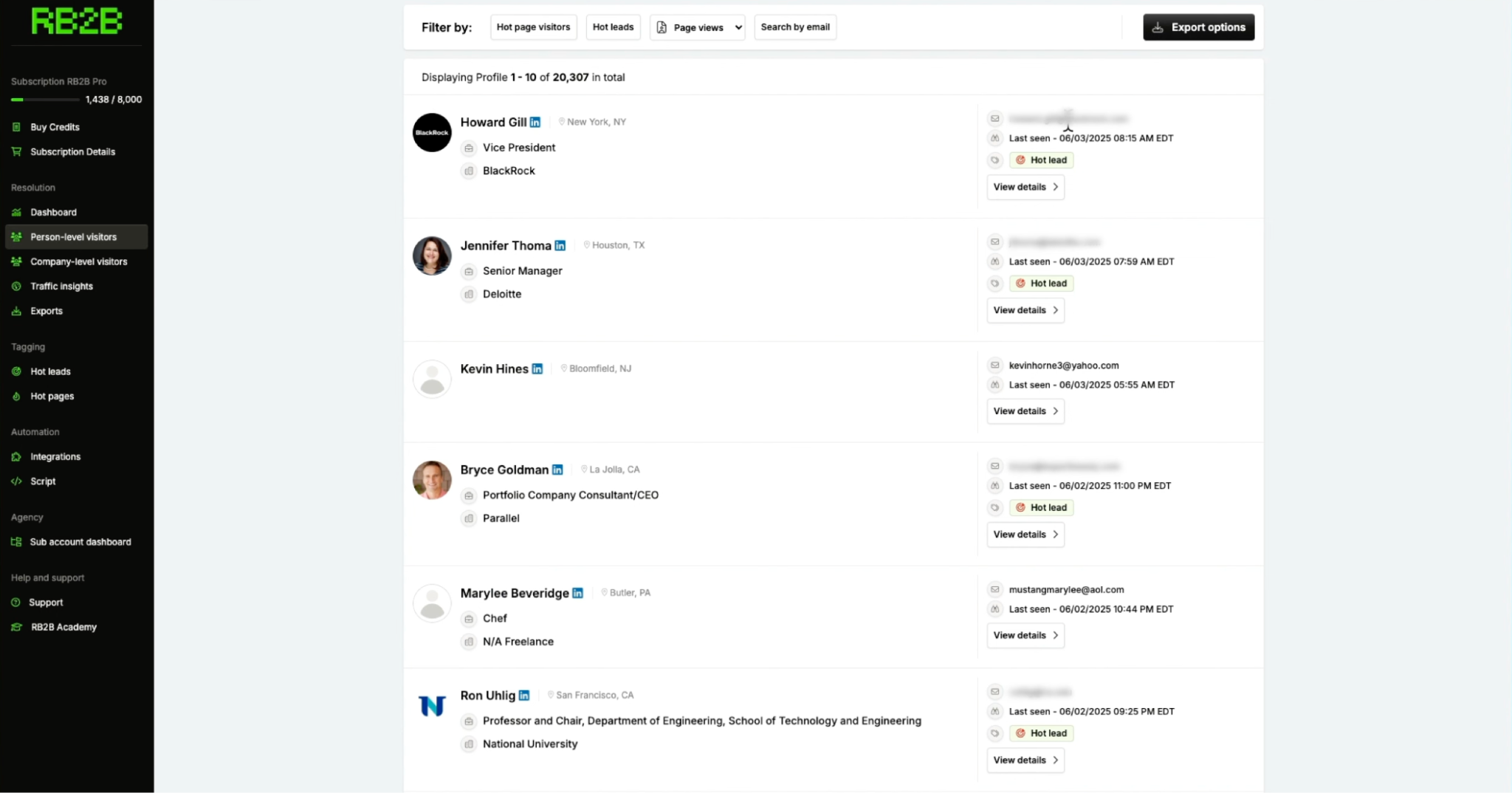
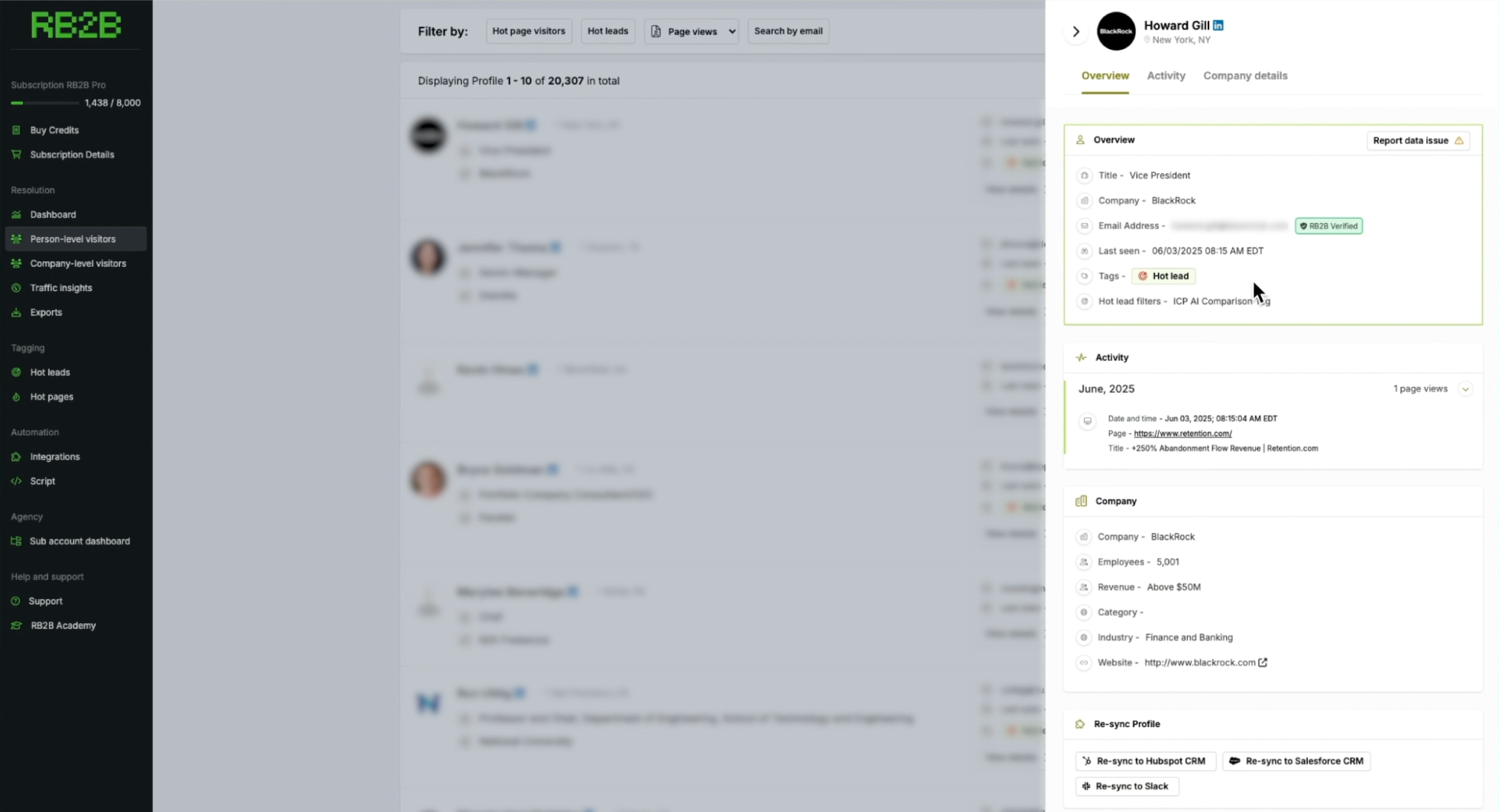
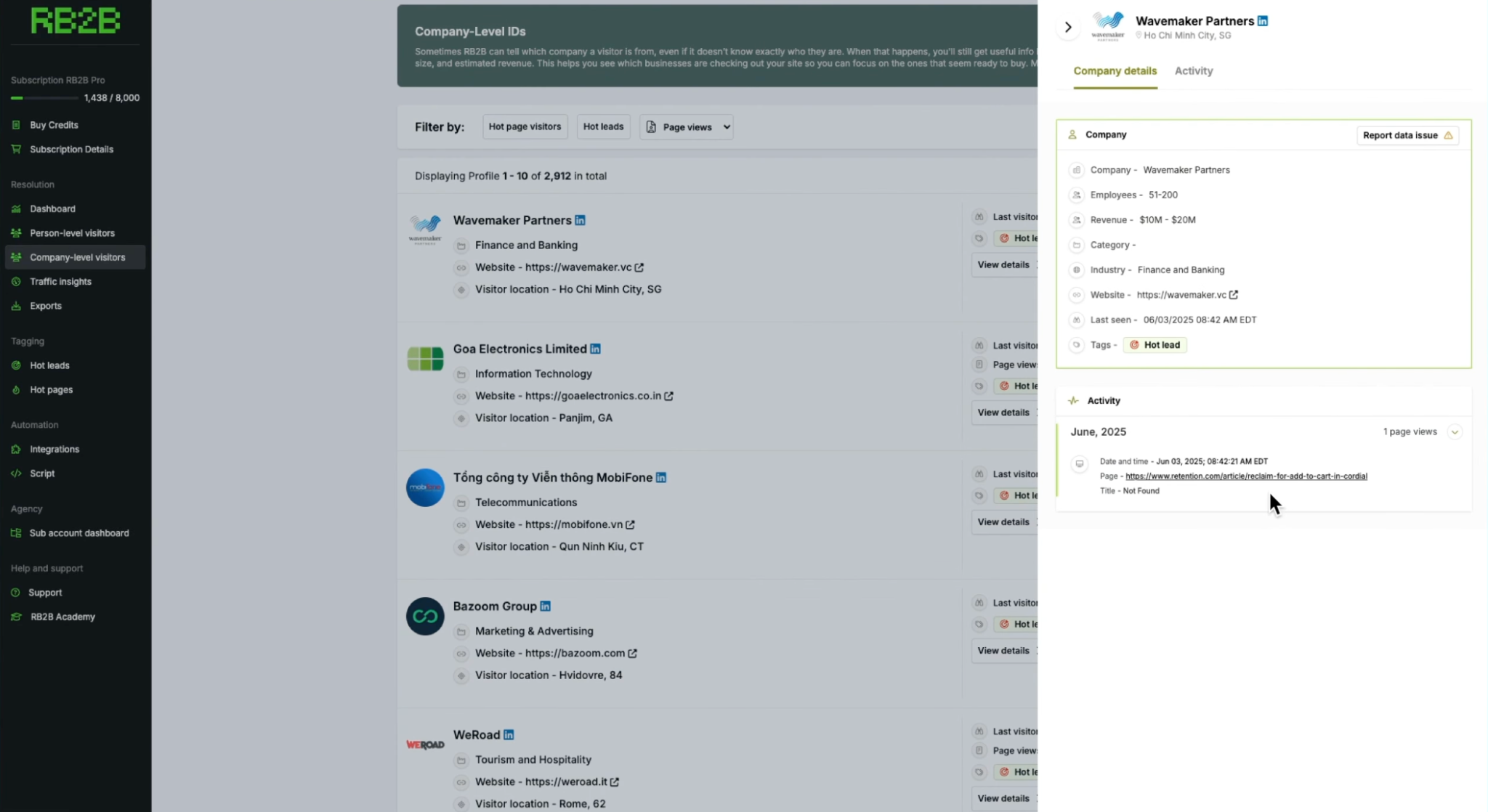
RB2B is a B2B website visitor identification platform that helps sales and marketing teams identify people and companies visiting their websites, even when those visitors do not submit a form. It can send identified visitor information, including names, LinkedIn profiles, available business email addresses, company details, and page-visit activity, to tools such as Slack, HubSpot, Salesforce, and Clay. This gives teams a way to act on website activity instead of treating every anonymous visit as a missed opportunity.
The idea is straightforward: rather than waiting for potential buyers to raise their hands, why not identify the ones you can and give your sales team a chance to start a conversation while their interest is fresh?
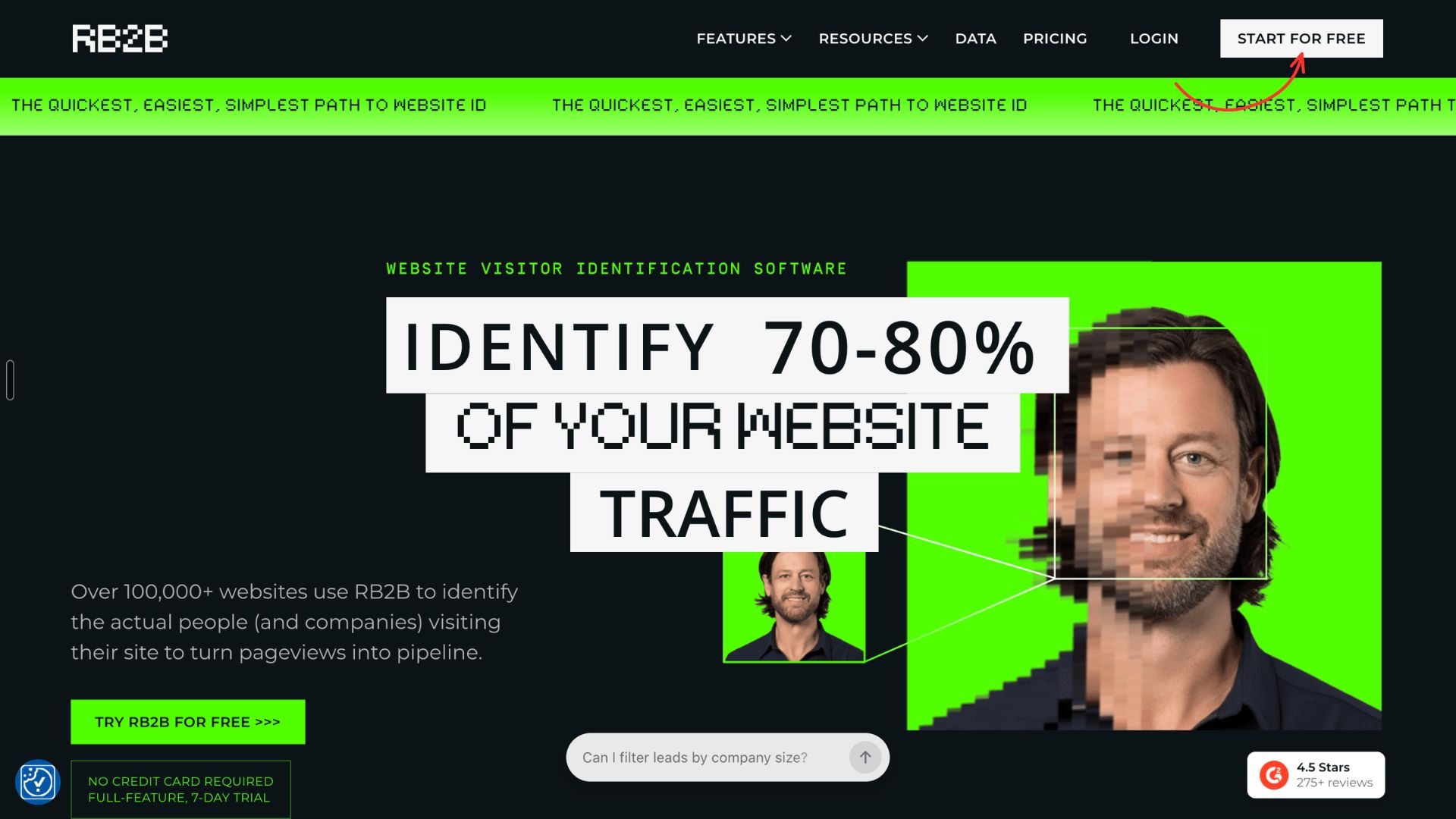
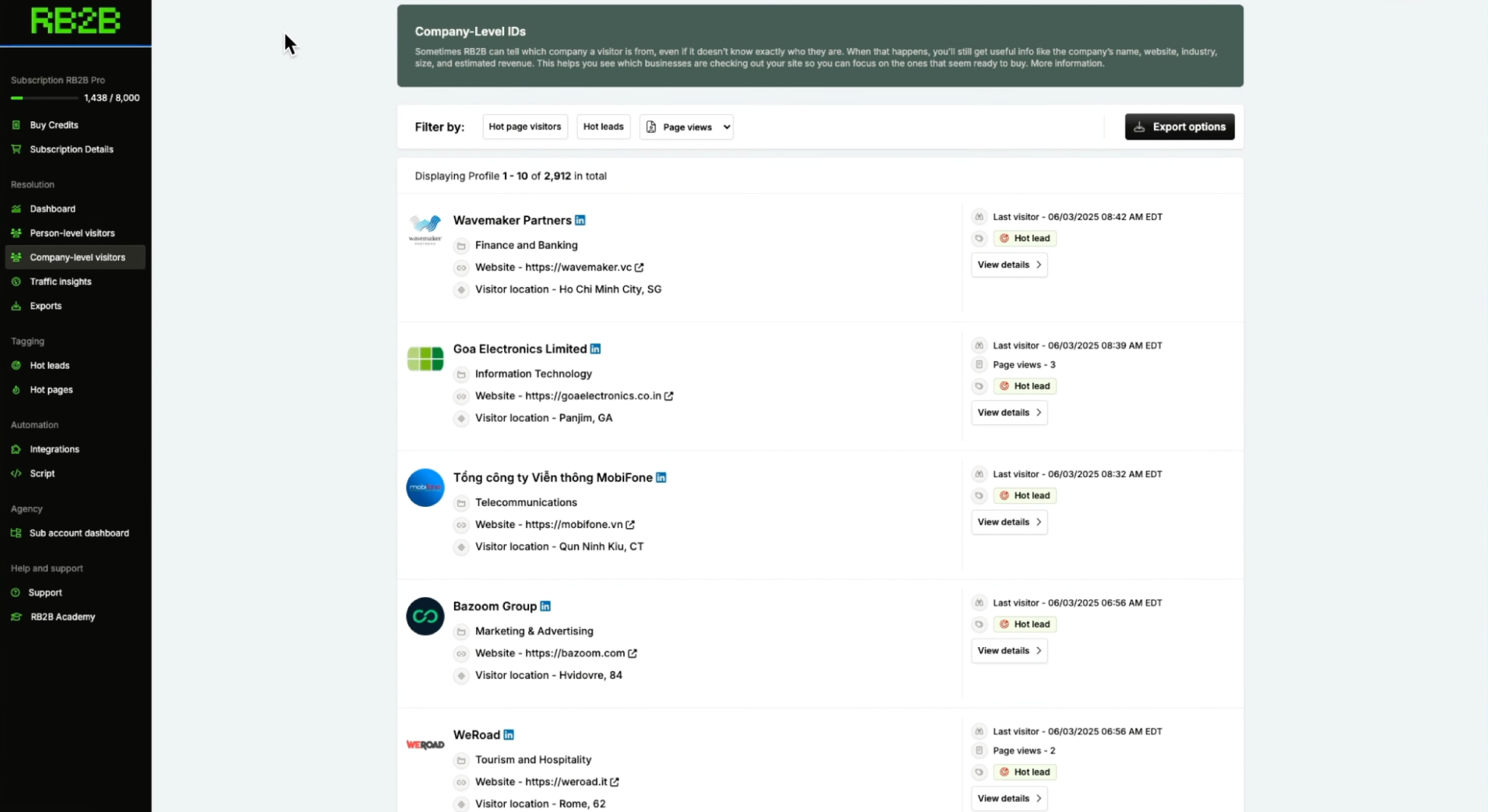
RB2B is built by Retention.com, an identity data company headquartered in Austin, Texas. Its website advertises identification of 70% to 80% of traffic by combining person-level identification in the United States with company-level identification globally. That figure combines two different types of identification, however. Knowing which company visited your site is not the same as identifying the individual who visited it.
What Does RB2B Mean?
RB2B is a B2B website visitor identification company that helps businesses identify people visiting their websites and turn anonymous traffic into actionable sales opportunities. The name reflects its focus on the B2B market, where businesses sell products and services to other businesses. Its core idea is simple: help sales and marketing teams identify who is visiting their website so they can engage potential buyers while their interest is fresh.
As founder Adam Robinson put it in a May 2026 update, the brand association RB2B wanted to establish was “RB2B = WEBSITE ID.”
Who Founded RB2B? Who Is the CEO of RB2B?
Adam Robinson is the founder and CEO of RB2B. He also founded Retention.com, the identity data business behind the product. Robinson had already built a business around identity data before launching RB2B, giving him a foundation in the technology and data infrastructure required to identify website visitors.
What makes his approach interesting is that he did not rely on a conventional venture-funded startup playbook. Instead, he built an audience, shared the product-development journey publicly, tested pricing, and used feedback from potential customers to refine the product.
The Story Behind RB2B: From Anonymous Traffic to a Fast-Growing Product
RB2B launched on March 1, 2024, with a focused proposition: identify individual people visiting a B2B website, rather than stopping at the company-level information offered by traditional reverse-IP identification tools.
Before launch, Robinson and his team spent months building an audience and speaking with potential buyers. Robinson later said the team conducted discovery with more than 300 people and generated a waitlist of around 1,600 signups. The goal was to validate demand and build an audience before investing heavily in a finished product.
The early product was far from perfect. Robinson has openly described experimenting with a $495 monthly price, struggling to convert free users into paying customers, and learning that different customers needed different pricing and features. The breakthrough came when the team built a Slack integration that sent a visitor's LinkedIn profile into a channel in real time.
That made the product's value immediately tangible. Instead of showing a marketer another analytics dashboard, RB2B could surface a person's profile and make a website visit feel like an actionable sales signal. Robinson said the reaction to this experience convinced him the team had found something valuable. The team made the Slack experience free, then developed its paid plans and additional capabilities around that initial use case.
The broader lesson is that RB2B did not begin with an attempt to build an all-in-one sales platform. It started with one clear problem, made the core experience easy to understand, and used founder-led marketing and customer feedback to grow. The company subsequently added capabilities such as ICP filtering, CRM integrations, and company-level identification.
RB2B Revenue Trajectory: How Fast Did It Grow?
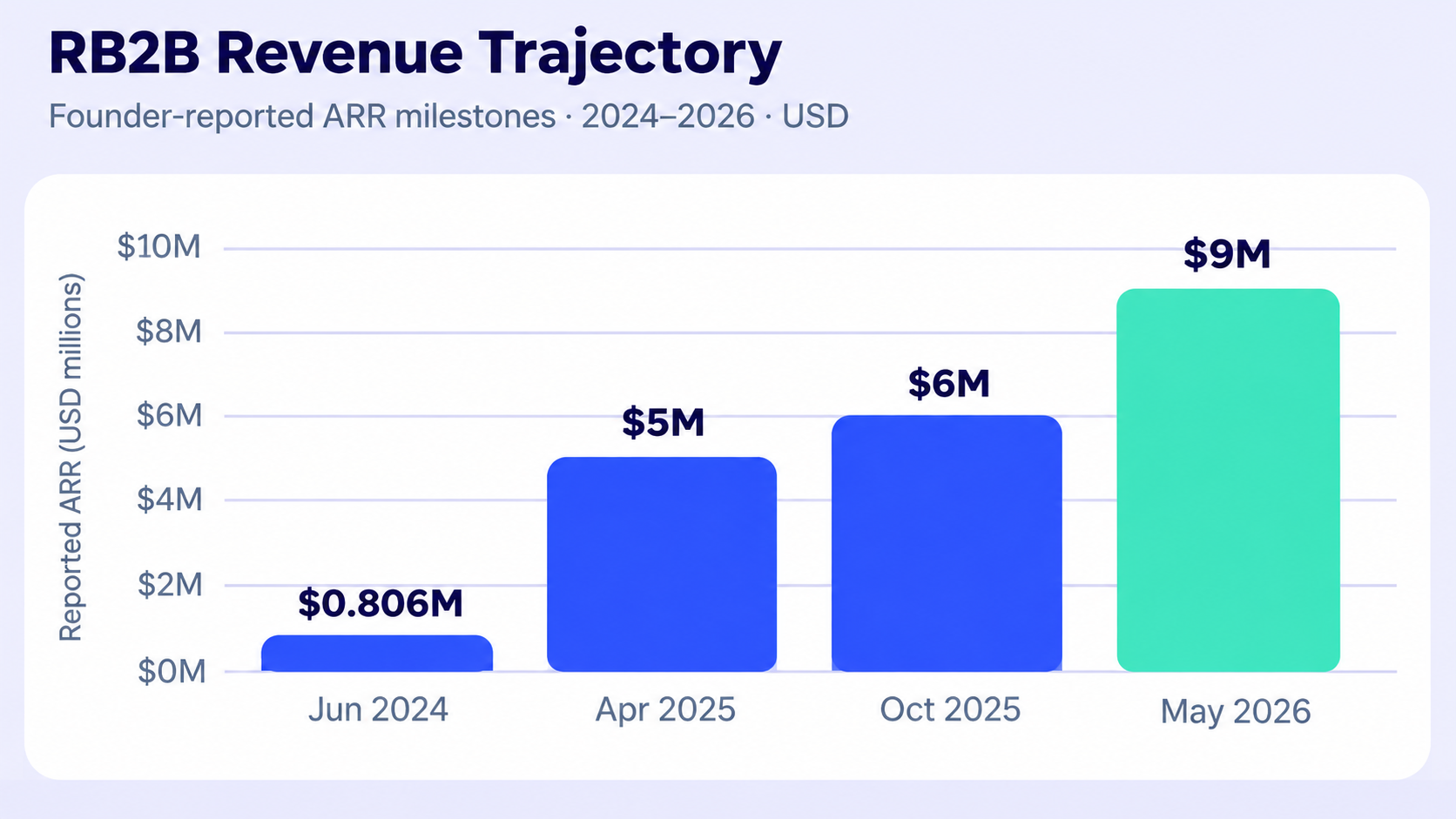
RB2B's growth is one of the most notable parts of its story. Robinson has shared revenue milestones publicly, allowing readers to follow the company's progress. These figures are founder-reported annual recurring revenue (ARR), not independently audited revenue.
Milestone
Reported ARR
Context
June 2024
Approximately $806,000
Robinson reported reaching this level around 13 weeks after launch.
April 2025
$5 million
Robinson reported $5 million ARR after 13 months, with 1,850 paying customers.
October 2025
$6 million
Robinson described reaching $6 million ARR with a team of three and no venture capital.
May 2026
$9 million
Robinson reported that RB2B had crossed $9 million ARR the previous week.
The trajectory is striking: Robinson reported that RB2B went from launch to more than $800,000 in ARR in roughly three months, reached $5 million in ARR after 13 months, and crossed $9 million by May 2026. Those are substantial milestones for a company that has emphasized a small team and a self-funded model.
But growth was not a straight line. Robinson has also discussed pricing mistakes, customer churn, and periods when the product experience needed improvement. In other words, RB2B's story is not simply about rapid acquisition. It also illustrates the challenge of turning early demand into a product customers continue paying for.
Has RB2B Raised Any Funding?
RB2B's reported growth has been bootstrapped, without outside venture capital, according to Robinson's public accounts. In his June 2024 update, he explicitly described the business as having reached approximately $806,000 ARR with zero funding. In later posts, he continued to emphasize that the company was growing without venture capital.
This does not mean RB2B had no resources behind it. The product was built by a team connected to Retention.com, an existing identity data business. Robinson has explained that this broader data infrastructure helped the company offer its product at a low marginal cost. The distinction matters: RB2B's growth story is not that it raised a large funding round and spent the money to acquire customers. It is that it leveraged an existing business, a founder-led audience, a simple product experience, and a lean operating model.
What Makes RB2B's Story Different?
Three things stand out.
First, the product addresses a familiar gap in B2B marketing: website analytics can show interest, but they do not necessarily tell sales teams which individual prospects are behind it.
Second, distribution played a major role. Robinson built an audience before launch and shared the company's progress publicly, helping attract potential customers without relying entirely on paid acquisition.
Third, RB2B kept its initial promise narrow. Its core job was to identify website visitors and make that information actionable. Rather than requiring teams to replace their existing sales stack, it could feed visitor signals into tools they already used.
Of course, identifying a visitor does not automatically make that person a qualified lead or guarantee a sale. Coverage, match accuracy, data quality, privacy requirements, and follow-up workflows all affect how much value a business gets from the platform. Those are important considerations when evaluating RB2B beyond its growth story.
How Does RB2B Work? How to Use RB2B
RB2B works by identifying website visitors when a match is available, then sending their information to the tools your sales team uses. Once you install its tracking script, visitor identification runs in the background, so you don't have to manually check every website session.
Getting started is relatively straightforward. Here's how to set it up.
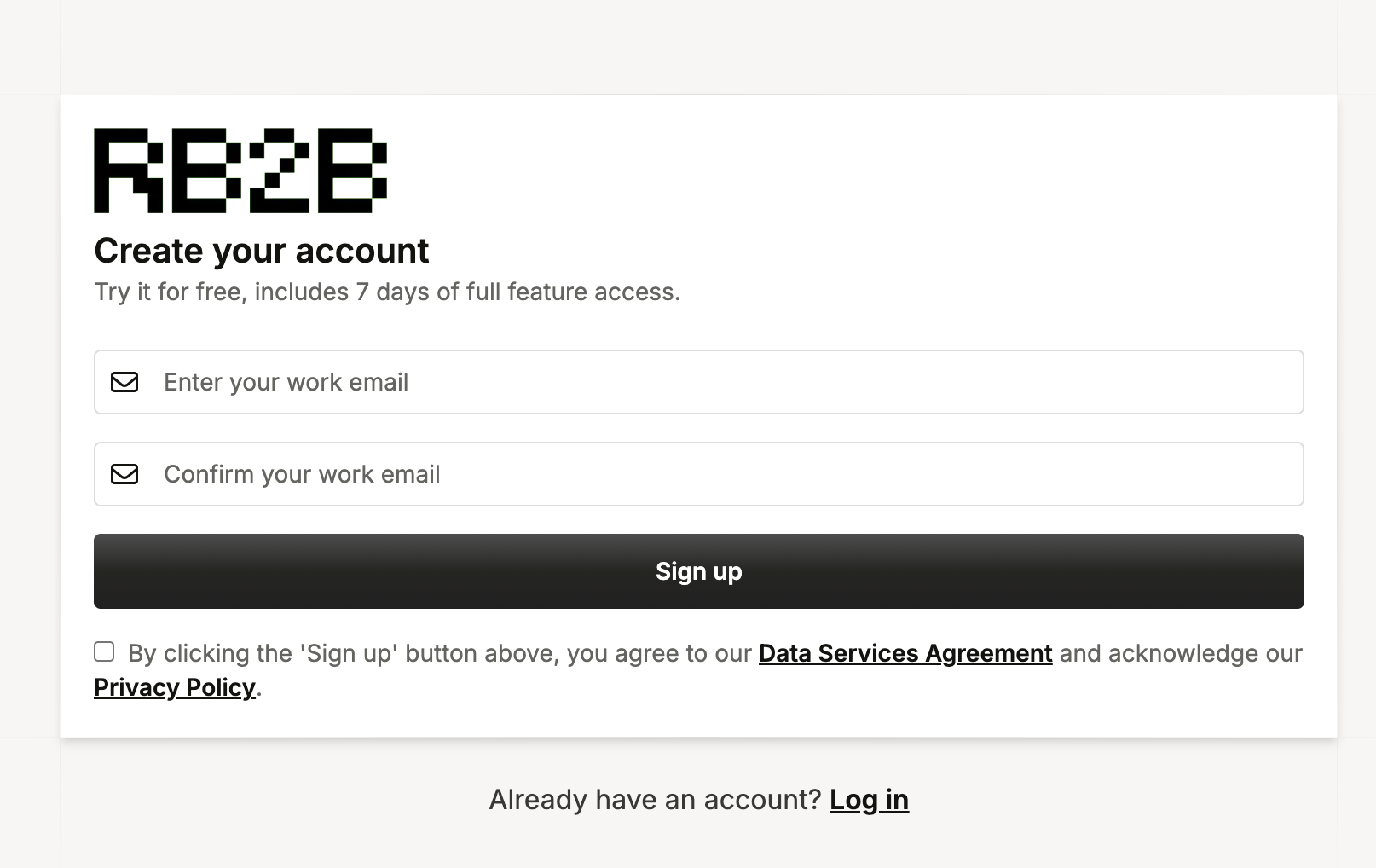
Step 1: Create Your RB2B Account
Head to the official RB2B website and click Start for Free. Enter your work email, verify it if prompted, and follow the signup steps to create your account.
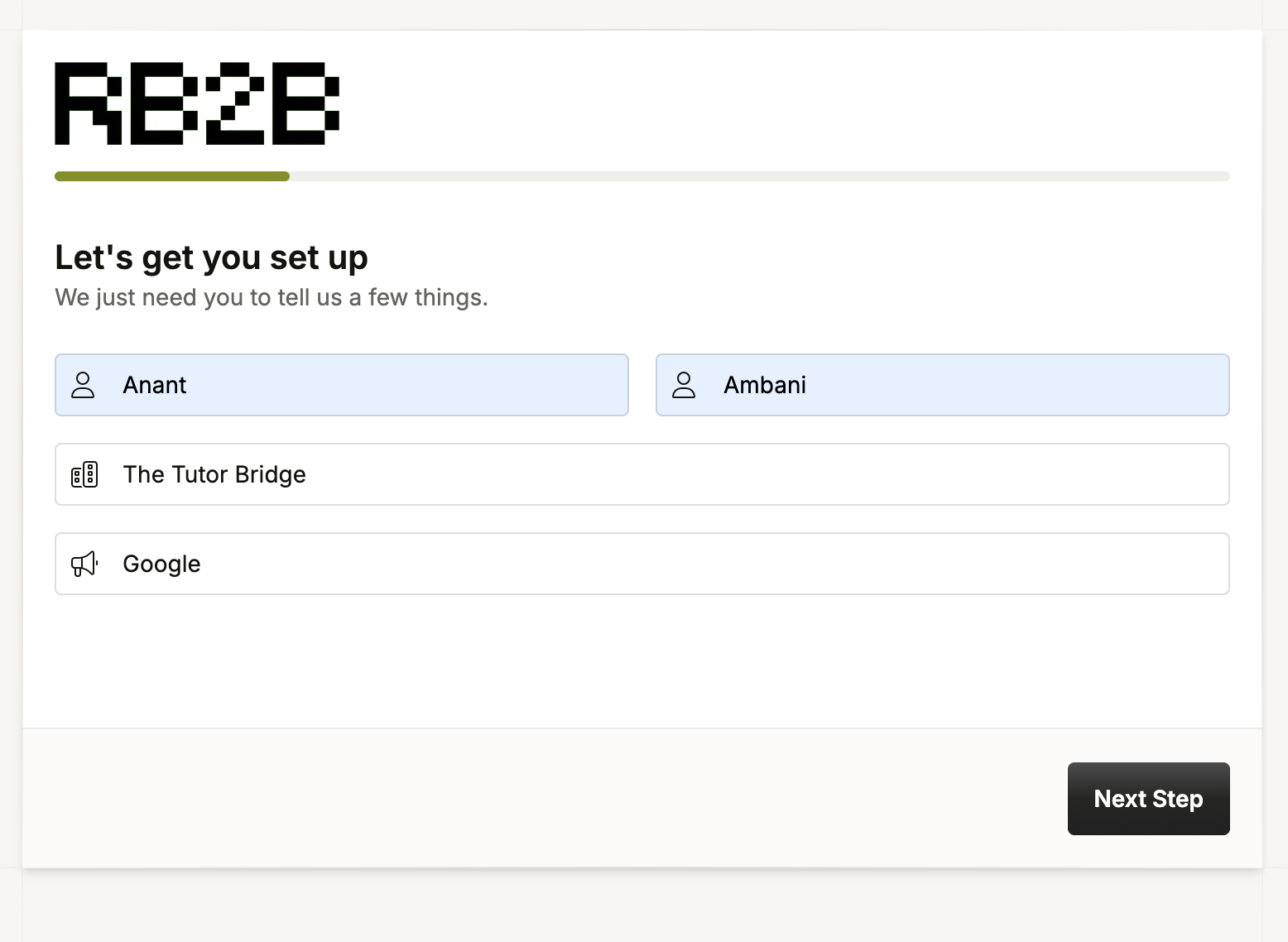
Step 2: Enter Your Details
Fill in the requested information about yourself and your company. RB2B uses these details to configure your account and tailor the initial setup to your sales workflow.
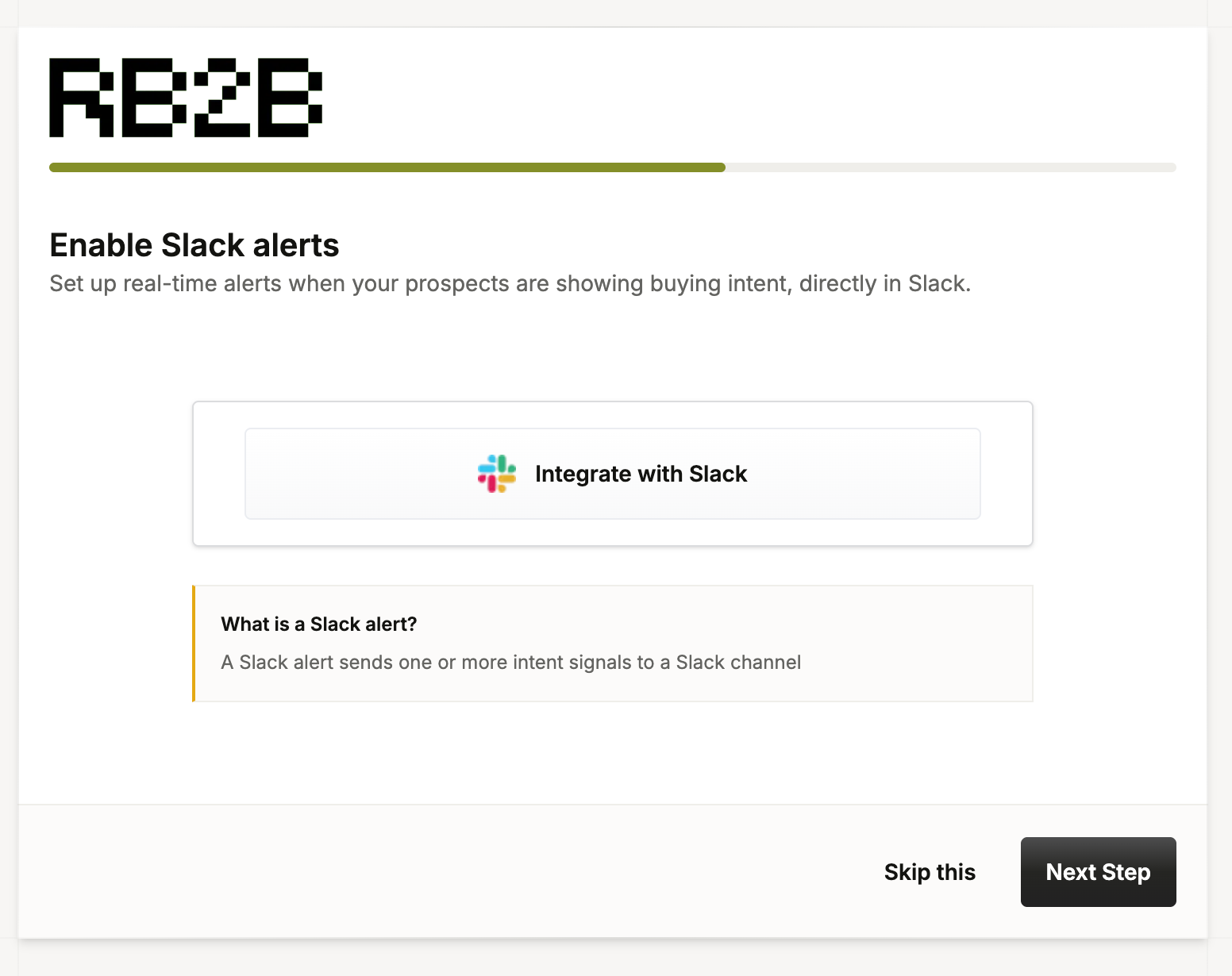
Step 3: Connect Slack (Optional)
RB2B can send visitor identification alerts to Slack, allowing your sales team to see relevant activity without constantly checking another dashboard.
Select Slack during onboarding if you want to enable this workflow. If you don't use Slack, skip this step and configure another supported integration later.
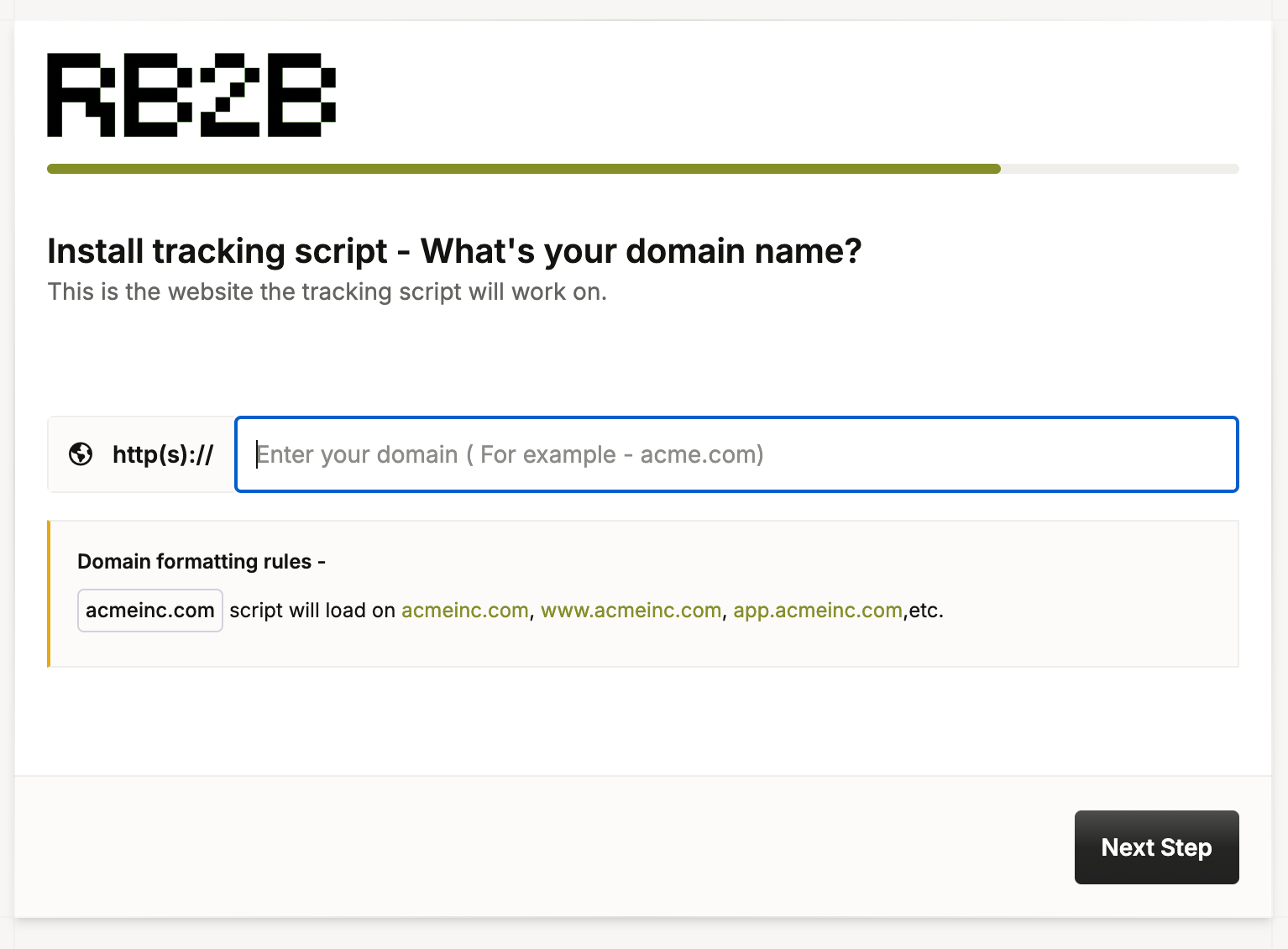
Step 4: Add Your Website Domain
Enter the domain you want RB2B to track. Double-check that you've added the correct website before moving on to the tracking setup.
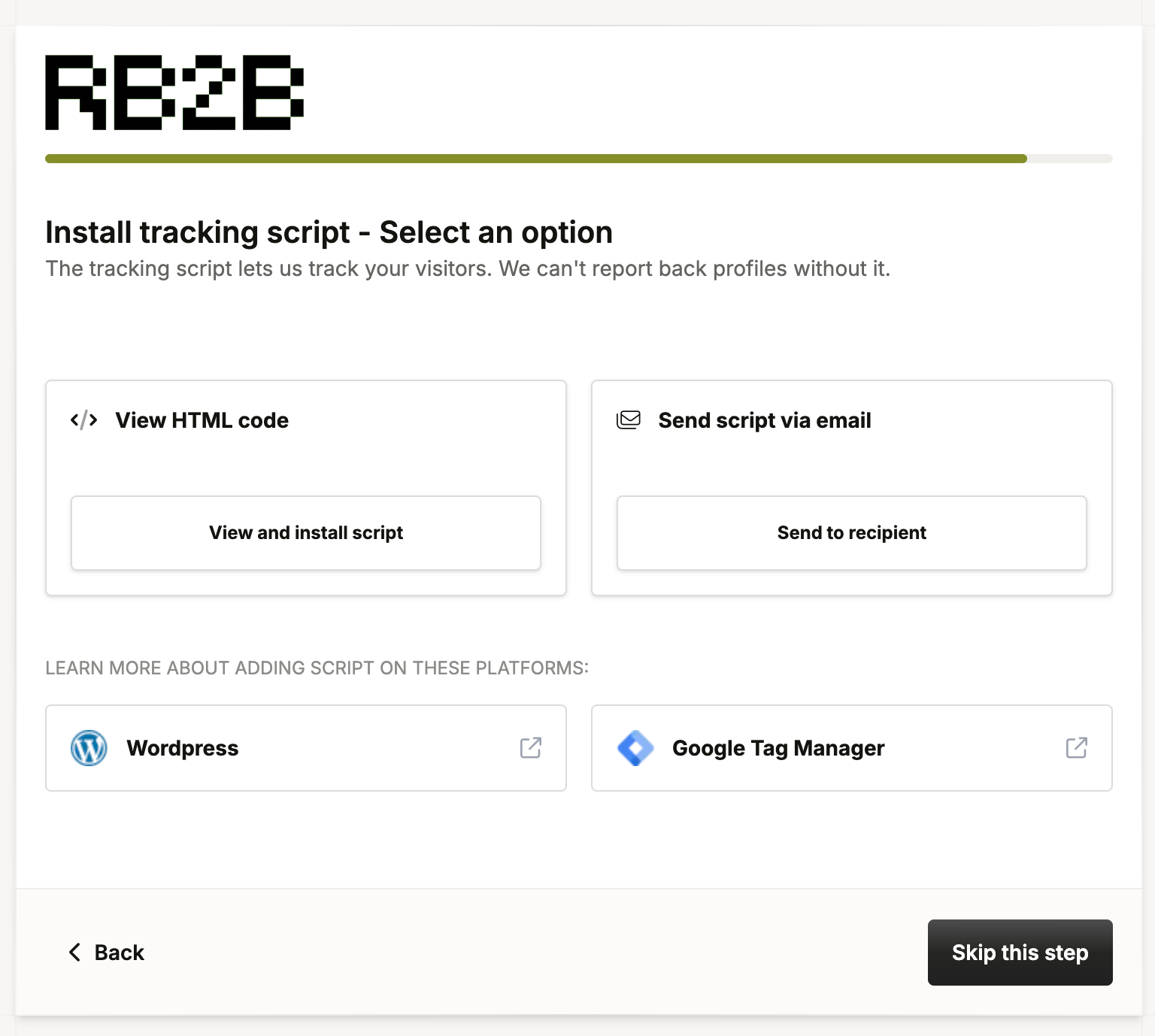
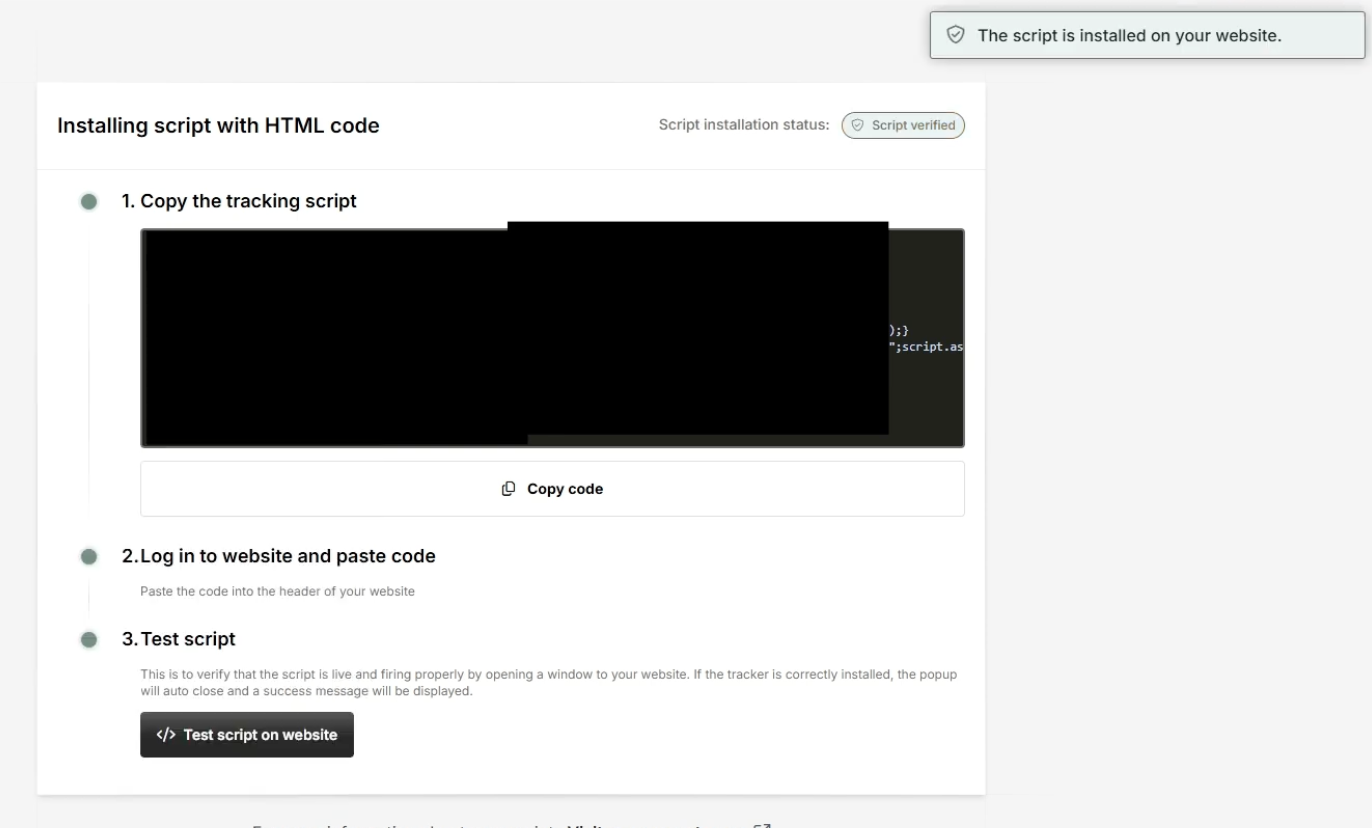
Step 5: Install the RB2B Tracking Script
RB2B will provide a tracking script for your website. Depending on the setup options presented, you can view the HTML code directly or request the script by email.
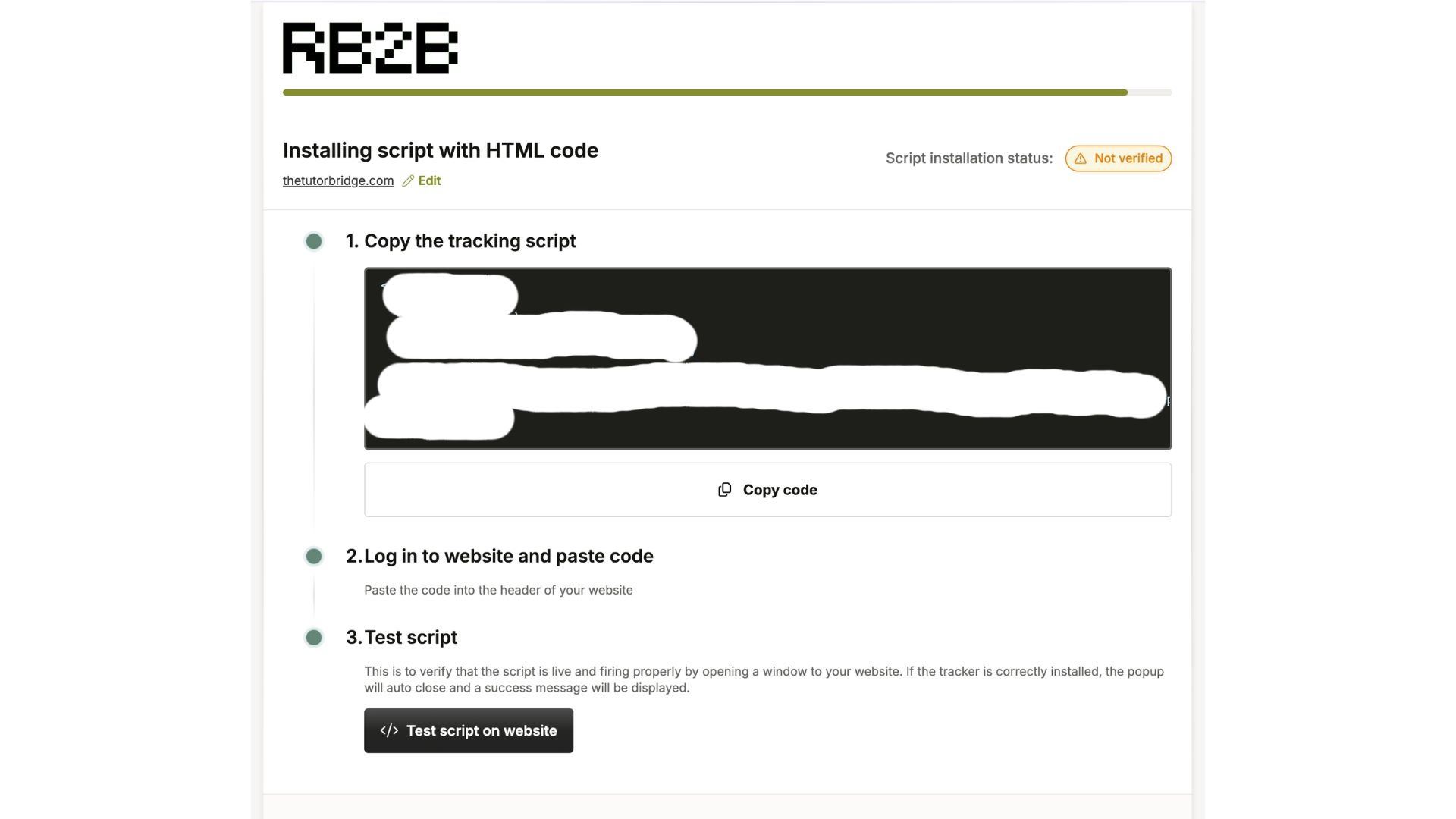
Copy the script and add it to your website's code, typically in the header area as instructed by RB2B. If you're using a CMS such as WordPress, you can add it through an appropriate header-code or script-management method. If you have a developer, they can handle the installation.
Make sure the script is installed on the pages where you want RB2B to track visitor activity.
Step 6: Test and Verify the Installation
Return to RB2B and click Test Script. Follow the verification instructions to confirm that the tracking script has been installed correctly.
Don't skip this step. If the script isn't detected, check that the code was added to the correct website and location, then test again.
Step 7: Configure Your Visitor Alerts and Integrations
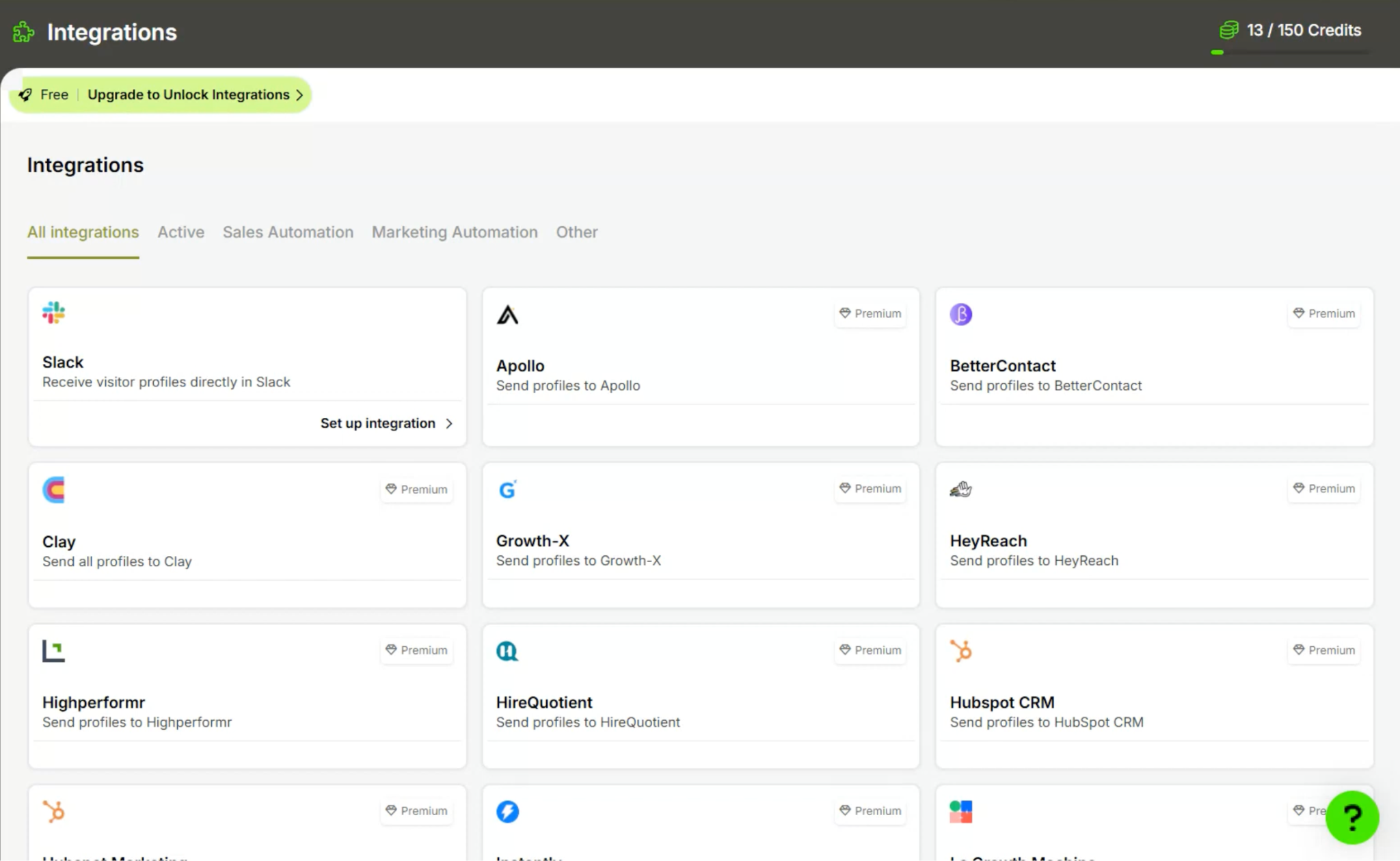
Once the script is verified, configure how you want to receive and use visitor data. You can use Slack alerts or connect supported tools such as HubSpot, Salesforce, Clay, and other platforms through RB2B's available integrations.
For example, you might send identified visitors to Slack for manual follow-up, or pass visitor activity into your CRM to support lead scoring, routing, and automated workflows.
Your available integrations and features depend on your RB2B plan and configuration.
What Can You Do After Installing the RB2B Script?
Here's where RB2B becomes useful. Installing the script is the setup step; the real value comes from acting on the visitor signals it provides.
1. Identify potential buyers who visit your website.
When RB2B can match a visitor, it can provide available identity and company information, such as a name, LinkedIn profile, business email, or company details. This gives your team a starting point for researching and contacting potential buyers who haven't filled out a form.
2. See which visitors view high-intent pages.
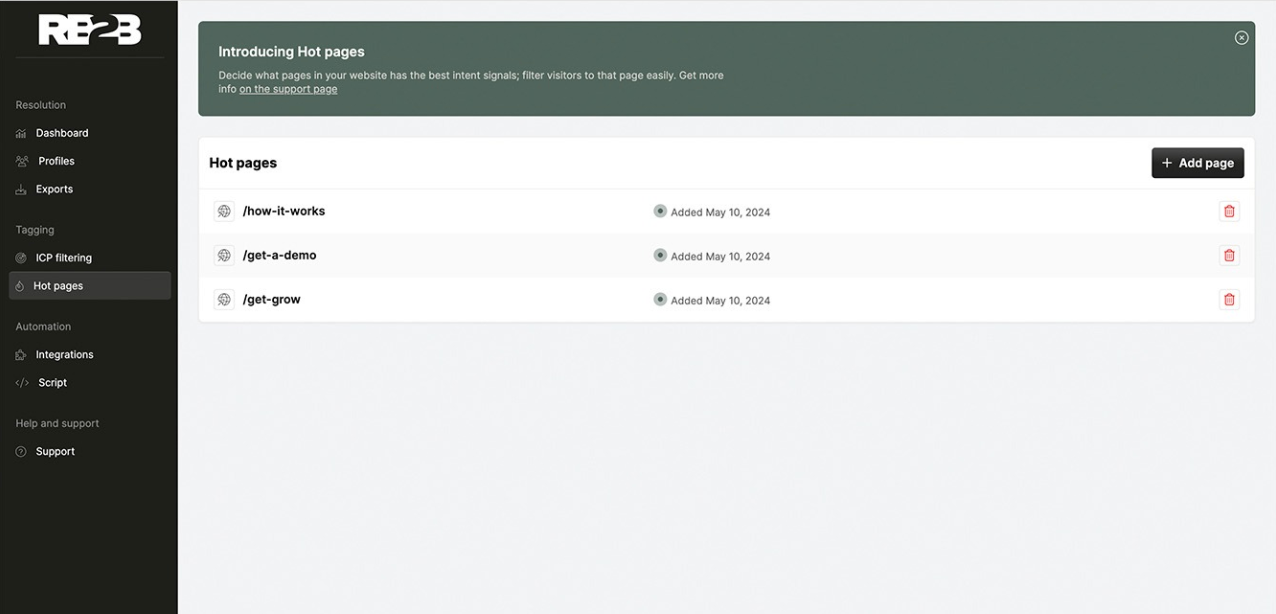
Use Hot Pages to flag pricing pages, product demos, case studies, and other URLs that may indicate buying interest. When an identified visitor views one of these pages, your team can use that signal to prioritize follow-up.
3. Filter visitors against your ideal customer profile.
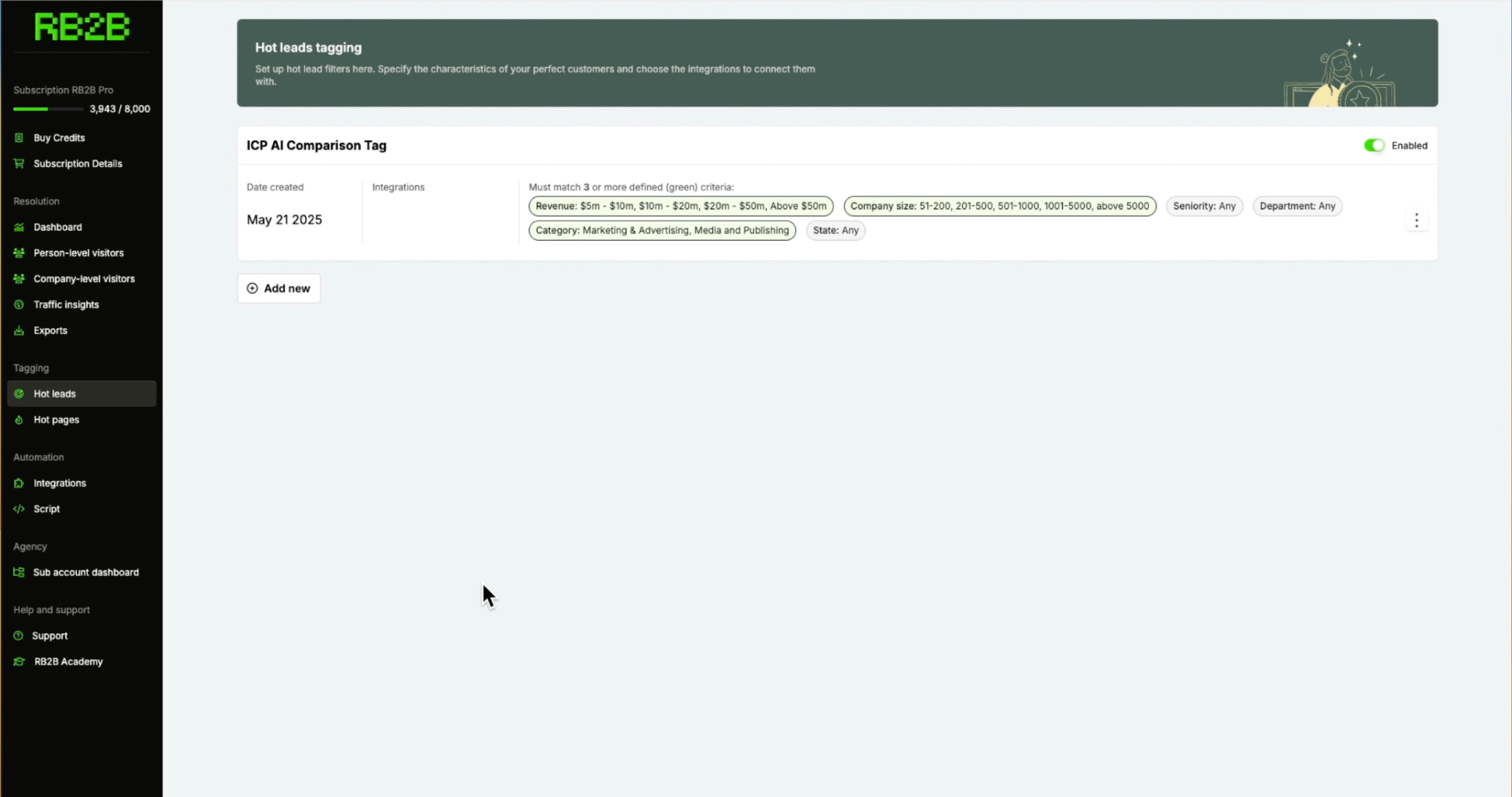
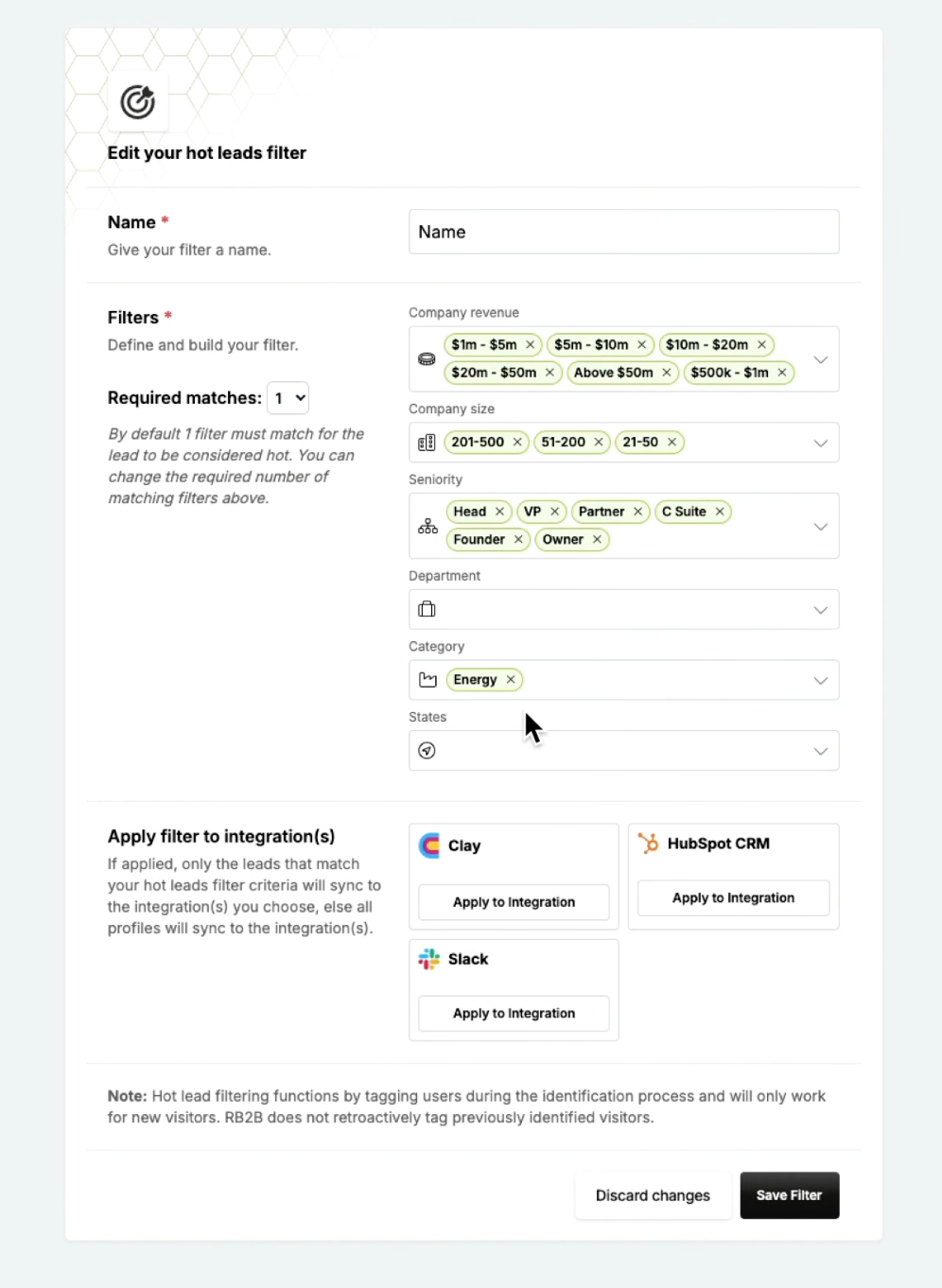
Use Hot Leads to tag visitors who match your ICP criteria, including company size, revenue, seniority, department, category, and geography. This helps your team focus on visitors who are a better fit for your product rather than treating every identified person as a qualified lead.
4. Send visitor alerts to your sales team.
Connect Slack or another supported destination to surface relevant visitor activity. Your reps can review who visited, which pages they explored, and whether the visitor matches your target audience before deciding how to follow up.
5. Trigger CRM workflows and outreach.
With supported integrations, visitor signals can flow into HubSpot or Salesforce to inform lead scoring, account-owner alerts, assignment, routing, and follow-up workflows. You can also connect tools such as Clay and supported outreach platforms to enrich records and personalize campaigns.
6. Analyze visitor and campaign activity.
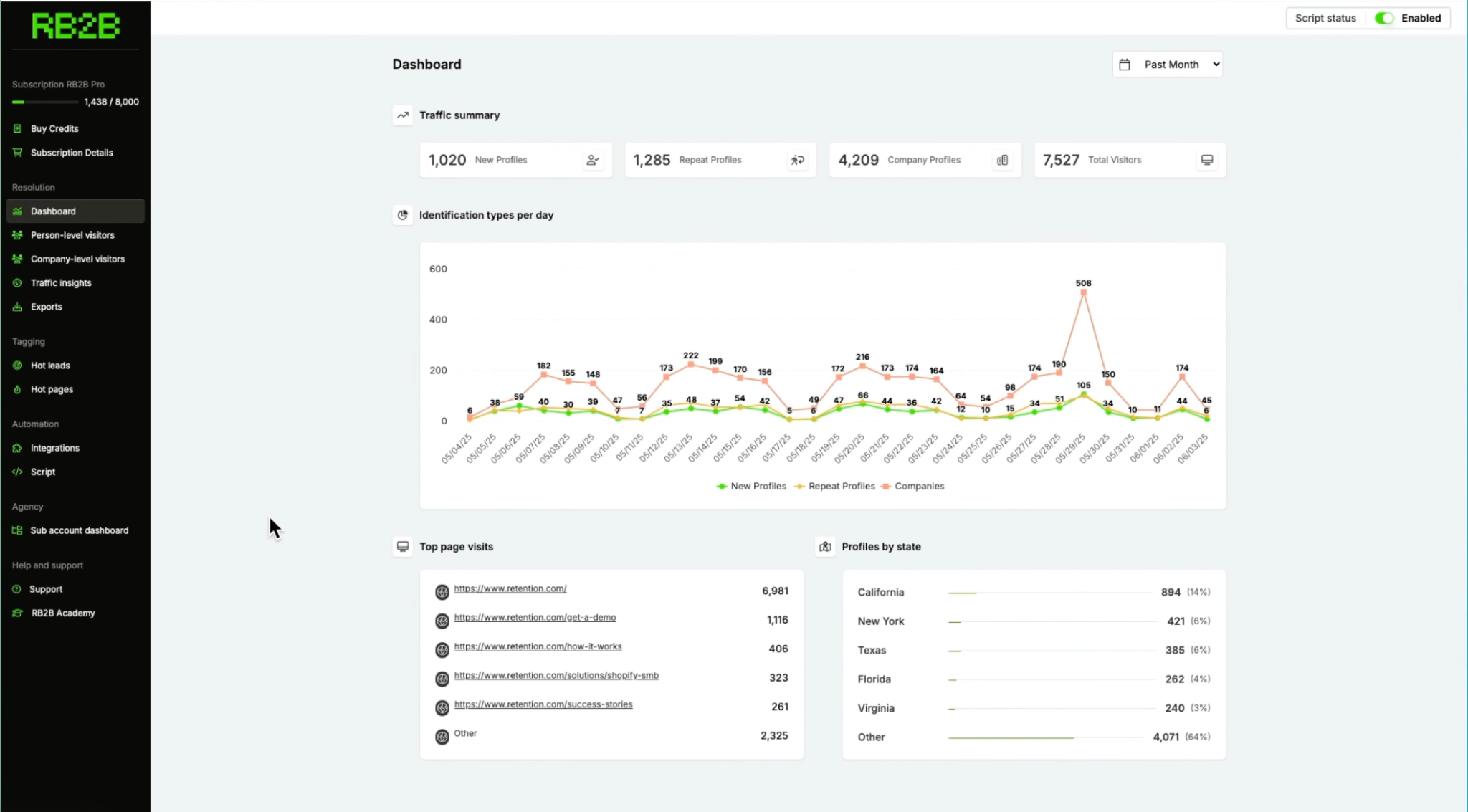
Use Traffic Insights to examine identified visitors by page and available company or job attributes, and to analyze campaign UTMs. This can help you understand which campaigns and pages attract visitors who fit your target market.
7. Exclude irrelevant traffic.
Configure Page Suppression to exclude selected domains, URLs, or lists, such as internal traffic or competitors. This helps reduce noise before visitor activity reaches your sales workflows.
RB2B Features and Solutions
RB2B is more than a tool for identifying anonymous website visitors. It helps B2B sales and marketing teams turn visitor activity into actionable sales signals, prioritize the people most likely to buy, and move those signals into their existing workflows.
Its features focus on three key questions: Who is visiting your website? Which visitors are worth prioritizing? And how can your team act on that information?
RB2B Features at a Glance
Feature
What it does
Best use case
Website Visitor Identification
Identifies individual website visitors where person-level matching is available and provides company-level identification in supported markets.
Discover potential buyers who visit without filling out a form.
Hot Pages
Flags visitors who view high-intent pages, such as pricing, product demos, and case studies.
Prioritize visitors showing buying signals.
Hot Leads (ICP Filtering)
Filters and tags visitors against ICP criteria, including company size, revenue, seniority, department, industry/category, and geography.
Focus sales efforts on visitors who fit your target customer profile.
Page Suppression
Excludes selected domains, URLs, or lists to reduce internal, competitor, and irrelevant traffic.
Keep noisy or unwanted visitor activity out of sales workflows.
Traffic Insights
Breaks down identified traffic by page, company and job attributes, and campaign UTMs.
Understand which pages and campaigns attract relevant visitors.
HubSpot Integration
Sends identified visitor data and page-view activity into HubSpot for workflows, lead scoring, alerts, and follow-up.
Turn website visits into CRM actions.
Salesforce Integration
Sends visitor signals into Salesforce to support lead routing, account-owner alerts, and sales workflows.
Give reps visibility into account activity.
50+ Integrations
Connects with tools such as Clay, Slack, Microsoft Teams, Instantly, Smartlead, HeyReach, Zapier, and webhooks.
Enrich visitor data and activate outreach across existing tools.
RB2B API
Provides an API option for teams that want to work with RB2B data programmatically.
Build custom workflows and integrations.
RB2B Insiders
Offers a founder community and growth program sharing GTM frameworks, templates, courses, and implementation support.
Learn from other founders and apply RB2B's reported growth playbook.
See Knock AI in Action — Book Your Live Demo Today
This is the foundation of RB2B. Traditional website analytics can tell you how many people visited a page, where they came from, and what they clicked. But they often leave you wondering who those visitors actually are.
RB2B attempts to close that gap by identifying individual visitors when person-level matching is available. For B2B teams, this can reveal potential buyers who have already shown interest but have not completed a form or booked a demo.
For example, imagine a prospect from a company that fits your target market visits your website, reads two product pages, and leaves. RB2B may be able to identify the person and provide a LinkedIn profile or other available information, giving your sales team a starting point for relevant outreach.
The important caveat is that identification is not guaranteed for every visitor. Match rates and data availability vary, and a visitor's identity alone does not establish that they are ready to buy.
2. Hot Pages: Identify Visitors Showing Buying Intent
Not all website visits carry the same level of intent. Someone reading a general educational article may be researching a topic, while someone repeatedly checking your pricing page or product demo may be evaluating a purchase.
RB2B's Hot Pages feature lets you designate high-intent URLs, such as pricing pages, case studies, and product demos. When an identified visitor views one of these pages, RB2B tags the activity so your team can prioritize follow-up.
This can make outreach more relevant. Rather than sending every prospect the same generic introduction, a sales rep can use the pages someone explored to decide what information or conversation might be most useful.
Hot Pages can also help marketing teams understand which content attracts prospects who fit their target market, connecting content engagement with sales activity.
3. Hot Leads: Filter Visitors by Your Ideal Customer Profile
Identifying a visitor is useful, but identifying someone who is unlikely to become a customer may not help your sales team much.
That's where Hot Leads, RB2B's ICP filtering feature, comes in. It lets teams define criteria such as company revenue, company size, seniority, department, category, and geography, then tag visitors who match their ideal customer profile.
Suppose you sell software to mid-market SaaS companies in the United States. You could use ICP criteria to help prioritize visitors from companies and job functions that fit your target audience rather than treating every identified visitor equally.
These tags can then inform routing, alerts, and outreach workflows through connected tools.
Hot Pages and Hot Leads serve different purposes: Hot Pages highlights what a visitor did, while Hot Leads helps determine whether that visitor fits your target customer profile. Used together, they can help sales teams prioritize visitors who both match their ICP and show relevant buying signals.
4. Page Suppression: Keep Irrelevant Traffic Out
Your website traffic includes more than potential customers. Employees may visit repeatedly, competitors may research your product, and people from industries you do not serve may browse your pages.
RB2B's Page Suppression feature lets you exclude traffic using selected domains, URLs, or lists. The aim is to reduce irrelevant activity before it reaches your sales team's Slack channels, CRM, or other connected workflows.
This is particularly useful for businesses with substantial website traffic, where internal visits and unrelated contacts can create noise.
Suppression does not make the underlying identification technology more accurate by itself. Instead, it helps control which traffic your team sees and acts on.
5. Traffic Insights: Understand Which Visitors and Campaigns Matter
RB2B's Traffic Insights provides a broader view of identified website activity. According to its product page, teams can examine visitors by page, company size, industry, job title, and other attributes, while using campaign UTMs to understand which marketing channels bring visitors to the site.
For example, a campaign might generate thousands of visits but attract few people who fit your ICP. Another campaign might generate less traffic but bring in more relevant companies and decision-makers.
Traffic Insights can help teams investigate that difference and make better-informed decisions about content, campaigns, and sales priorities. It complements analytics platforms by focusing on the visitor and company attributes RB2B can identify, rather than replacing general web analytics.
6. CRM Integrations: Turn Visitor Signals Into Sales Actions
Visitor identification becomes more useful when the information reaches the people and systems responsible for following up.
RB2B integrates with HubSpot and Salesforce, allowing teams to bring identified visitor information and page-view activity into their CRM. Depending on the setup, these signals can support lead scoring, account-owner alerts, assignment, routing, and automated follow-up.
RB2B also supports integrations with tools such as Clay for enrichment and personalization, Slack and Microsoft Teams for notifications, and outreach platforms including Instantly, Smartlead, and HeyReach. Zapier and webhooks offer additional ways to connect the data to existing workflows.
The practical advantage is that teams do not necessarily need to manage another disconnected database. They can use visitor activity to inform the workflows they already run.
The results depend on implementation, data quality, CRM configuration, and the relevance of the outreach. An integration makes a workflow possible; it does not guarantee that the workflow will generate pipeline.
7. RB2B Insiders: A Separate Offering for B2B Founders
RB2B Insiders is different from the visitor-identification features above. It is a founder community and growth program built around the company's reported journey from $0 to $5 million ARR in 13 months.
The offering includes growth frameworks, templates, courses, workshops, and a program with weekly classes and office hours. Its stated focus is helping founders learn approaches to content, cold email, advertising, user-generated content, and lean go-to-market execution.
This is relevant to founders interested in RB2B's growth story, but it should not be confused with the core software used to identify website visitors.
So, what is RB2B's core value? It connects three steps: identifying website visitors, prioritizing those who fit your ICP or show buying intent, and sending the resulting signals into sales and marketing workflows. Its usefulness depends on how many visitors it can identify accurately and whether a business has a practical process for acting on those signals.
How Much Does RB2B Cost?
RB2B offers four pricing plans, ranging from a free plan to paid subscriptions starting at $79 per month. The main differences are the number of monthly resolutions, visitor identification capabilities, email enrichment, and access to integrations.
Basic resolution, LinkedIn profile URLs sent to Slack or Teams
Pro
From $149/month
600
Business email addresses, Hot Pages, Hot Leads, and integrations
Pro+
From $199/month
600
Premium Resolution, Identity Graph Waterfall, business emails, and integrations
Is RB2B Free?
Yes, RB2B has a free plan that costs $0 per month, and you can keep using it indefinitely. It also offers a seven-day trial of the full-featured experience, so you can test the paid capabilities before deciding whether to upgrade.
However, the free plan has limitations. It includes 150 monthly resolutions and company-level identification, but it does not include person-level identification, email addresses, or integrations beyond Slack. If you want to identify individual visitors and use their information for more advanced sales workflows, you'll need a paid plan.
What Is the Difference Between RB2B Pro and Pro+?
The biggest difference is the visitor identification capability.
Pro ($149/month): Includes basic resolution, business email addresses, Hot Pages, Hot Leads, and access to integrations such as HubSpot, Salesforce, and Clay.
Pro+ ($199/month): Adds Premium Resolution through the Identity Graph Waterfall, which is designed to improve person-level identification coverage.
According to RB2B's pricing table, the advertised U.S. contact-level identification coverage is 15% to 20% on Starter and Pro, compared with 35% to 45% on Pro+. These are advertised coverage figures, not guarantees for every website.
Are There Any Additional Costs?
Yes. Keep these extra charges in mind when comparing plans:
Resolution overages: Starter charges $0.45 per additional resolution, while Pro and Pro+ charge $0.25 per additional resolution.
Additional domains: Pro and Pro+ list additional domains at $99 per month for up to five domains.
Higher-volume usage: Businesses requiring more than the standard resolution allowances may need to contact RB2B for custom pricing.
Which RB2B Plan Should You Choose?
If you only want to explore company-level visitor identification and Slack alerts, the free plan is a sensible starting point. Starter may suit teams that want LinkedIn profile URLs without needing business email addresses or broader integrations.
For teams that want to connect visitor activity to their CRM, filter visitors by ICP, and track high-intent pages, Pro is the more practical starting point. Pro+ is worth evaluating if improving person-level identification coverage is a priority.
Before upgrading, consider your website traffic, expected monthly resolutions, target audience, and the workflows you intend to build. The most expensive plan is not automatically the best choice if your website receives relatively little relevant traffic.
Is RB2B Worth the Price?
RB2B is worth considering if your website attracts consistent B2B traffic and your sales team can turn identified visitors into qualified opportunities. The free plan is a good starting point, while Pro at $149/month offers business emails, ICP filtering, high-intent page tracking, and CRM integrations. However, the real value depends on the quality of identified visitors and how much pipeline they generate. Start with the free plan or trial, measure results, and upgrade only if the data justifies the cost.
RB2B Reviews from Real Users Across G2, Trustpilot, and Reddit
RB2B has received positive feedback for its ease of setup, visitor identification, and ability to turn website activity into sales opportunities. However, customer reviews also raise concerns about identification coverage, contact accuracy, lead filtering, integrations, and pricing.
To understand the trade-offs, we looked at named G2 reviews, customer complaints on Trustpilot, and discussions in the B2B marketing community on Reddit.
RB2B Reviews from G2
What Users Like About RB2B
1. Easy setup and a quick learning curve
Ease of implementation is one of the most frequently mentioned advantages in G2's review summaries.
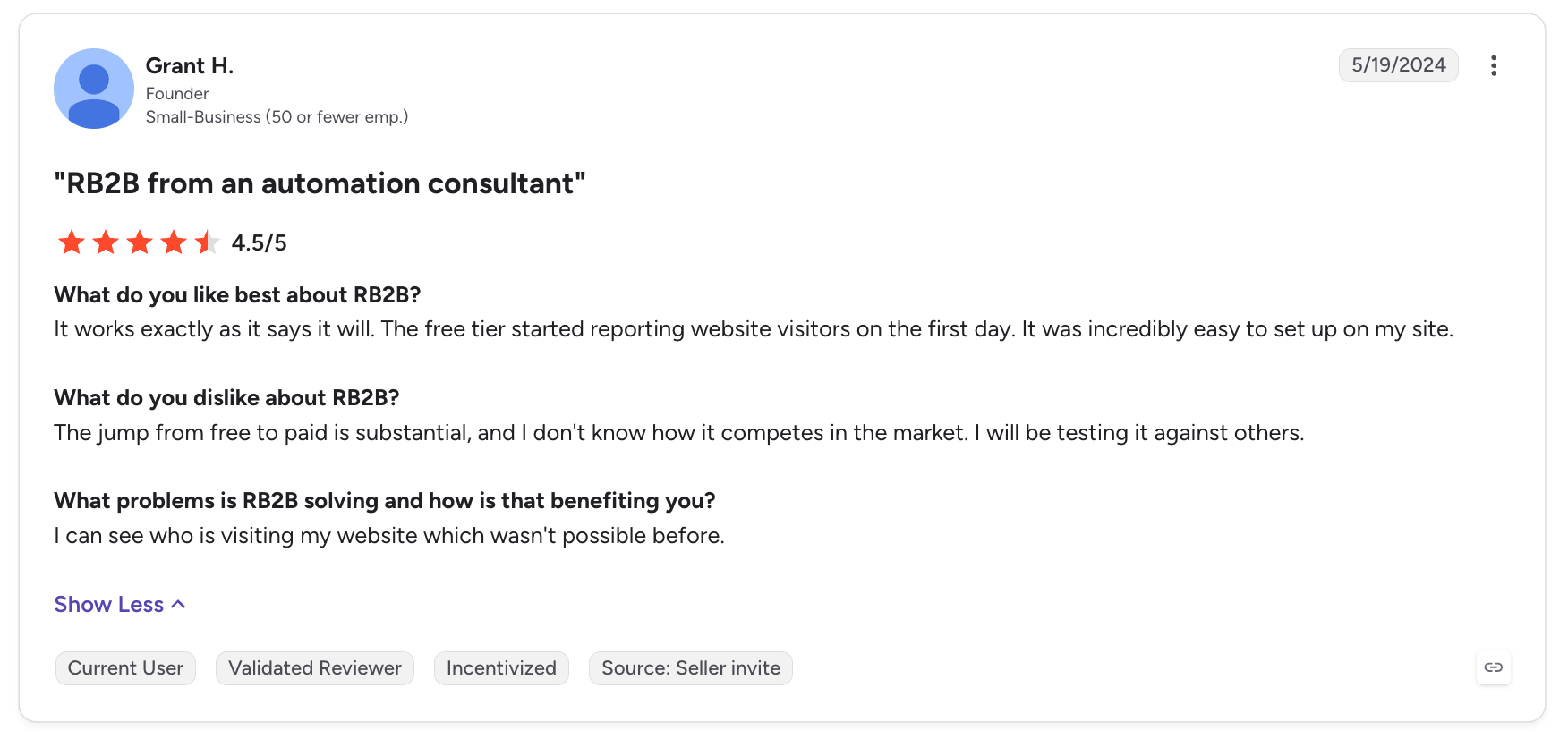
Grant H., in his review titled "RB2B from an automation consultant", wrote:
It works exactly as it says it will. The free tier started reporting website visitors on the first day. It was incredibly easy to set up on my site.
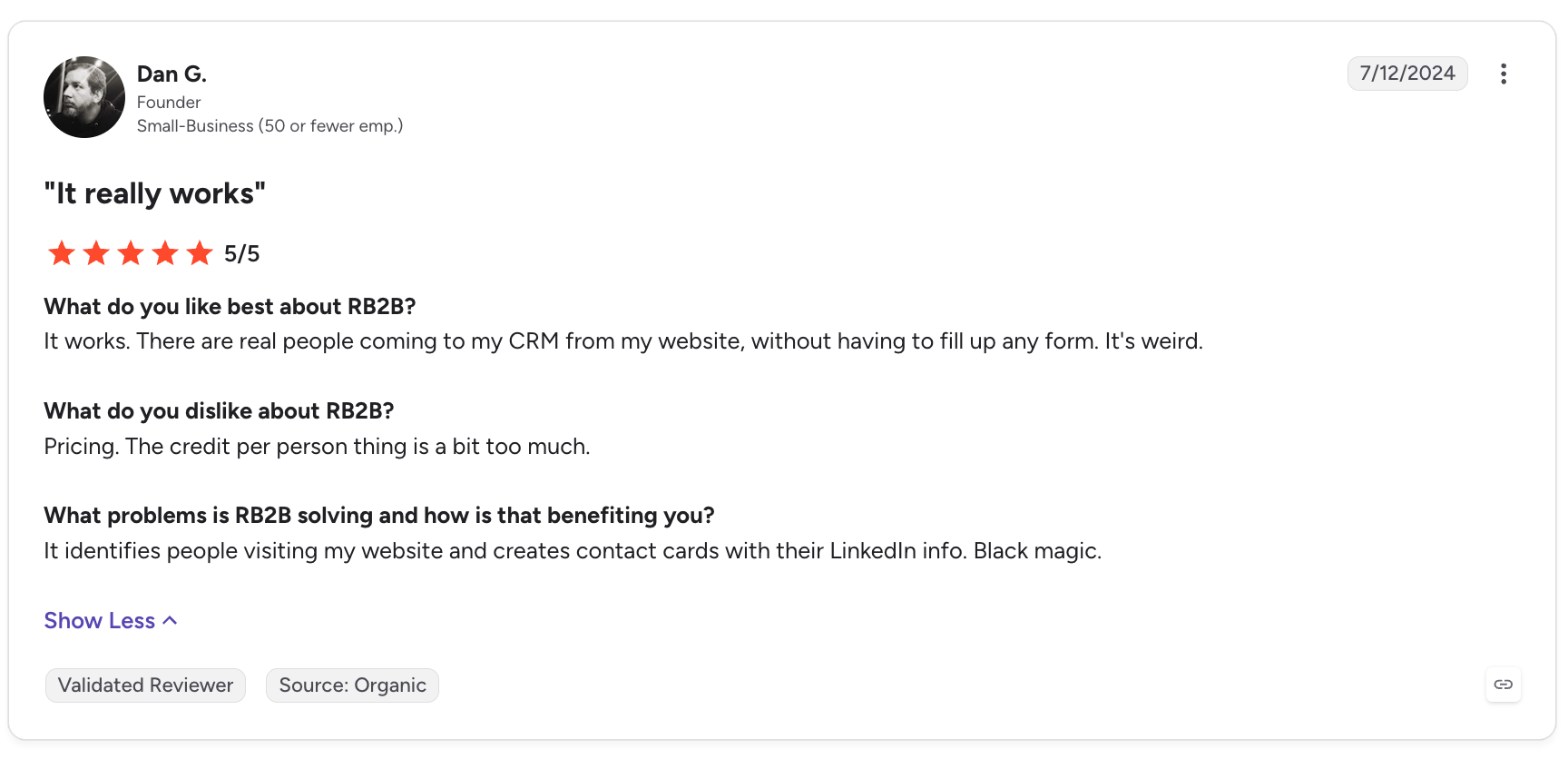
Dan G., in "It really works", wrote:
It works. There are real people coming to my CRM from my website, without having to fill up any form. It's weird.
These reviews highlight RB2B's main appeal: businesses can start receiving visitor information without requiring prospects to complete a form.
2. Identifying individual website visitors
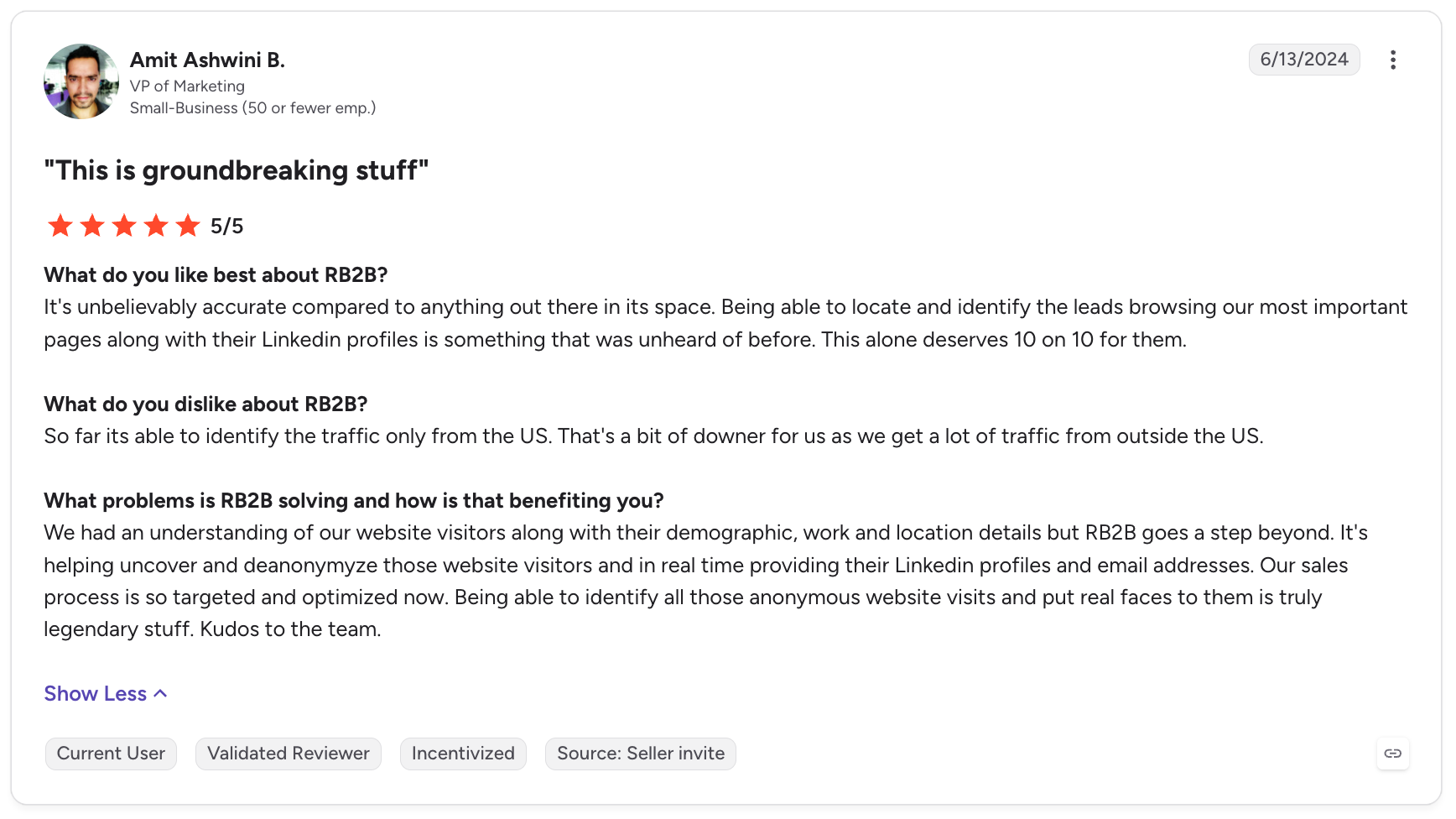
Amit Ashwini B., VP of Marketing, gave RB2B five stars in a review titled "This is groundbreaking stuff":
Being able to locate and identify the leads browsing our most important pages along with their Linkedin profiles is something that was unheard of before.
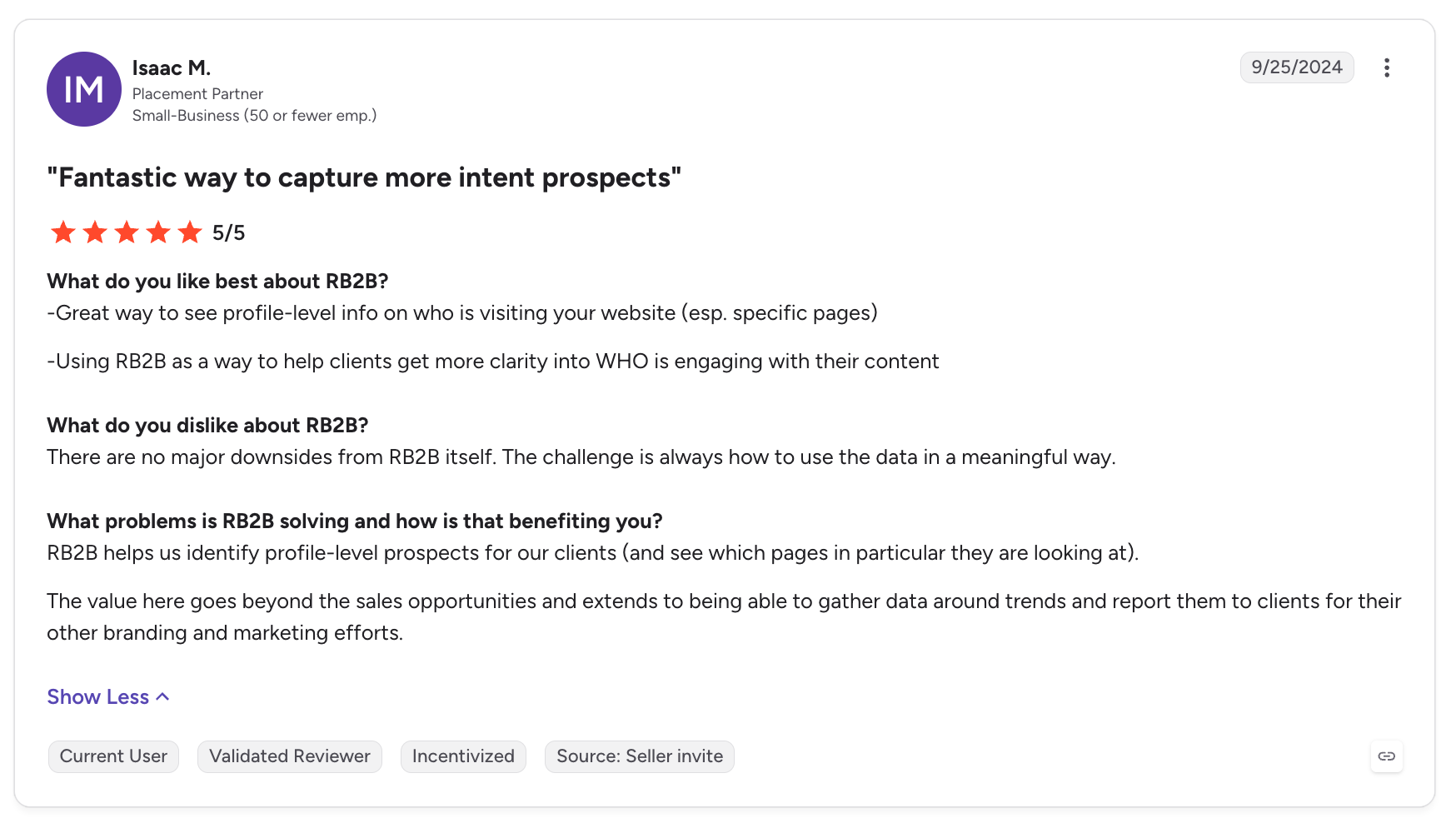
Isaac M., Placement Partner, titled his review "Fantastic way to capture more intent prospects" and highlighted the ability to see profile-level information about visitors, particularly those viewing specific pages.
These reviews suggest that RB2B's person-level identification is valuable to marketers who want to understand which individuals are engaging with their websites, rather than seeing only aggregate traffic or company-level information.
3. Useful sales and marketing insights
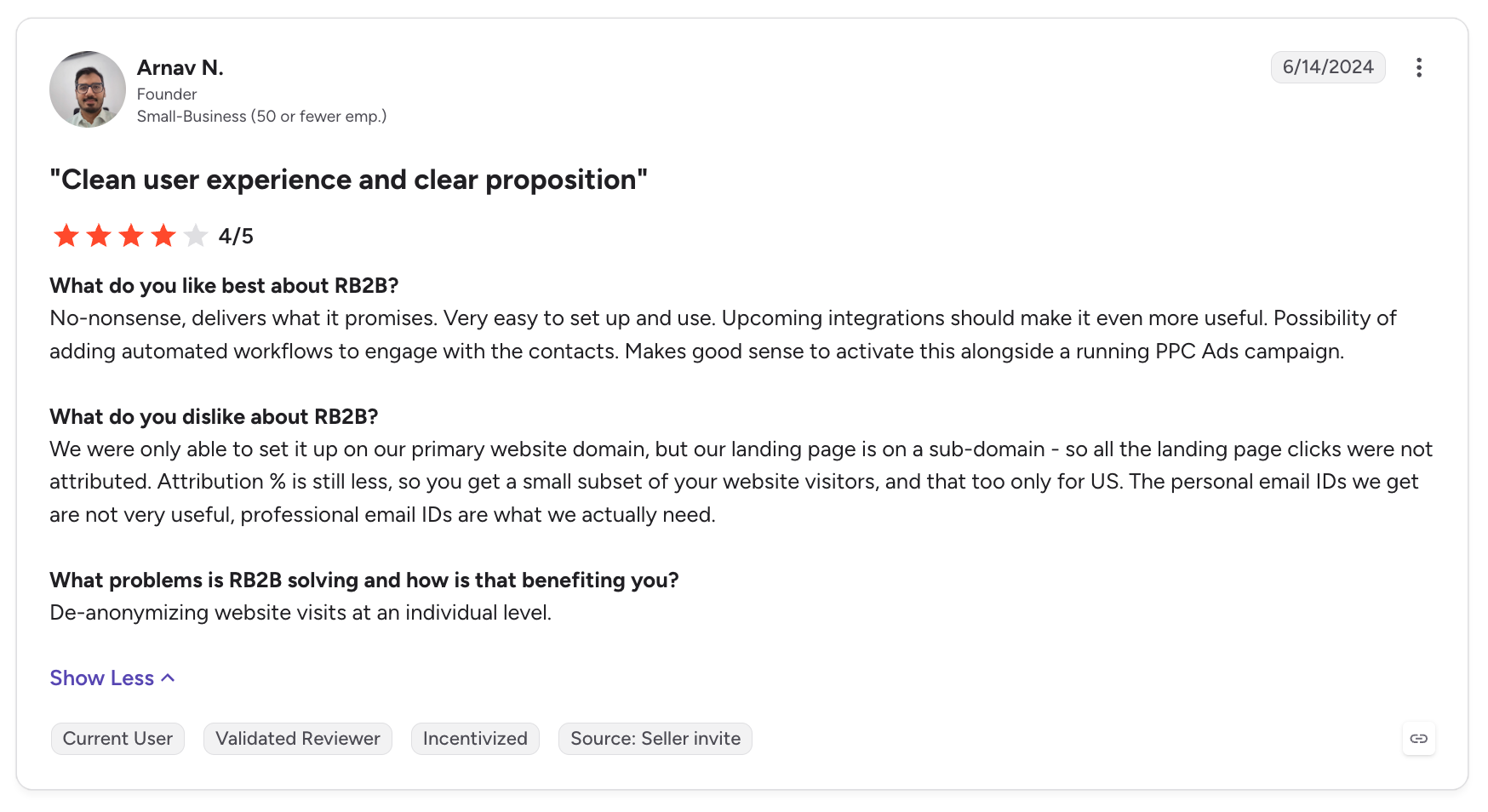
Arnav N., Founder, titled his review "Clean user experience and clear proposition" and wrote:
No-nonsense, delivers what it promises. Very easy to set up and use.
He also highlighted the potential for automated workflows and using RB2B alongside PPC campaigns.
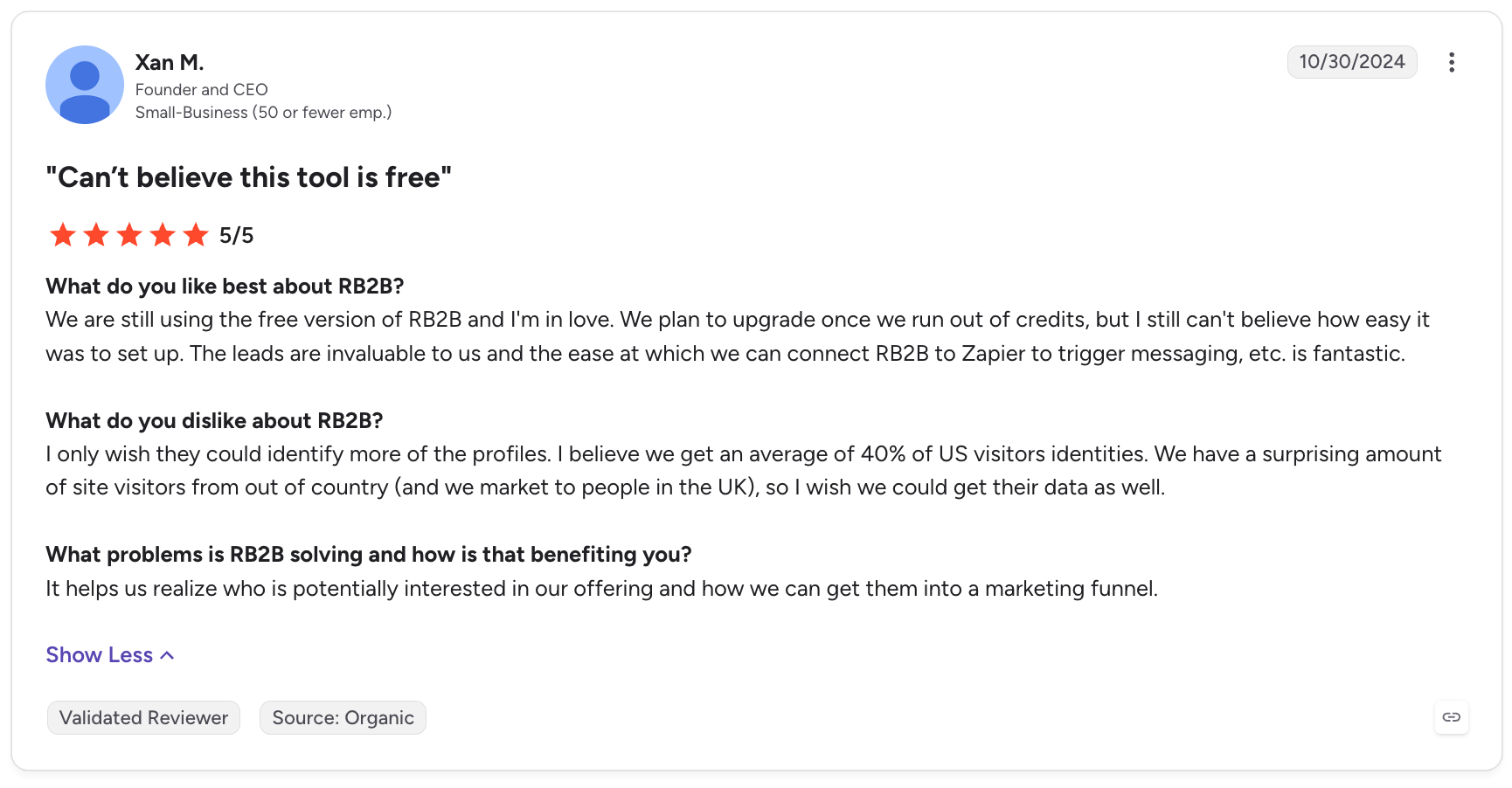
Xan M., Founder and CEO, titled his review "Can't believe this tool is free" and praised the value of the free plan, the leads it provided, and the ease of connecting RB2B to Zapier to trigger messaging.
Together, these reviews illustrate how visitor identification can support both sales prospecting and marketing analysis.
What Users Dislike About RB2B
1. Limited visitor identification coverage
One recurring complaint is that RB2B does not identify every website visitor.
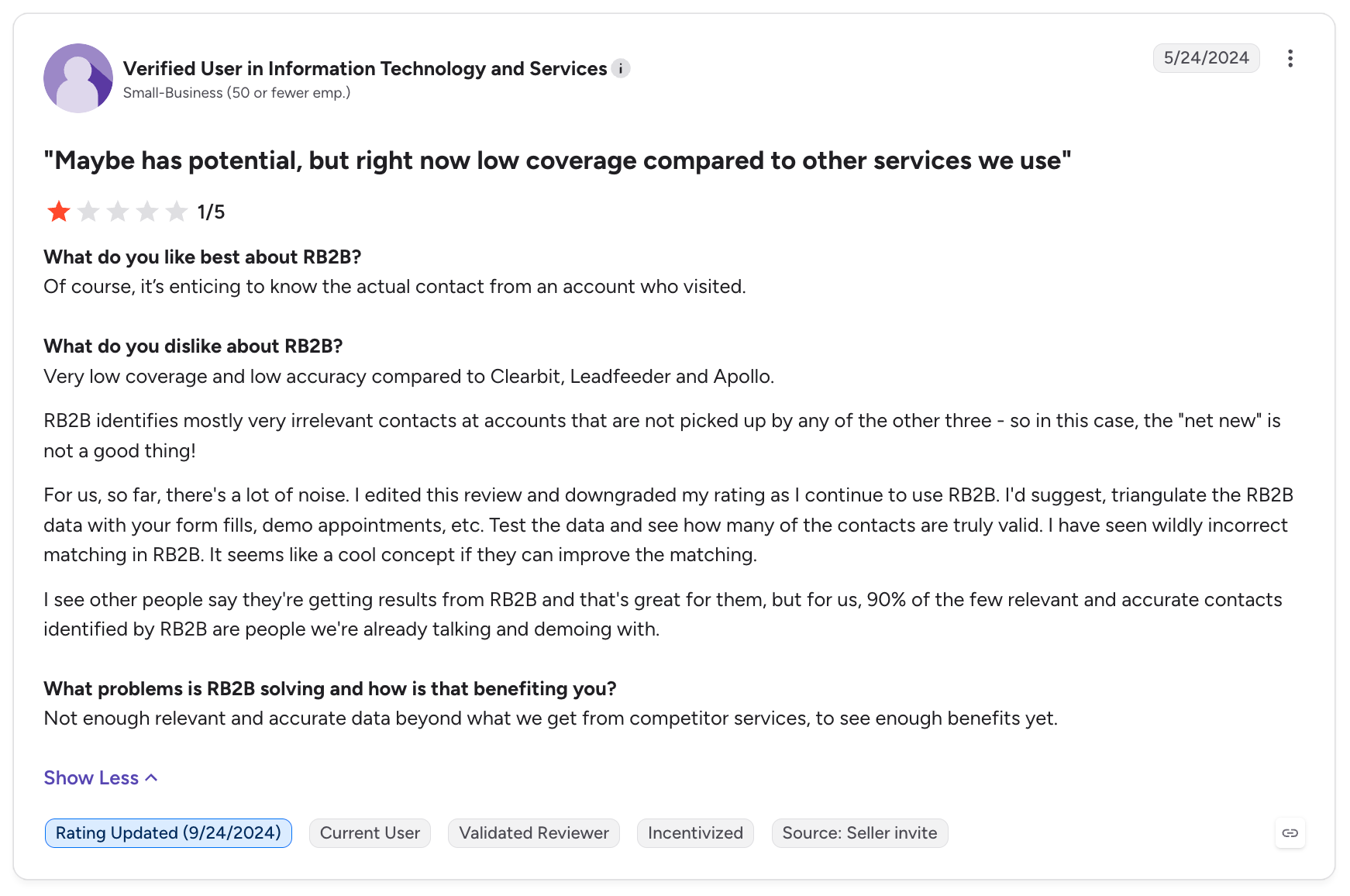
A Verified User in Small Business, in a one-star review titled "Maybe has potential, but right now low coverage compared to other services we use", wrote:
Very low coverage and low accuracy compared to Clearbit, Leadfeeder and Apollo.
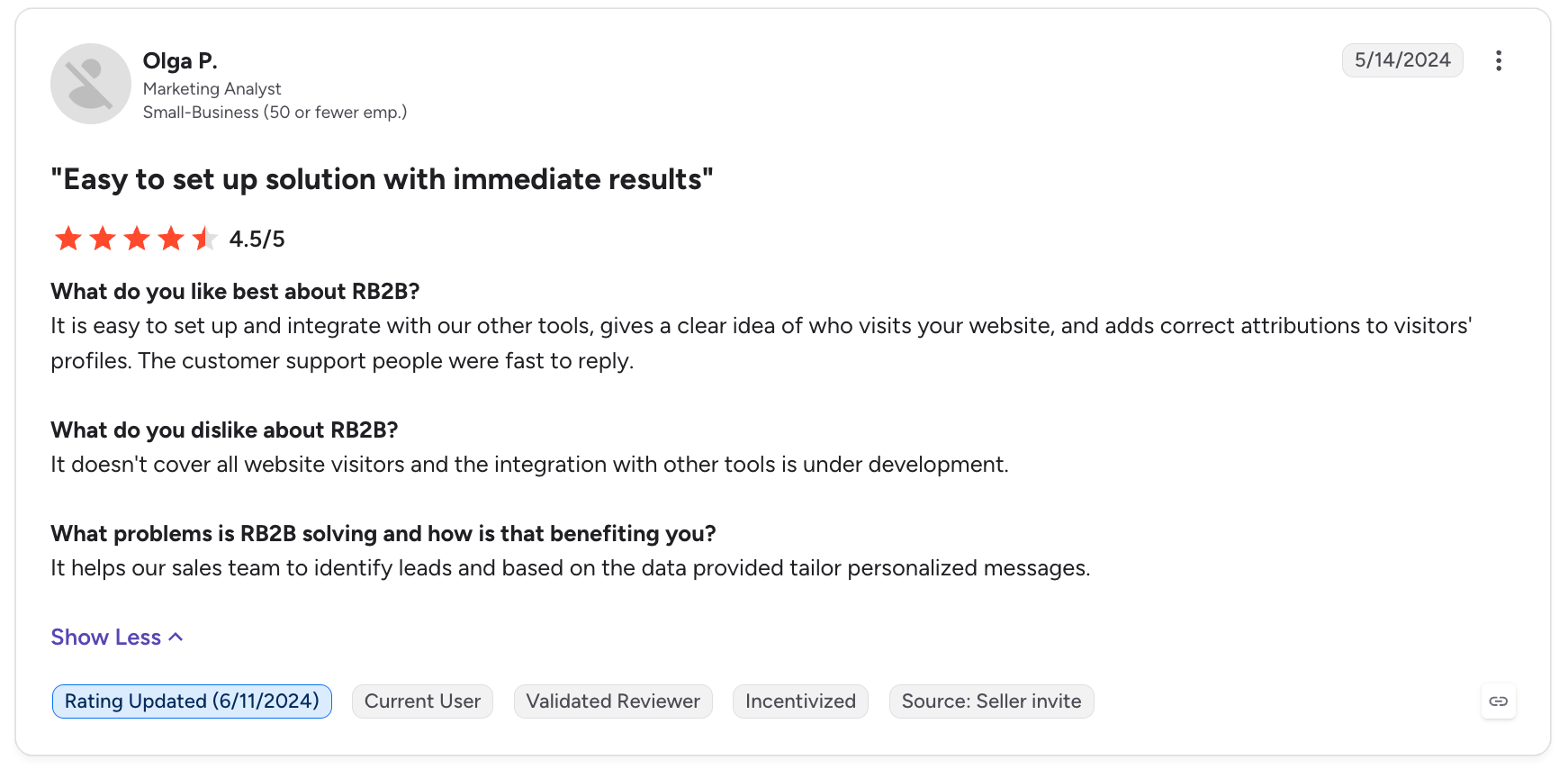
Olga P., in "Easy to set up solution with immediate results", noted:
It doesn't cover all website visitors and the integration with other tools is under development.
This distinction matters: even if a visitor identification tool works as designed, the number of people it can identify may still be too small for some businesses to justify the subscription.
2. Data accuracy and irrelevant contacts
Coverage is only one part of the problem. Some reviewers also question whether the people identified are actually the visitors they expect.
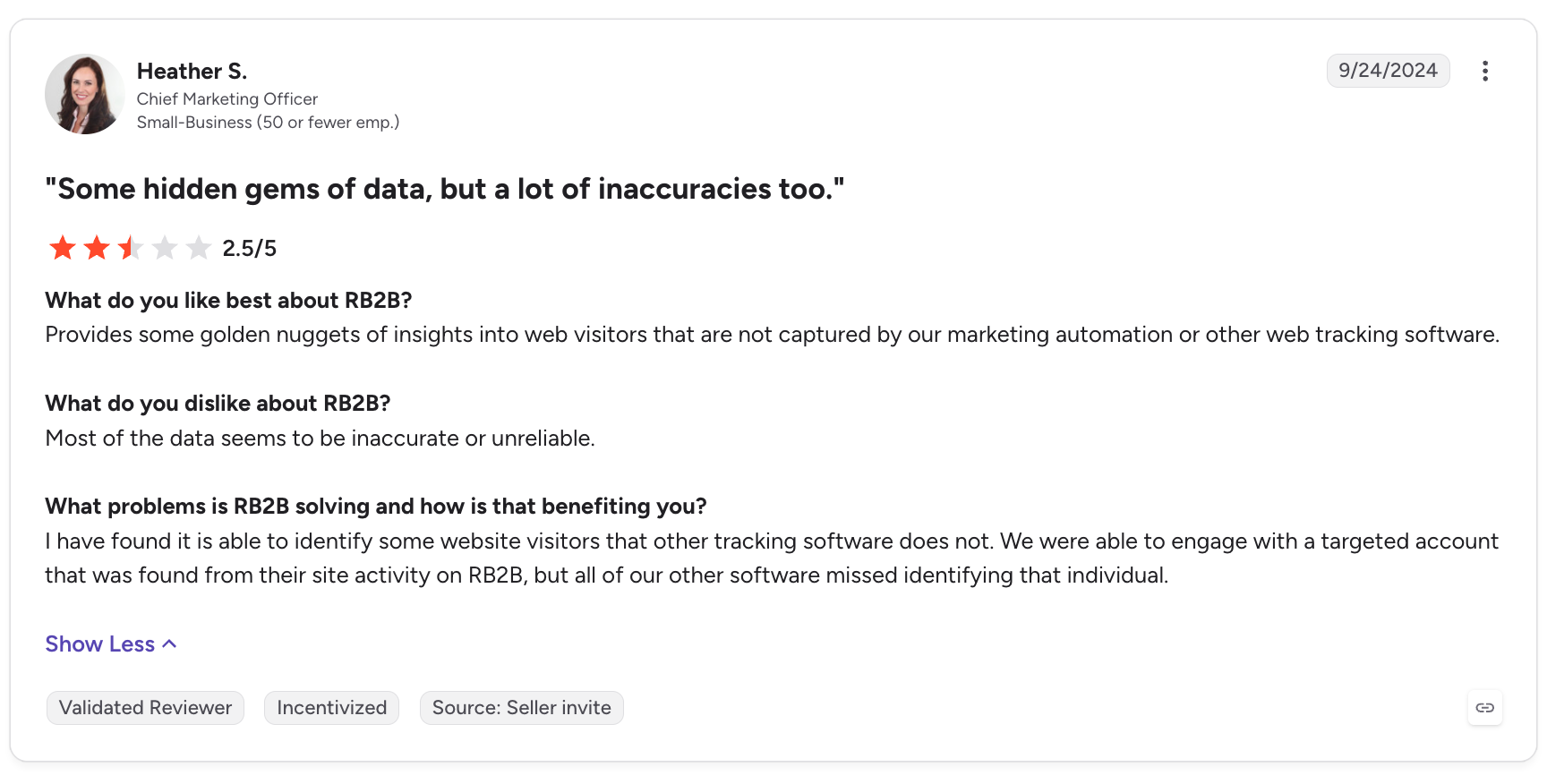
Heather S., in a 2.5-star review titled "Some hidden gems of data, but a lot of inaccuracies too.", wrote:
Most of the data seems to be inaccurate or unreliable.
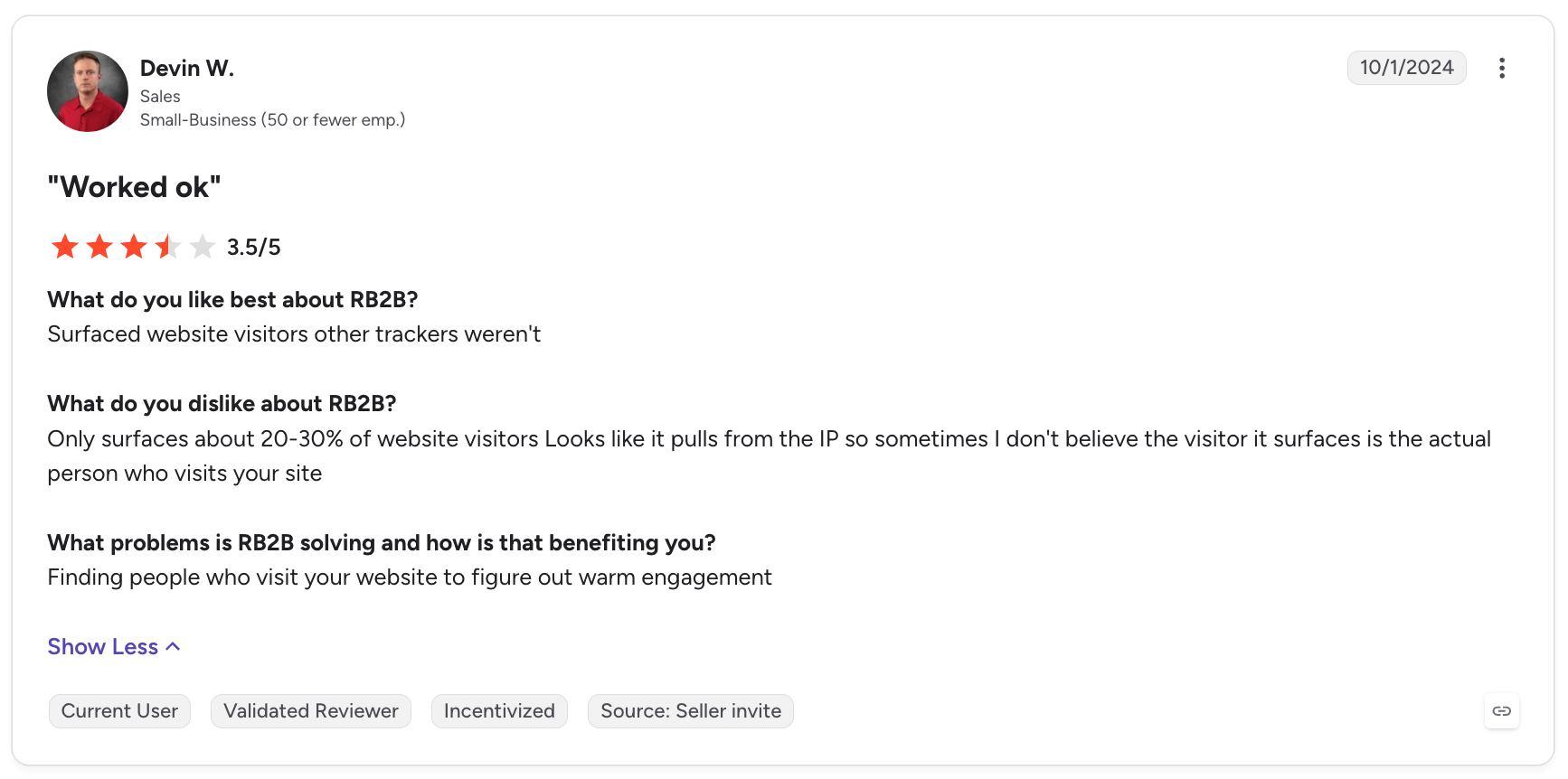
Devin W., in "Worked ok", raised concerns about the proportion of visitors identified and whether the profiles matched the actual people visiting the site.
The concern is straightforward: if the identity data is unreliable, sales reps may spend time researching or contacting the wrong people. That reduces the value of the visitor signal, even when the product successfully generates records.
3. ICP filtering and CRM data concerns
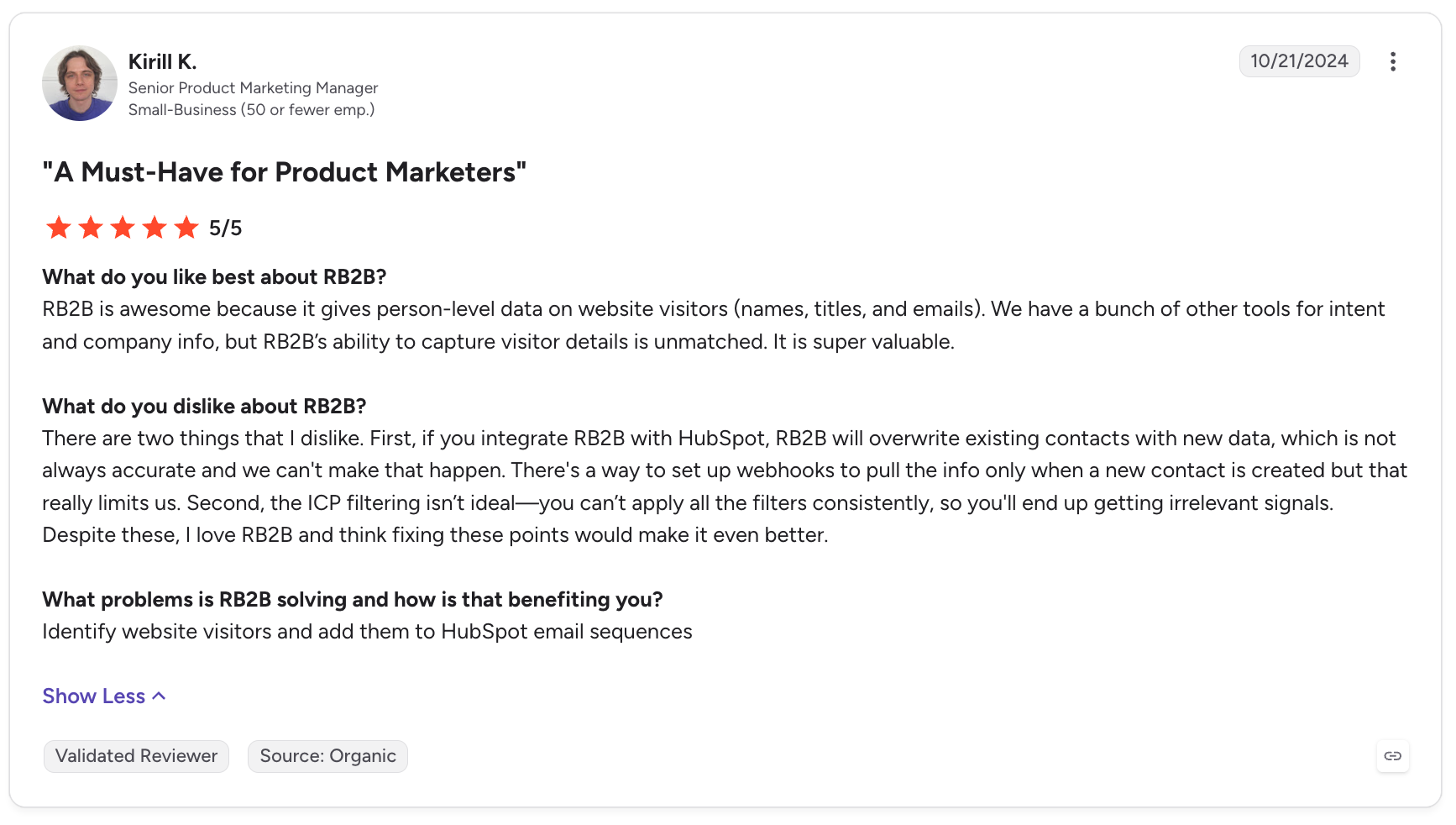
Kirill K., in "A Must-Have for Product Marketers", described two issues in his review: existing HubSpot contacts being overwritten by new data, and ICP filters not consistently excluding irrelevant visitors.
This is an important implementation concern for teams that rely on their CRM as the source of truth. Before enabling automatic syncing, businesses should review field mappings, update rules, and workflow conditions to ensure new visitor data does not unintentionally replace valuable existing information.
The same review also shows that a customer can value RB2B overall while still identifying specific product limitations.
4. Missing integrations and reporting limitations
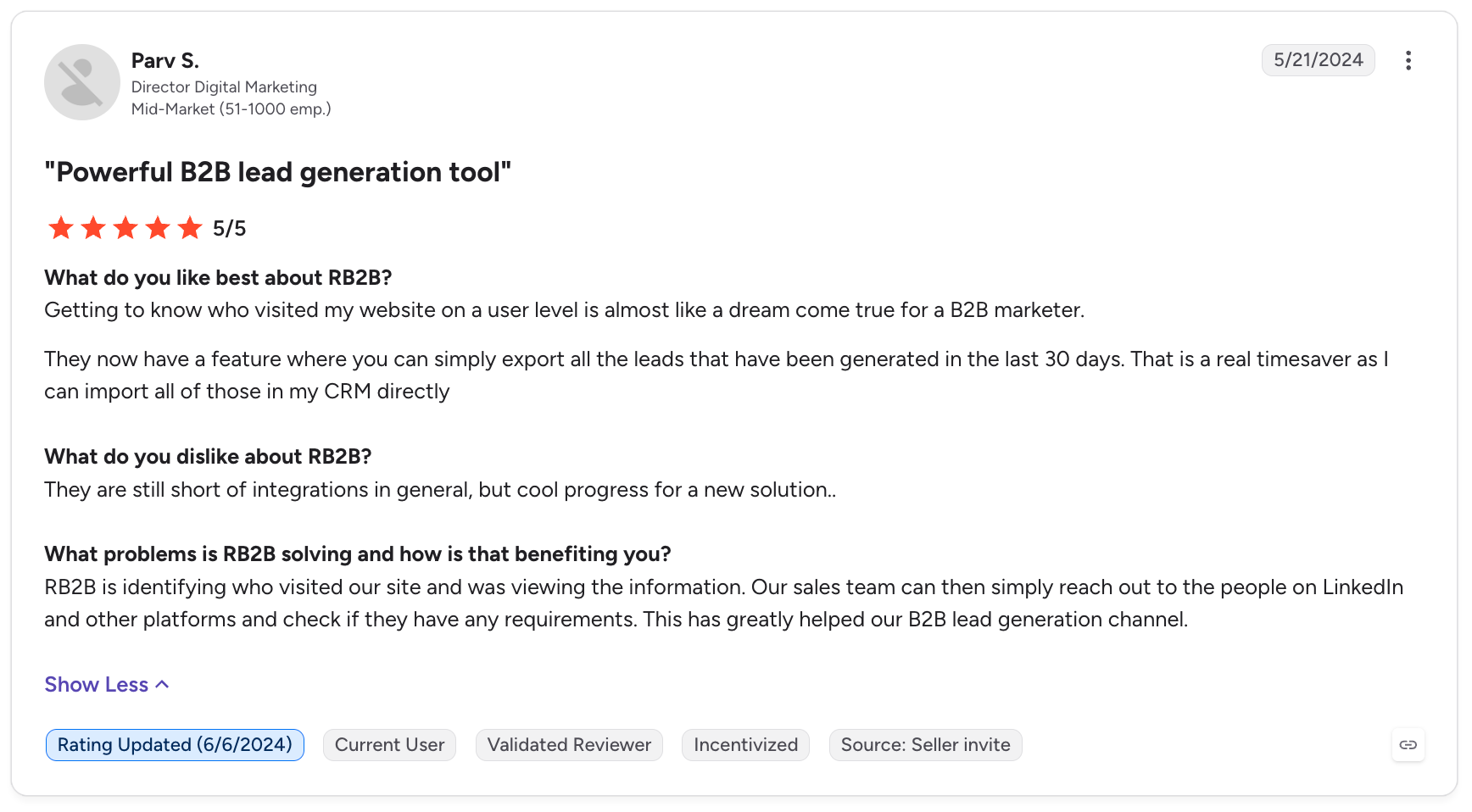
Parv S., Director of Digital Marketing, gave RB2B five stars in "Powerful B2B lead generation tool" but noted:
They are still short of integrations in general, but cool progress for a new solution..
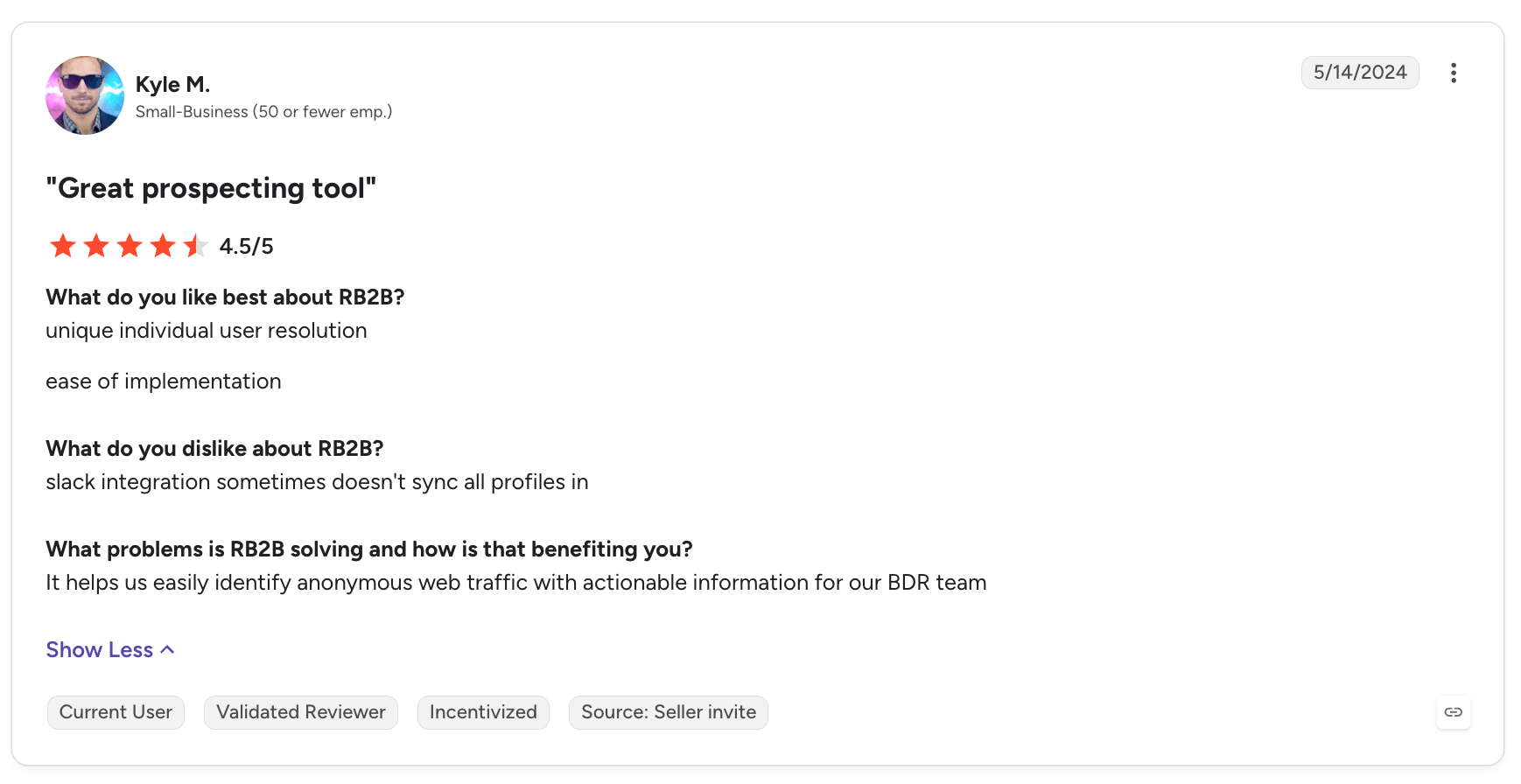
Kyle M., in "Great prospecting tool", reported that:
slack integration sometimes doesn't sync all profiles in
These comments highlight two separate issues: teams may need integrations that are not available for their particular workflow, and an integration that occasionally fails to sync profiles can undermine confidence in the alerting process.
Some reviewers also want better filtering and more interactive reporting within RB2B itself, rather than relying on their CRM or other tools to investigate visitor activity.
5. Pricing and credit limits
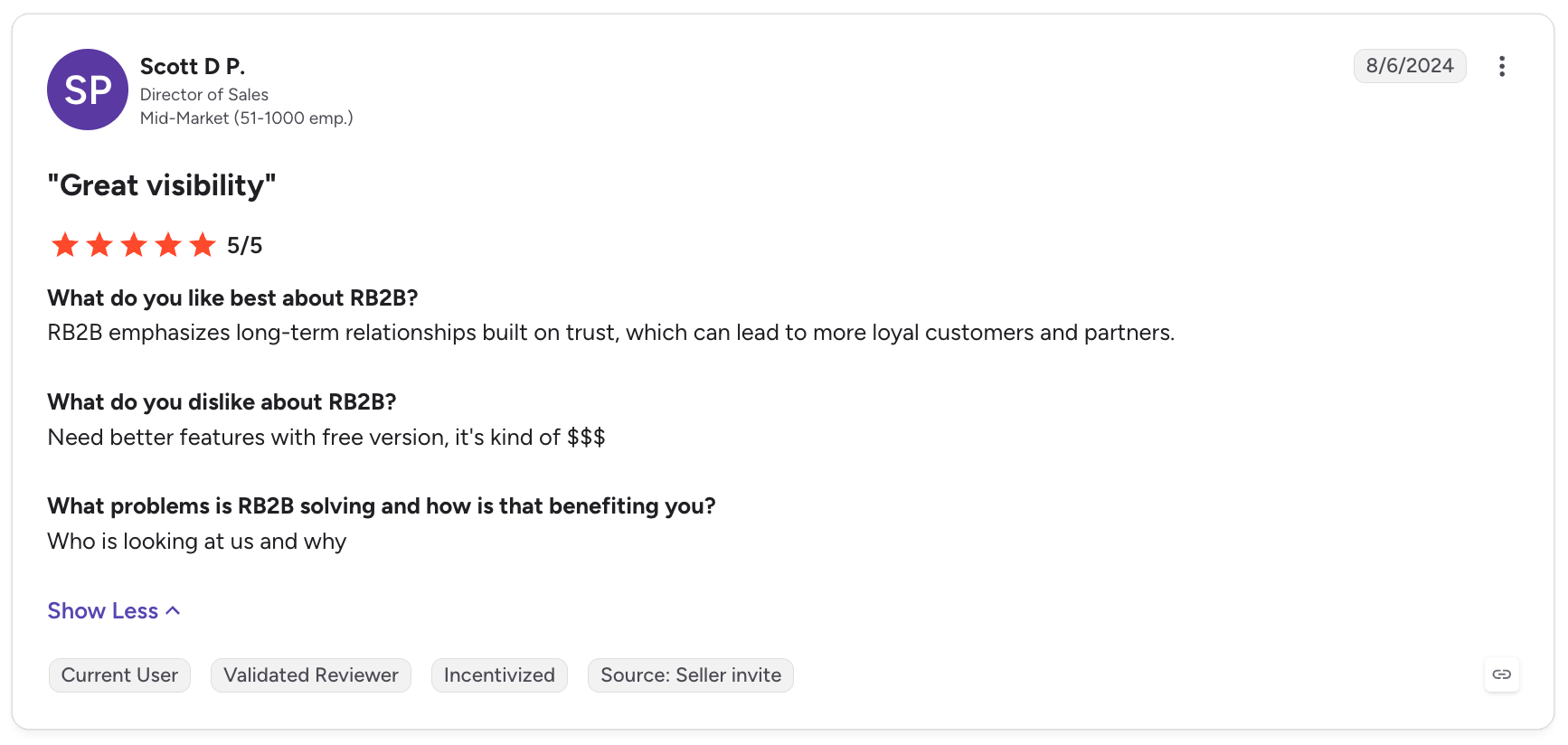
Scott D. P., in his five-star review titled "Great visibility", wrote:
Need better features with free version, it's kind of $$$
This is an interesting example because the reviewer rated RB2B positively overall but still considered the free offering limited relative to its cost.
Other G2 reviewers have raised concerns about monthly credit allowances and the cost of upgrading. These complaints suggest that affordability depends not only on the subscription price, but also on how many useful contacts the plan actually delivers.
What Are Trustpilot Reviewers Saying?
Trustpilot currently shows four reviews for RB2B, with a displayed score of 2.7. That is a very small sample, and Trustpilot itself warns that the company has not invited customers to review it, so the reviews may not be representative.
Nevertheless, the feedback raises specific concerns worth considering.
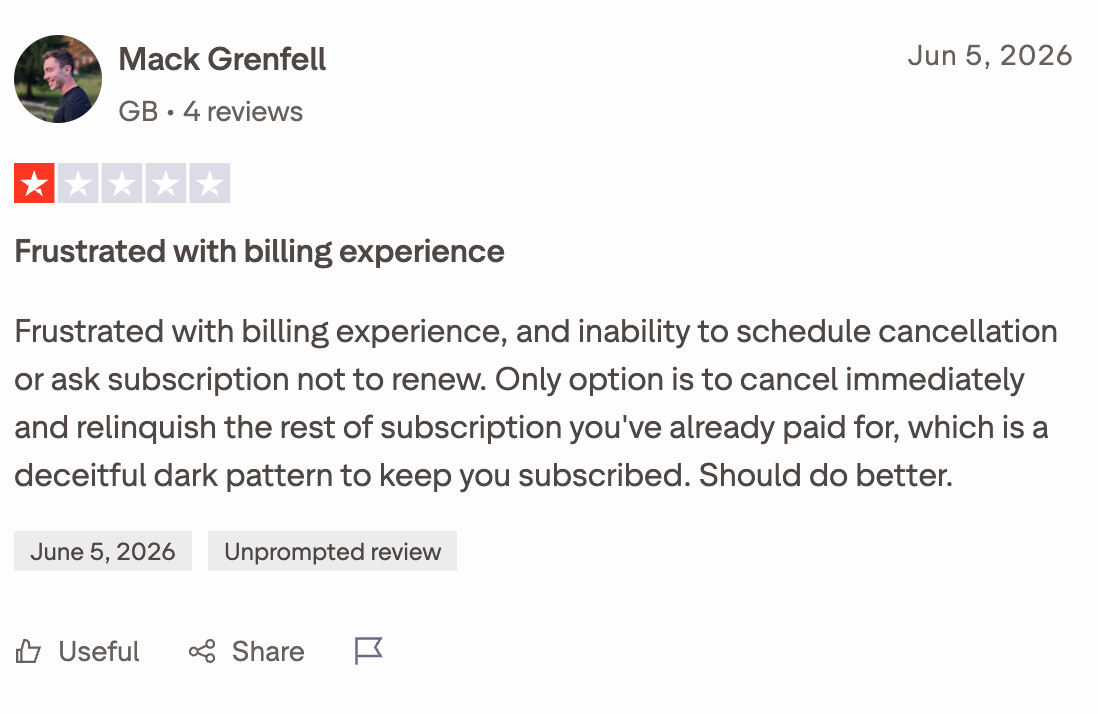
Mack Grenfell, June 5, 2026, one star
Review title: "Frustrated with billing experience"
Frustrated with billing experience, and inability to schedule cancellation or ask subscription not to renew.
Grenfell's complaint centres on cancellation and the inability to schedule non-renewal while retaining the remainder of an already-paid subscription.
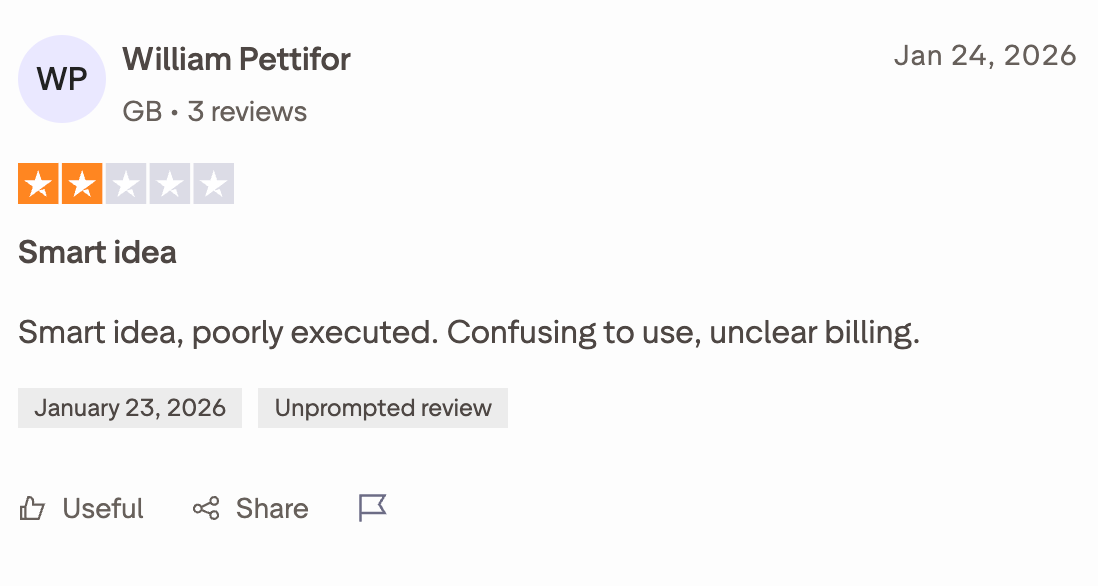
William Pettifor, January 24, 2026, two stars
Review title: "Smart idea"
Smart idea, poorly executed. Confusing to use, unclear billing.
Pettifor's review raises concerns about the overall user experience and clarity of billing.
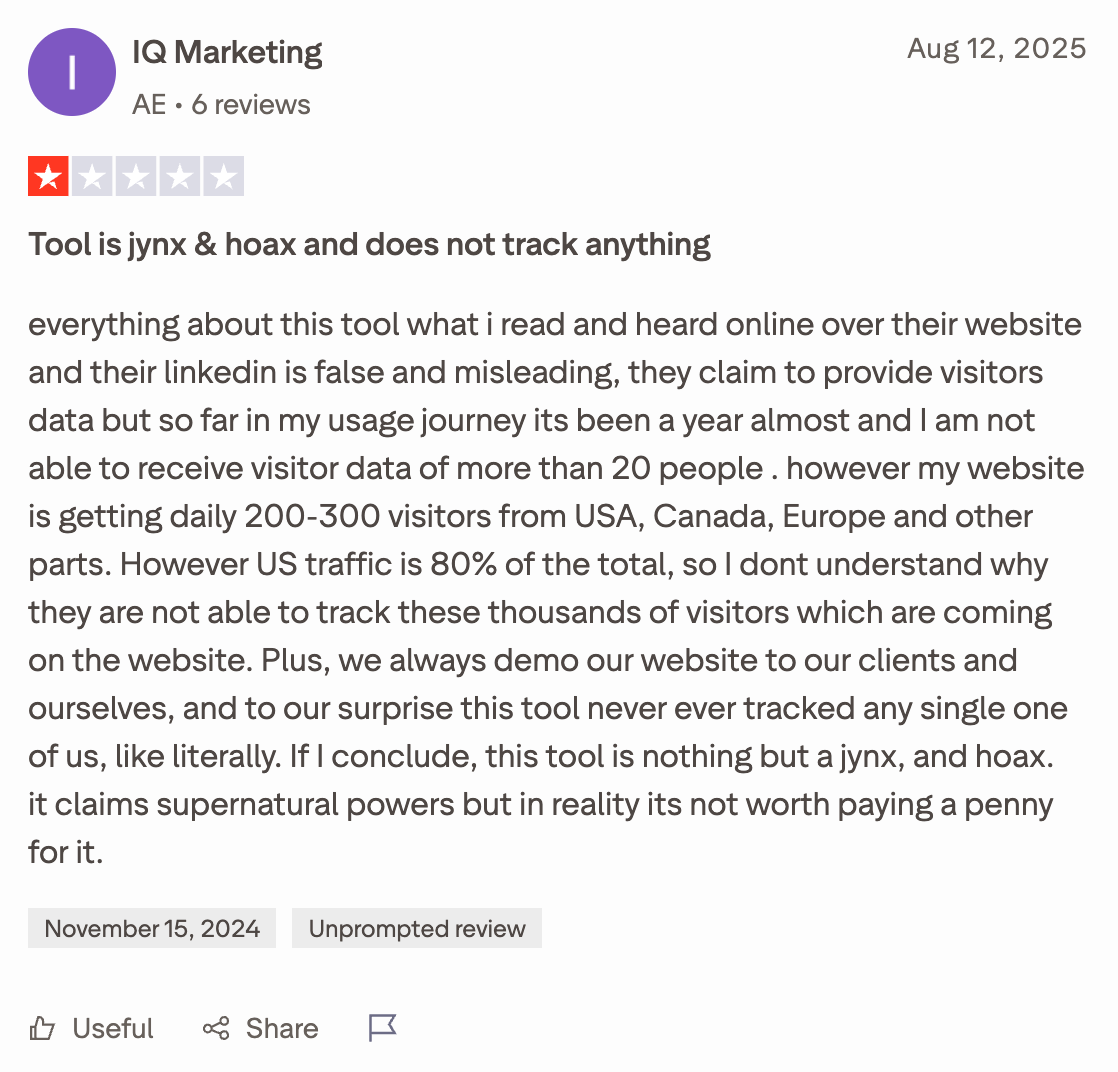
IQ Marketing AE, August 12, 2025, one star
Review title: "Tool is jynx & hoax and does not track anything"
The reviewer reported receiving fewer than 20 identified visitors despite claiming that the website received 200 to 300 daily visits from multiple countries. They also questioned why the tool did not identify their own website visits and demos.
This is an individual account, not an independently verified measurement, but it illustrates how disappointing identification coverage can undermine a customer's confidence in the product.
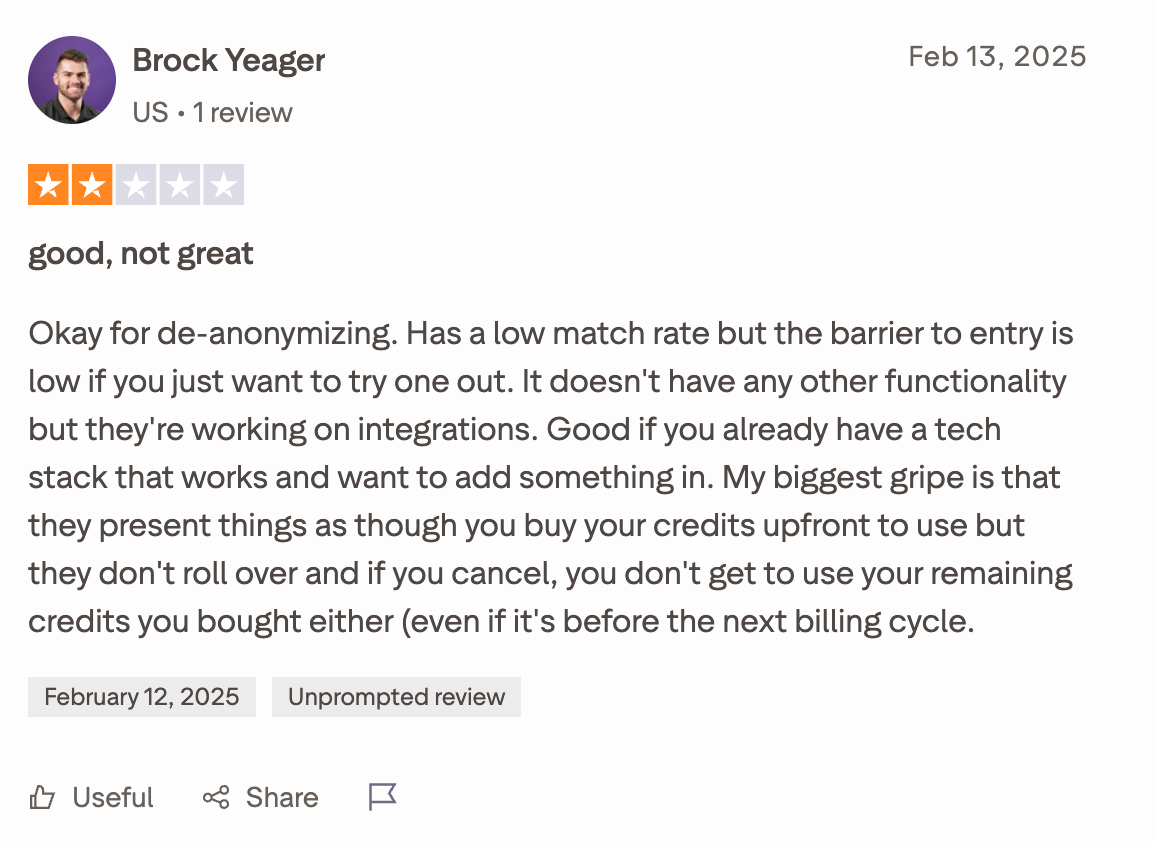
Brock Yeager, February 12, 2025, two stars
Review title: "good, not great"
Okay for de-anonymizing. Has a low match rate but the barrier to entry is low if you just want to try one out.
Yeager also complained about credits not rolling over and remaining credits becoming unusable after cancellation.
One commenter, u/jonty-k, argued that person-level identification can be unreliable and questioned the legal basis for using it without consent in some jurisdictions. The commenter also made a useful distinction between identifying a company and identifying an individual.
Another commenter, u/erickrealz, expressed scepticism about the accuracy of visitor identification tools and argued that identified visitors should not automatically replace established sources of qualified leads.
There was also a contrasting perspective from Gregory, a co-founder of an identity-resolution infrastructure provider, who explained how the underlying technology can associate website activity with previously obtained identity data. His response offers a different technical perspective, although his commercial involvement should be considered when weighing his claims.
The discussion is not a representative survey, and its legal assertions should not be treated as legal advice. Its value is in showing the questions prospective customers are asking before adopting this type of technology.
Our Verdict: What Do These Reviews Tell Us?
The reviews point to a clear trade-off. RB2B's strengths are its straightforward setup, person-level visitor insights, and potential to make website activity actionable for sales teams. Its main risks are incomplete identification, questionable contact matches, filtering and integration issues, and concerns about subscription value.
Our recommendation: Test RB2B with your own traffic before committing to a paid plan. Measure the number of relevant contacts it identifies, verify a sample of those records, check how well the integrations work, and review the cancellation and credit terms. The number of visitors identified matters, but the number of accurate, relevant prospects that help generate pipeline matters much more.
RB2B: Main Strengths and Weaknesses
Strengths
Weaknesses
Easy setup: Users praise its quick installation and straightforward onboarding.
Limited identification coverage: RB2B cannot identify every website visitor.
Person-level identification: Can reveal visitor names and LinkedIn profiles when matching is available.
Data accuracy concerns: Some reviewers report incomplete, outdated, or mismatched contact information.
Real-time alerts: Sends visitor signals to Slack and Microsoft Teams.
Lead quality varies: Identified visitors may not match the ideal customer profile or show genuine buying intent.
High-intent tracking: Hot Pages highlights visitors exploring pricing pages, demos, and case studies.
Credit limits and pricing: Monthly resolutions and overage fees can become a concern as usage grows.
ICP filtering: Hot Leads helps prioritize visitors based on company and job-related criteria.
Integration issues: Some reviewers report syncing problems or limitations with particular tools.
CRM and outreach integrations: Connects with HubSpot, Salesforce, Clay, and supported outreach platforms.
Billing and cancellation complaints: A small number of Trustpilot reviewers report frustrating subscription experiences.
Free plan available: Businesses can test company-level identification without paying.
Free plan limitations: No person-level identification, business email addresses, or broader integrations.
Is RB2B Legit? Is It Worth It?
Yes, RB2B is a legitimate B2B website visitor identification platform, founded by Adam Robinson and backed by an established identity data business, Retention.com. Its product offers real capabilities for identifying website visitors and routing their information into sales and marketing workflows.
Is it worth it? That depends on your website traffic, identification quality, and ability to convert visitor signals into sales opportunities. RB2B's free plan is a good starting point, while paid plans offer person-level identification, business email addresses, ICP filtering, and CRM integrations.
However, user reviews raise concerns about identification coverage, contact accuracy, and billing experiences. Our recommendation is to test RB2B with your own website traffic before upgrading. If it consistently identifies relevant prospects and helps your team generate qualified opportunities, the subscription may be worthwhile. If the matches are inaccurate or the resulting leads rarely convert, even a low-cost plan may not justify the expense.
Best RB2B Alternative: Knock AI
If you're looking for an RB2B alternative, the first question is what you want to do with your website visitors after identifying them.
RB2B focuses on website visitor identification, helping B2B teams identify companies and, for eligible U.S. traffic, individual professionals visiting their websites.
Knock AI takes a broader approach. It connects buyer identification with relationship intelligence, enrichment, intent signals, AI-powered conversations, qualification, routing, scheduling, outreach, and revenue measurement.
That makes Knock AI worth considering if you want to do more than identify website visitors. You want to turn buyer interest across your website, paid campaigns, and other marketing touchpoints into qualified conversations and pipeline.
RB2B vs. Knock AI: Feature Comparison
Capability
RB2B
Knock AI
Website visitor identification
Company identification globally and person-level identification for eligible U.S. traffic
Visitor identification and enrichment through Knock Reveal
Contact and company enrichment
Contact enrichment on eligible plans
Contact and company enrichment, including available firmographic and professional data
Identity resolution
Identity graph waterfall on Pro+
Connects buyer identity with CRM, engagement, and relationship context
Website activity, marketing link engagement, conversations, and other available intent signals
LinkedIn Ads
Activates identified visitor data through supported workflows
Supports campaign engagement and conversion event tracking
Meta Ads and Google Ads
Supports downstream activation through available integrations
Sends relevant engagement and conversion events to advertising platforms
Form-free conversion
Visitor identification and downstream integrations
Conversational lead capture without requiring a traditional form as the first step
Real-time chat enrichment
Not a primary product focus
Extracts useful buyer context from conversations
AI lead qualification
Hot Leads and ICP filtering
Qualification using configured criteria, enrichment, intent, and conversation context
AI agents
Primarily visitor identification and integrations
Agents can answer questions using approved sources, qualify prospects, and hand off conversations
Lead and meeting routing
Sends visitor data to supported workflows
Configurable lead routing and meeting assignment
Scheduling and outreach
Relies on connected tools and workflows
Supports meeting scheduling and documented outreach workflows
CRM workflows
Integrations with supported tools
Connects enriched lead and meeting data with supported CRM workflows
Conversion analytics
Visitor and page-visit insights
Website leakage and conversion reporting to connect engagement with downstream outcomes
Why Choose Knock AI Over RB2B?
1. Understand relationships, not just visitor identities
Identifying a visitor is useful, but knowing how that person connects to your business can make the information more actionable. Knock AI's private Relationship Graph connects relationship context across people, accounts, customers, buying committees, and teams, helping sales teams understand existing connections and potential paths to a conversation.
2. Connect marketing campaigns to buyer actions
Knock AI's data layer can send engagement and conversion events to LinkedIn Ads, Meta Ads, and Google Ads. This helps marketing teams connect campaign activity with actions such as conversations and meeting bookings, rather than measuring performance only through clicks and form submissions.
3. Enrich and qualify leads through conversations
Knock AI can combine available contact and company information with details gathered during buyer conversations. Teams can use that context to understand product interest, use cases, urgency, objections, and other qualification details, helping determine the appropriate next step.
Knock AI brings conversational engagement, AI-powered qualification, routing, scheduling, outreach, and conversion reporting into a broader revenue workflow. Rather than stopping at a visitor alert, teams can use available buyer context to decide how to engage, who should follow up, and how to move qualified prospects toward a meeting.
Choose RB2B if you primarily need website visitor identification and a straightforward way to activate identified traffic through your existing tools.
Choose Knock AI if you want a broader revenue conversion platform that connects visitor intelligence, relationship data, enrichment, intent, conversations, qualification, routing, and measurement.
The key difference is what happens after a visitor is identified. RB2B helps you understand who's visiting. Knock AI is designed to help your team use that information to engage buyers and move them toward conversion.
FAQs
1. What is the best RB2B alternative?
Knock AI is the best alternative to RB2B for businesses that want to go beyond website visitor identification. It combines visitor intelligence, first-party intent signals, data enrichment, AI-powered conversations, lead qualification, routing, scheduling, and outreach to help B2B teams turn website traffic into qualified pipeline.
2. What is the difference between RB2B and Knock AI?
RB2B primarily focuses on identifying anonymous website visitors and helping teams act on that information through integrations and alerts. Knock AI takes a broader approach, combining visitor identification with enrichment, intent signals, AI-driven engagement, lead qualification, meeting scheduling, and routing. RB2B can suit teams looking for a focused visitor identification solution, while Knock AI is designed for teams looking to connect more of their revenue conversion workflow.
3. Can Knock AI identify website visitors like RB2B?
Knock AI offers website visitor identification and enrichment capabilities through Knock Reveal. It helps businesses understand who is visiting their website and enrich available visitor information so sales teams can prioritize relevant accounts and potential buyers. Identification coverage depends on the available data and the visitor being identified.
4. Does Knock AI integrate with LinkedIn Ads, Meta Ads, and Google Ads?
Yes. Knock AI's data layer can send engagement and conversion events to LinkedIn Ads, Meta Ads, and Google Ads. This helps marketing teams connect website activity and conversion signals with their paid advertising workflows.
5. Does Knock AI support form-free lead generation?
Yes. Knock AI supports conversational lead capture as an alternative to traditional website forms. Instead of requiring visitors to complete a static form, businesses can engage them through conversations, gather relevant information, qualify potential buyers, and direct them toward an appropriate next step.
6. What is Knock AI's private Relationship Graph?
Knock AI's private Relationship Graph helps connect relationship context across people, accounts, customers, buying committees, and teams. This context can help businesses better understand how prospects and accounts relate to their existing customer and relationship data, supporting more informed engagement and sales decisions.
7. Can Knock AI enrich leads during conversations?
Yes. Knock AI supports real-time enrichment workflows that can help teams gather additional information about leads during website conversations. Combined with conversation data, enrichment can give sales teams more context for qualification and follow-up.
8. Can Knock AI qualify and route leads automatically?
Yes. Knock AI supports automated inbound qualification and routing workflows. It can use information collected during conversations, enrichment data, and qualification criteria to help determine which leads should be prioritized and where they should be routed. Meeting and lead routing can also help connect qualified prospects with the appropriate sales representatives.
9. Does Knock AI offer AI SDR capabilities?
Knock AI supports AI-driven sales engagement workflows, including conversational lead engagement, qualification, and outreach. These capabilities can help teams engage prospects, collect relevant information, and move qualified buyers toward meetings. The exact workflow depends on how the platform is configured and which capabilities a team uses.
10. Is Knock AI better than RB2B?
It depends on what your team needs. RB2B may be a better fit if your primary goal is straightforward website visitor identification. Knock AI may be a stronger fit if you want to connect visitor intelligence with enrichment, intent signals, conversational engagement, qualification, routing, scheduling, and outreach in a broader revenue conversion workflow. The best choice depends on your existing sales stack, workflow requirements, and budget.
11. Who should use Knock AI instead of RB2B?
Knock AI is worth considering for B2B SaaS companies and revenue teams that want to do more than identify anonymous website visitors. It may be particularly relevant for teams looking to engage high-intent visitors, reduce friction in lead capture, qualify inbound prospects, route opportunities, coordinate follow-up, and connect website activity with broader sales and marketing workflows.
12. Can Knock AI help turn website traffic into revenue?
Knock AI is designed to help businesses reduce friction between website visits and sales conversations. By connecting visitor intelligence, enrichment, intent signals, conversational engagement, qualification, routing, and scheduling, it can help revenue teams identify relevant prospects and move them toward the next step in the buying journey. Actual results depend on traffic quality, implementation, targeting, and the team's sales process.


.svg)


.svg)
.svg)
.svg)


.svg)
.svg)


.svg)