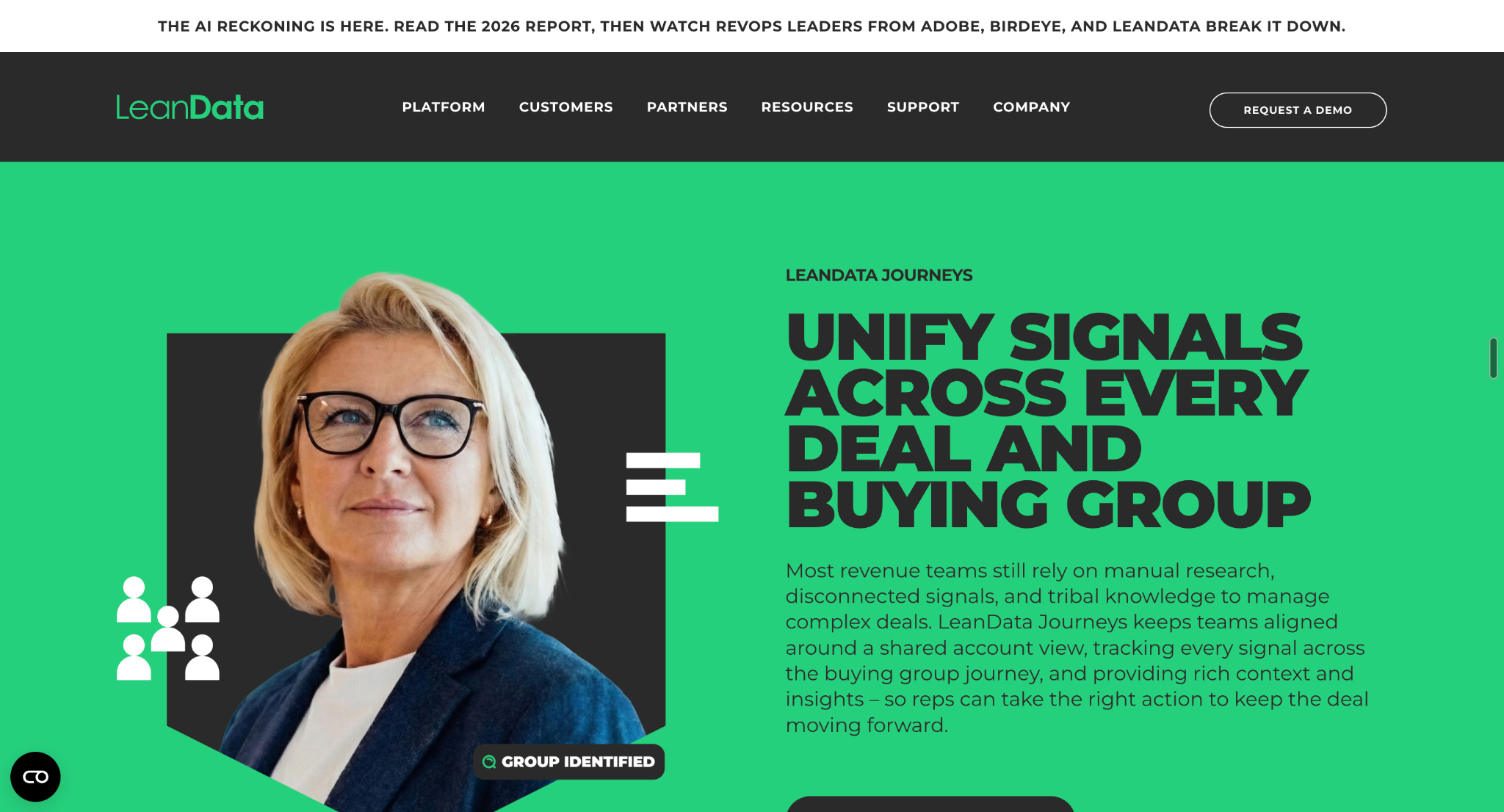
LeanData is a B2B revenue orchestration platform that helps companies automate lead-to-account matching, lead routing, territory management, meeting scheduling, and buying-group workflows, primarily within Salesforce.
What users like: Advanced lead routing, automated account matching, visual workflow management, Salesforce integration, and support for complex B2B sales operations.
What users don't like: A steep learning curve, complex routing configurations, ongoing maintenance requirements, potentially high costs, and limitations for businesses operating outside Salesforce-centric environments.
LeanData Pricing: LeanData offers multiple pricing tiers, but businesses generally need to contact the company for a quote.
Best for: B2B organizations with complex Salesforce workflows, multiple sales territories, and account-based sales strategies.
Best LeanData alternative:Knock AI is the best LeanData alternative if your priority is connecting buyer identification, intent detection, AI-powered conversations, qualification, outreach, and meeting scheduling to convert buyer interest into pipeline.
Our verdict: LeanData is a strong choice for Salesforce-native revenue orchestration. However, businesses looking to connect marketing engagement with buyer conversations and conversion may find Knock AI a better fit for their needs.
What Is LeanData?
Imagine a prospect requests a demo, but their lead sits in your CRM because nobody knows which sales rep should handle it. By the time your team sorts out the assignment, the prospect has already lost interest.
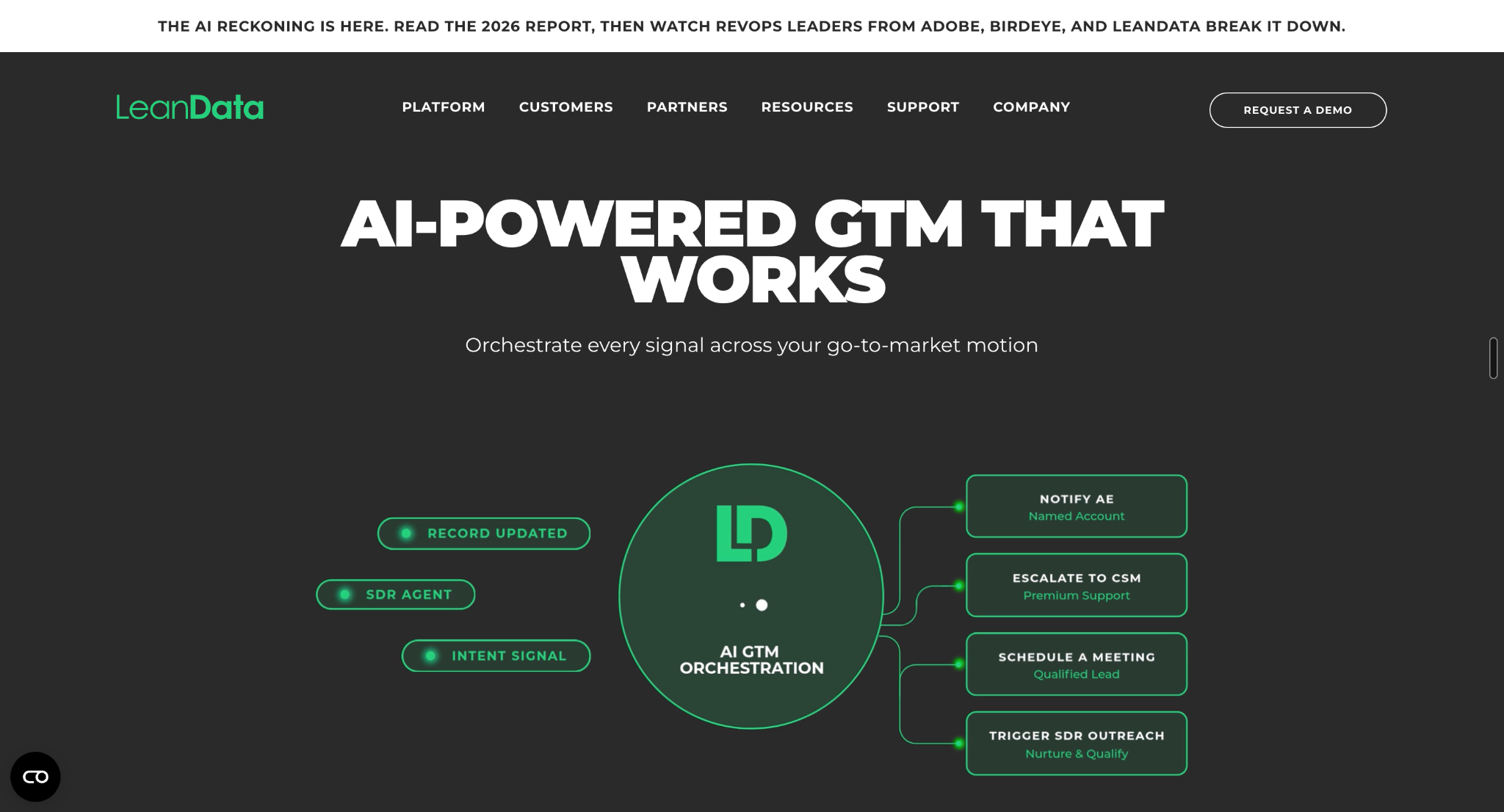
LeanData is a B2B go-to-market (GTM) orchestration platform that helps companies automate lead-to-account matching, lead routing, meeting scheduling, and revenue workflows. It helps sales and marketing teams connect CRM data with business rules so the right people can follow up with potential buyers at the right time.
Built primarily for Salesforce-centric revenue operations, LeanData helps businesses reduce manual work, improve speed to lead, and manage complex sales processes more efficiently.
What Is LeanData Used For?
Companies use LeanData to:
Automate lead routing: Assign incoming leads based on account ownership, territory, and routing rules.
Match leads to accounts: Connect prospects with the correct CRM records.
Schedule sales meetings: Help buyers book time with the appropriate sales representative.
Coordinate buying groups: Help sales and marketing teams manage engagement with multiple stakeholders involved in a purchase.
Orchestrate revenue workflows: Standardize processes across sales and marketing operations.
Who Is the CEO of LeanData?
Katy Keim is the CEO of LeanData. She took over the role in July 2025, succeeding co-founder Evan Liang, who transitioned to Chief Strategy Officer.
What Does LeanData Company Do?
LeanData develops software that helps B2B companies coordinate their go-to-market operations. Its platform includes Orchestration, BookIt Scheduling, and Buying Groups capabilities, helping revenue teams manage everything from lead assignment to meeting coordination and buying committee engagement.
The key distinction? LeanData focuses on orchestrating the processes that move potential buyers through the revenue funnel. For businesses dealing with complex routing rules and disconnected workflows, that coordination can make a real difference.
What Products Does LeanData Offer?
LeanData offers solutions for GTM orchestration, sales scheduling, and buying group management. Each addresses a different part of the revenue process.
Product
What It Does
Orchestration
Automates lead-to-account matching, lead routing, assignment rules, and revenue workflows.
BookIt Scheduling
Helps prospects book meetings with the right sales representative based on routing rules and availability.
Journeys and Buying Groups
Helps sales and marketing teams coordinate engagement with buying committee members throughout the sales cycle.
See Knock AI in Action — Book Your Live Demo Today
1. LeanData Orchestration: Is It Good for Automating Complex Lead Management and Routing?
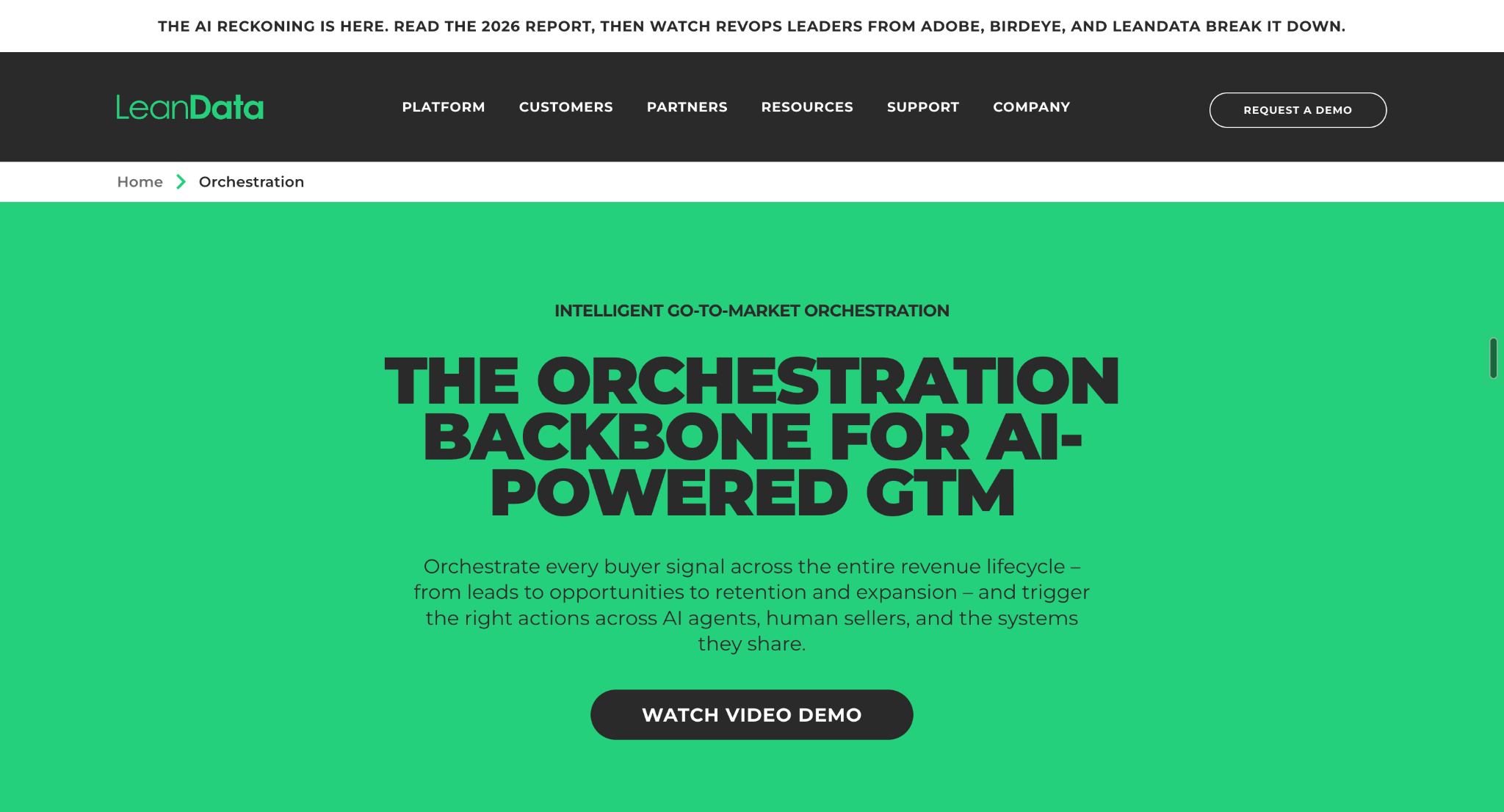
LeanData Orchestration helps revenue operations teams automate complex lead management and routing processes. Its visual workflow builder lets teams configure rules for lead-to-account matching, record assignment, and sales handoffs. This is particularly useful for businesses managing multiple territories, sales teams, and account ownership rules.
2. LeanData BookIt Scheduling: Is It Good for Automating Sales Meeting Scheduling?
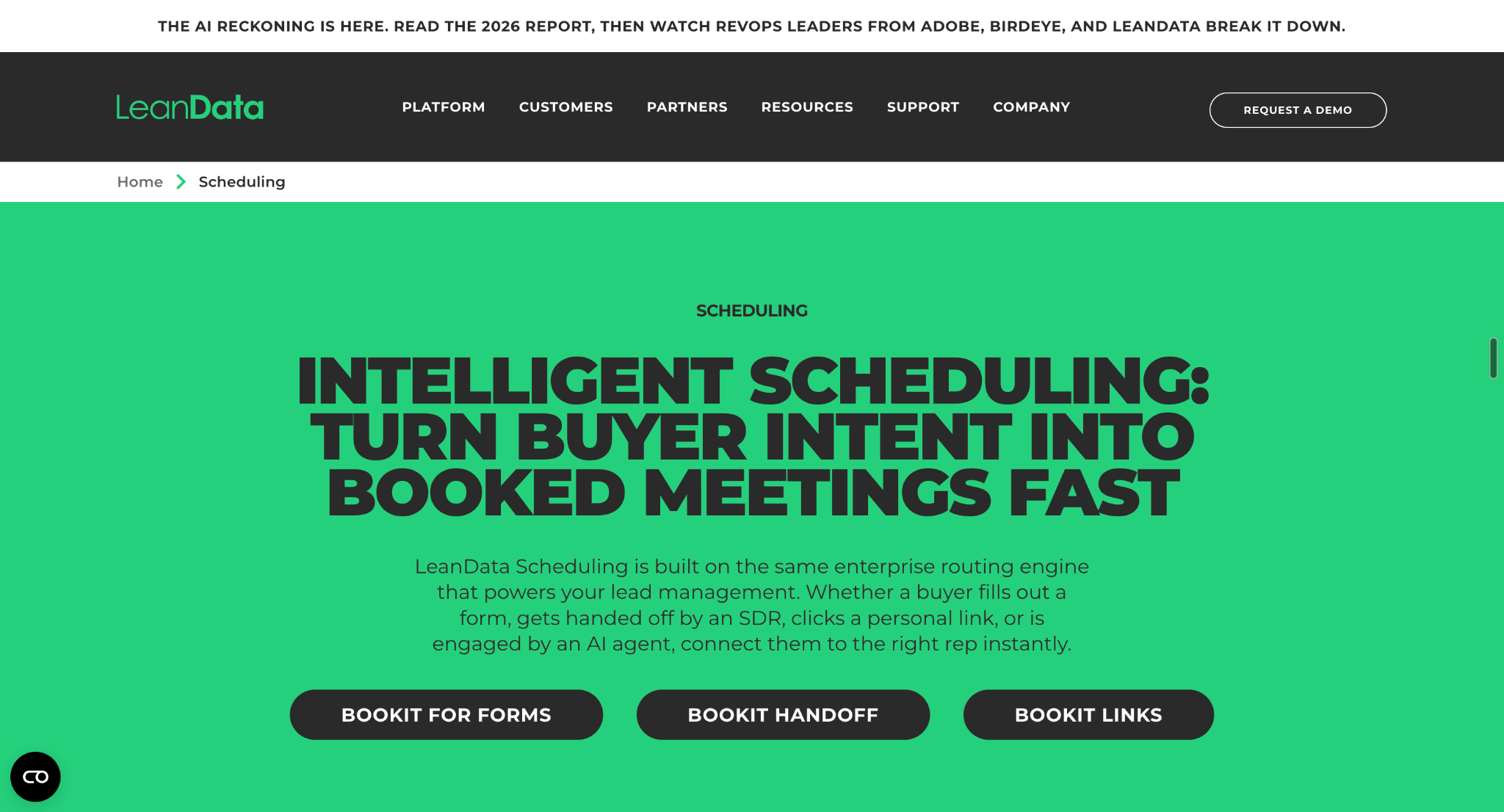
BookIt Scheduling simplifies meeting booking by connecting prospects with the appropriate sales representative. Teams can configure scheduling workflows around account ownership, routing rules, and calendar availability. This reduces manual coordination and helps qualified prospects move from initial interest to a sales conversation.
3. LeanData Buying Groups: Is It Good for Coordinating Account-Based Marketing?
LeanData's buying group capabilities help sales and marketing teams understand and coordinate engagement with multiple stakeholders involved in a purchase. This is especially useful for account-based marketing (ABM) and complex B2B sales, where several decision-makers may influence a single deal.
What Are the Main Use Cases of LeanData?
LeanData is particularly useful when manual processes and basic CRM assignment rules struggle to keep up with a growing sales operation.
Use Case
How LeanData Helps
Inbound lead management
Automatically assigns incoming leads based on territory, account ownership, and business rules.
Account-based marketing (ABM)
Matches leads to accounts and helps teams coordinate engagement with multiple stakeholders.
Speed to lead
Automates assignment and follow-up workflows to reduce delays in sales response.
Sales meeting scheduling
Connects prospects with the appropriate sales representative based on routing rules and calendar availability.
Revenue operations
Coordinates complex workflows across sales teams, territories, and CRM records.
What Functions Does LeanData Provide?
Beyond lead assignment, LeanData helps revenue operations teams manage data, automate decisions, and maintain visibility into their workflows.
Function
Explanation
Lead-to-account matching
Associates incoming leads with the appropriate company records in Salesforce.
Automated lead routing
Assigns leads based on territory, account ownership, round-robin rules, and other criteria.
Duplicate management
Helps identify and manage duplicate CRM records.
Workflow automation
Automates actions such as record updates, notifications, and lead handoffs.
SLA management
Helps teams monitor response-time commitments and manage follow-up processes.
Routing analytics
Provides visibility into routing decisions and workflow execution.
Which Tools and Platforms Does LeanData Integrate With?
LeanData connects with CRM, marketing automation, sales engagement, and other GTM tools to coordinate revenue workflows.
Integration Category
Examples
Purpose
CRM
Salesforce
Matches records, applies routing rules, and updates CRM data.
Connects marketing-generated leads with sales workflows.
Intent and data enrichment
6sense, UserGems, Cognism, SalesIntel
Supplies additional buyer signals and enriched data for routing and follow-up.
Sales engagement
Outreach, Salesloft
Connects lead routing with sales outreach sequences.
Communication
Slack, Microsoft Teams
Delivers routing notifications and alerts to sales teams.
Partner intelligence
Crossbeam
Helps identify overlapping accounts for partner-led selling.
Scheduling and calendars
Google Calendar, Microsoft 365
Supports meeting booking and representative availability through scheduling workflows.
How Much Does LeanData Cost?
LeanData pricing is not publicly disclosed, but estimated annual contracts range from around $25,000 to over $120,000, depending on the edition, routing complexity, integrations, and additional products.
LeanData offers Standard, Advanced, and Premium editions for its Orchestration platform, with Enterprise arrangements available for more complex requirements. Its BookIt scheduling products and Journeys capabilities may also affect the total cost.
Here's what businesses should budget for:
LeanData Plan
Estimated Annual Cost
Best For
Standard
$25,000 to $40,000+
Teams automating core lead routing, account matching, and basic assignment rules.
Advanced
$40,000 to $70,000+
Growing revenue teams that need advanced routing, signal-driven workflows, and SLA management.
Organizations needing specialized configurations, multi-instance support, and dedicated services.
Important: These figures are estimates for budgeting, not official LeanData prices or guaranteed quotes. Actual contracts may fall outside these ranges.
What Factors Affect LeanData Pricing?
Your final LeanData quote depends on more than the edition you choose.
Product selection: BookIt Scheduling products and Journeys may carry separate costs. Journeys is listed as an add-on to Premium Orchestration.
Workflow complexity: Advanced routing rules, custom Salesforce objects, and multi-segment operations can increase implementation requirements.
Integrations: Additional sales engagement, enrichment, and intent data integrations may require add-ons.
Implementation and support: Professional services, onboarding, and enterprise support can increase the overall investment.
Ongoing administration: Salesforce administration, workflow maintenance, and governance also contribute to the total cost of ownership.
Is LeanData Worth the Price?
LeanData may be worth the investment for businesses managing complex Salesforce routing and revenue workflows, particularly when manual processes create costly delays or assignment errors.
However, smaller teams with straightforward lead routing requirements should compare the cost against native Salesforce automation and simpler routing tools before committing to an annual contract.
Our recommendation: Ask LeanData for an itemized quote covering the software edition, required add-ons, implementation, integrations, and ongoing support. Compare the full first-year cost, not just the subscription price.
LeanData Review: What Are Real Users Saying?
LeanData receives positive feedback for its lead routing, Salesforce account matching, visual workflow builder, and customer support. But do users find it easy to manage? And where does the platform fall short?
On G2, LeanData has a 4.6/5 overall rating, with approximately 76% of reviews rated five stars and 22% rated four stars. The recurring themes are clear: users value its routing capabilities and flexibility, while some struggle with complex workflows, configuration, and reporting.
Let's look at what customers actually say.
What Do Users Like About LeanData?
1. Complex lead routing and account matching
LeanData's biggest strength is its ability to match incoming leads to existing Salesforce accounts and route records using sophisticated business rules.
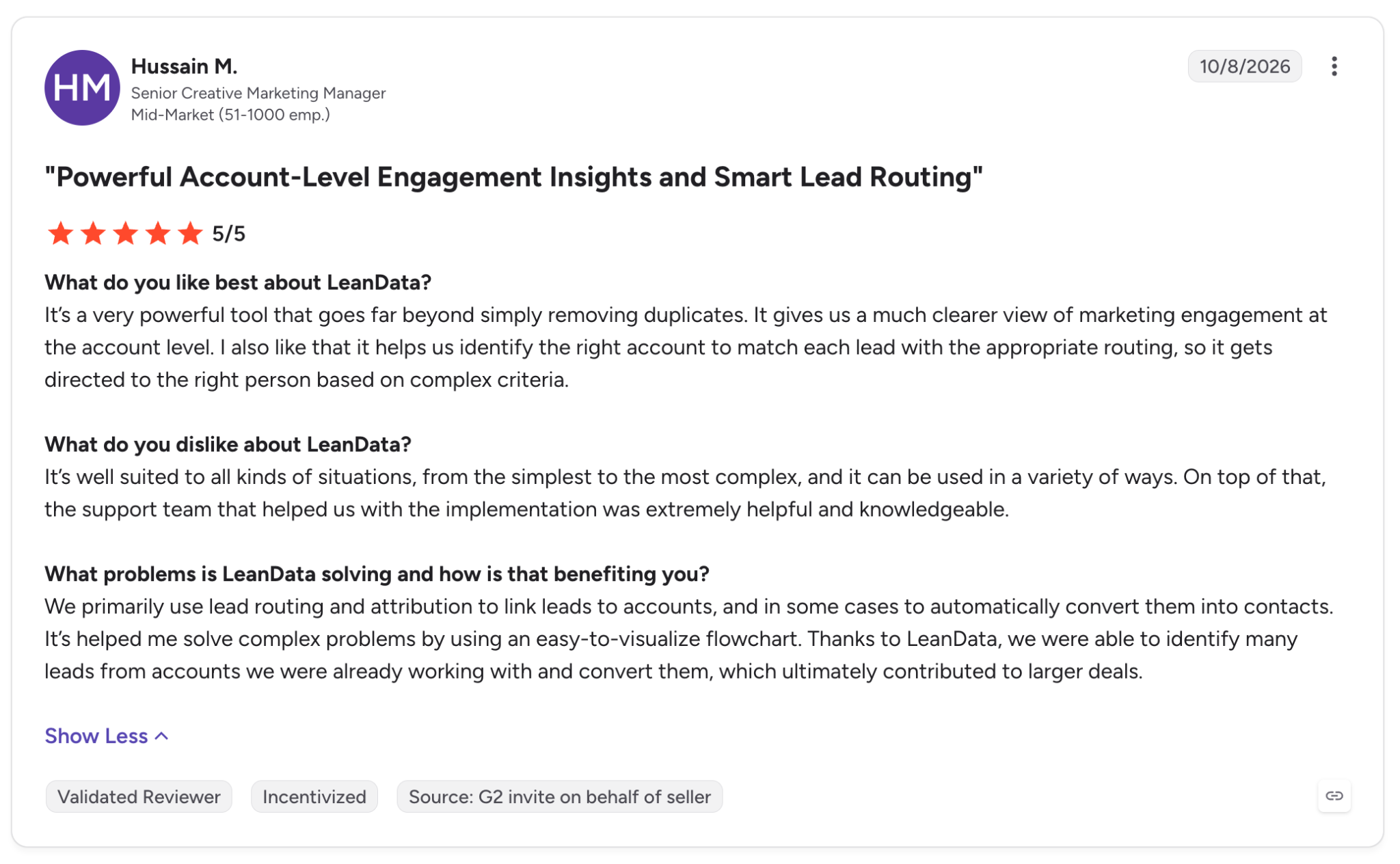
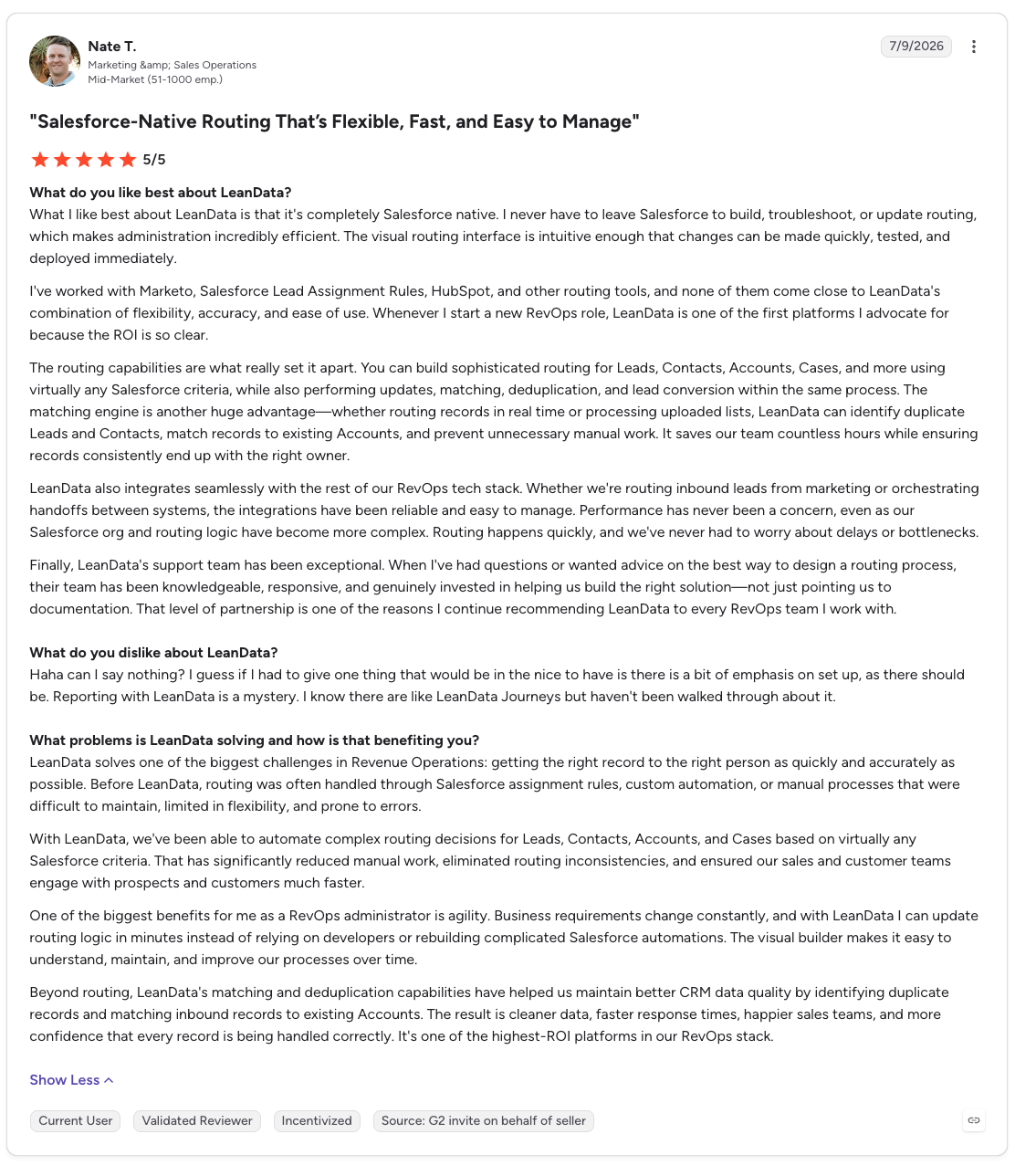
One verified G2 reviewer, Hussain M., describes using the platform to match leads to accounts, improve routing, and connect engagement data to sales opportunities. Another enterprise reviewer, Nate T., highlights the ability to automate routing across leads, contacts, accounts, and cases while reducing manual work.
What this means: LeanData is particularly valuable when standard CRM assignment rules cannot handle a company's territory structure, account ownership, or complex lead distribution requirements.
2. Visual workflows and routing transparency
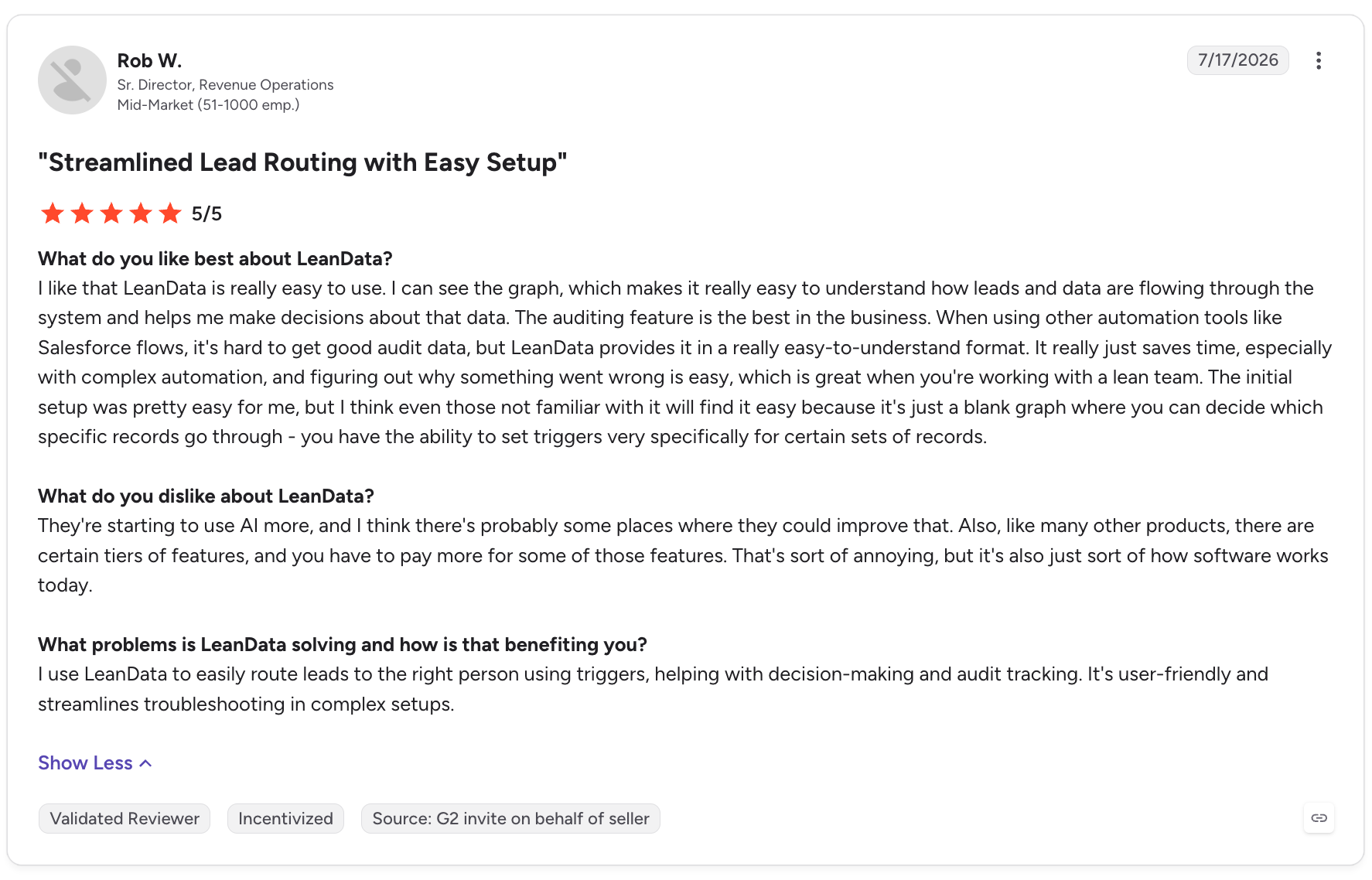
Users also appreciate LeanData's visual, graph-based workflow builder. Instead of relying entirely on complex Salesforce automation, administrators can inspect routing logic and investigate why a record was assigned to a particular representative.
Rob W., a Senior Director of Revenue Operations, specifically praises LeanData's audit functionality for making complex automation easier to troubleshoot.
What this means: Routing transparency can be a significant advantage for RevOps teams that need to explain assignment decisions, investigate errors, and maintain complex workflows.
3. Deduplication and CRM data quality
Customers also report benefits from LeanData's matching and deduplication capabilities. These help identify existing accounts, reduce duplicate records, and prevent multiple representatives from pursuing the same prospect unnecessarily.
For companies processing large volumes of inbound leads, better matching can reduce manual cleanup and help maintain more consistent CRM data.
4. Customer support and implementation assistance
Customer support is another recurring positive theme. Several G2 reviewers praise the assistance they received when configuring routing workflows and troubleshooting issues.
However, the implementation experience varies. Some reviewers describe setup as straightforward, while others report a longer implementation process or a need for stronger Salesforce expertise.
What Are the Common Complaints About LeanData?
LeanData's flexibility comes with trade-offs. Here are the product-specific limitations that emerge from user reviews.
Complaint
What Users Experience
Why It Matters
Complex routing graphs
Large workflows can become difficult to understand, update, and maintain.
Changes may require more administrative effort as routing requirements grow.
Steep learning curve
Users need time to understand routing logic, graph nodes, and configuration options.
Teams without experienced Salesforce administrators may struggle to manage workflows independently.
Limited reporting visibility
Some reviewers want more built-in reports, dashboards, and insights into workflow performance.
Teams may need additional analysis to understand errors, routing outcomes, and operational efficiency.
Configuration and troubleshooting
Reviewers report manual error checking, confusing settings, or difficulties resolving certain issues.
Troubleshooting can slow down operations when workflows do not behave as expected.
Feature and packaging limitations
Some users want greater flexibility in specific functions or more consistency between products.
Buyers should verify that the features they need are available in their chosen package.
These complaints do not mean every LeanData customer experiences the same problems. They highlight areas worth evaluating during a product demonstration, particularly if your team has complicated workflows or limited administrative resources.
What Do Lower-Rated G2 Reviews Reveal?
The most useful lower-rated reviews explain exactly what went wrong rather than simply expressing dissatisfaction.
Here are two examples:
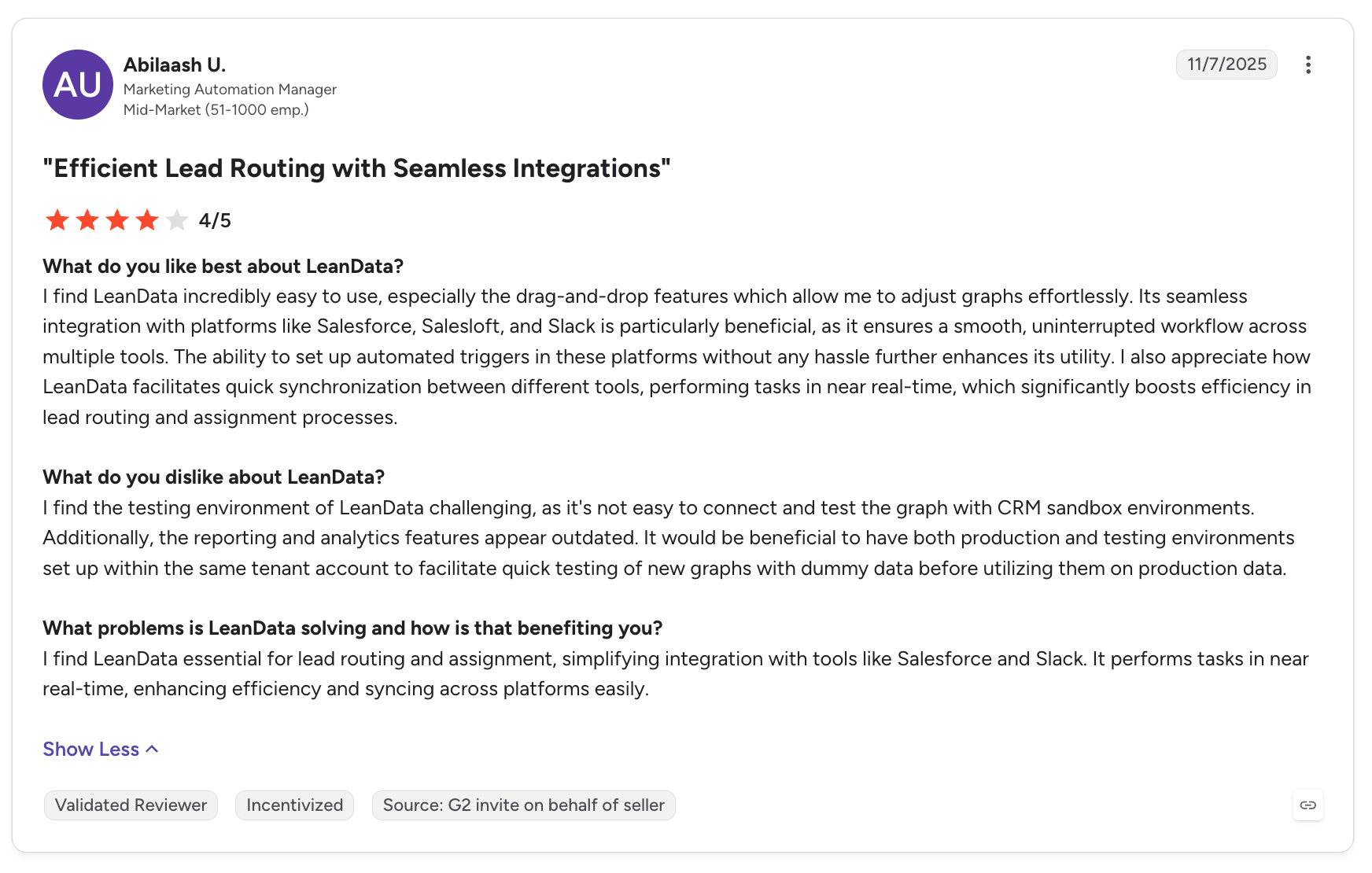
4/5 stars: Workflow complexity
A G2 reviewer, Abilaash U., praises LeanData's drag-and-drop routing and integrations with Salesforce, Salesloft, and Slack. However, the reviewer also notes that large routing graphs can become messy, making details harder to locate.
Why it matters: A visual builder makes routing easier to understand initially, but large workflows still need careful design and maintenance.
2.5/5 stars: HubSpot integration limitations
In a February 2026 review titled Effective Lead Management Tool with Integration Challenges, Matthew M. praises LeanData's lead-to-account matching and Salesforce integration but describes difficulties configuring it with HubSpot.
The reviewer explains that this creates problems for their lead funnel because HubSpot is their marketing automation platform.
Why it matters: Companies should evaluate LeanData against their actual CRM and marketing automation architecture, rather than assuming every integration offers the same depth of functionality.
What Are People Saying About LeanData on Reddit?
A February 2025 discussion in r/salesforce asked whether LeanData performs as well in practice as it claims.
The conversation provides a useful counterbalance to the more structured G2 reviews.
1. Users value the matching and auditing capabilities
One practitioner with years of LeanData experience describes it as a strong routing tool, particularly for lead-to-account matching, deduplication, and tracing how records are routed or changed.
The discussion also highlights the value of audit trails and notifications that explain why a lead was assigned to a particular representative.
2. Complex workflows can become difficult to manage
A recurring concern is that LeanData's routing rules can become complicated. Sales representatives may not understand why a lead was assigned to them, while administrators must ensure that workflow logic remains organized and understandable.
One commenter describes LeanData as a powerful tool but says its setup can become complex very quickly.
3. Buyers question whether the investment is justified
Some Reddit participants raise a practical question: could Salesforce Flow and Apex handle the same requirements at a lower cost?
This is a genuine build-versus-buy decision. Native Salesforce automation may be sufficient for straightforward routing, but LeanData's visual workflow management, matching capabilities, and audit trails may justify the additional investment for organizations with more demanding requirements.
4. Salesforce specialization matters
The discussion also highlights the importance of platform compatibility. Buyers using Salesforce-centric workflows may find LeanData well suited to their needs, while organizations evaluating different CRM architectures should carefully assess integration requirements before committing.
Is LeanData Worth It Based on Customer Reviews?
LeanData appears strongest for businesses that need sophisticated Salesforce lead routing, reliable account matching, workflow visibility, and configurable revenue operations automation.
Its main trade-offs are the learning curve, the effort required to maintain complex routing graphs, and limitations that some users encounter in reporting or specific configurations.
Before buying, ask the LeanData team to demonstrate your actual routing scenarios, explain how workflow errors are investigated, and clarify which features and integrations are included in your proposed package.
That will tell you more about whether LeanData is right for your team than the overall star rating alone.
LeanData Pros and Cons: What Are the Key Strengths and Limitations?
LeanData is a strong option for B2B companies that need to coordinate lead routing, account matching, meeting scheduling, and revenue workflows within Salesforce. Its biggest advantage is handling complex sales processes that basic CRM automation may struggle with. However, its Salesforce-centric approach, configuration requirements, and pricing may make it less suitable for smaller teams or businesses with simpler sales operations.
Pros
Cons
Advanced lead routing and account matching: Connects leads to the right accounts and routes records according to ownership, territory, and custom business rules.
Salesforce-centric platform: Businesses using another CRM as their primary system should carefully evaluate compatibility before committing.
Automates complex revenue workflows: Helps RevOps teams coordinate lead assignment, account ownership, and routing processes without relying entirely on manual intervention.
Complex setup and maintenance: Building and managing sophisticated routing workflows can require technical expertise and ongoing administration.
Improves speed to lead: Automated assignment and meeting scheduling can reduce delays between a prospect expressing interest and connecting with the appropriate sales representative.
Learning curve for advanced workflows: Teams may need training to understand routing logic, troubleshoot errors, and maintain complex configurations.
Supports account-based sales strategies: Lead-to-account matching and routing rules help organizations manage enterprise accounts, territories, and complex B2B sales structures.
May be excessive for simpler sales teams: Businesses with straightforward assignment rules may not need the full capabilities of a dedicated orchestration platform.
Streamlines meeting scheduling: BookIt helps connect prospects with the appropriate sales representatives based on routing rules and scheduling requirements.
Pricing requires careful evaluation: LeanData does not publicly list complete prices for every package. Costs should be weighed against expected efficiency gains, implementation, and ongoing administration.
Integrates with the sales and marketing stack: Connections with supported CRM, marketing automation, and sales engagement tools can help coordinate revenue operations.
Integration depth varies: Teams should validate their specific integrations, data flows, and configuration requirements rather than assume every connection supports their desired workflow.
Provides visual workflow management: Visual routing graphs help administrators inspect and manage complex assignment logic.
Complex graphs can become difficult to manage: Large workflows may become cluttered, making changes, troubleshooting, and ongoing maintenance more challenging.
Can reduce manual RevOps work: Automating repetitive routing and matching processes can free operations teams to focus on process improvement and pipeline efficiency.
ROI depends on operational complexity: The investment may be harder to justify if the business has low lead volume, simple routing requirements, or limited need for advanced orchestration.
Is LeanData Worth It?
LeanData is best suited to B2B organizations with complex Salesforce environments, multiple sales territories, account-based sales motions, and demanding lead management requirements. These businesses are more likely to benefit from its routing, matching, and workflow automation capabilities.
However, companies should evaluate the total cost of ownership, implementation effort, reporting requirements, and integration compatibility before purchasing. The key question is whether your sales operations are complex enough to justify a dedicated orchestration platform. If they are, LeanData may help create a more consistent and scalable revenue process. If not, native CRM automation or a simpler routing solution may be sufficient.
#1 LeanData Alternative: Knock AI
Knock AI is the best LeanData alternative for B2B teams that want to connect buyer identification, marketing engagement, AI-powered conversations, qualification, and pipeline conversion.
LeanData is built around GTM orchestration, with powerful lead-to-account matching, Salesforce routing, meeting scheduling, and buying-group workflows. Knock AI approaches the problem from the buyer's side: it helps businesses identify who's engaging, understand their context, start conversations, qualify interest, route buyers to the right people, and connect engagement to pipeline outcomes.
That difference matters when a business is spending heavily on paid acquisition, running account-based marketing campaigns, or losing potential buyers between the first interaction and a sales meeting.
Supports routing and orchestrating inbound leads generated through marketing campaigns.
Campaign conversion measurement
Connects campaign attribution with buyer engagement, conversations, and meeting-related conversion events, depending on configuration.
Tracks routing performance, SLAs, and revenue workflow outcomes rather than focusing primarily on advertising campaign measurement.
Buyer identification and enrichment
Identifies and enriches buyers using available contact, company, intent, and engagement data to inform qualification and follow-up.
Matches incoming leads to Salesforce accounts and uses CRM and external buyer signals to support routing and orchestration.
Buyer engagement context
Connects available engagement and attribution data with buyer information to help sales teams understand who is engaging and why.
Connects leads, contacts, accounts, opportunities, and buying-group information to coordinate revenue workflows in Salesforce.
Form-free conversion
Knock Links can provide direct entry points for conversations or meeting booking from channels such as LinkedIn posts, email campaigns, G2 profiles, and event QR codes.
BookIt supports meeting scheduling and routing workflows, including booking experiences for inbound prospects.
AI-powered buyer conversations
AI agents can engage buyers, answer questions using approved information, qualify prospects, and support routing and meeting booking.
Focuses on revenue orchestration, including routing and coordinating leads generated through AI SDR workflows.
Buyer qualification
Uses conversation context, enrichment, intent, and configured qualification criteria to help determine the appropriate next step for a buyer.
Uses account matching, CRM context, intent signals, and routing rules to determine assignment and follow-up.
Intent-based routing
Routes chats and meetings using available buyer intent, enrichment, CRM context, and configured business rules.
Routes leads, contacts, accounts, opportunities, and other supported Salesforce objects using ownership, territory, matching, and custom rules.
Meeting scheduling
Connects buyer conversations and qualification with meeting booking and routing to the appropriate sales representative.
BookIt provides scheduling, CRM matching, availability management, and routing capabilities.
Account-based marketing (ABM)
Connects target-account engagement with buyer identification, enrichment, conversational engagement, qualification, routing, and conversion measurement.
Supports ABM through lead-to-account matching, account-based routing, intent-driven workflows, and buying-group orchestration.
CRM synchronization
Supports syncing relevant buyer and engagement data with connected CRM systems, including Salesforce and HubSpot.
Provides deep Salesforce-native matching, routing, and workflow automation.
Attribution and funnel visibility
Connects available campaign data and buyer interactions with conversations and meetings to help teams understand conversion paths.
Provides routing analytics, SLA monitoring, and audit trails to help teams understand how records are matched, assigned, and processed.
Why Is Knock AI Particularly Interesting for ABM Teams?
LeanData already supports ABM through account matching, intent-driven workflows, and buying-group orchestration.
The difference is how Knock AI connects account engagement to buyer conversations and conversion.
Consider a B2B SaaS company targeting 200 enterprise accounts.
1. Connect paid campaigns to actual buyer engagement
The company launches campaigns on Google Ads, Meta Ads, and LinkedIn Ads. Instead of measuring success only through clicks and form submissions, the team can use Knock AI's advertising event integrations and data layer to track meaningful engagement events, such as starting a chat or progressing toward a meeting.
Those events can be sent to supported advertising platforms to improve measurement and inform campaign optimization. The exact events and optimization setup depend on the integration and configuration.
2. Give interested buyers a direct path to sales
A prospect sees a LinkedIn ad, clicks through to a Knock Link, and starts a conversation instead of completing a lengthy form. Knock AI can identify and enrich the buyer using available information, capture campaign attribution, and make that context available to the sales team.
Knock Links can also be placed in G2 profiles, email campaigns, product guides, marketplace pages, and event QR codes. This gives ABM teams additional ways to convert engagement across their campaigns into conversations.
3. Qualify buyers using context, not just a form submission
Suppose the person engaging is a VP of Engineering at a target enterprise account. Knock AI can use available role, company, intent, engagement, and CRM information to support qualification and routing. Its AI agent can also ask relevant questions during the conversation.
That gives the team more context for deciding whether to route the buyer to an account executive, another specialist, or a different workflow.
4. Connect the conversation to a meeting
Once the buyer is qualified, Knock AI can route the conversation to the appropriate representative and support meeting scheduling. The goal is to reduce friction between initial interest and a meaningful sales conversation.
LeanData also offers sophisticated scheduling and routing. Knock AI's differentiation is the way conversation, qualification, and booking can work together as part of the buyer's engagement journey.
5. Understand which engagement leads to conversion
Knock AI's attribution capabilities connect available campaign information and buyer interactions with conversations and booked meetings. Teams can use this context to understand which channels and touchpoints contribute to conversion, rather than evaluating campaigns exclusively by their ability to generate leads.
For ABM teams, this can help connect campaign engagement to the outcomes that matter: qualified conversations, meetings, and pipeline.
Orchestrate complex routing across leads, contacts, accounts, opportunities, and custom Salesforce objects.
Govern territory assignment, SLAs, and routing decisions at scale.
Coordinate buying-group workflows and stakeholder coverage.
Manage scheduling and handoffs within complex Salesforce sales operations.
The verdict: Knock AI is a compelling LeanData alternative for teams that want to connect marketing engagement with buyer conversations and conversion. LeanData remains a strong choice for complex Salesforce-native revenue orchestration. The right option depends on whether your biggest challenge is orchestrating CRM processes, converting buyer engagement, or both.
FAQs
1. What is LeanData used for?
LeanData is a B2B revenue orchestration platform that helps businesses match leads to accounts, automate lead routing, manage territories, schedule meetings, and coordinate revenue workflows, particularly within Salesforce.
2. How much does LeanData cost?
LeanData offers multiple pricing tiers, including Standard, Advanced, Premium, and Enterprise options. Pricing is not fully published on its website, so businesses generally need to contact LeanData for a quote. Total costs may depend on the selected products, implementation, and additional requirements.
3. Is LeanData worth it?
LeanData can be worthwhile for B2B organizations with complex Salesforce environments, high lead volumes, multiple territories, and sophisticated routing requirements. Smaller teams with straightforward sales processes may find native CRM automation or a simpler routing solution sufficient.
4. Does LeanData integrate with Salesforce?
Yes. Salesforce is central to LeanData's platform. It supports lead-to-account matching, routing, assignment automation, and other revenue workflows built around Salesforce data.
5. Does LeanData support HubSpot?
LeanData is primarily Salesforce-focused. Businesses using HubSpot should verify which integrations and workflows are supported for their specific setup before purchasing, particularly if HubSpot is their primary CRM.
6. What are the main disadvantages of LeanData?
Potential drawbacks include a learning curve for complex routing workflows, configuration and maintenance requirements, potentially cluttered routing graphs, and pricing that may be difficult to justify for simpler sales operations. Integration requirements should also be evaluated before implementation.
7. What is the best alternative to LeanData?
The best alternative depends on your requirements. Knock AI is worth considering if you want to connect buyer identification, intent detection, conversational AI, outreach, qualification, routing, and meeting scheduling. For organizations primarily seeking Salesforce-native lead-to-account matching and complex routing, other dedicated routing platforms may be more appropriate.
8. How does Knock AI compare with LeanData?
LeanData specializes in revenue orchestration, including Salesforce lead-to-account matching, routing, scheduling, and buying-group workflows. Knock AI takes a messaging-first approach, connecting buyer identification and engagement with AI-powered conversations, qualification, routing, and conversion workflows. Knock AI may be a better fit for teams prioritizing buyer engagement and pipeline conversion, while LeanData is well suited to complex Salesforce routing requirements.
9. Does LeanData offer account-based marketing (ABM) capabilities?
Yes. LeanData supports ABM through lead-to-account matching, account-based routing, intent-driven workflows, and buying-group orchestration. These capabilities help sales and marketing teams coordinate activity around target accounts. Knock AI offers a different approach by connecting target-account engagement with buyer identification, conversational engagement, qualification, and conversion.
10. Does LeanData offer meeting scheduling?
Yes. LeanData's BookIt product supports meeting scheduling and routing workflows, helping prospects connect with the appropriate sales representative based on configured rules and availability.
11. Can LeanData automate lead routing?
Yes. LeanData automates lead routing using matching logic, ownership rules, territories, and other configured criteria. It helps organizations reduce manual assignment and manage complex routing processes across their Salesforce environment.
12. Who should use LeanData?
LeanData is best suited to B2B companies with complex Salesforce-based sales operations, multiple territories, account-based strategies, and demanding lead management requirements. Businesses that need sophisticated routing and revenue process orchestration are more likely to benefit from its capabilities.