Best Lead Generation Tools to Turn Website Traffic Into Pipeline
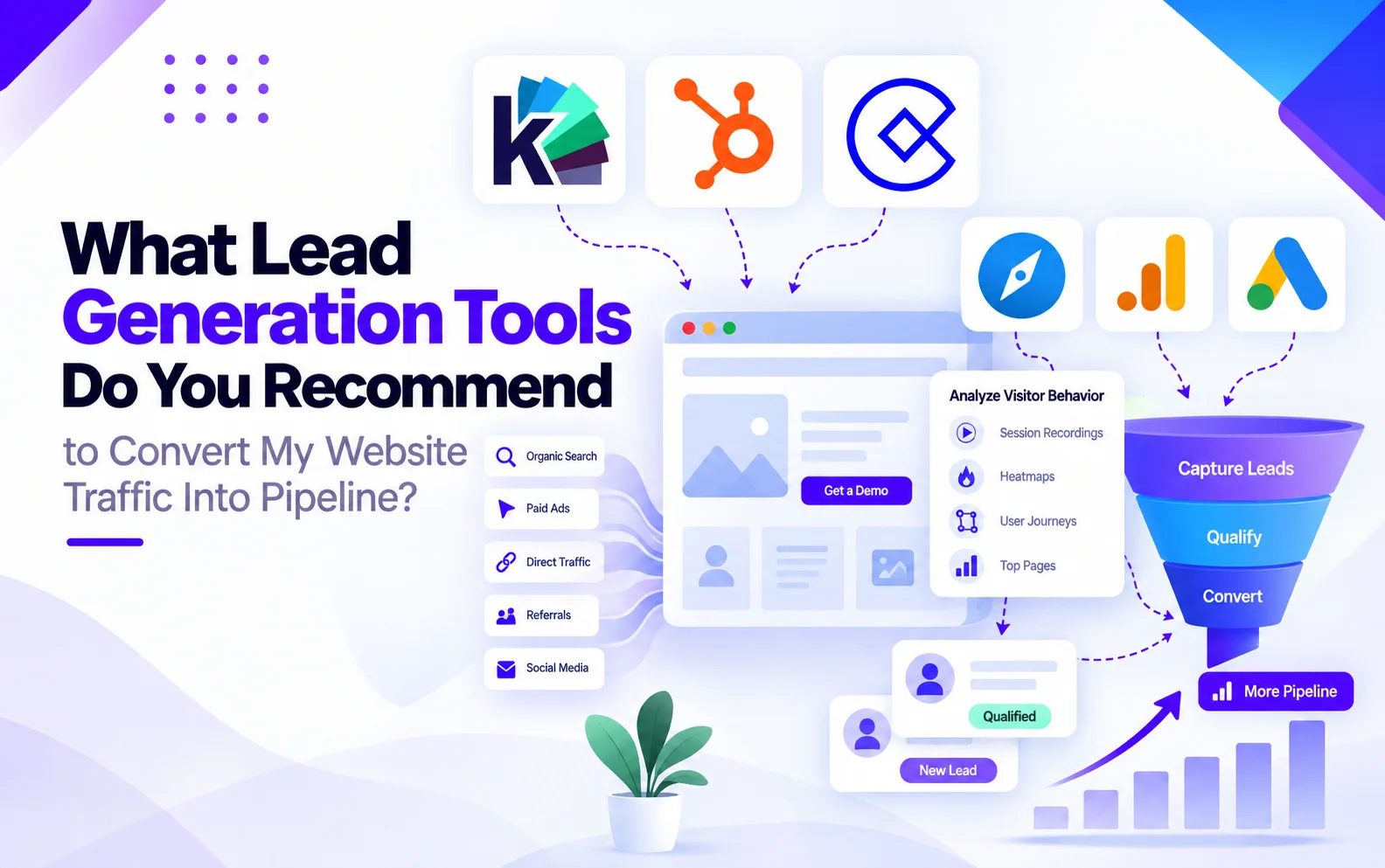
What Lead Generation Tools Do You Recommend to Convert My Website Traffic Into Pipeline?
If you already have website traffic, you don't necessarily need another prospecting database. You need tools that help you understand your visitors, identify buying signals, capture demand, and turn meaningful website activity into sales opportunities.
For most businesses, the six tools worth considering are:
Tool
What it helps you do
Knock AI
Identify high-intent website visitors, understand their activity, qualify them, engage them, and route opportunities to sales
HubSpot
Capture and manage leads, automate follow-up, and connect website activity to CRM and pipeline
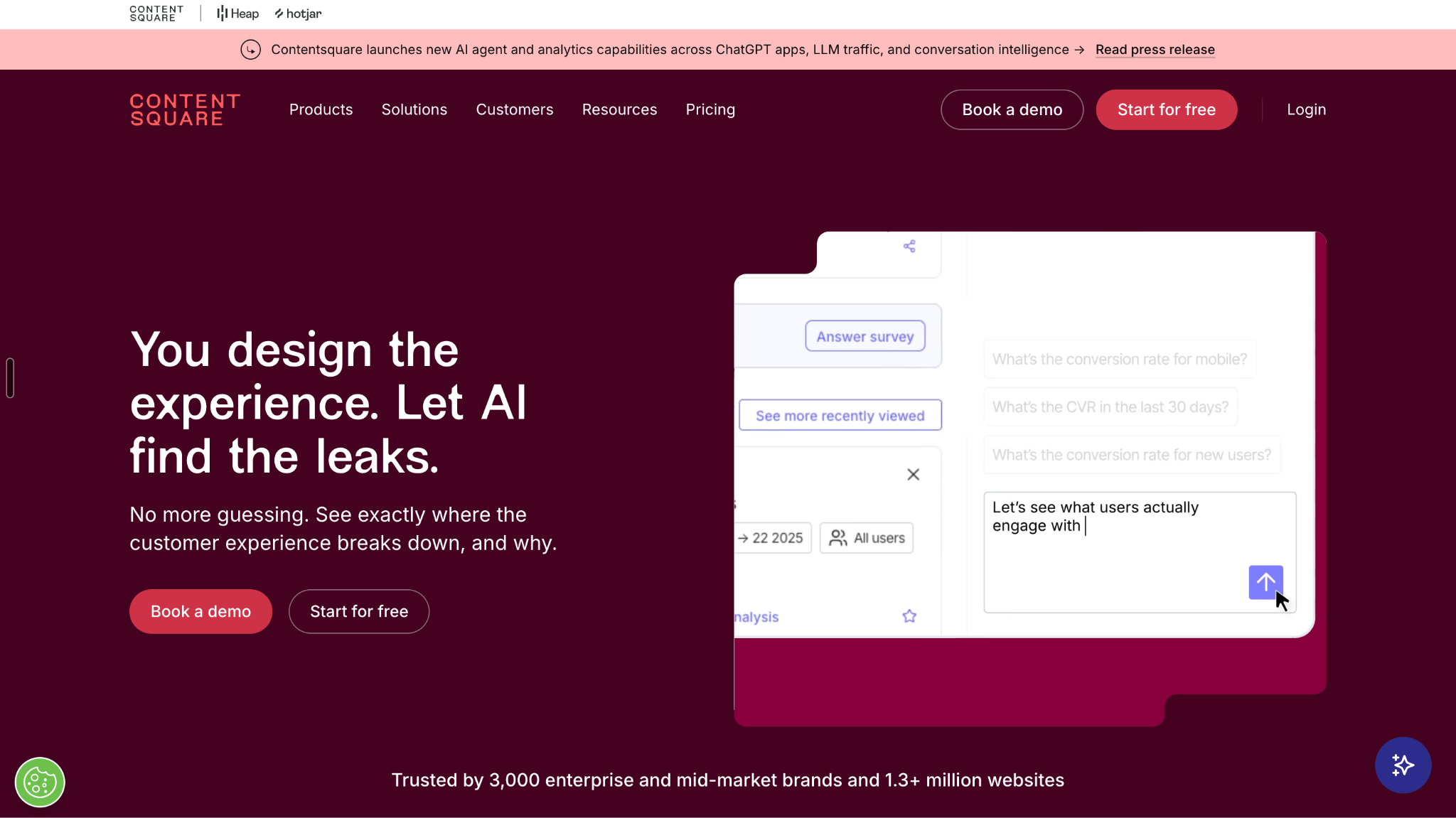
Contentsquare / Hotjar
Understand visitor behavior, friction, and conversion problems across the website
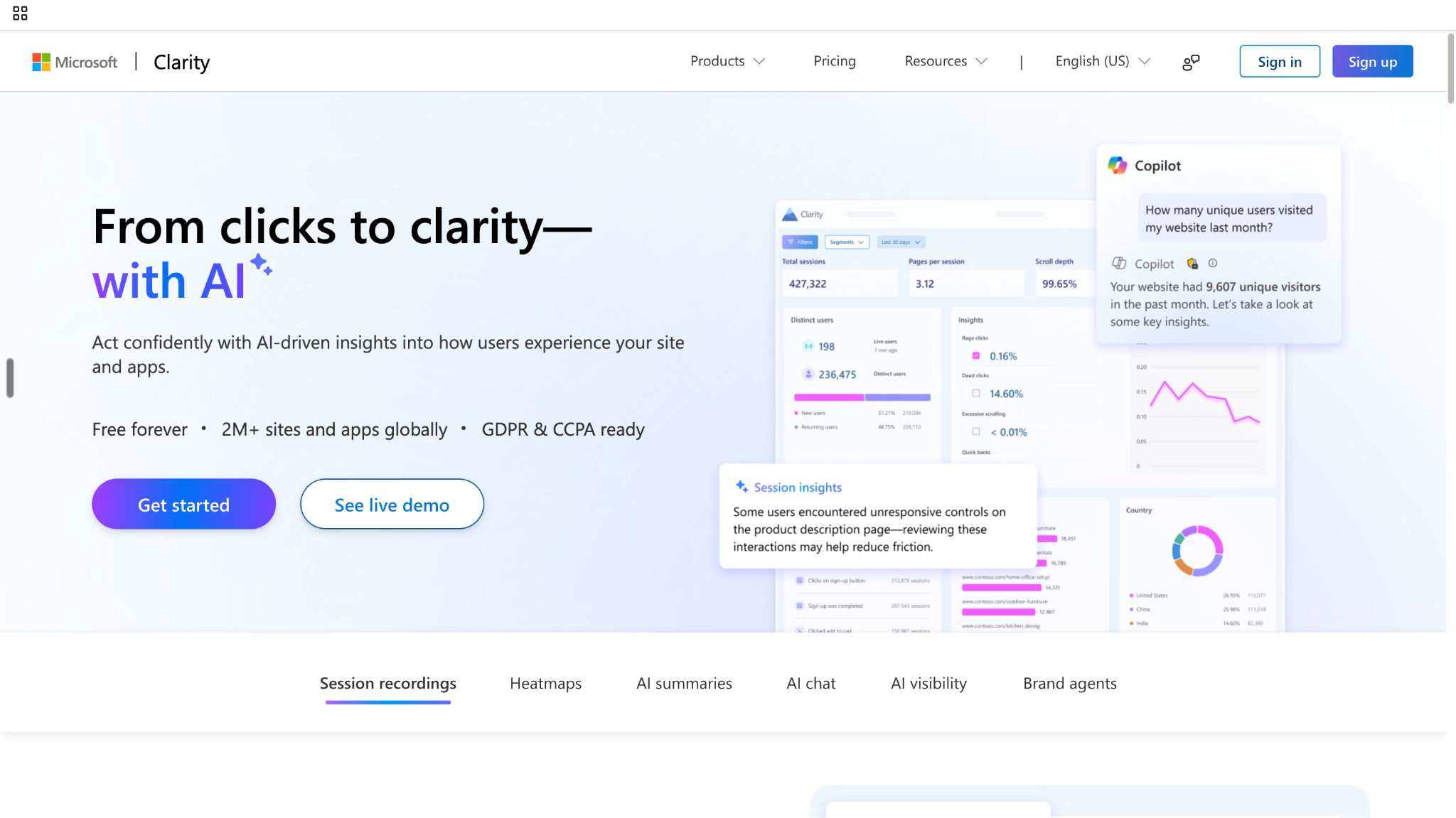
Microsoft Clarity
Analyze sessions, clicks, scrolls, and other behavioral patterns to understand where visitors get stuck
Google Analytics 4
Measure traffic sources, website behavior, conversions, and acquisition performance
Google Ads
Bring relevant, high-intent search traffic to your website
Which one should you use?
That depends on where your traffic-to-pipeline process is breaking down.
You need more relevant traffic: Google Ads
You don't know where your traffic comes from: GA4
You don't understand why visitors aren't converting: Microsoft Clarity or Contentsquare/Hotjar
You capture leads but struggle to manage them:HubSpot
You have significant traffic but don't know which visitors are potential buyers:Knock AI
You have buyer activity but struggle to turn it into sales conversations: Knock AI + HubSpot
The important distinction is that these tools don't perform the same job. Google Ads helps create demand and bring traffic. GA4 measures it. Clarity and Contentsquare/Hotjar help explain it. HubSpot manages known leads and pipeline. Knock AI focuses on identifying and acting on meaningful buyer activity.
The Real Problem: Traffic Doesn't Automatically Become Pipeline
This is where we can then introduce the concept.
Getting 10,000 visitors doesn't necessarily mean you're generating 10,000 opportunities. What matters is what those visitors do, whether they're relevant to your business, and whether you can recognize and act on meaningful buying behavior.
A visitor becomes valuable not simply because they arrived, but because you can determine who they are, what they're interested in, and what should happen next.
And that's exactly why the six tools above exist at different points in the journey.
What Does It Take to Turn Website Traffic Into Pipeline?
Once traffic reaches your website, the problem changes.
You no longer need to ask only “How do I get more people here?” You need to know whether the traffic is relevant, what those visitors are doing, whether any of that behavior signals genuine buying interest, and what your team should do with it.
Think of it less as a funnel and more as a chain of decisions. Google Ads can help bring the right audience in. GA4 tells you where that audience came from and what happened afterward. Behavioral tools such as Microsoft Clarity and Contentsquare/Hotjar help explain what the numbers alone can't: where people hesitate, what they interact with, and where the experience breaks down.
Then comes the harder part: who actually matters?
A visitor can show strong interest without ever filling out a form. If that activity remains anonymous, marketing can see engagement without sales seeing an opportunity. Knock AI addresses this layer by connecting visitor and account identity with first-party activity, intent, qualification, engagement, and routing.
Once someone becomes a known or qualified lead, HubSpot can provide the operational layer for managing the relationship, nurturing the lead, and connecting activity with CRM and pipeline.
So the framework isn't about finding one tool that does everything. It's about making sure there isn't a major gap between someone arriving on your website and your sales team having a meaningful opportunity to act.
Stage
The question you're trying to answer
Acquire
Are we attracting the right people?
Measure
Which channels and campaigns are bringing them in?
Understand
What are they actually doing once they arrive?
Identify
Can we connect meaningful activity to a person or account?
Engage
Is there a relevant next step for an interested visitor?
Qualify
Does the activity indicate a genuine sales opportunity?
Route
Does that opportunity reach the right sales workflow?
Pipeline
Can we connect the resulting sales activity to an actual opportunity?
This is the framework we'll use to evaluate the six tools below. Each solves a different part of the problem, and the value comes from how those pieces connect rather than from simply adding more software.
The 6 Lead Generation Tools for Turning Website Traffic Into Pipeline
Tool
Primary Role
Best For
Where It Fits
Traffic Acquisition
Traffic Analytics
Behavioral Analysis
Visitor / Account Identification
Intent Signals
Lead Capture
Engagement
Qualification
Lead Routing
CRM / Pipeline
Key Integrations / Connections
Best Fit for
What It Doesn't Solve
Pricing
Knock AI
Buyer identification, intent, qualification, engagement, and routing
Turning existing website and marketing activity into qualified conversations and pipeline
B2B teams with existing demand that want more pipeline from it
Doesn't replace Google Ads, GA4, or behavioral analytics
From $2,000/mo for Pipeline Foundation; from $3,500/mo for Pipeline Acceleration; Enterprise custom
HubSpot
CRM, lead capture, marketing automation, and pipeline management
Capturing known leads and managing their journey through marketing and sales
Capture → Nurture → Manage → Pipeline
Doesn't primarily acquire traffic
Tracks marketing and website activity through its ecosystem
Provides marketing/customer activity data, but isn't primarily a session-replay tool
Stores known contact and company records
Marketing and behavioral signals can feed lead management and scoring
Forms, landing pages, chat, and other conversion tools
Email, automation, workflows, campaigns, and sales tools
Lead scoring, lifecycle stages, and workflows
Workflow-based assignment and automation
Full CRM and pipeline management
Broad HubSpot ecosystem and external integrations
Businesses wanting one system for marketing, CRM, and sales operations
Doesn't specialize in anonymous visitor identification or deep session-level behavior analysis
Free; Starter from $7/seat/mo annual promotional pricing; Professional from $900/mo on current HubSpot for Marketers pricing; Enterprise from $3,800/mo. Pricing depends on contacts, billing, and package.
Contentsquare / Hotjar
Digital experience and behavioral analytics
Understanding why visitors engage, struggle, or drop off
Understand → Optimize
Doesn't acquire traffic
Analyzes website experience and journeys
Heatmaps, session replay, surveys, funnels, journey analysis, and experience insights
Primarily analyzes user behavior rather than functioning as a B2B buyer-identification platform
Behavioral patterns can reveal friction and engagement, but it isn't primarily an account-intent platform
Can support conversion research and feedback
Surveys and feedback help understand visitor experience
Helps diagnose conversion friction rather than qualify sales opportunities
Not a sales-routing platform
Connects with other systems rather than serving as the core CRM
Integrations including Slack, Jira, Unbounce, and others depending on plan
Marketing, CRO, UX, and product teams
Doesn't turn anonymous behavior into a sales opportunity by itself
Free plan available; Growth, Pro, and Enterprise plans available. Hotjar is now part of Contentsquare, and new users sign up through Contentsquare.
Microsoft Clarity
Website behavior analytics
Finding friction and understanding what visitors actually do
Understand → Optimize
Doesn't acquire traffic
Behavioral analytics rather than acquisition reporting
Session recordings, heatmaps, click/scroll analysis, rage/dead clicks, segmentation, and AI summaries
Knock AI: Turn Anonymous Website Activity Into Actionable Buyer Signals
Most website analytics can tell you that someone visited your site. The harder question is whether that visitor represents a real buying opportunity.
That distinction matters because a visitor doesn't need to fill out a form to show interest. They might return several times, spend time on product pages, explore pricing, interact with a CTA, or engage with a conversation before ever identifying themselves.
It helps identify companies and visitors, connect their activity with account context, enrich the available information, recognize first-party intent, qualify meaningful activity, engage buyers, and route qualified opportunities to the appropriate sales workflow.
The important part is that these aren't isolated actions.
A visitor is identified first. Their activity can then be interpreted in the context of the account and other available signals. If that activity indicates meaningful interest, the buyer can be qualified, engaged, and routed rather than simply being left as another anonymous website session.
Why a single website action isn't enough
A pricing-page visit can be interesting. But a pricing-page visit alone doesn't tell you that someone is ready to talk to sales.
The signal becomes more useful when you combine it with context.
For example, consider a visitor who:
Returns to the website multiple times
Views product pages
Checks pricing
Interacts with a CTA
Consumes high-value content
Submits a form
Starts a conversation
Continues engaging with the site over time
Individually, each action provides only part of the picture.
Together, they can provide a much clearer indication of who is interested, what they're researching, and whether the activity deserves action.
That's the difference between tracking website activity and actually using website activity as a source of buyer intelligence.
The value isn't in identifying every person who visits your website.
It's in finding the relevant buyers hidden inside your existing traffic and giving your team enough context to decide what should happen next.
For example, if a company repeatedly visits your product and pricing pages, engages with relevant CTAs, and matches your target customer profile, that activity is considerably more actionable than a single page view from an unknown visitor.
Knock AI can connect those signals and help move the opportunity into the appropriate engagement and sales workflow.
When should you use Knock AI?
Knock AI becomes particularly relevant when you already have website traffic but have a gap between visitor activity and sales action.
You may benefit from this type of workflow if:
You already have meaningful website traffic, but don't know which visitors matter.
Sales has limited visibility into what prospects are doing before they become leads.
High-intent visitors leave without filling out a form or booking a meeting.
Marketing sees engagement signals, but sales doesn't have the context behind them.
Your team needs to act on meaningful buying signals without waiting for a traditional lead conversion.
The goal isn't to replace your analytics, advertising, or CRM stack.
It's to connect the buyer signals those systems don't necessarily turn into immediate sales action with identification, qualification, engagement, and routing.
That makes Knock AI particularly useful for companies asking a more specific question than “How much traffic did we get?”:
“Which of the people already visiting our website might actually be in a buying process, and what should we do about them?”
HubSpot: Capture and Manage Website Leads Through the CRM
Once a website visitor identifies themselves, the challenge shifts from “Who is visiting?” to “How do we manage this relationship and move it toward revenue?”
That's where HubSpot fits.
HubSpot brings website forms, contact and company records, marketing automation, lead scoring, lifecycle stages, nurturing, CRM, and pipeline management into the same system. Instead of treating a form submission as the end of the conversion journey, you can use that interaction as the starting point for managing the prospect through marketing and sales.
Where HubSpot fits
Capture → Manage → Nurture → Convert
A typical workflow might look like this:
Website visit → Form submission → Contact record → Lead qualification → Nurturing → Sales handoff → Opportunity → Pipeline
The advantage is continuity. The website interaction doesn't have to remain isolated from everything that happens afterward.
HubSpot can help you:
Turn identified website visitors into contact and company records
Capture information through forms and other conversion points
Track relevant interactions across the customer journey
Apply lifecycle stages to contacts and companies
Score and segment leads based on your marketing and sales criteria
Automate follow-up and nurturing
Assign leads to the appropriate sales workflow
Connect marketing activity with CRM records and sales opportunities
The result is a more structured path from known website visitor to managed sales opportunity.
Where HubSpot fits alongside Knock AI
HubSpot and Knock AI address different parts of the journey, so the distinction is less about choosing one over the other and more about where the buyer is in the process.
HubSpot is primarily the CRM and lead-management layer. It becomes especially useful once a visitor is known and you need to manage their lifecycle, nurture them, and connect their activity with the sales pipeline.
Knock AI can operate earlier in that journey by helping identify meaningful buyer activity and intent before a traditional form conversion necessarily occurs, then helping qualify, engage, and route that activity.
In a broader traffic-to-pipeline system, the two can therefore play complementary roles:
The exact workflow depends on how your marketing and sales operations are configured, but the underlying distinction is straightforward: Knock AI focuses on turning meaningful buyer signals into action, while HubSpot provides the system for managing known leads and opportunities.
Contentsquare / Hotjar: Understand Why Visitors Do or Don't Convert
Knowing that visitors are leaving your website is useful.
Knowing why they're leaving is much more useful.
Contentsquare, which now includes Hotjar, focuses on digital experience and behavioral analysis. Its tools can help teams examine how visitors interact with pages, where they encounter friction, and which parts of the website experience may be preventing conversion.
Where it fits
Understand → Optimize
The question here isn't:
“Who should sales contact?”
It's:
“What is happening between a visitor arriving and converting?”
You might discover that visitors:
Repeatedly reach your pricing page but don't take the next step
Abandon a form partway through
Ignore an important CTA
Struggle with navigation
Scroll past key information
Spend time on a high-value page without progressing
Encounter friction during an important conversion journey
Those observations can help marketing, CRO, UX, and product teams determine what needs to change on the website.
That's valuable for pipeline because improving the experience can increase the percentage of existing traffic that moves toward a conversion.
But there's an important distinction: behavioral analytics primarily helps you diagnose the experience. It isn't the same thing as identifying a specific B2B account, determining whether that account is actively evaluating your product, and routing that opportunity to sales.
Microsoft Clarity: Find Website Friction Through Behavioral Data
Microsoft Clarity addresses a similar part of the journey: understanding what visitors actually do once they arrive.
It provides behavioral visibility through features such as session recordings, heatmaps, scroll and click behavior, and insights around interactions such as rage clicks and dead clicks.
Where Clarity fits
Understand → Diagnose → Optimize
Instead of relying solely on aggregate conversion numbers, you can look at the behavior behind them.
For example, suppose a landing page has a strong amount of traffic but a weak conversion rate. The conversion report tells you that there's a problem.
Clarity can help you investigate what visitors are doing on the page.
You might find that visitors:
Click elements that aren't interactive
Stop scrolling before reaching the CTA
Repeatedly interact with the wrong element
Abandon a form
Navigate away after encountering friction
Spend time on the page without reaching the intended conversion point
That makes Clarity useful as a diagnostic layer in the traffic-to-pipeline process.
Clarity vs. Contentsquare / Hotjar
There is considerable overlap because all three can help teams understand digital behavior.
A practical way to distinguish them for this article is:
Microsoft Clarity: accessible behavioral visibility focused on recordings, heatmaps, and friction signals.
Contentsquare / Hotjar: broader digital experience and behavioral analysis, with capabilities that can extend into areas such as feedback, surveys, journey analysis, and experience optimization depending on the product and plan.
The important point isn't that one universally beats the other. It's that both belong on the “understand and optimize” side of the traffic-to-pipeline journey, rather than being treated as sales qualification or CRM platforms.
Google Analytics 4: Understand Where Your Pipeline-Generating Traffic Comes From
Before you can improve traffic-to-pipeline performance, you need to know where your traffic is coming from and what happens after people arrive.
That's the role of Google Analytics 4.
GA4 provides the measurement layer for acquisition, events, engagement, conversions, user journeys, and campaign performance.
Where GA4 fits
Acquire → Measure → Attribute
The questions are relatively straightforward:
Which channels are bringing visitors?
Which campaigns are driving engagement?
Which landing pages receive traffic?
Which actions do visitors take?
Which traffic sources contribute to conversions?
Where do visitors drop out of the journey?
For example, GA4 might tell you:
Organic search generated a particular group of users and a certain number of conversions.
Or:
A paid campaign generated traffic that resulted in a specific conversion event.
That information is essential for deciding where to invest more or less acquisition effort.
But there is a boundary worth understanding.
GA4 is fundamentally a measurement and analytics layer. It can show you patterns in traffic and behavior, but analytics alone doesn't necessarily answer:
“Which anonymous company is researching our product right now, and should sales act on it?”
That's where other parts of the stack become important.
GA4 tells you what is happening at the measurement level. Tools focused on visitor identification, intent, qualification, or CRM operations can help determine what to do about it.
Google Ads: Bring High-Intent Traffic to Your Website
Everything downstream depends, at least in part, on the quality of the traffic entering your website.
Google Ads sits at the beginning of that journey.
For businesses targeting active search demand, Google Ads can put an offer in front of people searching for relevant products, services, problems, or solutions.
Where Google Ads fits
Acquire
The basic journey looks like this:
Search intent → Ad → Landing page → Website behavior → Lead capture → Qualification → Sales opportunity → Pipeline
Google Ads is responsible primarily for the first part of that chain: bringing relevant paid traffic into the system.
It can be used for:
Search demand capture
Keyword targeting
Audience targeting
Campaign optimization
Conversion measurement
Driving traffic to specific landing pages or offers
But this is where many traffic-generation strategies stop too early.
Getting someone to click an ad doesn't mean you've generated pipeline.
The visitor still has to encounter a relevant landing page, find what they're looking for, engage with the site, and potentially identify themselves or demonstrate meaningful buying intent. The subsequent stages require the rest of the traffic-to-pipeline system.
So the role of Google Ads is straightforward:
Get the right people through the door.
The rest of the stack determines what happens after they arrive.
How the Six Tools Work Together
The six tools cover different parts of the journey from website traffic to pipeline. They aren't six interchangeable lead-generation platforms:
Stage
Tool
What it does
Output
Acquire
Google Ads
Brings relevant, intent-driven visitors to the website through paid campaigns
Targeted website traffic
Measure
Google Analytics 4
Measures acquisition sources, engagement, events, conversions, and campaign performance
Traffic and conversion data
Understand
Contentsquare / Hotjar
Analyzes journeys, heatmaps, recordings, and experience friction to show why visitors do or don't convert
Behavioral insights
Understand
Microsoft Clarity
Reveals clicks, scroll behavior, session patterns, and interaction friction
Behavioral and UX insights
Identify
Knock AI
Identifies relevant visitors/accounts and connects website activity with account context and first-party intent
Identified buyer signals
Qualify & Engage
Knock AI
Uses buyer context and intent signals to determine which activity deserves action and supports real-time engagement
Qualified buyer conversations
Route
Knock AI + CRM
Sends qualified opportunities into the appropriate sales workflow
Sales-ready opportunities
Manage & Convert
HubSpot
Captures known leads, manages lifecycle stages, nurtures prospects, and connects activity with CRM and pipeline
Managed leads and opportunities
Pipeline
HubSpot + Sales
Connects qualified leads and sales activity to actual opportunities and revenue workflows
Sales pipeline
The simplest way to think about the stack
Google Ads → GA4 → Contentsquare / Hotjar + Clarity → Knock AI → HubSpot → Sales
But you don't need every tool in every situation.
If your problem is traffic, start upstream.
If your problem is website behavior and conversion, focus on the experience layer.
If your problem is unknown or high-intent visitors, focus on identification and intent.
If your problem is lead management and sales follow-up, focus on the CRM layer.
The right stack depends on where your traffic-to-pipeline journey is breaking.
Do You Actually Need All Six Tools?
No. Most teams don't need all six.
The right stack depends on where your website-to-pipeline journey is breaking. A company struggling to understand visitor behavior has a very different problem from one generating thousands of visits but failing to identify potential buyers.
Your situation
Tools to focus on
Why
You have traffic but don't understand it
GA4 + Clarity + Contentsquare/Hotjar
Measure acquisition, then understand how visitors behave on the site.
You understand traffic, but visitors aren't converting
Contentsquare/Hotjar + Clarity + HubSpot
Find friction, improve the experience, and strengthen lead capture and follow-up.
You have leads, but sales doesn't know which visitors matter
Knock AI + CRM
Identify meaningful buyer activity, surface intent, and connect it with known leads and accounts.
Your website converts well, but traffic isn't sufficient
Google Ads + GA4
Bring more relevant traffic and measure which campaigns contribute to conversions.
You have traffic and leads, but weak pipeline conversion
Knock AI + HubSpot + behavioral analysis
Connect buyer signals with lead management while using behavioral data to identify conversion friction.
The point isn't to build the biggest possible marketing stack. It's to fix the specific bottleneck preventing traffic from becoming pipeline.
Choose tools based on the bottleneck, not based on how many tools you can add to your stack.
Website Traffic vs. Pipeline: The Metrics That Actually Matter
Traffic is easy to measure. Pipeline is harder.
A website can generate thousands of sessions without producing meaningful sales opportunities. That's why the useful measurement framework goes beyond visits and pageviews:
Each step tells you something different about the quality of your website traffic and what happens after someone arrives.
Metric
What it tells you
Website sessions
How much traffic your website is receiving
Engaged sessions
Whether visitors are actually interacting with the site
Conversion rate
How often visitors take a desired action
Form conversion rate
How effectively your forms turn visitors into leads
Identified accounts
How many relevant companies you can associate with website activity
High-intent accounts
Which identified accounts are showing meaningful buying signals
Qualified leads
How many leads meet your qualification criteria
Sales conversations
Whether marketing-generated interest is turning into real conversations
Opportunities
How many leads progress into genuine sales opportunities
Pipeline generated
The revenue opportunity associated with those visitors and leads
Pipeline per visitor
How much pipeline your traffic generates relative to its volume
Cost per qualified opportunity
How efficiently your acquisition and conversion efforts produce sales opportunities
This changes the question you're asking.
Instead of:
“How much traffic did we get?”
You can ask:
“How much qualified pipeline did that traffic create?”
That's a much more useful way to evaluate your website, campaigns, and lead-generation stack.
More traffic isn't necessarily the goal. More qualified pipeline from relevant traffic is.
Common Reasons Website Traffic Doesn't Become Pipeline
Getting visitors to your website is only the first step. The bigger challenge is turning that activity into something sales can actually act on.
Here are some of the most common gaps between website traffic and pipeline:
1. You're measuring traffic instead of buying intent
Sessions, pageviews, and traffic growth tell you how much activity your website receives. They don't necessarily tell you whether those visitors are potential buyers.
A smaller number of relevant visitors showing repeated, meaningful activity can be more useful than a large volume of low-intent traffic.
2. You're only seeing visitors after they fill out a form
Traditional lead generation often starts when someone submits a form. But the buyer journey starts much earlier.
A visitor may read product pages, compare solutions, return to pricing, or interact with multiple CTAs without ever submitting their information. If you only analyze known leads, much of that pre-conversion activity remains invisible to sales.
3. Your website doesn't give high-intent visitors a clear next step
Even interested visitors can leave if the next action isn't obvious.
Depending on the buying stage, that next step could be booking a meeting, starting a conversation, requesting a demo, exploring a relevant use case, or contacting sales. The goal is to make the path forward match the visitor's level of intent.
4. Marketing and sales don't share visitor context
A lead notification containing only a name and email doesn't tell sales much about why that person might be interested.
Sales becomes more effective when it can see relevant context around the prospect's activity, such as the pages they viewed, actions they took, and signals that indicate what they may be evaluating.
5. Leads are captured but not qualified quickly
Not every form submission deserves the same level of attention.
If high-value leads and low-intent submissions enter the same workflow, sales teams have to spend time sorting through activity that could have been qualified earlier.
6. High-intent activity isn't routed to the right person
Identifying an interested account is only useful if the right person can act on it.
Routing based on factors such as account, territory, company characteristics, or sales ownership can reduce the gap between “this company is showing interest” and “someone is following up.”
7. You're acquiring the wrong traffic
More traffic won't fix a targeting problem.
If paid campaigns, SEO, or other acquisition channels consistently bring visitors who don't match your ICP or buying requirements, conversion optimization alone won't create strong pipeline. The acquisition layer needs to be evaluated alongside downstream conversion and revenue data.
8. You don't know which pages correlate with pipeline
Pageviews don't tell the whole story.
A page with relatively low traffic may appear repeatedly in the journeys of visitors who eventually become opportunities, while a high-traffic article may generate very little commercial value.
Connecting website behavior with lead, opportunity, and pipeline data helps answer a more useful question:
Which parts of our website are actually contributing to revenue?
The broader lesson is simple: website traffic becomes pipeline when acquisition, behavior, buyer intent, qualification, and sales execution are connected. If one of those links is missing, traffic can grow without a corresponding increase in revenue opportunities.
A Practical Framework for Choosing the Right Tool
You don't need to evaluate all six tools equally. Start with the problem you're trying to solve, then choose the category that addresses that specific gap.
Your Problem
Tool Category to Look At
We need more relevant website traffic
Google Ads
We don't know where our traffic comes from
GA4
We don't understand visitor behavior
Clarity / Contentsquare / Hotjar
Visitors engage but don't identify themselves
Knock AI
We need better lead capture and nurturing
HubSpot
We don't know which visitors show buying intent
Knock AI
Sales receives leads without enough context
Knock AI + HubSpot
We generate leads but struggle to connect them to pipeline
HubSpot + Knock AI
We have traffic but poor conversion
Behavioral analysis + website optimization
The important distinction is that these tools solve different problems at different points in the traffic-to-pipeline journey. The right choice depends less on the number of visitors you have and more on where those visitors are getting stuck.
FAQs
What is the best tool for converting website traffic into leads?
There isn't one universal tool because converting traffic involves several different jobs.
Google Ads helps bring relevant traffic. GA4 measures where that traffic comes from and what it does. Clarity and Contentsquare/Hotjar help explain visitor behavior and conversion friction. Knock AI focuses on identifying meaningful buyer activity and intent, while HubSpot handles lead capture, nurturing, CRM, and pipeline management.
The right tool depends on which part of that process you need to improve.
Start by bringing the right audience to the site, then measure and understand their behavior. From there, identify meaningful buying activity, capture interested visitors, qualify them, and connect qualified prospects to your sales workflow.
How can I identify companies visiting my website?
Visitor identification tools can associate otherwise anonymous website activity with companies or accounts when sufficient signals are available.
For B2B teams, this can add context that traditional analytics don't provide. Instead of only seeing that a page received a visit, you can potentially understand which account is showing activity and what that account is doing on the site.
How can I tell if website visitors are showing buying intent?
Look at the combination and context of actions, rather than treating a single pageview as intent.
For example, repeated visits, pricing or product-page activity, CTA interactions, form activity, high-value content consumption, and other meaningful first-party signals can provide stronger evidence of interest when viewed together.
What tools help identify high-intent website visitors?
Knock AI is designed around identifying relevant buyer activity and intent from first-party signals, then helping teams act on those signals through qualification, engagement, and routing.
Behavioral analytics platforms can show you what visitors are doing, while visitor identification and intent-oriented systems can help connect that activity to potential buyers and sales action.
Is Google Analytics enough to generate leads?
Not by itself.
GA4 is primarily a measurement and analytics layer. It can show where visitors came from, how they interacted with your website, and which campaigns or behaviors correlate with conversions.
But knowing that 5,000 people visited your pricing page is different from knowing which accounts are showing meaningful buying activity and what your sales team should do next.
That's where other layers of the stack come in.
What is the difference between website analytics and visitor identification?
Website analytics tells you what is happening across your website.
Visitor identification focuses on who may be behind that activity, particularly at the account level for B2B use cases.
For example:
Analytics: “Our pricing page received 800 visits this month.”
Visitor identification: “Several relevant companies are repeatedly visiting our pricing and product pages.”
The second layer can make website activity more actionable for sales teams.
Can HubSpot turn website traffic into pipeline?
HubSpot can support that process through lead capture, contact management, marketing automation, nurturing, lifecycle management, CRM, and pipeline workflows.
The limitation is that not every website visitor becomes a known contact. This is why a broader stack can be useful: behavioral and visitor-identification tools can surface signals earlier, while HubSpot can manage the known lead and opportunity lifecycle once that prospect enters the CRM.


.svg)


.svg)
.svg)
.svg)


.svg)
.svg)


.svg)