Reply.io is an AI-powered sales engagement platform that combines prospecting, email automation, multichannel outreach, and AI sales development through Jason AI SDR.
Best for: B2B sales teams, SDRs, and lead generation agencies looking to scale outbound outreach.
Reply.io Key features: Email sequences, LinkedIn automation, contact enrichment, AI personalization, reply management, and meeting scheduling.
Reply.io Pricing: Email Volume starts at $159/month and Multichannel at $89/user/month with annual billing. Jason AI SDR starts at $500/month with annual billing.
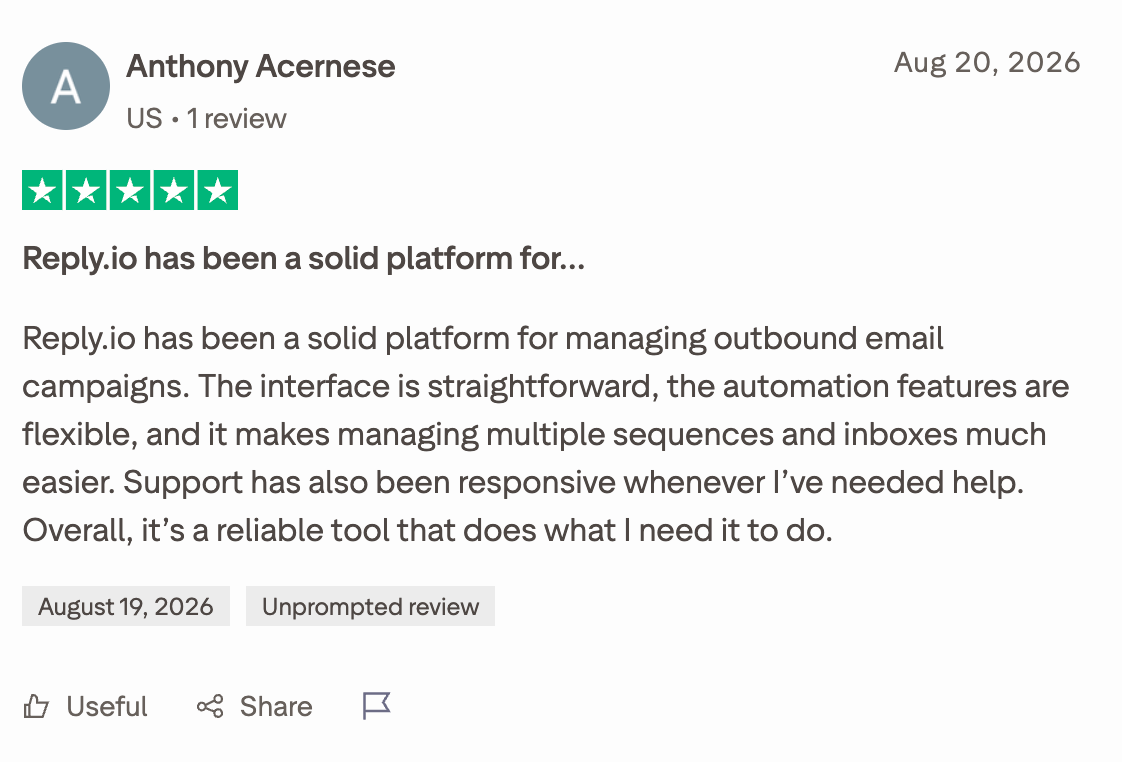
What users like about Reply.io: Reviewers highlight its ease of use, outreach automation, campaign management, and ability to streamline repetitive sales tasks.
Potential drawbacks of Reply.io: Some users report usability issues, inconsistent functionality, support concerns, and limitations in specific workflows.
Verdict: Reply.io is worth considering if you need more than a basic cold email tool. However, compare its features and total costs with your actual sales requirements before committing.
What Is Reply.io?
Finding prospects is one thing. Getting them to respond, starting meaningful conversations, and turning those conversations into sales meetings? That's where things get complicated.
Reply.io is an AI sales engagement platform that helps B2B sales teams find prospects, personalize outreach, automate follow-ups, and book more meetings. It brings prospecting, multichannel communication, and AI sales automation together in one platform, so your team can spend less time managing repetitive tasks and more time talking to potential customers.
Here's where it gets interesting: Reply.io isn't limited to scheduling cold emails and hoping someone responds. Its platform supports outreach across channels such as email, LinkedIn, calls, SMS, and WhatsApp, allowing sales teams to reach prospects through different touchpoints.
It also offers Jason AI SDR, an AI sales development representative designed to help automate parts of the outbound sales process, from prospect research and personalized outreach to handling replies and scheduling meetings.
Think about what that means for a small sales team. Instead of manually researching every prospect, writing individual messages, and remembering when to follow up, the team can automate much of that workflow while maintaining a more personalized approach.
Of course, automation alone doesn't guarantee replies or qualified meetings. Your targeting, messaging, data quality, and outreach strategy still matter.
So, who is Reply.io actually built for?
The platform is particularly relevant to B2B sales teams, sales development representatives (SDRs), lead generation agencies, and businesses that rely on outbound prospecting to generate pipeline. It's worth exploring if you're looking to scale personalized outreach without adding the same amount of manual work to your team's daily routine.
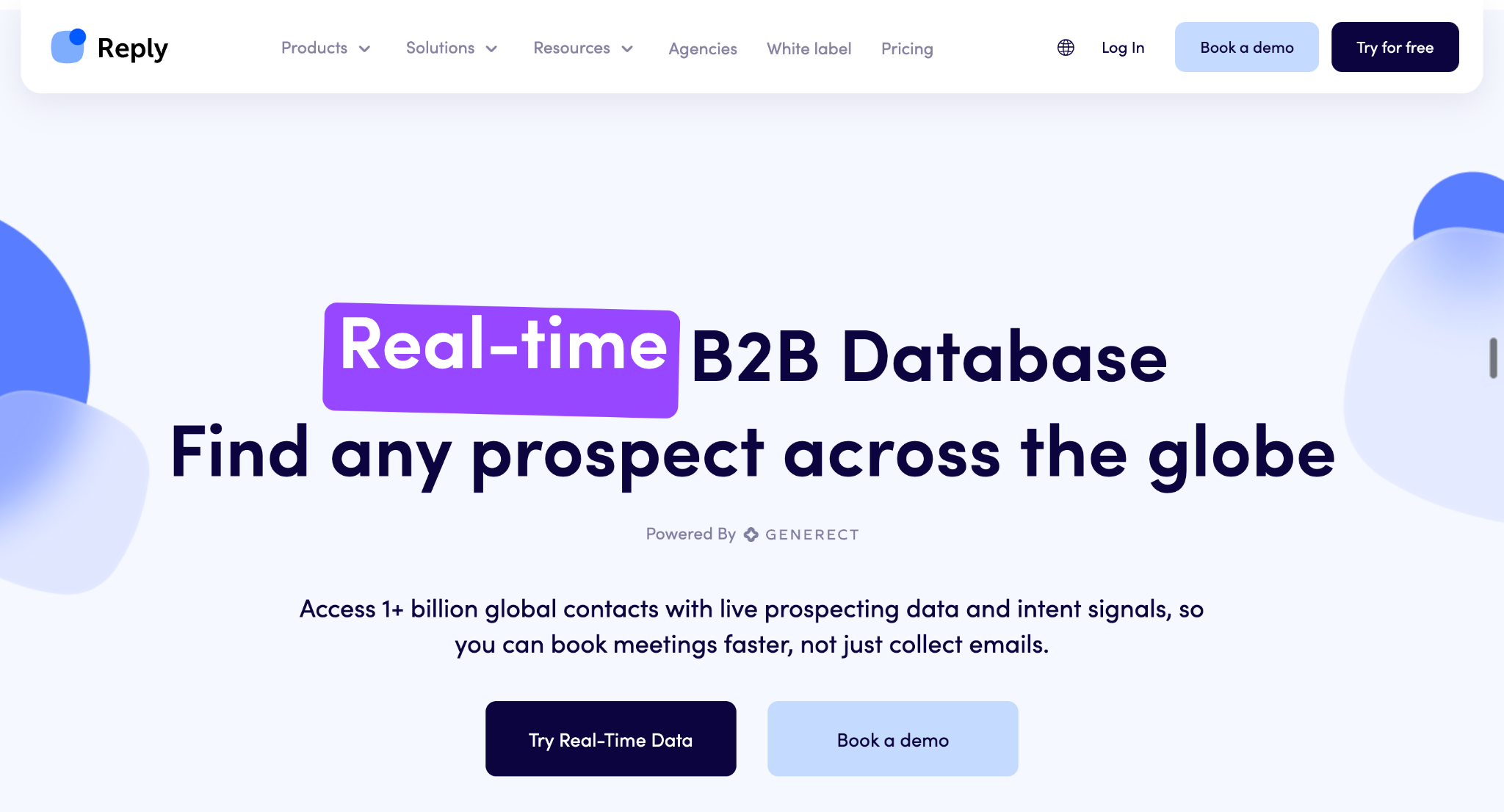
But Reply.io's capabilities go beyond outreach automation. Its broader toolkit includes prospect data and enrichment, AI personalization, reply management, integrations, and meeting scheduling.
The big question is how well these features work together, what they cost, and whether you need all of them. Let's break down Reply.io's features, pricing, and real-world user feedback to help you decide.
Reply.io Products, Solutions, and Who Is It For?
Reply.io isn't just a cold email tool. It combines prospecting, sales engagement, and AI outreach to help businesses move from finding potential buyers to starting conversations and booking meetings.
But with so many capabilities under one roof, what does each part actually do?
Reply.io's Main Products and Capabilities
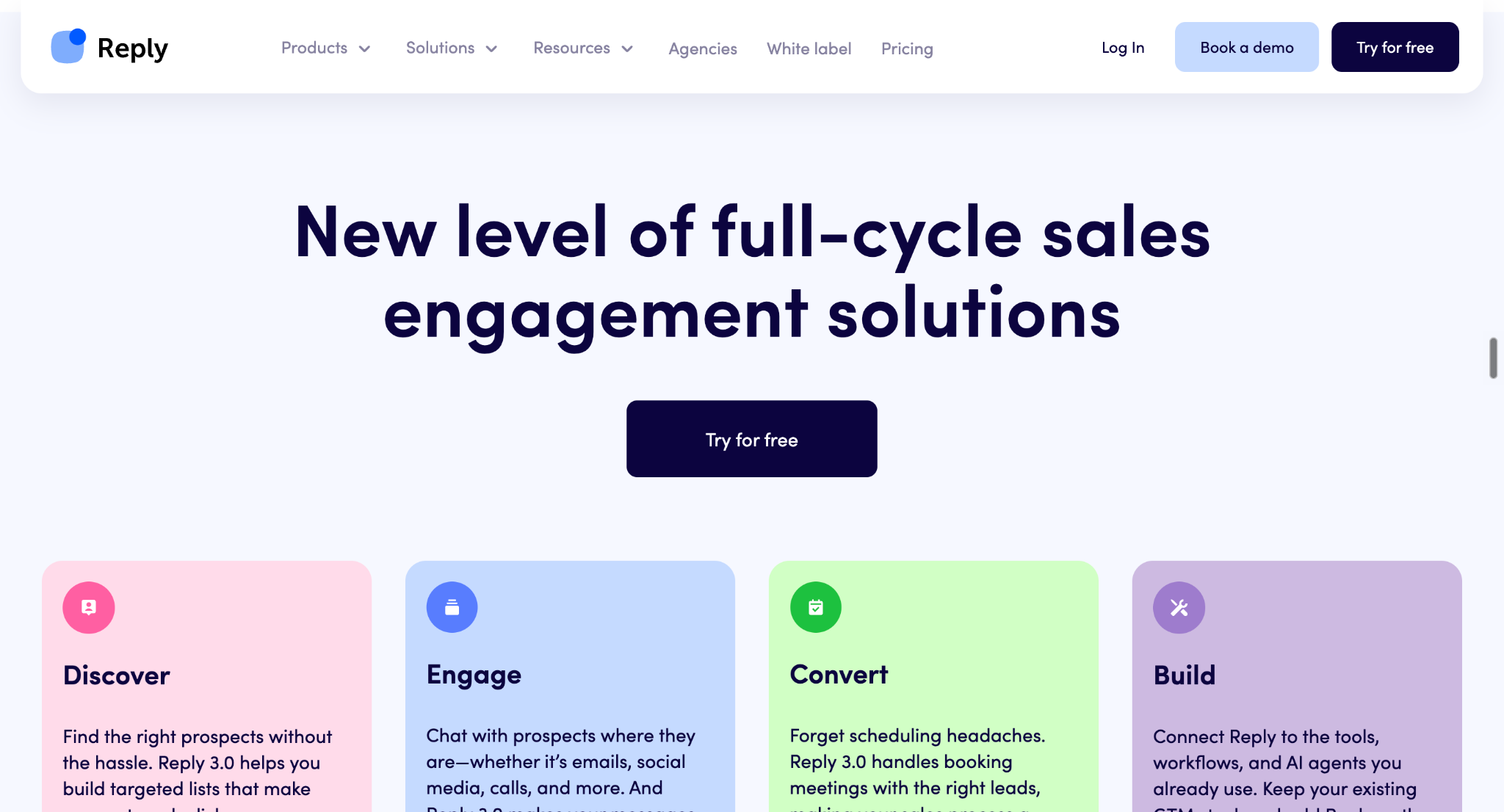
Reply.io organizes its platform around four key areas: Discover, Engage, Convert, and Build.
Product area
What it does
Key capabilities
Discover
Helps sales teams find and understand potential buyers.
The idea is simple: find the right people, reach them with relevant messages, manage their responses, and turn conversations into meetings.
What About Jason AI SDR?
One of Reply.io's standout offerings is Jason AI SDR, an AI sales development representative designed to automate parts of the outbound sales process.
Rather than simply helping you schedule emails, Jason can assist with prospect research, personalized outreach, follow-ups, reply handling, and meeting booking.
It's aimed at teams that want to scale outbound sales without relying entirely on manual prospecting and repetitive follow-up tasks.
However, the exact capabilities and pricing depend on the offering, so it's worth examining what Jason includes before committing.
Reply.io Solutions: What Can You Use It For?
Different teams use Reply.io to solve different sales challenges. Here are some of its main applications.
Solution
How teams use Reply.io
Outbound sales
Build prospect lists, automate outreach, and generate sales conversations.
Lead generation
Find potential buyers, enrich contact data, and run targeted campaigns.
Business development
Reach potential partners, open new business relationships, and follow up consistently.
Account-based sales
Coordinate personalized outreach to selected companies and their decision-makers.
Sales and lead generation agencies
Manage prospecting and outreach workflows for clients.
PR and link building
Find relevant contacts and automate personalized outreach to journalists, publishers, and website owners.
Inbound sales
Help sales teams manage incoming conversations and move interested prospects toward meetings.
Who Should Use Reply.io?
Reply.io is worth considering if you're:
An SDR or sales representative who wants to spend less time on repetitive outreach.
A B2B sales team looking to scale prospecting and follow-ups across multiple channels.
A startup founder who needs a more structured outbound sales process.
A growth or business development team that relies on targeted outreach to create new opportunities.
On the other hand, if you only need a straightforward cold email tool, Reply.io's broader feature set may be more than you need. And if your main challenge is identifying high-intent buyers who are already interacting with your website, campaigns, or events, a platform focused on buyer intent and conversion may be a better fit.
The best sales platform isn't necessarily the one with the most features. It's the one that solves your biggest bottleneck.
Next, let's look at Reply.io's individual features and see which capabilities you actually get.
Reply.io Features: What Can You Actually Do With It?
Reply.io brings prospecting, outreach automation, and AI sales engagement into one platform. But which features actually matter when you're trying to generate more leads and book meetings?
Let's look at the capabilities that stand out, how they work, and where they can help your sales team.
1. Prospect Database and Real-Time Data
Every successful outbound campaign starts with the right prospects. Reply.io helps you find potential buyers using its B2B contact data and prospect search capabilities.
You can filter prospects by criteria such as job title, industry, and location to build targeted lists for your campaigns. Reply also supports contact discovery through LinkedIn-related workflows and integrations with data providers.
Why it matters: Instead of spending hours manually searching for prospects, your team can build targeted lists and move more quickly into outreach.
2. Contact Enrichment and Prospect Research
Finding someone's email address is only the beginning. You also need enough context to understand who they are, what their company does, and why your offer might be relevant.
Reply.io offers contact enrichment, email and phone validation, and AI-powered prospect research capabilities. Its personalization tools can use relevant prospect information to help create messages that feel more specific than a generic sales template.
Why it matters: Better prospect information gives sales teams more context for targeting, prioritizing leads, and writing relevant outreach.
3. Email Sequences and Multichannel Outreach
Sending one email and waiting for a response rarely makes for a reliable outbound strategy. Reply.io lets you build automated sequences that combine multiple touchpoints into a coordinated workflow.
Depending on your setup and plan, these sequences can include:
Email: Send initial outreach messages and automated follow-ups.
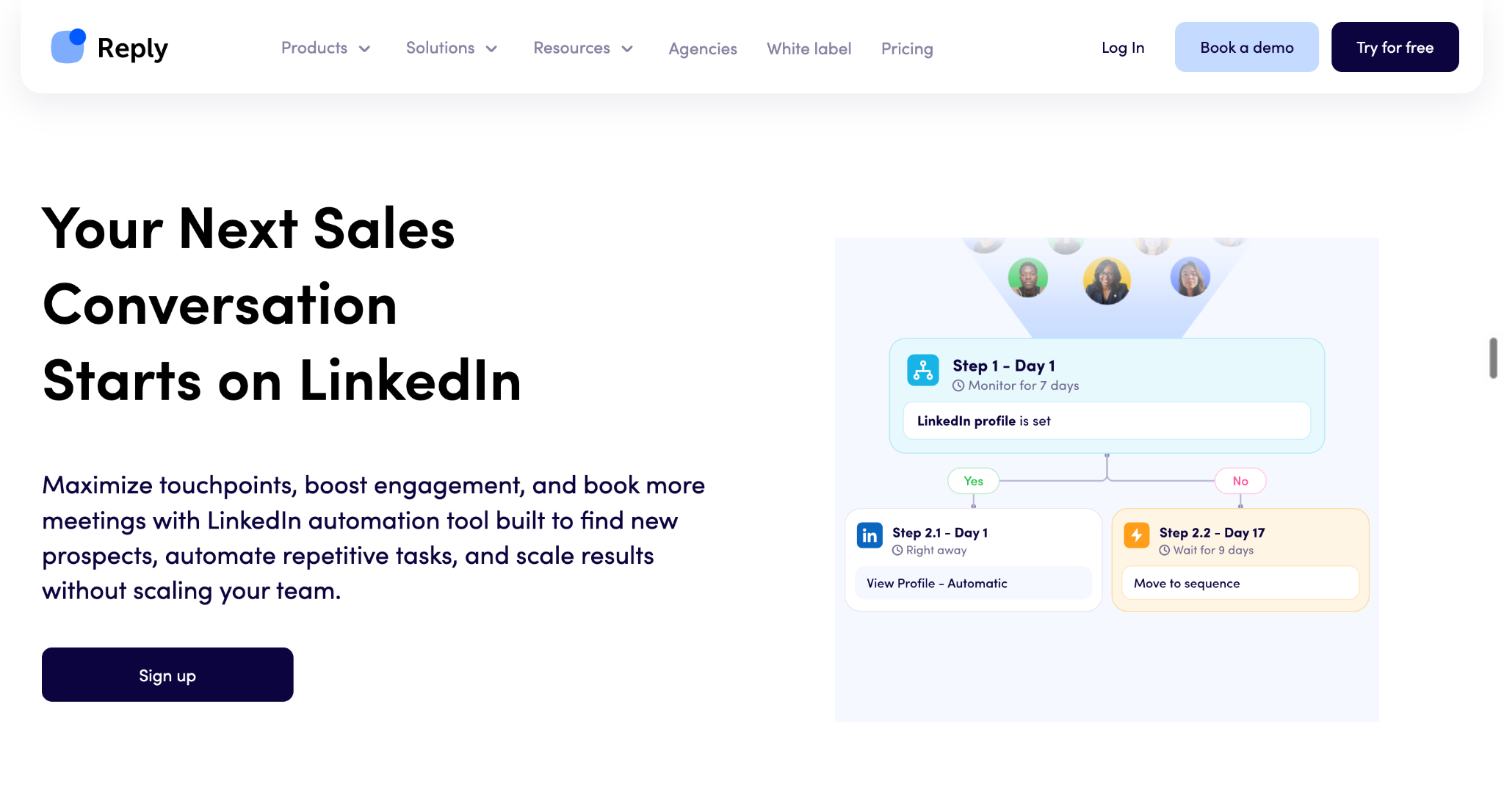
LinkedIn: Incorporate connection requests, messages, and other supported LinkedIn actions.
Calls: Add calling tasks or use supported calling capabilities.
SMS and WhatsApp: Reach prospects through additional communication channels.
Conditional steps: Adjust the sequence based on prospect activity, replies, and other conditions.
You can also configure delays, personalize messages, and create different paths for prospects based on their actions.
Why it matters: Your team can coordinate follow-ups across multiple channels instead of managing separate campaigns manually.
4. AI Personalization and AI-Generated Sequences
Personalization sounds great until you need to write hundreds of messages. That's where AI can help.
Reply.io offers AI-generated sequences, AI Variables, and research-based personalization to help sales teams create relevant outreach at scale.
For example, you can use AI to generate an initial sequence, improve an existing email, or create personalized snippets using information about individual prospects. You can also provide instructions about the information you want researched and the messaging approach you want to follow.
The goal isn't simply to insert someone's first name into an email. It's to make the message more relevant to their role, company, potential challenges, and business context.
Why it matters: AI can reduce the time spent writing and personalizing outreach, although the quality of the output still depends on your targeting, available data, and instructions.
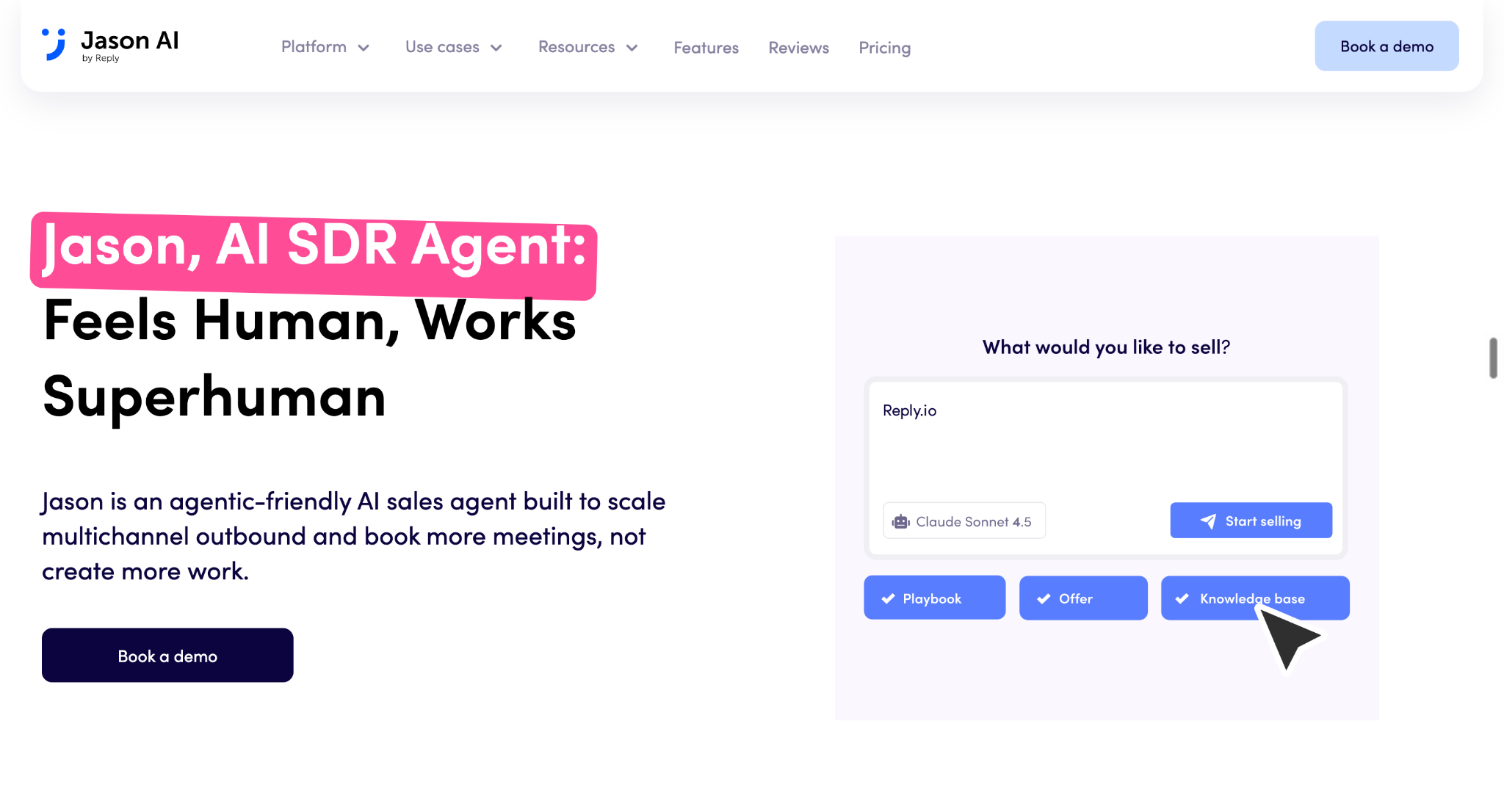
5. Jason AI SDR
If you're interested in Reply.io because of its AI SDR capabilities, pay close attention to this feature.
Jason AI SDR is designed to automate much of the outbound sales workflow, from finding prospects to engaging them and booking meetings.
Rather than treating prospect research, outreach, and reply management as completely separate tasks, Jason connects these activities within a single workflow.
Its capabilities include:
ICP definition: Helps define your ideal customer profile using information about your business, offer, and target audience.
Automated prospecting: Finds potential contacts based on your targeting criteria and supported data sources.
Sequence creation: Generates multichannel outreach sequences for your campaigns.
Personalized messaging: Uses prospect and company information to tailor outreach.
Reply handling: Generates context-aware responses and can help manage conversations with interested prospects.
Meeting scheduling: Helps arrange meetings when prospects show interest.
Depending on your configuration, you can review AI-generated messages before they are sent or use supported automation options to let Jason handle more of the workflow.
However, AI SDR doesn't mean you can forget about sales strategy altogether. You still need to define your audience, provide accurate business information, set appropriate messaging rules, and decide how prospects should be qualified.
Best for: B2B teams that want to automate more of their outbound prospecting and engagement without managing every step manually.
6. LinkedIn Automation
Email isn't the only way to reach potential buyers. Reply.io also supports LinkedIn outreach, allowing teams to incorporate social selling into their prospecting workflows.
Depending on the setup, you can automate or semi-automate actions such as:
Sending connection requests and messages.
Viewing profiles and engaging with posts.
Sending InMail messages where supported.
Using personalized message templates.
Incorporating LinkedIn actions into multichannel sequences.
Reply also supports AI-assisted LinkedIn personalization, including AI-generated voice messages in its supported workflows.
Why it matters: Sales teams can coordinate LinkedIn prospecting with email outreach instead of managing every interaction in isolation.
Keep in mind that LinkedIn automation has platform rules and account limits, so teams should configure their workflows carefully.
7. Email Deliverability
Even a well-written email is useless if it doesn't reach the recipient's inbox.
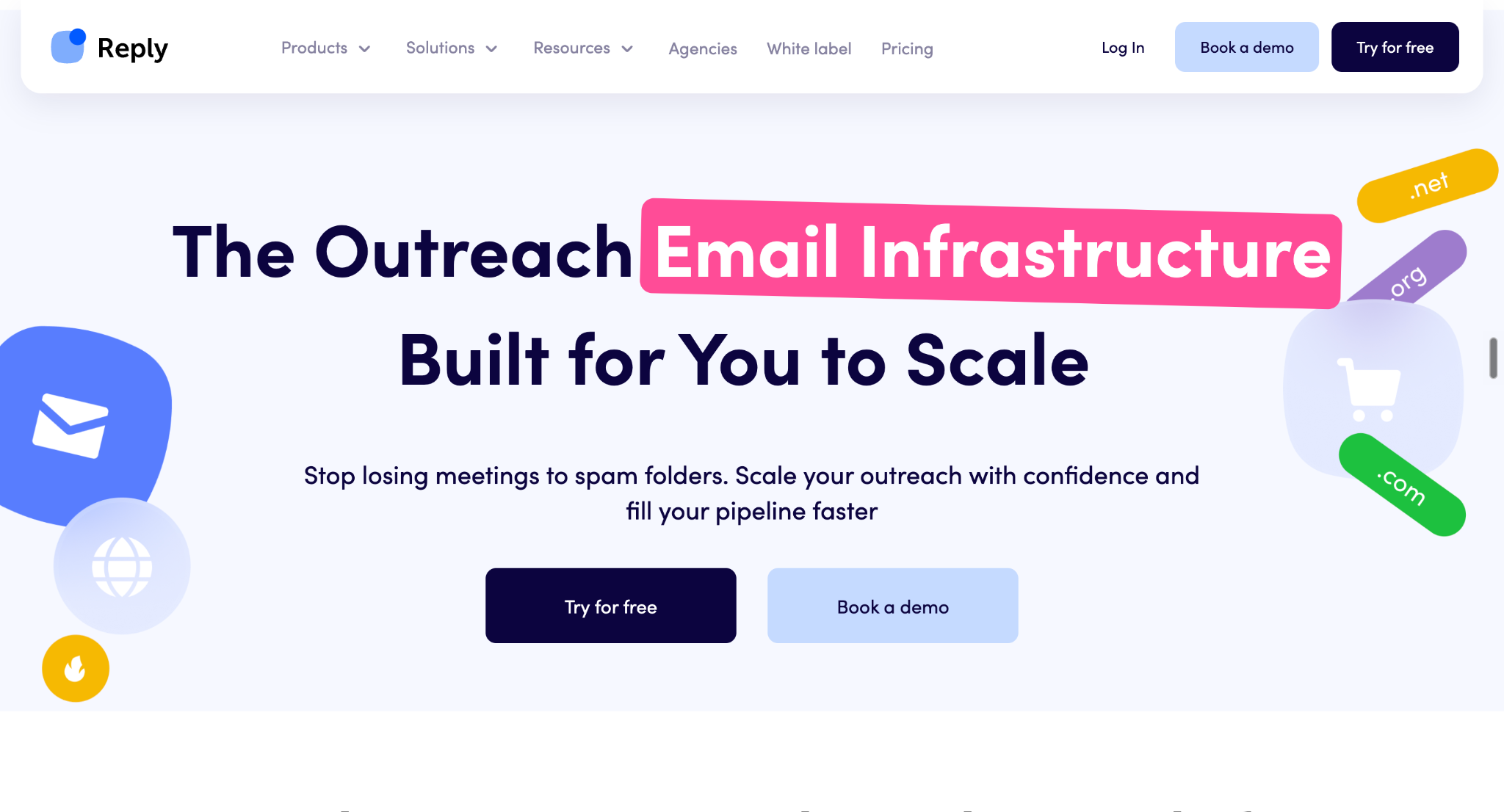
Reply.io offers email deliverability tools and related capabilities to help sales teams manage their sending setup. These include email validation and deliverability support, with additional tools such as email warm-up available through its broader offering.
Deliverability also depends on factors outside the platform, including domain reputation, authentication, sending volume, list quality, and recipient engagement.
Why it matters: Deliverability tools can help you identify potential issues and maintain healthier outreach practices, but they cannot guarantee inbox placement.
8. Unified Inbox and Agentic Chat
Once your campaigns start generating responses, keeping track of every conversation can become a job of its own.
Reply.io's Unified Inbox brings supported conversations from outreach sequences into one place, helping sales teams review replies, organize discussions, and respond without constantly switching between campaigns.
Its AI-powered reply capabilities can help draft responses based on the prospect's message and previous conversation context.
Reply also offers Agentic Chat, an AI assistant that lets users interact with their Reply account through natural-language requests. It can help with tasks involving sequences, contacts, inbox activity, and analytics, subject to the available actions and permissions.
Why it matters: These features help teams manage conversations and routine sales tasks more efficiently, rather than spending their day navigating between different screens.
9. Meeting Scheduling and AI Response Generation
Getting a positive reply is progress, but it doesn't automatically put a meeting on your calendar.
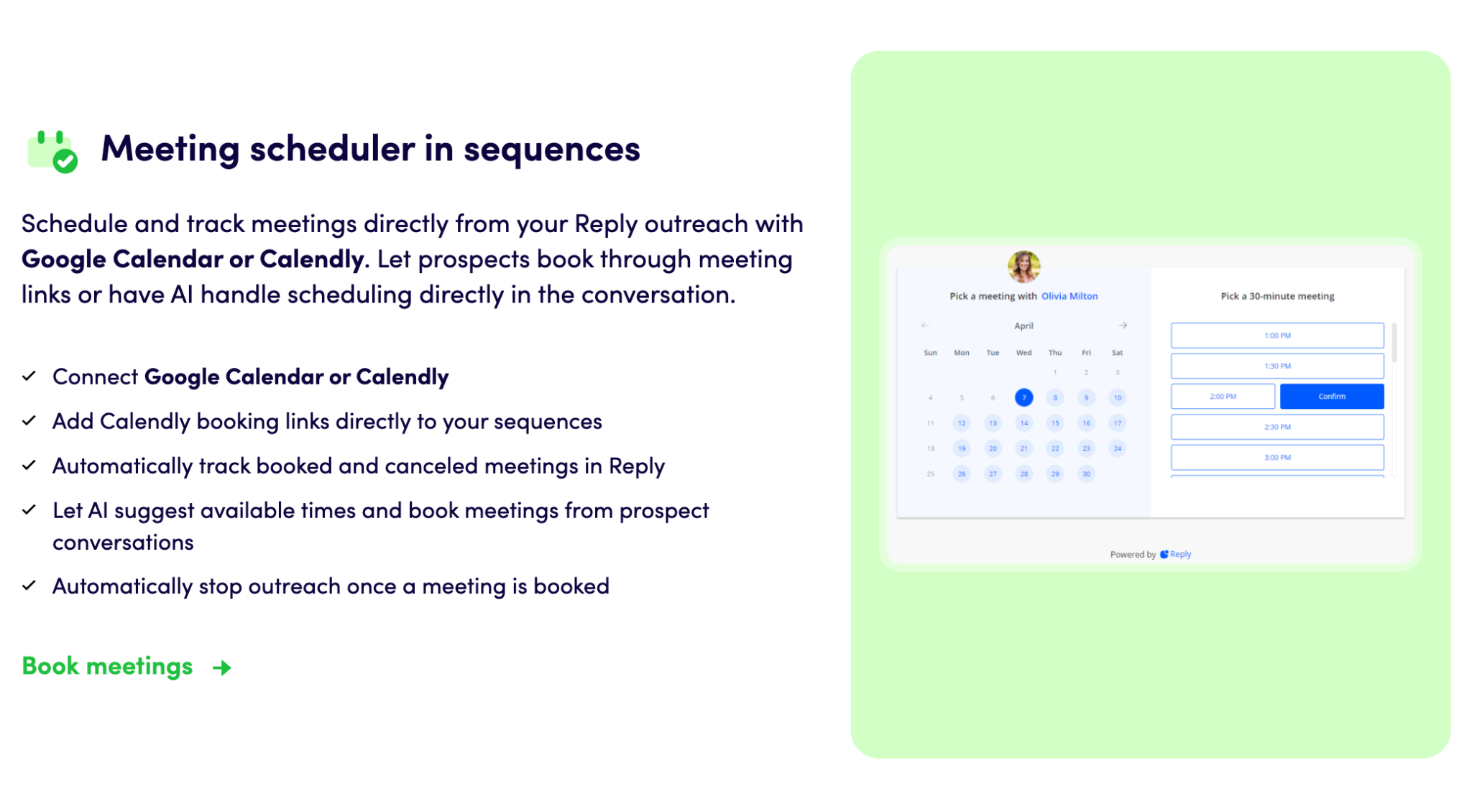
Reply.io supports meeting scheduling through integrations with tools such as Google Calendar and Calendly. You can include booking links in outreach sequences and track scheduled meetings within supported workflows.
With Jason AI, teams can also configure AI-assisted responses that address prospect questions and help arrange meetings when someone expresses interest.
Depending on the configuration, the AI can suggest available times and help schedule, reschedule, or cancel meetings. You can retain review and approval steps rather than allowing every response to go out automatically.
Why it matters: Connecting outreach, reply management, and scheduling helps reduce the back-and-forth that can delay a sales conversation.
10. CRM Integrations, Reporting, API, and MCP
Reply.io doesn't have to operate as a standalone tool. It also provides ways to connect outreach activity with your existing sales technology stack.
Capability
What it helps you do
CRM integrations
Connect outreach workflows with supported CRM platforms, including tools such as HubSpot and Salesforce.
Reports and analytics
Monitor campaign activity, sequence performance, meetings booked, and other sales engagement metrics.
API
Connect Reply capabilities to custom applications and workflows.
MCP
Allow compatible AI agents and environments to interact with supported Reply capabilities.
Webhooks and automation integrations
Trigger workflows and pass relevant activity data between connected systems.
Why it matters: These capabilities help teams connect prospecting and outreach with the tools they already use to manage leads, sales activities, and pipeline operations.
The available integrations and functionality depend on the specific tool, configuration, and plan.
Which Reply.io Features Matter Most?
You don't necessarily need every feature to get value from Reply.io. The right capabilities depend on what's slowing your sales process down.
Your main challenge
Features to explore
Finding the right prospects
Prospect database, contact enrichment, and prospect research
Managing repetitive outreach
Email sequences and multichannel automation
Personalizing messages at scale
AI Variables, AI-generated sequences, and research-based personalization
Automating more of outbound sales
Jason AI SDR
Coordinating LinkedIn and email outreach
Multichannel sequences and LinkedIn automation
Managing a growing volume of replies
Unified Inbox and AI response generation
Turning conversations into meetings
Meeting scheduling and Jason AI SDR
Connecting outreach to your sales stack
CRM integrations, reporting, API, MCP, and webhooks
Reply.io offers a broad set of sales engagement capabilities, but its value ultimately depends on which of them your team will actually use.
How Much Does Reply.io Cost?
Reply.io pricing starts at $159/month for Email Volume and $89/user/month for Multichannel with annual billing. If you want to automate more of your outbound sales process, Jason AI SDR starts at $500/month with annual billing.
The platform offers three main categories: Sales Outreach, AI SDR, and Agencies. Each targets a different sales workflow, so the right option depends on whether you need email automation, multichannel prospecting, or a more autonomous AI sales agent.
Reply.io Pricing Plans Compared
Here's how the main plans compare based on Reply.io's published pricing.
Plan
Annual billing
Monthly billing
Best for
Email Volume
Starts at $159/month
Starts at $179/month
Teams focused on high-volume email outreach
Multichannel
Starts at $89/user/month
Starts at $99/user/month
Teams combining email, LinkedIn, calls, and other channels
Jason AI SDR Starter
Starts at $500/month
Starts at $800/month
Small teams automating outbound sales
Jason AI SDR Growth
Starts at $1,500/month
Starts at $2,500/month
Growing businesses needing greater AI SDR capacity
Jason AI SDR Enterprise
Custom pricing
Custom pricing
Larger teams with advanced requirements
Agency Core
Starts at $210/month
Confirm current quote
Agencies managing multiple client workspaces
Agency AI SDR
Starts at $500/month/client
Confirm current quote
Agencies providing AI-powered outreach to clients
What's Included in Each Reply.io Plan?
1. Email Volume
Starting at $159/month with annual billing, Email Volume is designed for teams that want to scale email outreach without paying for additional user seats.
The plan includes unlimited users, email automation across unlimited mailboxes, unlimited emails, email warm-up, 50 live data credits per month, and an anti-spam and deliverability suite.
The displayed starting price covers 10,000 active contacts per month. If your team relies primarily on cold email, this is the plan to examine first.
2. Multichannel
Starting at $89 per user per month with annual billing, Multichannel combines several outreach channels under one subscription.
It includes email automation, LinkedIn automation, calls and SMS, semi-automated WhatsApp outreach, and the ability to add other channels through Zapier steps. It also includes email warm-up, unlimited emails, live data credits, deliverability tools, team performance reports, channel efficiency reports, and CSV exports.
The annual plan shown on Reply.io's pricing page includes 10 mailboxes, while the monthly pricing screenshot shows five mailboxes. Check the current plan details before purchasing.
3. Jason AI SDR
Jason AI SDR is Reply.io's offering for businesses that want to automate more of their outbound sales workflow.
Jason AI SDR plan
Annual billing
Monthly billing
Included real-time B2B contacts
Starter
$500/month
$800/month
1,000
Growth
$1,500/month
$2,500/month
5,000
Enterprise
Custom pricing
Custom pricing
25,000
The published plans also include different LinkedIn account allowances: two for Starter, 10 for Growth, and 25 for Enterprise.
Core capabilities include AI personalization, intent signals, multichannel automation, unlimited users, unlimited mailboxes and warm-ups, and AI-generated responses. Higher-tier plans add benefits such as white-glove onboarding, a dedicated Slack channel, custom playbooks, and additional strategic support.
If Jason AI SDR is your main reason for considering Reply.io, compare the included contact capacity and onboarding support alongside the monthly price.
4. Reply.io Agency Plans
Reply.io also offers dedicated options for agencies that manage outreach for multiple clients.
Agency plan
Starting price
What you get
Agency Core
$210/month
Multiple client workspaces, unlimited clients and users, consolidated inboxes, agency dashboards, reporting, and white-label options
Agency AI SDR
$500/month/client
Agency Core capabilities plus AI-powered multichannel outreach, AI personalization, automated workflows, and AI-trained responses
Hybrid plan
Contact sales
A combination of standard multichannel outreach and AI-powered outreach
Agency Core is aimed at agencies that need a centralized place to manage client campaigns. Agency AI SDR is designed for agencies that want to offer more autonomous, AI-driven prospecting and engagement.
Does Reply.io Charge Extra for Add-ons?
Yes. Depending on your plan, you may need to budget for additional channels, data credits, email validation, or mailbox infrastructure.
Accessing additional data and AI-powered prospecting capabilities
Email validation
$200/month for 100,000 validations
Checking email addresses before outreach
Additional email accounts
$29/account/month
Adding more mailboxes to your outreach setup
New sending domain
From $6/domain/year, plus $5/mailbox/month
Setting up new domains and mailboxes
Pre-warmed domain
From $25/domain/year, plus $15/mailbox/month
Getting a pre-warmed sending domain and mailbox package
These are the prices displayed in the supplied official pricing screenshots. Add-on availability and charges may vary by subscription, and domain pricing can depend on the domain type.
Is Reply.io Worth the Price?
It depends on how you plan to use it.
Choose Email Volume if your primary need is scalable email outreach.
Choose Multichannel if you want to coordinate email, LinkedIn, calls, and other supported channels.
Consider Jason AI SDR if you want AI to handle more of your prospecting and outbound engagement.
Explore Agency plans if you manage outreach campaigns for multiple clients.
The important thing is to calculate the full cost of your workflow, not just the advertised starting price. Additional mailboxes, data credits, email validation, and channel add-ons can increase your total spend.
Our take: Reply.io offers several ways to automate outbound sales, but the best-value plan depends on your team's actual needs. If you only need email sequences, you may not need an AI SDR subscription. If you're investing in Jason AI SDR, evaluate the cost against the prospecting and outreach work you expect it to automate.
Reply.io Reviews: What Do Real Users Say?
A platform can look impressive on its website, but what happens when people use it for actual sales outreach?
To get a better picture, we looked at customer feedback on G2 and Trustpilot. Users generally appreciate Reply.io's outreach automation, multichannel capabilities, and customer support. However, some reviews highlight concerns about personalization, usability, technical issues, and billing.
Let's look at what customers liked most, what frustrated them, and what their experiences could mean for your team.
Reply.io Reviews from G2
Reply.io has a 4.6/5 rating on G2, based on more than 1,500 reviews in the source snapshot. Positive reviews frequently mention ease of use, automation, LinkedIn outreach, and customizable sequences. Critical reviews point to limitations in personalization, workflow management, integrations, and customer experience.
Here's what stood out.
What Do Users Like Most About Reply.io?
1. Flexible Campaigns and Outreach Automation
One of Reply.io's biggest strengths, according to reviewers, is the ability to create customized outreach campaigns without managing every follow-up manually.
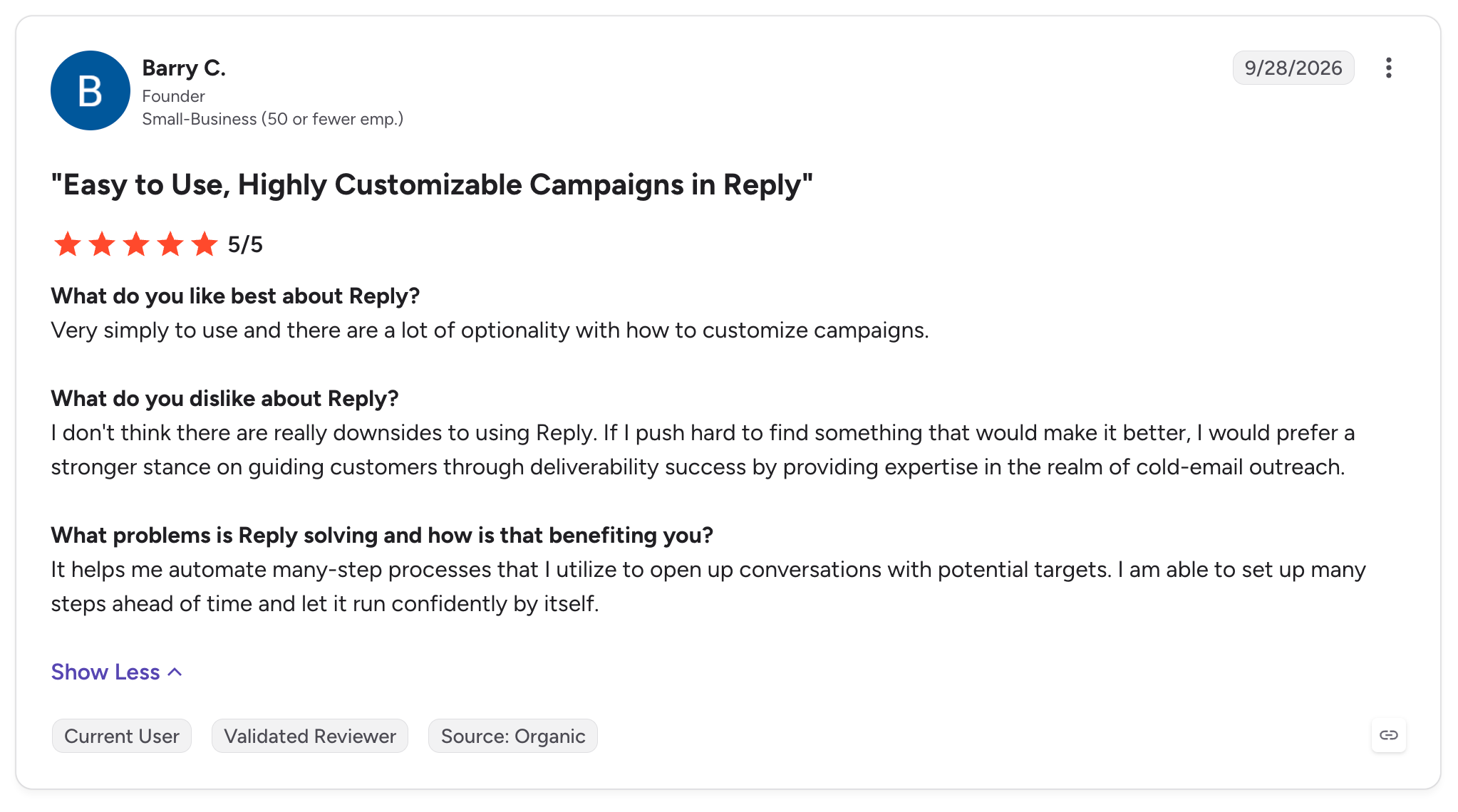
Barry C., a founder, gave Reply.io 5/5 stars and highlighted its campaign flexibility:
"a lot of optionality with how to customize campaigns"
He also explained that the platform helped him automate multistep processes for opening conversations with potential customers.
Why it matters: If your sales team runs repetitive outreach campaigns, customizable sequences can save time and help maintain consistent follow-ups.
2. LinkedIn Outreach and Conditional Sequences
Reply.io's LinkedIn integration is another feature users appreciate. It allows sales teams to coordinate LinkedIn messaging with other outreach activities.
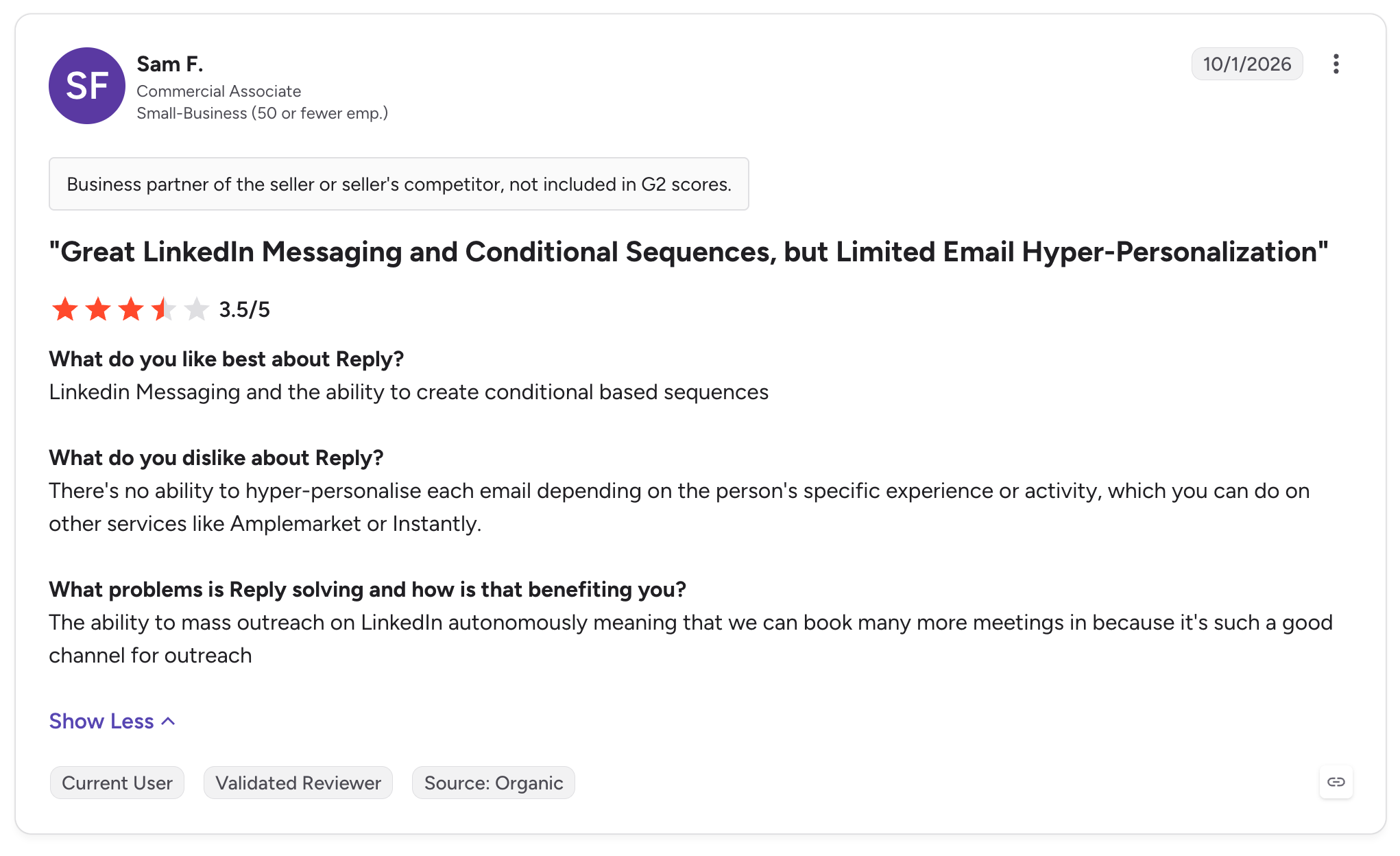
Sam F., a commercial associate, rated Reply.io 3.5/5 stars. Although his overall experience was mixed, he specifically appreciated LinkedIn messaging and conditional sequences.
He also raised a concern about personalization:
"no ability to hyper-personalise each email"
His review explained that he wanted more flexibility to tailor individual emails to a prospect's specific experience or activity.
Why it matters: Reply.io can help teams scale multichannel outreach, but buyers who require highly individualized messaging should evaluate whether its personalization capabilities meet their needs.
What Do Users Dislike About Reply.io?
1. Concerns About Personalization
Sam F.'s review highlights a potential limitation for teams that want to personalize every message using detailed information about individual prospects.
While Reply.io offers AI-assisted personalization, that doesn't necessarily mean every workflow will support the level of customization a particular team expects.
If your outbound strategy depends on highly specific, research-driven messages, test your intended workflow before committing.
2. Concerns About Refunds and Service Delivery
Not every review is positive.
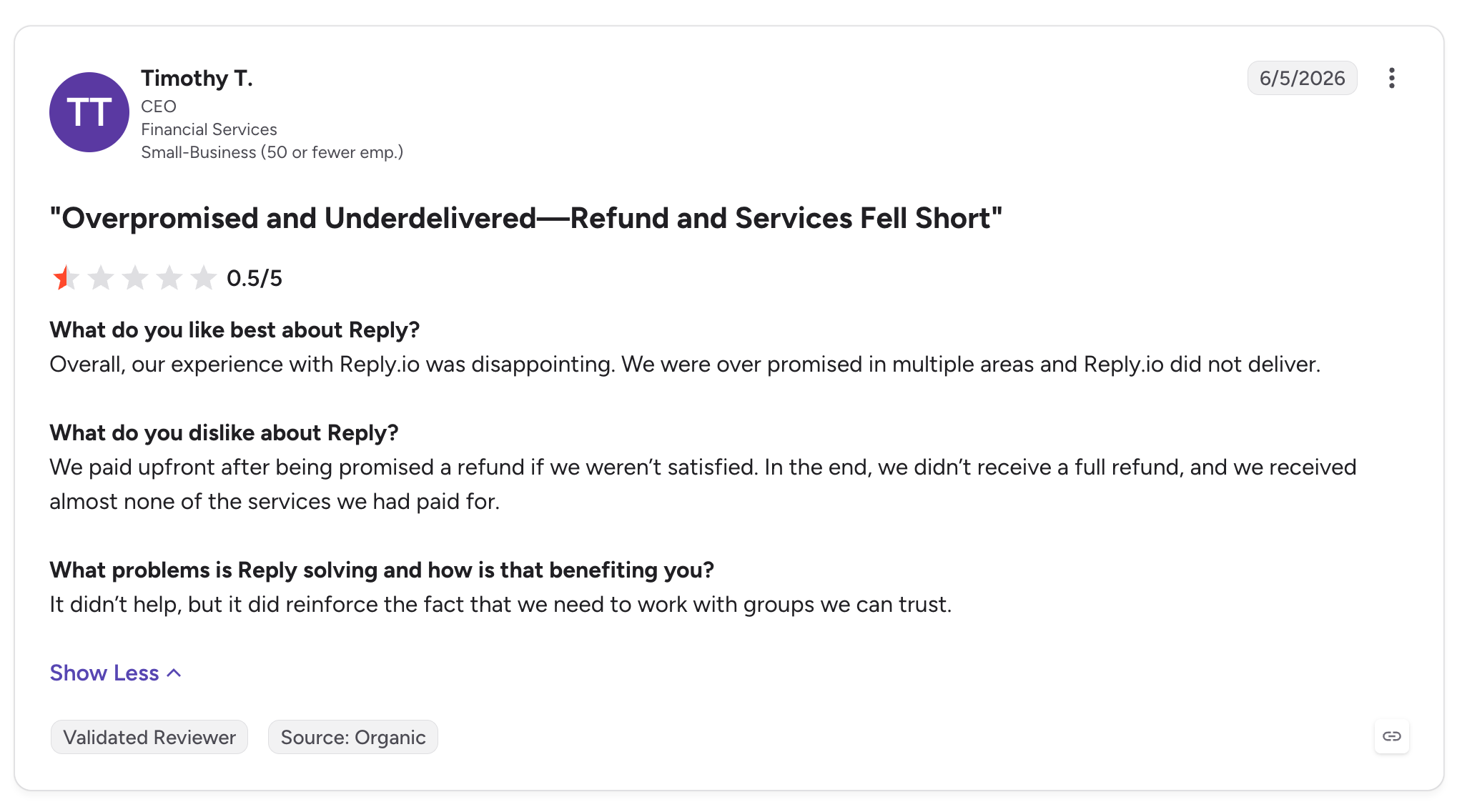
Timothy T., a CEO in financial services, gave Reply.io 0.5/5 stars in a G2 review titled "Overpromised and Underdelivered: Refund and Services Fell Short."
He wrote:
"we were over promised ... did not deliver"
His review described dissatisfaction with the services provided and a refund that he said fell short of what he had been promised.
This is an individual customer's account, not proof that Reply.io routinely fails to deliver its services. Nevertheless, it highlights why buyers should clarify deliverables, refund conditions, and contractual terms before making a substantial upfront payment.
3. Workflow and Usability Limitations
Other G2 reviewers have raised concerns about sequence management, reporting, and integrations.
For example, some users find the interface cluttered when managing complex workflows. Others have reported limitations with synchronizing tasks between Reply.io and their CRM or coordinating actions across multiple channels.
These complaints are particularly relevant to teams running sophisticated outbound campaigns, where a small workflow limitation can create additional manual work.
The G2 takeaway: Reply.io receives positive feedback for its automation, campaign flexibility, and multichannel outreach. However, its suitability depends on your workflow requirements, especially if you need highly customized messaging, complex sequence logic, or tightly synchronized CRM activities.
Reply.io Reviews from Trustpilot
G2 provides feedback from software buyers and business users. Trustpilot offers another perspective, including reviews that focus heavily on customer support, usability, billing, and the overall customer experience.
Reply.io has a 4.5 TrustScore on Trustpilot in the source snapshot, with 267 reviews. The majority of reviewers are positive, although some customers report frustrating experiences.
Let's look at both sides.
What Do Users Like Most About Reply.io?
1. Responsive Customer Support
Customer support is a recurring theme in positive Trustpilot reviews.
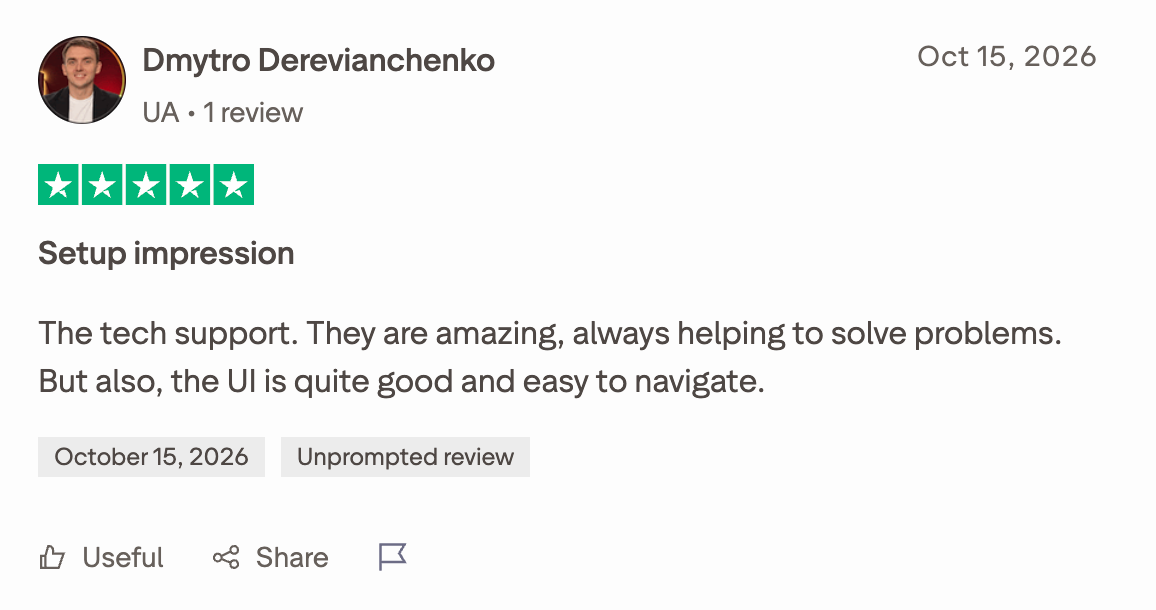
Dmytro Derevianchenko, who left a 5-star review on October 15, 2026, praised the support team and the platform's usability:
"the UI is quite good and easy to navigate"
He also described the technical support team as excellent and helpful when resolving problems.
Another reviewer, Tara, gave Reply.io 5 stars on October 12, 2026, describing a positive experience with a support representative who helped her configure sequences, troubleshoot an email signature issue, and check that her workflow was set up correctly.
Why it matters: Outreach software can involve several moving parts, including sending accounts, sequences, and integrations. Responsive support can make setup and troubleshooting considerably easier.
2. An Accessible Interface
Ease of use is another recurring positive theme.
Some reviewers appreciate being able to manage campaigns and sequences without constantly switching between tools. Others highlight the platform's flexibility and the availability of both AI-assisted help and human support.
For teams adopting sales engagement software for the first time, these qualities can make onboarding less intimidating.
What Do Users Dislike About Reply.io?
1. Problems With Sequence Removal
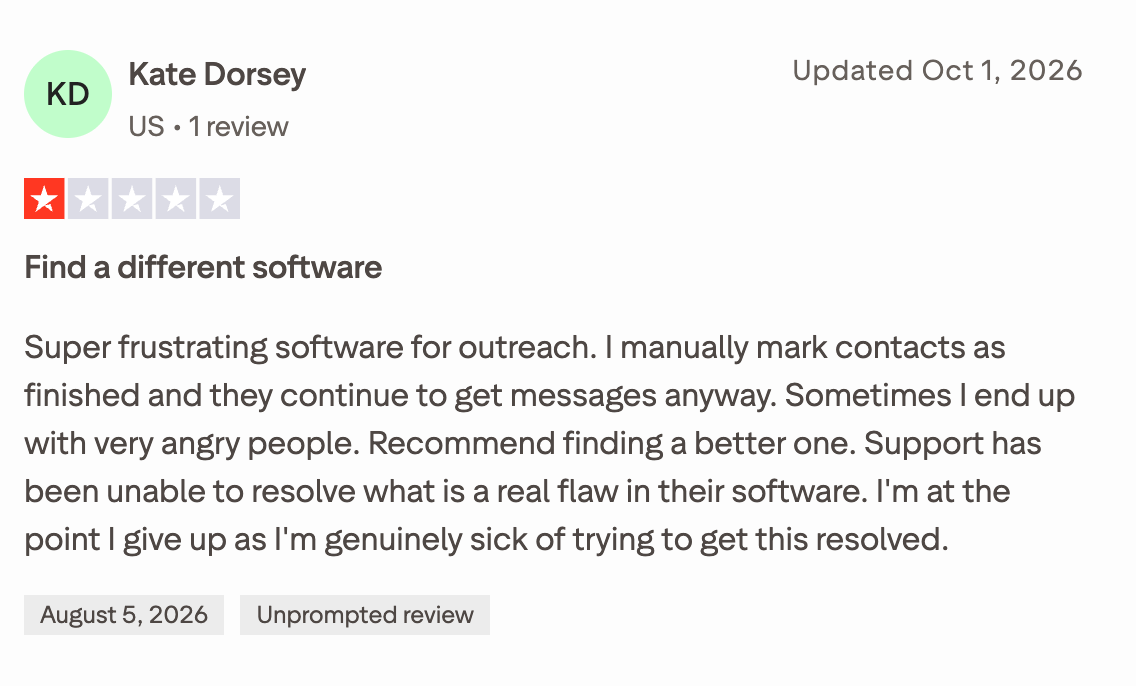
One particularly important complaint concerns contacts continuing to receive messages after a user believes they have been removed from a sequence.
Kate Dorsey gave Reply.io 1 star in a Trustpilot review updated on September 30, 2026. She described repeated frustration with contacts continuing to receive outreach despite her attempts to stop it.
Her complaint raises an important operational concern: sales teams need reliable controls for stopping automated messages when a prospect should no longer receive them.
This issue also appears in G2 feedback, where another reviewer reported that Reply.io sometimes failed to remove recipients from sequences after they replied.
These are individual reports, and they don't establish how frequently the problem occurs. Still, it's worth testing sequence exit conditions carefully, particularly if your campaigns involve large contact lists.
2. Subscription Cancellation Friction
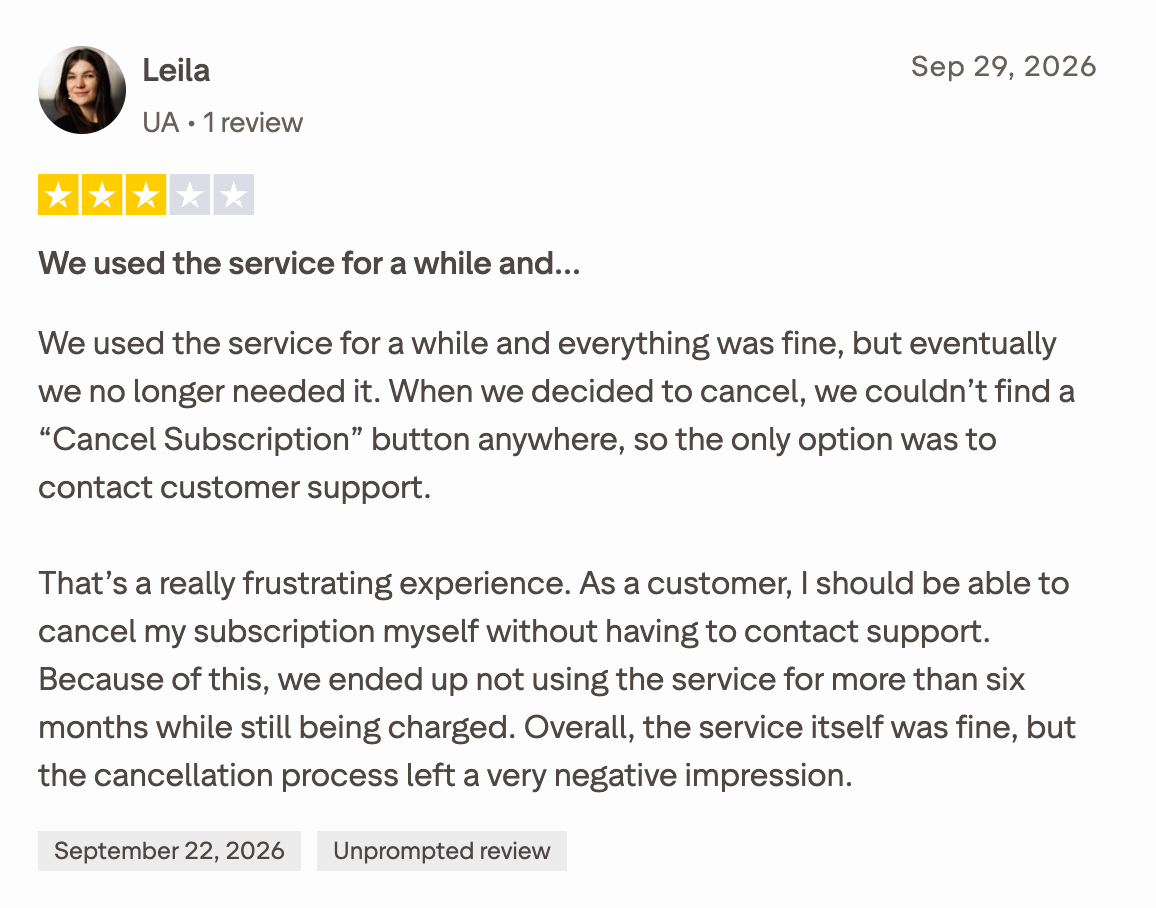
Another Trustpilot reviewer, Leila, left a 3-star review on September 29, 2026.
She said she couldn't find a self-service cancellation button and had to contact customer support to cancel. She also described being charged during a period when she says she wasn't using the service.
Her review was not entirely negative. She praised the support team's communication and described the platform as useful for running email campaigns.
However, her experience highlights something buyers should check before subscribing: how cancellation works, when renewal occurs, and what steps are required to end a subscription.
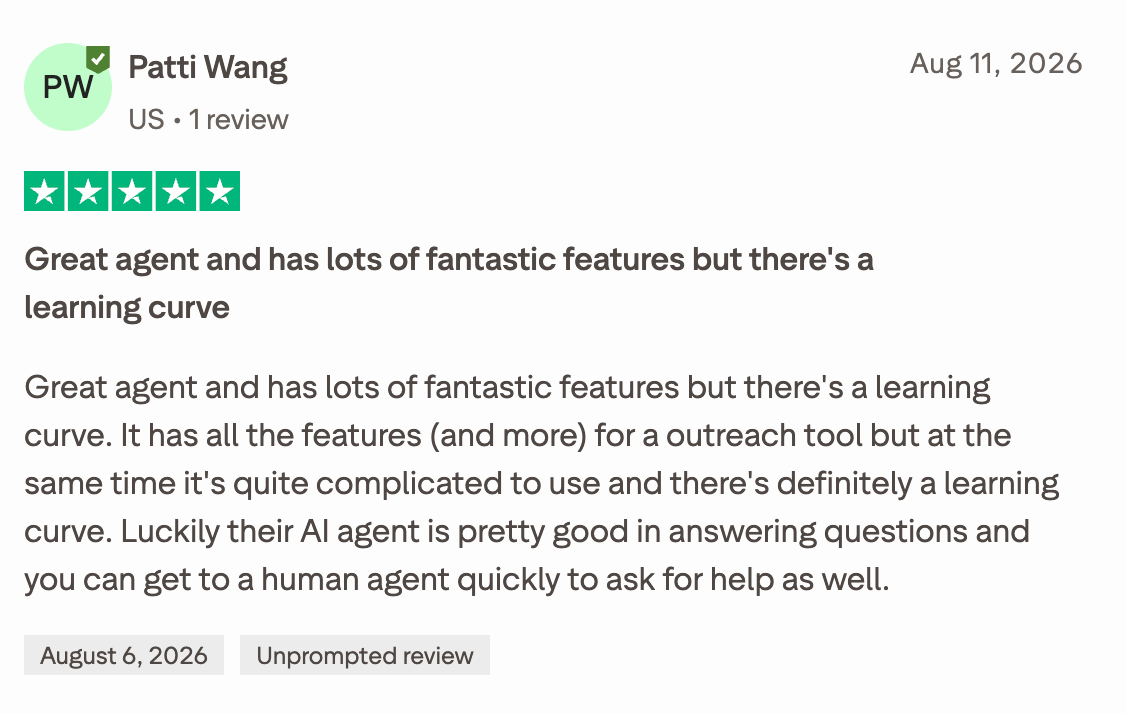
3. A Learning Curve Despite Extensive Features
Some customers appreciate Reply.io's broad functionality but find the platform complicated to master.
Patti Wang, in a 5-star Trustpilot review dated August 10, 2026, described the platform as feature-rich while acknowledging that it has a learning curve.
This is a useful reminder that a broad feature set isn't automatically an advantage for every team. Businesses should consider how much time they'll need to configure sequences, learn the interface, and establish reliable workflows.
The Trustpilot takeaway: Customers frequently praise Reply.io's support team and interface, but some reviews raise concerns about cancellation friction, learning complexity, and automated sequences. Before purchasing, test the workflows that matter most to your business and review the subscription terms carefully.
What Do These Reviews Tell Us About Reply.io?
Looking across G2 and Trustpilot, a few themes emerge.
What users appreciate
What some users criticize
Automated outreach and follow-ups
Occasional sequence-management issues
Multichannel outreach, particularly LinkedIn
Limitations in highly individualized email personalization
Flexible campaign configuration
Complexity when managing advanced workflows
Helpful customer support
Inconsistent experiences reported by some customers
Integrations with other sales tools
Reported synchronization and integration issues
A broad feature set
Learning curve and subscription-management concerns
These reviews suggest that Reply.io is worth evaluating for teams that want to centralize outbound prospecting and automate repetitive sales activities.
However, the ratings alone don't tell the whole story. Your experience will depend on how well the platform supports your specific workflows, how much configuration you need, and whether its automation behaves reliably under your campaign conditions.
Our recommendation: Use a trial to test sequence exits, reply handling, CRM synchronization, personalization, and reporting before committing to a longer subscription. Also, review the cancellation and refund terms in writing.
That way, you can judge Reply.io against your actual sales process rather than relying solely on aggregate ratings.
Reply.io Pros and Cons
Reply.io offers a broad set of sales engagement tools, from automated email sequences to LinkedIn outreach and AI-powered prospecting. But does having all these capabilities in one platform make it the right choice for every sales team?
Based on customer feedback, here are the main advantages and drawbacks to consider.
Pros
Cons
Powerful multichannel outreach:Combine email, LinkedIn, and other supported channels in coordinated sequences.
A learning curve for complex workflows:Setting up and managing more advanced sequences can take time.
Automated follow-ups:Schedule multistep campaigns and reduce repetitive manual work.
Occasional sequence issues:Some users report that contacts aren't always removed from sequences after replying.
Flexible campaign customization:Configure sequence steps, sending schedules, and personalized messages.
Limited customization in some areas:Users have requested more flexible dashboards and more advanced email personalization.
Centralized conversation management:Manage outreach replies and multiple sender mailboxes within a consolidated workflow.
Reporting and workflow limitations:Some reviewers mention missing reporting options, a lack of parallel sequence actions, or synchronization issues with connected CRMs.
AI-powered sales capabilities:Jason AI SDR and AI personalization can help automate parts of prospecting and engagement.
Setup and configuration can require effort:Getting data, integrations, mailboxes, and campaigns working together may take some initial work.
Helpful customer support:Many reviewers praise the responsiveness and expertise of the support team.
Support experiences vary:Some Trustpilot reviewers report slow responses or difficulties resolving billing and technical issues.
Broad feature set:Combines prospecting, outreach automation, deliverability tools, and integrations in one platform.
Not every feature is equally useful to every team:Businesses that only need basic cold email automation may not need the full platform.
Our Verdict
Reply.io's biggest strength is its ability to bring prospecting and multichannel outreach together. Teams can build detailed sequences, automate follow-ups, personalize messages, and manage sales conversations without relying on a collection of disconnected tools.
The main trade-offs are the effort involved in configuring more complex workflows and the limitations some users report around sequence management, customization, and integrations.
Reply.io is worth considering if you need a flexible sales engagement platform with multichannel automation. If your needs are narrower, compare the features you'll actually use against the total subscription cost before committing.
Reply.io vs. Knock AI: Which Platform Helps You Generate More Pipeline?
Reply.io and Knock AI both help sales teams use AI to generate business, but they approach the problem from very different angles.
Reply.io helps you reach prospects. Knock AI helps you turn buyer intent into conversations, qualified meetings, and pipeline.
If your main challenge is launching cold email campaigns and automating outbound prospecting, Reply.io is a strong option. But if you're spending money on ads, generating website traffic, running ABM campaigns, or attracting inbound leads that never convert, Reply.io's outbound-first approach doesn't address the entire problem.
That's where Knock AI has a much stronger proposition.
Reply.io vs. Knock AI: Feature Comparison
Capability
Reply.io
Knock AI
Cold email prospecting
Strong
Supports intent-driven outreach, but isn't primarily a cold email sequencing platform
Automated email sequences
Strong
Supports targeted outreach workflows based on buyer activity and intent
LinkedIn outreach
Automated prospecting and multichannel sequences
Personalized outreach connected to buyer intent, engagement, and sales workflows
AI SDR capabilities
Jason AI SDR automates prospecting and outbound engagement
AI Inbound SDR identifies, qualifies, engages, and routes inbound buyers
Inbound lead qualification
AI-assisted reply handling and engagement
Enrichment, intent detection, ICP qualification, AI conversations, and routing
Website visitor intent
Offers website visitor tracking capabilities
Tracks first-party intent signals and identifies conversion opportunities
Website conversion optimization
Primarily supports outbound engagement and meeting generation
Identifies funnel leakage and creates direct paths to conversations and meetings
Paid advertising conversion
Can support follow-up workflows for leads generated by campaigns
Turns ad clicks into conversations, routes qualified buyers, and sends downstream conversion events to ad platforms
Account-based marketing
Supports targeted prospecting and account-based sales workflows
Triggers relevant outreach based on real-time buyer actions and intent signals
Lead routing
Supports sales engagement workflows and integrations
Routes buyers using ICP fit, intent, CRM ownership, account data, and routing rules
Meeting scheduling
Helps prospects book meetings through outreach workflows
Qualifies buyers and routes them to the appropriate rep's calendar
Marketing attribution
Campaign and sales engagement reporting
Connects sources, campaigns, buyer intent, conversions, opportunities, and revenue
CRM integration
Connects outreach with sales systems
Syncs buyer context, conversations, qualification data, and attribution with supported CRMs
1. Cold Outreach: Reply.io Has the Edge
Let's give Reply.io credit where it's due.
If you need to build prospect lists, launch cold email sequences, automate follow-ups, and coordinate outbound activity across email and LinkedIn, Reply.io is built for that job.
Its Jason AI SDR offering takes this further by automating prospect discovery, personalized messaging, and outbound engagement.
Knock AI isn't primarily designed to replace a dedicated cold email sequencing platform. Its strength is using buyer context and intent to determine whom to engage, when to engage them, and what should happen next.
Our verdict: If cold outreach is your primary growth channel, Reply.io deserves serious consideration.
But cold outreach is only one way to generate pipeline. And it isn't always the best place to focus your next dollar.
2. Inbound Lead Conversion: Knock AI Has the Stronger Proposition
Here's a scenario.
Someone visits your pricing page, clicks Book a Demo, and abandons the process. Another prospect submits a form but doesn't receive a timely response. A third arrives through a campaign with specific questions but doesn't want to wait for a sales rep.
You've already paid to attract these people. They have shown interest. Yet your sales team may never have a meaningful conversation with them.
Generating demand is expensive. Letting interested buyers disappear is an entirely different problem.
It can enrich incoming leads, understand why someone has reached out, evaluate their fit against your ideal customer profile, answer questions using approved sources, route qualified buyers to the right sales rep, and book meetings.
It can also handle non-sales conversations, such as support, partnership, and hiring inquiries, through separate AI agents and routing workflows.
The buyer can start a conversation through supported messaging experiences without having to complete a traditional lead form first. Your team can then continue the conversation with the context preserved.
Reply.io's Jason AI SDR focuses primarily on automating outbound sales. Knock AI focuses on converting inbound interest into qualified sales conversations.
If your business already generates inbound demand but struggles to convert it, Knock AI is the more relevant platform to evaluate.
3. Website Visitor Intent: Stop Treating Every Visitor the Same
Most businesses know how many people visit their websites. Far fewer have an effective process for acting on the buying signals those visitors leave behind.
Consider two visitors:
Visitor A reads a general blog post and leaves.
Visitor B repeatedly visits your pricing page, clicks a demo CTA, and explores product documentation.
Should your sales team treat them equally?
Of course not.
Knock AI tracks first-party signals such as page visits, clicks, CTA interactions, and engagement with Knock Links. It uses those signals to help assess buying intent and trigger relevant workflows.
For example, a workflow can target a prospect who viewed your pricing page but didn't start a conversation or book a meeting.
Its website leakage reporting also helps identify pages and conversion paths where potential buyers drop off. Teams can use these insights to prioritize improvements and engage identifiable, high-intent audiences where the available data and configuration permit.
Reply.io offers website visitor tracking and outbound engagement capabilities, but Knock connects buyer intent more directly to qualification, routing, conversation, and conversion workflows.
If your website already attracts qualified traffic, improving conversion may be more valuable than simply sending more cold emails.
4. Paid Ads: Turn Clicks Into Buyer Conversations
Paid advertising creates a frustrating problem: people click your ads, but many never become meaningful sales conversations.
The traditional journey looks like this:
Ad → Landing Page → Form → CRM → SDR Follow-Up
Every additional step creates an opportunity for a potential buyer to drop off.
Knock AI lets businesses create a more direct path:
Ad → Conversation or Meeting → Qualification → Sales Rep
You can use Knock AI to:
Send prospects directly from an ad into a conversation.
Add chat and meeting CTAs to existing landing pages.
Create personalized campaign experiences using Marketing Cards.
Route qualified prospects to the appropriate sales rep.
Track campaign attribution through the conversion journey.
Send meaningful engagement and conversion events to supported advertising platforms, including LinkedIn Ads and Google Ads.
This matters because campaign success isn't simply about generating inexpensive clicks or filling a CRM with more leads. It's about attracting the right buyers and converting them into opportunities.
Reply.io can help sales teams follow up with prospects generated by advertising. But Knock AI goes further by changing what happens at the point of conversion and connecting that engagement to downstream pipeline outcomes.
For B2B companies investing heavily in paid acquisition, that's a different and potentially more valuable job.
5. ABM: Engage the Entire Target Account, Not Just One Contact
Account-based marketing is difficult when your team has limited visibility into which target accounts are engaging, which buying committee members are showing interest, and where relationships are missing.
Knock AI brings account-level context into the process.
Its capabilities include:
Account-level intent: Understand engagement from people associated with a target company.
Buying committee context: Identify existing relationships and gaps in coverage across important stakeholders.
Personalized ABM experiences: Create account-specific Marketing Cards with relevant content, offers, and direct conversation or meeting CTAs.
Priority routing: Route named accounts to designated reps or teams.
Intent-driven outreach: Trigger relevant engagement based on observed account activity.
Pipeline attribution: Connect campaign engagement with opportunities and deals.
For example, imagine you're targeting a large enterprise account. Several employees visit your website, one engages with a campaign, and another clicks a meeting link.
Instead of treating these interactions as unrelated website sessions, Knock can help connect account activity with relevant contacts, intent signals, CRM context, and sales workflows.
Reply.io can support account-based prospecting and personalized outbound campaigns. However, Knock's strength is connecting account engagement, buying committee context, inbound conversion, and routing in a continuous workflow.
For teams running ABM programs, that's a compelling reason to evaluate Knock.
6. Intent-Based Outreach: Engage Buyers When There's a Reason to Reach Out
Personalization isn't just about mentioning someone's job title or company name.
The most relevant outreach often starts with understanding what a potential buyer has actually done.
For example:
A prospect visits your pricing page several times.
An account engages with a product comparison.
Someone clicks a campaign link but doesn't book a meeting.
A target account interacts with your content or event materials.
Knock AI can use supported first-party intent signals and engagement context to trigger relevant workflows. Teams can then tailor outreach to the buyer's observed interests rather than relying exclusively on generic prospecting sequences.
Reply.io can personalize outbound messages using prospect data and AI research. Knock's advantage is connecting outreach to what buyers are doing and how their interest is changing.
That makes it particularly relevant for businesses that want sales engagement to respond to demand already being generated by their marketing efforts.
7. Attribution: Which Activities Actually Generate Pipeline?
There's a big difference between knowing which campaign generated the most clicks and knowing which campaign generated the most valuable opportunities.
That helps marketing and revenue teams investigate questions such as:
Which campaigns attract our ideal customer profile?
Which landing pages generate opportunities rather than just traffic?
Where are qualified buyers abandoning the conversion process?
Which channels produce the most valuable accounts?
Which campaign experiences turn engagement into meetings and deals?
Reply.io provides reporting for sales engagement and outreach performance. Knock AI's attribution capabilities extend further into the marketing-to-revenue journey.
For companies that need to understand how paid media, website activity, ABM, and other demand-generation channels translate into pipeline, this is a meaningful advantage.
So, Should You Choose Reply.io or Knock AI?
Here's the straightforward answer.
If your primary goal is...
Platform to evaluate first
Automating cold email campaigns
Reply.io
Running outbound prospecting sequences
Reply.io
Automating prospect discovery and outbound engagement with an AI SDR
Reply.io's Jason AI SDR
Converting inbound leads without relying entirely on forms
Knock AI
Qualifying inbound buyers with AI and routing them to the right rep
Knock AI
Identifying website conversion leakage
Knock AI
Turning paid campaign clicks into conversations and meetings
Knock AI
Acting on buyer intent signals
Knock AI
Personalizing engagement across target accounts and buying committees
Knock AI
Connecting marketing attribution to pipeline and revenue
Knock AI
Our Verdict: Don't Just Generate More Leads. Convert More of the Demand You Already Have.
Reply.io is a capable choice for businesses that need to scale outbound prospecting. If cold email and multichannel sequences are the core of your sales strategy, it makes sense to consider it.
But what if you're already investing in SEO, paid ads, events, content, and account-based marketing? What if your website attracts potential buyers, yet too many leave without starting a conversation? What if your sales team spends too much time qualifying leads, chasing delayed responses, and routing prospects manually?
In that case, buying another outbound tool may not solve your biggest problem.
Knock AI is built for a different opportunity: turning existing buyer intent into qualified conversations and pipeline. It connects intent signals, inbound AI SDR capabilities, personalized engagement, account-level context, routing, scheduling, and attribution so businesses can act on demand while buyers are still interested.
You don't have to choose between generating demand and converting it. Many businesses need both.
But if conversion is where you're losing opportunities,explore Knock AI before investing more in generating leads you may already be failing to convert.
FAQs
Is Reply.io a legitimate company?
Yes. Reply.io is an established sales engagement platform offering prospecting, multichannel outreach, sales automation, and Jason AI SDR. Before subscribing, review the plan limits, add-on costs, and cancellation terms to ensure they fit your needs.
Is Reply.io a good email automation tool?
Reply.io is a strong option for teams that want to automate email sequences, personalize outreach, and manage follow-ups. It also supports channels such as LinkedIn, calls, and SMS. However, teams focused exclusively on cold email may prefer to compare it with more specialized tools.
What is Reply.io used for?
Reply.io helps B2B sales teams find prospects, enrich contact data, automate outreach, manage replies, and book meetings. Common use cases include cold email campaigns, multichannel prospecting, lead generation, and business development.
How much does Reply.io cost?
Reply.io's published starting prices include $159/month for Email Volume and $89/user/month for Multichannel with annual billing. Jason AI SDR starts at $500/month with annual billing. Additional costs may apply for data credits, email validation, and channel add-ons. See the official pricing page for current rates.
What are the main disadvantages of Reply.io?
Potential drawbacks include pricing complexity, a learning curve for advanced workflows, and additional costs for certain features. Some users have also reported issues with sequences, reporting, and integrations. Experiences vary, so evaluate these concerns against your team's needs.
Is Jason AI SDR worth it?
Jason AI SDR may suit teams looking to automate prospect research, personalized outreach, follow-ups, and meeting booking. However, results depend on targeting, data quality, messaging, and deliverability. At $500/month with annual billing for the Starter plan, assess whether the time saved and opportunities generated justify the investment.
What is the difference between Reply.io and Knock AI?
Reply.io primarily helps teams initiate and manage outbound sales conversations. Knock AI focuses on identifying interested buyers, understanding intent, qualifying prospects, and routing them to sales.
Is Knock AI better than Reply.io?
It depends on your sales workflow. Reply.io is worth evaluating if your priority is finding prospects and automating outbound outreach. Knock AI may be a better fit if your business already generates demand but struggles to identify interested buyers and turn their interest into qualified sales conversations.
Can Knock AI replace Reply.io?
Not as a direct replacement for every use case. Reply.io supports outbound prospecting and multichannel sequences, while Knock AI focuses on identifying buyer intent and converting demand. If you rely on cold prospecting, verify that any alternative supports your required workflows before switching.
What is the best alternative to Reply.io?
Knock AI is the best alternative to Reply.io withBuyer identification, intent-driven engagement, and demand conversion capabilities.
Does Reply.io guarantee more sales meetings?
No. Reply.io provides tools to automate prospecting and outreach, but results depend on targeting, messaging, deliverability, and your sales process. Measure success through qualified meetings, conversion rates, and pipeline generated rather than outreach volume alone.