star iconstar iconstar icon
icon starDecorative blue sparkle icon
Get Started

What Are the Best Tools for Routing Website Visitors to the Right Sales Rep Based on Intent?

Intent Should Influence Who Gets the Lead

‍

Not every website visitor who raises their hand should enter the same sales queue. A pricing-page visitor from a strategic enterprise account may need an immediate response from a specific account executive, while an existing customer, support request, or low-intent researcher belongs somewhere else entirely.

The challenge is figuring out what the visitor is trying to do and who should act on it. That requires more than a round-robin rule or a static lead score. The routing decision may depend on the visitor's behavior, company, CRM relationship, intent, and the context of the interaction.

A modern intent-based routing workflow looks more like:

Identify → Enrich → Detect Intent → Evaluate Context → Route → Engage

The goal isn't simply to determine whether a visitor is valuable. It's to make sure their intent reaches the salesperson or workflow best equipped to act on it.

‍

What Is Intent-Based Website Visitor Routing?

‍

Intent-based website visitor routing is the process of using a visitor's behavior, intent signals, company information, and existing CRM context to determine which sales rep or workflow should handle the interaction.

Traditional website visitor routing usually starts with a known lead and applies a predefined rule. For example, leads from North America might go to one team, while leads from Europe go to another. A round-robin rule might then distribute them evenly across available reps.

Intent-based routing adds another layer: what is the visitor actually trying to do?

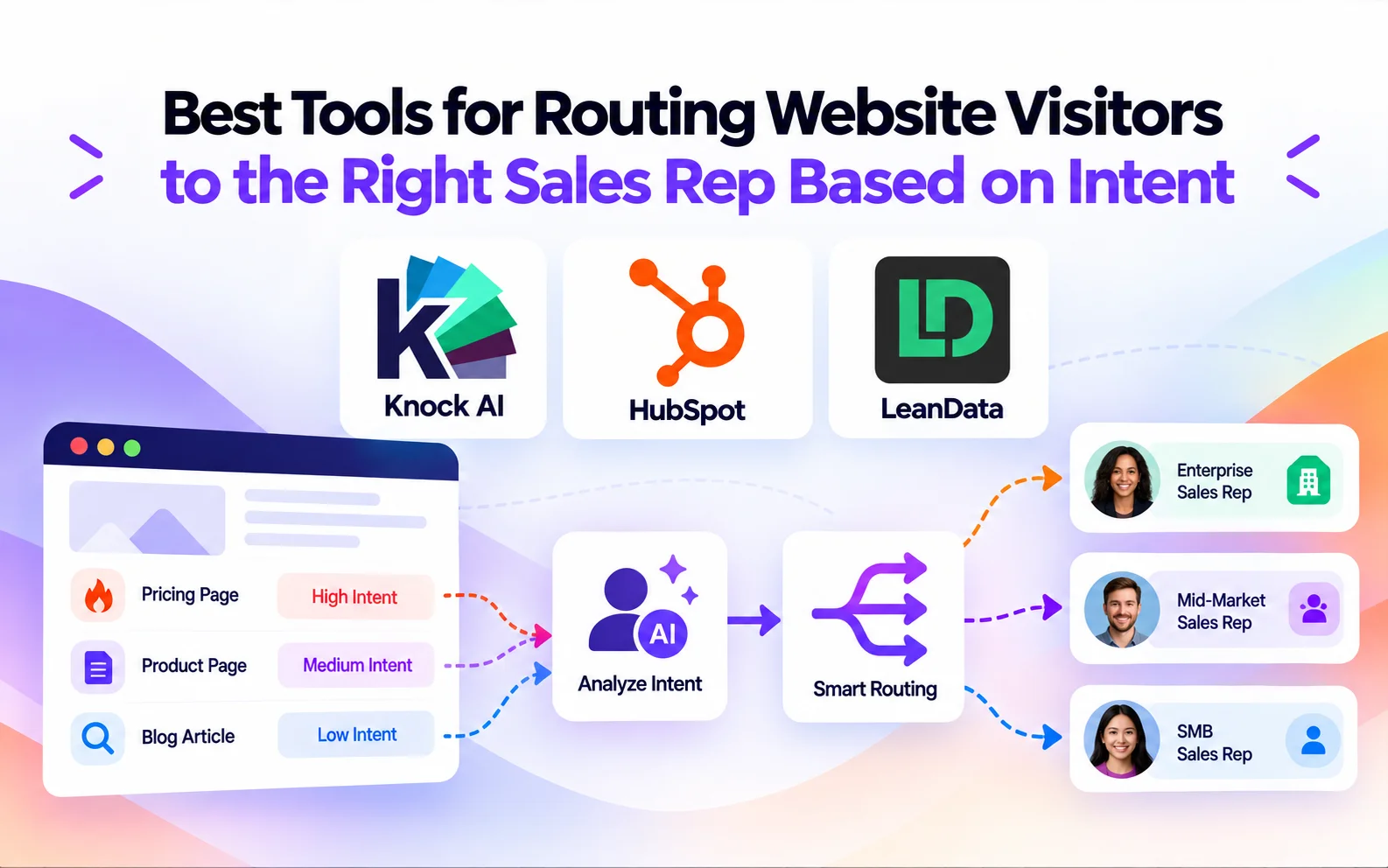
A visitor repeatedly viewing pricing pages may need a different sales response than someone reading an educational article. An existing customer showing interest in an upgrade may need to reach their account owner rather than a new-business SDR.

The difference is simple:

Traditional routing:
Lead → Routing rule → Salesperson

Intent-based routing:
Visitor → Behavior → Intent → Context → Routing rule → Appropriate destination

This allows teams to route website visitors based not only on who they are, but also on what they are doing and why they may be engaging with the business.

‍

What Signals Should Influence Website Visitor Routing?

‍

Intent-based routing works best when it looks at more than a single action. A visitor viewing a pricing page may be showing buying interest, but the routing decision becomes much more useful when that behavior is combined with company context, previous engagement, CRM data, and where the visitor came from.

Website behavior

Website activity is often the first indication that a visitor may be moving closer to a buying decision. Pricing-page visits, product-page views, repeated sessions, CTA clicks, form interactions, chat activity, and engagement with high-value content can all contribute to the routing decision. But a single page view rarely tells the whole story. Someone visiting a pricing page once is different from an identified buyer returning several times and interacting with a demo CTA.

First-party intent signals

First-party signals provide a more complete picture of what a visitor is doing across your own properties. These can include page views, link clicks, CTA interactions, form activity, and chat messages. The frequency and recency of those actions also matter. Knock AI, for example, calculates its intent score using the type, recency, and volume of meaningful activity.

Company and account data

Intent becomes more actionable when combined with information about the company behind the visitor. Company size, industry, headquarters, technology, funding, account tier, and market segment can help determine which sales team or rep should receive the interaction.

CRM context

Existing CRM relationships can change the routing decision entirely. A visitor may already be associated with a contact, account, opportunity, lifecycle stage, account owner, or contact owner. In that situation, sending them through a generic inbound queue may make less sense than routing the interaction to the person who already owns the relationship.

Attribution and source

Where the visitor came from can provide additional context. A visitor arriving through G2, LinkedIn, a paid campaign, organic search, email, an event, QR code, or partner campaign may warrant a different routing path. Attribution can therefore work alongside intent rather than being treated as a separate data point.

‍

How Does Intent-Based Visitor Routing Work?

‍

Intent-based visitor routing turns buyer signals into an assignment or next action. Instead of waiting for a sales rep to interpret the lead manually, the system can evaluate the visitor's identity, intent, company context, and existing CRM relationship before deciding what happens next.

1. Identify the visitor

Determine who the person or company is, using information such as an email address, company domain, or existing CRM record.

2. Enrich the visitor

Add useful context such as company size, industry, role, technology, funding, location, and other available firmographic information.

3. Detect intent

Analyze the visitor's behavior and interactions to understand what they are trying to accomplish. Buying, support, partnership, and other intent types may require completely different responses.

4. Evaluate existing context

Check CRM ownership, account status, lifecycle stage, opportunity information, previous engagement, and other relevant fields. An existing account owner, for example, may take priority over a generic inbound routing rule.

5. Apply routing rules

Evaluate the visitor against predefined segments and conditions. These rules can combine intent with company attributes, CRM fields, attribution, and other signals.

6. Assign the appropriate destination

The result may be a specific sales rep, a round-robin team, an AI agent, or a different workflow altogether. Knock routing system supports these different destinations and evaluates custom segments from top to bottom, using the first matching segment.

7. Continue the engagement

Routing doesn't necessarily end with a handoff. An AI agent can continue handling certain conversations, while high-intent visitors can be connected with a rep or directed toward a meeting.

Visitor → Intent → Context → Routing Decision → Destination

‍

How Does Intent-Based Visitor Routing Work?

‍

Intent-based visitor routing turns buyer signals into an assignment or next action. Instead of waiting for a sales rep to interpret the lead manually, the system can evaluate the visitor's identity, intent, company context, and existing CRM relationship before deciding what happens next.

1. Identify the visitor

Determine who the person or company is, using information such as an email address, company domain, or existing CRM record.

2. Enrich the visitor

Add useful context such as company size, industry, role, technology, funding, location, and other available firmographic information.

3. Detect intent

Analyze the visitor's behavior and interactions to understand what they are trying to accomplish. Buying, support, partnership, and other intent types may require completely different responses.

4. Evaluate existing context

Check CRM ownership, account status, lifecycle stage, opportunity information, previous engagement, and other relevant fields. An existing account owner, for example, may take priority over a generic inbound routing rule.

5. Apply routing rules

Evaluate the visitor against predefined segments and conditions. These rules can combine intent with company attributes, CRM fields, attribution, and other signals.

6. Assign the appropriate destination

The result may be a specific sales rep, a round-robin team, an AI agent, or a different workflow altogether. Knock routing system supports these different destinations and evaluates custom segments from top to bottom, using the first matching segment.

7. Continue the engagement

Routing doesn't necessarily end with a handoff. An AI agent can continue handling certain conversations, while high-intent visitors can be connected with a rep or directed toward a meeting.

Visitor → Intent → Context → Routing Decision → Destination

What Can Happen After a Visitor Shows Intent?

A useful routing system doesn't treat every high-intent visitor the same way. The appropriate destination depends on who the visitor is, what they want, and what your sales team already knows about them.

Route to a specific sales rep

Strategic accounts, named accounts, territories, or existing relationships can be assigned directly to the appropriate salesperson instead of entering a general queue.

Route to a sales team using round-robin

When several reps can handle the same type of demand, round-robin distribution can spread qualified conversations across the team. The important difference is that round-robin can operate within a relevant segment, rather than treating every website visitor identically.

Route to an existing CRM owner

If the visitor already belongs to an account or contact in your CRM, routing can preserve that relationship. Knock AI can use CRM ownership when routing chats and meetings, rather than automatically assigning the interaction to a new inbound rep.

Route to an AI agent

Some visitors don't need a human immediately. AI can handle conversations that fall outside the highest-priority sales segments, while routing rules can escalate relevant buying signals to a human rep.

Disqualify or divert the visitor

Not every interaction belongs in the sales pipeline. Poor-fit companies, job seekers, support requests, and other non-sales intents can follow a different path instead of consuming SDR capacity.

The point of intent-based routing is not simply to find the next salesperson. It's to determine the most appropriate next action for each visitor.

See Knock AI in Action — Book Your Live Demo Today

Best Tools for Routing Website Visitors to the Right Sales Rep Based on Intent

‍

There are plenty of lead routing platforms, but they do not all solve the same problem. Some are primarily designed to distribute records inside a CRM, while others can interpret buyer behavior before deciding where that interaction should go.

For intent-based website routing, three tools stand out for different reasons: Knock AI, HubSpot, and LeanData. Knock AI focuses on combining live intent, enrichment, and engagement context before routing; HubSpot connects buyer intent closely with its CRM and sales automation; and LeanData is built around sophisticated Salesforce matching and routing.

1. Knock AI

‍

Knock AI

‍

Best for: AI-powered intent detection, visitor engagement, and contextual routing across chats, forms, meetings, and CRM workflows.

Knock AI approaches routing as a decision-making process rather than simply assigning an inbound record. Its routing rules can combine CRM data, real-time enrichment, attribution, engagement, funnel stage, and intent to determine what should happen next. Routing can also differ by intent type, such as buying, support, or hiring, or by the touchpoint that generated the interaction.

The enrichment layer adds context before the routing decision. Knock AI can identify and enrich contact and company information such as job title, company size, industry, headquarters, technology, funding, page visits, intent signals, and attribution. That information can then be used by routing rules instead of forcing the visitor to provide every qualification detail themselves.

There is another important layer when information is missing. Knock AI's advanced routing can use custom qualification criteria and have its AI ask the visitor for information that cannot be determined through enrichment or existing data. The answer can then contribute to the routing decision.

The destination can also vary. A high-value visitor can be assigned to a specific rep, distributed through a round-robin pool, handled by an AI Agent, or diverted from the sales path.

CRM ownership provides another safeguard. If an inbound visitor already exists in Salesforce or HubSpot and has an established owner, Knock AI can use that relationship when routing rather than treating the interaction as a completely new inbound lead.

The same routing model extends beyond website chat. Knock AI supports routing for meetings and forms, while Knock Links can apply different routing logic to different acquisition touchpoints. Meeting routing can evaluate CRM ownership and segment rules before selecting the appropriate rep and calendar.

The result is a routing system that can consider what the visitor is doing, who they are, what the company looks like, whether they already have a sales relationship, and what kind of response they need before assigning the interaction.

2. HubSpot

‍

HubSpot

‍

Best for: Teams that already run their sales and marketing operations in HubSpot and want buyer intent connected to CRM automation.

HubSpot's Buyer Intent functionality identifies companies that may be ready to buy using signals such as website visits and research activity. It combines visitor intent, research intent, company news, and contact-level signals inside Smart CRM, then allows teams to automate alerts and route ready-to-buy companies to sales.

That makes HubSpot a natural choice when the CRM is already the center of the team's GTM workflow. Instead of moving intent data into a separate routing system, teams can use it alongside their existing HubSpot records, workflows, and sales processes.

The tradeoff is that the overall experience is closely tied to the HubSpot ecosystem. Teams looking primarily for sophisticated Salesforce account matching, or for an AI layer that can participate directly in visitor conversations and make routing decisions from that interaction, may need a more specialized approach.

3. LeanData

‍

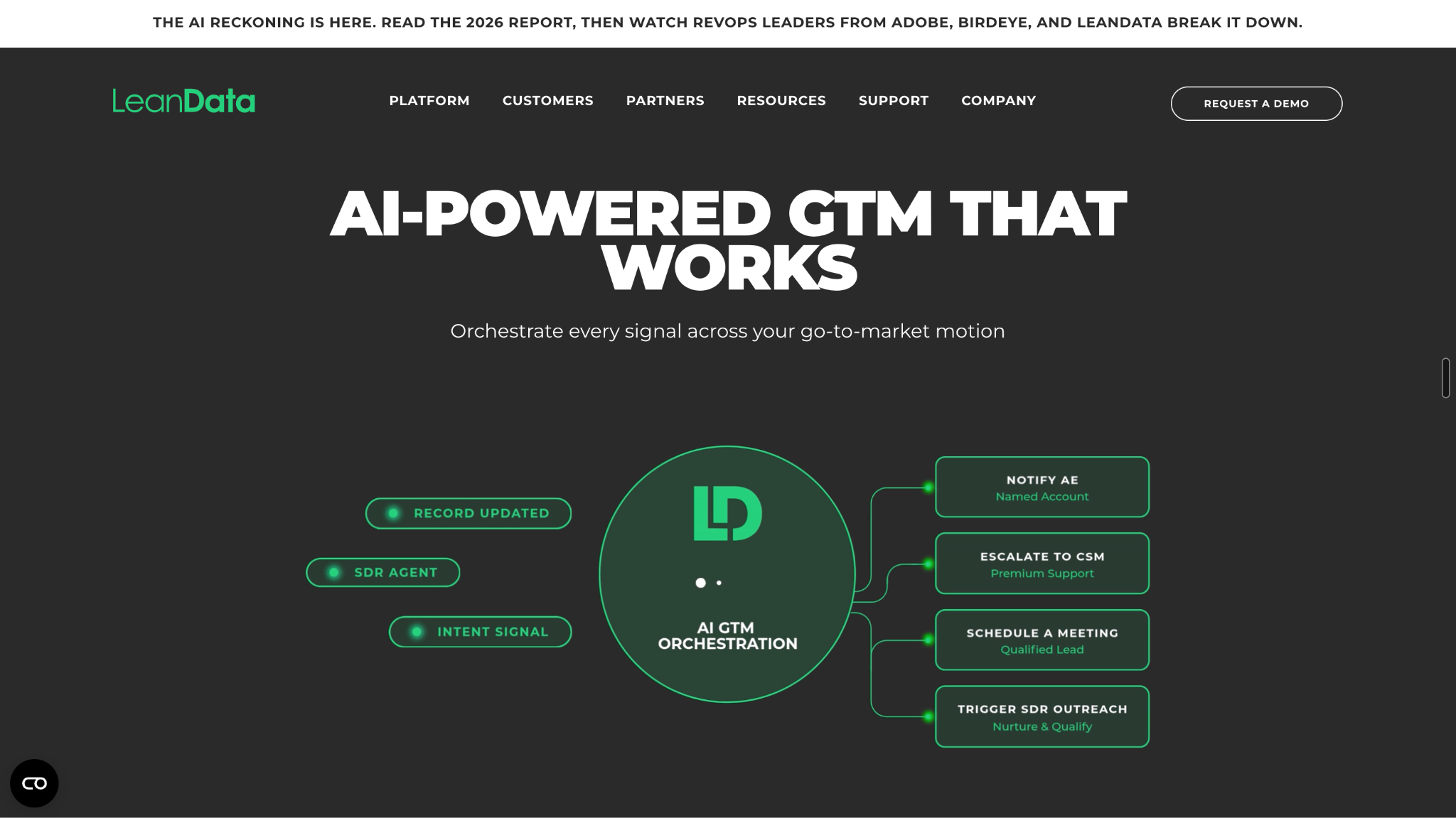
LeanData

‍

Best for: Complex Salesforce routing, lead-to-account matching, and ownership orchestration.

LeanData takes a different approach from the other two tools. Its core strength is making sure inbound records are correctly matched to the right Salesforce account and then routed according to the organization's rules.

Its routing can incorporate territory, round-robin logic, capacity, SLAs, and account ownership, while its matching capabilities connect inbound records to the appropriate Salesforce account. LeanData also supports routing Leads, Contacts, Accounts, Opportunities, and custom Salesforce objects through its routing framework.

This becomes particularly important for organizations where the routing problem is less about identifying a high-intent visitor and more about answering:

“This person is showing buying intent. Which Salesforce account does this belong to, who owns that account, and which routing rules should apply?”

LeanData is also extending this model to AI SDR workflows, where qualified meetings need to respect existing territory, account-matching, round-robin, and SLA rules rather than creating a separate routing process for AI-generated demand.

In short: Knock AI is strongest when intent and live buyer context need to influence the routing decision; HubSpot fits teams that want intent and routing embedded in their existing CRM ecosystem; and LeanData is particularly valuable when Salesforce account matching and complex ownership rules are the heart of the problem.

‍

Intent-Based Routing vs. Round-Robin Routing

‍

Round-robin routing and intent-based routing solve different problems. Round-robin is primarily about distributing workload, while intent-based routing is about matching the buyer with the most appropriate destination.

‍

Round-robin routing Intent-based routing
Distributes leads across reps Uses buyer context to determine assignment
Prioritizes even distribution Prioritizes relevance
Usually simple to configure Can combine multiple signals
Treats similar leads similarly Different visitors can receive different experiences
Useful for balanced workloads Useful for prioritizing high-value intent

‍

Round-robin is still useful when reps have similar territories, responsibilities, and capabilities. For example, a qualified SMB lead may not need a complex routing decision if any member of the SDR team can handle it.

The problem appears when inbound demand varies significantly in value, intent, account ownership, or sales requirements. A high-intent visitor from a strategic account may be better served by a specific enterprise rep, while an existing customer should probably reach their account owner.

That is where intent-based routing becomes more useful: the routing decision reflects the buyer and the situation, rather than simply the order in which reps receive leads.

‍

5 Examples of Intent-Based Website Visitor Routing

‍

The same intent signal can lead to very different routing decisions depending on the visitor's account, relationship, and reason for engaging.

A high-intent enterprise visitor is viewing pricing

A visitor from a large target account repeatedly visits pricing and product pages.

Possible decision:

Enterprise account + strong buying intent → Enterprise AE

Rather than entering a general inbound queue, the visitor can be routed to the rep responsible for that segment or account.

An existing customer starts a buying conversation

A customer returns to the website and begins asking about another product or an upgrade.

Possible decision:

Existing account + known owner + buying intent → Account owner

The goal is to preserve the existing relationship instead of sending the conversation to a new-business SDR.

A high-intent visitor belongs to an unowned account

The visitor appears ready to buy, but there is no existing sales owner.

Possible decision:

High intent + company attributes → Territory or segment rule → Appropriate rep

Company size, industry, location, or account tier can determine which team should take ownership.

A visitor has low ICP fit but wants product information

Someone may engage heavily with the website without being a strong sales prospect.

Possible decision:

Low fit + informational intent → AI agent or non-sales workflow

This prevents SDRs from spending time on conversations that do not warrant immediate human involvement.

A visitor is asking for support instead of buying

High engagement does not automatically mean purchase intent. A customer looking for help may be highly active on the website while having no sales intent at all.

Possible decision:

Support intent → Support workflow

The key point is that intent is not a binary "hot or cold" score. The type and context of the intent determine what should happen next.

‍

5 Examples of Intent-Based Website Visitor Routing

‍

The same intent signal can lead to very different routing decisions depending on the visitor's account, relationship, and reason for engaging.

A high-intent enterprise visitor is viewing pricing

A visitor from a large target account repeatedly visits pricing and product pages.

Possible decision:

Enterprise account + strong buying intent → Enterprise AE

Rather than entering a general inbound queue, the visitor can be routed to the rep responsible for that segment or account.

An existing customer starts a buying conversation

A customer returns to the website and begins asking about another product or an upgrade.

Possible decision:

Existing account + known owner + buying intent → Account owner

The goal is to preserve the existing relationship instead of sending the conversation to a new-business SDR.

A high-intent visitor belongs to an unowned account

The visitor appears ready to buy, but there is no existing sales owner.

Possible decision:

High intent + company attributes → Territory or segment rule → Appropriate rep

Company size, industry, location, or account tier can determine which team should take ownership.

A visitor has low ICP fit but wants product information

Someone may engage heavily with the website without being a strong sales prospect.

Possible decision:

Low fit + informational intent → AI agent or non-sales workflow

This prevents SDRs from spending time on conversations that do not warrant immediate human involvement.

A visitor is asking for support instead of buying

High engagement does not automatically mean purchase intent. A customer looking for help may be highly active on the website while having no sales intent at all.

Possible decision:

Support intent → Support workflow

The key point is that intent is not a binary "hot or cold" score. The type and context of the intent determine what should happen next.

‍

How Should Intent Data and CRM Ownership Work Together?

‍

A visitor can show strong buying intent without being a new sales lead. If that visitor already belongs to an account in the CRM, existing ownership may be more important than a generic inbound routing rule.

Consider this scenario:

Existing enterprise account → Known account owner → High buying intent

The logical path is:

High intent → Identify account → Find existing owner → Route to owner

rather than:

High intent → Round-robin → New SDR

This is particularly important for account-based sales teams. CRM context such as the contact owner, account owner, lifecycle stage, opportunity status, and existing relationship can determine who should receive the interaction. If no relevant owner exists, the system can fall back to territory, segment, round-robin, or another configured rule.

Knock AI supports CRM-owner routing for existing contacts and accounts, allowing owner information from Salesforce or HubSpot to influence chat and meeting assignment.

The result is a routing process that considers both what the buyer is doing now and what the sales team already knows about that buyer.

‍

Can Intent-Based Routing Work Across Chat, Forms, and Meetings?

‍

Yes. Intent-based routing does not have to be limited to a single website chat widget. The same underlying principles can be applied to different inbound touchpoints, although the available signals and routing workflow can differ.

Chat

A visitor's messages and behavior can reveal intent during the conversation. The system can then route the interaction to a specific rep, team, AI agent, or another destination.

Forms

A form submission can be enriched and evaluated before the lead is assigned. Routing can use the submitted information alongside CRM data and other available signals.

Meetings

A visitor can be identified and enriched before availability is displayed. Routing rules can then determine which rep or calendar should receive the booking.

Knock AI has routing workflows for chats, meetings, and forms, including CRM ownership, segmentation, and other routing conditions.

This matters because routing is not simply a website widget feature. It can become a consistent decision layer across multiple inbound paths.

Learn more at Knock AI Helps Docs!

‍

How to Choose an Intent-Based Visitor Routing Tool

‍

Before choosing a platform, look beyond whether it supports basic lead assignment. The more useful question is how much context the system can incorporate before making the routing decision.

Ask:

That last question is easy to overlook. When routing becomes more sophisticated, visibility into the decision itself becomes important for debugging, optimization, and maintaining accurate sales workflows.

‍

Which Intent-Based Routing Tool Is Right for You?

‍

The three tools in this comparison solve different versions of the routing problem.

‍

Tool Best for Core strength
Knock AI AI-powered intent-driven visitor engagement and routing Intent + enrichment + AI + contextual routing
HubSpot HubSpot-based GTM teams Buyer intent + CRM automation
LeanData Complex Salesforce environments Account matching + routing orchestration

‍

Choose Knock AI when the routing decision needs to combine live intent, enrichment, conversation context, CRM relationships, and AI or human handoff.

Choose HubSpot when HubSpot already sits at the center of your sales and marketing operations and you want buyer intent connected to the CRM.

Choose LeanData when Salesforce account matching, ownership, territory logic, and complex routing orchestration are the primary challenge.

‍

FAQs

‍

What is intent-based lead routing?

Intent-based lead routing uses buyer behavior and intent signals alongside information such as company attributes, CRM data, and account ownership to determine which sales rep or workflow should handle an inbound interaction.

How do you route website visitors to the right sales rep?

Identify the visitor, evaluate their behavior and intent, enrich their company and contact information, check CRM context, and apply routing rules based on factors such as account ownership, territory, company size, or intent.

What signals indicate website visitor intent?

Common signals include pricing-page visits, product-page activity, repeated sessions, CTA clicks, form interactions, chat messages, content engagement, and other first-party behavioral activity. The strength of a signal can also depend on its recency and frequency.

Can website visitors be routed based on their behavior?

Yes. Website behavior can be used as an input to routing rules. For example, repeated visits to pricing or product pages may indicate stronger buying interest than a single visit to an educational article.

What is the difference between intent-based routing and round-robin routing?

Round-robin distributes leads across a group of reps, usually to balance workload. Intent-based routing uses buyer context to determine the most appropriate destination, which can be a specific rep, team, AI agent, or another workflow.

Can AI route website visitors to sales reps?

Yes. AI can interpret intent and other visitor context, then apply configured routing rules to determine whether the interaction should go to a human rep, a team, an AI agent, or another workflow.

Can high-intent website visitors be routed to a specific salesperson?

Yes. Routing rules can combine high-intent signals with account attributes, territories, CRM ownership, or other conditions to assign the visitor to a specific salesperson.

Can intent data be combined with CRM ownership?

Yes. This is particularly useful when an existing account already has an assigned owner. Instead of treating the visitor as a new inbound lead, the routing system can use the existing relationship when deciding who should respond.

How do I route an existing account to its sales rep?

First identify the visitor or company and match them to the existing CRM record. Then use the account or contact owner as the routing destination, with a fallback rule for accounts that do not have an assigned owner.

How does HubSpot intent-based routing work?

HubSpot's Buyer Intent functionality uses website and research activity to identify companies showing buying signals. Those signals can then be used with HubSpot's CRM and automation capabilities to alert or route potential buyers to sales.

How does Salesforce lead routing work?

Salesforce lead routing assigns inbound records according to configured criteria such as ownership, territory, account relationships, or other fields. Tools such as LeanData add more sophisticated account matching and routing orchestration around Salesforce.

What is the best software for intent-based lead routing?

There is no universal choice. Knock AI is a strong option when live intent, enrichment, AI engagement, and contextual routing need to work together. HubSpot fits teams already operating within HubSpot, while LeanData is designed for complex Salesforce routing and account matching.

What is the best website visitor routing software?

The right choice depends on the routing problem. Teams focused on real-time visitor intent and AI-assisted engagement may prefer Knock AI, while HubSpot and LeanData are strong choices for organizations that want routing tightly connected to their respective CRM ecosystems.

Can website visitor intent determine which salesperson receives a lead?

Yes. Intent can be combined with company information, account ownership, territory, CRM status, and other conditions to determine which salesperson should receive the interaction.

Can low-intent visitors be routed to AI instead of sales?

Yes. Routing doesn't have to end with a human salesperson. Lower-fit or lower-priority visitors can be handled by an AI agent or another workflow, while stronger buying signals can trigger escalation to sales.

Can intent-based routing work with forms and meetings?

Yes. Intent and other contextual signals can be incorporated into routing workflows for forms and meetings. The exact signals and decision process depend on the platform and how its routing rules are configured.

‍