star iconstar iconstar icon
icon starDecorative blue sparkle icon
Get Started

HubSpot Meeting Scheduler Review: Features, Pricing, Pros, Cons & Alternatives

HubSpot Meeting Scheduler at a Glance

Best for: CRM-connected meeting scheduling
Pricing: Free entry point, with advanced functionality tied to HubSpot plans and seats
Main job: Let prospects book meetings against real-time calendar availability
Scheduling types: One-on-one, group, and round robin
Calendar: Google Calendar, Office 365, and Exchange support with some differences in functionality
CRM: Native HubSpot CRM
Best advantage: Scheduling is tightly connected to HubSpot's CRM, sales workspace, and broader sales workflows
Best limitation for revenue teams: Booking a meeting and activating a buyer are not necessarily the same workflow.

HubSpot Meeting Scheduler is a strong option for teams that primarily need an easy way to let prospects find available times, book meetings, and keep scheduling activity connected to the CRM. HubSpot also supports team scheduling, meeting preparation, follow-up, and AI-assisted sales workspace functionality.

But there is a bigger question for revenue teams: Do you only need a calendar experience, or do you need to identify, qualify, route, engage, and convert buyers around the meeting? That distinction is where a platform such as Knock AI becomes especially relevant.

What Is HubSpot Meeting Scheduler?
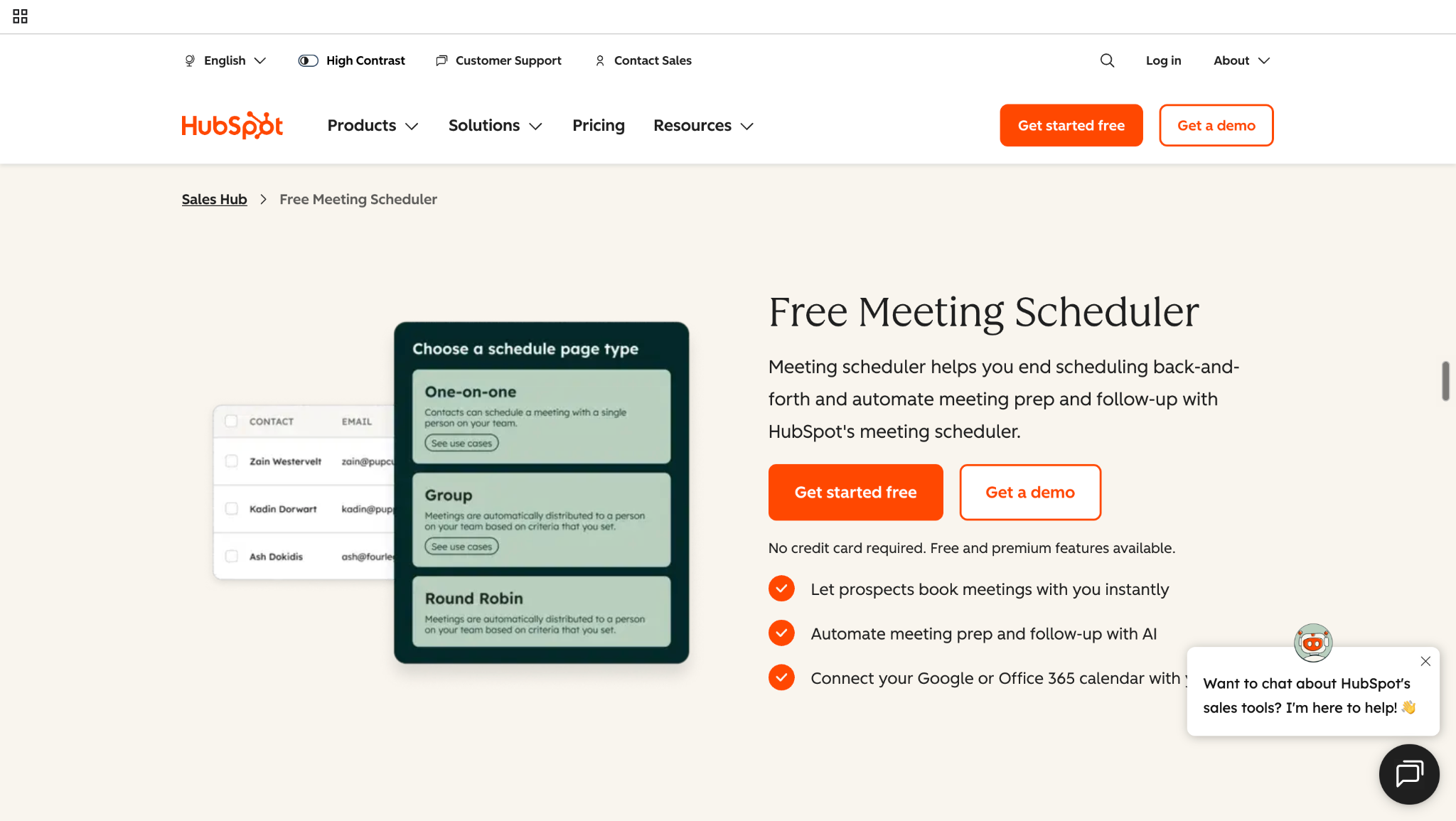
HubSpot Meeting Scheduler

HubSpot Meeting Scheduler is a scheduling tool that lets prospects and customers book meetings directly against a user's available calendar while synchronizing meeting activity with HubSpot CRM. It replaces back-and-forth scheduling by giving buyers a scheduling page where they can select an available time that works for both sides.

HubSpot supports one-on-one meetings, group meetings, and round robin scheduling, with availability based on connected calendars. Users can connect Google Calendar, Office 365, or Exchange, although some calendar types have different synchronization capabilities.

Teams can create customizable scheduling links and booking pages, collect information through booking forms, and configure meeting availability, durations, buffers, and other scheduling settings. Meetings can also be connected with video-conferencing tools, while confirmations, reminders, CRM updates, and broader sales workflows can help manage what happens around the booking.

The basic model is:

Availability → booking → CRM → confirmation → meeting

HubSpot has also expanded the experience beyond basic scheduling. Its Sales Workspace can surface meeting preparation information, suggested pre-meeting activities, AI-generated summaries, and post-meeting follow-up actions.

That said, HubSpot Meeting Scheduler is primarily a meeting scheduling and CRM-connected booking system. It should be distinguished from a standalone buyer-intent or buyer-activation platform whose workflow begins with identifying and understanding buyer behavior before deciding what should happen next.

How Does HubSpot Meeting Scheduler Work?

HubSpot Meeting Scheduler follows a straightforward workflow that connects a prospect's booking experience with the seller's calendar and CRM:

Connect calendar → create scheduling page → configure availability → collect information → book → sync → follow up

  1. Connect your calendar: Connect Google Calendar or Office 365 so HubSpot can check availability and prevent double-booking. Exchange calendars can also be connected, although some synchronization features differ.
  2. Create a scheduling page: Set up a one-on-one, group, or round robin meeting page. HubSpot's current documentation lists one-on-one scheduling for users with applicable access, while group and round robin pages require Sales Hub or Service Hub Starter, Professional, or Enterprise.
  3. Configure availability: Set the meeting duration, available hours, buffers, minimum notice, and other booking rules.
  4. Collect information: Add booking questions and form fields to gather information from the prospect.
  5. Share the link: Share the scheduling page directly or embed it where prospects can access it.
  6. Book: The prospect selects an available time and submits their details.
  7. Sync: HubSpot creates or updates the contact record and logs the meeting, while the booking is added to the relevant calendars.
  8. Follow up: Confirmation and reminder emails can support the booking, while HubSpot's Sales Workspace can also provide suggested pre- and post-meeting activities and AI-generated meeting insights.

The basic HubSpot workflow is:

Prospect → calendar → booking → CRM

That's effective when the primary objective is making scheduling frictionless. But a more buyer-led workflow can start earlier:

Buyer activity → identity → qualification → booking → engagement → meeting

That difference becomes important when comparing HubSpot Meeting Scheduler with platforms such as Knock AI that can incorporate buyer intelligence and qualification into the scheduling journey.

HubSpot Meeting Scheduler Features

HubSpot Meeting Scheduler covers the core scheduling workflow from availability and booking through CRM synchronization and follow-up. Its feature set is broader than a simple calendar link, particularly when it is used alongside HubSpot's sales and CRM tools.

One-on-One Meeting Scheduling

HubSpot lets users create one-on-one scheduling pages where prospects can view available times and book directly. Users can define meeting duration, bookable hours, availability windows, and other scheduling preferences. The booking page can also collect contact information and custom questions before the meeting is confirmed.

Group and Round Robin Scheduling

For team scheduling, HubSpot supports group and round robin meeting links. Group scheduling shows times when all selected team members are available, while round robin lets a prospect choose a time when at least one selected team member is available. HubSpot can also prioritize a contact owner, and meeting rotations can distribute bookings using configured rotation logic. These capabilities require qualifying Sales Hub or Service Hub subscriptions.

Calendar and Video Conferencing Integrations

HubSpot can connect with Google Calendar, Office 365, and Exchange, using connected calendars to check availability and help prevent double-booking. Video-conferencing integrations such as Zoom and Microsoft Teams can automatically add meeting links to booked appointments.

Booking Forms and Custom Questions

Scheduling pages can collect information before the meeting, including contact details and custom form fields. Depending on the setup and subscription, teams can use required or optional fields and additional booking controls to gather the information needed for the sales process.

Availability Controls

HubSpot provides controls for meeting length, availability windows, time zones, minimum notice, buffer times, start-time increments, and booking periods. This lets teams decide not only when they are available, but also when prospects are allowed to book.

CRM Synchronization

One of HubSpot Meeting Scheduler's biggest advantages is its native CRM connection. When a prospect books, their information can be created or updated in HubSpot, while the meeting is logged against the relevant CRM record. Connected calendars also synchronize booked meetings and availability.

Confirmations, Reminders and Automation

HubSpot can send an immediate confirmation email after a booking and configure up to three pre-meeting reminder emails directly through the scheduling tool. Broader HubSpot Workflows can handle additional automation and follow-up.

HubSpot also extends beyond the booking itself: its Sales Workspace can suggest pre-meeting activities, surface customer and deal information, generate AI-assisted insights, and recommend post-meeting actions such as follow-up emails and updating notes.

Meeting Analytics

Teams can track scheduling performance through metrics such as scheduling-page views, meetings booked, conversion rates, meeting sources, sales activity, and rep performance. More advanced reporting can be built through HubSpot's broader reporting capabilities.

Overall, HubSpot's scheduler is strongest when booking, calendars, CRM records, sales activity, and follow-up all need to live inside the HubSpot ecosystem. The more important question for revenue teams is what happens around the booking itself: whether buyer identity, intent, qualification, routing, and ongoing engagement should also determine how the meeting experience works.

HubSpot Meeting Scheduler Pricing

HubSpot Meeting Scheduler has a free entry point, but the amount you pay depends on whether you only need basic scheduling or want to use scheduling as part of a broader sales workflow. HubSpot currently lists its free Sales Hub option at $0/month for up to two users. Meeting scheduling on the free tier includes a maximum of one personal meeting link with HubSpot branding.

For teams that need more scheduling functionality, Sales Hub Starter starts at $7/seat/month when billed annually ($20 month-to-month). The paid tier expands scheduling to up to 1,000 personal and team meeting links and removes HubSpot branding. HubSpot's current pricing also lists Professional at $90/seat/month annually ($100 monthly) and Enterprise at $150/seat/month. Professional has a required $1,500 one-time onboarding fee, while Enterprise has a $3,500 onboarding fee.

Advanced team scheduling matters too. Group and round robin scheduling require Sales Hub or Service Hub Starter, Professional, or Enterprise, rather than the free tier.

The practical distinction is that you are not necessarily paying for a calendar alone. You're paying for the HubSpot sales infrastructure surrounding it, CRM, automation, lead scoring, sequences, reporting, AI features, and additional sales functionality as your plan increases.

So the critical pricing question is: Do you only need meeting scheduling, or are you paying for the broader HubSpot system that unlocks the sales workflows around it?

HubSpot Meeting Scheduler Pros and Cons

HubSpot Meeting Scheduler is a strong option for teams that want meeting booking tightly connected to their CRM and sales process. Its main strengths come from combining scheduling with HubSpot's broader customer and sales infrastructure, while its trade-offs become more noticeable as teams look for more sophisticated buyer-conversion workflows.

Pros Cons
Native CRM integration: Meetings and booking activity can stay connected to HubSpot contact and deal records. Advanced functionality requires paid plans or seats: Features such as team scheduling are tied to qualifying subscriptions.
Self-service booking: Prospects can choose available times without back-and-forth emails. Broader HubSpot investment can increase total cost: The scheduler's value can depend on the wider HubSpot setup your team needs.
One-on-one scheduling: Individual scheduling pages make it easy for prospects to book with a specific rep. Sophisticated qualification may require additional workflows: Teams wanting richer pre-booking qualification may need to configure additional HubSpot functionality.
Group and round-robin scheduling: Useful for teams that need shared availability or automated host selection. Buyer-intent activation is not the scheduler's primary purpose: The core experience is built around scheduling rather than identifying and acting on buyer intent.
Calendar synchronization: Supports connected calendars and availability management to reduce scheduling conflicts. Continuous engagement may require additional tooling or workflows: Teams wanting persistent buyer interaction before and after a meeting may need capabilities beyond the scheduler itself.
Reminders and confirmations: Automated communications help keep booked meetings organized.
Meeting preparation and follow-up: HubSpot's Sales Workspace can surface attendee information, suggested activities, AI-generated insights, and follow-up actions around meetings.

HubSpot Meeting Scheduler is a capable CRM-connected scheduling solution, particularly for organizations already invested in HubSpot. Its main trade-off is not a lack of scheduling functionality; rather, it is that scheduling, buyer-intent activation, and continuous engagement are different problems.

This becomes important when the goal moves beyond “help someone book a meeting” toward “identify the right buyer, understand their intent, qualify them, route the meeting, and keep them engaged around the meeting.” HubSpot addresses much of the surrounding sales process through its broader platform, while a purpose-built buyer-activation platform such as Knock AI approaches that workflow from the buyer side.

HubSpot Meeting Scheduler vs. Knock AI

HubSpot Meeting Scheduler and Knock AI both help teams book meetings, but they approach the problem from different starting points.

HubSpot is primarily a CRM-connected scheduling experience. A prospect reaches a scheduling page, sees available times, selects a slot, and the meeting is connected to the HubSpot CRM and calendar:

Availability → booking → CRM → follow-up → meeting

Knock AI treats scheduling as part of a broader buyer-conversion workflow:

Buyer activity → identity → enrichment → intent → AI conversation → qualification → booking → routing → persistent engagement → meeting → CRM → pipeline

Knock AI offers both conversational scheduling and standalone scheduling, with the same buyer-intelligence and routing layer underneath. A buyer can move from an AI conversation to qualification and book a meeting directly inside that conversation, or use a standalone Knock scheduling link placed across websites, emails, LinkedIn, G2, docs, product experiences, and other touchpoints.

Capability HubSpot Meeting Scheduler Knock AI
Core model CRM-connected scheduling Buyer-aware scheduling + revenue conversion
Workflow starts with Scheduling intent / booking page / CRM Buyer activity or scheduling intent
Buyer identity Contact/booking data + HubSpot CRM Person and company identification
Enrichment HubSpot ecosystem capabilities Real-time buyer and company enrichment
Intent Broader HubSpot capabilities First-party intent directly informs activation
Qualification Forms + broader HubSpot workflows AI qualification before or during conversation
Conversational booking Scheduling can be offered through HubSpot chatflows Meeting can be booked directly inside the Knock AI conversation
Standalone scheduling Yes Yes
Routing Group, round robin, contact-owner and rotation logic Intent + enrichment + CRM + routing rules
Before meeting Confirmation, reminders, meeting preparation and workflows Persistent conversation + contextual engagement
After booking Reminders, CRM activity and follow-up workflows Persistent engagement, questions, follow-up and re-engagement
Meeting context CRM/contact and meeting information Intent + enrichment + qualification + conversation context
CRM HubSpot HubSpot + Salesforce + Marketo
Primary outcome Meeting booked Qualified conversation → meeting → pipeline
See Knock AI in Action — Book Your Live Demo Today

The difference is not that HubSpot cannot automate around meetings. It can support team scheduling, CRM synchronization, reminders, meeting preparation, AI-assisted insights, and post-meeting follow-up. HubSpot also supports group and round robin scheduling, including contact-owner prioritization and meeting rotations.

The difference is where the workflow begins and what the scheduling experience is designed to accomplish. Knock AI connects buyer identity, enrichment, first-party intent, AI qualification, routing, conversational booking, and continued engagement around the meeting. In other words, HubSpot helps facilitate the booking; Knock AI can turn the buyer's active intent into a qualified conversation and carry that momentum through the meeting and toward the pipeline.

How Knock AI Turns Scheduling Into a Revenue Workflow

Traditional scheduling usually begins when a buyer reaches a calendar. Knock AI can start much earlier, using buyer activity and context to determine whether a conversation should happen, who should have it, and how to keep the buyer engaged once it is booked.

Identify the buyer before booking

Knock Reveal can identify anonymous and known website visitors at the person and company level, building a history of buyer activity across sessions. Its buyer-identification workflow can incorporate website behavior and activity from Knock Links and other connected touchpoints, so a buyer does not have to complete a form before becoming actionable. Knock Links can also preserve visitor identity as buyers move between shared links and your website.

The result is a richer starting point than a generic booking page:

Visitor activity → identity → buyer context

Understand intent before showing the calendar

Knock AI's first-party intent layer can evaluate patterns across page views, clicks, repeat visits, pricing activity, content engagement, Knock Link activity, conversations, recency, frequency, and overall engagement. Rather than treating one page view as a buying signal, the goal is to identify meaningful patterns that indicate a buyer may be actively evaluating a solution.

Intent can then be categorized and scored so that different buyer situations can trigger different workflows.

That creates:

Activity → recency + frequency → intent → action

Qualify the buyer inside the conversation

Knock Chat and AI Intent Agents can turn scheduling into a conversational qualification step. The buyer can ask questions, receive answers from approved knowledge sources, provide context, and be evaluated against qualification criteria before the workflow determines the next step. Knock AI agent configuration supports instructions, qualification behavior, guardrails, human handoff, and next actions.

The workflow can therefore become:

Question → answer → context → qualification → meeting

This is different from asking a prospect to complete a form and then sending them to a calendar. The conversation itself can be part of the qualification and scheduling experience.

Book the meeting without breaking the conversation

The buyer can move from conversation to qualification to booking without leaving the conversational experience.

Knock AI supports conversational scheduling, allowing the AI interaction to lead directly into meeting booking. It also supports standalone scheduling, so teams can use traditional scheduling links when that experience makes more sense.

Knock AI offers both conversational scheduling and standalone scheduling, with the same buyer-intelligence and routing layer underneath.

That means scheduling does not have to be a separate system bolted onto the buyer journey. A buyer can progress from intent and questions to qualification and then book in the same flow.

Route the meeting to the right person

After qualification, Knock AI can use buyer and account context to determine where the meeting should go. Routing can incorporate factors such as CRM owner, territory, geography, ICP fit, segment, company characteristics, intent, round robin logic, pooled availability, AI agents, and meeting duration.

This allows the system to distinguish between:

Qualified buyer → appropriate rep → appropriate calendar

rather than simply:

Visitor → next available calendar

Teams can also configure specific meeting-routing logic, route to the CRM owner, distribute meetings through round robin, and control meeting duration by lead segment.

Keep the buyer engaged after the meeting is booked

Booking the meeting is not the end of the buyer interaction. Knock AI is designed to preserve the momentum that created the booking in the first place.

A booked meeting can remain connected to an ongoing buyer conversation. Knock AI supports persistent engagement around meetings, including pre-meeting questions, contextual reminders, rescheduling, buyer context, LinkedIn, Slack, WhatsApp, email, post-meeting engagement, and re-engagement workflows. The platform also has dedicated workflows for engaging leads before and after meetings.

That matters because interest can fade between booking and meeting time. Continuing the conversation gives the buyer a place to ask questions, provide additional context, or stay engaged instead of disappearing after the calendar invite arrives.

By continuing the conversation around the meeting, Knock AI can help keep buyers engaged and reduce the risk of no-shows and post-booking drop-off.

Connect meetings to pipeline

The final advantage is connecting the scheduling event back to the broader revenue system:

Buyer → identity → intent → qualification → meeting → CRM → opportunity → revenue

Knock AI supports integrations with HubSpot, Salesforce, and Marketo, alongside CRM field mapping and synchronization for meeting and buyer data. Its broader platform also includes attribution capabilities, chat and meeting data, and a Website Revenue Report for connecting website activity to revenue outcomes.

The result is a workflow where a meeting is not treated as the final conversion event. Teams can preserve the context that created the meeting, synchronize it with the CRM, and understand how buyer activity, conversations, and meetings contribute to pipeline.

That is the fundamental difference between a scheduling tool and a revenue workflow: the calendar is one step in the journey, not the journey itself.

HubSpot Meeting Scheduler vs. Knock AI by Use Case

HubSpot Meeting Scheduler and Knock AI can both support meeting booking, but the better fit depends on where scheduling sits in your buyer journey and how much intelligence you want surrounding the meeting.

If your main need is... Better fit
Simple meeting booking HubSpot
Scheduling inside HubSpot CRM HubSpot
One-on-one meetings Either
Group scheduling Either
Round robin scheduling Either
CRM-connected scheduling HubSpot / Knock AI
Identify buyers before booking Knock AI
Real-time buyer enrichment Knock AI
First-party intent-based qualification Knock AI
AI qualification inside the conversation Knock AI
Book meetings directly inside AI chat Knock AI
Standalone scheduling + buyer intelligence Knock AI
Keep buyers engaged after booking Knock AI
Protect buyer momentum before the meeting Knock AI
Connect buyer intent to pipeline Knock AI

The practical distinction is straightforward. Choose HubSpot when scheduling is primarily a CRM and calendar problem. Consider Knock AI when scheduling is part of a larger buyer-conversion problem.

HubSpot is particularly compelling when your team already works in HubSpot and needs scheduling, calendar synchronization, CRM records, team booking, reminders, and sales-workspace follow-up in one ecosystem.

Knock AI becomes more relevant when the workflow needs to start before the calendar: identify the buyer, enrich them in real time, understand first-party intent, qualify them through conversation, and then book the meeting, either through a standalone scheduling experience or directly inside the AI conversation. The same buyer-intelligence and routing layer can then continue working after booking, helping preserve momentum through ongoing engagement before the meeting and beyond.

The distinction is therefore less about whether either platform can schedule a meeting and more about what the scheduling experience is connected to: HubSpot connects scheduling tightly to CRM and sales management, while Knock AI connects it to the buyer journey from intent through conversation, meeting, and pipeline.

HubSpot Meeting Scheduler Alternatives

The best HubSpot Meeting Scheduler alternative depends on whether you want to replace calendar scheduling itself or build a broader workflow around the meeting.

Knock AI is best suited to teams that want buyer-intent, conversational, and standalone scheduling in one workflow. Buyers can qualify and book within an AI conversation, or use a standalone scheduling experience, while the same buyer-intelligence and routing layer informs what happens around the meeting.

Calendly is a strong scheduling-first option for teams primarily focused on simplifying availability, booking, and calendar coordination.

Chili Piper is particularly relevant for B2B teams that need inbound conversion, qualification, routing, and instant meeting booking.

Cal.com is a flexible scheduling infrastructure option for teams that want greater control over their scheduling experience and implementation.

Zeeg combines meeting scheduling with automation and broader scheduling workflows.

Microsoft Bookings is a practical option for organizations already invested in Microsoft 365 that need straightforward appointment and meeting scheduling.

The key difference is simple: scheduling-first tools optimize the calendar experience; buyer-aware platforms such as Knock AI extend scheduling into identification, qualification, routing, engagement, and revenue conversion.

HubSpot Meeting Scheduler vs. Calendly vs. Knock AI

HubSpot, Calendly, and Knock AI can all help a buyer get onto a calendar, but they optimize different parts of the journey.

Platform Primary optimization
HubSpot CRM-connected scheduling
Calendly Calendar and booking efficiency
Knock AI Buyer-aware scheduling and revenue conversion

Calendly primarily solves time coordination: make availability easy to share, let the buyer select a slot, and reduce scheduling back-and-forth.

HubSpot adds the CRM layer. Meeting scheduling sits inside a broader HubSpot environment, allowing teams to connect booking with CRM records, team scheduling, reminders, meeting preparation, and follow-up.

Knock AI starts from a broader buyer-conversion problem:

Buyer intent → qualified conversation → meeting → pipeline

A buyer can interact with Knock AI, ask questions, be qualified, and book a meeting directly inside the conversation. Knock AI also provides standalone scheduling, with the same buyer-intelligence and routing layer underneath. The workflow can then continue after booking through persistent engagement, contextual follow-up, and other buyer interactions.

That creates a meaningful distinction:

Calendly optimizes time coordination. HubSpot optimizes CRM-connected scheduling. Knock AI optimizes the conversion of buyer intent into qualified conversations and meetings.

The choice therefore depends on what you are actually trying to improve. For straightforward scheduling, Calendly may be enough. For scheduling embedded in an existing HubSpot CRM, HubSpot is compelling. For teams trying to identify, qualify, route, schedule, and keep active buyers engaged without breaking the conversational flow, Knock AI addresses a broader part of the revenue journey.

How to Choose the Right Meeting Scheduler

Choosing a meeting scheduler is less about the number of calendar features it offers and more about what you need the scheduling workflow to accomplish.

1. Do you just need a calendar?

If your main problem is eliminating back-and-forth emails and giving prospects an easy way to book available times, a scheduling-first tool may be enough.

2. Do you need CRM-connected scheduling?

If meeting activity needs to stay connected to contacts, deals, ownership, and sales workflows, HubSpot is a strong option when HubSpot is already your system of record.

3. Should the buyer be qualified before booking?

For higher-value B2B sales, ask whether the system should understand the buyer before showing a calendar:

Identity → enrichment → intent → qualification → scheduling

4. Can buyers book inside a conversation?

This is an important distinction. Should the buyer:

Leave conversation → open calendar → choose time

or:

Conversation → qualification → booking inside conversation

Knock AI supports the second approach through conversational scheduling while also offering standalone scheduling.

5. What happens after the meeting is booked?

Don't evaluate the scheduler only by its booking rate. Consider the entire journey:

Booking → engagement → reminders → context → meeting → opportunity

A strong scheduling workflow should help preserve buyer momentum, provide relevant context, and keep the buyer engaged between booking and the actual meeting.

Is HubSpot Meeting Scheduler Worth It?

HubSpot Meeting Scheduler is worth it for teams that want straightforward scheduling tightly connected to the HubSpot ecosystem. It is particularly compelling when HubSpot is already your CRM, you need one-on-one, group, or round robin scheduling, and calendar synchronization, reminders, and sales workflows cover your requirements. HubSpot also provides meeting preparation and post-meeting follow-up capabilities through its Sales Workspace.

However, the decision changes when scheduling is only one part of the problem.

Consider Knock AI when your team already has meaningful buyer activity and wants to identify buyers, enrich their context, understand intent, qualify them with AI, route them to the right rep, and let them book, either through a standalone scheduler or directly inside the AI conversation. Knock AI can then maintain engagement around the meeting rather than treating booking as the end of the interaction.

HubSpot Meeting Scheduler is a strong scheduling product. Knock AI becomes more compelling when the problem is no longer “How do I get this person onto a calendar?” but “How do I turn this buyer's active interest into a qualified, engaged sales conversation?”

Frequently Asked Questions

What is HubSpot Meeting Scheduler?

HubSpot Meeting Scheduler is a scheduling tool that lets prospects book meetings based on a user's availability while connecting the booking with HubSpot's CRM and calendar system. It supports one-on-one, group, and round robin scheduling, along with booking pages, availability controls, and meeting workflows.

Is HubSpot Meeting Scheduler free?

Yes. HubSpot offers a free entry point for basic meeting scheduling. More advanced functionality, including team scheduling features such as group and round robin scheduling, requires qualifying paid Sales Hub or Service Hub subscriptions and seats.

How does HubSpot Meeting Scheduler work?

The basic workflow is:

Calendar → scheduling page → availability → booking → CRM

Users connect a supported calendar, create a scheduling page, define availability, and share the booking link. When a prospect books, HubSpot can synchronize the meeting and contact information with the relevant CRM and calendar systems.

Does HubSpot Meeting Scheduler support round robin scheduling?

Yes. HubSpot supports round robin scheduling, where prospects can choose a time when one of the selected team members is available. HubSpot can also prioritize a contact owner and support meeting rotations. Group and round robin scheduling are available with Sales Hub or Service Hub Starter, Professional, and Enterprise.

Can HubSpot Meeting Scheduler qualify leads before they book?

HubSpot can collect information through booking forms and connect meetings with broader CRM, scoring, workflow, and sales processes. However, pre-booking qualification based on richer buyer identity, real-time enrichment, and intent is a broader workflow question than simply scheduling a meeting. Teams may need additional HubSpot functionality to build that process.

Can you book a meeting directly inside an AI conversation?

Yes. Knock AI supports conversational scheduling, allowing a buyer to move from an AI conversation into meeting booking without leaving the conversation. Knock AI also offers standalone scheduling links, with the same buyer-intelligence and routing layer underneath. This lets teams combine conversation, qualification, and scheduling in one buyer experience.

Is Knock AI a HubSpot Meeting Scheduler alternative?

Yes. Knock AI is particularly relevant for teams that want scheduling connected to buyer identification, real-time enrichment, first-party intent, AI qualification, routing, conversational booking, and persistent engagement around the meeting. The broader workflow is:

Buyer → intent → qualification → conversation → booking → engagement → pipeline

This makes Knock AI a stronger fit when the goal extends beyond scheduling to turning active buyer intent into qualified, engaged sales conversations.