9 Best Marketing Automation Tools in 2026 (Tested & Compared)
Best Marketing Automation Tools in 2026: 9 Platforms Compared
Marketing automation can mean very different things depending on what you're trying to accomplish.
At Knock AI, our research found that visitors arriving through AI platforms converted at 2.73%, compared with 1.26% for visitors arriving through Google organic search. This highlights why understanding how buyers discover and engage with businesses matters alongside traditional campaign execution.
But what should you actually automate? One business might want to streamline email campaigns, while another needs to improve paid advertising. A B2B SaaS company may need to understand account-level intent, coordinate engagement across multiple touchpoints, and turn buyer interest into qualified sales conversations.
These problems require different capabilities. This guide compares 9 marketing automation tools by their strengths, use cases, and limitations, helping B2B marketers, SaaS companies, small businesses, ecommerce brands, and marketing operations teams find the right fit.
TL;DR: Which Marketing Automation Tool Should You Choose?
Looking for a quick recommendation? Start here. Each platform serves a different purpose, from automating email campaigns and paid advertising to connecting applications and converting B2B buyer interest into sales opportunities.
Tool
Best for
Knock AI
B2B relationship infrastructure, buyer engagement, account-level intelligence, and revenue conversion
HubSpot Marketing Hub
Connected marketing campaigns, CRM integration, and customer lifecycle workflows
Salesforce Marketing Cloud Account Engagement
B2B lead nurturing, scoring, and marketing automation in Salesforce-centered environments
Adobe Marketo Engage
Complex B2B campaigns, lead lifecycle management, and enterprise marketing operations
Mailchimp
Email marketing, audience segmentation, and customer communication automation
Google Ads
Paid search advertising, automated bidding, and campaign optimization
Meta Ads
Paid social advertising and campaign delivery across Meta platforms
Klaviyo
Ecommerce customer data, email and SMS automation, and lifecycle marketing
Zapier
Connecting marketing applications and automating cross-app workflows
These tools aren't interchangeable, and the best choice depends on the problem you're trying to solve. Some focus on campaign execution, others specialize in advertising or cross-app workflows, while Knock AI focuses on B2B relationship intelligence, buyer engagement, and revenue conversion.
What Are Marketing Automation Tools?
Marketing automation tools are software platforms that automate marketing activities such as email campaigns, lead nurturing, audience segmentation, advertising, and customer communications. Depending on the platform, they can also connect applications, interpret buyer intent, coordinate engagement, and help businesses turn interested prospects into sales opportunities.
What Can Marketing Automation Tools Do?
Marketing automation software supports different business functions depending on the platform:
Campaign execution: Schedule email campaigns and automate nurture sequences.
Audience and lifecycle management: Segment customers and trigger communications based on behavior.
Measurement: Track campaign performance, conversions, and marketing activity associated with CRM records.
Not every platform offers all these capabilities. An ecommerce brand might prioritize email and SMS automation, while a B2B SaaS company may need account intelligence, buyer engagement, and sales coordination.
How Does Marketing Automation Work?
Most marketing automation workflows follow a trigger-and-action model:
Trigger: A prospect or customer takes an action, such as downloading a guide or visiting a pricing page.
Collect data: The platform receives the relevant event or information.
Evaluate: A rule, workflow, or AI system determines the next step.
Act: The platform sends a message, updates a record, or initiates a follow-up.
Measure: The business tracks the outcome against its goals.
For example, a B2B prospect downloads a guide and enters an email nurture sequence. If they subsequently visit the pricing page and meet predefined qualification criteria, a workflow could notify sales and assign a follow-up task.
This process may involve multiple platforms, depending on the available integrations, tracking setup, and workflow requirements.
What Are the Main Types of Marketing Automation Platforms?
Marketing automation covers several categories. Understanding their differences helps you choose a platform based on the problem you need to solve.
All-in-One Marketing Automation
Combines campaign management, audience segmentation, lead nurturing, and customer lifecycle workflows in one platform.
B2B Marketing Automation
Focuses on lead scoring, nurture programs, account-based marketing workflows, and marketing-sales alignment.
B2B Relationship Infrastructure and Buyer Engagement
Connects buyer identity signals, relationship intelligence, account-level context, and engagement to coordinate the next action.
Our research found that buyers who engaged through two or more channels were 6.8x more likely to be associated with a deal than repeat visitors who stayed on a single channel. This highlights the value of understanding buyer engagement across multiple touchpoints rather than evaluating each interaction in isolation. The finding shows an association, not proof that multichannel engagement causes deals to close.
Automates email and SMS communications, customer segmentation, purchase-based triggers, and retention campaigns.
Advertising Automation
Supports automated bidding, ad delivery, audience optimization, and campaign performance management.
Cross-App Workflow Automation
Connects different applications and automates repetitive tasks, such as transferring lead information between a form, CRM, and marketing platform.
These categories can overlap, and businesses often combine multiple tools to cover different parts of their marketing and sales processes.
Marketing Automation vs. CRM vs. Sales Automation vs. Relationship Infrastructure
These categories serve different primary purposes, although their capabilities can overlap.
Category
Primary purpose
Example
Marketing automation
Execute campaigns and nurture audiences
Send a triggered email sequence
CRM
Maintain contact, account, and opportunity records
Track an account's sales history
Sales automation
Automate repetitive sales activities
Assign follow-up tasks or schedule meetings
Relationship infrastructure and buyer engagement
Connect available buyer context and engagement to coordinate the next action
Support a buyer conversation, qualify interest, route the prospect, and facilitate meeting booking
A company might use marketing automation to nurture a prospect, a CRM to maintain account records, and sales automation to manage follow-ups. Relationship infrastructure and buyer engagement can complement these systems by connecting available buyer context with engagement and orchestration.
How We Evaluated the Marketing Automation Tools
Choosing the best marketing automation software requires looking beyond feature lists. A platform might offer extensive campaign automation but lack the account-level intelligence a B2B team needs. Another might excel at email marketing but offer little value to a business focused on paid advertising.
To make this comparison useful, we evaluated 9 platforms based on their core capabilities, intended use cases, integration options, scalability, and business value. We considered the following criteria:
Evaluation criterion
What we examined
Primary use case
The main business problem the platform solves and the teams it serves best.
Automation depth
Which tasks and workflows it can automate, and how much configuration they require.
AI and decision-making
How AI and automation support campaign creation, signal interpretation, buyer engagement, optimization, and execution.
Data and intelligence
The customer, account, behavioral, and campaign context available to inform decisions and workflows.
Integrations
How the platform connects with CRMs, analytics tools, advertising platforms, and other applications.
Ease of use
The complexity of setup, workflow configuration, and ongoing management.
Scalability
Its ability to support growing teams, larger datasets, and more complex workflows.
Pricing and value
Whether the pricing model and available capabilities suit the intended use case and business size.
Business outcomes
The outcomes teams can measure, including engagement, lead conversion, meetings, campaign performance, and pipeline progression.
Limitations
Where the platform's capabilities end and when another tool or integration may be needed.
The 9 Marketing Automation Tools Compared
Tool
Best for
Automation category
Where it fits in the buyer journey
Standout capabilities
Ideal user
Starting price
Knock AI
B2B relationship intelligence and revenue conversion
Buyer engagement and relationship orchestration
From first touch to booked meeting and CRM handoff, across website, chat, messaging apps, events, and paid campaign traffic
Relationship intelligence: buyer identification, enrichment, account context, relationship history, and intent. Orchestration: AI agents and human teams that engage, qualify, route, and follow up. Conversion: conversational scheduling, account-based engagement, and buyer touchpoints connected to meetings and CRM workflows
B2B SaaS and revenue teams turning existing demand into pipeline
$2,000/month
HubSpot Marketing Hub
Connected marketing and CRM workflows
Broad marketing automation
Attracting, nurturing, and handing off leads inside the HubSpot CRM
Campaign automation, segmentation, lead nurturing, CRM-connected workflows
Teams seeking an integrated marketing platform
Free plan; paid from $20/seat/month
Salesforce Marketing Cloud Account Engagement
Salesforce-centered B2B marketing
B2B marketing automation
Lead capture, scoring, nurture, and sales handoff inside Salesforce
Lead scoring, nurturing, campaign automation, sales alignment
B2B teams using Salesforce
$1,250/month, billed annually
Adobe Marketo Engage
Complex B2B marketing programs
Enterprise marketing automation
Full lead lifecycle from acquisition to sales-ready, with account-based programs on higher tiers
Lead lifecycle management, scoring, nurture programs, campaign orchestration
Larger marketing organizations
Est. $1,200+/month (quote-based)
Mailchimp
Email marketing and customer communications
Email and lifecycle automation
After signup: newsletters, nurture emails, and transactional messages
The best marketing automation tool depends on what you want to automate. Some platforms help you build campaigns and nurture leads. Others optimize paid advertising, manage ecommerce customer journeys, or connect applications to reduce manual work.
For B2B companies, there's another consideration: what happens after a potential buyer shows interest? Someone might visit your pricing page, explore your documentation, or click a campaign link without completing a demo form. Capturing that interest is only part of the job. Your team also needs to understand the buyer's context and determine what should happen next.
The 9 tools below address different parts of this process. They're not direct substitutes for one another, so the right choice depends on your existing stack, target audience, and business goals.
Knock AI: Best for B2B Relationship Infrastructure and Revenue Conversion
It’s built for the moment most stacks miss. A buyer visits your pricing page, reads the docs, clicks a campaign link, and never fills out the demo form. Your analytics records a session. Your CRM records nothing. Sales never hears about it.
Knock AI doesn’t replace your marketing automation platform. Many teams run campaigns and nurture programs in HubSpot or Marketo, then use Knock AI to turn the interest those campaigns create into sales conversations.
How Knock AI works
Knock AI is built on three connected layers.
Conversational Identity Graph. Most stacks use email as the identity key, but buyers don’t work that way. They might start on WhatsApp, continue on LinkedIn, and come back to your website on a different device. The Conversational Identity Graph matches those identities to one person and one company, and it currently holds 2M+ business identities. Identification isn’t guaranteed for every visitor. It depends on the signals available.
Private Relationship Graph. Knowing who someone is doesn’t tell you who they are to your company. The Private Relationship Graph combines CRM history, enrichment, intent signals, past conversations, and account context. Your team can see which account a buyer belongs to, what they’ve already engaged with, and where the relationship stands.
Relationship Orchestration. This layer turns context into action. AI agents answer buyer questions from approved information, ask qualification questions, and follow up. Routing sends each buyer to the right rep based on fit, account ownership, territory, and intent. When a conversation needs a person, it hands off to a human with the full history attached. Meetings get booked inside the conversation, and contact, account, and engagement data sync to the CRM.
Where Knock AI fits with paid media
Knock AI connects campaign touchpoints to conversations, meetings, and CRM outcomes. It doesn’t buy media, deliver ads, or optimize bids, so it works alongside Google Ads and Meta Ads rather than replacing them.
Results
Cyera cut lead-to-SQL time by 75%, and Veho saw 46% higher SQL conversion while saving 4+ SDR hours a day.
Our research observed that across 10,579 demo and contact form submissions at 21 companies, 93% led to no recorded meeting, reply, or conversation within 90 days. We cover the rest of the findings in the revenue conversion section below.
Who should consider Knock AI?
Knock AI is worth evaluating if your business:
Sells B2B, especially SaaS.
Already generates meaningful inbound or campaign-driven interest.
Wants account context and buyer intent to shape how buyers get engaged.
Needs AI agents and human sales teams working from the same context.
Wants engagement data flowing into its existing CRM.
It’s a weaker first choice if your main need is newsletters, ecommerce email and SMS, ad optimization, or general app-to-app automation. Tools built for those jobs will fit better.
Pipeline Foundation: $2,000/month. Auto identification and enrichment, buyer capture in Slack, AI SDR engagement and routing, instant meeting booking, LinkedIn outreach for high-intent buyers, and Slack and CRM sync.
Pipeline Acceleration: $3,500/month. Adds LinkedIn, WhatsApp, Slack, and Telegram coverage, full AI SDR qualification, demo booking with qualified buyers, and advanced enrichment and intent routing.
Enterprise Pipeline: Custom. Adds custom messaging channels, custom qualification and routing logic, unlimited buyer enrichment, enterprise security and permissions, custom integrations, and dedicated customer success and GTM strategy.
Advantages
Connects buyer identity across messaging apps, web, email, and phone.
Combines identity, intent, and relationship context before anyone engages.
Coordinates AI agents and human reps in one flow.
Books meetings inside the conversation and syncs context to the CRM.
Considerations
Built for B2B buyer engagement and revenue conversion, not every marketing task.
Value depends on having existing buyer interest to convert.
Verdict: Choose Knock AI if your B2B team already generates buyer interest but loses too much of it between the first touch and a sales conversation. It works alongside your marketing automation stack rather than replacing it.
HubSpot Marketing Hub: Best for Connected Marketing and CRM Workflows
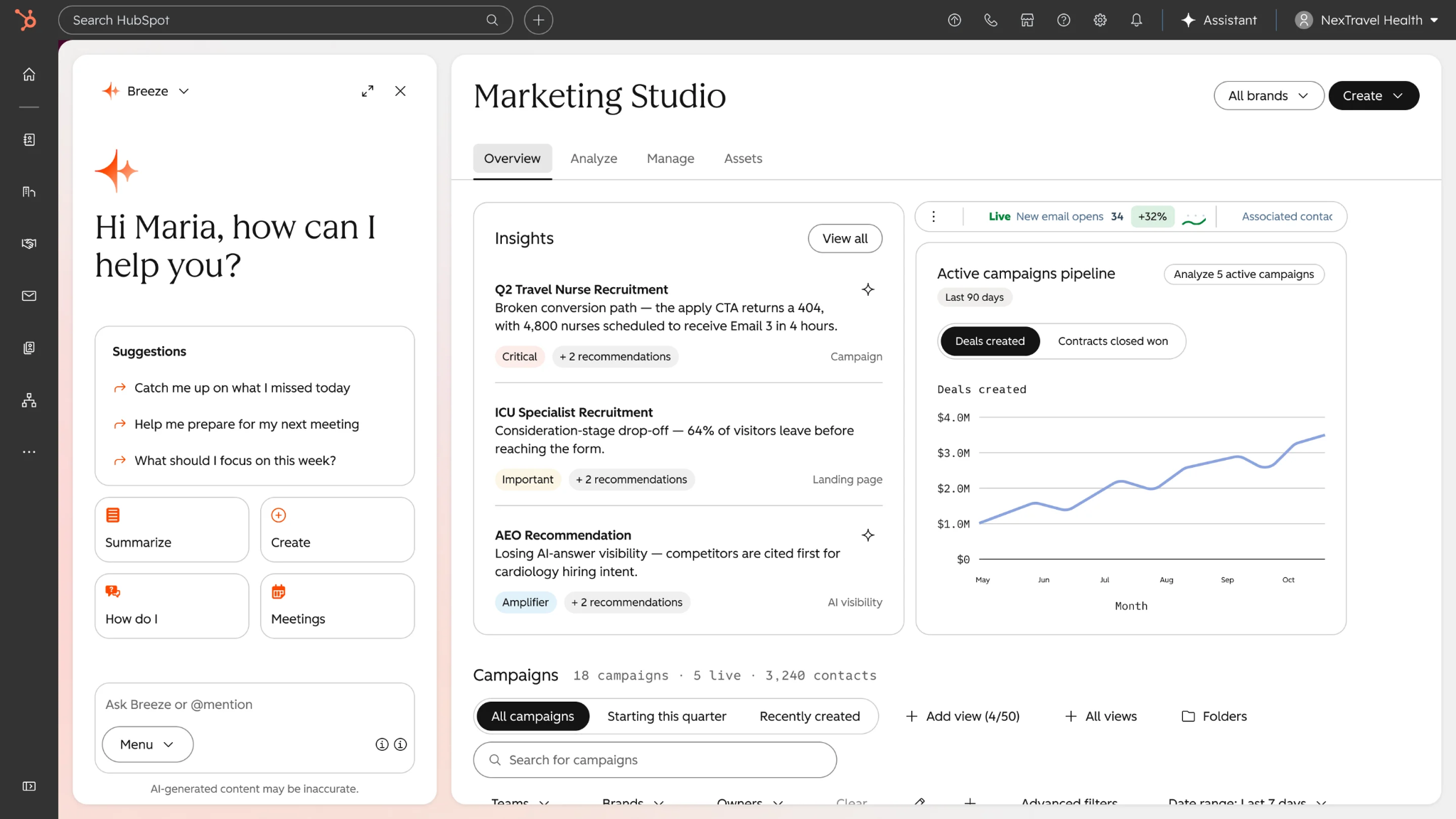
HubSpot Marketing Hub is a strong option for teams that want to manage marketing activities alongside their CRM. Marketers can use it to organize contacts, segment audiences, lead routing, enrichment, automate workflows, chat, forms, meeting scheduling, nurture leads, and measure campaign performance within a connected platform.
For example, a business can capture a lead, segment the contact based on available information, send a nurture sequence, and use workflow criteria to determine when that person should receive additional follow-up. The exact workflows available depend on the subscription tier.
HubSpot is particularly useful for small and midsize teams that want an integrated environment without building a complex marketing operations stack from scratch. Larger teams may also benefit from its broader CRM ecosystem, although advanced automation, reporting, contact volumes, and governance requirements can affect the plan they need.
Pricing: HubSpot offers a free plan. Marketing Hub Starter begins at $20 per seat per month, with 1,000 marketing contacts. Professional costs $890/month, or $800/month when billed annually, and includes three seats and 2,000 contacts. Enterprise costs $3,600/month billed annually, with five seats and 10,000 contacts. Professional onboarding fees may apply, AI features use HubSpot Credits, and additional marketing contacts can cost extra.
Advantages
Connects marketing workflows with CRM contact data.
Supports segmentation, lead nurturing, and lifecycle automation.
Offers an integrated environment for teams already using HubSpot.
Provides a path from simpler marketing workflows to more advanced plans.
Limitations
Costs can rise as contact volumes, seats, and feature requirements grow.
Advanced functionality may require a higher tier.
Onboarding and additional contact costs should be included in budget planning.
Verdict: Choose HubSpot Marketing Hub if you want connected campaign management, lead nurturing, and CRM workflows in one environment. If your biggest challenge is engaging buyers across touchpoints and coordinating the transition to sales, evaluate whether you also need a specialized buyer engagement platform.
Salesforce Marketing Cloud Account Engagement: Best for Salesforce-Centered B2B Marketing
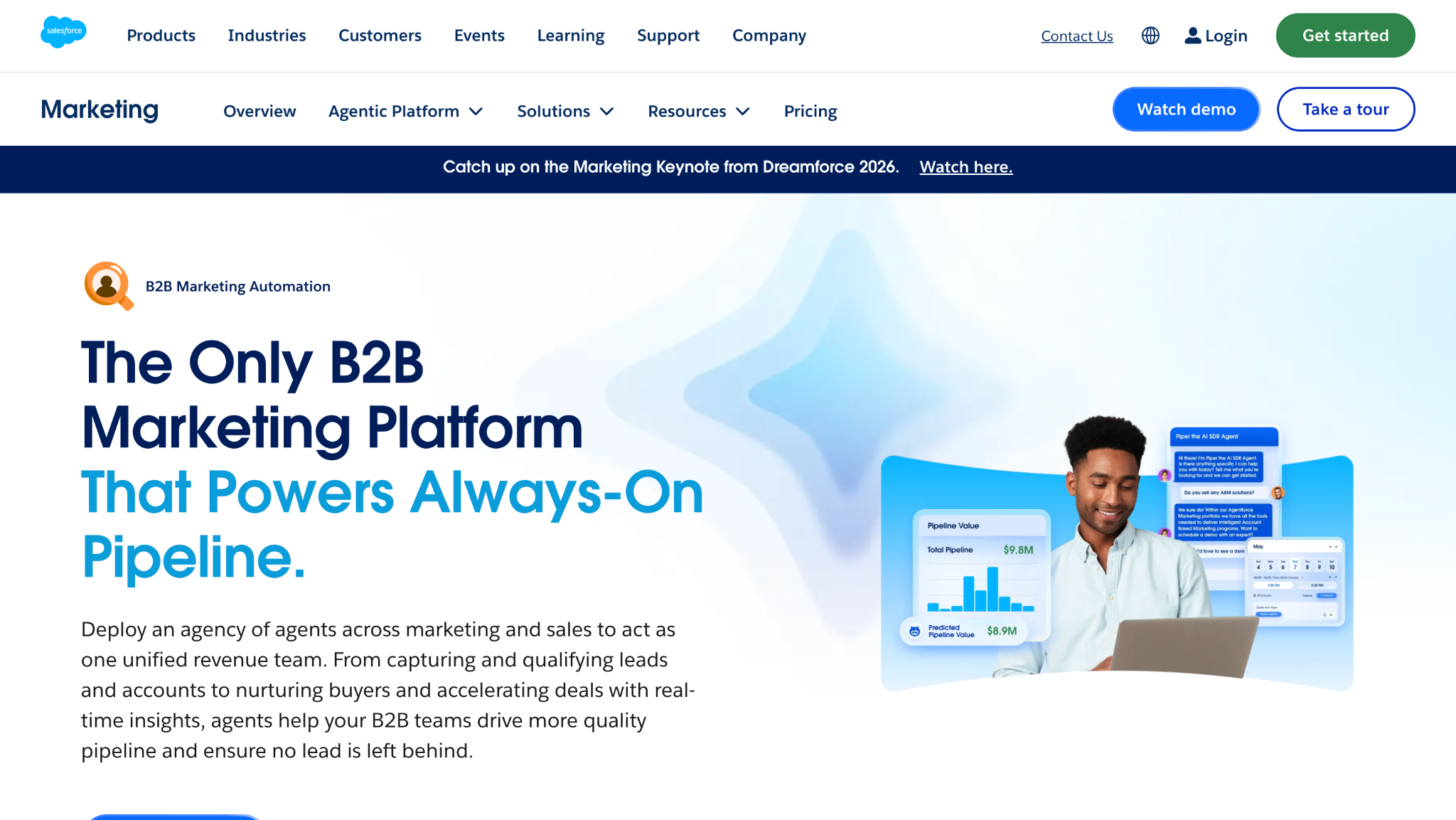
Salesforce Marketing Cloud Account Engagement is designed for B2B organizations that need to manage lead generation, scoring, nurturing, and sales alignment within a Salesforce-centered environment. It is especially relevant when marketing and sales already rely on Salesforce data and processes.
Teams can use it to organize campaign activity, nurture prospects over time, score engagement, and support the handoff from marketing to sales. This is useful when buying decisions involve multiple stakeholders and a single interaction rarely tells the whole story. Scoring and nurture workflows can help teams prioritize follow-up based on configured criteria rather than treating every contact identically.
The main consideration is operational fit. Account Engagement is more compelling when Salesforce is already central to the organization's revenue processes. Companies using another CRM, or those looking for lightweight email automation, should weigh implementation and administration requirements before committing.
Pricing: Account Engagement is billed annually: Growth+ at $1,250/month, Plus+ at $2,750/month, Advanced+ at $4,400/month, and Premium+ at $15,000/month, all billed annually. Growth+ includes 10,000 contacts, while Premium+ includes 75,000 contacts. Additional contacts and add-ons can cost extra, and the platform is built around Salesforce CRM. Verify the current edition names and packaging before publication.
Advantages
Supports B2B lead scoring and nurturing.
Fits organizations built around Salesforce workflows.
Helps coordinate marketing activity with sales processes.
Offers higher-tier capabilities for more advanced requirements.
Limitations
Can be more than a small team needs for basic email automation.
Implementation and administration require careful planning.
Additional contacts and add-ons can increase the total cost.
Verdict: Account Engagement is a sensible shortlist candidate for B2B teams already invested in Salesforce and looking for structured marketing automation. Its value is less obvious if your needs are simple or your CRM strategy is built around another platform.
Adobe Marketo Engage: Best for Complex B2B Marketing Programs
Adobe Marketo Engage is built for marketing organizations that need detailed control over lead lifecycles, nurture programs, scoring, and campaign orchestration. It is suited to businesses running complex B2B programs where different audiences, buying stages, business units, and campaign rules need to work together.
For example, an enterprise software company might run different nurture tracks for new leads, existing opportunities, and target accounts. Marketo can help coordinate these programs and apply scoring or lifecycle rules to support marketing and sales handoffs. Its depth can be valuable when teams need structured processes across a large marketing operation.
That sophistication comes with trade-offs. Teams need clear data definitions, governance, integration planning, and people who can build and maintain the workflows. A smaller business running a few straightforward email sequences may not need that level of operational complexity.
Pricing:Marketo pricing is quote-based. Estimated monthly ranges, not official list prices:
Growth: Estimated $1,200 to $2,000+/month.
Select: Estimated $2,000 to $4,500+/month.
Prime: Estimated $4,500 to $6,000+/month.
Ultimate: Estimated $6,000+/month.
The estimates cover the subscription only. Costs can increase with database size, users, API usage, add-ons, implementation, administration, and consulting. Growth is listed with 10 users and 20,000 API calls per day; Select with 25 users and 50,000 API calls per day. Higher tiers add capabilities such as advanced attribution, target account management, predictive audiences, and additional analytics, depending on the package. Treat these ranges as estimates and obtain an official quote before making a purchasing decision.
Advantages
Supports complex lead lifecycle and nurture programs.
Offers campaign orchestration for larger marketing operations.
Can accommodate sophisticated segmentation and scoring requirements.
Fits organizations with dedicated marketing operations resources.
Limitations
Requires planning, administration, and ongoing maintenance.
Total cost can extend beyond the software subscription.
May be excessive for teams with simple automation needs.
Verdict: Marketo Engage makes the most sense when a company needs depth and control across complex B2B marketing programs. If your team lacks the operational capacity to use that depth, a simpler platform may deliver more practical value.
Mailchimp: Best for Email Marketing Automation
Mailchimp is a practical choice for businesses that want to create email campaigns, manage audiences, and automate customer communications without adopting a full enterprise marketing operations platform.
Common use cases include welcome emails, newsletter delivery, audience segmentation, promotional campaigns, and automated follow-ups. A small business, for example, could send a welcome sequence to new subscribers and then segment future campaigns based on available audience information or engagement.
Its strength is accessibility. Businesses can start with relatively straightforward email workflows and expand their use as their audience and communication needs grow. However, Mailchimp's email-centered approach is different from platforms designed for complex B2B lifecycle management or real-time buyer qualification.
Pricing: Mailchimp's free plan includes 250 contacts and 500 email sends per month. Essentials starts at $13/month at 500 contacts, Standard at $20/month at 500 contacts, and Premium at $350/month at 10,000 contacts. Transactional email costs an additional $20 per 25,000-email block, dropping to $10 per block above four million emails, and requires a Standard or Premium plan. A dedicated IP costs $29.95/month. Check current eligibility, contact limits, and sending rules before purchasing.
Advantages
Accessible email campaign and automation workflows.
Useful for newsletters and ongoing customer communications.
Audience segmentation supports more relevant messaging.
Can suit small businesses that don't need a complex B2B platform.
Limitations
Pricing and sending limits depend on audience size and plan.
Transactional email and dedicated IP services can add costs.
More complex B2B operations may require additional tools.
Verdict: Choose Mailchimp if email is the main activity you want to automate. If your priority is coordinating complex B2B buying journeys, lead scoring, and sales operations, compare it with a platform designed for those workflows.
Google Ads: Best for Paid Search Automation
Google Ads is designed to help advertisers reach people through search and other Google advertising placements. Its automation capabilities support activities such as bid optimization, campaign delivery, and conversion-focused performance management.
For example, a business advertising against high-intent search terms can use conversion tracking and automated bidding to help optimize campaigns toward a defined action. Advertisers still need to set suitable goals, provide reliable conversion data, manage budgets, and review performance. Automation cannot compensate for a poorly defined conversion or an offer that doesn't meet the searcher's needs.
Google Ads is different from traditional marketing automation software. It helps businesses buy and optimize advertising, but it does not replace a newsletter platform, a CRM, or a complete lead-nurturing system.
Pricing: Google Ads has no platform subscription fee. Advertisers set campaign budgets and pay for ad spend, with actual costs depending on the campaign, auction, bidding strategy, and pricing model. Cost per click is common for search campaigns, but the amount varies by keyword, industry, competition, and performance.
Advantages
Reaches people actively searching for relevant products or services.
Offers automated bidding and campaign optimization.
Provides budget controls and conversion measurement.
Can connect paid search activity to defined business goals.
Limitations
Advertising spend is separate from software subscription pricing.
Performance depends on targeting, creative, landing pages, and conversion tracking.
It automates paid media, not the entire customer lifecycle.
Verdict: Choose Google Ads when your priority is capturing search demand and optimizing paid acquisition. Pair it with CRM and marketing automation tools when you also need to nurture leads and manage what happens after a click.
Meta Ads: Best for Paid Social Automation
Meta Ads helps businesses deliver and optimize advertising across Meta's platforms. Its automation is centered on campaign delivery, audience and conversion optimization, and the distribution of creative assets according to campaign objectives.
A consumer brand, for example, might use paid social campaigns to introduce a product to new audiences, test different creative approaches, and retarget people who have previously interacted with its business. Performance depends on campaign setup, creative quality, conversion signals, budget, and the audience being targeted.
Meta Ads can play an important role in a broader marketing strategy, but it should not be confused with an email marketing platform or a B2B relationship infrastructure system. Its main job is advertising delivery and optimization. Businesses generally need other tools to manage leads, nurture contacts, or coordinate sales follow-up.
Pricing: Meta Ads has no platform subscription fee. Advertisers set campaign budgets and pay for ad spend. Actual costs depend on factors such as audience, placement, competition, campaign objective, and delivery. Budget and performance should be evaluated separately from the cost of any CRM or marketing automation software used alongside it.
Advantages
Supports paid social acquisition and retargeting.
Offers campaign delivery and optimization capabilities.
Lets advertisers test creative and campaign approaches.
Can help generate demand across consumer and business audiences.
Limitations
Results depend heavily on creative, audience, and campaign strategy.
Advertising spend can fluctuate with competition and delivery.
It does not replace email automation, CRM management, or sales workflows.
Verdict: Meta Ads is a strong fit when paid social is central to your acquisition strategy. Combine it with other platforms when you need to manage the resulting contacts, nurture relationships, or connect engagement to sales outcomes.
Klaviyo: Best for Ecommerce Lifecycle Automation
Klaviyo is designed for ecommerce and consumer brands that want to use customer data to make email and SMS communication more relevant. Rather than treating every subscriber the same, businesses can build segments and automated flows around customer behavior and lifecycle stages.
Typical workflows include abandoned-cart reminders, post-purchase follow-ups, product-related campaigns, and customer retention messages. For example, a store might send a reminder to a customer who left products in their cart, then follow up after purchase with relevant information or another offer. The exact experience depends on the store's data, integrations, and configured flows.
Klaviyo is particularly useful when purchase behavior and customer activity should shape marketing communications. Its focus is different from B2B platforms built around account qualification, sales handoffs, and pipeline creation.
Pricing: Klaviyo's free plan includes 250 active profiles and 500 emails per month, plus $5 mobile-message usage and $5 Composer usage. The Email plan starts at $20/month for 500 active profiles and 5,000 emails per month. SMS is priced at $0.01 per message plus carrier fees. Other add-ons include Composer at $20/month, Customer Hub at $20/month, Reviews at $25/month, Social at $50/month, Personalization from $100/month, Advanced Data Platform from $500/month, Customer Agent from $140/month, and Helpdesk from $185/month. Enterprise pricing is custom for Standard and Advanced. Professional support starts at $500/month and Enterprise support at $1,800/month. Profile-based costs can rise as your list grows, so calculate the total using your expected usage.
Advantages
Connects customer data with email and SMS workflows.
Supports behavioral segmentation and lifecycle campaigns.
Useful for ecommerce retention and repeat-purchase programs.
Helps brands coordinate messages around customer activity.
Limitations
Costs can rise as active profiles and usage increase.
Additional channels and features may add expense.
Its ecommerce focus may be unnecessary for businesses with different needs.
Verdict: Klaviyo is worth considering if you run an ecommerce or consumer brand and want to automate customer journeys based on behavior. For B2B sales qualification and pipeline conversion, evaluate platforms designed for that buyer journey instead.
Zapier: Best for Cross-App Marketing Workflow Automation
Zapier helps teams connect applications and automate repetitive tasks between them. Its workflows, called Zaps, use triggers and actions to move information or initiate tasks when specified conditions are met.
A simple example is sending a new form submission to a spreadsheet or notifying a team when a new lead enters a CRM. A more involved workflow might pass data between several applications, update records, and alert the appropriate team. The available actions depend on the apps, permissions, and workflow configuration.
This makes Zapier useful when a company already has the tools it needs but wants them to work together with less manual effort. It can connect marketing, CRM, analytics, and productivity applications without necessarily replacing their core functions.
Zapier is not the same as a dedicated marketing automation platform. It can help move data and trigger workflows, but the quality of the overall process still depends on the connected applications and the rules you build.
Pricing: Zapier's free plan includes 100 tasks per month and two-step Zaps. Professional starts at $19.99/month, Team at $69/month for 25 users, and Enterprise has custom pricing. Zaps, AI steps, code, MCP, and SDK share a task pool. When usage exceeds the included allowance, pay-as-you-go charges can apply. Separate products include Agents Pro at $33.33/month and Chatbots Pro at $13.33/month, both billed annually. Check the current task limits and product terms before choosing a plan.
Advantages
Connects many applications through triggers and actions.
Reduces repetitive data entry and manual handoffs.
Supports multi-step workflows on paid plans.
Can extend an existing software stack without replacing each tool.
Limitations
Usage limits and task costs can affect the total price.
Complex workflows require testing and maintenance.
It doesn't automatically provide the specialized capabilities of every connected platform.
Verdict: Choose Zapier when the main problem is repetitive work between applications. If you need advanced email campaigns, advertising optimization, or B2B buyer engagement, use a specialist platform for that job and consider Zapier for the integration work around it.
How much Marketing Automation Tool Costs in 2026
Tool
Pricing model
Free option
Entry plan
Mid tier
Top tier
Watch-outs
Knock AI
Tiered monthly plans
No self-serve free plan
Pipeline Foundation: $2,000/month
Pipeline Acceleration: $3,500/month
Enterprise Pipeline: custom
Plans scale with activated contacts, de-anonymization credits, and channel coverage
HubSpot Marketing Hub
Per seat plus marketing contact tier
Yes
Starter: $20/seat/month, 1,000 marketing contacts
Professional: 890/month (800/month on annual), 3 seats, 2,000 contacts
Professional carries a mandatory onboarding fee; AI features draw on HubSpot Credits; extra contacts are billed separately
Salesforce Marketing Cloud Account Engagement
Flat org subscription by edition, billed annually
No
Growth+: $1,250/month, 10,000 contacts
Plus+: $2,750/month; Advanced+: $4,400/month
Premium+: $15,000/month, 75,000 contacts
Additional contacts and add-ons cost extra; built around Salesforce CRM
Adobe Marketo Engage
Custom quote by package; estimates below
No
Growth: est. $1,200 to $2,000+/month. 10 users, 20k API calls/day, email, segmentation, campaign automation, lead scoring, CRM integrations, forms, landing pages
Select: est. $2,000 to $4,500+/month. 25 users, 50k API calls/day, adds attribution dashboards, webinar marketing, marketing calendar, Dynamic Chat, predictive content. Prime: est. $4,500 to $6,000+/month, adds target account management, predictive audiences, advanced journey analytics, sandbox, workspaces and partitions
Ultimate: est. $6,000+/month. Adds Marketo Measure and premium attribution
Estimates cover the subscription only. Price rises with database size, users, API usage, and add-ons. Implementation, admins, and consultants often cost more than the license
Mailchimp
Priced by contact count
Yes: 250 contacts, 500 sends/month
Essentials: $13/month at 500 contacts
Standard: $20/month at 500 contacts
Premium: $350/month at 10,000 contacts
Transactional email is extra: $20 per 25,000-email block, falling to $10/block above 4M emails, and needs Standard or Premium. Dedicated IP is $29.95/month
Google Ads
Auction-based ad spend
No subscription fee
You set daily budgets and bids
Not applicable
Not applicable
Cost per click depends on keyword competition and industry
Meta Ads
Auction-based ad spend
No subscription fee
You set campaign budgets
Not applicable
Not applicable
Cost depends on audience, placement, and competition
Klaviyo
Active profiles plus product add-ons
Yes: 250 profiles, 500 emails/month, $5 of mobile messages, $5 of Composer usage
Email: $20/month at 500 active profiles, 5,000 emails/month
Add-ons: SMS $0.01 + carrier fees per send; Composer $20/month; Customer Hub $20/month; Reviews $25/month; Social $50/month; Personalization from $100/month; Advanced Data Platform from $500/month; Customer Agent from $140/month; Helpdesk from $185/month
Enterprise: custom (Klaviyo Standard and Advanced)
Support upgrades cost extra: Professional from $500/month, Enterprise from $1,800/month. Profile-based add-ons rise together as your list grows
Zapier
Task-based
Yes: 100 tasks/month, two-step Zaps
Professional: from $19.99/month
Team: from $69/month, 25 users
Enterprise: custom
Zaps, AI steps, code, MCP, and SDK share one task pool; going over switches you to pay-as-you-go. Agents Pro is $33.33/month and Chatbots Pro is $13.33/month (both billed annually)
Which Marketing Automation Tool Is Best for Your Business?
The best marketing automation tool depends on your primary business need. Use this table to narrow your options without assuming one platform can handle every part of the buyer journey.
Understand buyer identity and relationship context
Relationship intelligence
Knock AI
Engage and qualify interested buyers
Buyer engagement and AI-assisted qualification
Knock AI
Route conversations and book meetings
Revenue orchestration
Knock AI
Automate ecommerce journeys
Ecommerce lifecycle automation
Klaviyo
Optimize paid acquisition
Advertising automation
Google Ads, Meta Ads
These tools serve different purposes and can work together. For example, a B2B SaaS company might use HubSpot Marketing Hub for nurturing, Google Ads for acquisition, and Knock AI to help turn buyer interest into qualified conversations.
What should B2B teams look for in ABM automation?
Account-based marketing (ABM) involves selecting target accounts, understanding engagement, coordinating campaigns, aligning sales and marketing, and measuring account progression.
Traditional marketing automation platforms coordinate campaigns and nurture prospects. Knock AI complements these workflows by connecting available buyer identity, account context, and engagement signals with conversations, qualification, routing, and follow-up.
What makes an AI marketing automation tool useful?
AI can support campaign creation, advertising optimization, workflow building, lead qualification, or buyer conversations. Evaluate tools based on what their AI actually does, the context it can use, the actions it can take, and how results are measured. Knock AI focuses on buyer engagement and relationship orchestration rather than campaign creation alone.
How to Choose the Right Marketing Automation Platform
Before choosing a platform, identify your biggest bottleneck and evaluate these four factors:
Business needs: Determine whether you need demand generation, lead nurturing, ABM, buyer engagement, customer retention, or workflow automation.
Data and integrations: Check CRM compatibility, data synchronization, reporting, and whether the platform connects buyer identity, account information, and engagement history.
ABM and buyer engagement: Assess requirements such as account prioritization, cross-channel engagement, AI-assisted qualification, conversation routing, and meeting scheduling.
Total cost and AI controls: Consider usage limits, implementation, integrations, and maintenance. For AI features, evaluate data access, permissions, human oversight, and the actions the system can take.
How Marketing Automation Connects Buyer Interest to Revenue
Marketing automation helps businesses execute campaigns, nurture leads, and generate demand. But generating interest is only part of the buyer journey. Businesses also need to turn that interest into meaningful sales conversations.
Why Lead Volume Doesn't Tell the Whole Story
More form submissions don't necessarily mean more sales opportunities. The report found that 93% of 10,579 form submissions across 21 companies had no recorded meeting, reply, or conversation within 90 days. The sample included companies with fully tracked meeting data.
This doesn't mean every submission was worthless or that no other conversion occurred. It highlights why lead volume alone may not reveal what happens after someone submits a form.
Why Businesses Should Test Different Paths to Engagement
The report found a 37.4% same-session conversion rate for conversation-oriented CTAs versus 17.0% for “Book a demo” CTAs, measured among relevant CTA clickers.
The takeaway isn't that conversation CTAs will always perform better. It's that businesses should test lower-friction ways for interested buyers to engage rather than assuming every prospect is ready to book a demo.
Why Response Time and Routing Matter
The report observed a 13.2% deal rate when the first representative reply arrived in under one minute, compared with 5.2% when it took more than four hours.
This is an observational association, not proof that response time alone caused the difference. Still, it underscores the importance of a process that can:
Recognize relevant buyer signals and available account context.
Apply qualification rules and route the engagement appropriately.
Enable timely follow-up and preserve context in the CRM.
Where Knock AI Fits Into the Marketing Stack
Campaign platforms nurture demand, advertising platforms help acquire audiences, and workflow tools connect applications. Knock AI complements these systems by connecting available buyer identity and relationship context with engagement, qualification, routing, meeting scheduling, and CRM synchronization.
The goal is to bridge the gap between buyer interest and meaningful sales conversations, not replace every tool in the marketing stack.
Common Marketing Automation Mistakes to Avoid
Avoid these five mistakes when implementing marketing automation:
Automating a broken process: Automation won't fix unclear qualification criteria, ineffective customer journeys, or inconsistent handoffs.
Ignoring data quality and integrations: Inaccurate data can lead to irrelevant messaging, incorrect routing, and unreliable reporting.
Mistaking engagement for buying intent: A page visit, click, or isolated interaction doesn't automatically indicate purchase readiness. Interpret signals in context.
Using AI without appropriate controls: Configure permissions, knowledge sources, escalation paths, and human oversight based on what the AI can access and do.
Measuring activity instead of outcomes: Clicks, form submissions, and automated messages matter, but conversion, opportunity progression, and revenue provide a clearer picture of business impact.
How to Measure Marketing Automation Success
Choose KPIs based on what each platform is expected to achieve, and ensure your tracking and attribution are reliable.
Metric
What it measures
Relevant use case
Email conversion rate
How effectively emails drive intended actions
Email and lifecycle automation
Cost per acquisition
Cost of acquiring a customer or conversion
Paid advertising
Lead-to-MQL rate
Leads meeting marketing qualification criteria
B2B marketing
MQL-to-SQL rate
Progression from marketing-qualified to sales-qualified leads
Marketing and sales alignment
Target-account engagement
Engagement from selected accounts
ABM
Lead-to-meeting rate
How effectively leads become meetings
B2B conversion
First-response time
How quickly teams respond to inbound engagement
Buyer engagement
Meeting-to-opportunity rate
Meetings that progress to opportunities
Sales conversion
Pipeline generated
Opportunity value associated with a measured workflow
Revenue operations
Workflow completion rate
Automated workflows completed as intended
Cross-app automation
Customer retention rate
How effectively a business retains customers
Lifecycle marketing
For platforms such as Knock AI, relevant metrics include qualified conversations, response time, meetings booked, opportunity progression, and associated pipeline, where tracking and attribution are configured appropriately.
Frequently Asked Questions
1. What is the difference between marketing automation and CRM software?
Marketing automation handles tasks such as campaigns, email nurturing, and lead engagement. CRM software manages customer information, interactions, and sales relationships. Many businesses integrate both to connect marketing activity with sales outcomes.
2. What is the difference between marketing automation and sales automation?
Marketing automation typically focuses on campaigns, lead nurturing, and customer journeys. Sales automation streamlines sales activities such as follow-ups, lead assignment, pipeline updates, and meeting scheduling.
3. What is ABM automation?
Account-based marketing (ABM) automation helps businesses coordinate campaigns around selected accounts. It supports account targeting, engagement tracking, personalized outreach, and alignment between marketing and sales.
4. Can marketing automation tools identify anonymous website visitors?
Some platforms can associate website activity with companies or known contacts using available identification signals. However, identification is not guaranteed for every visitor and depends on the data, technology, and permissions available.
5. Can marketing automation improve lead conversion?
Yes. Automation can support timely follow-ups, personalized nurturing, lead qualification, and consistent handoffs. Results depend on data quality, workflow design, audience relevance, and the effectiveness of the overall sales process.
6. What is the difference between email automation and B2B buyer engagement?
Email automation delivers scheduled or behavior-triggered messages. B2B buyer engagement can extend across multiple touchpoints, using available buyer and account context to support conversations, qualification, and routing.
7. Can marketing automation tools automate paid advertising?
Some platforms automate campaign workflows, audience management, bidding, and ad optimization. Google Ads and Meta Ads provide advertising automation, while other marketing platforms may integrate with these channels rather than manage bidding directly.
8. How do you calculate marketing automation ROI?
Subtract the total cost of marketing automation from the financial benefit attributable to it, then divide by the total cost.
ROI = (Financial benefit attributable to automation − Total automation costs) ÷ Total automation costs × 100
Include relevant software, implementation, integration, and maintenance costs, and use reliable attribution to estimate financial benefits.
9. How is Knock AI different from traditional marketing automation?
Traditional marketing automation focuses on campaigns, lead nurturing, and lifecycle workflows. Knock AI focuses on B2B relationship context and buyer engagement, helping businesses connect available buyer signals with qualification, routing, conversations, meeting scheduling, and CRM synchronization. It can complement existing marketing automation and CRM platforms.