6sense Pricing in 2026: Plans, Costs & Alternatives
6sense Pricing in 2026: Plans, Costs, Hidden Fees & Alternatives
TL;DR: How Much Does 6sense Cost in 2026?
6sense pricing starts at approximately $100,000 per year, although the actual cost depends on the products you choose, data requirements, usage limits, and contract terms. The platform follows a custom pricing model, so businesses need to request a quote based on their specific requirements. Larger enterprise deployments can cost $250,000 to $400,000 or more annually, particularly when multiple products, additional data, implementation, and professional services are involved.
Here's a quick breakdown of what businesses should budget for 6sense in 2026:
Pricing component
Estimated cost (USD)
Starting annual budget
~$100,000
Mid-market deployment
~100,000–250,000
Enterprise deployment
~250,000–400,000+
Implementation and onboarding
Depends on scope
Additional data and usage
Depends on requirements
Keep in mind that these figures are budgeting estimates, not guaranteed quotes or fixed package prices. Your final 6sense contract may vary depending on your account coverage, selected products, data consumption, and implementation requirements.
And here's something buyers shouldn't overlook: the software subscription isn't necessarily the total cost of using 6sense. Implementation, employee training, additional data, integrations, and ongoing administration can increase the overall investment. Before signing a contract, calculate the total cost of ownership rather than evaluating the annual license fee alone.
6sense Pricing: Plans and Packages Explained
When evaluating 6sense pricing, one thing you'll notice is that the platform doesn't follow a traditional, fixed-tier pricing model. Instead of choosing between predefined packages with publicly listed prices, businesses can build a customized package based on their GTM requirements.
6sense currently offers three main starting points: Revenue Marketing, Sales Intelligence, and 6sense Intelligence. All three run on the same underlying data, signals, and intelligence, but each is designed around a different team's priorities.
This means a marketing team looking to identify in-market accounts and run targeted campaigns may need a different package from a sales team focused on finding decision-makers or a data team building intelligence into its existing technology stack.
Let's break down what each option includes and who should consider it.
Revenue Marketing
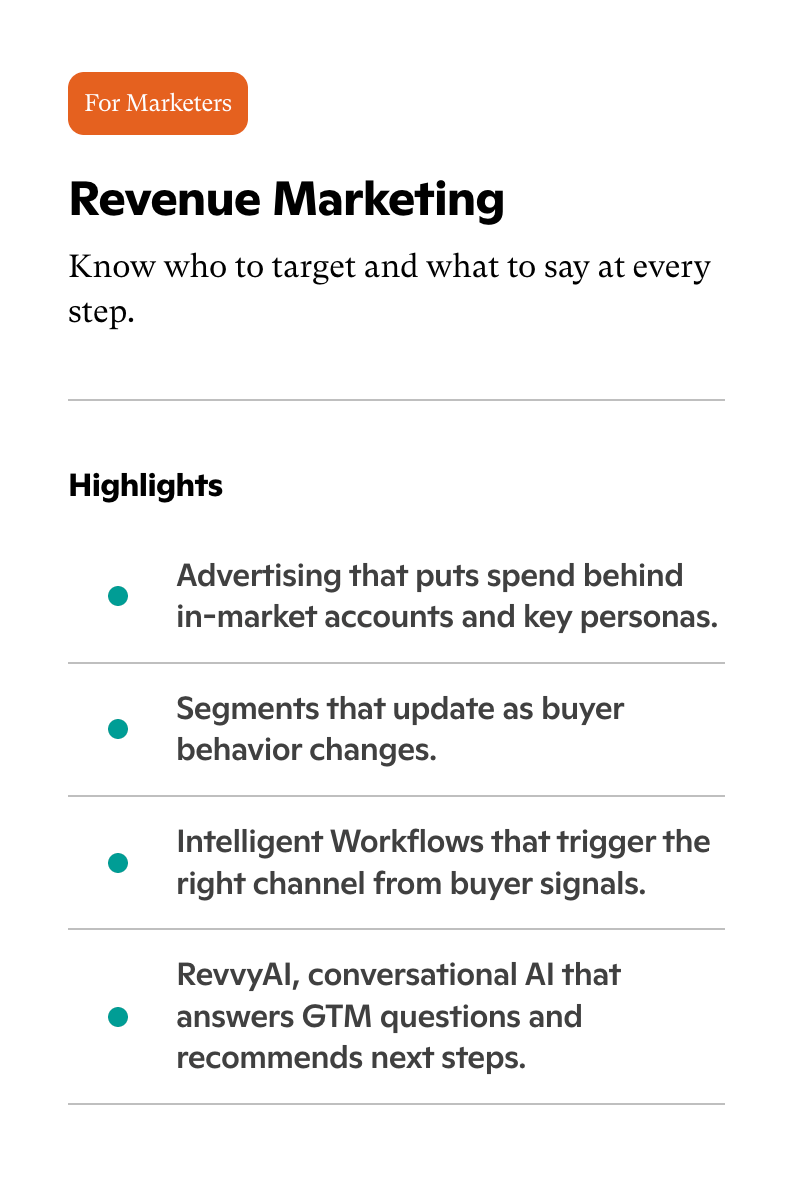
Revenue Marketing is designed for marketing teams that want to identify the right accounts, understand buyer behavior, and engage potential customers at different stages of the buying journey.
Rather than relying entirely on static audience lists or broad campaigns, marketers can use 6sense's intelligence to focus their efforts on accounts showing relevant buying signals.
Some of its key capabilities include:
Account-based advertising: Direct advertising spend toward in-market accounts and relevant buying committee personas.
Dynamic audience segments: Build segments that update as buyer behavior and account signals change.
Intelligent workflows: Trigger marketing actions across relevant channels based on buyer activity and intent signals.
RevvyAI: Use conversational AI to ask GTM-related questions and get recommendations for the next steps.
For example, a B2B SaaS company targeting enterprise accounts can use Revenue Marketing to identify businesses showing buying intent, segment those accounts based on their behavior, and coordinate advertising and engagement accordingly.
Who should consider Revenue Marketing?
This option is best suited for demand generation teams, CMOs, ABM managers, and marketing operations professionals who want to improve account targeting, campaign execution, and marketing alignment with sales.
Sales Intelligence
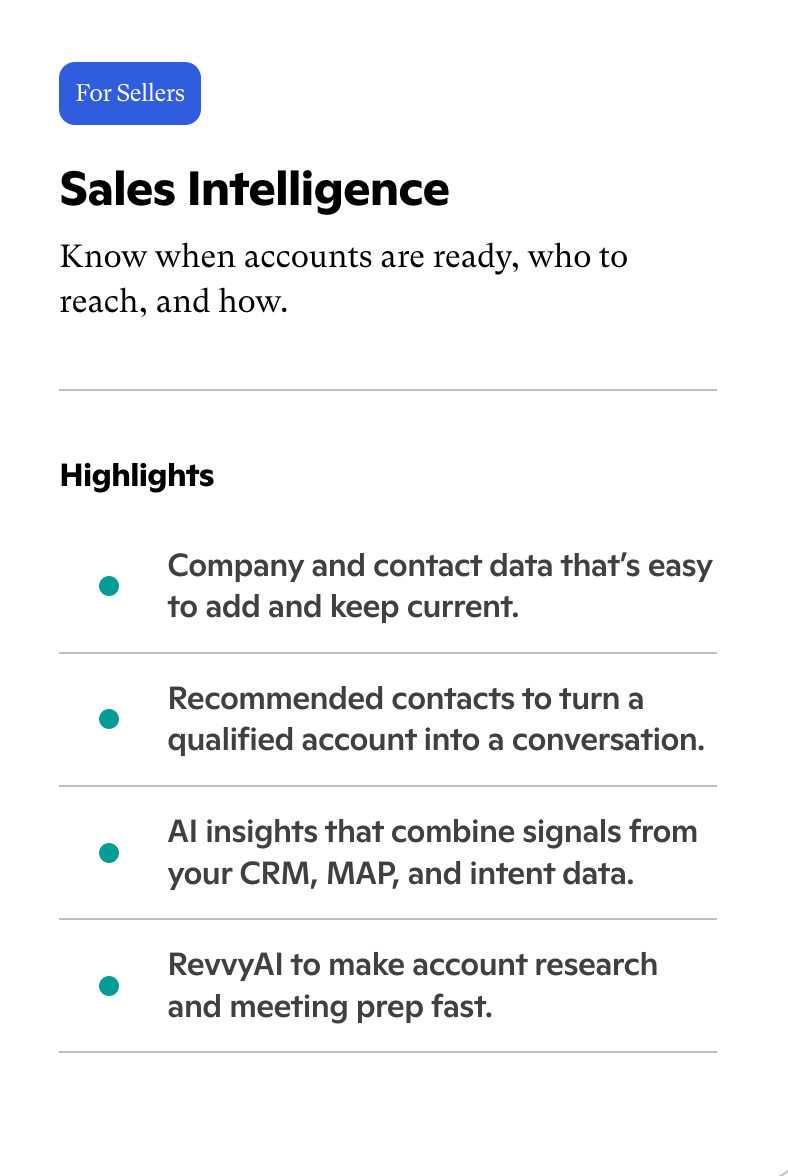
Sales Intelligence focuses on helping sales teams understand which accounts are ready for engagement, identify the right people to contact, and prioritize their outreach.
Instead of asking sales representatives to manually research every account, 6sense combines company and contact data with buyer signals to help them focus on more relevant opportunities.
Its key capabilities include:
Company and contact data: Access company and contact information and keep it updated.
Recommended contacts: Identify relevant people within qualified accounts to help sales teams start conversations with the right stakeholders.
RevvyAI: Speed up account research and meeting preparation with conversational AI.
For example, imagine a sales representative managing 100 target accounts. Rather than spending equal time researching every company, they can use account insights and recommended contacts to identify which businesses deserve attention and who they should approach.
Who should consider Sales Intelligence?
Sales Intelligence is particularly relevant for SDRs, BDRs, account executives, sales leaders, and revenue operations teams that need better account intelligence, contact discovery, and sales prioritization.
6sense Intelligence
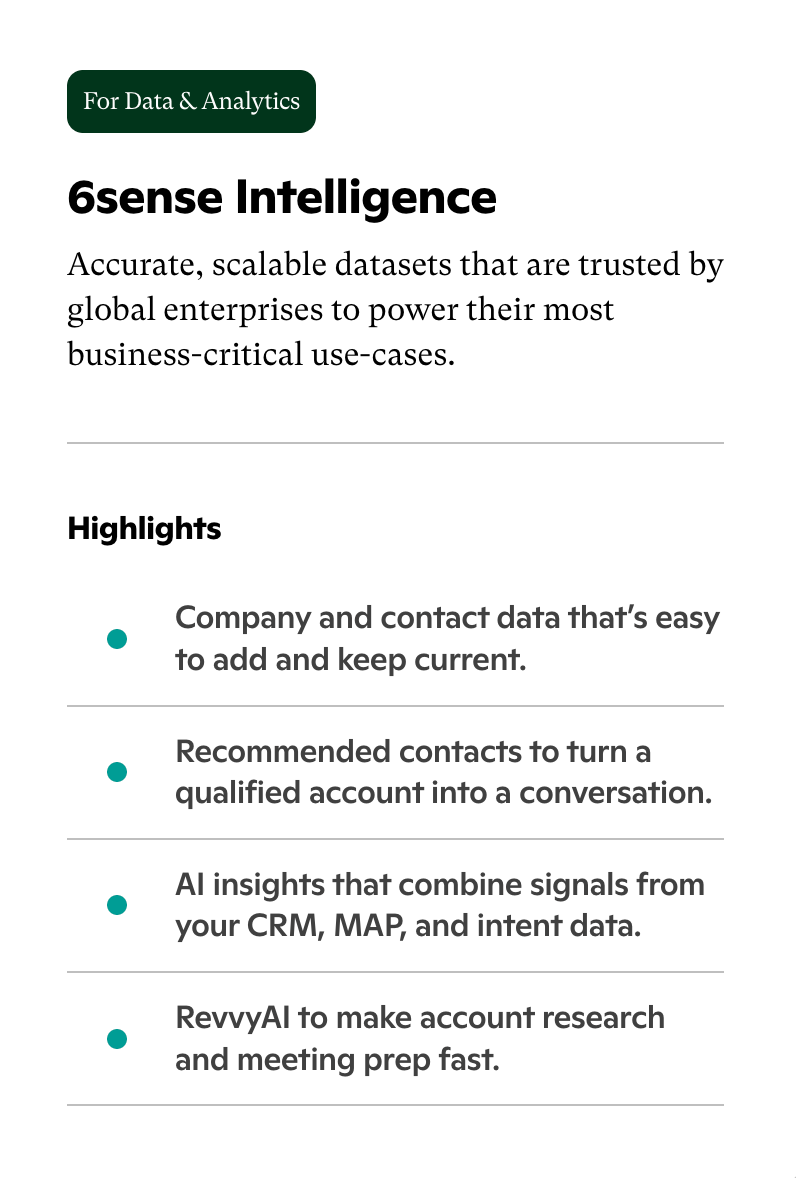
6sense Intelligence is designed for organizations that need accurate, scalable company and contact datasets to support business-critical use cases.
While Revenue Marketing and Sales Intelligence focus on specific marketing and sales workflows, this offering provides the intelligence foundation that data and analytics teams can use across their existing technology environments.
Company and contact data: Access and maintain company and contact information.
Recommended contacts: Identify relevant stakeholders within target accounts.
AI-powered insights: Bring together information from CRM, marketing automation, and intent data.
RevvyAI: Support account research, meeting preparation, and GTM-related questions.
For example, an enterprise with an established data infrastructure may want to incorporate 6sense intelligence into its existing systems rather than asking every team to work exclusively within another platform.
Who should consider 6sense Intelligence?
This option is suited to data and analytics teams, enterprise organizations, and businesses that want to incorporate company intelligence, contact data, and predictive insights into their existing GTM infrastructure.
Additional Products, Data Packages, and Usage
The three main offerings provide different starting points, but businesses can extend their capabilities through additional products and data packages as their requirements grow.
This is an important part of understanding the overall 6sense subscription cost because the final contract isn't necessarily limited to the initial offering.
Depending on the package and requirements, available add-ons include:
Add-on
What it provides
AI Email / Email Agents
AI-powered email capabilities and automated email workflows
Sandbox
An additional environment for testing and development
Professional Services
Additional implementation and consulting support
Segment Syncs
Synchronization of audience segments with connected systems
Bombora Topic Pack
Additional topic-level intent data
Credits
Additional usage capacity
Predictive Models
Predictive intelligence capabilities
Advanced Security
Additional security capabilities
Data Packs
Additional company, contact, or other data packages
See Knock AI in Action — Book Your Live Demo Today
The availability and cost of these add-ons depend on the selected package and commercial agreement.
Another important consideration is how your organization plans to use 6sense. You can work directly within its platform, integrate its intelligence into your existing GTM stack, or combine both approaches.
For example, teams can use 6sense through its own workspace or connect its intelligence with tools such as Salesforce, HubSpot, Gong, etc. It also supports connecting its intelligence to AI agents through MCP-compatible runtimes, including ChatGPT, Claude, Gemini, and Copilot.
This flexibility can be useful for businesses that want to incorporate account intelligence into their existing workflows. However, the products, data requirements, integrations, and additional capabilities you select can all influence the final contract value.
Does 6sense Offer a Free Plan?
6sense previously offered a free Sales Intelligence plan that allowed users to explore some of its sales intelligence capabilities without committing to a paid subscription.
However, 6sense discontinued its Sales Intelligence Free Plan on August 12, 2026. New free registrations were stopped, and existing free-only accounts lost access to the plan. Active paid subscriptions were not affected.
So, if you're evaluating 6sense today, you shouldn't assume that a free plan is available as an entry point.
Instead, businesses should speak with the 6sense sales team to understand which offering matches their requirements, what capabilities are included, and how much the complete package will cost.
If you're considering the platform, make sure you evaluate more than the initial subscription. Ask about included data, usage allowances, add-on pricing, implementation requirements, and the cost of expanding your package later.
How Much Does 6sense Cost Per Year?
So, how much does 6sense cost per year? As a starting point, businesses should budget approximately $100,000 annually for a 6sense deployment. However, the actual 6sense annual cost can vary significantly depending on company size, target account coverage, selected products, data requirements, and implementation complexity.
A smaller deployment may require a relatively limited set of capabilities, while a mid-market or enterprise organization might need multiple products, larger data packages, additional usage capacity, and integrations across its revenue technology stack.
Here's an estimated breakdown of 6sense pricing by business size:
Business segment
Estimated annual budget
Typical requirements
Small businesses
~100,000–150,000
Focused account coverage and essential GTM intelligence
Mid-market companies
~150,000–250,000
Multiple GTM teams, broader account coverage, and additional data
Enterprise organizations
~250,000–400,000+
Large-scale deployments, multiple products, advanced integrations, and services
These figures are indicative budgeting ranges, not fixed pricing tiers or guaranteed quotes. Your actual subscription cost and total deployment expenses will depend on the commercial package you negotiate.
Let's look at what each business segment can expect.
6sense Pricing for Small Businesses
Even a relatively small business may need to budget around $100,000 annually to get started with 6sense. That's a substantial investment, particularly for companies that are still building their sales and marketing operations.
Why does the cost remain high even when the deployment is relatively small?
6sense is designed to support sophisticated B2B revenue workflows. Its value comes from combining account intelligence, buyer intent, predictive insights, and engagement capabilities. Businesses need to evaluate these capabilities against their actual GTM requirements rather than simply looking at how many employees will use the platform.
For a smaller organization, the main cost considerations include:
Target account coverage: How many companies do you need to identify, monitor, and prioritize?
Data requirements: Do you need extensive company and contact intelligence or a more focused dataset?
Product selection: Are you primarily interested in Sales Intelligence, Revenue Marketing, or another part of the platform?
Internal resources: Do you have someone who can manage implementation, data quality, and ongoing platform usage?
For example, a B2B SaaS company targeting 500 high-value enterprise accounts might not need the same level of data coverage or product capabilities as an organization targeting 20,000 accounts.
However, even with a focused deployment, the business must consider whether it has enough sales capacity, marketing resources, and potential revenue to justify a six-figure annual commitment.
Is 6sense worth it for small businesses?
It can make sense for smaller businesses with high-value deals, a well-defined ICP, and an established account-based marketing strategy. However, startups and lean teams with limited budgets may find it difficult to justify the investment, particularly if they haven't yet established the processes needed to act on the intelligence.
6sense Pricing for Mid-Market Companies
For mid-market businesses, the estimated annual 6sense budget can range from approximately $150,000 to $250,000.
At this stage, companies often have multiple sales and marketing teams, larger target account lists, and more sophisticated revenue operations requirements.
They may want to use 6sense not just for identifying potential buyers but also for coordinating account-based campaigns, prioritizing sales opportunities, and sharing intelligence across their GTM teams.
Some common requirements include:
Broader account coverage: Monitoring larger target account lists across multiple industries, regions, or market segments.
Advanced intent requirements: Using additional signals and data to understand account activity and buying readiness.
Marketing and sales alignment: Coordinating advertising, audience segmentation, sales prioritization, and engagement workflows.
Technology integrations: Connecting 6sense with CRM, marketing automation, and other revenue tools.
For example, imagine a B2B SaaS company targeting mid-market and enterprise customers across North America and Europe. Its marketing team wants to identify in-market accounts, while its sales team needs better visibility into buying committees and relevant contacts.
In this scenario, the company may need a combination of Revenue Marketing and Sales Intelligence, along with additional data and integrations. Naturally, the overall subscription cost can be higher than that of a business using a single offering.
Is 6sense a good investment for mid-market companies?
It can be, provided the business has a sufficiently large addressable market, meaningful deal values, and teams capable of acting on the insights. The important question is whether the additional intelligence helps generate enough incremental revenue to justify the investment.
6sense Enterprise Pricing
Enterprise organizations should generally prepare for an annual 6sense budget of approximately $250,000 to $400,000 or more.
Why can enterprise deployments become so expensive?
Large organizations typically have more complex GTM operations. They may operate across multiple regions, manage thousands of target accounts, support several business units, and require extensive data coverage.
Their 6sense deployment may involve:
Large TAM and account coverage: Monitoring a substantial number of companies and buying groups across different markets.
Multiple products: Combining Revenue Marketing, Sales Intelligence, and 6sense Intelligence.
Additional data packages: Expanding company and contact intelligence to support different teams and use cases.
Higher usage requirements: Accommodating larger data consumption and additional usage capacity.
Complex integrations: Connecting 6sense with enterprise CRM, marketing automation, analytics, and data infrastructure.
Professional services: Getting additional support for implementation, configuration, and optimization.
Advanced security requirements: Meeting organizational governance, privacy, and security requirements.
Consider an enterprise software company operating across several countries with thousands of target accounts. Its marketing team wants to run account-based advertising, sales teams need buying committee intelligence, and data teams want to integrate predictive insights into their existing infrastructure.
Such a deployment requires more than access to a single software feature. It involves data, workflows, integrations, and internal coordination across multiple departments.
As a result, the annual contract can exceed the initial budget significantly, especially when additional products and services are included.
What should enterprise buyers evaluate?
Beyond the initial quote, enterprise buyers should examine data coverage, usage allowances, implementation requirements, integration costs, support arrangements, and renewal terms. These factors can have a considerable impact on the overall investment.
What Is the Average 6sense Contract Value?
The average 6sense contract value can vary depending on the size of the organization, products selected, and scope of deployment. For budgeting purposes, businesses should use approximately $100,000 as the starting annual benchmark, with larger mid-market and enterprise deployments potentially costing considerably more.
However, it's important to understand a few commercial terms before evaluating a 6sense quote.
Pricing term
What it means
Annual Contract Value (ACV)
The annualized value of a customer contract
Total Contract Value (TCV)
The total value committed over the entire contract period
Per-seat pricing
A pricing structure based on the number of licensed users
Usage-based pricing
Charges or allowances tied to consumption, such as credits or data usage
Multi-year commitment
An agreement covering multiple years, often with negotiated commercial terms
For example, consider a business signing a three-year agreement worth $450,000.
Annual Contract Value: $150,000
Total Contract Value: $450,000
Contract duration: 3 years
The distinction matters because a multi-year agreement may look expensive when viewed as a total commitment, even though the annualized cost is lower.
Also, don't assume that 6sense follows a simple per-seat pricing model. Its commercial structure can involve different units, including seats, credits, records, and conversations, depending on the products and package selected.
The best way to evaluate your quote is to understand exactly what is included, which usage allowances apply, and how additional requirements will be priced.
What Factors Affect 6sense Pricing?
6sense pricing depends on several factors, including the products you select, the size of your target market, data requirements, usage, and implementation scope. Here's a quick breakdown of what can influence your final quote.
Pricing factor
How it affects 6sense pricing
Number of target accounts and TAM size
Businesses targeting larger markets or monitoring more accounts may require broader data coverage and intelligence capabilities, increasing the overall investment.
Products and modules selected
Choosing multiple offerings, such as Revenue Marketing, Sales Intelligence, and 6sense Intelligence, or adding capabilities like Predictive Models and Data Packs, can increase the contract value.
Data credits and usage
Credit allocations, data consumption, contact discovery, records, and additional usage requirements can affect the package and its cost.
Number of users and teams
Expanding access across sales, marketing, and data teams can change licensing and deployment requirements, depending on the commercial agreement.
Contract length
Annual and multi-year agreements may have different commercial terms. Longer commitments can offer room for negotiation but also increase the total financial commitment.
Integrations and implementation
CRM integrations, data synchronization, workflow configuration, onboarding, and professional services can add to the overall deployment cost.
The bottom line: Before accepting a 6sense quote, clarify exactly which products, data allowances, usage limits, integrations, and services are included. This will help you understand the actual cost of the platform and avoid unexpected expenses as your requirements grow.
How Does the 6sense Credit System Work?
6sense uses credits and other usage-based units as part of its commercial pricing structure. These can affect how much businesses pay for data access and certain platform capabilities. However, exact credit allocations and consumption rules depend on the selected package and contract.
Here are the key things buyers should know:
Question
What you should know
What are 6sense credits used for?
Credits support certain data and intelligence activities, depending on the package.
How many credits are included?
Allocations vary by contract. There is no universal paid-plan allowance.
Do contact exports consume credits?
Consumption depends on the activity and agreed usage terms.
Do credits expire or roll over?
Check the validity and rollover policy in your contract.
Can you purchase additional credits?
Additional usage capacity or data packages may be available at an extra cost.
Note: 6sense previously offered 50 free credits per month through its Sales Intelligence Free Plan. However, the free plan was discontinued on August 12, 2026. This historical allowance does not represent current paid-plan terms.
Before signing, clarify your credit allocation, consumption rules, expiration policy, and additional usage charges.
Hidden Costs of 6sense: What Should You Budget Beyond the Subscription?
The annual software subscription is only part of the investment. Businesses should also account for implementation, additional data, integrations, employee training, and ongoing platform management.
Here are the main expenses to consider:
Cost component
What it covers
Implementation and onboarding
Platform configuration, initial setup, and deployment
Professional services
Technical assistance, consulting, and workflow customization
Additional data and credits
Extra data packages, contact information, and usage capacity
Integrations
CRM connections, data synchronization, and third-party tools
Training and enablement
Employee onboarding and platform training
Internal administration
RevOps resources, data management, and ongoing maintenance
Advertising spend
Additional budget for account-based advertising campaigns
Contract renewals
Potential price increases and expanded usage commitments
What Is the Total Cost of Ownership of 6sense?
Consider this illustrative annual cost breakdown:
Cost component
Estimated annual cost
Software subscription
$100,000
Implementation (annualized)
$5,000
Internal administration
$39,000
Additional data, enablement, and tools
$16,000
Total annual cost
$160,000
As you can see, a $100,000 software subscription could translate into an overall annual investment of approximately $160,000 once additional expenses are included. That's why buyers should evaluate the total cost of ownership rather than focusing exclusively on the license fee.
What Are the Limitations of 6sense?
While 6sense offers account intelligence, predictive analytics, and buyer intent capabilities, some users have raised concerns about its transparency, ICP configuration, lead visibility, integrations, and overall usability.
Here are some of the key 6sense disadvantages worth considering before investing in the platform.
Limited Transparency Into Intent Signals and Predictive Scoring
One concern users have raised is that 6sense can feel like a black box. Although the platform provides intent signals, account scores, and predictive insights, understanding exactly why an account receives a particular score or recommendation isn't always straightforward.
This can make it difficult for sales and marketing teams to validate signals and determine which accounts genuinely deserve their attention.
Difficulty Configuring and Refining ICPs
Another concern is the flexibility available when defining and refining an ideal customer profile (ICP).
Users have reported situations where the platform's ICP analysis doesn't accurately reflect their target customers, while the available configuration options may not provide enough flexibility to correct those results.
For businesses with specific or evolving ICP requirements, this can affect account prioritization and the quality of their targeting.
Intent Signals Don't Always Translate Into Qualified Leads
Identifying accounts showing buying intent is useful, but it doesn't automatically generate qualified leads.
Some users have expressed concerns that 6sense identifies potential buying activity without consistently translating those insights into actionable sales opportunities.
This distinction matters: knowing which companies might be researching a solution is not the same as identifying interested decision-makers or generating qualified conversations.
Limited Contact-Level Visibility and Lead Activity Timelines
Another usability concern involves the visibility sales representatives get into individual leads.
Users have reported limitations in viewing the complete activity timeline of a lead, making it harder to understand previous interactions and the journey that brought someone to the point of conversion.
When sales representatives need to access another system to get the complete picture, it can create additional friction in their workflow.
Lead-to-Account Matching and Salesforce Integration Challenges
Some users have also raised concerns about lead-to-account matching and Salesforce integration.
For sales teams that rely heavily on Salesforce, limitations in how information is synchronized or surfaced can make it harder to incorporate 6sense insights into existing workflows.
This is particularly important for organizations that expect their sales intelligence platform to provide a seamless experience within their CRM.
Complex User Experience and Steep Learning Curve
6sense offers a broad range of capabilities, but getting teams comfortable with the platform can take time.
Some users have described the interface and activation experience as difficult to navigate, particularly for sales representatives who need quick access to account insights and actionable information.
If using the platform requires too many steps or frequent switching between systems, adoption can become a challenge.
High Pricing and Questions Around Return on Investment
Finally, the investment itself can be a concern. With annual budgets starting around $100,000, businesses need to ensure that the platform delivers measurable value.
If teams struggle to interpret intent signals, configure their ICP, generate qualified leads, or adopt the platform consistently, justifying the overall cost becomes more difficult.
Ultimately, 6sense may be a strong fit for organizations with mature ABM strategies and the resources to operationalize its capabilities. However, businesses should carefully evaluate its usability, data transparency, customization, integrations, and expected ROI before committing to a substantial annual investment.
Best 6sense Alternative: Knock AI
If you're evaluating alternatives to 6sense, Knock AI is worth considering if your priority is turning buyer signals and account intelligence into actual sales conversations.
The idea is straightforward: don't just identify which companies might be interested in your product. Understand which companies fit your ICP, identify the people involved in their buying decisions, see how they're engaging with your business, and give your team a way to act on that information.
Here's where Knock AI stands out.
1. Build and Refine Your ICP Instead of Relying on a Single Target Account Definition
One of the first things you need to get right in any ABM strategy is your ideal customer profile.
But here's the problem: most B2B companies don't have just one ICP. They might sell to mid-market SaaS companies in North America, enterprise technology companies in Europe, and fast-growing fintech businesses in another segment. Each group can have different characteristics, buying committees, and sales motions.
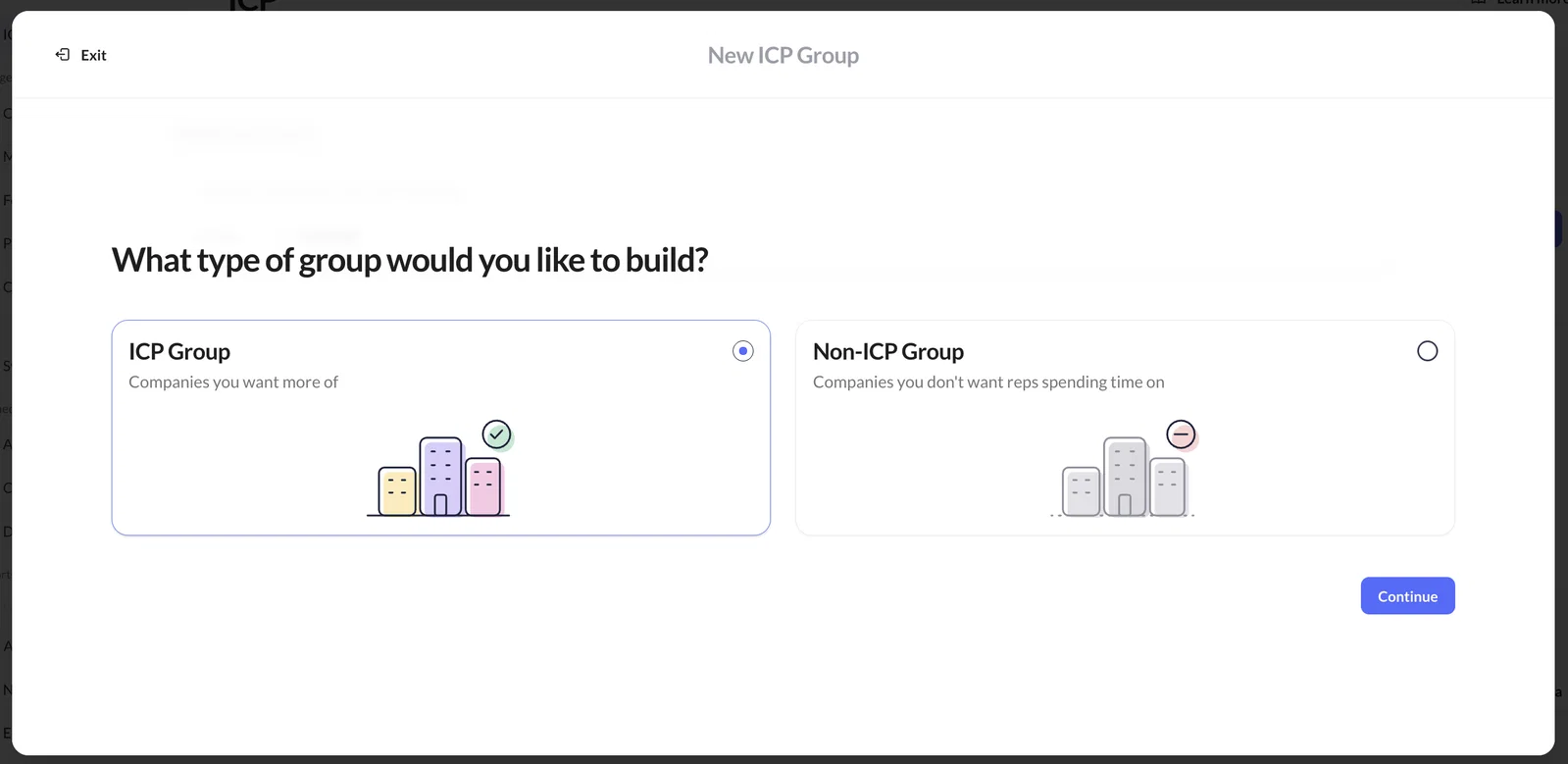
Knock AI lets you create multiple ICP groups and Non-ICP groups instead of forcing your entire go-to-market strategy into one broad definition.
And you don't necessarily have to build everything from scratch.
Knock AI analyzes your historical customers and CRM outcomes alongside company characteristics such as team size, product type, business model, and target customers. It then suggests ICP groups based on the companies you've already won. You can review those suggestions, adjust their filters, or create your own groups.
For each ICP group, Knock AI displays four important metrics:
Target: The number of companies in the market that match your ICP filters.
Leads: How many matching companies have entered your lead funnel.
Opportunities: How many have progressed to the opportunity stage.
Customers: How many have become paying customers.
This gives revenue teams a way to evaluate whether an ICP group is actually producing customers, rather than judging its quality by the number of matching accounts alone.
You can also create Non-ICP groups for companies you don't want your sales team spending time on, such as students, competitors, or businesses that fall below your minimum company-size requirements.
But defining an ICP is only the beginning. Knock AI also connects these groups to its routing functionality.
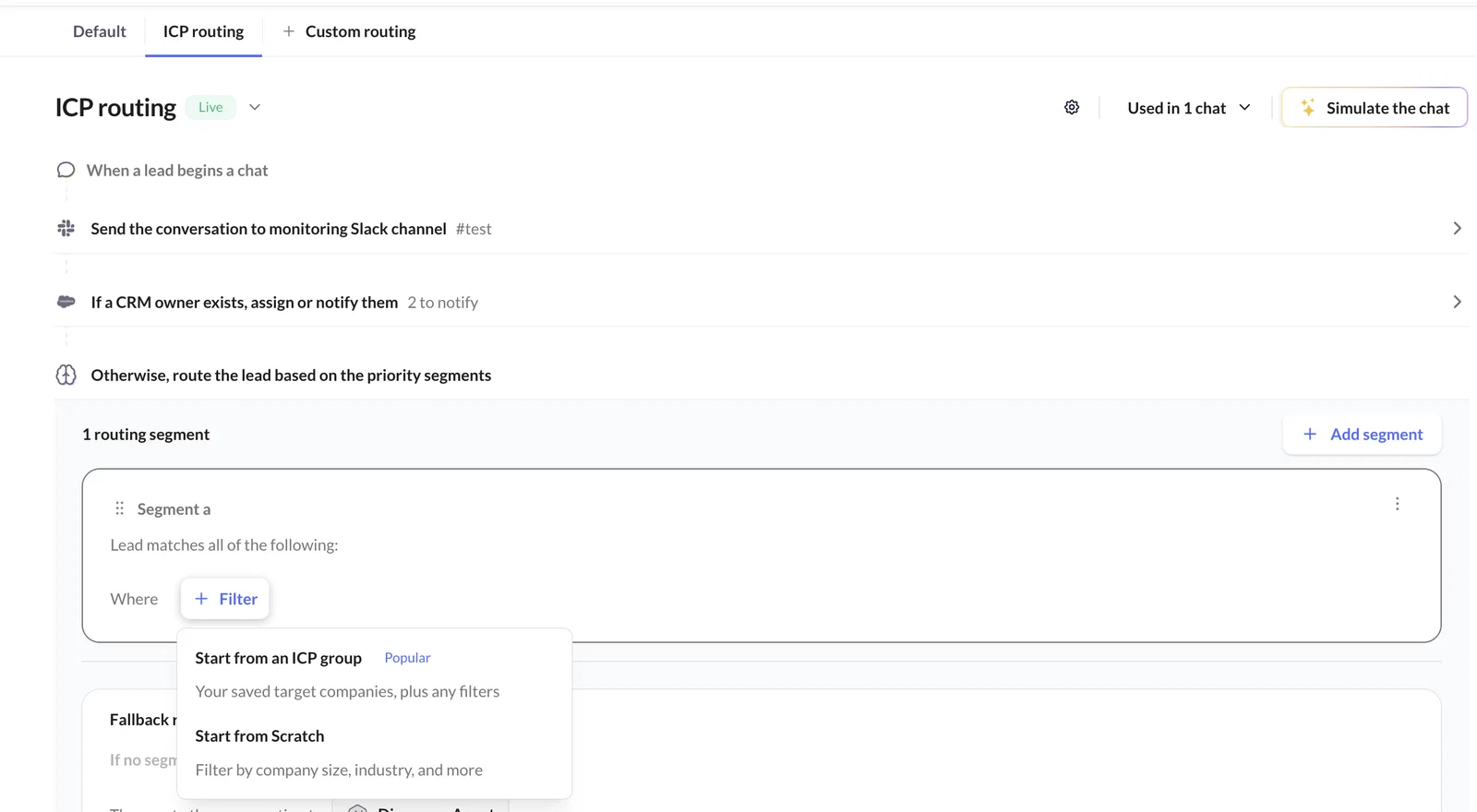
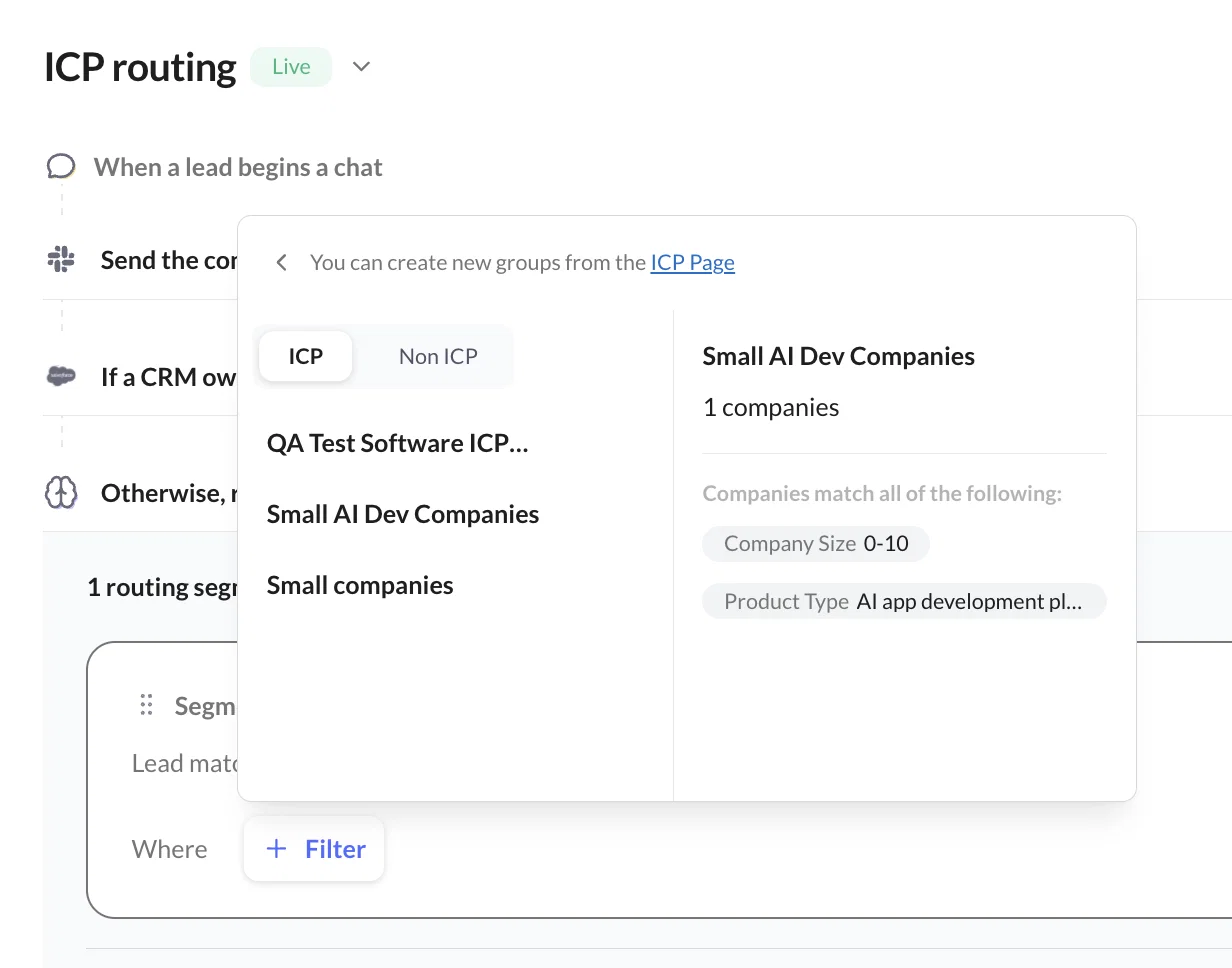
When building routing segments for meetings, chats, and workflows, you can select an existing ICP group and use its saved filters instead of recreating the same conditions every time. You can qualify companies that match your target groups and disqualify Non-ICP leads through your routing rules.
Why this matters: Your ICP becomes more than a static document or a list of target accounts. It becomes a reusable part of how your revenue team qualifies, prioritizes, and routes buyers.
2. Identify and Prioritize Companies Through Account-Level Intelligence
Knowing which companies fit your ICP is useful. Knowing which of those companies are actually engaging with your business is even more valuable.
Knock AI's Accounts table gives your team a centralized view of identified companies and their activity. Instead of relying exclusively on CRM records, you can explore accounts using company enrichment, behavioral signals, intent, attribution, meetings, conversations, and CRM information.
Each company record can include information such as:
Company name and domain
Company size and industry
Headquarters and company status
Funding and technology information
Company funnel stage
CRM presence and associated contacts
First web visit and last seen
Intent score and total signals
Total page views and sessions
Attribution and relationship information
You can search for companies, sort the available columns, customize the table, and export company data.
The more interesting part is how you can filter these accounts.
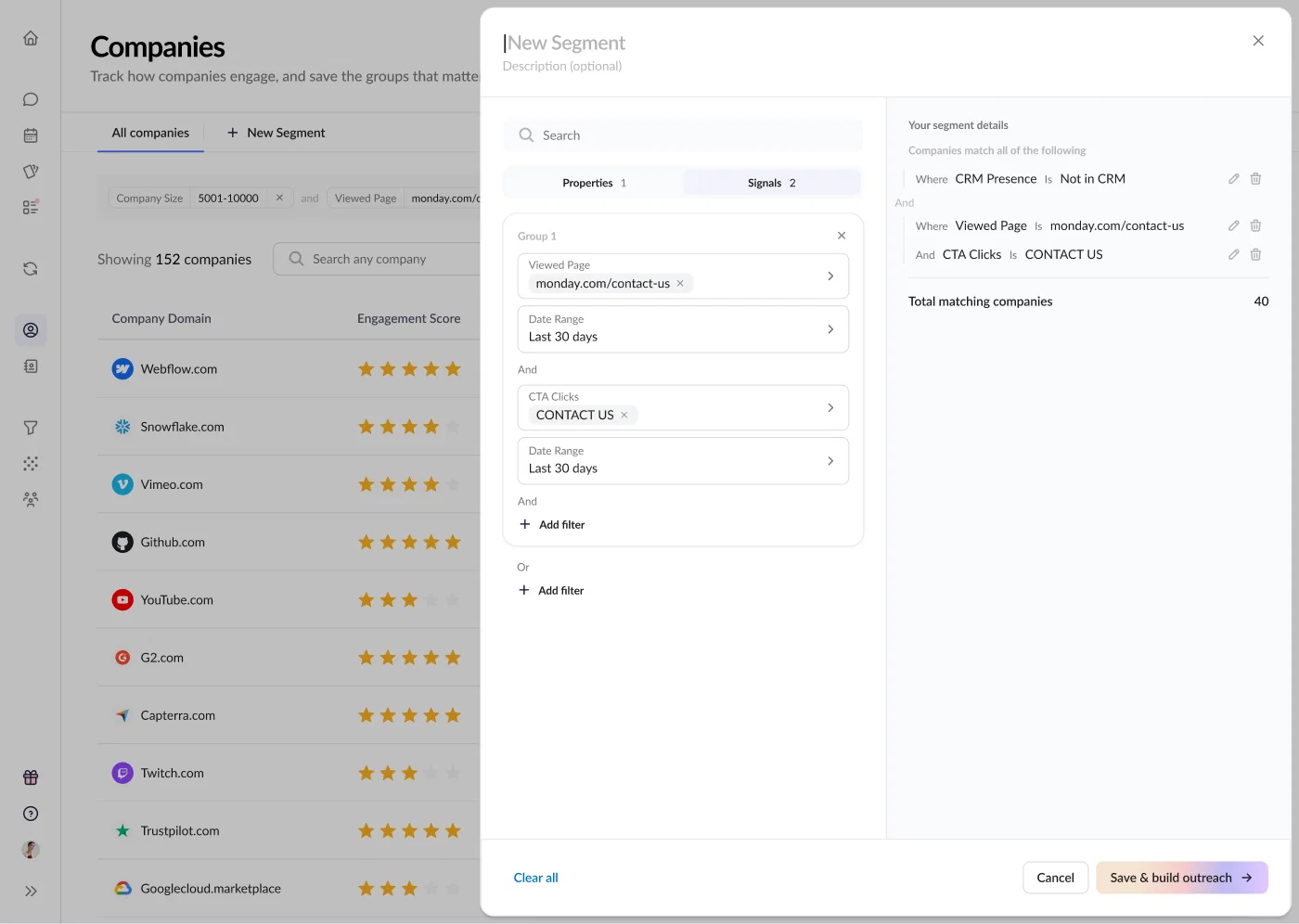
Knock AI lets you combine firmographic and relationship properties with behavioral signals to identify specific groups of companies. For example, you could build a segment of:
Enterprise SaaS companies with more than 500 employees.
Companies in your ICP that have visited your pricing page.
Accounts showing high intent but not yet present in your CRM.
Existing opportunities that have recently become active again.
Companies that engaged with a particular LinkedIn or Google Ads campaign.
Target accounts where someone has booked a meeting or replied to outreach.
You can also examine a company's detailed profile without leaving the Accounts table.
The company drawer organizes information into several areas:
Section
What you can explore
Signals timeline
Activities detected from people associated with the company
Contacts
Known people associated with the account
Market Profile
Company characteristics, business information, and market details
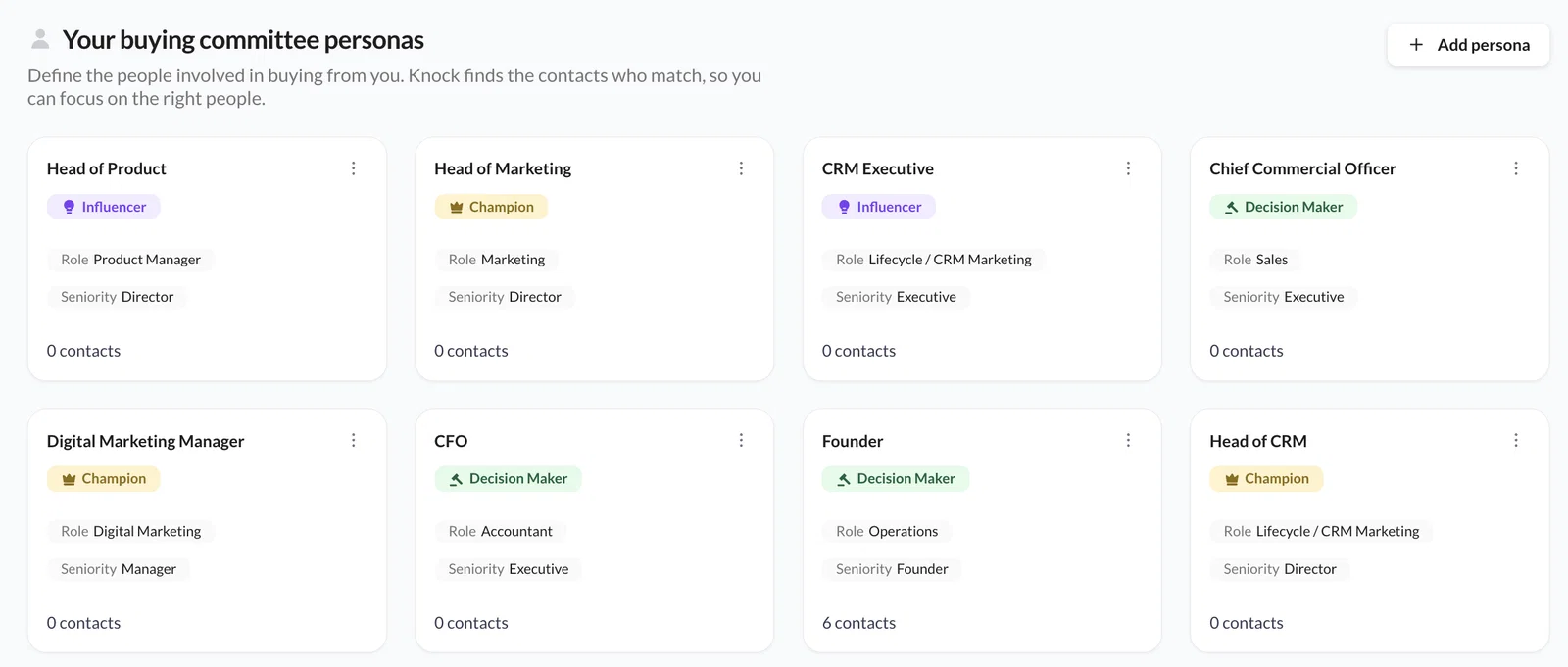
Decision Makers
People matching relevant buying committee profiles
Tech Stack
Technologies identified at the company
Team Size
Employee and team-size information
Funding
Available funding information and financing history
This gives sales and marketing teams a broader picture of an account before they decide what to do next.
Why this matters: Instead of treating account identification as the end of the process, Knock AI connects company-level intelligence with segmentation, qualification, and engagement. Your team can identify an account, understand its activity, and decide how to approach it from the same platform.
3. Go Beyond Account-Level Intent With Contact-Level Intelligence
Here's something worth considering when evaluating any ABM or sales intelligence platform.
An account might show buying intent, but that doesn't tell you everything about the opportunity. Who is researching your product? Is it someone who can approve the purchase? Is a decision-maker involved? Has a champion already established a relationship with your team?
That's where contact-level intelligence becomes important.
Knock AI's Contacts table connects individual buyers with their identified companies, allowing teams to explore contact information, professional details, buying committee roles, relationships, engagement history, intent signals, and CRM data.
You can filter contacts using properties such as:
Job title and seniority
Professional role and location
Buying committee role
Company name and domain
Company size and industry
Assigned ICP group
Company funnel stage
CRM presence
Relationship stage
Existing LinkedIn connections with your team
You can combine these properties with behavioral signals to build more specific audiences.
For example, imagine you want to reach decision-makers at target cybersecurity companies with more than 500 employees.
You could narrow the audience further by looking for people who:
Visited your pricing page in the last 30 days.
Engaged with a LinkedIn post from one of your team members.
Clicked a campaign link.
Abandoned a demo request.
Signed up for your product.
Replied to an earlier outreach message.
This is much more useful than simply knowing that a company has been researching a particular topic. You can understand which identifiable people are engaging with your business and what they have done.
Knock AI also provides a detailed contact drawer with information about the individual's professional background, company, relationship, CRM record, conversations, meetings, and activity history.
The Signals timeline is particularly useful here. It can show a sequence of activities attributed to an individual contact, such as clicking a LinkedIn campaign, visiting your website, returning to the pricing page, engaging with a team member's post, and eventually booking a meeting.
Your sales representatives can use that context to understand the buyer's journey before starting a conversation.
Why this matters: Account-level intent tells you where potential demand exists. Contact-level intelligence helps you understand who is involved and what they have actually done. Knock AI brings these two views together.
4. Understand Buyer Intent Through First-Party Signals
Knock AI also provides first-party intent signals to help teams understand how buyers interact with their business.
It captures activity across your website, Knock Links, and conversations. These interactions become intent signals that appear in the relevant account and contact timelines.
Depending on your tracking and integrations, signals can include:
Website page views and CTA clicks.
Form starts, submissions, and abandoned forms.
Clicks on Knock Links shared through emails, social posts, events, PDFs, or other assets.
Social engagement, including LinkedIn reactions, comments, and connection activity.
CRM activities such as meeting bookings, form submissions, email replies, and inbound calls.
Product activity, including signups, logins, and configured product-qualified lead events.
Supported advertising interactions across platforms such as Google, LinkedIn, Meta, TikTok, X, and ChatGPT Ads.
The platform uses these activities to provide two useful intent fields:
Knock Intent Score: A buying-readiness indicator categorized as High, Medium, or Low. It considers the type, recency, and volume of meaningful signals.
Knock Intent Type: Classifies the purpose of an interaction as Buying, Partnership, Support, or Job seeker. This classification can be refined through chat messages and AI-assisted qualification.
You can review the signals behind these fields rather than relying only on a score. The activity timeline helps your team understand what contributed to the buyer's intent.
And the data isn't just there for reporting.
You can use intent signals to create segments, prioritize accounts, trigger follow-up workflows, route conversations, and accelerate meeting booking. For example, a team could create a segment of decision-makers at ICP companies who visited the pricing page but haven't booked a meeting.
That audience can then be used to trigger relevant follow-up.
One important distinction: Knock AI intent model is based on first-party activity captured through your website, Knock Links, and connected sources. It shouldn't be confused with a broad third-party topic-intent network. If your primary requirement is researching anonymous companies consuming specific topics across the wider B2B publisher ecosystem, evaluate that requirement separately.
Why this matters: Knock AI helps teams connect buyer activity to the next action. Rather than simply seeing that an account has become more active, your team can investigate the underlying signals and use them to decide who should engage and when.
5. Turn Account and Contact Segments Into Automated Outreach
Most teams already build audience segments. They might have a list of target accounts, decision-makers who visited the pricing page, companies that abandoned a demo request, or opportunities that have gone quiet.
But creating a segment and actually doing something with it are two different things.
Knock AI's Segment Workflows connect those activities.
A segment workflow turns a saved group of companies or contacts into automated LinkedIn outreach. When a company or contact starts matching the segment's filters, Knock AI enriches the record, applies the configured routing rule, and sends a LinkedIn message.
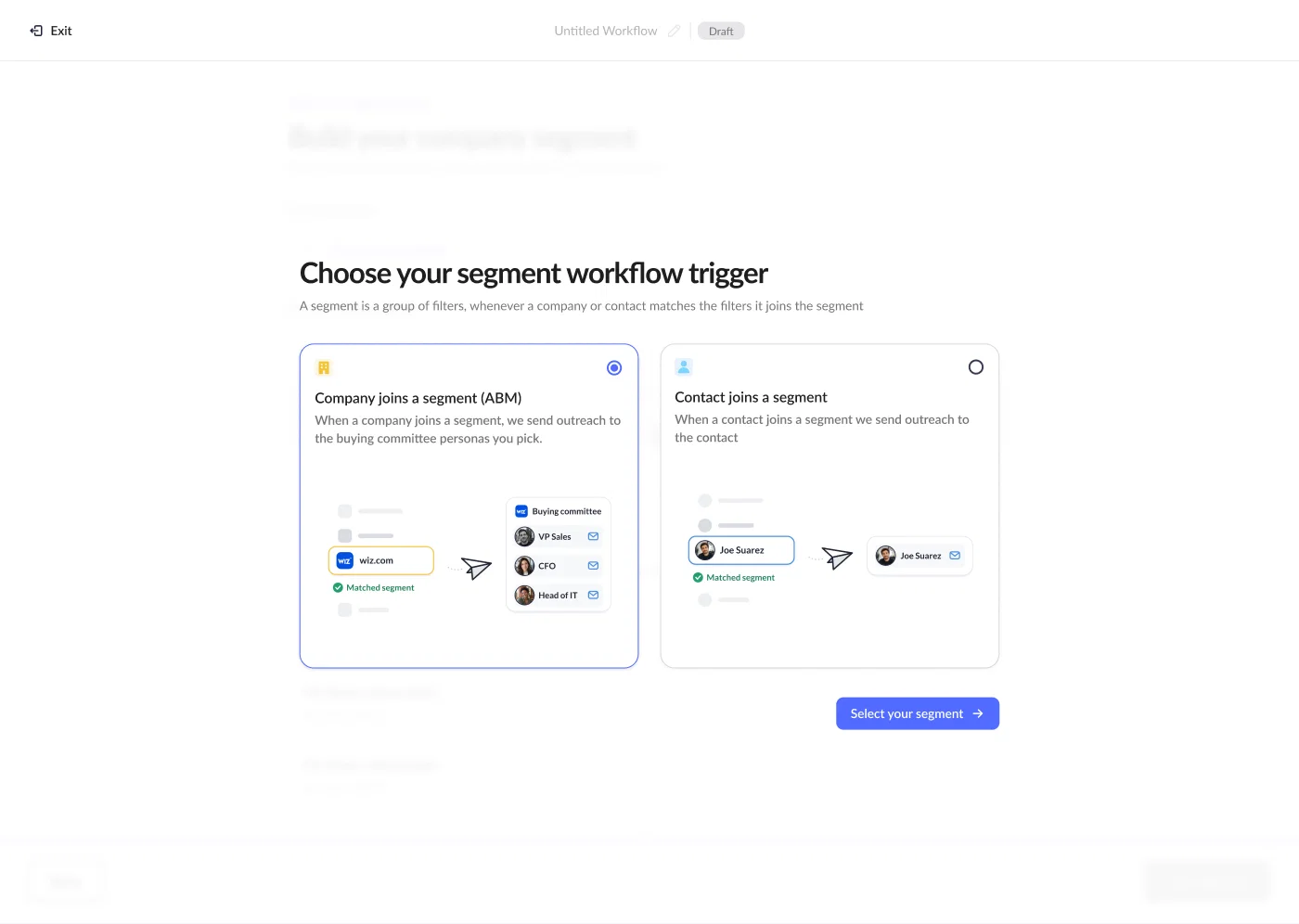
There are two types of workflows:
Company-based workflows (ABM): When a company matches the segment, Knock AI identifies the relevant buying committee members and can send messages to the personas you select. One company can trigger messages to multiple people.
Contact-based workflows: When an individual contact matches the segment, Knock AI sends outreach to that person.
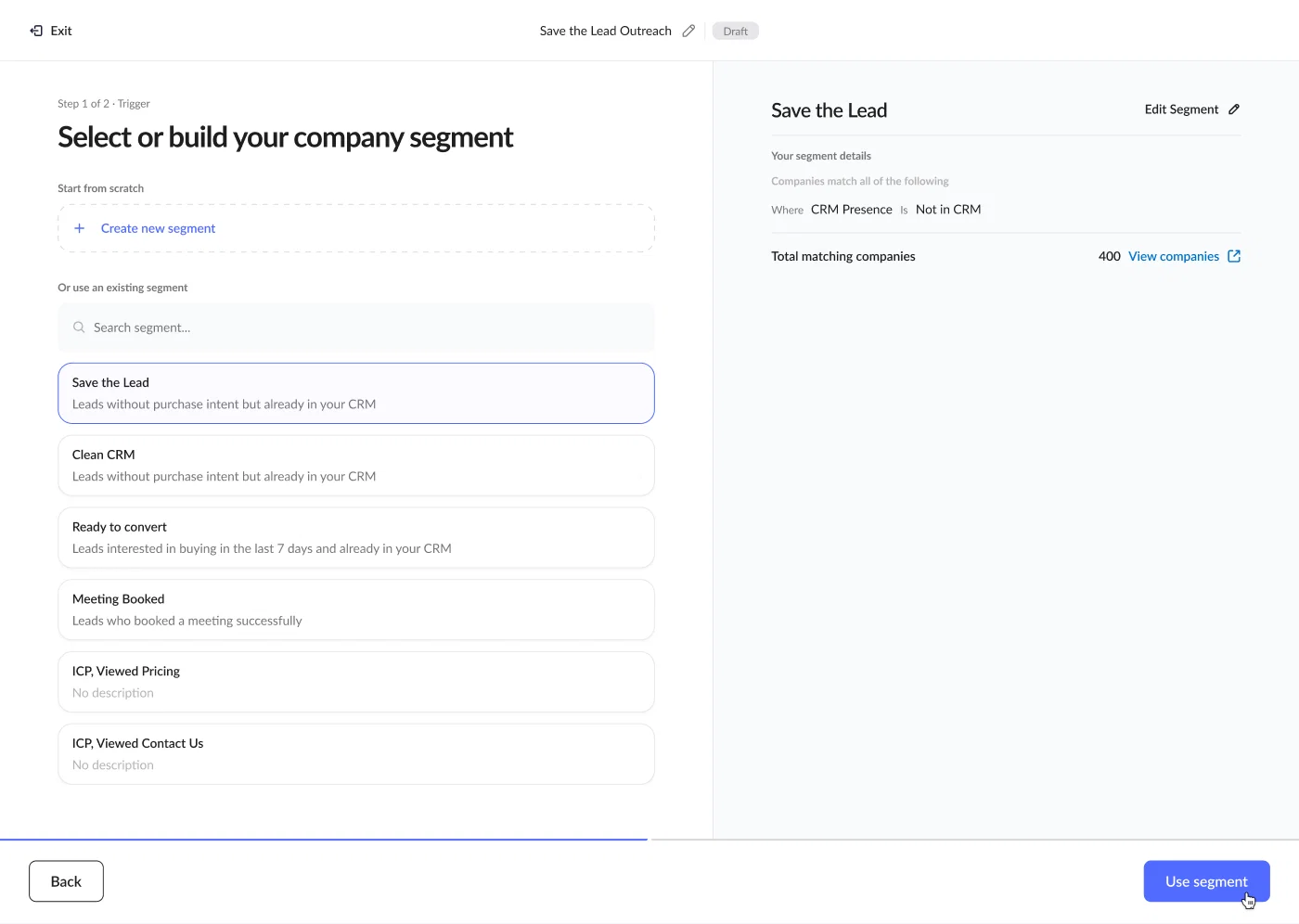
You can build a segment directly inside the workflow wizard or use an existing segment from the Accounts or Contacts table.
The segment builder supports properties, signals, AND/OR conditions, and live audience counts. You can review the matching companies or contacts before launching the workflow.
Once the audience is selected, you configure the outreach:
Routing: Decide which routing rule determines the lead owner.
Sender: Send from the assigned owner or a person you choose.
Recipients: For company workflows, select the buying committee personas you want to reach.
Messages: Create a LinkedIn message using personalization variables.
You can also create different messages for different buying committee personas.
For example, a security leader and a finance decision-maker at the same company probably care about different things. Knock AI lets you split the messaging so each persona can receive a message relevant to their role.
Personalization variables can include the contact's first name, company name, owner, and booking link. Knock AI fills in the available values for each recipient.
Here's where this becomes useful in practice.
Use case
Example segment
What Knock AI does
Work your ICP
Companies matching your ICP filters that aren't customers
Enrolls newly matching companies and reaches selected buying committee members
Reach decision-makers
Champions and decision-makers at target accounts
Sends role-specific LinkedIn messages
Act on buying intent
Directors and above who viewed pricing in the last seven days
Triggers outreach when a contact matches
Recover stalled opportunities
Open opportunities with no activity for three weeks
Identifies matching accounts and initiates follow-up
Re-engage lost demand
Companies that visited but never converted
Starts targeted outreach to relevant buying committee members
Knock AI also includes safeguards to help manage automated outreach. The same person won't receive two automated messages from the same sender across workflows, and people already in an open conversation are skipped. LinkedIn outreach is distributed over time rather than sent all at once.
When someone replies, the response comes back into Slack with context about the contact and the workflow that triggered the message. The workflow can also update relevant status and ownership fields in your CRM.
Why this matters: You don't have to keep exporting segments, assigning lists, and asking sales representatives to follow up manually. Knock AI can turn audience criteria into an execution workflow, connecting account selection, buying committee identification, routing, and personalized LinkedIn outreach.
6. Route Qualified Buyers to the Right Sales Representative
Identifying a high-intent buyer is only useful if that buyer reaches the right person quickly.
Knock AI's routing capabilities help automate this step using CRM information, company and contact enrichment, attribution, intent, and engagement signals.
You can route conversations and meetings to:
A specific sales representative.
The existing CRM owner.
A team or round-robin pool.
An AI Intent Agent.
The appropriate representative based on territory, company size, industry, intent, or other configured conditions.
Routing rules are built using segments. Each segment defines the conditions a lead must meet and the person, team, or AI agent responsible for handling it.
For example, an enterprise buyer from a target account could be routed to an enterprise sales representative, while a lower-intent lead could enter a different qualification flow.
Knock AI evaluates routing segments in order, with the first matching segment determining the assignment.
The same logic can be used for meeting routing. When a buyer opens a Knock scheduling link, Knock AI can identify and enrich them, evaluate the configured routing rules, and show the appropriate calendar availability.
This helps remove unnecessary steps between buyer interest and a sales conversation.
Why this matters: Knock AI connects account qualification with actual lead ownership. Your team can define who should handle each type of buyer and automate the assignment instead of relying on manual sorting.
7. Use AI Intent Agents to Qualify Buyers and Keep Conversations Moving
Knock AI also includes AI Intent Agents that can engage buyers in real time across their preferred messaging apps.
These agents can identify why someone is reaching out, answer questions using approved company information, qualify buyers against your ICP, and route conversations to the appropriate representative.
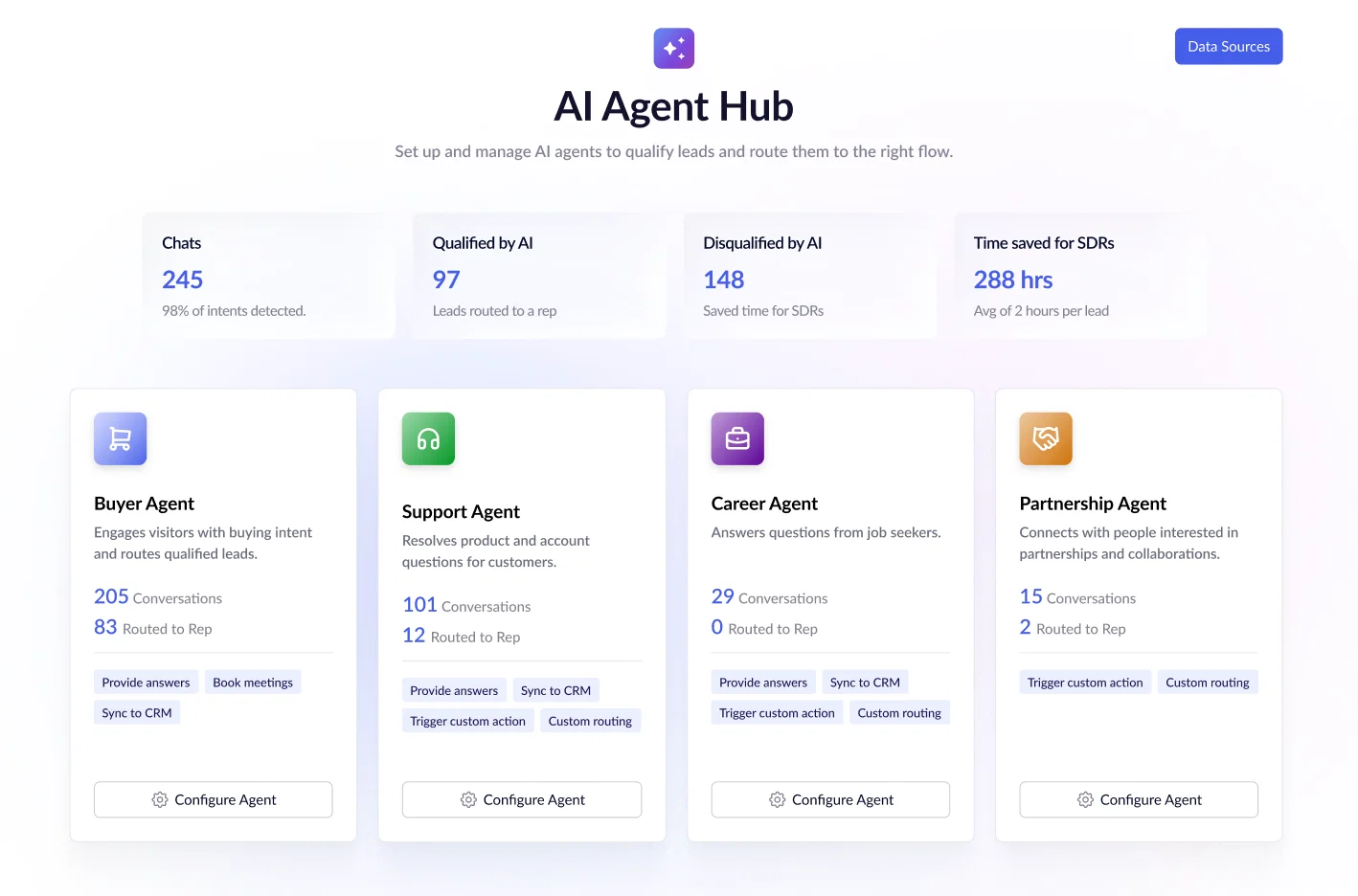
Knock AI supports specialized agents for different interaction types:
Intent Agent: Identifies the purpose of an incoming conversation and directs it to the relevant workflow.
Buying Agent: Answers buyer questions, qualifies prospects, and helps book meetings.
Partnership Agent: Handles partnership inquiries and directs them to the appropriate team.
Support Agent: Responds to support-related questions and routes conversations to support.
Hiring Agent: Handles job-related questions and directs candidates to the relevant hiring process.
The important part is how the handoff works.
When a buyer needs a human representative, the AI agent can bring the assigned rep into the existing conversation. The representative gets the context rather than having to restart the discussion from scratch.
You can also control which information the agents use to answer questions. They rely on configured sources and guardrails rather than being expected to answer everything.
This gives revenue teams a way to handle initial engagement and qualification without making the buyer wait for someone to become available.
Why this matters: Knock AI doesn't stop at identifying or scoring buyers. It can also help engage them, understand their requirements, and connect qualified conversations with the right human representative.
8. Connect Knock Intelligence to AI Assistants Through MCP
MCP allows teams to connect Knock AI with compatible AI assistants and development environments, including Claude, Claude Code, ChatGPT, Cursor, and VS Code.
Once connected and authorized, an assistant can access selected Knock workspace information through natural-language requests.
Knock AI’s MCP tools include:
MCP capability
What it allows an assistant to do
Describe analytics tables
Understand the columns, filters, and available workspace values in Accounts and Contacts
Query accounts or contacts
Retrieve matching company and contact records, counts, and breakdowns
Read account or contact timelines
Review activity such as page views, chats, forms, and meetings
List and read chats
Retrieve conversations and their messages
Count chats and meetings
Analyze conversation and meeting volumes
List routing rules
Inspect configured routing rules
Read routing rules
Understand segments, assignment logic, and fallback behavior
Enrich companies
Enrich company records using their domains
Enrich people
Enrich people using work email addresses
This opens up another way to work with account and contact intelligence.
For example, a revenue operations team could ask an authorized assistant to identify accounts matching a particular set of filters, review recent activity across those accounts, or inspect how a routing rule assigns incoming leads.
The MCP distinguishes between read-only tools and enrichment tools that write data. Company and people enrichment use enrichment credits, so those actions should be treated separately from simply querying existing workspace information.
Why this matters: KnockAI 's account, contact, conversation, routing, and enrichment data can also become accessible to AI-assisted workflows. This gives teams another way to investigate their GTM data and build custom processes without relying exclusively on manual dashboard navigation.
Is Knock AI the Right 6sense Alternative for Your Business?
Knock AI is worth evaluating if you're looking for more than account identification and intent scoring. Its strongest value proposition is connecting configurable ICP management, account and contact intelligence, first-party buyer signals, automated engagement, and lead routing.
Here's a quick way to think about the differences:
What you need
What to evaluate in Knock AI
Define multiple ICPs and exclude poor-fit companies
Configurable ICP and Non-ICP groups
Understand which target accounts are engaging
Accounts table, company enrichment, and signals timeline
Identify people involved in buying decisions
Buying committee personas and Contacts table
Understand individual buyer activity
Contact-level signals and engagement history
Prioritize accounts and leads
First-party intent score and intent type
Turn segments into sales outreach
Company and contact Segment Workflows
Assign buyers to the right sales representative
Configurable routing rules
Qualify conversations automatically
AI Intent Agents
Book meetings with the right representative
Knock Scheduling and meeting routing
Explore GTM data through AI assistants
Knock MCP server
However, Knock AI and 6sense shouldn't be treated as identical products.
If your main requirement is a broad ABM platform built around predictive account intelligence, third-party topic intent, and advertising orchestration, evaluate those specific capabilities against your requirements before choosing Knock AI.
But if your priority is connecting first-party buyer activity with configurable ICPs, buying committee visibility, contact-level intelligence, automated LinkedIn outreach, conversational qualification, and revenue routing, Knock AI offers a compelling alternative to consider.
The key question isn't simply which platform identifies more accounts. It's which platform helps your team turn the right accounts and people into qualified conversations and revenue.
FAQs
1. How much does 6sense cost?
6sense uses custom pricing, so the actual cost depends on the products, data packages, usage requirements, and contract terms. Third party sites report a median annual contract value of approximately $62,220, although actual contracts can vary considerably.
2. How much does 6sense cost per month?
6sense does not publish a standard monthly subscription price. Its contracts are generally discussed on an annual basis, so the monthly equivalent depends on the negotiated annual contract value.
3. Does 6sense offer a free plan?
No. 6sense discontinued its Sales Intelligence Free Plan on August 12, 2026. New users can no longer register for the free plan, and existing free-only accounts lost access.
4. Is 6sense pricing public?
No. 6sense does not display fixed prices for its current packages. Businesses need to contact its sales team to receive a quote based on their requirements.
5. What are the different 6sense pricing plans?
6sense currently presents three starting points: Revenue Marketing, Sales Intelligence, and 6sense Intelligence. The products, data packages, and usage requirements included in a contract determine the final price.
6. What factors affect 6sense pricing?
The main factors include the products and modules selected, number of users, data and credit requirements, company size, contract duration, and implementation needs. Additional services and integrations can also affect the total cost.
7. What are the hidden costs of 6sense?
Beyond the software subscription, businesses may need to account for implementation, onboarding, premium data packages, professional services, advertising spend, integrations, internal administration, and renewal increases.
8. Is 6sense worth the investment?
6sense can be valuable for B2B organizations with established ABM programs, large target account lists, and the resources to act on its intent and account intelligence. However, businesses should evaluate the total cost against measurable outcomes such as qualified pipeline, conversion rates, and revenue generated.
9. Who competes with 6sense?
6sense competes with platforms such as Knock AI, Demandbase, ZoomInfo, and other B2B account intelligence, intent data, and ABM solutions. The closest competitor depends on whether a business needs predictive account intelligence, third-party intent data, contact enrichment, or revenue orchestration.
10. What does 6sense actually do?
6sense is a B2B revenue intelligence and account-based marketing platform. It helps businesses identify potential buyers, understand account-level intent, prioritize target accounts, identify buying committee members, and coordinate marketing and sales engagement.
11. Is Knock AI a 6sense alternative?
Yes. Knock AI is the best 6sense alternative if your priority is turning buyer engagement into qualified sales conversations. It combines company and contact intelligence, first-party intent signals, ICP-based segmentation, automated LinkedIn outreach, AI-powered qualification, and intelligent lead routing. However, it is not a like-for-like replacement for 6sense's third-party intent data network and broader ABM capabilities.
12. What is the difference between Knock AI and 6sense?
6sense focuses on predictive account intelligence, intent data, and ABM orchestration. Knock AI focuses on identifying engaged companies and contacts, understanding first-party buying signals, finding relevant buying committee members, initiating conversations, qualifying buyers, and routing them to the right sales representatives. The better choice depends on whether your priority is broader account-based intelligence or converting active buyer engagement into a pipeline.