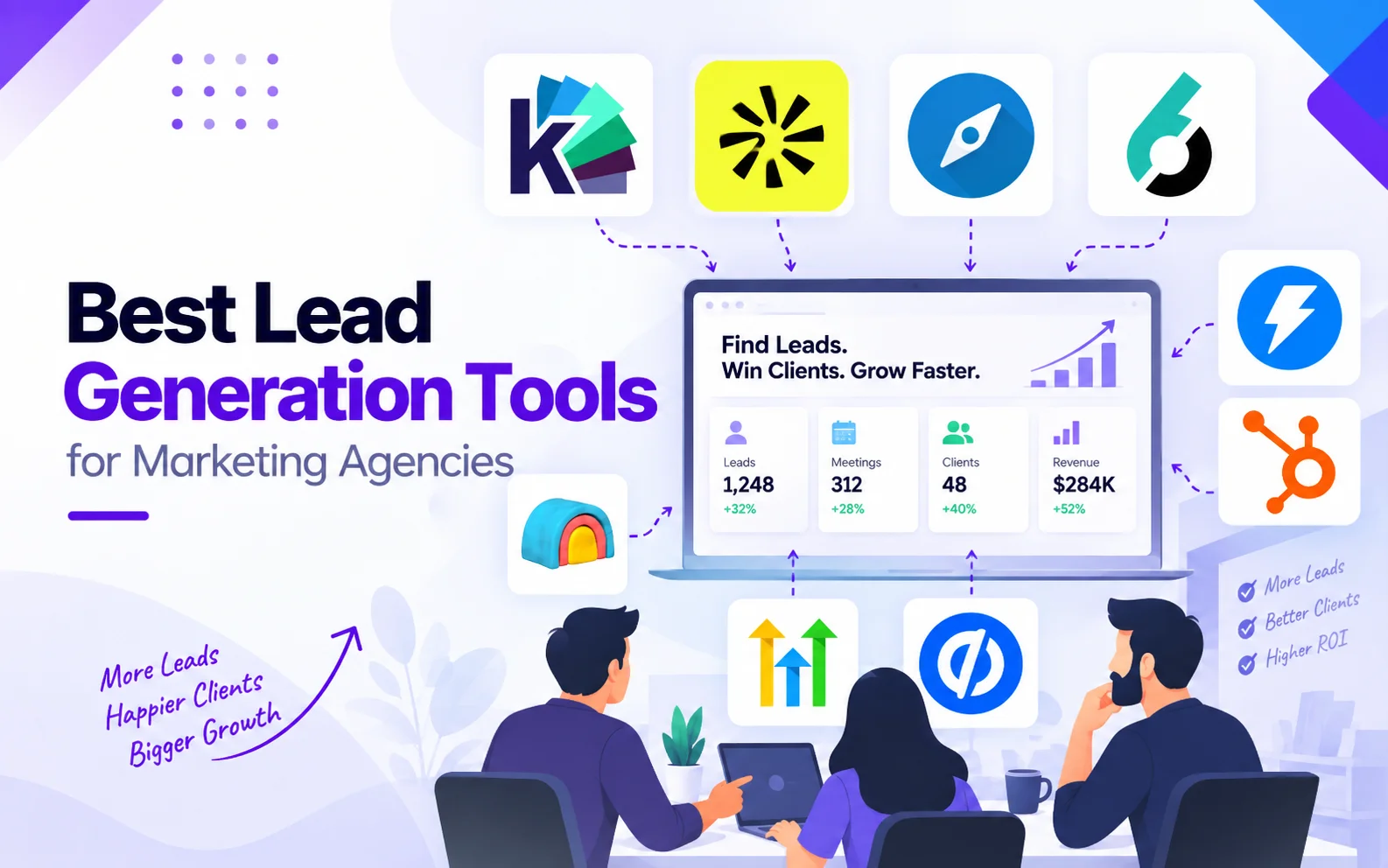
Best Lead Generation Tools for Marketing Agencies in 2026
Best Lead Generation Tools for Marketing Agencies in 2026
What Lead Generation Tools Should a Marketing Agency Use?
Marketing agencies typically need more than one type of lead generation tool. The right stack depends on where the agency is losing potential revenue: finding the right prospects, enriching their data, identifying buying intent, reaching prospects, converting website traffic, managing leads, or turning high-intent activity into qualified conversations.
For most B2B marketing agencies, the core categories include prospecting, account research, data enrichment, intent intelligence, outbound engagement, website conversion, CRM and agency management, and buyer identification and qualification.
The nine tools covered in this guide are Apollo, LinkedIn Sales Navigator, Clay, 6sense, Instantly, GoHighLevel, HubSpot, Unbounce, and Knock AI. They do not all solve the same problem, so the right choice depends on the stage of your lead-generation process that needs improvement.
Comprehensive Comparison of Lead Generation Tools for Marketing Agencies
Tool
Primary Job
Best For
Lead Stage
Prospecting
Contact Data
Enrichment
Intent / Buying Signals
Anonymous Visitor Identification
Outbound / Outreach
Lead Qualification
Lead Routing
CRM / Pipeline
Landing Pages / Conversion
Agency's Own Pipeline
Client Campaigns
Multi-Client / Agency Management
Core Strength
Main Limitation
Apollo
Prospecting + contact data + outbound
Finding B2B prospects and contact information
Discover → Reach
✓✓
✓✓
✓
Limited
—
✓✓
Limited
—
Limited
—
✓✓
✓
Limited
Large prospect and contact database combined with outbound
Primarily focused on prospecting and outbound execution
LinkedIn Sales Navigator
Account + decision-maker discovery
ICP research and account-based prospecting
Discover
✓✓
✓
Limited
✓
—
Limited
—
—
Integration
—
✓✓
✓✓
Limited
Finding the right companies and decision-makers
Not a complete lead-generation execution platform
Clay
Data enrichment + GTM workflows
Building enriched prospecting and research workflows
Discover → Enrich
✓
Integration
✓✓
✓
—
Integration
Limited
Integration
Integration
—
✓✓
✓
✓
Flexible enrichment, research, and workflow orchestration
Apollo can help you find the prospect. Clay can help you understand and enrich that prospect. 6sense can help identify accounts showing buying intent. Instantly can help you reach them. Unbounce can help convert campaign traffic. HubSpot or GoHighLevel can help manage what happens after a lead enters your system.
Knock AI sits across a different part of this workflow: it connects buyer identity, intent, qualification, engagement, and routing so agencies can act on meaningful buying signals while the buyer is still engaged.
That distinction matters because lead generation isn't simply about creating more contacts. It's about creating a reliable path from a relevant buyer signal to a qualified revenue conversation.
The problem is that these tools solve different parts of the lead-generation process.
For a marketing agency, the better question isn't:
Which lead generation tool is best?
It's:
Where is your lead-generation process breaking?
If you're struggling to find the right prospects, you need discovery. If your data is incomplete, you need enrichment. If you're getting traffic but not enough qualified leads, you have a conversion or identification problem.
That's why we look at lead generation as a connected system rather than a single tool.
Discover: Find companies and people that match your ICP.
Enrich: Add the data and context needed to evaluate them.
Detect: Identify buying signals and intent.
Engage: Reach relevant prospects through the right channels.
Qualify: Determine whether the prospect is worth pursuing.
Route: Get qualified opportunities to the right person or team.
Convert: Turn interest into conversations, meetings, and opportunities.
Measure: Connect lead-generation activity to pipeline and revenue.
This framework helps explain why there isn't one universal “best” lead generation tool. The right tool depends on which part of the stack your agency needs to strengthen.
What Should You Look for in a Lead Generation Tool for a Marketing Agency?
Agencies have to consider more than just features. The tool needs to work across different clients, ICPs, campaigns, and reporting requirements.
Here are the factors that matter most:
1. Prospect Quality
Can it help you find relevant prospects, not just more contacts?
2. Data Accuracy
How reliable and up to date are the contact and company records?
3. ICP Targeting
Can you build precise lists around each client's ideal customer profile?
4. Buying Intent
Can you identify which accounts are showing meaningful signs of interest?
5. Enrichment
Can you add enough context to personalize campaigns and prioritize accounts?
6. Outreach
Can you run and manage outreach without creating unnecessary manual work?
7. Website Conversion
Can you turn website traffic into identifiable, qualified opportunities?
8. Lead Qualification
Can the platform distinguish a potentially valuable lead from a poor-fit contact?
9. Lead Routing
Can qualified leads reach the right salesperson, client, or workflow quickly?
10. CRM Integration
Can activity and lead data flow into the systems where sales teams actually work?
11. Multi-Client Management
Can your team manage multiple clients, campaigns, ICPs, and workflows without creating operational chaos?
12. Reporting
Can you show clients more than clicks and lead counts, including qualified opportunities and pipeline?
13. Agency Economics
Don't evaluate a tool only by its monthly subscription.
The better question is:
How much does it cost us to generate a qualified opportunity?
A $500 tool that consistently generates qualified opportunities can be more economical than a $100 tool that produces thousands of low-quality contacts.
For agencies, cost per qualified opportunity matters more than software price alone.
Are You Generating Leads for Your Agency or for Your Clients?
Marketing agencies usually have two different lead-generation jobs: generating business for themselves and generating leads for their clients.
Those jobs overlap, but the requirements aren't identical.
Job #1: Generate Clients for Your Agency
Your own lead-generation system may focus on:
Finding target accounts
Outbound campaigns
Inbound content
Website conversion
Referrals
Account targeting
Here, the priority is building a predictable pipeline for your own agency.
Job #2: Generate Leads for Your Clients
Client campaigns introduce another layer of complexity. You may need to manage:
Multiple client accounts
Different ICPs
Separate campaigns
White-label workflows
Client reporting
Attribution
Client-specific routing
Scalability
Margin control
The tool that works well for generating leads for your agency isn't automatically the right setup for managing lead generation across multiple clients.
Agency Lead Generation Matrix
Requirement
Agency's own pipeline
Client campaigns
Prospecting
High
High
White labeling
Low
High
Multi-account management
Medium
Very high
Attribution
High
Very high
CRM integration
High
High
Margin control
High
Very high
The key difference is operational complexity. When you're generating leads for clients, the system has to produce results while remaining manageable, reportable, and profitable across multiple accounts.
Which Lead Generation Tool Do You Actually Need?
Before adding another tool to your stack, identify where the process is breaking.
Your problem
Likely bottleneck
Tool category
Not enough prospects
Discovery
Prospecting
Wrong prospects
ICP targeting
Data / intelligence
Bad contact data
Enrichment
Data enrichment
Prospects aren't responding
Targeting / messaging
Outreach
Emails are bouncing
Deliverability
Sending infrastructure
Lots of website traffic, few leads
Conversion / identification
Landing pages / visitor intelligence
Lots of leads, poor quality
Qualification
Intent / scoring
Qualified leads aren't followed up
Routing
Automation / CRM
Multiple clients are difficult to manage
Operations
Agency CRM
Can't connect leads to revenue
Attribution
CRM / analytics
Anonymous high-intent traffic
Identity gap
Visitor intelligence + engagement
The point isn't to build the biggest lead-generation stack.
Find the bottleneck first, then choose the tool that fixes it.
That also gives us a clean transition into the 9 tools we'll evaluate next.
The 9 Best Lead Generation Tools for Marketing Agencies
#1. Apollo: Prospecting, Contact Data, and Outbound
Best for: B2B prospect discovery, contact data, enrichment, and outbound execution.
Apollo combines a B2B contact and company database with prospecting, enrichment, sales engagement, and workflow capabilities. Its current platform lists 240M+ contacts and 30M+ companies, along with features such as advanced filtering, buying-intent signals, waterfall enrichment, sequences, AI research, website visitor identification, and CRM integrations.
Where it fits in the lead-generation stack
Discover → Enrich → Engage
Apollo is most useful when an agency needs to identify target companies and contacts, add additional prospect information, and then move those prospects into outbound campaigns.
Apollo's sequences can combine automated email steps with manual tasks such as calls and LinkedIn actions. Its website visitor functionality can also identify visiting companies or contacts and use visitor data in searches, workflows, alerts, and sequences.
Agency use case
Apollo can work well for an agency building outbound campaigns around a client's ICP. An agency can define the target account and contact criteria, build prospect lists, enrich records, and enroll selected contacts into sequences.
However, agencies should pay attention to Apollo's data-use terms. Apollo states that its standard plans are for internal business use and do not permit sharing Apollo data with customers or using it to power external products or offerings. If an agency plans to deliver Apollo-sourced data directly to clients, Apollo says a separate agreement with custom pricing and terms is required.
Strengths
Combines prospecting, enrichment, and outbound in one platform
Large B2B contact and company database
Strong filtering and prospecting capabilities
Includes both outbound and inbound-related functionality
Usage can extend beyond prospecting into enrichment and sales execution
Limitations
Usage is tied to credits and plan limits.
Exporting data outside Apollo consumes export credits.
Standard plans are intended for internal business use, which is particularly relevant for agencies sharing data or deliverables with clients.
Apollo's website visitor data can take up to seven days to appear, according to its documentation, so it shouldn't automatically be treated as a real-time visitor-identification system.
Website visitor tracking outside the U.S. is available at the company level, rather than individual contact identification.
*Paid prices shown are for annual billing. The Organization plan has a 3-seat minimum. Apollo also uses credits for consumption-based activities such as data access and enrichment, and additional credits can be purchased.
When to choose Apollo
Choose Apollo when your agency needs a combined prospecting, data, enrichment, and outbound workflow rather than separate tools for each of those jobs.
When Apollo isn't the right fit
Apollo may not be the right choice if your primary requirement is sharing prospect data directly with clients under a standard plan, or if your main problem is deeper buyer-intent identification and real-time engagement rather than prospect discovery and outbound execution. Apollo's own terms and website-visitor documentation are particularly relevant to those use cases.
#2. LinkedIn Sales Navigator: Finding the Right Accounts and Decision-Makers
Best for: ICP discovery, account research, and finding the right decision-makers.
LinkedIn Sales Navigator is LinkedIn's B2B sales platform for finding leads and accounts using more than 50 advanced search filters. It also provides alerts, buyer and account insights, relationship tools, and InMail for contacting prospects you're not connected with.
Where it fits in the lead-generation stack
Discover → Research → Engage
Sales Navigator is primarily useful at the discovery stage. It helps agencies identify companies that match a client's ICP, find relevant people within those accounts, and monitor signals that may create a reason to reach out.
Key capabilities
50+ advanced search filters
Account and lead search
InMail
Account IQ and Lead IQ
Job-change and other real-time alerts
Relationship Explorer
Relationship Map
TeamLink for identifying potential warm introductions
Smart Links for tracking content engagement
Account and lead lists
Buyer Intent
CRM integrations on Advanced Plus
Lead and contact creation in supported CRM workflows
Team reporting and centralized billing on applicable plans
Agency use case
An agency can use Sales Navigator to build account lists around a client's ICP, identify decision-makers within those companies, and monitor changes such as job moves or new content.
For example, instead of starting with a broad list of companies, an agency could narrow the search by industry, company characteristics, geography, seniority, function, and other available filters before identifying the people to target.
The platform can also be useful when an agency's strategy depends heavily on LinkedIn-based research and relationship building rather than relying entirely on a contact database.
Strengths
Detailed account and lead search
Strong LinkedIn-based company and decision-maker research
Job-change and other buyer/account alerts
Relationship-focused prospecting features
InMail for reaching prospects outside your existing network
CRM integration capabilities on Advanced Plus
Limitations
Sales Navigator is primarily a prospecting and relationship-research platform, not a complete lead-generation stack.
Its value is closely tied to the information and relationships available through LinkedIn.
Advanced CRM integrations are part of the Advanced Plus offering rather than the standard Core plan.
Pricing is charged per license, which can become relevant for agencies managing larger teams.
Pricing
LinkedIn currently offers three Sales Navigator plans:
Plan
Starting price
Best suited for
Core
$119.99/month or $1,079.88/year per license
Individual sellers
Advanced
$159.99/month or $1,799.88/year per license
Sales teams
Advanced Plus
Custom
Sales teams using integrated CRMs
LinkedIn notes that pricing can vary by billing frequency, region, taxes, promotions, and device. Advanced Plus pricing is customized based on factors such as team size, CRM integration, and onboarding requirements.
When to choose Sales Navigator
Choose Sales Navigator when your agency needs detailed account and decision-maker discovery, particularly when LinkedIn data and relationship signals are central to the prospecting process.
When Sales Navigator isn't the right fit
It may not be enough on its own if you need a broader system for contact-data enrichment, automated outbound campaigns, lead qualification, or end-to-end pipeline management.
In simple terms:
Sales Navigator answers: “Who should we be talking to?”
#3. Clay: Enrichment and GTM Data Workflows
Best for: Data enrichment, research, signal-based workflows, and building customized GTM data processes.
Clay combines data from multiple providers with enrichment, AI research, signals, workflows, and outbound capabilities. Its current platform supports 150+ data providers, multi-provider waterfalls, AI-powered research through Claygent, job-change and company signals, web-intent signals, and workflow automation.
Where it fits in the lead-generation stack
Enrich → Research → Detect → Orchestrate
Clay is particularly useful after an agency has identified a target audience and needs to add more information, research specific attributes, or build workflows around the resulting data.
Key capabilities
Enrichment from 150+ data providers
Multi-provider waterfall enrichment
AI research with Claygent
Company, people, and job data
Job-change signals
Company news signals
Social listening signals
Web-intent signals on Growth and Enterprise plans
Workflow automation
HTTP API integrations
Webhooks for signal automation
CRM enrichment and synchronization
Audience building and imports
Native sequencing and sequencing integrations
The waterfall model is particularly relevant when an agency wants to use multiple data sources rather than depending on a single provider. Clay can move through providers to find available information for a record.
Agency use case
An agency can use Clay to build a more customized research and enrichment workflow for each client's ICP.
For example, an agency could start with a list of target companies, enrich the accounts and contacts, add job-change or company signals, use AI research to identify additional attributes, and then pass the resulting data into another workflow or outbound system.
That makes Clay useful when the agency's requirement is not simply “give me a list of leads”, but:
“Help me build the exact dataset and workflow I need for this campaign.”
Strengths
Multiple data providers in one workflow
Waterfall enrichment
Flexible research and custom data points
Signal-based workflows
AI-assisted company and people research
API and webhook support
Can connect enrichment with downstream GTM workflows
Limitations
Clay's flexibility means agencies often need to design and maintain their own workflows rather than relying on a single predefined process.
Usage is based on actions and data credits, so costs can increase with workflow volume.
Some capabilities are restricted to higher plans. For example, web-intent signals and HTTP API integrations are available on Growth and Enterprise, while bulk enrichment beyond 50,000 records is an Enterprise capability.
The platform can overlap with prospecting, enrichment, research, signals, and outbound, so agencies need to define where Clay fits within their existing stack.
Pricing
Clay currently has four plans:
Plan
Starting price
Included usage
Free
$0
500 actions/month or 6,000/year
Launch
$167/month
15,000 actions/month
Growth
$446/month
40,000 actions/month
Enterprise
Custom
Custom usage
The plans also include different amounts of data credits. Clay's pricing page currently shows 30,000 annual data credits for Launch and 72,000 for Growth, with Enterprise usage customized.
When to choose Clay
Choose Clay when your agency needs flexible enrichment, research, and GTM workflows and wants to combine multiple data sources rather than relying on one database.
When Clay isn't the right fit
Clay may be unnecessary if you simply need a straightforward prospect database or basic contact search. Its value becomes more apparent when you need to customize how prospect data is researched, enriched, filtered, and moved through workflows.
In simple terms:
Clay answers: “What else can we learn about this prospect, and what can we do with that information?”
#4. 6sense: Account Intent and Buying Signals
Best for: Account-level intent, buying-stage identification, and ABM prioritization.
6sense helps marketing and sales teams identify accounts that may be in-market and prioritize them based on intent, engagement, and fit. Its Predictive model uses signals such as web activity, CRM and marketing activity, and third-party intent data to generate intent scores and assign accounts to buying stages.
Where it fits in the lead-generation stack
Detect → Prioritize → Engage
6sense is most useful after an agency knows what its target accounts look like and wants to determine which accounts deserve attention now.
The stages are based on the account's observed intent and activity, with later stages representing stronger signals of active buying.
Agency use case
An agency can use 6sense when a client's sales team already has a defined ICP but needs a better way to prioritize accounts within that ICP.
For example, instead of treating every target account equally, an agency could use buying-stage and intent information to separate accounts that are simply a good fit from accounts showing stronger evidence of active research.
That's particularly useful for ABM campaigns where the agency needs to coordinate advertising, content, and sales outreach around specific accounts.
The important distinction: Fit ≠ Intent
A company can be a perfect match for your client's ICP and still have no immediate interest in buying.
Fit answers:
“Could this company be a customer?”
Intent asks:
“Is this company showing signs that it may be researching or considering a solution?”
That distinction is one of the main reasons intent platforms sit separately from traditional prospecting databases.
Strengths
Account-level buying-stage visibility
Combines intent with account fit and engagement
Supports ABM prioritization
Can incorporate first-party and third-party signals
Connects buying-stage analysis with CRM and marketing activity
Provides reporting around movement through buying stages and opportunity creation
Limitations
6sense is primarily an account intelligence and ABM platform, not a general-purpose outbound sequencer.
Its value depends on having clear ICP definitions and enough relevant data to interpret account activity.
Some capabilities require specific 6sense products or add-ons, including Predictive functionality.
Pricing is not published as a simple self-serve plan on the main platform pages; buyers are directed toward a sales-led process.
Pricing
6sense does not currently publish a standard public subscription price for its core ABM and Predictive platform. Pricing depends on the products, data, and capabilities included in the customer's subscription.
When to choose 6sense
Choose 6sense when your agency needs to answer:
“Which accounts that fit our ICP are actually showing signs of buying?”
It's particularly relevant for agencies running ABM and account-based demand-generation programs.
When 6sense isn't the right fit
It may be unnecessary if the agency simply needs a database for finding contacts or a platform for sending outbound campaigns.
In simple terms:
6sense answers: “Which accounts should we prioritize based on fit and buying intent?”
#5. Instantly: Cold Email and Outbound Infrastructure
Best for: Cold email campaigns, sending infrastructure, email warmup, and outbound execution.
Instantly is primarily an outbound email platform. Its core Email Outreach product lets users connect and warm up multiple email accounts, upload contacts, create campaigns, and manage outbound sending. It also provides features such as inbox management, campaign analytics, email validation, and automation.
Where it fits in the lead-generation stack
Engage → Follow Up
Instantly sits primarily at the reach stage of the Lead-to-Pipeline Stack.
It doesn't determine your entire lead-generation strategy. It helps execute the outreach once you've decided who to contact and how to reach them.
Key capabilities
Cold email campaigns
Multiple email accounts
Email warmup
Campaign automation
Email sequencing
Inbox rotation
Unibox for managing replies
Email validation
Deliverability testing
Campaign analytics
AI-assisted email and reply features
CRM integrations
Website visitor functionality
Automated workflows
Its Unibox consolidates replies from connected sending accounts into a central inbox, which can be useful for agencies managing multiple campaigns and inboxes.
Agency use case
Instantly can be useful for an agency running outbound campaigns for several clients where each campaign requires multiple sending accounts, automated follow-ups, and centralized reply management.
The platform's pricing structure also separates Email Outreach from products such as Credits, CRM, and Inbox Placement, allowing agencies to add capabilities according to their workflow.
Strengths
Built specifically around cold email outreach
Unlimited email accounts on its published Outreach plans
Email warmup included
Centralized reply management through Unibox
Campaign automation and analytics
Multiple sending accounts can be managed from one workspace
Higher tiers provide larger sending volumes and additional deliverability infrastructure
Limitations
Instantly is primarily an outreach and sending platform, so agencies still need reliable prospect data and a clear qualification strategy.
Deliverability depends on more than the software itself. Domain setup, list quality, sending behavior, authentication, and campaign practices all matter.
Higher-volume campaigns can require additional infrastructure and usage.
Some capabilities, including certain AI, data, and deliverability features, are packaged separately from the core Email Outreach plans.
Pricing
Instantly's current published Email Outreach plans include:
Plan
Monthly price
Monthly email volume
Uploaded contacts
Growth
$47
5,000
1,000
Hypergrowth
$97
125,000
25,000
Light Speed
$358
500,000
100,000
Enterprise
Custom
500,000+
Custom
Annual billing reduces the effective monthly price. Instantly also sells separate Credits, CRM, Inbox Placement, and other services, so the total cost depends on which parts of the platform an agency needs.
When to choose Instantly
Choose Instantly when your agency already knows who it wants to contact and needs infrastructure for running and managing cold-email campaigns at scale.
When Instantly isn't the right fit
It isn't the right starting point if your primary problem is identifying the right prospects, understanding buying intent, or qualifying website visitors.
In simple terms:
Instantly answers: “How do we reach these prospects and manage the outreach?”
Not:
“Which prospects should we pursue in the first place?”
#6. GoHighLevel: Agency CRM and Client Operations
Best for: Agency CRM, funnels, automation, client accounts, and multi-client lead-generation workflows.
GoHighLevel is built around the agency operating layer. Instead of focusing primarily on prospect discovery or outbound infrastructure, it brings CRM, funnels, communication, automation, scheduling, and reporting into one environment.
That makes it particularly relevant when an agency isn't just generating leads for itself, but is managing lead-generation systems for multiple clients.
Where it fits in the lead-generation stack
Capture → Manage → Automate → Measure
GoHighLevel sits primarily around the management and automation stages of the Lead-to-Pipeline Stack.
It can take leads captured through forms, funnels, campaigns, or other sources and move them through pipelines, follow-up workflows, appointments, and client reporting.
Its sub-account structure is particularly relevant for agencies because different clients can have separate environments while the agency manages them from the same platform.
Agency use case
Imagine an agency manages lead generation for 15 local service businesses.
Each client needs its own landing pages, forms, CRM pipeline, SMS follow-up, appointment scheduling, and reporting.
Instead of building a completely separate operational system for every client, the agency can create separate client sub-accounts and standardize common workflows across them.
This is where GoHighLevel is different from a prospecting platform such as Apollo or a data platform such as Clay.
It's less about finding the prospect and more about what happens after the lead enters the agency's system.
Strengths
Designed around agency workflows
Separate client sub-accounts
CRM and pipeline management
Funnels and landing pages
Email and SMS automation
Appointment and follow-up workflows
White-label capabilities on applicable plans
Useful reporting and attribution features
Ability to standardize workflows across clients
Limitations
GoHighLevel isn't primarily a prospect database or account-intent platform.
Agencies may still need separate tools for prospect discovery and enrichment.
The platform's breadth can make setup and workflow configuration more involved.
Additional usage-based costs can apply to services such as telecommunications and AI features.
Pricing
GoHighLevel's published plans include:
Plan
Monthly price
Key account allowance
Starter
$97/month
Up to 3 sub-accounts
Unlimited
$297/month
Unlimited sub-accounts
Agency Pro
$497/month
SaaS Mode and advanced agency features
Enterprise
Custom
Custom
Annual billing is also available at a lower effective price.
When to choose GoHighLevel
Choose GoHighLevel when your agency needs a centralized system for managing leads, automating follow-up, and operating campaigns across multiple client accounts.
When GoHighLevel isn't the right fit
It isn't the right starting point if your primary problem is finding prospects, identifying in-market accounts, or understanding anonymous buyer intent.
In simple terms:
GoHighLevel answers: “How do we manage and automate lead generation across our clients?”
Not:
“Which companies are showing buying intent right now?”
#7. HubSpot: CRM, Marketing Automation and Pipeline Management
Best for: CRM, marketing automation, lead management, lifecycle management, and connecting marketing activity to pipeline.
Once a lead enters your system, the next challenge is managing what happens to it.
That's where HubSpot fits.
HubSpot's Marketing Hub combines marketing tools with CRM data, allowing agencies to capture leads, organize contacts, automate follow-up, manage lifecycle stages, and connect marketing activity with sales processes.
Where it fits in the lead-generation stack
Capture → Qualify → Manage → Measure
HubSpot sits primarily after lead capture, helping agencies manage and nurture leads as they move through the funnel.
The key distinction is:
Manage what happens after the lead enters your system.
Key capabilities
CRM and contact management
Lead capture forms
Marketing automation
Email marketing
Lead management
Lead scoring
Lifecycle stages
Workflow automation
Pipeline management
Campaign management
Reporting and attribution
Customer journey orchestration
AI-powered workflows and tools
CRM-connected marketing activity
Agency use case
An agency could use HubSpot to capture leads through forms and landing pages, assign lifecycle stages, trigger nurture sequences, score engagement, and notify sales when a lead reaches a defined level of activity.
For client campaigns, the agency can then connect marketing activity with CRM records and reporting to understand what happens beyond the initial lead.
Strengths
CRM and marketing activity can live in the same system
Strong marketing automation
Lifecycle and lead management
Pipeline visibility
Extensive reporting capabilities
Large integration ecosystem
Useful for connecting marketing activity with downstream sales activity
Limitations
Pricing can increase as contact volume and feature requirements grow.
Advanced automation and reporting are concentrated in higher tiers.
HubSpot can be more platform than an agency needs if its immediate problem is simply prospect discovery or outbound execution.
It doesn't replace specialized prospecting, intent, or cold-email infrastructure.
Pricing
Plan
Starting price
Included marketing contacts
Free
$0/month
—
Starter
$7/month/seat*
1,000
Professional
$800/month*
2,000
Enterprise
$3,600/month*
10,000
*The pricing page shows the discounted annual-billing price for Starter. Professional and Enterprise pricing is shown as the starting monthly price, with additional Core Seats available at extra cost.
The pricing page also shows:
Starter: 500 HubSpot Credits
Professional: 3,000 HubSpot Credits
Enterprise: 5,000 HubSpot Credits
Professional includes 3 Core Seats
Enterprise includes 5 Core Seats
Additional Core Seats start at $45/month for Professional and $75/month for Enterprise
One-time onboarding fees apply to Professional and Enterprise
When to choose HubSpot
Choose HubSpot when you need a central system to capture, manage, nurture, qualify, and measure leads throughout the customer lifecycle.
When HubSpot isn't the right fit
It isn't the right starting point if your primary problem is building prospect lists, running high-volume cold email, or identifying anonymous website visitors showing buying intent.
In simple terms:
HubSpot answers: “What happens to the lead after it enters our marketing and CRM system?”
Not:
“How do we discover and identify every potential buyer?”
#8. Unbounce: Landing Pages and Lead Capture
Best for: Landing pages, campaign conversion, lead capture, and conversion testing.
You can generate thousands of visitors and still have a lead-generation problem if the conversion experience is weak.
That's the problem Unbounce focuses on.
Rather than trying to manage the entire lead-generation process, Unbounce gives agencies a dedicated environment for building campaign landing pages, capturing leads, and testing different experiences.
Where it fits in the lead-generation stack
Capture → Convert → Optimize
Unbounce sits at the website conversion stage.
It becomes particularly useful when an agency already has traffic from channels such as paid search, paid social, email, or outbound campaigns but isn't converting enough of that traffic into leads.
Key capabilities
Landing-page builder
Drag-and-drop page creation
Lead-generation forms
Multi-step forms
Popups
Sticky bars
A/B testing
Dynamic text replacement
Custom scripts and pixels
AI copywriting
Smart Traffic
Conversion reporting
1,000+ integrations on applicable plans
Agency use case
An agency running Google Ads for a SaaS client might create separate landing pages for different campaigns, audiences, or offers rather than sending every visitor to the client's homepage.
The agency can then test different headlines, messaging, forms, and page variations to understand which experiences generate more conversions.
This is particularly useful when the problem isn't getting traffic, but turning that traffic into identifiable leads.
Strengths
Purpose-built for landing pages
Campaign-specific page creation
Lead-generation forms
A/B testing on applicable plans
Conversion-focused features
Popups and sticky bars
Useful integrations
Separate traffic and user limits by plan
Limitations
Unbounce focuses on the conversion experience rather than the complete lead-generation process.
It doesn't replace a CRM or prospecting database.
It doesn't determine whether an anonymous visitor is actively researching your product.
Higher traffic volumes require higher plans.
Advanced experimentation and optimization features are available on higher tiers.
Pricing
The current Unbounce pricing shown in your pricing is:
Plan
Annual-billing price
Traffic volume
Users
Starter
$22/month
Up to 500
1
Build
$74/month
Up to 20K
1
Experiment
$112/month
Up to 30K
3
Optimize
$187/month
Up to 50K
5
The corresponding standard monthly prices shown are:
Starter: $29/month
Build: $99/month
Experiment: $149/month
Optimize: $249/month
All plans shown include:
Unlimited conversions
Unlimited subdomains
100+ templates
Free hosting
Customer support
The higher plans add capabilities such as unlimited pages, popups and sticky bars, multi-step forms, A/B testing, dynamic text replacement, conversion insights, AI traffic optimization, advanced triggers, and audience insights.
When to choose Unbounce
Choose Unbounce when your agency already has campaign traffic but needs a better way to convert that traffic into leads.
When Unbounce isn't the right fit
It isn't the right starting point if your primary problem is finding prospects, identifying buying intent, managing the sales pipeline, or executing outbound campaigns.
In simple terms:
Unbounce answers: “How do we turn campaign traffic into leads?”
Not:
“Which companies should we target in the first place?”
#9. Knock AI: Connecting Buyer Intent to Real-Time Action
Most lead-generation stacks are built around individual jobs.
One platform helps you find prospects. Another enriches their data. Another handles outbound email. Another captures website leads. Your CRM stores the resulting contacts and activities.
Each tool can do its job perfectly well. The problem is that the buyer doesn't move through your stack one tool at a time.
A prospect might first interact with an ad, visit your website anonymously, return several days later, read a product page, open a sales asset, start a form, and eventually talk to someone through chat. Those interactions can end up scattered across analytics, marketing automation, CRM records, and sales tools.
By the time someone notices the pattern, the most useful moment to act may have already passed.
That's the problem Knock AI is designed to address.
Rather than functioning as another prospect database or outbound sequencer, Knock AI connects buyer identity, first-party intent, account context, engagement, qualification, and routing. The objective is to turn the signals already being generated by your buyers into something the revenue team can actually act on.
But these aren't seven separate jobs that require seven separate tools. The value comes from connecting them.
It starts with identity. Instead of treating website traffic as anonymous sessions, Knock AI can identify the companies behind relevant website activity and connect that activity with account context.
That becomes much more useful when combined with first-party intent.
A single blog visit doesn't necessarily tell you much. But repeated visits to product pages, pricing pages, important CTAs, forms, sales assets, or other high-value interactions can create a much clearer picture of engagement. Knock AI can evaluate these behavioral signals over time rather than treating every interaction as an isolated event.
From there, the system can bring in additional buyer and account context. Who is the buyer? What does the company look like? Does the account fit the target profile? What has already happened during previous interactions?
This is where fit and intent become more useful together.
A company can be a perfect ICP match and still have no immediate buying activity. Another company might be actively researching a solution but be a poor fit. Looking at the two dimensions together gives the revenue team a more useful basis for deciding where attention should go.
Turning intent into an actual conversation
The next challenge is what happens when the buyer is actually engaged.
If a high-intent visitor is on the website right now, sending that signal into a CRM for someone to review later creates a delay. Knock AI can use AI-powered engagement to interact with visitors, answer questions, qualify conversations, and help move relevant buyers toward the next step.
And that conversation doesn't have to exist in isolation.
The buyer's identity, account information, previous activity, intent signals, and other available context can inform the interaction. When a conversation needs human involvement, that context can continue with it instead of forcing the sales rep to start from scratch.
The same principle applies to routing.
A qualified conversation only creates value if it reaches the person who can actually act on it. Knock AI can use buyer and account context to help route relevant conversations to the appropriate rep or team, reducing another manual handoff between marketing activity and sales action.
From buyer signal to pipeline
This creates a different way of thinking about lead generation.
Instead of measuring the process only through:
Traffic → Leads → MQLs → Meetings
you can look at the buyer journey more continuously:
That makes it easier to investigate where momentum is being lost.
Maybe the website is attracting the right companies, but those companies remain anonymous.
Maybe the right accounts are identifiable, but nobody is acting on their intent.
Maybe visitors are engaging with the site, but qualification happens too late.
Or perhaps qualified conversations are being generated but aren't reaching the right sales rep quickly enough.
The issue isn't necessarily that the agency needs another lead-generation tool. It may be that the existing tools aren't connected closely enough around the buyer.
Where Knock AI fits alongside the other tools
This is also why Knock AI doesn't need to replace the rest of the lead-generation stack.
An agency might use Apollo to find prospects, Clay to enrich them, 6sense to understand account-level intent, Instantly to run outbound campaigns, Unbounce to convert campaign traffic, and HubSpot to manage CRM and marketing activity.
Those tools solve different problems.
Knock AI sits across the points where buyer activity needs to become an actionable revenue event.
That's the distinction:
Knock AI isn't simply another prospect database or email sequencer. Its role is to connect buyer identity, intent, context, engagement, qualification, and routing so meaningful signals can turn into action without waiting for a manual handoff.
For agencies, that becomes particularly relevant when lead volume isn't the only problem.
If the agency already has traffic, campaigns, prospecting systems, and CRM infrastructure but struggles to understand which buyers are actually showing interest and what should happen next, the missing piece may be the connection between those signals and the revenue team.
In simple terms: Knock AI helps turn buyer activity into timely, qualified sales action.
The Modern Marketing Agency Lead Generation Stack
The nine tools above solve different problems. The mistake is treating them as nine interchangeable alternatives.
A more useful way to look at them is as a lead-to-pipeline system, where each category handles a different part of the buyer journey.
The flow isn't necessarily linear for every agency.
An agency might discover prospects through Apollo, enrich them with Clay, and send outbound through Instantly.
Another might use Unbounce to capture paid traffic, HubSpot to manage the resulting leads, and Knock AI to identify and act on high-intent buyer activity.
The important distinction is what each tool is responsible for.
Stage
What you're trying to solve
Tools
Discover
Find relevant companies and decision-makers
Apollo, Sales Navigator
Understand
Add context and identify buying signals
Clay, 6sense
Reach
Start outbound conversations
Instantly
Capture
Convert campaign and website traffic
Unbounce
Manage
Store, nurture, automate, and report on leads
GoHighLevel, HubSpot
Identify + Qualify + Engage + Route
Turn buyer activity into actionable conversations
Knock AI
Pipeline
Convert qualified conversations into opportunities and revenue
CRM / Sales
This is the bigger picture: lead generation isn't one task. It's a chain of connected jobs.
And a weakness anywhere in that chain can affect the final pipeline outcome.
Do Marketing Agencies Need All 9 Lead Generation Tools?
No.
An agency shouldn't build a nine-tool stack simply because nine tools appear in a list.
The right stack depends on the agency's clients, sales motion, traffic sources, team size, and biggest bottleneck.
A small agency trying to win its first few clients has very different requirements from an agency running demand-generation programs for dozens of B2B companies.
Lean agency
A lean agency can often operate with 3–4 core tools.
Unbounce if landing-page conversion is a significant part of the agency's work
The goal at this stage is keeping the operating model simple enough that the team can actually use it consistently.
Growing agency
A growing agency may need 4–6 tools as its acquisition channels and client requirements become more complex.
At this point, enrichment, automation, better CRM workflows, or stronger landing-page conversion may become necessary.
For example:
Apollo → Clay → Instantly → Unbounce → HubSpot
Here, each tool has a relatively clear responsibility rather than several platforms performing overlapping jobs.
Multi-client agency
Once an agency manages lead-generation programs for multiple clients, operational complexity becomes a bigger consideration.
A 6–8 tool stack can make sense when different clients require different acquisition channels, CRM workflows, enrichment processes, reporting, or campaign infrastructure.
This is where platforms such as GoHighLevel can become useful for standardizing client operations, while tools such as Clay, 6sense, or Knock AI can address more specialized requirements.
The important question becomes:
Can the agency manage the additional tools without creating more operational work than they remove?
Revenue-focused B2B agency
A B2B agency working with larger accounts may need a more specialized stack built around intent, enrichment, qualification, engagement, and pipeline visibility.
The exact tools will depend on the client's sales motion.
For these agencies, adding another prospect database isn't necessarily the answer. The bigger opportunity may be understanding which existing prospects and website visitors are actually showing meaningful buying activity and making sure those signals reach the right people.
The principle
Don't build the biggest stack. Build the smallest stack that reliably moves a relevant buyer from signal to pipeline.
Which Lead Generation Tool Should You Choose?
The easiest way to choose a lead-generation tool is to start with the problem rather than the product.
If your agency needs...
Consider
More B2B prospects
Apollo
Better decision-maker research
LinkedIn Sales Navigator
Better data enrichment
Clay
Account intent
6sense
Cold email infrastructure
Instantly
Agency CRM and client operations
GoHighLevel
CRM and marketing automation
HubSpot
Better landing-page conversion
Unbounce
Identify and act on high-intent buyers
Knock AI
There's an important distinction here.
These aren't nine versions of the same product.
If you need more contacts, an intent platform won't solve the problem.
If you have plenty of traffic but weak conversion rates, buying another prospect database won't fix the landing page.
If your website is attracting relevant companies but those visitors remain unidentified, increasing outbound volume may not address the underlying issue.
And if qualified leads are already entering your system but aren't being followed up or routed properly, the bottleneck is likely somewhere further down the funnel.
Start with the bottleneck. Then choose the tool.
Why More Leads Don't Necessarily Mean More Revenue
Lead generation has an easy metric to celebrate:
How many leads did we generate?
But lead volume is only the beginning of the process.
A campaign can generate thousands of contacts while producing relatively little pipeline if those contacts are poorly matched to the ICP, aren't showing buying intent, never become meaningful conversations, or don't receive the right follow-up.
That's why these stages shouldn't be treated as interchangeable:
Lead volume ≠ lead quality
A lead is simply a contact or prospect that entered your system.
More leads can mean more opportunities to sell, but it can also mean more irrelevant contacts for the sales team to process.
Lead quality ≠ buying intent
A company can fit your ICP perfectly without having any immediate need for your service.
Another company may be actively researching a solution but fall outside your target market.
It tells you who could buy it.
Intent provides clues about who may be considering buying.
Buying intent ≠ qualified conversation
An account can demonstrate meaningful interest without becoming a sales conversation.
There may still be questions around budget, authority, timing, use case, or whether the problem is important enough to act on.
Qualified conversation ≠ pipeline
Even a relevant sales conversation doesn't automatically become an opportunity.
The prospect still needs to move through the sales process and meet the organization's definition of a genuine opportunity.
Does this lead meet our marketing qualification criteria?
SQL
Is this lead ready for sales evaluation?
Conversation
Did we have a meaningful sales interaction?
Opportunity
Is there a genuine commercial opportunity?
Pipeline
What potential revenue has entered the sales process?
Revenue
What actually closed?
The exact definitions of MQL, SQL, and opportunity will vary by agency and client. What matters is maintaining a consistent definition throughout the reporting process.
What agencies should actually measure
This is where lead-generation reporting becomes more useful.
That lets an agency see where the system is actually breaking.
For example:
High traffic + low leads → conversion problem
High leads + low qualification → targeting or lead-quality problem
High intent + low conversations → engagement or qualification problem
High conversations + low opportunities → sales qualification problem
High opportunities + low pipeline → sales-process or deal-quality problem
The point isn't to generate the maximum number of leads.
It's to understand how efficiently the system turns relevant buyer activity into qualified pipeline.
Lead generation is successful when the journey doesn't stop at “lead.” It continues all the way to pipeline and, ultimately, revenue.
Where Marketing Agencies Lose Potential Buyers
A lead doesn't suddenly become valuable the moment someone fills out a form.
The buying journey often starts much earlier.
A potential customer might visit a website, read a case study, compare solutions, check pricing, return to a product page, interact with a CTA, open a sales asset, or start a conversation through chat.
None of those actions necessarily creates a conventional lead.
The problem is that many marketing systems are built around the moment a visitor identifies themselves.
Until someone submits a form, books a meeting, replies to an email, or otherwise becomes known, much of that activity can remain disconnected from the agency's lead-generation process.
That's what we call the Lead Generation Visibility Gap:
The gap between a buyer demonstrating meaningful interest and the business being able to identify, understand, and act on that interest.
The buyer may spend considerable time in the anonymous stage before becoming a conventional lead.
During that period, they can still generate useful signals through:
Website pages
Pricing pages
Product pages
Comparison pages
Case studies
Forms and form starts
Chat interactions
Content
CTAs
Sales assets
Repeat visits
The problem isn't that every one of these signals represents buying intent.
It doesn't.
The problem is that meaningful signals can exist before a lead record exists.
For an agency, this creates an important distinction between lead generation and buyer visibility.
You might report that a campaign generated 250 leads.
But what about the relevant companies that visited the website, explored multiple pages, returned several times, or interacted with high-value content without filling out a form?
If those buyers remain invisible, the agency may optimize the campaign around the leads it can see while missing part of the demand already being created.
Closing the visibility gap
The goal isn't to turn every anonymous visitor into a lead.
It's to progressively move relevant buyer activity toward a state where the business can understand and act on it:
That means identifying relevant accounts, adding context, understanding intent, qualifying meaningful activity, engaging buyers when appropriate, and getting the resulting opportunity to the right person.
This is one reason buyer identification and first-party intent have become important parts of modern lead-generation stacks.
They help answer a question that traditional lead reporting often misses:
“What is happening before the lead enters the funnel?”
And that's where the conversation naturally moves from generating leads to recognizing buyer intent and acting on it.
Why Speed Matters Once Intent Appears
Identifying a meaningful buying signal is only useful if the business can act on it.
The delay between a meaningful buying signal and the moment a business recognizes, qualifies, and acts on it.
That delay can happen in several places.
A buyer submits a form, but the lead isn't enriched until later.
The enriched record enters the CRM, but isn't assigned immediately.
The assigned rep has to review the account manually.
The rep doesn't see the notification until later.
The buyer's original context isn't included in the handoff.
By the time someone follows up, the buyer may have moved on to another task, another vendor, or another stage of their research.
The technology doesn't necessarily fail at any individual step.
The problem is the combined delay between the signal and the response.
Why speed matters
Research on lead response has repeatedly found a relationship between faster response and better contact or qualification outcomes.
A Harvard Business Review study that audited 2,241 U.S. companies found that only 37% responded to a web-generated test lead within an hour, while 23% did not respond at all. The average response time among companies that did respond within 30 days was 42 hours. (Source)
Earlier lead-response research from MIT and InsideSales found that contacting a lead within five minutes rather than 30 minutes was associated with substantially higher odds of contact and qualification: 100× higher contact odds and 21× higher qualification odds in that study. (Source)
More recent InsideSales research, analyzing more than 55 million sales activities involving 5.7 million inbound leads across 400+ companies, similarly reported an approximately 8× difference in conversion rates between responses within five minutes and responses after five minutes. (Source)
These studies don't mean that every lead must be contacted within exactly five minutes, or that faster response alone causes revenue to increase by a specific multiple. The research examines particular lead-response environments and methodologies. The broader lesson is simpler:
The value of a buying signal can decline as the time between the signal and the response increases.
Where the momentum gets lost
For agencies, the gap can come from several sources:
Manual enrichment Someone has to research the company, contact, role, or account before the lead can be evaluated.
CRM synchronization Activity may need to pass between marketing automation, enrichment, CRM, and sales systems.
Lead assignment A qualified lead may sit unassigned while the system determines who owns it.
Human review Someone has to interpret the signal before deciding whether it deserves sales attention.
Disconnected tools The intent signal may exist in one platform while the buyer's identity or CRM record exists somewhere else.
Slow follow-up Even after a lead reaches the right rep, the response may not happen immediately.
Each individual delay might seem insignificant.
Together, they create a momentum gap between what the buyer is doing and what the business is doing.
The modern lead-generation problem
This changes how agencies should think about lead-generation performance.
The question isn't only:
“How many leads did the campaign generate?”
It's also:
“How quickly can we recognize meaningful buyer activity and turn it into the right action?”
The shorter and more connected that path becomes, the less opportunity there is for meaningful buyer activity to disappear between systems.
And this is where the Lead Generation Visibility Gap and the Momentum Gap connect.
Visibility answers: Can we see what's happening?
Momentum answers: Can we act on it while it still matters?
Together, they represent one of the biggest challenges in modern lead generation: turning buyer activity into timely, actionable pipeline rather than discovering the opportunity after the moment has passed.
Lead Generation Metrics Marketing Agencies Should Track
A lead-generation campaign can look successful while producing very little business value.
You can have thousands of clicks, hundreds of leads, strong email open rates, and a healthy number of meetings without knowing whether those activities are actually creating a pipeline.
For agencies, the measurement model should follow the buyer from the first meaningful lead through to revenue.
Prospect → Qualified Lead Rate
This measures how many prospects become genuinely qualified leads.
Formula:
Qualified Leads ÷ Total Prospects × 100
A low rate can indicate weak targeting, poor data quality, or an ICP that isn't sufficiently defined.
Qualified Lead → Conversation Rate
This shows how effectively qualified leads become meaningful sales conversations.
Formula:
Conversations ÷ Qualified Leads × 100
If qualification is strong but conversation rates are low, the problem may be messaging, outreach, timing, or follow-up.
Conversation → Opportunity Rate
Not every conversation represents a commercial opportunity.
This metric shows how many meaningful conversations progress into actual opportunities.
Formula:
Opportunities ÷ Conversations × 100
Opportunity → Pipeline Rate
Once opportunities are created, measure how much of that activity actually enters the pipeline.
Formula:
Opportunities Entering Pipeline ÷ Total Opportunities × 100
For agencies, this can be particularly useful when comparing different campaigns or clients.
Pipeline → Revenue
Pipeline is still not revenue.
Track how much generated pipeline ultimately turns into closed business.
Formula:
Revenue ÷ Pipeline × 100
The exact calculation can vary depending on how the agency defines pipeline and revenue, but the principle is the same: connect marketing activity to commercial outcomes.
Cost per Qualified Lead
Lead volume alone doesn't tell you whether acquisition is efficient.
Total Lead Generation Cost ÷ Qualified Leads
This gives the agency a more useful view of acquisition efficiency than cost per raw lead.
Cost per Opportunity
Take the measurement one step further:
Total Lead Generation Cost ÷ Opportunities
This helps reveal whether a campaign is generating commercially meaningful prospects rather than simply filling the CRM.
Pipeline per Client
For agencies managing multiple accounts, measure the amount of pipeline generated for each client.
This makes it easier to compare campaign performance in terms that matter to the client's business.
Revenue per Lead
Revenue per lead helps connect the top of the funnel with actual commercial outcomes.
Attributed Revenue ÷ Leads
It should be interpreted alongside lead quality and attribution methodology rather than used as a standalone metric.
Time to First Response
How long does it take for the business to respond after a meaningful lead or buying signal appears?
Track the time between:
Lead/Intent Signal → First Sales Response
This can reveal operational delays that aren't visible in normal campaign reporting.
Lead-to-Pipeline Conversion Rate
This is one of the most useful metrics for understanding whether the overall lead-generation system is working.
Pipeline Generated ÷ Leads × 100
It moves the conversation away from:
“How many leads did we generate?”
toward:
“How effectively did those leads become pipeline?”
The bigger measurement model
Taken together, these metrics create a much more complete funnel:
Cost → Qualified Lead → Opportunity → Pipeline → Revenue
That's the difference between measuring lead activity and measuring lead-generation performance.
Our Lead Generation Tool Evaluation Framework
There isn't one universal feature that determines whether a lead-generation platform is useful for an agency.
The right evaluation depends on what part of the lead-to-pipeline process the tool addresses.
For this comparison, the nine tools were evaluated against the following criteria:
Criterion
Why it matters
Data quality
Bad data can undermine otherwise strong campaigns
ICP targeting
Relevant prospects matter more than contact volume
Intent
Helps identify or prioritize active demand
Enrichment
Adds context needed for targeting and qualification
Outreach
Turns prospect lists into conversations
Website conversion
Helps capture inbound demand
Qualification
Separates potentially valuable leads from poor-fit contacts
Routing
Helps get qualified opportunities to the right person
CRM integration
Connects marketing activity with sales and pipeline data
Agency scalability
Determines how well the platform works across multiple clients or campaigns
Reporting
Helps agencies demonstrate campaign and pipeline performance
Cost structure
Matters for both client ROI and agency margins
These criteria aren't intended to produce a single overall winner.
A platform can be highly capable in one area while being unnecessary for an agency whose bottleneck sits somewhere else.
For example, an agency primarily struggling with prospect discovery may place much more importance on data quality and ICP targeting.
An agency with significant website traffic may care more about website conversion and buyer identification.
An agency managing multiple clients may put greater weight on scalability, CRM integration, reporting, and cost structure.
That's why the evaluation should start with the agency's lead-generation problem, rather than assuming every agency needs the same software.
9 Lead Generation Mistakes Agencies Should Avoid
Having access to more lead-generation software doesn't automatically create a better acquisition system.
In many cases, the problem isn't a missing tool. It's how the existing tools are being used.
Here are nine common mistakes agencies should watch for.
1. Buying the Biggest Database
A larger database doesn't necessarily mean a better prospect pool.
If the data isn't relevant to the client's ICP, the agency simply has more contacts to filter through.
Better approach: define the ICP first, then source the data required to reach it.
2. Confusing Lead Volume With Lead Quality
Generating 5,000 leads may sound better than generating 500.
But if only a small percentage fit the client's market or have a realistic use case, the additional volume can create more work without creating more pipeline.
Better approach: track qualified leads, opportunities, and pipeline alongside raw lead volume.
3. Ignoring Intent
Fit tells you whether an account could be a customer.
It doesn't necessarily tell you whether that account is actively researching a solution.
Ignoring behavioral and buying signals can make every prospect look equally important.
Better approach: combine ICP fit with available intent signals when prioritizing accounts.
4. Using Outdated Contact Data
Bad email addresses, outdated roles, incorrect company information, and duplicate records can undermine an otherwise well-designed campaign.
It also makes personalization and qualification harder.
Better approach: establish a process for validating and refreshing important prospect data.
5. Sending Before Qualifying
More outreach isn't always the answer.
If an agency sends campaigns to every contact it can find without considering fit, relevance, or buying context, the result can be lower-quality conversations and wasted campaign capacity.
Better approach: establish clear qualification criteria before scaling outreach.
6. Treating Website Traffic as Anonymous Forever
Not every visitor will fill out a form.
But that doesn't mean every visitor is equally irrelevant.
Some accounts may repeatedly interact with important pages, content, CTAs, or other high-value areas before identifying themselves.
Better approach: understand what buyer activity can be identified and acted on before the conventional lead stage.
7. Creating Too Many Tool Handoffs
Every additional handoff creates another opportunity for information to be lost.
If each system operates independently, buyer context can become fragmented along the way.
Better approach: define what information needs to move between systems and automate the important handoffs where possible.
8. Measuring Meetings Instead of Pipeline
Meetings are easier to report than revenue.
But a campaign can generate a large number of meetings without producing meaningful opportunities.
Better approach: track the progression from lead to conversation to opportunity to pipeline and revenue.
9. Adding Software Before Identifying the Bottleneck
This is perhaps the most expensive mistake.
If the problem is poor targeting, another CRM won't fix it.
If the problem is weak landing-page conversion, another prospect database won't fix it.
If the problem is slow lead routing, sending more cold emails won't fix it.
Start by asking:
Where is the lead-generation process breaking?
Then choose the tool that addresses that specific bottleneck.
The underlying principle
A modern agency doesn't need the maximum number of lead-generation tools.
It needs a system where the right buyer can be discovered, understood, engaged, qualified, and moved toward pipeline with as little unnecessary friction as possible.
That's ultimately what separates a collection of marketing tools from an actual lead-generation system.
FAQs
What lead generation tools do marketing agencies use?
Marketing agencies typically use a combination of tools rather than one platform for every job. Prospecting tools such as Apollo and LinkedIn Sales Navigator help find companies and decision-makers. Clay can enrich prospect data, 6sense can help identify account intent, Instantly supports outbound email, and Unbounce helps convert campaign traffic. Platforms such as HubSpot and GoHighLevel handle CRM and agency operations, while Knock AI connects buyer identification, intent, qualification, engagement, and routing.
What is the best lead generation tool for a marketing agency?
There isn't one tool that is the right choice for every agency. The better starting point is identifying where the agency is losing potential pipeline. An agency struggling to find prospects may need Apollo or Sales Navigator, while one dealing with poor data may need Clay. Other bottlenecks may require intent, outreach, conversion, CRM, or buyer-engagement tools. The right choice depends on the agency's acquisition model, clients, and specific bottleneck.
What are the best AI lead generation tools for agencies?
AI lead-generation tools can support different parts of the process, including prospect research, enrichment, intent detection, qualification, outreach, and conversational engagement. Clay can use AI for research and workflows, while Knock AI uses AI-powered engagement alongside buyer identification, intent, qualification, and routing. The important distinction is what the AI is actually automating. Agencies should evaluate whether a tool improves a specific stage of their lead-to-pipeline process rather than choosing a platform simply because it uses AI.
What tools can agencies use to find B2B leads?
Agencies can use Apollo and LinkedIn Sales Navigator for B2B prospect discovery. Apollo provides company and contact search, while Sales Navigator is particularly useful for identifying accounts and decision-makers on LinkedIn. Clay can then be used to enrich or research those prospects. The right combination depends on the agency's ICP, target market, geographic requirements, and how much additional enrichment is needed before prospects enter an outreach or qualification workflow.
What is the difference between lead generation software and a CRM?
Lead-generation software helps create, identify, enrich, or engage potential buyers, while a CRM primarily organizes and manages the relationships and sales activity associated with those buyers. For example, Apollo can help discover prospects, while HubSpot can store contacts, manage lifecycle stages, automate workflows, and track pipeline. Some modern platforms overlap both categories, but the underlying distinction is whether the primary job is creating demand and identifying prospects or managing those prospects through the customer lifecycle.
What is the best tool for generating leads from website traffic?
The right tool depends on what is wrong with the website conversion process. Unbounce is designed to help agencies turn campaign traffic into leads through landing pages, forms, testing, and conversion optimization. If the bigger problem is that relevant companies are visiting the website without identifying themselves, a buyer-identification and intent platform such as Knock AI addresses a different part of the problem. Website traffic, conversion, and visitor identification should therefore be treated as separate requirements.
How do marketing agencies generate leads for clients?
Agencies typically combine several activities, including ICP research, prospecting, data enrichment, outbound campaigns, paid acquisition, content, landing pages, website conversion, and lead qualification. The exact combination depends on the client's market and sales model. A typical workflow might look like Discover → Enrich → Reach → Capture → Qualify → Route → Pipeline. Agencies also need client-specific reporting and attribution so they can connect campaign activity with qualified opportunities and pipeline rather than reporting only traffic or raw leads.
How much do lead generation tools cost?
Lead-generation software ranges from free plans and relatively inexpensive subscriptions to enterprise platforms with custom pricing. Apollo, Instantly, and Unbounce offer comparatively accessible published plans, while platforms such as 6sense use sales-led pricing. Costs can also increase through contact limits, data credits, usage-based services, additional seats, or client accounts. Agencies should therefore evaluate total cost per qualified opportunity or pipeline generated, not just the advertised monthly subscription price.
Do marketing agencies need multiple lead generation tools?
Not necessarily. A lean agency may only need a few tools covering prospecting, outreach, CRM, and conversion. As an agency grows or manages multiple client campaigns, it may add enrichment, intent intelligence, automation, or specialized buyer-engagement tools. The goal isn't to build the largest possible stack. Each tool should have a clear responsibility and justify the additional operational complexity it introduces.
What tools help identify website visitors?
Website visitor identification tools can help reveal the companies or buyers behind otherwise anonymous website activity. The capabilities vary significantly between platforms. Some focus on account identification, while others combine identification with intent signals, enrichment, engagement, or CRM workflows. Knock AI is designed around this broader workflow, connecting identified buyer activity with account context, first-party intent, qualification, engagement, and routing.
What tools help qualify leads automatically?
Lead qualification can be supported through CRM automation, lead scoring, intent signals, enrichment, and AI-powered conversations. HubSpot provides lead management and scoring capabilities, while 6sense can help prioritize accounts using fit and buying-stage information. Knock AI combines buyer and account context with behavioral signals and AI-powered engagement to help qualify relevant interactions in real time. The right approach depends on whether qualification is based primarily on firmographic fit, behavior, intent, conversation, or a combination.
How do agencies turn leads into pipeline?
Agencies turn leads into pipeline by moving them through a defined progression rather than treating every lead as an opportunity. A useful framework is Lead → MQL → SQL → Conversation → Opportunity → Pipeline → Revenue. Each stage should have clear qualification criteria and ownership. Agencies should also reduce delays between meaningful buyer signals and sales action through appropriate routing, follow-up, CRM automation, and buyer context.
Can AI automate lead generation?
Yes, AI can automate parts of lead generation, including prospect research, data enrichment, personalization, lead scoring, qualification, conversational engagement, and workflow automation. It does not eliminate the need for a defined ICP, quality data, appropriate messaging, or a sales process. The most useful implementations connect AI to a specific bottleneck rather than treating AI as a replacement for the entire lead-generation system.
What should agencies measure besides lead volume?
Agencies should measure how leads progress through the revenue funnel. Useful metrics include qualified-lead rate, qualified-lead-to-conversation rate, conversation-to-opportunity rate, opportunity-to-pipeline rate, pipeline-to-revenue conversion, cost per qualified lead, cost per opportunity, pipeline per client, revenue per lead, time to first response, and overall lead-to-pipeline conversion rate. These metrics help distinguish activity from commercial outcomes and make it easier to identify where pipeline is being lost.


.svg)


.svg)
.svg)
.svg)


.svg)
.svg)


.svg)